Posted on

What’s going on inside Intel?

Intel’s woes have continued this week, after its CEO met with US president Donald Trump.

Trump previously called for the resignation of its CEO, Lip-Bu Tan, following on from a letter sent by Arkansas senator Tom Cotton to Intel’s board of directors chairman, Frank Yeary.

In the letter, Cotton expressed concern over Tan’s investments and ties to semiconductor firms that are reportedly linked to the Chinese Communist Party and the People’s Liberation Army.

This led to a Trump post on Truth Social stating: “The CEO of Intel is highly conflicted and must resign immediately. There is no other solution to this problem.”

But on 11 August, the US administration had what Intel described as “a candid and constructive discussion” on the company’s commitment to strengthening US technology and manufacturing leadership.

“We appreciate the President’s strong leadership to advance these critical priorities and look forward to working closely with him and his administration as we restore this great American company,” Intel said after the meeting.

However, although Intel has publicly said its board of directors, and CEO Tan, are “deeply committed to advancing US national and economic security interests and are aligned with the Trump’s America First agenda”, former Intel chief Craig Barrett believes Tan’s business strategy will not lift Intel’s business outlook.

Foundry loss

In February 2024, the company unveiled its foundry business, which produces semiconductors for external customers such as Microsoft. At the time, Microsoft chairman and CEO Satya Nadella said Microsoft had chosen a chip design it planned to produce on the Intel 18A (1.8nm) process.

“We are in the midst of a very exciting platform shift that will fundamentally transform productivity for every individual organization and the entire industry,” he said. “To achieve this vision, we need a reliable supply of the most advanced, high-performance and high-quality semiconductors. That’s why we are so excited to work with Intel Foundry, and why we have chosen a chip design that we plan to produce on Intel 18A process.”

During the company’s second quarter of 2025 earnings call, Tan announced the company would no longer be developing manufacturing in Germany and Poland, and would “slow the pace of construction” in Ohio. “We will grow our capacity based solely on the volume commitments and deploy CapEx in lockstep with the tangible milestones and not before,” he said. 

In a letter sent to Intel employees, Tan said the company would reduce the workforce by 15% to 75,000 people.

With regards to the Intel foundry business, he wrote: “Going forward, our investment in Intel 14A will be based on confirmed customer commitments. There are no more blank cheques. Every investment must make economic sense. We will build what our customers need, when they need it, and earn their trust through consistent execution.”

Although the chipmaker has invested billions of dollars in domestic US semiconductor research, and development and manufacturing, including a new manufacturing facility in Arizona, Barrett questioned Intel’s investment decisions. In an article he wrote for Fortune, Barrett called Tan’s strategy of not investing in new technology – such as the next iterations of its semiconductor manufacturing, the Intel 14A (1.4 nm) process – until customer sign-up “a joke”.

Fund Intel

Barrett called on Intel’s customers such as Nvidia, Apple and Google, which mainly use TSMC to manufacture their semiconductors, to consider the importance of establishing a second source. He went on to suggest that Intel’s eight main customers should each cough up $5bn to fund the development and deployment of advanced manufacturing processes to support the chipmaker.

The new chip manufacturing process has caught the attention of some industry watchers who believe it may provide a way for Intel to win business from TSMC, such as in the manufacturing of the next generation of Apple M silicon and some Nvidia graphics processing units.

The company’s roadmap shows that Intel 14A will be available in the first half of 2026, and industry reports suggest that semiconductors made on the 14A process should start shipping in 2027.
Source

Posted on

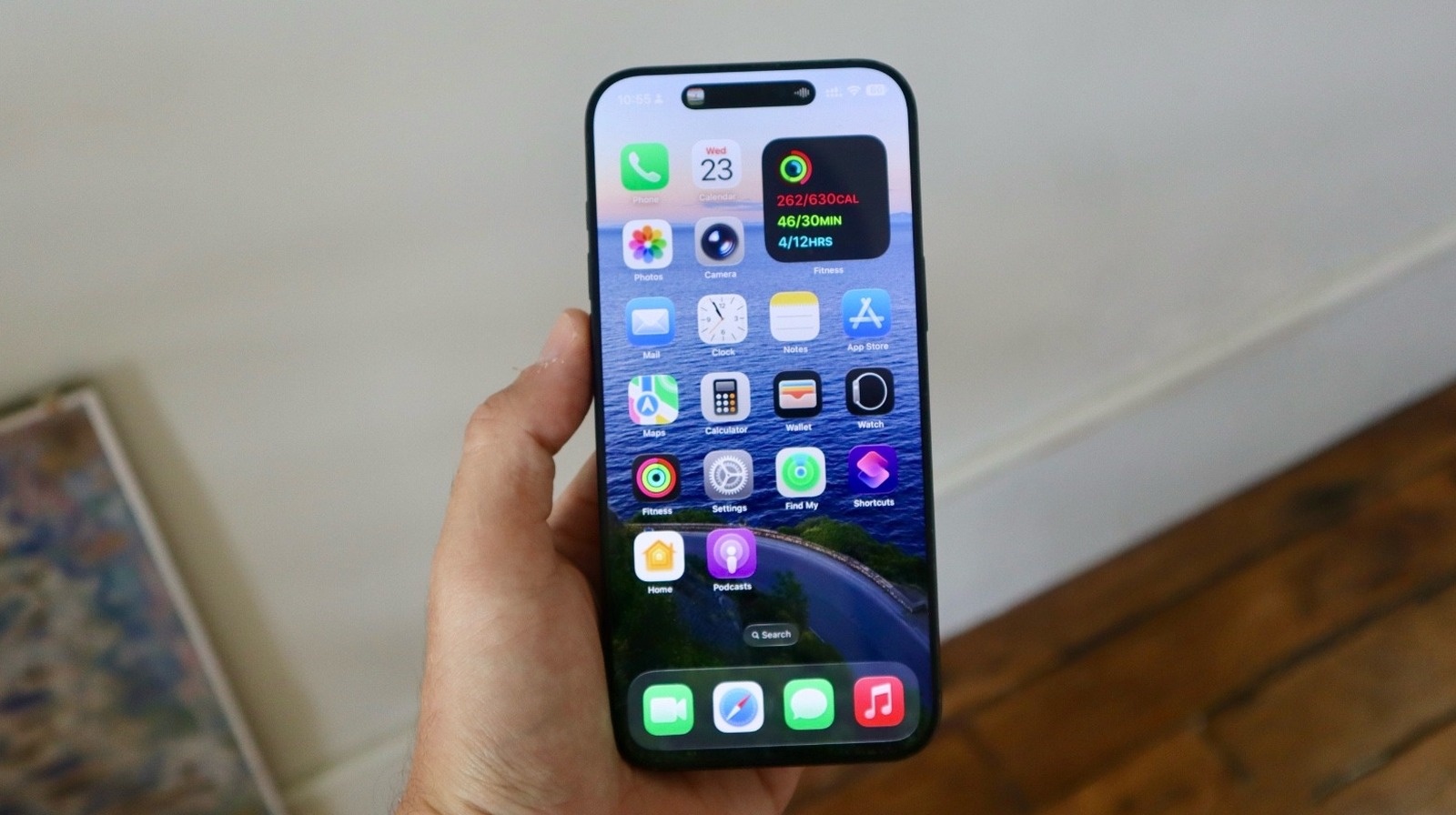
6 Reasons To Skip The iOS 26 Public Beta

José Adorno for BGR

iOS 26 public beta has been out for a few days now, but I’ve been testing iOS 26 since the first developer beta. Apple has improved a great deal over the past two months, but it’s still far from being perfect, especially if you want to use the software on your primary device.

iOS 26 offers several new features, including the all-new Liquid Glass design, deeper integration of ChatGPT, new Continuity features when you have iPadOS 26, macOS Tahoe 26, or watchOS 26 installed, and more. However, taking advantage of these new features means you need to be prepared for all of the bugs and issues that come with this beta. After all, we’re talking about a test version, and many of the problems can’t be addressed until Apple releases the official version later this year.

While the experience should become exponentially better over the course of the beta cycle, there’s a reason that Apple doesn’t just roll this version out to the general public. In fact, we’ve come up with six reasons to skip the iOS 26 public beta and wait for the real deal later this fall.

Here’s why you should skip the iOS 26 public beta

José Adorno for BGR

While not everyone is going to run into the same bugs, these are some of the most common issues myself and other users have encountered in the iOS 26 beta so far:

Battery draining issues: All the way up to the most recent beta release, iOS 26 still drains the battery of my iPhone 16 Pro Max faster than it should. If I have a little over 50% charge and I need to go out for more than five hours, my battery will probably drop to zero before I get home. Sometimes, even the lightest tasks will consume a huge chunk of battery for no reason.

iPhone overheating: Alongside battery drain issues, the iPhone might overheat when opening Apple Maps, selecting a background for an iMessage chat, or using any Apple Intelligence feature at all. Sometimes, switching between apps will make the display dim, and direct sun exposure just makes the display go dark.

Unresponsive apps: The worst part of the iOS 26 public beta is that third-party developers can’t address bugs we experience in their apps, as an optimized version can only be released after the new software is officially out. With that said, I’ve seen my gym app display the tiniest QR code I’ve ever seen, my carrier app stop working out of nowhere, and the keyboard being completely broken in messaging apps. You won’t know which apps are going to struggle until you install the beta, so an easy fix is to just avoid it.

Bugs are always going to plague beta releases

José Adorno for BGR

If that wasn’t enough to scare you off, here are a few more issues we’ve encountered:

VPN incompatibility: If you use a custom VPN for work, it’s possible that it won’t work in iOS 26. I have had this issue in the past with macOS updates, and it’s something that can occur out of nowhere.

iPhone rebooting: Sometimes, an action as simple as taking a screenshot can make your iPhone reboot. Why? I don’t know. There’s no specific action that always triggers it, so be prepared for random reboots at inopportune times.

Carrier issues: Another issue is that your eSIM can stop working or you might not be able to activate a new number because your carrier hasn’t made the necessary arrangements for the software update. If you’re planning on changing carriers or your mobile plan any time soon, we highly recommend against installing the iOS 26 beta on your phone.

It is technically possible to downgrade back to iOS 18, but if your Apple Watch is running watchOS 26, you can’t go back to watchOS 11. Therefore, your Apple Watch will be unpaired from your iPhone until you reinstall iOS 26.

With all of that said, it can be exciting to test out these upcoming software updates before they launch. However, you will only know which bugs might drive you crazy after you’re in the beta. And, again, the beta version is always expected to have bugs, but just remember that you don’t need to deal with them, as you can wait for the stable release instead.

Source

Posted on

The Mysterious Black Cylinder On Your Cables Isn’t Just For

Maneesh Upadhyay/Shutterstock

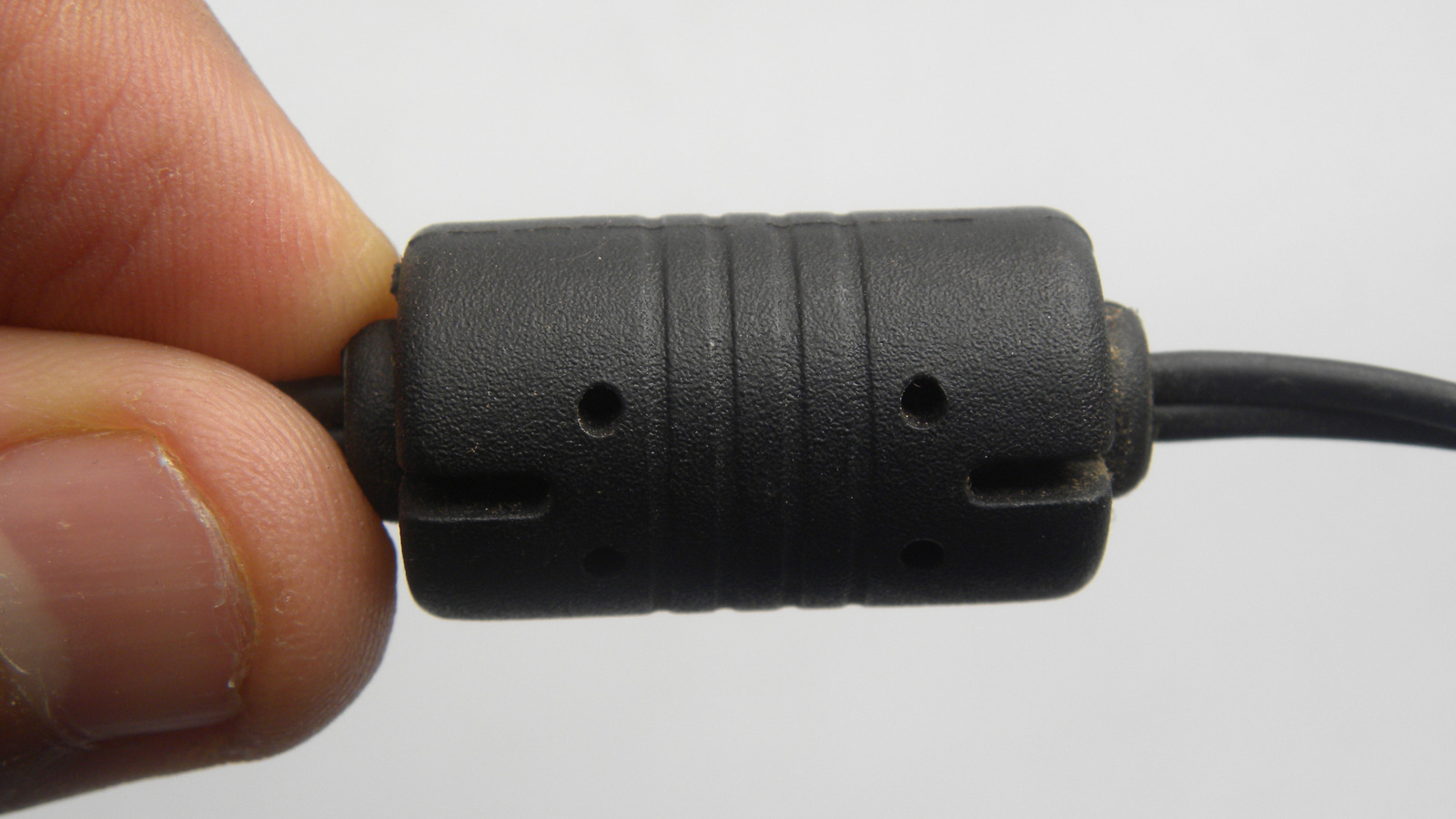
That little plastic cylinder at the end of a cable isn’t there just to get in your way, it actually serves a purpose. Though we live in an age when cybercriminals can install microcomputers in iPhone cables, there’s nothing inherently nefarious about a ferrite bead. In fact, they’re actually super useful.

You can call that plastic cylinder a ferrite bead, a ferrite choke, EMI filter, ferrite core, or ferrite block. Whatever name you choose, the cylinder still serves the same purpose, which is to block radio-frequency interference (RFI) and electromagnetic interference (EMI) within cables and electronics. Ferrite is composed of iron oxide, and its magnetic ceramic material ensures there’s no interfering noise coming from or leaving devices. While a ferrite bead can be built directly into smaller cables, larger cables are likely to have that familiar cylinder.

Whether it’s the power cable to your monitor, or an old USB cable, that little plastic doohickey is helping you avoid disaster. Without enrolling you in an entry-level engineering course, let’s take a simplistic approach to this helpful material.

It isn’t magic, it’s science

Yura Borisov/Shutterstock

You may not notice it, but the electronics in your house can produce an awful amount of noise. Your ears are unlikely to pick it up, but your electronics certainly can, which is why ferrite plays an excellent role in dissipating this noise. Without a ferrite core, EMI and RFI signals are likely to interfere with your electronics. This interference can be small, like an LED monitor flickering, or it can be something larger, such as an old microwave lacking ferrite interfering with a new computer when next to it.

In these situations, ferrite is good for managing frequencies: highs will dissipate into heat, whereas the lower frequencies pass between devices.

Not every accessory needs a ferrite core. Take a computer and its case, as an example. While certain components inside the machine, like the motherboard, may produce a large amount of frequencies, the computer’s case helps block them. However, a case may not have any or enough of the materials to do this on its own, which is where ferrite comes into play. So even though certain ferrite beads may prevent you from taking advantage of the accessories designed to hide the power cables in your home, you can at least be assured that the little ceramic magnets are doing their part to help.

Can ferrite beads cause issues?

Audrius Merfeldas/Shutterstock

While ferrite beads are capable of causing problems, the vast majority of issues will be at a manufacturer or engineering level, not a consumer level. Since ferrite is a low-pass filter, engineers need to understand their function to ensure the correct filtering levels.

For example, ferrite can become saturated if it takes on a high enough current, allowing higher frequencies to pass and create issues for the component or device. Essentially, engineers need to ensure they are eliminating the right frequencies while preserving the necessary ones.

You don’t really need to worry about the drawbacks of ferrite when connecting your power cable to your printer, but a scientist engineering a cable with twice the power of a Thunderbolt 4 might. If you don’t plan on engineering your own cables or components, knowing the role this material plays within your devices can help maintain longevity. Or, at the very least, it stops your devices from having weird conversations with each other. 

Source

Posted on

Zen Internet, Sky Business Wholesale ink Ethernet partnership

Zen Internet and Sky Business Wholesale have announced a strategic partnership that will see the former’s partners and direct business customers gain access to Sky’s Ethernet-enabled exchange footprint.

Headquartered in Rochdale and employing 650 people, Zen offers a range of broadband, data, voice, hosting and infrastructure services to homes and businesses across the UK. It claims to be the largest B Corporation certified telecommunications and network connectivity provider in the UK.

With a network spanning over 2,800 exchanges, with more than 80% enabled for 10 Gb services, Zen also provides what it describes as “complex” network and cloud services for a range of large businesses and corporate customers through its strategic partnerships with Amazon Web Services and Cisco.

Sky Business says its mission is to keep firms connected and customers entertained with a “next-generation network and unrivalled live sport and entertainment”. The company says it’s guided by three premises: always innovating; making customers’ lives easier with next-level support; and continually investing in business.

Zen regards the collaboration as marking a “significant” step forward in delivering high-performance, scalable connectivity services to businesses across the UK. It adds that the partnership lays the foundations for a long-term strategic relationship, with growth and innovation at its core.

The partnership is also designed to further strengthen Zen’s partner portal, The Fibre Hub, after its launch in May. This offers access to a full-fibre footprint of nearly 20 million premises via infrastructure providers Openreach, CityFibre, ITS and Freedom Fibre, with products from Trooli coming soon.

By aligning application programming interface strategies and automation capabilities, both providers aim to accelerate quoting, ordering and service delivery, bringing greater speed and efficiency to its partners and direct business customers.

David Barber, strategy director at Zen Internet, regarded Sky’s network reach as a strong strategic fit for his company. “This partnership expands choice and flexibility for our channel and UK businesses we serve directly, enabling us and the channel to compete more effectively on price, coverage and service,” he said. “It is another significant step in bringing genuine infrastructure competition to the UK market.

“As we continue to build relationships with more key network providers, we’re on track to offer the widest geographic reach and the best commercial advantage for the channel, and for direct business customers.”  

Sky Business Wholesale managing director Damian Saunders added: “We’re excited to partner with Zen, a business that shares our focus on innovation and customer choice. This is just the beginning of a broader collaboration that will bring real value and better outcomes for the channel and business customers alike.”

Going forward, Zen says it will also provide its channel partners and direct business customers access to Sky Business Wholesale’s Ethernet-enabled exchange footprint and 10GB Ethernet services. This builds on Zen’s offering of Ethernet over fibre to the premises and business-grade connectivity products from CityFibre and ITS.

Source

Posted on

Private 5G market ‘nears mainstream’ with $5bn surge

After noting an increase in private 5G network deployments by household names in the telecoms industry and industrial giants across vertical industries, research shows investments in such networks are set to grow at a compound annual growth rate (CAGR) of approximately 41% between 2025 and 2028, with annual spending projected to reach $5bn by 2028.

Outlining the fundamentals of private 5G communications following its study, SNS Telecom & IT’s Private 5G market: 2025-2030 report states that private mobile networks based on LTE communications have been a well-established market and have been around for more than a decade, albeit as a niche segment of the wider cellular infrastructure segment.

However, the analyst emphasised how private cellular networks, or non-public networks (NPNs) based on 3GPP-defined 5G specifications, are just on the cusp of becoming a mainstream technology, with a market potential exceeding that of private LTE.

Additionally, on a technological basis, explaining why 5G private networks are a considerable improvement, SNS Telecom & IT noted that compared with LTE technology, private 5G networks can address far more demanding performance requirements in terms of throughput, latency, reliability, availability and connection density.

In particular, the report cited 5G’s Ultra-Reliable, Low-Latency Communications (URLLC) and Massive Machine-Type Communications (mMTC) capabilities. These, along with a future-proof transition path to 6G networks in the 2030s, have positioned private 5G as a viable alternative to physically wired connections for industrial-grade communications between machines, robots and control systems, said the analyst.

Furthermore, the report highlights that 5G’s wider coverage radius per radio node, scalability, determinism, security features and mobility support have stirred strong interest in its potential as a replacement for interference-prone unlicensed wireless technologies in industrial internet of things environments, where the number of connected sensors and other endpoints is expected to increase significantly over the coming years.

Looking at the financials, the study projects that total annual investments in private 5G networks for vertical industries will grow at a CAGR of approximately 41% between 2025 and 2028, eventually surpassing the $5bn mark by the end of 2028.

The study notes that, initially, much of the growth will be driven by highly localised 5G networks covering geographically limited areas for Industry 4.0 applications in manufacturing and process industries. In these areas, sub-1GHz wide area critical communications networks for public safety, utility and railway communications are anticipated to accelerate their transition from LTE, GSM-R and other legacy narrowband technologies to 5G towards the latter half of the forecast period.

Over the past 12 months, organisations in the US, Canada, Germany, the UK, France, China, Japan, South Korea, Taiwan, Australia, Brazil, and other countries ramped up their digitisation and automation initiatives. Private 5G installations have progressed to a stage where practical and tangible benefits – particularly efficiency gains, cost savings and worker safety – are becoming increasingly evident.

It reported that there has been a noticeable increase in production-grade deployments of private 5G networks by industrial giants such as Airbus, Aker BP, Boliden, Coal India Limited, Equinor, Etihad, Ford, Hutchison Ports, Hyundai, Jaguar Land Rover, John Deere, LG Electronics, Lufthansa, Newmont, POSCO, Tesla, Toyota and Walmart. Such investments, said the analyst, were paving the way for Industry 4.0 and advanced application scenarios.

Examples of such scenarios included Tesla, LG Electronics and Hyundai eliminating connection-related stoppages since migrating automated guided vehicle (AGV) and autonomous mobile robot (AMR) communications from unlicensed Wi-Fi systems to private 5G networks at their production facilities in the US and South Korea. The French city of Istres has also reduced video surveillance camera installation costs from $34,000 to less than $6,000 per unit by replacing fibre-based connections with a private 5G network.

Elsewhere, China Huaneng Group is relying on a tri-band (700MHz, 2.6GHz and 4.9GHz) 5G-Advanced network to safely coordinate a fleet of 100 unmanned electric mining trucks at its Yimin open pit coal mine in Inner Mongolia.

Source

Posted on

These Are The Jobs Microsoft Says Will Be Replaced By

Andrey_Popov/Shutterstock

It’s been impossible to miss the headlines that have popped up over the past couple of years, but many of them have had the same message: AI is coming for our jobs. While it’s easy to get lost in the doom and gloom of the “AI revolution” we’re currently experiencing, many have stood fast on the fact that while AI might replace some jobs short-term, humans will ultimately find other places to apply their skills.

No matter where you fall on the scale of believing the headlines or not, though, it’s hard to argue with the fact that some jobs are likely to be completely replaced by AI at some point in the future. In fact, we have already seen the Godfather of AI himself argue that AI will replace some jobs. And now, it looks like Microsoft is jumping on the bandwagon.

The tech giant has been pushing AI experiences since the revolution began, and according to a new yet-to-be-peer-reviewed study that researchers at the company have published to arXiv, the jobs most likely to be replaced by AI include teaching jobs, advising jobs, and writing jobs.

AI can’t replicate human feeling and soul

La Famiglia/Shutterstock

More specifically, the list of occupations with the highest AI applicability scores included interpreters and translators, historians, passenger attendants, sales representatives, writers and authors (gulp), and customer service representatives. Employees in these fields should be paying especially close attention to AI’s rise in the days ahead.

Of course, that’s a very broad list of potential industries that could be affected by the ongoing advancement of AI. However, it’s worth noting that even if AI does replace some of these jobs — it’s extremely likely, especially at big tech companies like Microsoft — the outcome is always going to be work that lacks human feeling and soul.

That’s one of the biggest issues with AI replacing human jobs. It may be able to learn and pick up on the technical aspects of our skills. But AI will never be able to replace what human workers bring to their jobs. There’s also the whole hallucination issue, but that’s another topic altogether. The point is, AI still has a long way to go before it replaces all of our jobs. And the good news, I guess, is that if AI does replace our jobs, we can still count on manual labor to pay the bills — at least until the robot butlers take over.

Source

Posted on

3 Ways To Check If Your Android Phone Is Carrier-Locked

West/Getty Images

It’s not always easy to tell if an Android device is locked to a cellular/wireless provider, but there are methods to retrieve this information. If your device is locked, it will only take SIM cards from a specific carrier, whereas something unlocked can be used with virtually any provider. A locked device may also prevent you from accessing all of your device’s features. 

There’s multiple ways to check if your device is locked: through the device’s IMEI information, switching out the SIM card, or checking via the device’s mobile settings.

Checking through the Settings menu is easy, though menu names may change depending on your device. Simply open the Settings app and select Network and Connections or Connections. Select Network Operators to see if there are multiple network options. If there are, that means your device is likely unlocked. If not, tap More connection settings and select Network unlock, which allows you to view what carrier your device is locked to, or possibly your carrier may provide the option to unlock the device from this menu. 

It’s recommended to talk to a carrier representative as they may have options tailored to your needs, but knowing if your Android is locked can be just as useful as knowing how to block your number when calling people.

Find if an Android is locked through the IMEI number

Carol Yepes/Getty Images

Like humans and our fingerprints, your device has a unique identifier, known as the International Mobile Equipment Identity (IMEI) number. Used for ensuring the validity of mobile equipment, this 15-digit number is stored in a database and provides a variety of basic information, including the model name, and whether or not it’s locked. Finding this number can be as easy as checking your Android’s battery health if you know where to look.

To find your IMEI number:

  • Navigate to Settings and select About Phone.

  • Scroll down until you see the IMEI section. Write the number below the header down.

  • Check a third-party website or contact your carrier to provide more information about your IMEI number.

  • Certain wireless carriers may also allow you to obtain your IMEI by typing *#06# in the Phone app’s keypad.

After obtaining the IMEI number, one of the most reliable websites for checking your information is imei24.com. Be aware, however, that due to IMEI numbers being tied to a registry, certain third-party websites and even your wireless representative may not have the most accurate information. Even worse, some sites may attempt to charge you money or they can be an outright scam. If you want to check if your phone is unlocked, having your IMEI handy and contacting your service provider will be the most reliable method for obtaining the best information.

Check via your SIM card

LanKS/Shutterstock

With this method, the steps are easy, but you’ll need access to another SIM card that is on a different network. This can be a card from a family member or friend, or you can use a brand-new SIM card should you have one available.  

Here’s the steps:

  • Turn off your device.

  • Remove the SIM card. If your device is older and has a removable battery, you should be able to take the back of the phone off and then remove the SIM card. For newer model phones, you will need the SIM ejector tool that came with your device or a paperclip to open the SIM card tray. Refer to the user manual for your device if unsure.

  • Insert the second SIM card.

  • Turn the device back on. If you are able to text or receive calls, your device is likely unlocked. If you receive a prompt to enter an unlock code or if you are unable to make a phone call, your device is likely locked to your carrier.

If you receive an error code while making a call with the new SIM card, be sure to record this number, as it may be useful when speaking to a representative. It’s possible that other issues, such as hardware problems or account restrictions, blocked the call. Thankfully, Google has you covered with this one Android feature that can make talking to representatives easier.

Source

Posted on

Why You Shouldn’t Put An AirTag In Your Kid’s Shoes

Skechers recently made headlines by releasing a line of kid shoes that feature a hidden compartment under the insole where parents can place an Apple AirTag. While this might look like a solid solution to ensure that your child is always safe and you know where they are at all times, you definitely shouldn’t buy these shoes for this specific purpose.

First off, this has nothing to do with whether or not this is a violation of a child’s privacy. However, when Apple released the AirTag in 2021, it addressed several situations in which you shouldn’t be depending on the item tracker. Among the examples: don’t attach it to your dog’s collar, don’t use it to track your kids, and, most importantly, never use it to surreptitiously track anyone.

This is why, over the past few years, Apple has improved the privacy features of the AirTag so that it will start beeping if it is disconnected from the iPhone of its original owner or detects another AirTag in the vicinity for an extended length of time. However, the most important point is that the AirTag can’t provide real-time location data if the tracked item (or person) is on the move.

Why the AirTag works with items but not people

José Adorno for BGR

For the AirTag to work, it needs to be close to a Bluetooth device, such as an Apple product, so the AirTag can connect to the network and send an updated signal. While that’s perfect for finding out if your luggage landed safely at the airport, it doesn’t work as well with moving objects. That’s especially true in the case of young children, many of whom probably don’t own a smartphone.

Worst of all, if a teenager or an adult is with your kid, it’s possible that they will hear the AirTag chime or receive a notification that “an AirTag might be tracking you” from their smartphone as part of the AirTag’s privacy features.

With that in mind, if you want to track your kid in real time, buying shoes with an AirTag compartment isn’t the best option. That said, if you must track your child, there are Apple offers two much more effective (but pricier) solutions.

Use the Find My app or a cellular Apple Watch

José Adorno for BGR

If your kid is old enough to have an iPhone, you can simply set up an account for them, which includes making them part of your Apple Account family and thus adding them to your Find My network so you can track their precise location. Apple also offers another interesting solution, which is a feature called “Apple Watch For Your Kids” (formerly known as “Family Setup”).

Starting with the first generation Apple Watch SE, Apple lets you use your iPhone to set up an Apple Watch for a young child or an older family member who might need assistance. In this case, you just need to make sure a cellular connection is established, and you can keep track of that person all the time, and even receive other health-related notifications.

There’s no question that these solutions are more expensive than buying a pair of shoes. However, if the peace of mind is important to you, skip the gimmicky shoes and get a proper device that will keep track of your kids wherever they go.

Source

Posted on

Kioxia launches 245TB LC9, the biggest flash drive on the

Kioxia has launched solid-state drives of 245.76TB (terabytes), making them the largest capacity commodity flash drives currently on the market. The company said the new LC9 will be targeted at artificial intelligence (AI) training, data lakes and hard disk drive (HDD) replacement in hyperscale clouds.

Its capacity of 245.76TB dwarfs the maximum possible from spinning disk, which currently tops out at around 40TB. Pure Storage has promised 300TB capacity flash drives in its proprietary DirectFlash Modules, due out later this year, but they will only work on Pure arrays.

Kioxia’s LC9 will come in 2.5in U.2 and EDSFF E3.S and E3.L form factors. It uses PCIe 5.0, which can be single full channel or two channels at half speed, to allow solid-state drives (SSDs) to be deployed in storage arrays with two redundant motherboards. Capacity runs to 122.88TB in the 2.5in and E3.S formats, with the full 245.76TB in the E3.L drives.

Kioxia LC9 SSDs will use its eighth-generation BiCS chips, which contain 32 quad-level cell (QLC) NAND circuits in place of the 16 of the previous generation.

The Japanese company has effectively doubled the previously possible capacity of 122.88TB by doubling the chip count and making a wider/thicker drive.

Kioxia competes in 122.88TB flash drives with Phison and Solidigm, but differences in how the manufacturers put them together result in varying performance metrics.

Solidigm’s D5-P5336 controller chip can write data at a maximum throughput of 7.4GBps and writes at a maximum of 3.2GBps. Phison’s Pascari D205V also writes at a maximum of 3.2GBps but reads at 14.7GBps with PCIe 5.0.

Kioxia’s LC9 is slower at around 3GBps for writes and 12GBps for reads. Kioxia doesn’t explain why this is the case, which occurs with the same controller used by Phison. It’s possible some economies have been made somewhere, perhaps in onboard random access memory (RAM), so its SSDs can achieve the 245TB capacity.

Kioxia’s LC9 achieves good scores in random writes, which is consistent with a larger number of NAND chips. It supports 50,000 input/output operations per second (IOPS), compared with 35,000 IOPS for the Phison SSD and 25,000 for the Solidigm product.

The Phison product wins out when it comes to random reads, with three million IOPS, then Kioxia with 1.3 million and finally Solidigm with 930,000. These results are nuanced, however, because they are biased by rewrites of data stored in cache by the use of differing levels of firmware intelligence to predict hot data.

The presence of RAM dedicated to cache in the Phison product, but not in that from Kioxia, may also explain this. The Solidigm model, already slower due to the use of PCIe 4.0, has 33% less cache than Phison.

All this is in the context of writes that are always slower than reads on QLC SSDs because the firmware must calculate how to store one bit in a cell that can take four. That involves copying any existing bits to RAM, electrically erasing the cell, then writing the update to the same cell or to another cell to which the firmware has given the same logical address.

The key to the 245TB capacity of Kioxia’s LC9 product is in the format of the drives. Kioxia has coined the idea of a “2T” format for the E3.L drives that comprise two cards of 122.88TB.

E3 formats are 7.6cm high and correspond to the façade of a 2U storage array. The E3.S and E3.L formats differ in depth (11.28cm compared to 14.22cm). This width and length allows an E3.S to offer the same capacity as a 2.5in drive but with the lower thickness of 0.75cm in E3 drives.

In Kioxia’s E3.L 2T format, the width of the SSD is nearer 1.68cm.

That means that while it is usually possible to install 24 E3 SSDs in a 2U array, the number of 2T SSDs possible is 10 units per machine. That means a 2U array full of 122.88TB SSDs makes for around 2.9PB (petabytes) of raw capacity, while an array full of 245.76TB capacity drives stacks up to 2.46PB.

Despite this, Kioxia said the advantage of the 245.76TB drive lies elsewhere. Namely, that it uses fewer PCIe channels, which means a single array can control more SSDs and use less energy.

Source

Posted on

Apple Watch: How To Check Battery Health And Maximize Lifespan

Hocus-focus/Getty Images

The Apple Watch remains one of the best-selling smartwatches, with multiple models available. It is known for its seamless integration with iOS, intuitive watchOS interface, and reliable health and fitness tracking features. As of July 2025, whether you’re focused on fitness, wellness, or everyday productivity, there’s an Apple Watch out there for everyone.

Whether you’re using the latest Apple Watch Series 10 or an older model, one thing remains true: Apple Watch batteries degrade over time. Like all lithium-ion batteries, the one inside your Apple Watch is subject to chemical aging, which reduces its ability to hold a charge as the months go by. Frequent use, high temperatures, and regular charging cycles all contribute to this gradual decline in performance. 

According to Apple, a typical Apple Watch battery is designed to retain up to 80% of its original capacity at 1,000 full charge cycles. You can monitor your device’s battery health directly through the watch settings to determine if it’s time for a replacement.

Apple Watch battery life depends on various factors including the specific model you own. For example, when new, the Apple Watch Series 10 is rated for up to 18 hours of battery life per charge. The more rugged and premium Apple Watch Ultra 2 offers significantly better performance, boasting up to 36 hours of battery life in standard mode, and up to 72 hours when using Low Power Mode.

How to check your Apple Watch battery health

Hadrian/Shutterstock

While you don’t need to monitor your Apple Watch battery health daily, it’s a smart habit to check it periodically, especially if you’re noticing issues like unexpected shutdowns or your watch isn’t lasting as long on a full charge as it once did. These signs often point to battery degradation, a regular part of any lithium-ion battery’s life cycle.

The key metric to look at is the Maximum Capacity, which indicates how much charge your Apple Watch battery can hold compared to when it was new. For example, if the maximum capacity has dropped significantly below 100%, your watch may not get through a full day on a single charge. This value helps you determine whether your battery is still in good condition or if it might be time for a replacement.

You can check your battery health on your Apple Watch in a few simple steps. Here’s what to do:

  • Press the crown to open the Home Screen.

  • Tap on the Settings icon.

  • Tap on Battery.

  • Scroll through to Battery Health.

When you check your Apple Watch battery health, you’ll see a Maximum Capacity percentage. A healthy battery typically reads above 80%, and anything below that may warrant a battery replacement, regardless of how long you’ve owned the watch. While a brand-new Apple Watch should show close to 100% capacity, Apple notes that slight variations can occur due to time between manufacturing and purchase. After regular use, it’s normal to see the capacity drop.

How to optimize your Apple Watch battery

Wongsakorn 2468/Shutterstock

Apple offers several built-in features to maximize Apple Watch battery life, and keeping your device updated ensures you benefit from the latest energy-efficiency improvements in watchOS. Enabling Low Power Mode (accessible via Control Center or Settings) disables non-essential features, like always-on display, background heart and oxygen monitoring, and cellular connections.

For long-term battery health, Apple recommends using Optimized Battery Charging, available in watchOS 7 and later, which learns your habits and delays charging past 80% when appropriate. Optimized Charge Limit further refines charging patterns to preserve battery life on supported models (Series 6 and later, SE, and Ultra). You can also reduce screen wake-ups by disabling Wake on Wrist Raise, or enabling Theater Mode, and keeping Bluetooth on your iPhone ensures efficient sync and less power drain on the watch.

While working out, you can turn on Power Saving Mode, which will disable the heart rate sensor. All you need to do is go to the Apple Watch app on your iPhone, go to My Watch and select Workout. From here, you can enable Power Saving Mode, just be aware, calorie burn calculations might not be as accurate. 

Source