Posted on

UK Tech Prosperity Deal: Business spend in AI set to

The government wants the UK to lead the way in artificial intelligence (AI) capacity in Europe, and research from Barclays Corporate Banking shows that business leaders recognise the need to invest in AI and emerging technology.

This week, Google, Microsoft, Nvidia, Oracle and OpenAI announced they are building out significant datacentre capacity in the UK. The increase in compute capacity offered by these datacentres is a fundamental part of Labour’s AI plan of action, providing AI accelerations to drive business opportunities and streamline digitally enabled public services.

To take advantage of this compute capacity, businesses will need to spend money on technology and invest in skills development. A poll of 1,000 businesses, conducted by Opinium Research on behalf of Barclays, found that on average, businesses are spending almost £236,000 on AI and emerging technologies.

The Barclays business prosperity index, which combines the poll with economic modelling produced in partnership with the Centre for Economics and Business Research (Cebr), shows that large businesses with more than 250 employees are spending an average of £400,000 on AI and emerging technologies.

The figure for medium-sized businesses with between 50 and 249 employees is £225,500 on average, while small companies with between 10 and 49 employees are spending around £125,000.

“It’s encouraging to see an intent to invest from UK businesses, with many turning that into action,” said Matt Hammerstein, chief executive of Barclays UK Corporate Banking. “Against a backdrop of global uncertainty, there’s more to do to build confidence in the UK as a place for businesses to grow and scale.

“Our research suggests that AI is becoming a key tool to drive innovation, encourage investment and upskilling to lift productivity, and build confidence in the UK as a global business hub.”

According to Barclays, the results of the survey show that despite ongoing global economic challenges, UK firms are accelerating AI adoption and upskilling their workforce to drive innovation and growth.

The businesses polled are also planning to increase overall investment by 5.5% over the next 12 months, to provide staff training and development (42%), improved digital products (37%), and research and development (37%).

However, Barclays reported that 39% of the businesses surveyed say they face a digital and AI skills shortage.

With the government’s UK-US Tech Prosperity Deal committing billions of pounds into AI infrastructure investment, the tech industry is calling for greater support to develop AI and digital technology skills.

Melissa Di Donato, chair and CEO of software business Kyriba, who sits on the Department for Business and Trade’s SME Digital Adoption Taskforce, said: “UK firms need to rapidly upskill their workforces, build stronger digital leadership at board level, and take up proven technologies like cloud, AI and automation with the same urgency we see from global tech leaders.

“And as the recent SME Digital Adoption Taskforce report urges, government and industry should expand access to practical support and targeted incentives so that small and mid-sized businesses can invest and scale with confidence,” she said. “This is the time to seize the moment and convert big tech’s capital into the productivity gains our economy needs.”

Source

Posted on

Latest iPhone 17 Pro And iPhone Air Bend And Drop

Michael M. Santiago/Getty Images

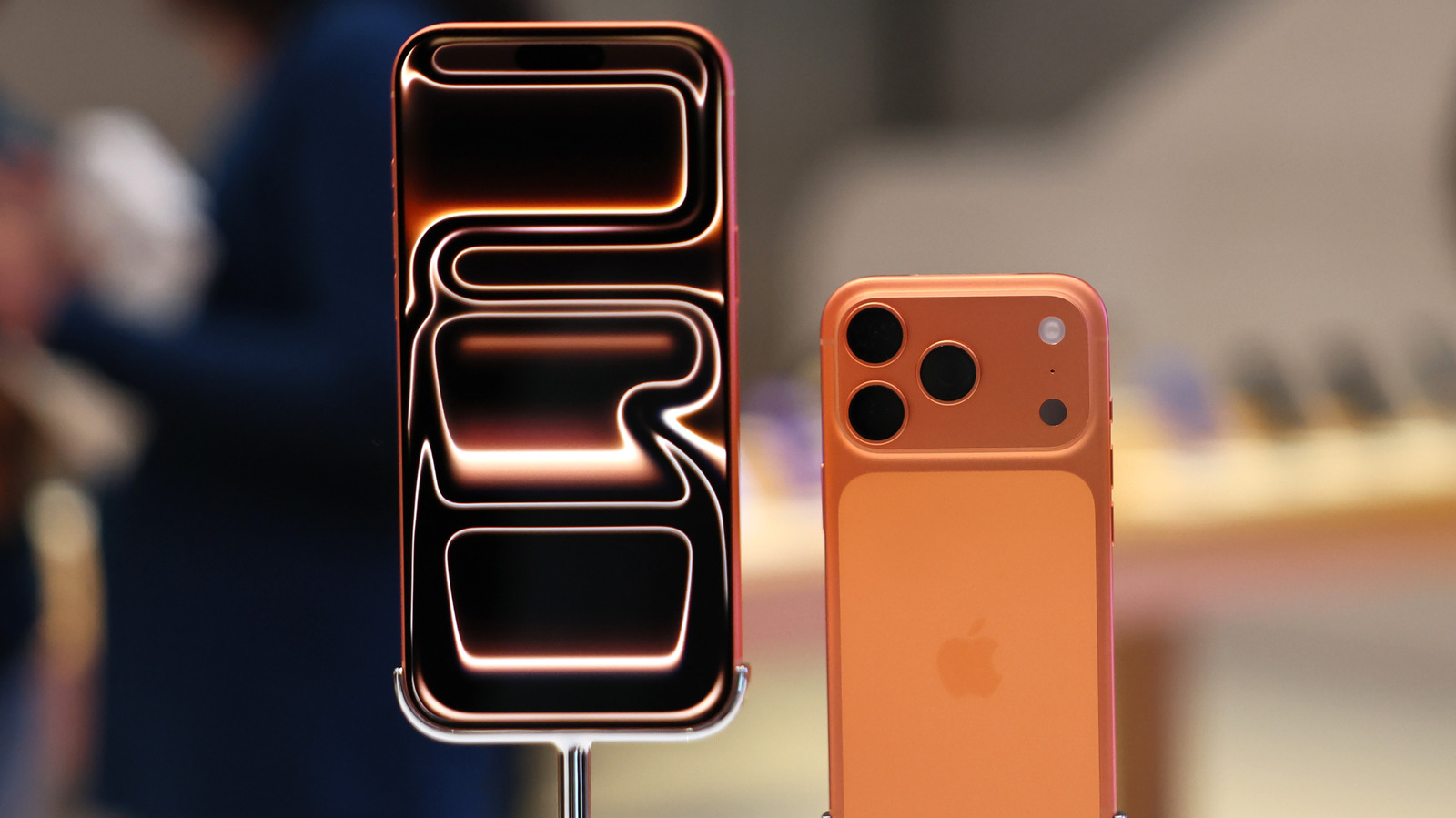
Apple made several bold claims about the durability and scratch resistance of the new iPhone 17 Pro and Pro Max. Thanks to the new Ceramic Shield 2 technology, all four new iPhones feature displays that can withstand everyday abuse without scratching or breaking. In addition, Apple executives were seen throwing the iPhone Air across the interview room and asking journalists to bend it, illustrating the company’s confidence in the build quality of even the ultra-thin iPhone Air.

With the iPhone 17 series now on sale, the internet is flooded with various tests of the new iPhones’ display and chassis. Even though some users have reported that the iPhone 17 Pro can pick up scratches easily, durability tests by renowned YouTubers suggest Apple has done a remarkable job of making the new iPhones resistant to bends and breakage. One of the latest bend and drop tests conducted by the insurance company Allstate confirms that the iPhone Air and iPhone 17 Pro are as strong and durable as they appear.

Bendgate is no longer a concern

According to Allstate’s tests, the iPhone 17 Pro could be bent only after applying 200 lbs of pressure and was still fully functional after the test. The iPhone Air — on the other hand — bent after applying 190 lbs of pressure. Considering that the iPhone Air is much thinner than the Pro, it fared impressively well in the test. In the drop test, both the iPhone 17 Pro and iPhone Air shattered after a face-down drop from 6 feet, even though they remained fully functional. As for the back — when dropped from the same height, the iPhone 17 Pro suffered cosmetic damage around the camera plateau, while the iPhone Air’s rear panel cracked.

Allstate’s robotic tests show that the new iPhone models can survive someone trying to bend them, but since they’re still made of glass, they can break when dropped. “Apple avoided another bendgate, but gravity still wins,” said Jason Siciliano, vice president of marketing at Allstate Protection Plans. “While the iPhone Air impressed, and the Ceramic Shield rear panels of both iPhone Air and 17 Pro are the most durable we’ve tested in years, both iPhones still shattered when dropped face-down. If you’re spending more than $1,000 on a phone, a case, screen protector, and protection plan are smart investments.”

Source

Posted on

Podcast: Data sovereignty and what you need to do about

In this podcast, we ask Patrick Smith, EMEA chief technology officer at Pure Storage, about the increased drive towards ensuring data sovereignty.

Smith talks about drivers that include geopolitical trade and political uncertainty, new levels of sensitivity over data, and increased regulation and compliance requirements.

He also talks about the risks of not addressing the needs of data sovereignty, as well as the ways in which it is being addressed, such as customers focusing on holding data on-premise, careful construction of hybrid cloud setups and ensuring readiness for new regulations.

What is data sovereignty, and why is it a thing we’re paying attention to right now?

I think for a long time we thought of data sovereignty as the location where data sits. And that certainly is one aspect. But really, it’s the laws and governance structures around the country in which data is collected, processed and stored.

It’s also about who has the authority to dictate how data is managed, accessed and used. Those two dimensions define what makes up data sovereignty and how people think about it.

And why is it a thing that we’re paying attention to right now?

We’re seeing three factors coming together to increase the focus on data sovereignty.

The first of those factors is data sensitivity. As citizens, we’re becoming increasingly aware of the sensitivity of data around us, corporate data. A lot of this focus is the result of ransomware attacks and data leakage.

But we’re also seeing data sensitivity being highlighted in terms of copyright and intellectual property. And that’s being driven by the rise of AI [artificial intelligence]. So, as a society, data sensitivity is increasingly top of mind.

Therefore, corporations are having to really focus on protecting data and making sure data is managed correctly.

The second aspect is the rise of the public cloud.

Two decades ago, the public cloud was a novel way to host sandbox environments for IT. Now, 20 years later, it’s pretty much the de facto way to run technology services. And most organisations, certainly in the West, are almost entirely dependent on the three main US cloud providers.

That then plays interestingly into, in the cloud world, do you know where your data sits? Do you know who’s got access to it? It opens up a bit of a Pandora’s box on data sensitivity and data sovereignty.

And then the third aspect that is a catalyst for this heightened awareness on data sovereignty is the geopolitical climate we’re operating in.

We’ve seen commercial challenges at a national and international level in terms of tariffs. We are seeing increasing instability. We’ve seen supply chain constraints – politically instigated and commercially instigated – that are all playing to a sense of uncertainty.

And we’re seeing an increasingly competitive global landscape between the US, the European Union, and primarily China and Asia. All of those things are heightening awareness around data sovereignty.

What are the risks of not addressing data sovereignty? And are there any benefits for those that do address it? And I’m talking really here about customer organisations, as well as more widely the background political landscape, etc, states

If we look at what’s top of mind with organisations in terms of the risks, the first one is the potential for service disruption.

So, by having my data and business services hosted outside of my country, there is the potential for service disruption. And now that’s not disruption through equipment failure, but potentially disruption as part of a commercial negotiation, as part of a tariff dispute. That has certainly risen in the minds of organisations.

And that plays into the second aspect, which is the risk of foreign influence in terms of legitimate access to data, illegitimate access to data, legitimate access through legal frameworks, through court orders, illegitimate access through unauthorised or unlawful intrusion by external actors, both of which are enabled by the interconnected nature of technology services across borders. By adopting a sovereign approach, you can start to mitigate those risks.

The other aspect is an interesting one, if you overlay those concepts with the changing regulatory landscape. So, we’re familiar, and have been for quite some time, with GDPR in Europe. We’ve also seen DORA in Europe for financial services. We’ve seen increasing regulation of critical national infrastructure.

And they all put an interesting dynamic on service disruption and foreign influence, where suddenly you’re not in control of meeting your regulatory requirements because you’re dependent on a third party. 

And the last thing on regulation is there’s so much discussion, especially within the European Union, around regulation and data sovereignty that I expect there will be more regulation in this space as we roll forward over the next 12, 18 months.

How do you expect customers and the industry to respond?

What we expect organisations to do is really understand their environment – what are their true business-critical services? – and start with a risk assessment.

In a very similar way to when we saw financial services organisations with DORA looking at doing an overall risk assessment of critical business services.

[Here, they need to] understand:

  • Which are my critical business services?
  • What’s the data that supports them?
  • What’s the underlying infrastructure that supports that?
  • Where does it sit?
  • How does that align with my risk tolerance and risk posture?
  • What do I need to do in terms of my IT architecture to be able to mitigate that risk where the risk is heightened?
  • Does that mean I need to adopt a hybrid multicloud environment to include sovereign service providers, be that sovereign cloud providers or simply an on-premise datacentre?

And then, the last thing that we absolutely think that organisations need to do is prepare for regulatory evolution. Because it’s not a case of “if”, it’s a case of “when”, in terms of that regulation coming for data sovereignty.

So, those are the four critical steps that we think organisations should take. 

Source

Posted on

Heightened global risk pushes interest in data sovereignty

Heightened risk related to data sovereignty is universally acknowledged. Most IT decision makers see that risk increasing as a result of geopolitical instability, and that inadequate preparation could result in costly reputational damage and a loss of customer trust.

Those are the key findings of a Pure Storage-sponsored survey in which the University of Technology Sydney carried out interview-based qualitative research among IT practitioners in the Europe and Asia-Pacific regions.

The survey found:

  • 100% of those asked believed sovereignty risks that include potential service disruption have forced organisations to reconsider where data is located;
  • 92% said geopolitical shifts had increased sovereignty risks;
  • 92% believed inadequate sovereignty planning could lead to reputational damage;
  • 85% identified loss of customer trust as the key consequence of inaction;
  • 78% said they had embraced data strategies that included engaging with multiple service providers; adopting sovereign datacentres (on-premise or in-country), and building enhanced governance requirements into commercial agreements.

The survey commentary talks of a “perfect storm” where service disruption risks, foreign influence and evolving regulations converge to create huge exposure to risk for organisations that could result in revenue loss, regulatory penalties and irreparable damage to stakeholder trust if not addressed.

One IT decision maker talked about how complex data sovereignty can be to unpick, and how it now forms key planks of their organisation’s agreements with customers.

“The Access Group handles sensitive end user data for our customers across the world, from the NHS in the UK to the Tax Department in Australia,” said Rolf Krolke, regional technology director for APAC with The Access Group. “Data sovereignty is an absolutely critical issue for us and our customers. In fact, they ask that it be written into our contracts.”

The concept of data sovereignty centres on the idea that information created, processed, converted and stored in digital form is subject to the laws of the country in which it was generated. But data can travel, too, and when it does, its destination country’s laws on data held there that must be adhered to. That is known as data residency.

Difficulties can arise when the two concepts meet and the laws of one state contradict another, such as with the European Union’s General Data Protection Regulation, which requires that data transferred to another jurisdiction is held with adequate safeguards and protections.

For such reasons, organisations often want to know where their data goes, and also might want to keep it in known – often home country – locations.

Such concerns have been heightened in the recent climate of geopolitical instability, as well as the febrile climate that has grown around international cyber crime.

The rise in use of the cloud is core to many of the concerns and the difficulties that arise.

Datacentre locations

Also present as concerns are datacentre locations and the global supply chain, said Patrick Smith, EMEA chief technology officer of Pure Storage, who suggests organisations and states will need to move to – or are already moving towards – building their own sovereign capacity.

This, he said, means physical equipment and in-country datacentre capacity, and that’s not a trivial obstacle to surmount.

“It’s interesting when you think about some of the constrained components that we’ve seen on the global stage,” said Smith. “A great example is Nvidia GPUs [graphics processing units], which require almost a global village to produce them.

“As soon as you start looking at data sovereignty, you’re looking at, ‘How do I build my sovereign capability? Where do I get all the components from?’ Many countries have effectively outsourced datacentres. They’ve put them outside of their own geography.

“With a sovereign capability, you’re talking about having to host those datacentres within your own borders,” he said. “And that suddenly means that you need to have that energy production and water supply to support that datacentre.”

Source

Posted on

Oxa gains more mileage from Nvidia for autonomous vehicles

Having started 2025 with a series of moves to boost its presence in the US, strengthen its position in industrial logistics, and extend its use and expertise in artificial intelligence (AI), UK-based autonomous vehicle (AV) technology company Oxa has extended its business relationship with AI leader Nvidia, with expanded use of the Nvidia Cosmos World Foundation Models and next-generation Nvidia Drive AGX Thor developer kits to accelerate the evolution of its self-driving software.

Oxa said the extension was part of its plan to build the future of Industrial Mobility Automation (IMA), where self-driving technology tackles the most pressing challenges facing logistics and manufacturing. Oxa believes IMA represents a $2tn market opportunity as businesses increasingly turn to automation to perform repetitive daily mobility tasks, such as passenger transportation, asset monitoring and factory parts line logistics, supporting productivity, reduced costs and innovation.

The firm added that its work on industrial autonomy aligns with the priorities of the UK’s Advanced Manufacturing Sector Plan by advancing connected and autonomous mobility, driving research and development, and strengthening the country’s position as a global hub for advanced technology.

In March 2025, Oxa announced a collaboration with Nvidia to use the latter’s Cosmos World Foundation Models – which generate photoreal virtual world states as videos from multimodal inputs such as text and images – including Cosmos Predicts Models, to enhance its own training tools, such as Oxa Sensor Expansion, which sit in its development toolchain, and Oxa Foundry.

By integrating Nvidia Cosmos World Foundation Models into its Oxa Foundry development framework, Oxa says it can use Cosmos to more quickly generate and test driving scenarios – cutting both time and cost compared with real-world testing alone.

To train and validate its software for demanding industrial environments, Oxa is also using Nvidia Cosmos World Foundation Models and the Nvidia Drive AGX Orin developer kits, which are specifically designed with the automotive input/output required for development workloads.

It is also already working to integrate the next-generation Drive AGX Thor developer kits, preparing for the future of physical AI that Oxa sees as supporting the next wave of advanced automotive workloads.

In addition, the move sees Oxa look further to the US for essential technology to fulfil its ambitions. In 2024, Oxa became the first UK AV company to export its self-driving software to the US, and its software is now present in a number of commercial deployments in both Florida and California. These initiatives are part of what Oxa calls a tangible “transatlantic loop”, where UK innovation is validated and commercialised in the US.

By deploying Nvidia’s AI software, Oxa says it is not only driving its own research and development, but is also providing a real-world blueprint, critical for attracting investment and talent to the UK, highlighting business-led innovation that creates high-value jobs and advances technology on both sides of the Atlantic.

“Our collaboration with Nvidia is a prime example of how companies from both countries can work together effectively on advanced technology development while supporting economic growth in both nations,” said Oxa CEO Gavin Jackson.

“By harnessing Nvidia’s latest technology, we are accelerating our ability to deliver safe, reliable and efficient autonomous solutions to customers today, addressing critical challenges such as driver shortages and productivity gaps,” he said.

Source

Posted on

How To Use AirPods Live Translation Feature On iPhone

During the iPhone 17 event, Apple announced the new AirPods Pro 3 earbuds alongside Live Translation functionality. Rumored for months, this feature is not only available for Apple’s latest earbuds, but also for AirPods Pro 2 and AirPods 4 owners running iOS 26.

While Apple says Live Translation works more seamlessly if the two people having a conversation are both wearing AirPods, it’s possible that you’re the only one using them, and then you can show your iPhone so the other person can understand what you’re saying in your language.

So far, reviewers have praised this feature as one of the best available in the market. Apple uses its Apple Intelligence platform to power AirPods Live Translation, meaning nothing leaves your device, as everything is processed locally. Here’s everything you need to know about the new AirPods Live Translation feature, which languages are supported, and how to make the most out of it.

Requirements and step-by-step instructions

José Adorno/BGR

To take advantage of the AirPods Live Translation feature, users need to have an iPhone 15 Pro or newer and AirPods with the H2 chip, which include AirPods 4, AirPods Pro 2, and AirPods Pro 3. In addition, they can’t have their Apple Account set for a European country, as Apple has this ongoing issue with the European Commission and the Digital Markets Act, which has even led to a delay in features for UK users.

So far, users can translate back and forth between these languages: English (U.S. and UK), French, German, Portuguese (Brazil), and Spanish (Spain). With iOS 26.1 beta, Apple is planning to expand to more languages like Italian, Japanese, Korean, Chinese (Simplified and Traditional). Now that you know that, follow the steps below:

  • Make sure your iPhone is running the latest iOS version and that your AirPods have been updated to the latest firmware.
  • Put your AirPods on your ears and press and hold both stems until you hear a sound.
  • Siri will then say: “To use Live Translation with your AirPods, you’ll need to download languages on your iPhone.”
  • You can tap the Notification or go to Settings, AirPods Translation (Beta), and download the languages you want to use.

Apple might make Live Translation mainstream

José Adorno/BGR

While there are many smart AR glasses and earbuds on the market promising to do the same by using OpenAI’s ChatGPT, Apple is using its own models to ensure a seamless translation. What’s interesting about this functionality is that right after the person stops talking, Siri will take over and start to translate what they said.

If they don’t have AirPods on, you can open Apple’s Translate app. As you speak, the iPhone will translate what you said to their language, so they can follow the conversation. Apple says everything is processed on your iPhone, and this is why the translation works fast.

In addition, since Apple is also making this functionality available for AirPods 4 and AirPods Pro 2, most people won’t have to buy new hardware to take advantage of this feature (as long as they have an iPhone that can run Apple Intelligence). The company will also add support for more languages as it continues to make the translation as fast and as accurately as possible.

Source

Posted on

Thinking About Upgrading Your iPhone With Verizon? Here’s 4 Things

Rivernorthphotography/Getty Images

Waiting years or even longer to upgrade your iPhone is a great way to save money, but it also can leave you with a slow, antiquated device. If your iPhone isn’t compatible to run iOS 26, you may be missing out on some really cool features. It may be time to upgrade to the latest iPhone with iOS 26 if you’re struggling with an older one with a busted Lightning connector. If it’s been a while since you’ve made the jump, or you’re simply thinking about switching carriers, then the Verizon mobile network may be the way to go.

Whether you’re a new customer or a returning customer, Verizon makes it easy to upgrade your iPhone on a semi-regular basis thanks to its early upgrade program. While brand-new customers may be eligible for additional offers and promotions, virtually anyone can get involved in the early upgrade program so long as they own or have paid off a certain portion of their device, the device itself meets Verizon’s standards, and you properly return your device to the carrier should you need to.

If you own your device, the company can work with you towards a trade-in value of a new phone, and the company even accepts smartwatches and tablets that you can trade in for credit towards a new device as well. However, if you’re interested in updating your iPhone more frequently, the early upgrade program may be the way to go.

Only certain iPhone models are eligible for early upgrades

Simpleimages/Getty Images

If you’re looking to take advantage of Verizon’s early upgrade program, only certain iPhone models are eligible. For this program, any model from the iPhone 14 to the latest iPhone 17 series is acceptable, and any model from the lineup is fine. That means if you have an iPhone 17 Pro or Pro Max, you’re eligible, but Verizon will also accept baseline, Plus, Pro Max, and mini models. You will also need to have used the iPhone with Verizon’s mobile services for 30 days, and have paid off at least 50% of the device’s retail price.

In addition to being available only for specific models, the device must also meet certain criteria regarding its condition. The iPhone must have a functioning battery and the ability to power on and off. The screen must be intact and functioning; there can be no breaks or cracks in the glass. You also need to ensure that the charging port is present, operational, and free of water damage and corrosion. All password-protection features must be disabled or turned off, including things such as Find My iPhone. Devices for trade-in will be valued based on their condition and market value.

For the iPhone, there are a few more carrier-specific requirements. For the device to be eligible, it needs to be the same device that you originally purchased through your device payment agreement, a Certified Like-New Replacement issued to you by Verizon, or a replacement phone provided by a device protection option that Verizon has approved, such as AppleCare or something offered by a Verizon-Approved Retailer.

Upgrading early can be time-sensitive

Jetcityimage/Getty Images

So long as your account isn’t past due and you own the device you’re looking to replace, you can upgrade a device on your Verizon account at any time if you purchase the new phone at retail price. If you are interested in taking advantage of the early upgrade program, you’ll once again need to meet certain criteria.

If you plan to enter into a device payment agreement, which essentially involves financing the device over a period of time, you are eligible to upgrade as long as your original agreement is paid off, or you purchased the device at a discount after signing a 2-year contract, and it has now ended. You can also be eligible for the early upgrade program if you pre-order any eligible device through Verizon’s device payment agreement and activate it. There may also be a $40 upgrade fee whenever any line changes to a new phone.

Something else to keep in mind is that Verizon has a stipulation requiring any early upgrade purchase of a new qualifying device to be made either through a device payment agreement or financed through a Verizon Visa Card. This method must be the same as the method you used when you bought your previous device. So, if you purchased your last device through Verizon Visa Card financing, you must do so again for the new device as well.

You’ll need to return your old device

Wongsakorn 2468/Shutterstock

If your old device is eligible for the early upgrade program, you’ll likely need to return it to Verizon. For this, you may need your carrier information and IMEI number, but should you complete the transaction online, Verizon will send you the new device alongside a protective envelope. You will place the old device in the envelope and pack it into the new device’s box. Apply the return label to the box, and deliver it to the carrier listed on the label or request a pickup. Remember to keep the tracking number.

Should you need a replacement, the fastest way to get a new shipping label will be through the My Verizon app.

  1. Open the app, ensure you’re logged in, and then select the Me tab.

  2. Tap Orders from the Account links area.

  3. Scroll down to the bottom and select “Documents & Receipts.”

  4. Under the Orders section, select “View orders.”

  5. Locate your order and then select “View details” to view delivery information.

Failing to return your old device within 30 days after upgrading will result in the remaining balance of the original device payment agreement appearing on your next bill. There’s also a chance that your original device may be sent back to you if it does not meet Verizon’s specifications, including the old phone not being in working condition, the company receiving it too late, or it not being the correct device. Verizon will provide reasoning for the return when it sends back your old device.

Find the value of your old iPhone

Wongsakorn 2468/Shutterstock

Remember that you can check your upgrade eligibility at any time through the Device overview section on My Verizon. You can also make any upgrades from this page. Upon scrolling down to view your devices, you should see the words ‘Upgrade now’ under any eligible device. You can also select a device and then choose ‘Check Upgrade Options’ to view more details.

You can also check the trade-in value of virtually any phone through Verizon’s Trade-In page. Simply tap Get started, answer a few questions about yourself and your device, and then Verizon will provide some information regarding the value of the device. Should you decide to trade in your phone to Verizon at that time, the company will send you a prepaid shipping package so that you can return the phone to them. From here, Verizon will thoroughly evaluate the phone and send you a Verizon gift card or credit your account directly for the price of the old device.

An important thing to remember is that you can call Verizon and talk to a representative at any time. While it is possible to trade in your device online, it may be far easier to accomplish this in person. You can use Verizon’s store locator to check for any available locations near you. Otherwise, enjoy your new iPhone!

Source

Posted on

iFixit Explains The iPhone 17 Pro’s ScratchGate: Blame Apple, Not

Wongsakorn 2468/Shutterstock

The iPhone 17 Pro and iPhone 17 Pro Max scratch more easily than expected, which is surprising considering the handsets are more durable than their predecessors. The Pros feature an aluminum unibody chassis that extends to the back and the Ceramic Shield 2 (front) and Ceramic Shield (back) glass covers that add to their structural strength. That’s what the “ScratchGate” term means. Coined on Friday, when the iPhone 17 models and iPhone Air started selling in stores, ScratchGate went viral as users in China and then the rest of the world noticed the new iPhones scratched easily, especially the Pros. Images like the ones below started spreading on social media.

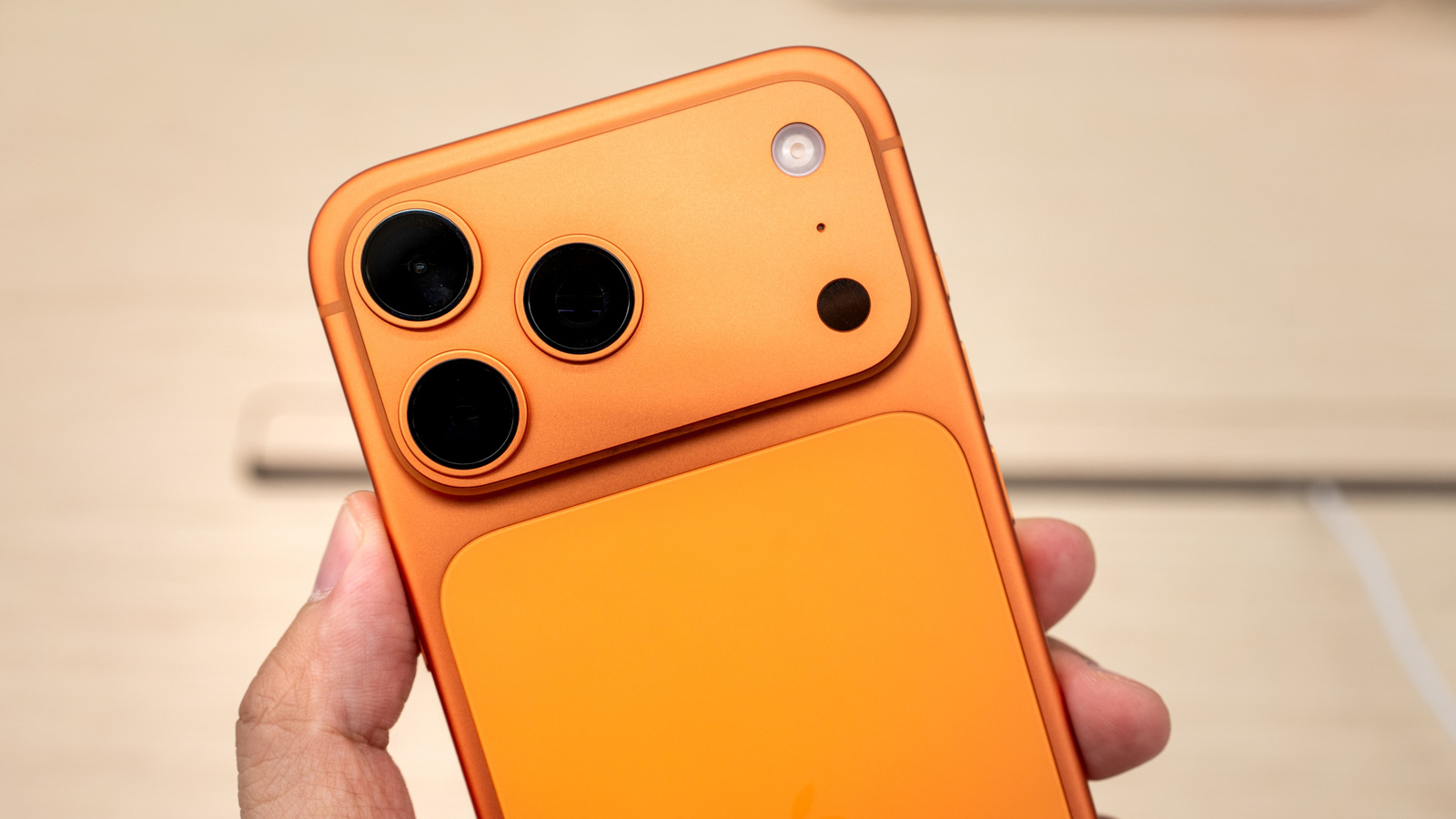
YouTuber Zack Nelson (JerryRigEverything) said earlier this week that ScratchGate is real and explained why the iPhone 17 Pro models scratch so easily and where they’re most likely to see damage. The camera plateau’s sharp edges are the most likely places to be damaged by accidental scratches, and that’s because of Apple’s design choice for those edges. Apple went for sharp corners around the camera plateau instead of creating a curvature, and that’s where the paint will chip away when coming into contact with objects like coins and keys that you may keep in the same pocket.

Well-known repair company iFixit has corroborated Nelson’s finding, providing more details about the reasons why the iPhone 17 Pro models are prone to scratching, especially around the camera bump. iFixit delivered the same conclusion. It’s Apple to blame for the scratches. Fixing them isn’t easy.

Would a titanium iPhone 17 Pro scratch?

iFixit talked to David Niebuhr, an expert in materials who teaches mechanical engineering at California Polytechnic State University, about ScratchGate. He advised iFixit to use a level 4 pick (from a Mohs surface hardness kit) to simulate the effect of coins and keys on the surface of the iPhone 17 Pro models. iFixit scratched the flat sides and the edges of the camera plateau. The video above and iFixit’s iPhone 17 Pro teardown blog post contain several images taken with a microscope that show how the metal reacted.

The scratches on flat surfaces are only skin-deep, and they won’t show the aluminum layer under the anodization. It’s the corners of the camera plateau that will take heavy damage, or “spalling.” iFixit explains that the anodization process combined with the geometry of the camera plateau is why the iPhone 17 Pros scratch easily. Both aluminum and titanium can be anodized, and the latter forms a harder titanium oxide layer on the exterior. But Niebuhr told iFixit the difference between the two would not account for the spalling that appears.

It’s the shape of the camera plateau’s corners that’s causing scratches at the edges. Niebuhr told iFixit that a thicker oxide layer wouldn’t have prevented the scratches. It would have made them worse. “Apple could have prevented this by making a more gradual curve and avoiding a relatively sharp corner,” Niebuhr told iFixit. While the iPhone 17 Pro and iPhone 17 Pro Max can be relatively easily repaired, there’s no fixing the scratches. The camera plateau can’t be replaced as it’s part of the unibody chassis. For that, getting a case or a skin that protects the aluminum, especially those sharp edges, should be one of the first things to do with your iPhone 17.

Source

Posted on

A Man’s iPhone 3GS To iPhone 17 Upgrade Went Viral:

Michael M. Santiago/Getty Images

Beloved Marvel actor Chris Evans made waves a few years ago when he upgraded from an iPhone 6s to an iPhone 12 after eight years of using the former. Like many others, Evans loved the thin design and the home button. The actor’s iPhone upgrade received all that attention because he’s a famous star, but plenty of iPhone users might have been in a similar situation. People keep their smartphones for longer than they used to. According to Assurant data for the first quarter of 2025, the average age of an iPhone that’s traded in is 3.79 years, and growing.

Fast-forward to the iPhone 17 series, and we have an even more extreme upgrade case going viral on social media. A man upgraded his 2009 iPhone 3GS to the brand-new iPhone 17 Pro, recording the entire stunt on the 16-year-old iPhone, including his experience with Apple retail store employees. As evident in the Instagram video, some were amused to see him use such an old iPhone model, while others praised him. They all told him the iPhone 3GS has no trade-in value, but one staff member advised him to try to resell the handset rather than recycle the device with Apple. Collectors might appreciate the aging device and offer a better price, as is the case with the original iPhone. However, it turns out the stunt was fake, and the user hadn’t actually upgraded from a 16-year-old iPhone. That said, there’s something nostalgic about seeing the world through an iPhone 3GS, which makes this stunt wholesome.

It was all a publicity stunt

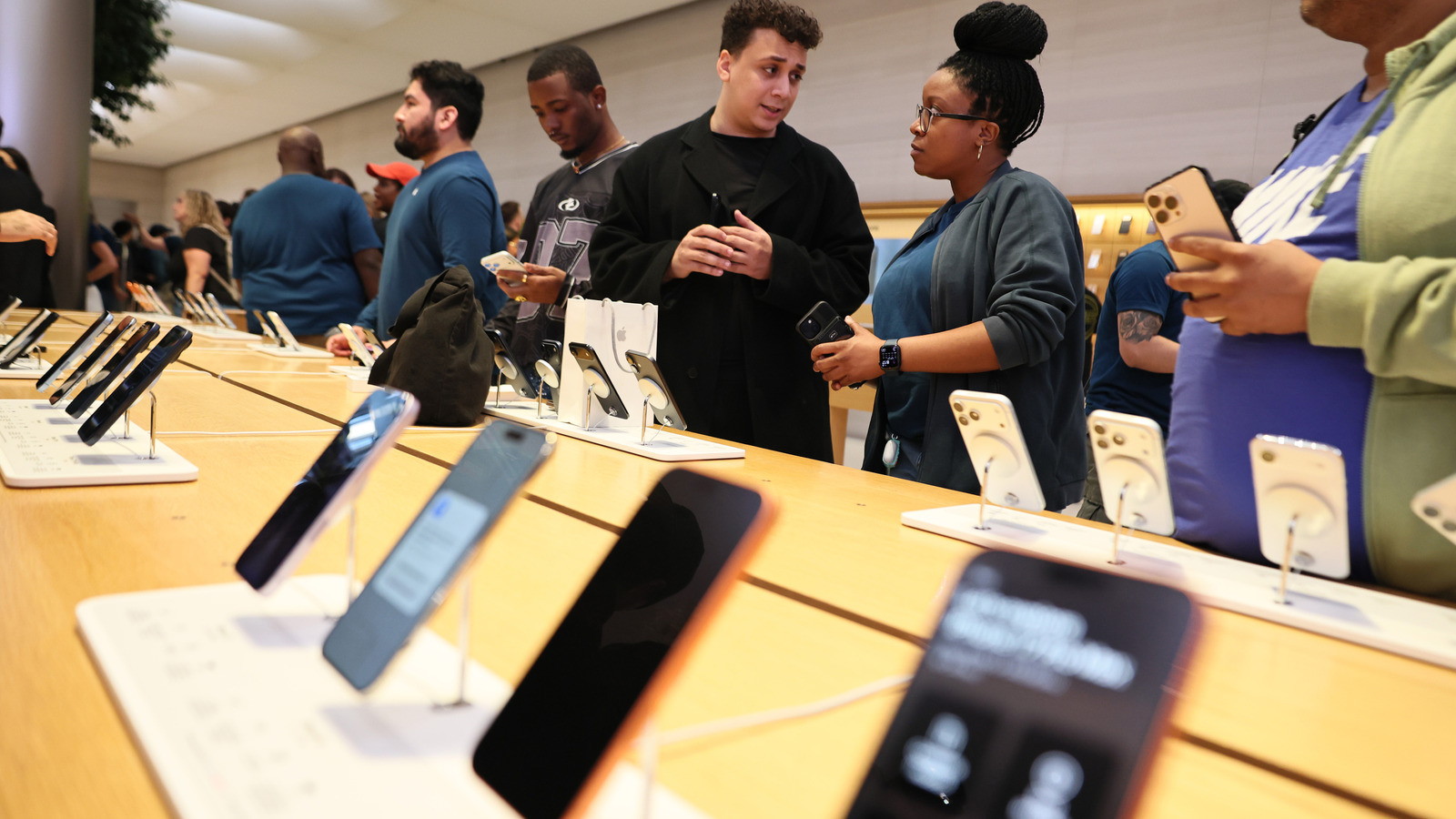
Alex Greenberg documented his iPhone 3GS upgrade to the iPhone 17 Pro, recording his early visit to an Apple store to reserve the 1TB blue iPhone 17 Pro model he wanted. While he shared the clip on Instagram only a couple of days ago, it’s likely he purchased his handset on Friday, when the iPhone Air and iPhone 17 models started selling in stores. The short line in front of the Apple store indicates it’s the iPhone launch day. All three iPhone 17 models are sold out online, at the time of this writing.

Greenberg uploaded a second clip on Tuesday on Instagram where he came clean. The entire thing was a stunt. He does have a working iPhone 3GS model, which he used to record the video above. But he’s a longtime iPhone user who owned several iPhone models over the years. He actually upgraded from an iPhone 15 model, not the iPhone 3GS. That’s something he nearly gave away in the original video when he mentioned the iPhone he usually buys, before realizing that he was “upgrading” from an iPhone 3GS.

The second video also provides a key correction for the upgrade video that went viral. Greenberg initially said he was upgrading from the 2008 iPhone 3G in that video, not the iPhone 3GS that was launched a year later. Still, it’s impressive that a device made in 2009 still works after so many years. The video quality, while clearly shaky, is impressive for a handset that features only a 3-megapixel rear camera capable of shooting 480p video. Greenberg’s second video, seen below, was also shot with the same iPhone 3GS model.

Source

Posted on

7 Electronics You’re Not Allowed To Pack In Your Carry-On

Frame Stock Footage/Shutterstock

Air travel these days is more security-conscious than ever, as even the seemingly innocuous can cause an emergency. For example, in 2024, a passenger’s laptop caught fire on a Breeze Airways flight, leading to a forced landing. Due to a process known as thermal runaway, batteries can sometimes be unpredictable – spontaneously overheating, and in extreme cases, emitting smoke or fire. Therefore, the U.S. Transportation Security Administration (TSA) maintains an encyclopedia of rules and regulations on what items it allows on a flight, to ensure the safety of passengers.

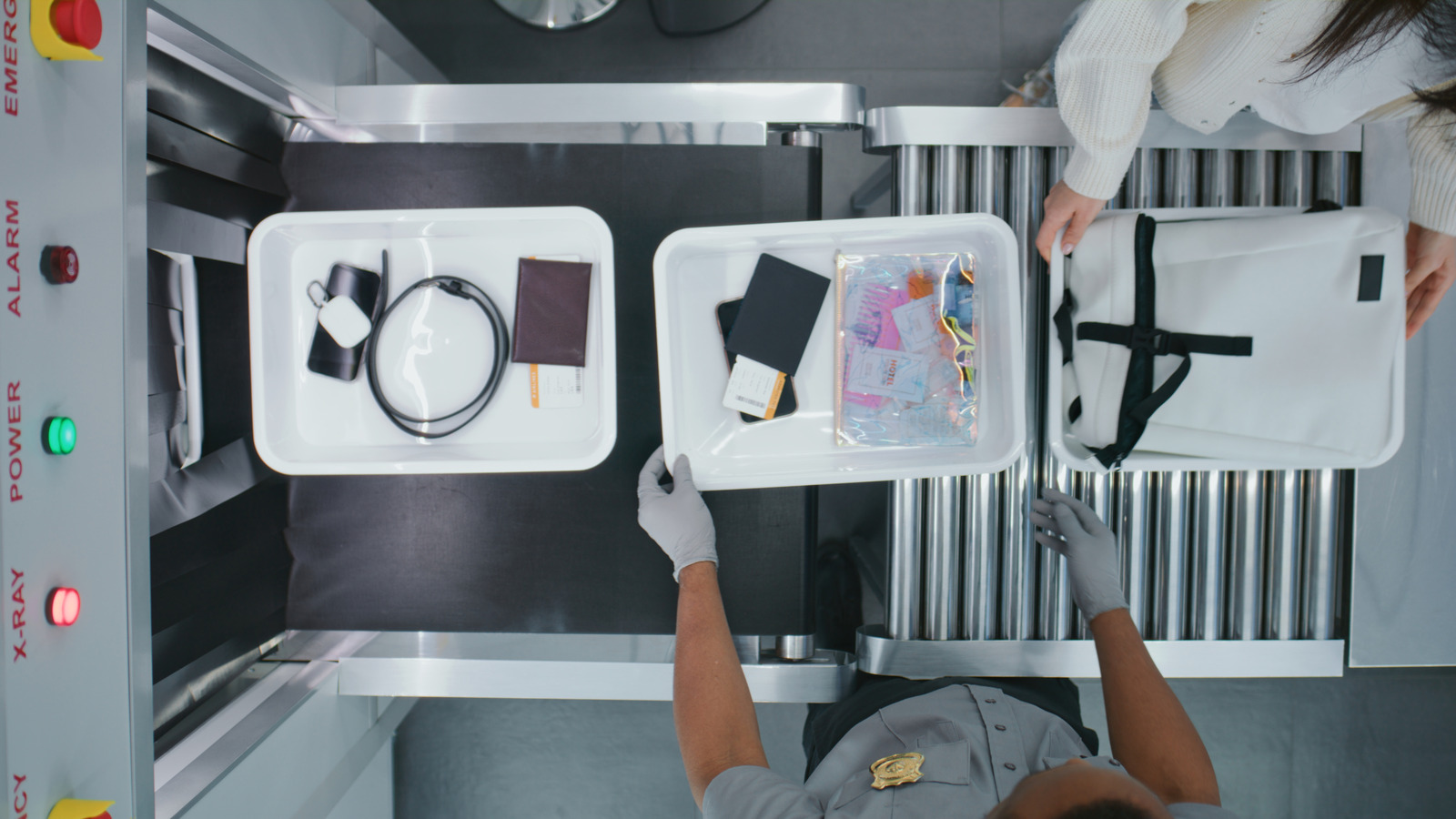
You’re generally allowed to carry everyday electronics in carry-on luggage, including phones, laptops, and smartwatches. You can even cram in your hair straighteners and curling irons, although these electronics have certain TSA restrictions.

You don’t want to unknowingly add prohibited electronic items to your carry-on luggage, and end up with a delay to your travels. To help you avoid security hassles and to keep everyone safe, here are seven electronics you shouldn’t have as part of your carry-on.

Stun guns and tasers

Seanfboggs/Getty Images

The TSA bans stun guns, tasers, and electric shock devices from airplane cabins, and for good reasons. These devices release a sudden bolt of electric shock, immobilizing the receiver. While the basic operation is similar, a stun gun requires close range, and tasers can fire projectiles from a distance. Now imagine the panic in the cabin if someone sneaks one of these on with the wrong intentions. Therefore, for everyone’s safety, these devices should be kept out of the cabin. If you want to carry a stun gun or a taser with you, it may be permitted in your checked baggage, but with some conditions. 

The rules focus on preventing activation and safely managing the lithium batteries. You must make the devices inoperable, by engaging the built-in safety locks and removing the power source. If the device runs on a lithium battery, it must be powered off and protected from accidental activation. If you have a spare lithium-ion battery, you must carry it with you in the cabin – never in a checked bag.

Power banks beyond certain limits

slexp880/Shutterstock

A power bank is a useful gadget that comes in handy when travelling. On a long flight, you can rely on this portable charger to keep your device running. Though many aircraft come with charging ports, if your device uses a USB-C port and the airline has a Type A, then it’s a waste. Generally all power banks under a 100 Watt-hour (Wh) rating are allowed in carry-on bags, but they are completely prohibited in checked baggage. However, if you are flying to go camping with drones, cameras, or mini-projectors, a power bank above this limit may be required for sustained use of these devices. Plus, high-performance laptops like the MacBook Pro, Dell XPS 17, and ASUS ROG work best with power banks over 100 Wh for extended charging.

You need prior permission from airlines to pack 100–160 Wh power banks, and all power banks over 160 Wh are prohibited from passenger baggage. With recent incidents involving these gadgets, the airlines have gotten even stricter. For example, in South Korea, after a power bank in an overhead cabin caught fire, it was ordered that all portable chargers be kept with passengers or below the seat. 

Samsung Galaxy Note 7

George Frey/Getty Images

While smartphones are allowed on a plane, the infamous Samsung Galaxy Note 7 is an exception. Released with great pomp and fanfare in 2016, the reviews praised the Note 7 for its 3,500 mAh battery and premium processor at the time. On paper, the phone looked impressive, but soon videos of it went viral with reports of overheating, fire, and smoke emission. On 5 October 2016, a replacement Galaxy Note 7 on a Southwest Airlines flight started emitting smoke just before takeoff, adding a final nail to the coffin. Soon after the FAA ordered a complete ban on the controversial Note 7, which is still valid. Samsung had no option but to recall the devices or offer replacements.

The phone’s poor design, thin insulation, and welding defects were attributed as the reasons for frequent mishaps. Samsung tried damage control and released a non-exploding Galaxy Note 7R, a refurbished Note 7, but it was too late. If you have to hear from the FAA/TSA not to carry a phone on an airplane, that’s a bad sign. Samsung’s reputation plummeted, with around 40% of users back then vowing to never buy another Samsung phone, a Note 7 recall survey found. If you own a Samsung Galaxy Note 7, do remember it’s outright banned from airplanes; carrying it with you will only make it end up in the trash bin before you board a plane.

Certain smart bags are not allowed

Debalina Ghosh/Getty Images

Everything around us is getting smarter, from fans to doors to even window curtains. Why would an essential like a bag stay behind? Smart bags allow you to plug in your dying phone for charging, track it with GPS, or lock it to enable anti-theft measures. Some smart bags even come with a motorised wheel, making travel more convenient. 

They mostly operate on a lithium-ion (Li-ion) battery, and you will be disallowed from bringing the bag as carry-on if it has unclear Wh labeling or is rated more than 160 Wh. Although the FAA allows up to 100 Wh battery smart bags in the cabin, some airlines, like United Airlines, Delta, and American Airlines, allow them only if the battery is removable. This is to ensure that the cabin crew can handle the batteries in case of any fire hazard, as they are trained for that very situation. 

The FAA rules outline that smart bags can be checked only if the batteries have a tiny wattage of less than 2.7 Wh, or a lithium content of no more than 0.3 g, similar to an Apple AirTag tracker. If batteries are bigger, they must be removable, and you must carry them in the cabin. These batteries fall under the FAA’s spare battery policies that allow 0–100 Wh batteries in carry-on, and up to two 101–160 Wh batteries per passenger with airline approval.

Power tools and drills

Michael M. Santiago/Getty Images

Airplanes are not workshops where one can pull out the power tools and start an expo. Tools like drills, drill bits, impact drivers, nail guns, angle grinders, and any tool above seven inches are barred from being carried in the cabin. Sharp-edged tools like chisels and grinders can be used as weapons and, therefore, are best kept away, no matter if they are equipped with a battery or not. If you insist on traveling with these, where do they go? In your checked luggage, of course.

Power tools go into your checked cargo, but ensure that any batteries installed are switched off and protected to prevent accidental activation. Airlines, as per the FAA’s spare battery rules, allow you to carry Li-ion batteries in the cabin, but they must be individually safeguarded. Furthermore, damaged or recalled power tools and batteries are prohibited, unless rendered safe, so it’s always best to double-check your gear before you make the trip to the airport. 

Hoverboards

Irina WS/Shutterstock

Hoverboards, also known as self-balancing wheels, are fun self-riding vehicles that are battery-operated and use a gyroscope and sensors to keep the rider balanced. You might assume with it being a battery-powered gadget, airlines would allow it in carry-on luggage. However, there are no special rules set by the FAA, and the TSA has left the decision to the discretion of the airlines. Almost all the airlines, including American Airlines, United Airlines, Delta Air Lines, Hawaiian Airlines, and JetBlue, don’t allow hoverboards on their airplanes.

The reason why they’re not permitted is because most consumer hoverboards do not come with easily removable batteries, making it difficult for cabin crew to handle them in case of a fire. Hence, airlines have no choice but to prohibit the gadgets. So, if you are planning to bring one to an airport, prepare for airline staff to have a ride on it while you fly.

Cordless power saws

Allora Empire Art/Shutterstock

Those sharp edges on a power saw are enough for it to be banned from being carried in an airplane cabin in any capacity. You are allowed to add it to checked luggage, but only if you sheath and properly wrap it, plus double-check it’s completely turned off and protected to prevent accidental activation. Ultimately, it’s up to the TSA agents and airlines to make the final call whether to permit such a tool or not. 

Many cordless portable power saws use Li-ion batteries, and they must follow the FAA’s battery policies just like other power tools. If you are uncertain whether your tool will be allowed in checked baggage, it’s best to contact the TSA beforehand and ensure you have the correct details to avoid a tangle at security. If it is allowed, and you pack it wrong, your beloved power saw could be left behind with the airport staff.

Source