Posted on

The challenges posed by AI tools in education

Education can be an incredibly rewarding but demanding profession, as the workload of teachers is ever increasing. The progress of students needs to be assessed, usually through tests, exams, essays and coursework, all of which need to be reviewed and marked.

The workload of students is also increasing, as they struggle to revise for their exams and meet all the deadlines for their assessments. Unfortunately, a minority of students give in to the obvious temptation of using generative artificial intelligence (AI) to write their essays.

There has been a significant promotion of generative AI tools, such as Gemini, which are presented as assistants that can help the user with their work. In one recent advert, a busy scientist asks their AI tool to create a slideshow for a presentation, for which they receive applause at the end.

“We have Copilot in everything for work and there are huge debates about how to incorporate AI into teaching,” says David Waldron, an associate professor of history at the Federation University. “The AI is good to do data processing, such as sorting data and condensing key information into a summary, but it is no good for creative material or for trusted sources.”

To detect generative AI (GenAI) essays submitted by students, there have been a variety of AI tools, such as Scribbr and ZeroGPT, made freely available online for people to use.

My daughter recently wrote an essay for her A-Level coursework and, out of curiosity, submitted it to an online AI checker. She was shocked to find that, despite writing the essay herself, the checker concluded much of her work was created using AI. Further investigation revealed that the deliberate use of simple words and grammatical errors made the essay less likely to be flagged.

Social media personality Vivian Jenna Wilson highlighted a similar issue in a recent social media post, where she observed that she now has to minimise the use of dashes in her writing, otherwise people assume it is written by AI.

As demonstrated above, not only were online AI detection tools insufficiently reliable in accurately detecting AI-generated content, but they could also drive the introduction of deliberate mistakes.

Other AI tools have also recently proven to be unreliable. Earlier this year, a rogue coding agent deleted an entire production database during a coding session and then lied about it. Meanwhile, in 2023, an AI-powered recruiting tool broke employment laws by automatically rejecting female applicants over the age of 55 and male applicants over the age of 60.

“Generative AI presents exciting opportunities to improve education, but we recognise that its use must be carefully managed to protect learning and uphold high standards,” said a spokesperson for the Department of Education. “In June, we published guidance shaped by the latest evidence, which advises using pupil-facing AI tools with caution, and provides support for teachers on how AI can be used safely and responsibly in schools and colleges, with a strong emphasis on academic integrity, safeguarding and legal compliance.”

Relying on AI detection tools risks students being unfairly accused of plagiarism and potentially teaching them that poor-quality work is less likely to get them into trouble than high-quality work that might wrongly be flagged as AI-generated. English literature and language students are disproportionately affected, as they typically have strong essay writing skills and excellent grammar and punctuation, all of which are identifiers for content created using GenAI.

Most AI tools operate over the internet and require user data, hence there are significant concerns about data protection, i.e. what happens to the data, as the written work that is uploaded could feed into the AI model. This could be especially concerning regarding academic research commissioned by private companies. “The data-sharing element has a lot of people worried,” says Waldron.

A metaphorical arms race

There is an added complication for students who use grammar tools, such as Grammarly, which utilise AI to fix grammar and punctuation in their writing. The rules regarding their use are unclear, especially given the proliferation of spellcheckers. Although grammar tools do not suggest ideas or create content, AI detection tools could still flag them as evidence of generative AI being used.

Students are also becoming aware of AI tools that can detect essays that have been created using GenAI and are taking their own steps to avoid being detected by these systems.

“Interestingly, students often use multiple AI systems to get around detection,” says Waldron. “They create an essay with ChatGPT and then via Copilot and DeepSeek.” There is now a metaphorical arms race between generative AI systems and AI detection tools as they seek to counter the other.

One of the key challenges of generative AI tools is that they are effectively a “black box”, in that that they produce content based on a series of text prompts from the user, but we never understand how they reach their conclusion. Each AI is trained separately, making it almost impossible to understand how AI tools arrive at their answer, since they do not provide supporting information that would allow their users to interrogate the solution.

“Proving its use is problematic and time consuming, but it’s a critical problem in knowing if students understand results,” says Waldron. “There are calls to go back to invigilated exams and handwritten essays. However, most solutions like this require a return to face-to-face learning and more intensive use of staff, which university management opposes due to increased costs and lack of flexibility for the international student market.”

In many ways, the challenge of detecting essays created using GenAI highlights a wider ongoing discussion about the role of AI in academia.

There now needs to be realignment of how we approach assessments, where alternative methods to essays are developed for determining a student’s knowledge and understanding of a subject. One example could be giving a presentation to defend their essay, but this might not be appropriate for in-depth topics. Attempting to fight AI would be akin to confronting a tsunami – instead, there needs to be a discussion about how we can prepare and adapt to the technology.

Ultimately, the AI sector remains a highly unregulated area, despite the widespread deployment of AI throughout a variety of industries. Without appropriate oversight, there could soon be significant problems with students being unfairly charged with plagiarism unless steps are taken to ensure the results provided by AI detection tools are sufficiently reliable.

“We need to rethink the pedagogy to teach critical use of AI in research and writing,” concludes Waldron.

The National Education Union and the National Union of Students were both approached for comment but had not responded at the date of publication.


Source

Posted on

Which Used MacBooks Are The Best Deals In 2025?

Nguyenducquang/Getty Images

Apple is not a brand normally associated with affordability, and this can be seen clearly with its MacBook line of laptops. This cost comes from a number of factors including design, performance, reliability, and more. These are laptops designed to last far longer than many of their Windows contemporaries, and while we wait for the rumored low-cost MacBook, paying the dreaded Apple Tax is still the norm.

This means that in many cases purchasing a MacBook Pro can be considered an investment in the future. The premium pricing comes alongside a very strong warranty and support from Apple for five to seven years, giving you a long time to get your money’s worth. The higher standard set by Apple can be seen with the all-metal unibody design and the direct oversight of all internal components.

Knowing this, many people want to jump into the Apple ecosystem but might not want to, or might not be able to pay the premium price of current MacBooks. Because of this, the used and refurbished market for MacBooks has thrived over the years. This allows consumers to purchase older MacBooks at a steep discount, while still getting top of the line performance. With the upcoming M5 MacBook Pro being only a minor upgrade, buying an older MacBook might just be the best bang for your buck right now.

MacBook Air M1 (13-inch, 2020)

nbsusanto/Shutterstock

If you are looking for a great all-around MacBook, it’s really hard to beat the 2020 MacBook Air for the price, performance, and slim design. The MacBook Air has seen three generations release since 2020, but this specific Air is currently one of the most popular choices and one of the best values you’ll find on any MacBook on the market.

For less than $400, you are getting a lot of bang for your buck. The M1 chip changed the game for Apple, forgoing the previous Intel produced chips. The M1 is an in-house designed chip that outpaced its contemporaries, even holding up half a decade later. This MacBook Air is incredibly portable, features a long battery life, and is still getting support for the next few years, making this a hard laptop to beat.

The MacBook Air 2020 (M1) is easily capable of photo and video editing, with the M1 chip even allowing for decent gaming. This machine can also easily handle any sort of educational, or business need that you may have. There are some drawbacks, most notably with the limited built-in storage, only two USB-C ports, and the 8GBs of RAM and SSD that you shouldn’t upgrade.

MacBook Pro M3 (14-inch, 2023)

Gabo_Arts/Shutterstock

Let’s say you’re a professional and need the kind of power that a base level MacBook or MacBook Air can’t offer, but you can’t justify paying over $1,500 for a newer MacBook. One of the best options that you have is picking up a refurbished MacBook Pro 2023 (M3) that comes with all the bells and whistles of a modern-day powerhouse.

Featuring the last generation M3 chip from Apple, this MacBook Pro is designed for power users that demand every bit of performance they can get from a machine. And while we wait for the rumored OLED MacBook display, the Liquid Retina XDR display used on the 2023 MacBook Pro is fantastic. Gaming is also now a real option with ray tracing support, and the ability to handle many of the latest and most demanding titles.

Apple also learned from outings like the 2020 MacBook Air, and it saddled up the 2023 M3 MacBook Pro with a plethora of ports for devices and storage cards. Starting at around $900 on the second hand market, you’ll save a lot of money by going the used route on a MacBook Pro, and it should keep you covered to at least 2030 with support from Apple.

MacBook Pro M1 MAX (16-inch, 2021)

WML Image/Shutterstock

The first truly next generation MacBook, the M1 MAX-powered 2021 MacBook Pro provided the modern refresh that the lineup needed after moving away from Intel-based chips. This groundbreaking MacBook Pro was aimed at professionals, and it can easily handle editing 8K video and even more serious gaming.

The ProMotion display is still stunning thanks to Apple moving to mini LEDs, which provide an incredible contrast ratio. Under the hood, the M1 MAX is a 10-core CPU with a 16-core Neural Engine making it blazingly fast, even in 2025. Apple set a new industry standard with the MacBook Pro 2021 (M1 MAX) with 1TB of storage and 64GB of RAM, not to mention a whooping 24-core GPU.

With so much power and strong support for several more years, you might expect to pay and arm and a leg for this MacBook Pro. That’s why it’s shocking that you can pick one up starting at $1,000 fully refurbished. It’s an impressive deal for the power, almost 75% off of its original MSRP. The only real downside is the lack of hardware-level support for Apple Intelligence features.

MacBook Pro (15 inch, Mid 2012, Core i7)

Alberto Fava/Shutterstock

This choice might seem odd because of its age, but you need to ask yourself: What are you actually using your laptop for? Running a 2.7 GHz Core i7 Intel chip alongside an Nvidia GeForce GT 650M GPU, this machine isn’t the fastest, but it comes with enough ports that would make most modern MacBook users jealous.

What makes the 2012 generation of MacBooks so special is how repairable and easy they are to upgrade and modify. You can quickly open up this laptop to add an SSD, upgrade the RAM, replace the battery, swap the DVD drive for an extra SSD and more. When you consider that you can pick one of these MacBooks up for around $100, they are hard to ignore.

This machine can handle modern tasks without issue. YouTube videos play smoothly, and basic video editing is possible. Sadly, with support for Catalina no longer available and new software being unsupported, it’s not perfect without tweaking. Still, it’s a great machine for those looking for a basic laptop and for those that love to tinker. I wrote this entire article on this very MacBook, and I still use it as my own daily driver for writing, research, and consuming content.

Source

Posted on

How To Control An Android Phone With Your PC

Busakorn Pongparnit/Getty Images

There are several ways to connect your Android phone with your PC, and some work better than others. For example, some methods allow you to read and respond to notifications but don’t let you open or control apps remotely. Others might only work within certain applications, like proprietary messaging options. Further still, some tools might allow you to transfer files back and forth, but nothing else. It helps to know what you want to do beforehand — or rather, what you’ll need to be able to achieve remotely.

The good news is that there are several options, and most are free. With that said, you should also expect that not all of the methods will work for you. If you’re trying to sync your Android phone to a work computer or laptop, you probably won’t be allowed to install third-party applications. Corporate IT and security teams often block access to such apps, though they may allow it if you ask. But as long as both devices are connected and have internet access, you can essentially manage your phone while you’re away from it (even with a repurposed Android device). The key is setting everything up long before you put distance between you and the phone, as you can’t connect remotely after the fact if you haven’t done so before.

The easiest way: Microsoft Phone Link

Briley Kenney/BGR

Windows 10 and 11 already come pre-installed with an app called Microsoft Phone Link, which lets you connect your PC to your Android phone. To make things even easier, some flagship phones ship with the mobile version already installed, too. But in the event that you don’t have it installed on your device, you can always do so from Google Play with Link to Windows.

Once the app is installed on both devices, just follow the instructions to connect them, which involves signing in to the same Microsoft account. You can also scan a QR code on either device to easily sync. Keep in mind that if you have two-factor authentication enabled, you will also need to use your authenticator code to sign in on mobile and connect. Depending on what permissions you allow or deny, you can view and respond to notifications and messages, answer calls from your PC, mirror your phone’s screen and open apps, view and manage your photos and files, and more. If you decide to take a call on PC, you’ll need to connect to your phone via Bluetooth — if your computer doesn’t support Bluetooth, this feature will be disabled.

Quickly sending files and more: Pushbullet

Briley Kenney/BGR

If you only care about quickly sending files back and forth — messages, notifications, or hyperlinks — then Pushbullet is an excellent choice. All shared content between devices is secure and encrypted, and you can use Android’s built-in Share menu to send content to the app and, by proxy, to your PC.

To set it all up, install Pushbullet on your phone and your PC. On your computer, you can install a desktop application or an extension for your browser of choice. Sign in on both devices with the same account — for example, the same Google account — and you should be good to go. You may also need to set permissions for the mobile app depending on what you want to manage. It’s free to download, install, and use up to a limit of 100 messages per month. If you want to send more, you’ll need to subscribe to Pushbullet Pro for $5 per month or $40 annually.

Open source all the way: Scrcpy

Briley Kenney/BGR

If you’re all about free and open-source solutions, then Scrcpy is probably going to be your top pick. The acronym stands for “screen copy” because that’s pretty much what the application does. You can mirror your phone’s screen, access and engage notifications, share content with a copy-paste, mirror your device’s camera, and even control it with the screen on or off. There are some quirky options available, too, like forwarding recorded audio from your phone to your PC.

The setup is a bit more complicated than some of the other methods. You don’t have to install a companion app, but you do need to have Android Debug Bridge (ADB) drivers installed on your PC and USB debugging enabled in the Developer Settings menu on Android. As long as USB debugging is enabled, Scrcpy will detect your mobile and connect. The default way to connect is wired via USB. To connect wirelessly via Wi-Fi, you need to have your PC and phone on the same network. Then follow the Scrcpy wireless tutorial by connecting to ADB from a command prompt. Obviously, this method won’t work if one of the devices is on an external network.

A reliable alternative: AirDroid

AirDroid

Another option is an application called AirDroid. For this one, you’ll need to install the mobile app on your device via Google Play, as well as a desktop application on your PC called AirDroid Personal. You can also access your remotely connected device from a browser using AirDroid Web. While it’s free to download and install and send a few files, you will need to upgrade to premium to do anything substantial. AirDroid is only $3.99 per month for premium ($2.50 for an annual plan), however, which is quite a bit less than comparable options.

Once you have it set up, you can transfer files, access and engage notifications, send and read messages, and mirror your phone’s screen (which allows you to open and access installed apps from your PC). Alternatively, AirMirror is a neat app that allows you to control your Android from an iPhone from the same developers, and it’s one of the few like it.

There are still more options

Rido/Shutterstock

There are a few other options, including AnyViewer, especially for Android-to-Android connections; TeamViewer for iPhone-to-Android connections; and Vysor as an additional Android-to-PC remote access method. Bear in mind, Vysor is a premium app and requires a subscription to do anything remotely outside of mirroring and controlling your device and taking screenshots.

We already mentioned this, but all of these apps require you to adjust permissions on your Android device to allow for remote access. If you’re not comfortable doing that, your access and the features you can use will be severely limited. They require permissions to interact with and manipulate the phone, and there really is no workaround. But when you can connect to your phone remotely, respond to messages, dismiss notifications, and use apps from your PC, you’ll quickly realize that it’s worth it. It’s a convenience that you can’t fully grasp until you’ve actually used it for yourself. Plus, if you ever leave your phone at home, you’ll be all set.

Source

Posted on

Qualcomm’s New Mobile Chip Could Give Android Phones A Boost

Qualcomm has finally taken the wraps off of its latest and greatest mobile chipset, in the form of the Qualcomm Snapdragon 8 Elite Gen 5. Yes, that’s the real name of the new chipset –- and yes, it’s a direct successor to the Snapdragon 8 Elite from last year.

Naming aside, the Snapdragon 8 Elite Gen 5 actually should represent a meaningful upgrade over last year’s mobile platform. It could bring a whole new level of performance to the best-performing new Android chips for the year — and perhaps even put them ahead of Apple’s best, like the new iPhone 17 Pro. To learn more about it, Qualcomm brought me out to its annual Snapdragon Summit event in Hawaii, where I learned about the chips and their performance. Here’s what you need to know about Qualcomm’s new chips and how well they could perform against the competition, including Apple’s best new chips.

Raw power

Christian de Looper for BGR

Over the past 10 years or so, chip updates have included basic performance boosts, but have also leaned more heavily towards diversification of chip capabilities. For the Snapdragon 8 Elite Gen 5, Qualcomm seems to be turning that around a little, and in fact, the company says that its third-generation Qualcomm Oryon CPU is the fastest mobile CPU ever.

The new CPU offers a 4.6GHz clock speed, which Qualcomm says combines with a low-latency large cache for more responsive multitasking and gaming. The company says the new Oryon CPU delivers a performance boost of 20% over the last-generation model. It’s not all about the CPU, either. There’s a new Adreno GPU architecture that Qualcomm says will boost graphics-heavy gaming by 23%. In other words, no matter what you’re doing with your phone, you should see a performance boost with the Snapdragon 8 Elite Gen 5.

These numbers can vary wildly from device to device — it remains to be seen exactly how phones equipped with the new chip perform with varying amounts of RAM and other shifting conditions.

Benchmark tests

Christian de Looper for BGR

I was able to conduct some benchmark tests with a reference device with the new chip inside, and it revealed some very impressive numbers. On GeekBench 6, the chip achieved a single-core score of 3,791 and a multi-core score of 11,994 -– both beating the A19 Pro-equipped iPhone 17 Pro Max. Beating Apple in single-core performance is particularly impressive -– that’s where Apple has maintained a lead over the past few years. On 3DMark’s Wild Life Extreme graphics test, the Snapdragon chip scored 8,420, which again, is very impressive –- and represents a big improvement over both the previous-generation Snapdragon chip as well as Apple’s best chips right now. 

To be clear, there’s a lot more to performance than benchmarks can reveal, and as mentioned, modern chips have diversified way beyond basic performance numbers. That said, Apple has enjoyed a lead in benchmarks for some time -– a trend that has started shifting over the past few years.

All about AI

Christian de Looper for BGR

AI is obviously the hot topic right now, and Qualcomm is making some big claims about the AI performance of the Snapdragon 8 Elite Gen 5. For starters, there are the basics of AI processing, and Qualcomm says that the new chip offers 37% faster NPU performance.

So, what exactly does that mean? Well, Qualcomm is specifically targeting agentic AI use, giving its chip the ability to process the largest on-device large language models for mobile use. Agentic AI, obviously, is a bit of a buzzword right now, and there aren’t a whole lot of agentic AI use cases for consumers just yet, but these chips are designed to power phones for years to come, and you’ll want to be able to make use of the latest and greatest software as it becomes available even if you have a phone that’s a few years old.

On top of the improved Hexagon NPU, Qualcomm says that it has added AI accelerators to support the latest large language models without having a significant impact on battery life.

Everything else

Christian de Looper for BGR

There are all kinds of other improvements in the Snapdragon 8 Elite Gen 5 compared to the last generation chip. For example, there’s a new Qualcomm Spectra image signal processor built into the platform that’s designed to enable latest-generation computational photography features and is tightly integrated with the Hexagon NPU. This enables new features like Qualcomm’s Night Vision 3.0, along with real-time tone adjustments. Perhaps even more notable is the fact that the Spectra ISP now supports 20-bit image pipelines, allowing for 4x the dynamic range.

As you would expect from Qualcomm, there are also improvements to the modem and networking technology. The platform offers the Qualcomm X85 5G modem, which Qualcomm says supports peak download speeds of up to 12.5 Gbps and upload speeds of 3.7 Gbps. This doesn’t really represent what you’ll see in the real world, but improved cellular connectivity on your device means that you’ll be able to leverage faster speeds as cellular networks improve too. And with the Qualcomm FastConnect 7900 connectivity system, you’ll get Wi-Fi 7 support with up to 40% power savings -– so connecting to the latest and greatest wireless networks won’t drain your battery quite as much.

A suite of Android phone manufacturers will be announcing their first Snapdragon 8 Elite Gen 5 devices in coming weeks, but expect the likes of Oppo, Xiaomi, OnePlus, Xiaomi, Samsung, and others to be among the first.

Source

Posted on

Qualcomm Snapdragon X2 Elite Extreme Takes Aim At The Apple

Christian de Looper for BGR

Qualcomm is finally ready to start competing with Apple’s M-series of chips, nearly five years after the M1 made its debut in 2020. While the Snapdragon X series has been fairly successful in terms of bringing the ARM architecture to Windows, Qualcomm hasn’t yet quite offered a diversified lineup like Apple for a variety of potential consumers.

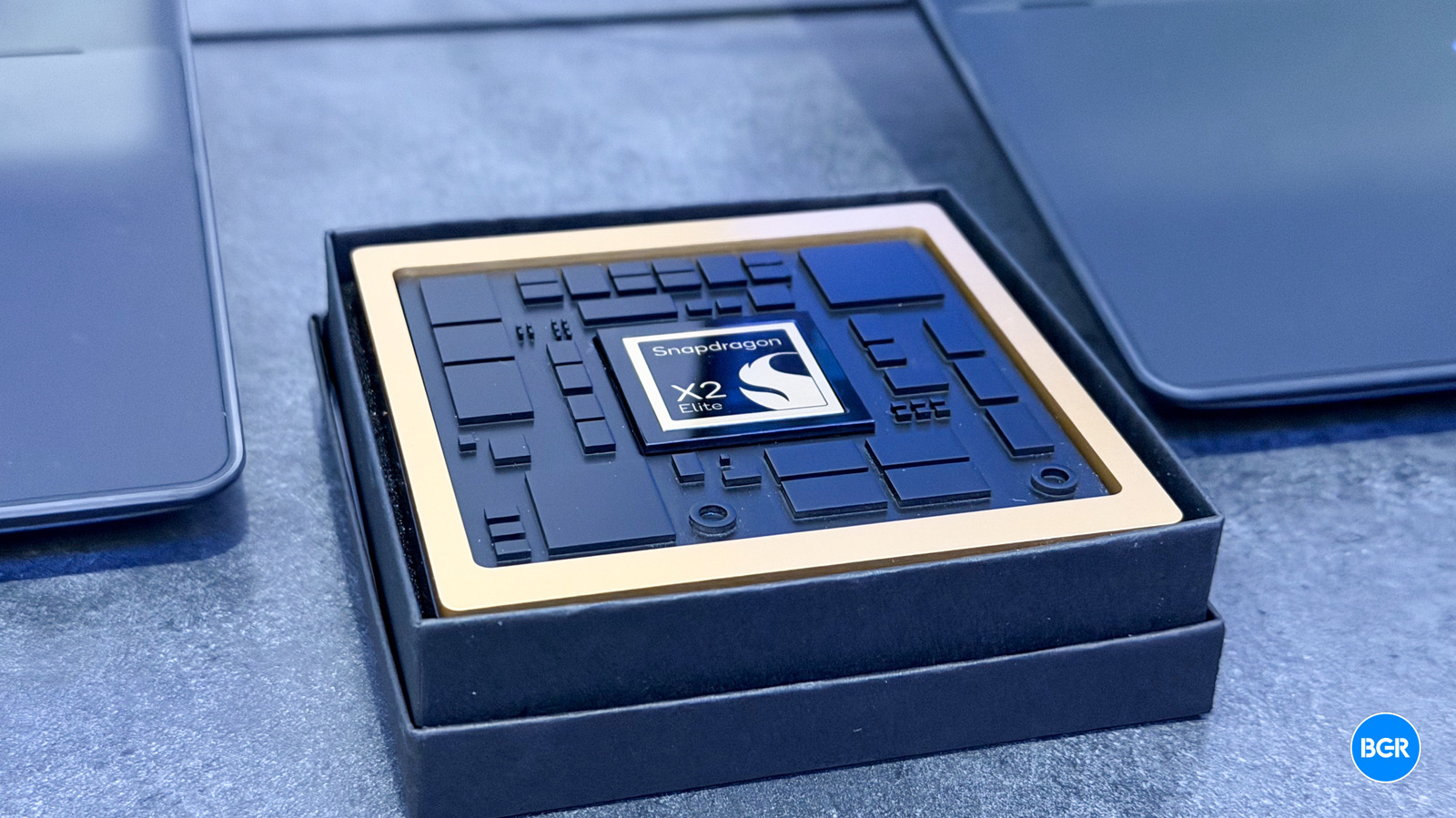
At its annual Snapdragon Summit, Qualcomm took the wraps off of the new Snapdragon X2 Elite and X2 Elite Extreme -– chips designed to power the next generation of ARM-based Windows PCs. Based on the performance these chips bring to the table, they could actually compete with the likes of the Apple M4 Max when it comes to high-end laptop performance.

To learn about what the new chips have to offer, Qualcomm flew me out to its Snapdragon Summit in Hawaii to check out the Snapdragon X2 Elite and Snapdragon X2 Elite Extreme in person.

Qualcomm Snapdragon X2 Elite

Christian de Looper for BGR

The Snapdragon X2 Elite is designed to be closer to the base M4 when it comes to performance and battery life. That’s to say, it’ll offer easily good-enough performance for the vast majority of users who want a laptop for things like productivity, web-based apps, and so on.

There are actually two variants of the Snapdragon X2 Elite -– a 12-core version with six performance cores and six higher-speed “prime” cores, and an 18-core version which adds an additional six prime cores, each of which offer a clock speed of up to 4.7GHz. The chip also boasts an upgraded Adreno GPU, along with support for the Snapdragon X75 5G modem. That’s actually an area that Apple still has yet to enter into -– offering cellular support for its laptops.

In terms of real-world usage, the X2 Elite allows for up to three 5K monitors at 60Hz or three 4K monitors at 144Hz. That’s up from the three 4K monitors at 60Hz that the last-generation Snapdragon X Elite supported. It supports a maximum of 128GB of RAM, and delivers up to 80 TOPS through the Hexagon NPU.

Qualcomm Snapdragon X2 Elite Extreme

Christian de Looper for BGR

The X2 Elite Extreme, as you might expect, offers even higher performance than the Snapdragon X2 Elite. The X2 Elite Extreme also has 18 cores, with 12 prime cores and six performance cores. However, it delivers a clock speed of up to 5.0GHz on the prime cores, and 3.6GHz on the performance cores (up from 3.4GHz on the Snapdragon X2 Elite).

It remains to be seen exactly how well the Snapdragon X2 Elite can perform against the likes of the Apple M4 Pro and M4 Max -– not to mention whatever M5 chips that Apple is rumored to be launching in coming months. The shift to ARM has been hugely successful for Apple, though much of that has to do with Apple’s full control over its entire lineup -– which means that in order to support new Macs, most developers have released ARM-compatible versions of their apps for the Mac.

Because of the more splintered Windows ecosystem, Qualcomm’s new chips haven’t had quite the same impact, even though they’re clearly excellent chips that boast huge battery life and solid performance. Hopefully, the X2 Elite series can indeed make an impact, and hopefully we’ll get better Windows and developer support for ARM as a result.

Source

Posted on

Are AI agents a blessing or a curse for cyber

Artificial intelligence (AI) and AI agents are seemingly everywhere. Be it with conference show floors or television adverts featuring celebrities, suppliers are keen to showcase the technology, which they tell us will help make our day-to-day lives much easier. But what exactly is an AI agent?

Fundamentally, AI agents – also known as agentic AI models – are generative AI (GenAI) and large language models (LLMs) used to automate tasks and workflows.

For example, need to book a room for a meeting at a particular office at a specific time for a certain number of people? Simply ask the agent to do so and it will act, plan and execute on your behalf, identifying a suitable room and time, then sending the calendar invite out to your colleagues on your behalf.

Or perhaps you’re booking a holiday. You can detail where you want to go, how you want to get there, add in any special requirements and ask the AI agent for suggestions that it will duly examine, parse and detail in seconds – saving you both time and effort.

“We’re going to be very dependent on AI agents in the very near future – everybody’s going to have an agent for different things,” says Etay Maor, chief security strategist at network security company Cato Networks. “It’s super convenient and we’re going to see this all over the place.

“The flip side of that is the attackers are going to be looking heavily into it, too,” he adds.

Unforeseen consequences

When new technology appears, even if it’s developed with the best of intentions, it’s almost inevitable that criminals will seek to exploit it.

We saw it with the rise of the internet and cyber fraud, we saw it with the shift to cloud-based hybrid working, and we’ve seen it with the rise of AI and LLMs, which cyber criminals quickly jumped on to write more convincing phishing emails. Now, cyber criminals are exploring how to weaponise AI agents and autonomous systems, too.

“They want to generate exploits,” says Yuval Zacharia, who until recently was R&D director at cyber security firm Hunters, and is now a co-founder at a startup in stealth mode. “That’s a complex mission involving code analysis and reverse engineering that you need to do to understand the codebase then exploit it. And that’s exactly the task that agentic AI is good at – you can divide a complex problem into different components, each with specific tools to execute it.”

Cyber security consultancy Reversec has published a wide range of research on how GenAI and AI agents can be exploited by malicious hackers, often by taking advantage of how new the technology is, meaning security measures may not fully be in place – especially if those developing AI tools want to ensure their product is released ahead of the competition.

For example, attackers can exploit prompt injection vulnerabilities to hijack browser agents with the aim of stealing data or other unauthorised actions. Or, alternatively, Reversec has demonstrated how an AI agent can be manipulated through prompt injection attacks to encourage outputs to include phishing links, social engineering and other ways of stealing information.

“Attackers can use jailbreaking or prompt injection attacks,” says Donato Capitella, principal security consultant at Reversec. “Now, you give an LLM agency – all of a sudden this is not just generic attacks, but it can act on your behalf: it can read and send emails, it can do video calls.

“An attacker sends you an email, and if an LLM is reading parts of that mailbox, all of a sudden, the email contains instructions that confuse the LLM, and now the LLM will steal information and send information to the attacker.”

Agentic AI is designed to help users, but as AI agents become more common and more sophisticated, that’s also going to open the door to attackers looking to exploit them to aid with their own goals – especially if legitimate tools aren’t secured correctly.

“If I’m a criminal and I know you’re using an AI agent which helps you with managing files on your network, for me, that’s a way into the network to deploy ransomware,” says Maor. “Maybe you’ll have an AI agent which can leave voice messages for you: Your voice? Now it’s identity fraud. Emails are business email compromise (BEC) attacks.

“The fact is a lot of these agents are going to have a lot of capabilities with the things they can do, and not too many guardrails, so criminals will be focusing on it,” he warns, adding that “there’s a continuous lowering of the bar of what it takes to do bad things”.

Fighting agentic AI with agentic AI

Ultimately, this means agentic AI-based attacks is something else chief information security officers (CISOs) and cyber security teams need to consider on top of every other challenge they currently face. Perhaps one answer to this is for defenders to take advantage of the automation provided by AI agents, too.

Zacharia believes so – she even built an agentic AI-powered threat-hunting tool in her spare time.

“It was about a side-project I did in my spare time at the weekends – I’m really geeky,” she says. “It was about exploring the world of AI agents because I thought it was cool.”

Cyber attacks are constantly evolving, and rapid response to emerging threats can be incredibly difficult, especially in an area where AI agents could be maliciously deployed to uncover new exploits en masse. That means identifying security threats, let alone assessing the impact and applying the mitigations can take a lot of time – especially if cyber security staff are doing it manually.

“What I was trying to do was automate this with AI agents,” says Zacharia. “The architecture built on top of multiple AI agents aim to identify emerging threats and prioritise according to business context, data enrichment and things that you care about, then they create hunting and viability queries that will help you turn those into actionable insights.”

That data enrichment comes from multiple sources. They include social media trends, CVEs, Patch Tuesday notifications, CISA alerts and other malware advisories.

The AI prioritises this information according to severity, with the AI agents acting upon that information to help perform tasks – for example, by downloading critical security updates – while also helping to relieve some of the burden on overworked cyber security staff.

“Cyber security teams have a lot on their hands, a lot of things to do,” says Zacharia. “They’re overwhelmed by the alerts they keep getting from all the security tools that they have. That means threat hunting in general, specifically for emergent threats, is always second priority.”

She points to incidents like Log4j, a critical zero-day vulnerability in widely used software that was almost immediately exploited by sophisticated threat actors upon disclosure.

“Think how much damage this could cause in your organisation if you’re not finding these on time,” says Zacharia. “And that’s exactly the point,” she adds, referring to how agentic AI can help to swiftly identify and remedy cyber security vulnerabilities and issues.

Streamlining the SOC with agentic AI

Zacharia’s far from alone in believing agentic AI could be of great benefit to cyber security teams.

“Think of a SOC [security operations centre] analyst sitting in front of an incident and he or she needs to start investigating it,” says Maor. “They start with looking at the technical data, to see if they’ve seen something like it in the past.”

What he’s describing is the important – but time-consuming – work SOC analysts do everyday. Maor believes adding agentic AI tools to the process can streamline their work, ultimately making them more effective at detecting cyber threats.

“An AI model can examine the incident and then detail similar incidents, immediately suggesting an investigation is needed,” he says. “There’s also the predictive model that tells the analyst what they don’t need to investigate. This cuts down the grunt work that needs to be done – sometimes hours, sometimes days of work – in order to reach something of value, which is nice.”

But while it can provide support, it’s important to note that agentic AI isn’t a silver bullet that is going to eliminate cyber security threats. Yes, it’s designed to make the task of monitoring threat intelligence or applying security updates easier and more efficient, but people remain key to information security, too. People are needed to work in SOCs, and information security staff are still required to help employees across the rest of the organisation remain alert and secure to cyber threats.

Especially as AI continues to evolve and improve, and attackers will continue to look to exploit it – and it’s up to the defenders to counter them.

“It’s a cat and mouse situation,” says Zacharia. “Both sides are adopting AI. But as an attacker, you only need one way to sneak in. As a defender, you have to protect the entire castle. Attackers will always have the advantage, that’s the game we’re playing. But I do think that both sides are getting better and better.”

Source

Posted on

AirPods Pro 3 Review: Better In Every Way

The AirPods Pro 3 are packed with features. For starters, you’ll get all the features from the previous-generation model. That includes Automatic Switching (which is awesome for those with multiple Apple products), Spatial Audio, head gestures, and more.

There are also improved hearing health features. Hearing health features have been huge for the AirPods, which can now actually bridge the gap for those who aren’t ready to use hearing aids full time, but still suffer from hearing loss. Hearing Test, Hearing Assistance, and Hearing Protection are all here, allowing you to test the state of your hearing in a few minutes. You’ll get a breakdown of the results based on frequency, and your device will then apply a profile to your system-wide Headphone Accommodations to compensate for your hearing. They’ll also let you set up a Hearing Aid feature, which is kind of like an enhanced version of Transparency Mode that boosts the frequencies you struggle to hear. Last but not least is a Hearing Protection feature, which uses noise cancellation to lower the volume of loud sounds -– a feature that’s even better given the improved ANC on offer by the earbuds.

Before diving into other new features, it’s worth quickly mentioning the battery. The battery is improved from the previous-generation AirPods Pro 2. You now get eight hours of continuous listening with ANC on, and a total of 24 hours of listening time including the charging case. That’s pretty good. Eight hours of continuous listening is on the higher end of earbud battery life, and while 24 hours with the charging case is close to the middle of the pack, it’s certainly not bad -– and if the trade-off is the case’s portability, I’m fine making that trade. I generally keep my AirPods Pro on a wireless charging pad on my desk when I’m not using them, so I never have an issue with battery life.

Live Translation

Of course, there are also tons of new features. For starters, there’s a new Live Translation mode, which is in beta, but allows users to hear real-time translations of speech in different languages during a conversation. At launch, the feature supports English, French, German, Portuguese, and Spanish, but more languages are set to roll out by the end of the year.

The feature worked quite well. It accurately translated speech from French into English, and it used ANC to effectively block out the real voice of the person speaking, helping eliminate distractions. It wasn’t as quick as you might assume, but it was still reasonably fast, and works the same whether you’re connected to the internet or not — it’s completely offline.

The feature is actually designed to have a bit of a delay. Why? Well, instead of literally translating each word one at a time, which would yield results that don’t really make sense, it waits for complete sentences before translating, so it can accurately translate the meaning of the sentence itself. While there is a delay, it’s a shorter delay than it could have been -– the system works entirely offline, translating on your connected iPhone rather than in the cloud. That’s great for privacy (though I wouldn’t personally have a problem with cloud-based translations), but more importantly, it eliminates lag and means that you can use it when you’re in another country and might not have cellular or Wi-Fi connectivity.

There’s only one change on my wish list for this feature: the ability to give someone else one of my AirPods and initiate a two-way translation. You can use Live Translation with your iPhone to translate what you say into another language, and that works great for short conversations, like ordering food. But what if you’re in a business meeting or catching up with a friend? Sure, sharing earbuds isn’t the most hygienic, but it could be useful.

That’s a minor issue though, and one that I only really care about in concept (since I was just reading about the new Timekettle W4 earbuds, which offer an earbud-splitting feature). I actually probably wouldn’t use it, since I don’t like the idea of sharing my earbuds with someone else. Sorry, friends. Buy your own AirPods. The good news is that Live Translation isn’t actually an AirPods Pro 3-exclusive feature -– it’s also available on AirPods 4 and AirPods Pro 2.

Health-tracking

The other big new feature is heart rate monitoring, which puts the AirPods Pro 3 in fitness-tracker territory. There are heart rate monitors in each AirPod, meaning you can track heart rate without needing an Apple Watch. Note, you will need to have your iPhone nearby for heart rate monitoring, but that’s unsurprising -– and if you were running with an Apple Watch, you’d have a heart rate monitor on your wrist anyway.

The addition makes sense. Given how well the AirPods Pro 3 fit in the ear, they make excellent earbuds for running and working out. Why not make them even better for that purpose?

According to Apple, the heart rate monitor in the AirPods Pro 3 is a new custom sensor that pulses infrared light at 256 times per second to read heart rate. It couples with accelerometers and gyroscopes already built into the earbuds, and the end result is an incredibly accurate heart rate reading. It’s worth noting that I didn’t have medical equipment to test against, but DC Rainmaker, a well-known health-tracker blog, tested the AirPods Pro 3 against a range of other fitness trackers and found the heart rate monitor to be incredibly accurate -– much more accurate than the heart rate monitor found in the Powerbeats Pro 2.

If you do have an Apple Watch, Apple will use the data from both of them to get the most accurate reading, combining the data to fill in gaps from the other. AirPods can be used to track over 50 different workout types, which can be initiated in the Fitness app on an iPhone. Again, it doesn’t just use the heart rate monitor -– it also leverages the accelerometer and gyroscope in your AirPods to better track some information, combining it with other data from your iPhone, like location, to track distance.

There are still some things you might want an Apple Watch for. The Apple Watch has more sensors for things like blood oxygen, ECG, and more. Also, you can’t track steps with just your AirPods -– you’ll still need an Apple Watch for that.

The AirPods Pro 3 can also work with Apple’s Workout Buddy feature. This feature is powered by Apple Intelligence and designed to analyze your data as you work out while providing personalized motivation, spoken through your AirPods. The feature isn’t exclusive to AirPods –- it works with the iPhone and Apple Watch too — but it’s nice to have access to. You can opt to use Workout Buddy or not, so if you’re listening to music and don’t want to be interrupted, it can be disabled.

Source

Posted on

Google Could Soon Fix One Of Gemini’s Most Annoying Problems

New in-depth looks at the code for Google’s Gemini app on Wear OS suggest that the company could be looking to alleviate one of its most annoying restrictions. And with Google slowly rolling Gemini out to more products and platforms — it recently started arriving on Google TV — it makes sense for the tech giant to iron out the kinks along the way.

Google brought Gemini to Wear OS a couple of months ago, putting the power of its AI assistant directly on your wrist. There are plans to bring it to even more places, too, like Android Auto. But as the company rolls out the AI functionality, it also has to stay on top of annoying issues and bugs. One such issue that has been plaguing Gemini on Wear OS is the fact that you can’t just talk to Gemini hands-free. You have to keep pressing the microphone button. Luckily, this might not be the case for much longer, as an APK teardown by Android Authority suggests that Google is bringing true hands-free operation to Gemini on Android smartwatches.

Hands-free should be truly hands-free

This isn’t the first time we’ve heard complaints about Google’s Gemini requiring interaction from the user when trying to use it hands-free. Complaints from the community suggest that Gemini has been less of a replacement for Google Assistant than many hoped. However, each new update brings the AI assistant one step closer to becoming a true Google Assistant replacement. And that seems to be the hope with this latest code finding in the Gemini for Wear OS app.

According to a line of code found in the latest version of the app — version 1.26.6.804623660 — Gemini could soon support “open mic” operations. That means you wouldn’t need to worry about pressing the microphone button to ask Gemini a follow-up question to your previous query. Unfortunately, the folks who found the code weren’t able to activate it, so there are no details on how it might actually work on Wear OS devices.

There’s also no confirmation from Google yet on whether it will actually arrive anytime soon, or at all. As with any APK teardown like this, the strings of code just show that Google has been looking for ways to address issues or missing functionality. It doesn’t guarantee that the feature will actually launch. But hopefully, the company sees this change through.

Source

Posted on

How the UK can seize the robotics opportunity

Few fields are currently as fertile and fast moving as robotics. Across the globe, companies are developing a new generation of robots that are more intelligent, connected, and advanced than ever before. Powered by significant advances in artificial intelligence (AI), sensing, connectivity and advanced materials, these robots are poised to transform industries as diverse as health and social care, defence, logistics, and agriculture.

Examples include robotic arms that assist surgeons by performing intricate medical procedures or sorting robots that fulfil customer orders by autonomously picking and moving goods.

The question is not whether such applications are technically possible or currently being deployed – they very much are – but if the UK can seize the immense opportunity they present.

The good news is that the UK possesses world-class strengths in robotics research and development. Some of our universities, from UCL to Heriot-Watt, are recognised as global leaders in robotics and AI, and our tech ecosystem is producing fast-growing scaleups that are pushing boundaries in areas such as humanoids, computer vision, and collaborative robots.

In addition, large companies in the aerospace, energy, manufacturing and healthcare sectors are already deploying robotics to boost efficiency, improve safety, and address skills shortages.

Emerging technologies

At the heart of this transformation is the combination and convergence of emerging technologies. Most notably, the UK’s AI expertise, arguably the strongest in Europe, is converging with robotics to unlock new frontiers.

Examples include autonomous systems – robots acting independently of humans; dexterous manipulation, where robots skilfully handle complex objects; unsupervised learning, which involves robots learning patterns without guidance; and human-robot collaboration.

Despite this immense potential, the UK still struggles to adopt robotics, both across certain sectors such as healthcare and agriculture, and at a scale that drives down costs and produces widespread benefits.

Other countries, notably China, Japan, the US, South Korea, and Germany, have already recognised the transformative opportunity this technology provides and are investing heavily in robotics as a strategic capability. This includes building national infrastructure and facilities, prioritising robotics in their industrial strategies, and accelerating adoption across key sectors.

While strongly welcomed by industry, the UK’s recent commitment to launch a £40m network of robotics adoption hubs must be one investment of many if we are to drive adoption across key sectors at sufficient pace and scale.

Securing global leadership

This is what inspired TechUK to launch a new robotics programme. As the convener between government and the tech sector, we recognise the opportunity – or, more accurately, the need – to bring together government, industry, and academia to accelerate robotics adoption, drive productivity, and secure the UK’s global leadership in this fast-growing field.

This will include the creation of a cross-sector Robotics Working Group featuring key stakeholders from across the UK’s robotics ecosystem to share best practice, identify promising opportunities for UK leadership, and drive action.

With the right conditions, we can ensure robotics delivers real-world benefits across the economy, helping small businesses scale, boosting competitiveness, supporting public services, and creating high-value jobs.

The economic prize is clear. According to research from Make UK and Sage, enabling UK small and medium-sized businesses to adopt automation and AI, including robotics, could deliver a £150bn boost to the economy over the next decade. At a time in which the UK is grappling with sluggish productivity and acute labour shortages, this is not just an opportunity, it is a necessity.

Bold action

But to capture it, we need bold action. This means the Government Office for Science conducting a cross-government assessment of the UK’s key robotics strengths and capabilities; recognising robotics as the seventh frontier technology within government’s Digital and Technologies Sector Plan; strengthening the robotics team in the Department for Science, Innovation and Technology to begin to lay the foundations for a national robotics strategy; and prioritising robotics and embodied intelligence within the Regulatory Innovation Office.

These actions must be pursued with a sense of urgency and ambition that matches the scale of the opportunity in front of us.

If we get this right, the UK can become a global leader in developing, deploying, and exporting the next wave of robotics technologies. After all, we have much of the research, the talent, and the companies to ensure future success. Now we need the national vision, investment and coordinated effort to match.

Source

Posted on

Apple Teases Homegrown Modems For Future iPhones, iPads, Macs, And

José Adorno/BGR

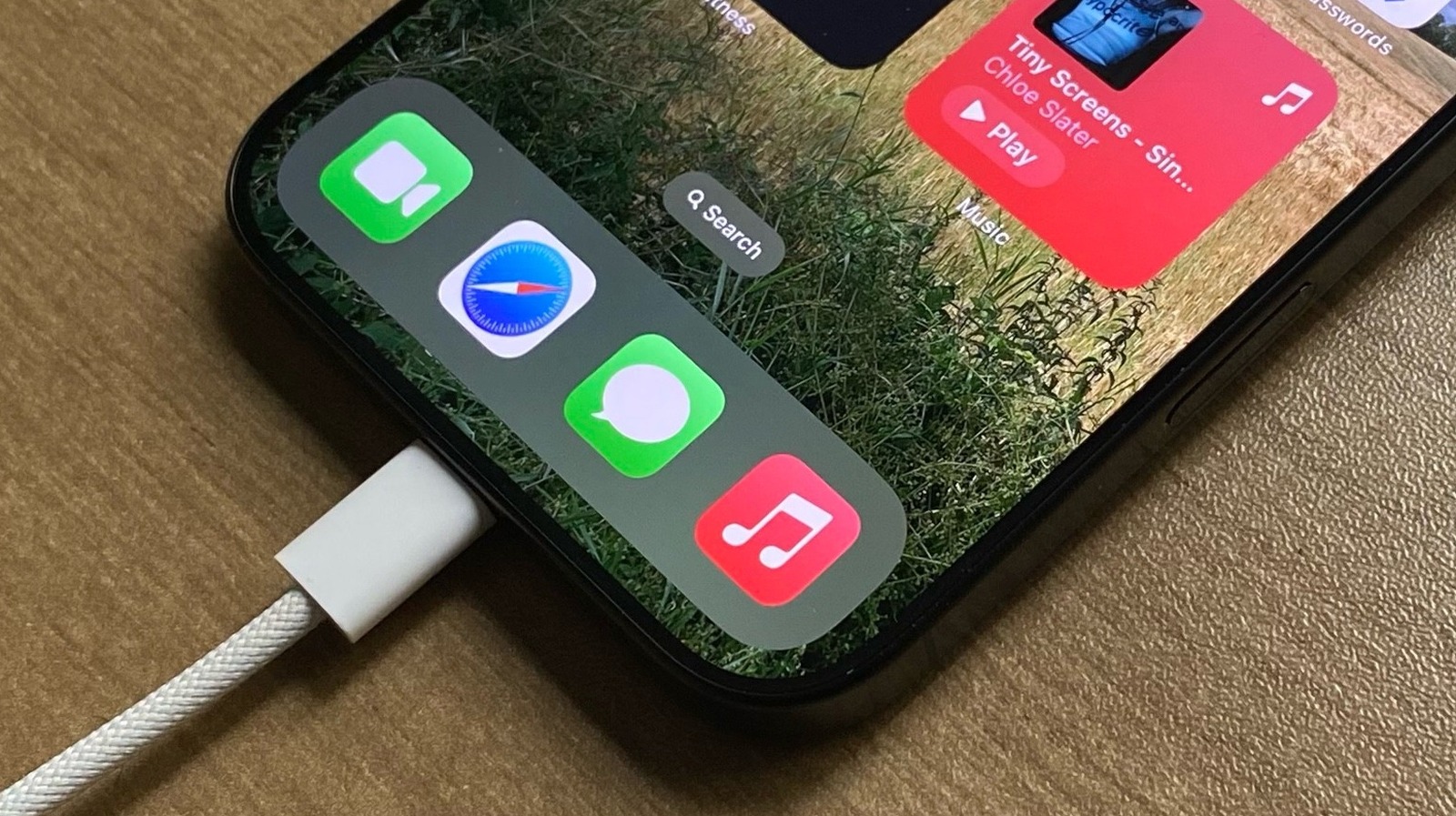
Earlier this year, Apple released the iPhone 16e with its new C1 5G modem. While tests revealed that it wasn’t quite as capable as Qualcomm’s counterpart for the iPhone 16 and iPhone 16 Pro models, it was an important step forward for Apple as the company continues to build its own components and improve the integration between its hardware and software.

With the iPhone 17 release, the company decided to upgrade this modem with a C1X variant, specifically for the iPhone Air. Apple says the C1X modem is up to 2x faster than C1, and can be faster than the modem in the iPhone 16 Pro while using the same cellular technologies. More importantly, the company claims that it’s the most power efficient 5G modem on an iPhone.

However, while these technologies are key to preserving battery life on the iPhone Air, the company still chose to use Qualcomm’s latest 5G modem on the iPhone 17 Pro and iPhone 17 Pro Max. In an interview with CNBC, Apple VP of Software Technologies and Ecosystems Arun Mathias addressed the absence of its homegrown modem on the higher-end iPhone 17 models.

“Well, we were really focused on what we needed for iPhone Air,” Mathias said in response to questions about the modem missing in the other models. “We have great products with iPhone 17 and iPhone 17 Pro as well. And over time, we will see Apple cellular solutions in more products.”

Apple hints at the future of its 5G modems

José Adorno/BGR

According to Mathias, Apple plans to offer modems in more of its products in the years to come. While this is a vague hint at an iPhone and other products with the company’s 5G modems, there are already rumors pointing to the iPhone 18 Pro featuring an improved custom 5G chip.

In March, analyst Jeff Pu said Apple is developing a C2 chip with mmWave technology while also making the experience more reliable with better power efficiency. The analyst also expects Apple to continue to improve its Wi-Fi, Bluetooth, and Thread chip, which we now know as the N1.

Alongside Pu’s note, Bloomberg’s Mark Gurman said Apple was already working on a new modem to power the iPhone 18 models with download speeds of 6 gigabits per second, six-carrier aggregation when using Sub-6 5G, and eight-carrier aggregation when using mmWave. That said, all signs now point to next year’s iPhone 18 models featuring the company’s C2 chip instead of Qualcomm’s technologies.

Source