An increasing number of reports claim Apple is planning two major display updates for the iPhone in the coming years.
First, Apple will move the Face ID sensors under the display, shrinking the top cutout to a hole-punch camera. After that, the selfie camera will also go under the screen. The result would be an iPhone with a flawless display and no visible cutouts.
But a few key insiders disagree on the timeline. Mark Gurman recently said the iPhone 18 will have a smaller Dynamic Island, while the iPhone 20 will debut an all-screen design with no cutouts.
Ross Young responded on X that Apple will use a three-phase approach spanning up to five years. A smaller cutout is expected with the iPhone 18 series, but Face ID components will still be located in that area. Two years later, those cameras will move under the display, leaving only a hole-punch for the selfie camera. By 2030, if Young’s info is right, the selfie camera will also be placed under the screen.
Tech. Entertainment. Science. Your inbox.
Sign up for the most interesting tech & entertainment news out there.
A developer looked at these display rumors and created two iPhone 18 Pro concepts that align with some of the predictions.
Hole-punch selfie camera on the left
Gurman and Young aren’t the only ones talking about the screen changes coming to future iPhones. The Information reported last month that the iPhone 18 Pro and 18 Pro Max will feature a small hole cutout in the top-left corner for the front-facing camera.
Gurman’s latest report didn’t specify the location of the selfie camera. He only mentioned a smaller Dynamic Island.
Developer Filip Vabroušek shared the following concept on X:
iPhone 18 Pro concept with hole-punch camera on the left. Image source: X
This render was created before Apple revealed the new Liquid Glass design for iOS 26 and its other platforms. But for this concept, the look of iOS doesn’t really matter.
I mentioned a few weeks ago that placing the selfie camera on the left could give the iPhone 18 Pro models a unique look. Most Android phones with hole-punch cameras center them.
The iPhone 18 Pro wouldn’t be the first phone with a selfie camera near a corner. The left side is the only viable spot. The rear camera is on the right side when viewing the screen, so there’s no room there for a front camera.
In this setup, the Dynamic Island would either be integrated with the hole-punch or placed in the middle of the screen. Apple won’t ditch Live Activities, which is a software feature. This is just speculation on my part.
A smaller Dynamic Island
This concept assumes Apple is confident that under-display Face ID won’t hurt speed or accuracy.
Young had this to say about the 2026 iPhone design: “2026 – smaller notch as some under-panel Face ID elements remain in the notch rather than transparent under the panel.” That suggests Apple may take a gradual approach, or the screen section covering the Face ID hardware won’t have active pixels.
The same developer adjusted the iPhone 18 Pro concept based on Young’s comments:
iPhone 18 Pro concept with smaller Dynamic Island cutout. Image source: X
The Dynamic Island cutout still looks like a pill here, but it’s smaller than what we’ve seen since the iPhone 14 Pro models.
In this version, the Dynamic Island would function just like it does now, wrapping around a smaller cutout.
This design would mirror what Apple did with the iPhone X notch. Before switching to a pill-shaped cutout, Apple reduced the notch size.
In a twist of bureaucratic brilliance that Yes, Minister fans will appreciate, the civil service is rolling out a suite of artificial intelligence (AI) tools named – yes – Humphrey.
Named after Sir Humphrey Appleby, the oh-so-helpful civil servant who was actually a master of obstruction through cooperation, this AI initiative is designed to streamline services, cut delays, and help unlock £45bn in annual productivity gains across the public sector.
But for those familiar with the BBC classic, the choice of name feels less like a nod to innovation and more like a cautionary tale. Because just like its namesake, this new digital civil servant might end up subtly steering us in the wrong direction.
Humphrey AI is a suite of tools, including Consult, Parlex, Minute, Redbox and Lex, which target bureaucratic pain points: duplicated administration, siloed data, and slow decision-making. If executed well, it could reduce the need for external consultants, accelerate decision-making, and enhance the public’s experience.
It is part of a broader initiative to bring the state into the digital age. It will help streamline processes across the public sector by providing online data processing, automating routine administrative tasks, and accelerating time-consuming research that can slow down policy development. By enabling secure, interoperable data flows, Humphrey can improve citizen experiences while reducing civil service costs and overcoming reliance on external consultants to process and analyse data.
No Minister, AI can’t fix your own data problems
However, there is a lesson from Yes, Minister that still holds – a well-meaning assistant can mislead while appearing helpful. This is especially true for the latest generation of AI tools. These systems are only as good as the data that feeds them. There’s also increasing evidence that as their reasoning and other specialist capabilities improve, these systems tend to “hallucinate” more.
Poorly curated datasets can lead AI tools to deliver confident-sounding but nonsensical results, a risk with serious implications for public trust. One striking example involved a GPT-3.5 model trained on 140,000 internal Slack messages. When prompted to write content, it responded, “I shall work on that in the morning.” Rather than performing the task, the Smart Connections plugin had mimicked the procrastination habits embedded in its training data. It had performed an entirely different function than anticipated, using a fundamentally unsuitable dataset, albeit one that superficially appears appropriate due to its size.
In addition to having the right training data, AI requires access to AI-ready, well-governed task-relevant datasets. Despite a wealth of open data on platforms like data.gov.uk, much of it is not readily usable for training or fine-tuning AI systems. A recent analysis by the Open Data Institute (ODI) revealed that key public datasets used by most AI models do not, as of April 2024, make the most of the statistical and other authoritative data published on such government portals.
The 13,556 pages from data.gov.uk that have been scraped for inclusion in a popular AI dataset like CommonCrawl, rarely contributed to answering citizen questions about public services accurately. Across 195 such citizen questions, AI models correctly referenced data.gov.uk statistics in only five cases. Instead, they drew on secondary or unreliable sources, such as social media posts or opinion articles, or simply fabricated answers. This disconnect is dangerous: it opens the door to misinformation being generated by government-deployed AI tools.
A reason for this is that government data is often not published in AI-ready formats, for example, lacking machine-readable metadata or accessible summaries, which essentially renders the information invisible to AI models. Moreover, our understanding of what sources AI-enabled digital services should prioritise is limited. Compare that with the technical solutions that previous-generation AI tools, such as traditional search engines, put in place to ensure that citizen questions about public services rank government pages and other authoritative sources higher than secondary information. We’re only just starting out on that journey with generative AI.
Digitising bad decision-making
Using AI to process data, research policy, or write documents requires an understanding of how these technologies work, the data they rely on, and their limitations. This is the only way workers can validate AI’s outputs. However, researchers at Harvard Business School found that while AI offers real value, its unpredictable failure points make both the benefits and risks hard to gauge, for individuals, organisations and governments alike.
The National Data Strategy, published under the previous Conservative government, acknowledged problems such as “a fragmentation of leadership and a lack of depth in data skills at all levels”, and a culture which overemphasises the risks of misusing data, leading to “a chronic underuse of data and a woeful lack of understanding of its value”. This urgently needs to change. If civil servants don’t understand how AI works, how can they question its outputs?
Poor understanding at senior levels has particular consequences. For example, school absence data tracks data points such as year group and indicators of disadvantaged backgrounds, such as Child In Need status, but misses granular detail, such as neurodivergence, despite evidence that a very high proportion of children experiencing difficulty with attendance are autistic. This blinds policymakers to the fact that many persistently absent pupils are autistic, encouraging punitive responses like parental fines rather than tailored support. Better AI literacy, supported by the thoughtful use of AI tools themselves, can help civil servants not only understand data but learn how to question it.
Other countries are already moving ahead. Estonia, for example, has introduced Bürokratt, an AI chatbot aimed at reducing civil service workloads and accelerating service delivery. But crucially, Estonia isn’t just investing in tools; it’s investing in training its staff. The Estonian Ministry of Economic Affairs and Communications has launched the Digital State Academy, offering free courses on digital governance, AI, and data handling to civil servants.
Britain should take note. While there have been efforts to upskill the UK civil service, most initiatives have focused on advanced data skills rather than the foundational data literacy required across the board. Policymakers don’t need to code in Python, but if they can’t spot bias in a dataset or question an AI’s output, then no amount of automation will deliver better decisions. It will just hide bad ones behind a sleek digital interface.
Streamlining the “creaking old bureaucratic machine”
In 1980, Minister Jim Hacker optimistically declared in Yes, Minister, “We’re going to cut through all the red tape, streamline this creaking old bureaucratic machine”. Over forty years later, the government hopes AI could finally fulfil that promise – and drive broad-based economic growth along the way. In the public sector alone, technology minister Peter Kyle estimates “a £45 bn jackpot” for the public sector if the civil service successfully adopts AI. To unlock that, investment is needed, not just in tools like Humphrey, but in training and infrastructure to support their use.
The ODI is calling for a 10-year National Data Infrastructure Roadmap to do just that. This roadmap would underpin the AI Opportunities Action Plan by focusing on three pillars – interoperability, AI-ready data, and privacy-preserving technologies. While the plan sets a strong direction, it lacks detail on how standards will be set and monitored and how foundational data infrastructure will be funded.
Transparency about the provenance and lineage of datasets used to train and operate AI in public services is critical. Without it, we can’t scrutinise how AI influences decisions that affect our lives. To build public trust, we need to explore participatory stewardship of key datasets so that the people most affected by public sector algorithms can help shape how their data is used.
This is where frameworks like the ODI’s new Framework for AI-Ready Data are vital. It sets out four core principles for preparing datasets for effective and ethical use in AI: technical optimisation, data quality and standards, legal compliance, and responsible collection. It goes beyond general principles like FAIR (findable, accessible, interoperable and reusable), pointing to practical steps that non-specialist data publishers can follow to ensure that data is not just machine-readable, but meaningful, lawful and fair.
To harness data for public good, we must think long-term, build solid data foundations, and above all, stay vigilant about the risks of digitising dysfunction. Otherwise, the most powerful new civil servant in Whitehall won’t be human, it will be an AI called Humphrey. And like its namesake, it will appear endlessly helpful, while subtly shaping outcomes to suit the data it’s trained on. Civil servants risk becoming modern-day Jim Hackers, trying valiantly to streamline a creaking old machine, while being quietly outmanoeuvred by their new digital colleague.
Elena Simperl is the director of research at the ODI.
Finland’s University of Oulu is renowned as a leading centre for the development of advanced communications technologies, and now, in collaboration with Mid Sweden University, it has revealed the first fruits of the Immerse project – specifically, a new type of immersive augmented reality (AR) application that allows tasks requiring special expertise, such as repairing a device, to be completed without an expert present.
Funded by Interreg Aurora and beginning in August 2024, the Immerse project looks to promote remote work and operation with immersive technologies to address the unique challenges and skills shortages experienced in northern regions. The project’s likely beneficiaries are organisations in the mining, forestry and manufacturing industries, whose business efficiency and work safety the new technology improves.
For Immerse, the University of Oulu developed an AR-assisted task guidance application, which works by having an expert create instructions for performing a task using a digital twin produced by 3D scanning technology of the target device and adding graphical annotations such as arrows and text boxes. Users can download the instructions they need from a library, which they can then follow step-by-step on the mobile device’s screen. The instructions are projected onto the item being worked on using AR technology.
A demo version based on the technology has been built, although development work is still ongoing, and currently, the application is used mainly to demonstrate the technology with simple tasks. However, the intention is to release an open source implementation in the future, which will include all the essential tools.
The researchers believe that through their work, anyone, in principle, can create a digital twin of the target, create instructions for maintenance or repair tasks, and use the mobile application to repeat them in a real environment. For example, changing a bicycle tyre could be easily accomplished with the application when the instructions are created by the bicycle manufacturer specifically for that model.
“AR-assisted guidance has indeed been studied worldwide, and there are also commercial applications, but they typically require the presence of an expert and interaction with the user, whereas our proposed solution allows the task to be performed independently without personal guidance,” said Janne Heikkilä, professor of machine vision and signal analysis at the University of Oulu.
“The application could be compared to a much more precise version of popular tutorial videos that many use when they need to do something beyond their expertise,” added Heikkilä.
The future focus will be on using artificial intelligence in creating instructions, making the work process “effortless” and reducing the amount of expert work. “The mobile application also requires a lot of development to make it user-friendly,” added Heikkilä. “The aim is to enable the use of AR or XR glasses, eliminating the need to hold the mobile device in hand.”
Immerse’s project manager in Oulu, researcher Janne Mustaniemi, said: “The project combines our university’s years of experience in image-based 3D reconstruction and the recent developments in the field, which have made digital twins even more accurate.”
I’m a longtime Mac user who has had to fix all sorts of issues with the various MacBooks I’ve owned over the years. Unfortunately, that sometimes meant dealing with the dreaded Terminal app, where you have to type specific commands and hope the Mac will do its magic and “just work.” It usually does, assuming you’ve typed the command correctly, whether it comes from memory or the web.
I’m not a developer, so I don’t use Terminal-like apps for coding or automations.
How is that related to the amazing Gemini CLI product that Google unveiled on Wednesday? Well, Google’s virtual briefing that I attended earlier this week started with a reminder of how annoying Terminal apps are, even for coders who essentially live and breathe this stuff.
I could immediately relate, and I started fantasizing about what the Gemini CLI product could do. I thought Gemini was coming to Terminal apps on Mac, Windows, and Linux to possibly help us manage our computers with natural language. Imagine issuing commands in Terminal to a local, private AI and then watching it execute them.
Tech. Entertainment. Science. Your inbox.
Sign up for the most interesting tech & entertainment news out there.
Unfortunately, Gemini CLI is a product aimed at developers, though it does more than just help out with coding projects. It won’t let you control or fix your computer with text commands.
Still, I was excited to see what Google was about to unveil. Even though I don’t code, I can see how amazing Gemini CLI is. It’s easily one of the best Gemini products Google has put out, and I say that because it’s open-source and free to use for anyone. And yes, you can use Gemini CLI to create images and videos of cats on planes.
What is Gemini CLI
CLI is short for command line interface, aka an app like the Mac’s Terminal. Google isn’t bringing Gemini CLI to the Mac’s default Terminal app. Instead, it’s launching a standalone app that anyone can install from GitHub right away. It works on Windows and Linux, too.
It’s available to download for free. Also, it will cost you nothing to start using it. All you need is a Google address (personal or work) to start using the tool. Depending on how you use Gemini CLI, you might incur costs tied to other AI services, but you don’t have to pay for Gemini CLI itself.
Google says most people won’t reach these theoretical limits. Image source: Google
Gemini CLI includes a free Gemini Code Assist license, which comes with access to Gemini 2.5 Pro, Google’s latest AI model. You’ll get the same 1 million token context window that’s available in the Gemini app, and unlimited access to Gemini CLI commands.
Unlimited means 60 model requests per minute or 1,000 requests per day. Google says it set those limits after analyzing what its own developers have used the tool for. The limits above are double the highest usage Google observed internally. And the tool is quite popular with Googlers.
Privacy and security guarantees
The terminal experience Google is offering Mac, Windows, and Linux users targets developers. Those were the main demos during the briefing. Everything runs locally, so you don’t have to worry about clouds. Gemini might use a cloud service to demo a website or app you’ve just coded.
As for security, Gemini CLI will always show prompts when it has to perform an action on your computer while it’s coding an app. It might need to download something or run specific commands. Those prompts let you fine-tune the AI’s permissions to work.
Also, Gemini CLI is sandboxed and lets you use other protections to make sure it runs in a safe environment. The fact that the terminal app is open-source also backs up Google’s privacy and security claims. Anyone can inspect the code and find issues.
What Gemini CLI can actually do
Here are some of the Gemini CLI abilities that Google mentioned in a blog post announcing the new product:
Ground prompts with Google Search so you can fetch web pages and provide real-time, external context to the model
Extend Gemini CLI’s capabilities through built-in support for the Model Context Protocol (MCP) or bundled extensions
Customize prompts and instructions to tailor Gemini for your specific needs and workflows
Automate tasks and integrate with existing workflows by invoking Gemini CLI non-interactively within your scripts
But, as Google explained during the briefing, Gemini CLI users have found fun and surprising ways to use the new terminal app that have nothing to do with coding.
Creators can tap into Google’s Imagen and Veo products to have Gemini CLI create stunning videos and images directly from the command line. The AI just delivers, and the demo Google offered blew my mind. I might have to try Gemini CLI myself to see how and if I can use it for AI tasks that don’t involve coding.
If you need to use Gemini CLI to code apps and websites, that’s also something you can do.
Also, Gemini CLI can work with other apps, not just Google’s Gemini-based AI tools. It supports MCP, so developers can plug it into all sorts of tools that also support the interconnectivity protocol.
To get started, head over to Google’s GitHub page for Gemini CLI at this link, download the terminal app on your machine, log in, and start creating.
A few weeks ago, OpenAI introduced a new feature for ChatGPT called Connectors. It’s essentially a way for the chatbot to work with all sorts of third-party apps and data sources to pull in more information while answering user prompts.
The feature is exciting because it lets ChatGPT work with more third-party apps that store some of our personal data. Imagine asking ChatGPT to search your Gmail account for everything related to a family holiday you’re planning. That’s the kind of functionality Gemini offers, since Google owns Gmail.
Other chatbots will need similar access to deliver more personal experiences. That’s really the whole point of letting ChatGPT pull data from other services. OpenAI wants to give users a super-assistant ChatGPT experience where the AI knows everything about you. It’s the kind of thing I expect from the ChatGPT io hardware device that OpenAI might launch late next year.
To get there, we need Connectors in ChatGPT. The good news is that OpenAI is expanding access. The bad news is that it’ll cost more. The latest expansion doesn’t include ChatGPT Free or ChatGPT Plus users.
Tech. Entertainment. Science. Your inbox.
Sign up for the most interesting tech & entertainment news out there.
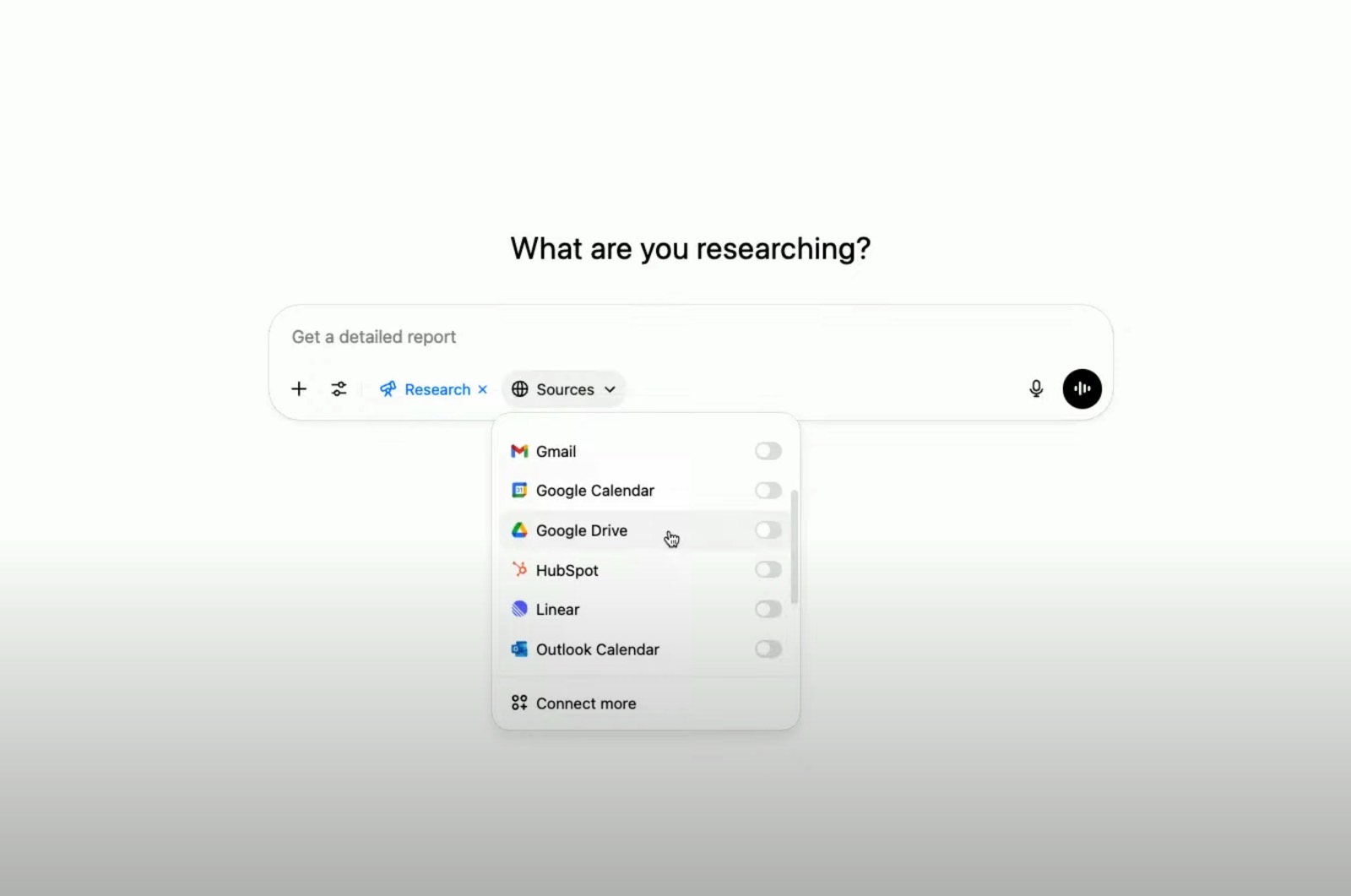
OpenAI said on X that Connectors for Google Drive, Dropbox, SharePoint, and Box are now available in ChatGPT outside of Deep Research. That’s useful if you want the AI to access cloud data you’ve stored with those services while responding to your prompts.
As OpenAI puts it, the feature is “perfect for bringing in your unique context for everyday work.”
The tweet also notes that the Connectors mentioned above are available to ChatGPT Pro users ($200/month) worldwide, excluding the EEA, Switzerland, and the UK. I’m a ChatGPT Plus user ($20/month) in Europe, so I wouldn’t be able to use these Connectors even if they were available here.
It’s likely that OpenAI will eventually roll out Connectors everywhere, including Europe. This wouldn’t be the first time a new ChatGPT feature launched in the EU later than elsewhere. The region has stricter tech regulations, whether it’s AI or anything else.
Even more ChatGPT Connectors
Also, the list of Connectors available outside of Deep Research is smaller than what ChatGPT supports within Deep Research.
Outlook, Teams, Google Drive, Gmail, and Linear are available to ChatGPT Plus and Pro users in Deep Research. Again, the same regional exclusions apply, with European users left out for now.
OpenAI also said a few weeks ago that SharePoint, Dropbox, and Box are available to ChatGPT Team, Enterprise, and Edu users in Deep Research.
On top of that, workspace admins can build their own Deep Research Connectors using the Model Context Protocol (MCP). This lets AI services communicate with other apps and data repositories.
The list of Connectors should grow significantly in the coming months and years, as more apps let users connect their AI assistants for personalized chatbot experiences. Other chatbots will likely support their own connectors too.
Companies like Google have a clear edge here. Google can plug its Gemini assistant into all of its apps, giving it a big advantage in building a powerful super-assistant.
The ChatGPT Connectors mentioned above should be available now in the app. Try refreshing the page or updating the app if you don’t see them.
OpenAI’s video below from early June explains how Connectors work in ChatGPT.
Among the questions a head of technology may ponder are, what does it mean to be innovative, and perhaps, what technology can be used to drive an innovation strategy?
Given the main way people tend to place bets with Bet365 is via its mobile app, Alan Reed, head of platform innovation at Bet365’s Hillside Technology platform, says: “As part of the remit of platform innovation, we look at the world beyond the phone.”
In a recent Computer Weekly podcast, Reed talked about how generative artificial intelligence (GenAI) changes the way people interact with computers. “We are looking at the future of the workforce, and one of the things we have access to is the Ray-Ban Meta AI glasses.”
For Reed, one of the breakthroughs this technology offers is access to the Llama 4 large language AI models, which, he says, is simultaneously amazing and quite terrifying. “You can literally look at something, such as if you’re in a restaurant and you can’t translate the menu, and it will speak it into your ears.”
While he sees uses for such technology, Reed concedes that it raises privacy concerns.
It represents an interesting adaptation of the human-computer interface. The graphical user interface (GUI) that applications are built around, to paraphrase Sam Altman in his YouTube advert with iPhone co-designer Jony Ive, does not represent the best way to get ChatGPT to answer a question. The Ray-Ban Meta product shows the possibilities of using a voice user interface rather than relying 100% on a GUI, whether that is running on a PC or a smartphone.
“We’ve used our phones for the last 15 years to do anything other than speak to other people,” Reed adds, “But thanks to generative AI, we will want to use the phone button on our phones again.”
What to do with GenAI
Like many businesses, Bet365 is exploring how to use GenAI. For Reed, at an empirical level, a foundation model is something that reads the internet and turns the information it gleans into data, which can then be reconstructed into sentences when queried.
For the past few years, the betting company has been looking at using a large language model for coding, before it became one of the key use cases. “It’s very obvious what can be done in the coding space,” he says.
But while writing code is great, Reed says: “What we were more interested in is, if it could read code, what could you understand?” The particular problem Bet365 wanted to tackle was having the ability to understand its code base without the need for someone to read the code themselves.
“Like any large tech company or organisation that’s been around for a number of years, you start to think of your technical data and your legacy code base, and that there is a percentage of your workforce just maintaining this legacy code base,” he says.
“Once you can get a level of comprehension from the AI, you can start to look at a value construct against your code and ask the bigger questions”
Alan Reed, Bet365
The maintenance challenge is that people’s understanding of how an application is programmed diminishes unless they frequently look at the code. “Every now and again, you realise you don’t understand the code to the degree you need to for the task ahead,” he says, referring to the difficulty in maintaining application code long term.
There is another benefit: if the AI can understand the code, both as content and contextually, it becomes a powerful tool for IT transformation projects. “Once you can get a level of comprehension from the AI, you can start to look at a value construct against your code and ask the bigger questions,” says Reed.
Not only can GenAI be used to improve the maintainability and portability of code bases, but it can also help to identify common blocks of code to aid migration efforts.
Referring to Bet365’s migration programme, Reed says: “Over a period of time, we put a lot of our business logic into databases. One of the things that we’re looking at as we do a platform migration is to modernise this code in a similar way to how we did the cloud migration.”
Summarising databases
Given that it can read and understand code, Reed wanted to see how well GenAI could be used with the code base for documentation. While a GenAI tool provides chat-oriented programming and can understand the code base, Reed says it lacks an understanding of localised knowledge, which led the team to retrieval augmented generation (RAG).
“RAG is just the idea of supplementing whatever the large language model has with your own nuance, your own documentation, your own standards, and your own thought processes,” he says.
A paper published by Microsoft on how to use GraphRAG, which combines a graph database with retrieval augmentation generation, showed Bet365 a way to summarise its databases and the business logic coded in these databases.
Reed says the technique effectively builds a knowledge graph of its databases. “We put in everything we could think of that would be useful to a developer,” he adds, which allows developers to query the code and get back a meaningful response.
Reed says the system provides additional information such as which database tables are used the most and which databases use the most processing power. “We wanted to understand logical reads, physical reads. We wanted to make it a very, very rich model.”
Such information is key when ascertaining which parts of the IT infrastructure should be modernised to maximise value. Given that a database that has been around for several years will almost certainly be connected to numerous other databases that are also intertwined, working out what is going on is extremely difficult, which is why an AI tool that can read and understand what is going on inside a database is useful for Bet365.
“We almost immediately realised it was a fabulous way of showing people the size and scale of the issue they had in front of them. It was a very good way of getting a message across,” says Reed.
A careful path to tech innovation
Innovation may well be a dish that is best served cold. There are certain tech breakthroughs, like AI glasses, that grab public attention and can indeed offer a route to innovation, but truly innovating with AI requires careful consideration, as Reed has shown.
It may not grab the headlines, but having an AI that not only understands code and databases, but also enables developers to ask technical questions of the code, shows the potential of AI to do much more than augment workflows and existing business processes.
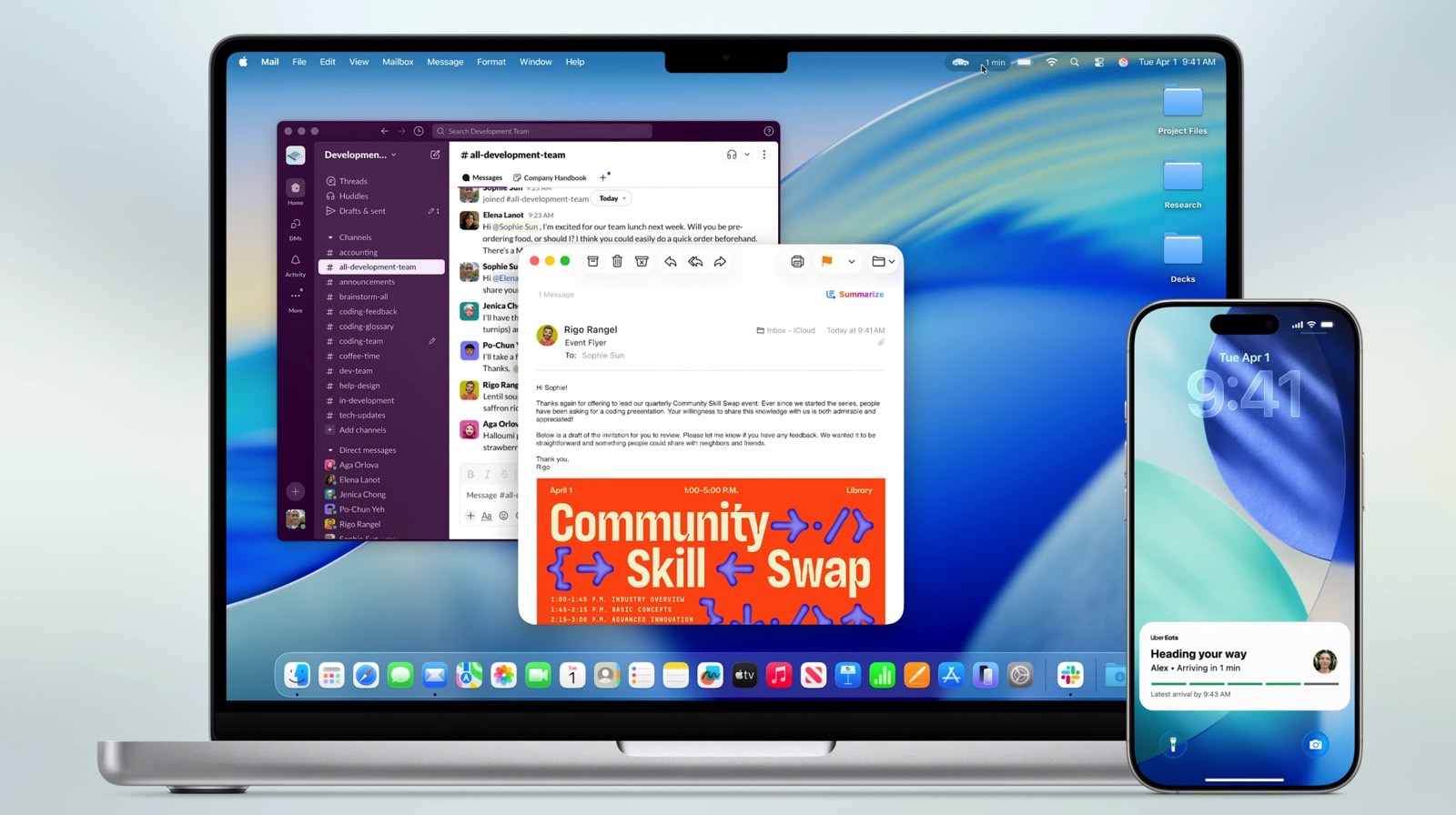
Apple previewed iPadOS 26 during its WWDC 2025 keynote. Unlike previous years, the company outdid itself with the new features introduced in this software update. After all, it’s going to be easier than ever to use the iPad as a computer replacement.
Some of the new functions include:
Better windowing system: Apple is ditching Split View and Slide Over in favor of a new windowing system. You can open as many windows as you want and control them with a familiar menu bar and Mac-like controls.
Background Tasks: Apple finally lets tasks run in the background, including exporting a video, downloading large files, and more. A simple yet important functionality that finally lets users take advantage of up to 16GB of RAM on the iPad.
Preview app: Apple built a new app for iPad users to open, edit, and mark up PDFs and images with ease. Cupertino says Preview was designed with the Apple Pencil in mind, so users can sign documents and take notes faster than before.
That said, these aren’t the only features iPadOS 26 offers that make it a great computer replacement. There’s also a supercharged Files app and the ability to add folders to the Dock. I still think iPadOS 26 needs a few tweaks to become the only computer I want to use every day.
iPadOS 26 needs to work a bit more like the Mac
Image source: José Adorno for BGR
Apple says that even though it improved the multitasking functionality on the iPad, it continues to be a touch-first experience. I couldn’t agree more with the differences between the iPad and the Mac. That doesn’t mean Apple can’t make iPadOS 26 slightly better.
Tech. Entertainment. Science. Your inbox.
Sign up for the most interesting tech & entertainment news out there.
Here are some tweaks that could make iPadOS 26 truly perfect for iPad users:
Multiple desktops: Apple is not expected to greatly increase the display size of the iPad Pro (even though larger screens have been rumored). The best way to manage multiple open windows would be to offer different desktops. This would let users organize their workflows more effectively.
Always-visible dock: As personal as it might seem, I think having the dock visible at all times is the way to go. On macOS, you can’t overlay the dock with a window. I wish iPadOS 26 behaved the same way.
Files and photos on the Home Screen: To make the iPad work more like a Mac, let users save images and files on the Home Screen. Apple could make Stacks mandatory so documents don’t clutter the experience. This would make it easier to drag and drop files into apps, Safari, and so on.
Wrap up
Apple is still in the early days of the iPadOS 26 beta. While I don’t think the company is rushing to add these features, they would be great additions for Pro users.
BGR will keep bringing you the latest iPadOS 26 features as we learn more about them.
We’re one step closer to Apple’s launch of the upcoming M5 iPad Pro. According to DigiTimes (via MacRumors), Samsung Display and LG Display have officially begun mass production of the OLED panels for this generation of Apple’s high-end tablet.
Bloomberg’s Mark Gurman previously said Apple is aiming for an October release. With that in mind, the DigiTimes report fits in perfectly with his timeline.
Unfortunately, we’ve yet to see any rumors about major features for this generation. Other than the new M5 chip, which is expected to use a better manufacturing process than the current 3nm model, there are no major improvements expected for this generation. For example, one reports says Apple might flip its logo to landscape orientation for this iPad.
Besides that, it seems the new M5 iPad Pro will be like the recently-released M3 iPad Air: A spec upgrade and nothing else. After all, Apple just redesigned the iPad Pro with an ultra-thin chassis, a beautiful OLED display, and the company’s latest chip.
Tech. Entertainment. Science. Your inbox.
Sign up for the most interesting tech & entertainment news out there.
Other rumored upgrades for the iPad Pro, such as thinner bezels and improved panel, are expected to land in a future hardware update.
iPadOS 26 is the greatest M5 iPad Pro feature, but your iPad can run it too
Image source: José Adorno for BGR
That being said, Apple will heavily rely on iPadOS 26 to promote the M5 iPad Pro. However, pretty much any iPad compatible with this upcoming software update will unlock the many benefits of iPadOS 26.
The new windowing system, Mac-like menu bars, supercharged Files app, the new Preview app, and more are all available on a range of iPad models. What makes this more interesting is that Stage Manager once required a tablet with an M1 or newer chip. Now, even older iPad models can run several windows at the same time.
That said, users looking to acquire the latest and greatest hardware should appreciate the new M5 chip combined with the new software features of iPadOS 26.
With the UK’s communications regulator ending the consultative phase of its telecoms access review (TAR), the Independent Networks Cooperative Association (Inca) has urged Ofcom to ensure the review secures the future of infrastructure investment, fosters regulatory consistency, and promotes a fair and competitive landscape across all fixed telecoms markets, but is warning that designating market leader Openreach as the default provider in areas where network competition is presumed to be unviable would be “unjustified” and “short-sighted”.
Ofcom’s Telecoms access review 2026 policy consultation for UK broadband sets out plans designed to help full-fibre gigabit broadband to reach almost all UK homes and businesses over the next two years.
The regulator believes full-fibre broadband is on course to become available to 96% of homes and businesses in the next two years, and that its proposal in the Telecoms access review 2026-31 will promote the necessary levels of competition and investment in full-fibre networks.
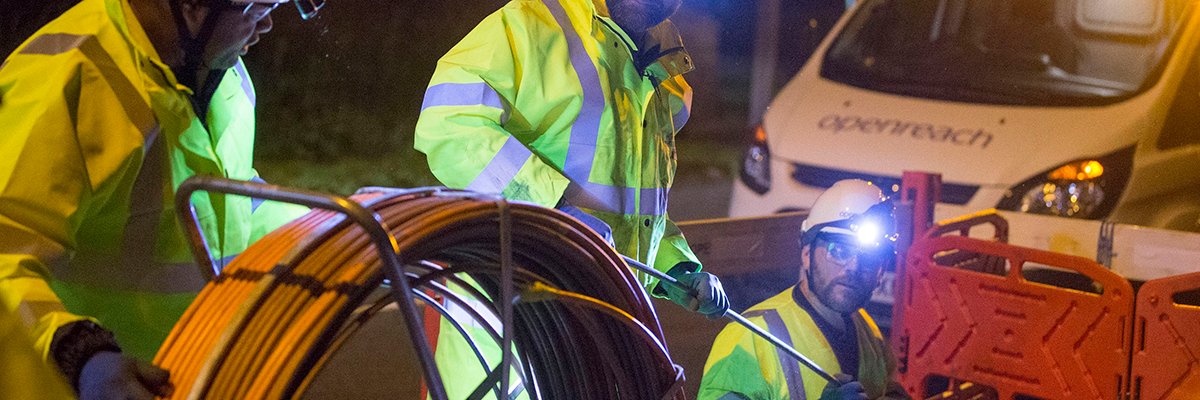
Ofcom believes it’s incentivising existing networks to invest while making it cheaper and easier for new entrants to the market to build using BT-owned Openreach’s ducts and telegraph poles. As a result, Ofcom claims, the UK has seen one of the fastest rates of roll-out of full-fibre broadband in Europe, with industry investment ranging between £3bn and £6bn each year.
The regulator was also adamant its regulation to bring near-universal, high-quality connections to businesses and communities across the UK will unlock the economic potential of remote communities, enable productivity gains and support public services as they become more digital.
With the consultation period for the TAR ending on 12 June, Inca revealed that as part of its role as the representative voice of the UK’s alternative broadband network (Altnet) sector, it has made a formal response to the consultation, urging Ofcom to adopt a forward-looking regulatory framework that unlocks long-term private investment, recognises the crucial role altnets are playing in driving full-fibre roll-out in rural and hard-to-reach communities, and ensure future regulation doesn’t further entrench the market power of the incumbent.
In its official submission, Inca made a number of specific recommendations for Ofcom, including: ensuring investment incentives are aligned across all markets served by the same physical networks; regulating consistently across residential and business markets to ensure a level playing field for atnets in competition with BT; requiring BT to transparently co-develop improvements to physical infrastructure access (PIA) with customers; and ensuring that PIA asset valuations are truly representative and “fair share” rules are applied to Openreach, as well as other users of PIA assets.
Other items included supporting emerging altnets through robust wholesale pricing safeguards and managing the ongoing the copper-to-fibre network transition in a way that supports – not undermines – altnet network deployments.
“The TAR will set the direction of travel for UK digital infrastructure, [and] altnets have proven they can deliver gigabit networks at scale – and what is now needed is a regulatory environment which supports sustainable competition and investment in every part of the market, from urban businesses to rural homes,” said Inca chief executive Paddy Paddison.
“There is no justification for limiting delivery in less competitive areas to a single provider,” he said. “Such a decision massively underestimates the scale and success of full fibre network deployment by altnets, whose coverage has increased by 27% year-on-year to reach 16.4 million premises by the end of 2024, delivering connectivity to a third of UK premises in harder-to-reach rural areas, and is at odds with government policy where Project Gigabit has provided public funding to altnets to build networks in precisely those locations.”
For a company as adept at design as Apple is, the company’s decision to completely revamp the Finder icon in macOS Tahoe 26 was bewildering. Whereas the icon historically featured a dark shade of blue on the left and a lighter shade on the right, Apple, for reasons that defy explanation, opted to reverse the color scheme with macOS Tahoe. In one fell swoop, Apple undid decades of tradition and left many Mac enthusiasts scratching their heads. Everything Apple does is purposeful, but this design decision seemed completely arbitrary and ill-conceived.
Thankfully, Apple heard the cries of the Mac faithful. The company earlier this week rolled out macOS Tahoe beta 2 and reverted the color scheme of the Finder icon back to its original state.
As a point of reference, here’s what the original incarnation of the Finder icon in macOS Tahoe looked like:
Image source: Apple
And here’s what the Finder icon has looked like for years:
Tech. Entertainment. Science. Your inbox.
Sign up for the most interesting tech & entertainment news out there.
Finder icon in macOS Sonoma Image source: Apple
And with the latest macOS beta, the Finder icon looks like this:
Updated Tahoe Finder icon Image source: Apple
Justice has been served.
Well, sort of.
There’s still something a bit off about the design. The problem, in my opinion, is that the light blue face on the right doesn’t stretch to fill the outer bounds of the icon itself. Whereas the original Finder icon gives equal weight to both hues, the new Finder icon prioritizes the dark blue face on the left, with the light blue face on the right almost seeming like an afterthought.
To this end, John Gruber recently opined:
The Tahoe beta 2 Finder icon is slightly better, but seeing it this way makes it obvious that the problem with the Tahoe Finder icon isn’t whether it’s dark/light or light/dark from left to right. It’s that with this Tahoe design it’s not 50/50. It’s the appliqué — the right side (the face in profile) looks like something stuck on top of a blue face tile. That’s not the Finder logo.
Again, it’s dumbfounding why Apple would make such a change. It’s simply different for the sake of being different, with no direction or purpose.
How Apple can improve the Finder icon design
So, what’s the solution?
Well, a few designers online have mocked up ways for Apple to restore the logo to its proper glory while keeping the Liquid Glass framework intact. The best one we’ve seen yet, and which we highlighted last week, remains Michael Flarup’s design:
Wish they had gone in this direction with the new macOS Finder icon.Still liquid glass but with the classic colors and no border.Keeps more of its original personality. #WWDC25 pic.twitter.com/95I6tygpFn
— Michael Flarup (@flarup) June 10, 2025
The good news is that Apple, especially in the early days of new macOS and iOS releases, is very receptive to feedback. The company is open to making changes, and hopefully, we’ll see a vastly improved Finder icon by the time macOS Tahoe officially ships.