
Shop Loewe — $749
 Stas Malyarevsky/Shutterstock
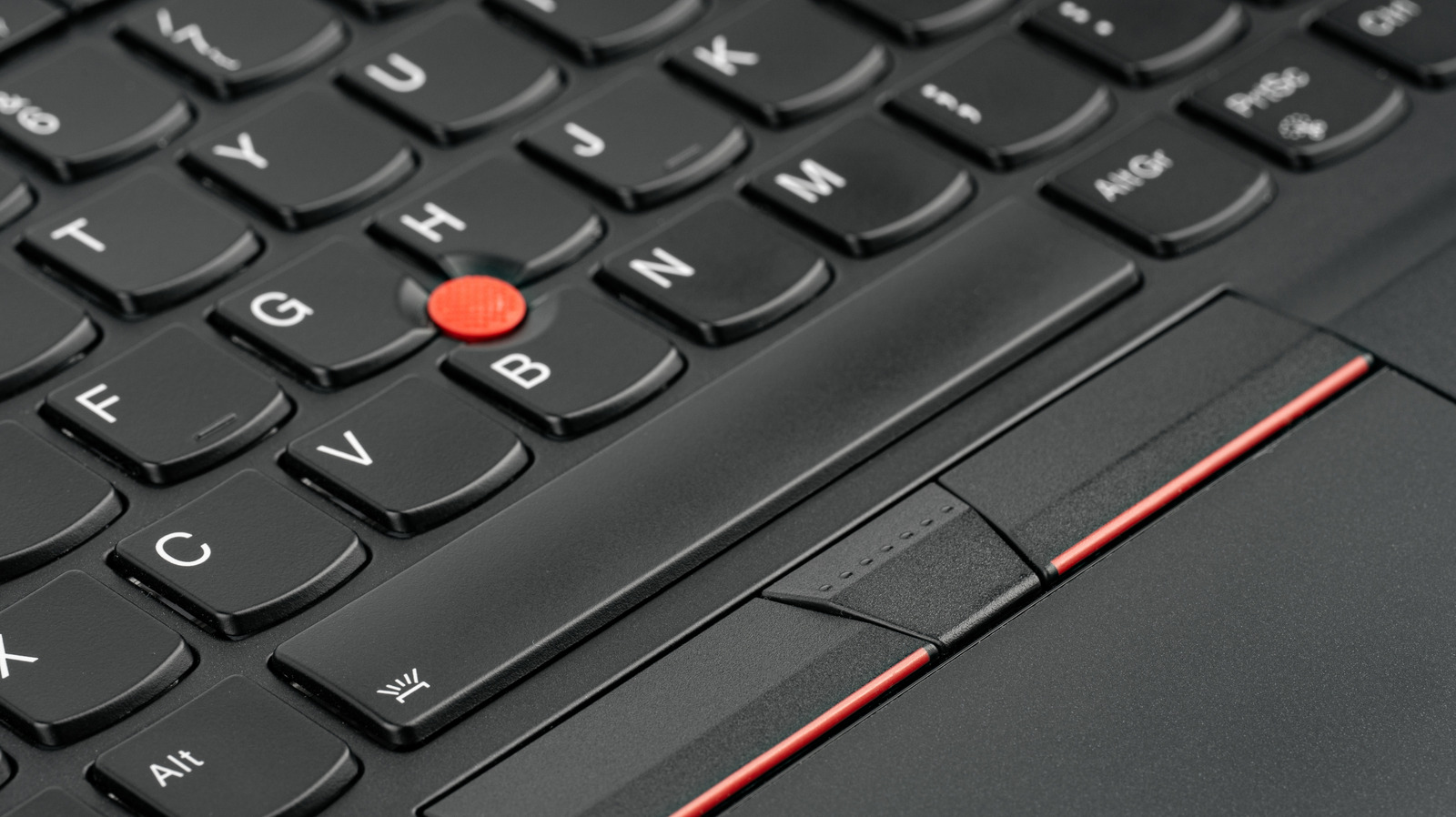
Since IBM launched the ThinkPad in 1992, the iconic laptop has carried a unique identity with it in the form of a small red “button” located between the G, H, and B keys on the keyboard. But this isn’t a button in the traditional sense — it’s a tiny joystick officially known as the TrackPoint. Even under the Lenovo umbrella (IBM’s personal computer division was acquired by Lenovo in 2005), the TrackPoint has remained as a way to give users a more precise and easily accessible method for moving their mouse cursor around.
According to a comment made by former Lenovo chief design officer, David Hill, the TrackPoint was intended to make it possible to type and move your cursor without needing to reset your typing position. And over the years it has persisted, despite the evolution of the laptop industry. It utilizes several pressure-related resistors which are built directly into the body of the laptop’s keyboard. Whenever pressure is applied to the TrackPoint, the resistors detect the pressure and then translate it into mouse cursor movement on your screen.
With tech and gadget prices expected to increase in 2026, having a way to make a product stand out could be key to keeping consumers invested in a company’s ecosystem. The TrackPoint’s multi-decade legacy and overall usefulness remains a reason for consumers to choose a ThinkPad over some of the best laptops out there.
Should you use the TrackPoint over a standard trackpad?
 Hnjosh/Shutterstock
Opinions on whether you should use the TrackPoint or your laptop’s trackpad vary from person to person. Some fans say it is better than a standard trackpad, claiming it offers more movement without as much effort thanks to its sensitivity. Others argue that the sensitivity is one of the TrackPoint’s biggest weaknesses, while some claim that those complaining about it are using it incorrectly.
The TrackPoint centers around a typing style known as touch typing, a popular way to type using all ten of your fingers without having to look at the keyboard. Touch typing relies on a set of “home keys” which are located right around where the TrackPoint rests. The position of the little red nub was chosen specifically to make it easy to interact with the cursor using one of the fingers positioned closely to it, so that you could adjust your cursor without having to pull your hand away completely. If you use touch typing positioning, then it absolutely could be worth experimenting with the TrackPoint if you already have a ThinkPad.
If you want to try the TrackPoint yourself, then you may want to pick up a ThinkPad with it soon. Despite the red joystick’s iconic history, Lenovo did debut the ThinkPad X9 in 2025, marking the first time the reliable laptop brand’s clamshell line of ThinkPads did not include the TrackPoint. This has left many to wonder if the little red button will live on or if it might be retired going forward.






