Posted on

You Can Use FaceTime On Android Phones With This Easy

Mino Surkala/Shutterstock

FaceTime is widely regarded as an excellent video calling solution for Apple users, thanks to its seamless integration in the company’s various platforms, including iOS 18 and the compatible macOS 15. With just a few taps or clicks, you can be on a video or audio call with your friends or family members. In addition to regular one-on-one video and audio calls, FaceTime offers tons of other features, including group calls, end-to-end encryption, the ability to hand off a FaceTime call to another Apple device, set a custom virtual background, respond with reactions, share your screen, and SharePlay.

While it’s common knowledge that FaceTime works on Apple devices, you might not know that Android users can also use FaceTime for both one-on-one and group calls. Sure, there is no FaceTime for Android app in the Google Play Store, but that doesn’t mean billions of Android users can’t join a FaceTime call. FaceTime allows people with Apple devices to invite others, including those with an Android phone, to join a call using their web browser. Here’s how this process works.

How to FaceTime on Android

PixieMe/Shutterstock

Android users can make FaceTime calls on their phone or tablet by receiving a call link from someone with an iPhone, iPad, or Mac. The process to generate a FaceTime link is simple and only requires an Apple device user to open the FaceTime app and tap on the “Create Link” button. They can optionally name the link for easier recognition or share it just like that with others. On Android, once you have received the FaceTime link, open it in a web browser. While FaceTime links seem to work in any web browser built using Chromium, Apple recommends using Chrome or Edge. 

The FaceTime link will require you to enter a name to join; fortunately, there is no Apple ID or phone number requirement. Enter any name, tap “Continue,” and you’ll be navigated to the FaceTime call page. You can choose to mute yourself, turn off the video, or switch the camera or mic on the call page. Once you are ready, hit the “Join” button. Remember, your browser may ask permission to use your device’s camera and microphone for the call.

After you request to join the call, the original host of the call will receive a notification to approve it on their Apple device. If they aren’t already on the call, they will have to join the call and then approve your entry or the entry of any other participants. Following the approval, you can continue with the call.

Is an Apple user always required in a FaceTime call?

fizkes/Shutterstock

Although Android users need the person who generated the FaceTime call link to let them in the call, the Apple user’s presence in the call isn’t always mandatory beyond the initial approval. The Apple user only needs to be present if they are on a one-on-one call with someone from a non-Apple device. If there are more than two participants in the call and the FaceTime host leaves the call, the call will continue without trouble. However, no more participants will be able to join unless approved by the original host.

That said, if there is another Apple user in the call besides the call host, they can manage the participants, including approving any joiners, after being in the call for 30 seconds. This is useful for group calls if the host has to leave for some reason, but other participants want to continue. Interestingly, this allows for a situation where there are only Android users on the FaceTime call.

Source

Posted on

Social media algorithms exposing children to violent pornographic content, report

Social media algorithms are pushing unsolicited pornographic content into children’s feeds, according to a report by the Children’s Commissioner.

The data was collected prior to the implementation of the Online Safety Act, but provides a snapshot on the types of harmful content being shown and accessed by children online, and how that content affects them.

According to the report, 70% of respondents, whose ages were between 16 to 21 years old, had seen pornography, with the average child reporting to have seen this type of content at the age of 13, and more than a quarter having seen it by the age of 11.

The respondents exposed to pornographic content online said that eight out of the top 10 sources of this content were social media or social networking websites. 

According to the report, X (formerly known as Twitter) was the largest platform where children encountered pornography, with 45% of respondents, making it more likely for children to find pornography there than on dedicated pornographic websites.

Other social media companies popular among children also show up in the survey with what the report states to be “concerning frequency”. These include: Snapchat (29%), Instagram (23%), TikTok (22%) and YouTube (15%). 

Strikingly, 59% reported seeing pornography online by accident, which is up from 38% in 2023. Mark Jones, a legal Partner at Payne Hick Beach, said that “children are viewing harmful content due to algorithms used by platforms, rather than actively searching it out themselves”.

Harmful content

Jones, who is part of the Dispute Resolution Department, and represents both individuals and corporations, added: “Under the Online Safety Act and the child safety duties, platforms are required to stop their algorithms from recommending harmful content. This, coupled with age assurance measures, aims to protect children in the online world. The algorithms should filter out harmful content from reaching children in the first place.”

The report actively supports the introduction of Ofcom’s new age verification measures and the implementation of the Children’s Code, which requires social media websites to make changes to prevent children seeing this type of harmful content. 

“The Children’s Code came into force from 25 July 2025,” said Jones. “It will be interesting to see what changes, if any, are seen in this area. In particular, whether platforms are effectively moderating content and no longer using toxic algorithms to filter out harmful content being accessed by children.”

Additionally, the report emphasises that the majority of pornographic content seen by respondents depicted acts that are illegal under existing pornography laws. For example, 58% of respondents had seen porn depicting strangulation when they were under the age of 18. Furthermore, 44% reported seeing a depiction of rape.

The report emphasises that this has a detrimental effect on children’s interactions with one another, affecting their expectations around sex and body image. 

A spokesperson for the Children’s Commissioner told Computer Weekly the link between exposure to pornography and harm caused to children’s behaviour was very significant based on direct self-reporting from these children.

“Children have told the Children’s Commissioner they expect to be experiencing violence in a relationship, or they expect their first interactions of a sexual nature to be like what they’re seeing in pornography, because that’s what they’re exposed to,” they said.

Depiction of women

Particularly concerning is the depiction of women, who are more commonly shown being on the receiving end of sexually aggressive acts than men were, which the report finds leads to violent perceptions of sex that targets women.

The spokesperson says that the commission found through surveys and research particularly for girls, who had seen violent pornography, their own depictions of consent became clouded.

“Girls who have seen pornography were far more likely to agree with the statement that girls who say ‘no’ can be persuaded to have sex,” they said. “So, they might say ‘no’ to start with, but then are now expecting to be persuaded otherwise. The idea of consent that has been enshrined in our education system through sex education, and relationships education, over the last 10 to 15 years seems to be on rocky ground.”

While social media presents itself as the first point of contact for many of these children, the Children’s Commissioner reiterated that algorithms are not necessarily evil, but rather tech companies are not optimising their search engines to remove this content from children.

“Tech companies know who their young users are,” said the spokesperson. “They do have the ability to recognise and monitor user activity. There must be a greater focus and less ambiguity about who you direct that algorithmic content to if it’s a young user. It should simply either be stopped before it even gets to their feed, or there has to be a much more stringent way of keeping them off the site, and we are yet to see that with sites like X.”

The report recommends that online pornography be made to meet the same content requirements as offline pornography, so that the depiction of non-fatal strangulation is outlawed.

It also calls for the government to explore options that prevent children from using virtual private networks (VPNs) to bypass the Online Safety Act’s regulations, and further funding for schools to implement the new Relationships, Health and Sex Education (RHSE) curriculum, including a recruitment drive for specialist RHSE teachers. “This has to be a benchmark against the success of the Online Safety Act. We will repeat this survey again next year to see if there is any significant change in what children are able to access,” the report added.

The communications regulator, Ofcom, has not directly responded to the report’s findings, but has previously stated that: “Tech firms must introduce age checks to prevent children from accessing porn, self-harm, suicide and eating disorder content” and “expect to launch any investigations into individual services” that do not meet the compliance.

There have been several calls to implement stricter regulation on social media algorithms, which have reportedly fuelled misinformation, and other harmful content.  

The Commons Science, Innovation and Technology Committee had previously attributed the spread of misinformation to algorithms that prioritise advertising and engagement-based business models to generate revenue, without implementing tools in their systems to deprioritise harmful content.

Algorithms function based on machine learning artificial intelligence models, and can develop biases, prioritising shocking content that generates clicks. This technology can itself be repurposed to reinforce positive social outcomes and remove harmful content from being shown to users.

Source

Posted on

How To Fix Gmail When It’s Not Working On Android

Ahyan Stock Studios/Shutterstock

You are on the go and need to check your Gmail account on your Android smartphone. Perhaps you are waiting for an important message from a potential employer, or your spouse is sending you something you need for an appointment. In these moments, the last thing you want is for your Gmail account not to work properly. Perhaps you can’t access a specific folder, or your emails aren’t loading, or you can’t double-check that the Gmail AI email summary is accurate. The good news is that Gmail has steps to resolve specific problems that might come up.

The first solutions are the most obvious. Is your smartphone connected to the internet? Sometimes we simply lose connection due to server maintenance, so that should always be the first thing you check. The second is to make sure your Gmail app is updated. Check for any update available to the app in the Play Store and install it.

However, sometimes the problem isn’t so simple. For example, if you get an error message saying Gmail can’t secure your connection, your date and time might be incorrect. There can also be syncing issues with your Gmail app, which you can fix through Settings. Things like insufficient storage and accessing Gmail through a non-Gmail account can also create problems.

What to do if you get a Gmail error message

voronaman/Shutterstock

One message that might come up is that “There was a problem securing the connection”. First, you should check your date and time, especially if you recently traveled across time zones. If they are not correct, they can be changed under Settings. If you are using public Wi-Fi, this message might mean there’s an issue with that. Some require a special password to access the public Wi-Fi network safely. Check this by opening a browser tab and see if you are prompted for a password.

An error message saying a specific Gmail folder was not found typically pop ups when you access that folder through a non-Gmail account. If you can, switch to a Gmail account. If you can’t, try to refresh the app by swiping down on the screen. If Gmail isn’t letting you access a folder and everything else seems fine, the non-Gmail provider might be blocking your access. In that case, you will need to reach out to them.

If you get a message that says there has been an internal error, it’s best to wait it out. Internal issues tend to resolve on their own when they are caused by technical glitches. Additionally, you can close the app and then reopen it, or try force-stopping it under Settings > Apps > Gmail, and then select Force Stop.

What to do if there are issues with Gmail syncing on your Android

Mijansk786/Shutterstock

Make sure that the Gmail app is syncing in the first place. Go to the app, then under Menu go to Settings. Choose the account with the problem and scroll down. You may need to select Data Usage first to see an option that says Sync Gmail. Make sure the box next to it is checked.

Sometimes it might be syncing too much and creating problems. This may come up with an error message that says “too many refreshes.” Under the Gmail app go to Settings > Data Usage > Days of mail to sync. It will come up with a list of numbers for days ranging from 1 to over 100. Extend it past what it is currently and choose OK.

You may need to clear your Gmail account storage. Overloaded storage can cause issues, specifically in sending and receiving messages. Ensure that your non-inbox folders like Trash, Spam, Social, or Promotions are cleared out. Make sure to weed out other unnecessary emails from your inbox. If clearing it out feels overwhelming, there are ways to quickly delete unread emails in Gmail. Pay special attention to emails that have large attachments, as they take up a lot of storage space.

Source

Posted on

Boldyn powers up 5G for VMO2 users at Sunderland’s Stadium

Over the past few days, the Stadium of Light in Sunderland has seen a raucous victorious return to the Premier League for the city’s football team and the opening match of the Women’s Rugby World Cup, both of which offered fans significantly enhanced 5G connectivity experiences though a connectivity-as-a-service (CaaS) infrastructure from Boldyn Networks, said to be the UK’s first full neutral host RAN managed service in a high-density demand (HDD) venue.

Based on the north side of the River Wear, the Stadium of Light has a capacity for 49,000 spectators – the ninth largest in the English professional game – and can expand to hold tens of thousands more. In addition to holding major sporting events, it has also been a music concert venue since 2009, hosting artists including Oasis, Take That, Beyonce and Coldplay.

Virgin Media O2 (VMO2) customers have been the first to benefit from the network delivered by the Sunderland Open Network EcosysTem (Sonet) project, which aims to bring enhanced mobile connectivity to the stadium, improving the way fans experience and engage with live sports. 

The stadium’s connectivity ecosystem is wide-reaching, encompassing the UK government’s Department for Science, Innovation and Technology, whose interest is in the use of open radio access network (O-RAN) mobile technology use cases in HDD locations; Sunderland City Council, which sees the football club as central to the city’s identity and part of its regional inward investment plan, which includes a new eSports location; mobile network operator VMO2, which is aiming to provide “excellent” coverage, capacity and performance with minimum total cost of ownership; smart society and digital transformation firm Perform Green; and shared network infrastructure provider Boldyn Networks, which developed a business model and tech stack for the HDD use case.

The stadium has a new evolved distributed antenna system (DAS), with radios based on an O-RAN supporting the O-RAN fronthaul interface standard and the JMA XRAN 5G O-RAN technology stack, with Boldyn’s Network Management System (NMS). This is connected to VMO2’s core network.

To ensure “ubiquitous” coverage across the venues, Boldyn designed a solution with 16 DAS sectors for the seating bowl to cater for 48,000 users with an average of 3,000 per sector. Indoor areas such as the basement, concourses, suites and hospitality areas will share the same 16 seating bowl sectors. Four DAS sectors enable pitch coverage during events such as concerts, and four DAS sectors are dedicated to covering carparks on opposing sides of the ground.

The fully virtualised O-RAN-based platform is designed to reduce space and power requirements by up to 60% compared with traditional indoor architectures. The integration with Boldyn’s NMS is also attributed with lowering operational costs through the digitisation and automation of the service assurance processes.

Most importantly, said Boldyn, stadium spectators benefit from high-speed 5G connectivity that is said to offer a significant upgrade from its decade-old network system, resulting in a richer connectivity experience for everyone. This, it said, will translate into high-quality connectivity and more interactive, digitally enabled services, including seamless uploads and downloads of videos and social media, increased safety, and personalised experiences during events, such as in-seat food ordering.

“This project underscores our commitment to delivering innovative connectivity solutions that enhance the digital experience for users in high-density environments, without sacrificing cost or energy efficiency,” commented Boldyn Networks UK & Ireland CEO Brendan O’Reilly. “The launch of CaaS at the Stadium of Light is a testament to Boldyn’s dedication to pushing the boundaries of digital connectivity and setting new standards in the industry. We are incredibly proud to play our part in the Sonet project and in enabling more engaging interactions at stadiums and arenas across the UK.”

Virgin Media O2’s director of mobile access engineering, Rob Joyce, said: “We have a long history of giving our customers access to the best live entertainment, so it’s only natural that they will be the first to benefit from the next-generation 5G network at the iconic Stadium of Light. Our Mobile Transformation Plan is focused on improving the connectivity experience for our customers, no matter where they are, and this work with Boldyn Networks is ensuring match-going fans can experience a seamless connectivity experience.”

David Bruce, chief business officer of the Sunderland Association Football Club, said: “The launch of an enhanced 5G network at the Stadium of Light marks another exciting step forward, not just for Sunderland AFC, but for the entire city. This technology will unlock incredible opportunities to enhance the matchday experience for our supporters through faster connectivity, richer content and more immersive engagement than ever before.”

Source

Posted on

Private mobile network deployments return to growth

Following a dip in activity in the second half of 2024, the first half of 2025 has seen signs of a return to growth for mobile private network (MPN) deployments as enterprises are turning to private networks to enhance efficiency and data-driven control, not just connectivity, says research from STL.

The analyst’s Private network deployment tracker contained three defining characteristics of a private network: dedicated resources, including network infrastructure, platform and/or spectrum which may not be physically dedicated but can be logically dedicated such as in network slicing; dedicated user groups/SIMs where access to the network is controlled and limited to a group of certain users who may have logically dedicated SIMs, which may be virtual; and customised KPIs where the network is designed and customised to meet use case requirements that can’t be met by best-effort public networks.

The data showed that 98 new MPN deployment announcements had been made between January and July in 2025, bringing the total to 962 recorded deployments since it began tracking the market in 2014. 

Deeper analysis of the tracker highlighted how deployments in 2025 have been driven by strong demand from manufacturing, which accounted for 22% of new activity, followed by ports (12%), airports (10%), and media, entertainment and sport (10%). Enterprises were also found to be increasingly deploying private networks to enable automated operations and internet of things (IoT).

The report also highlighted just how 5G mobile networks were the dominant choice for private network deployments, outpacing alternatives such as network slicing, 4G and dual 4G-5G setups. STL believes that with its high performance, 5G often meets enterprise needs on its own, reducing the need for more complex network slicing or dual technology deployments. Almost three in four (73%) MPN deployments since January 2024 were on 5G alone.  

“Since early 2024, we have seen a real shift in how private networks are being used across industries,” said Krsna Singh, research analyst at STL Partners.

“They are no longer just about enabling basic connectivity, but now power frontline operational efficiency and real-time control. This change in purpose is a key driver of renewed growth.”

STL also noted that another major recent trend was the growing presence of smaller, specialised network suppliers in the top ten. It said that while large players including Nokia and Ericsson continue to dominate, providers such as Mavenir and Boldyn Networks are steadily gaining market share. 

“The growing diversity of suppliers shows that the private network market is evolving beyond its early, OEM-led phase,” said Singh. “We are now seeing a more solution-focused landscape, where enterprises choose partners based on fit and expertise rather than size alone. This shift is driving more differentiated offerings, making it crucial for companies to have a clear, industry-specific strategy backed by strong industry relationships.”

The STL study comes on the heels of a similar survey by SNS Telecom & IT’s finding that after an increase in private 5G network deployments by household names in the telecoms industry and industrial giants across vertical industries, investments in private networks are set to grow at a compound annual growth rate of approximately 41% between 2025 and 2028, with annual spending projected to reach $5bn by 2028.

Source

Posted on

5 Smart Ways To Use Motion Detectors Around Your Home

Bilanol/Getty Images

We may receive a commission on purchases made from links.

Motion detectors might make you think about smart security systems and surveillance, but they can be great and inexpensive tools that you can use around your home for other purposes as well. Motion sensors are easily programmable, and they can be connected to pretty much any other device without much tech know-how. They’re small and often cost less than $50, like the Ring Alarm Motion Detector. You can place them strategically around your home to automate lighting, monitor activity, or notify your loved ones that you have arrived.

Motion detectors aren’t just for convenience and safety. You can also use them to add some flair to your home by making your rooms respond to your presence. You can set one up to play music when you enter the shower or trigger a scent diffuser in your guest room. It’s also possible to program a feeding schedule for your pets so you no longer have to worry about them missing a meal or being overfed. You can automate just about anything with motion detectors, so here are five smart ways to use them.

Automatic lighting

Stock-Asso/Shutterstock

Porch lights that switch on as soon as someone approaches the door have been around for a while, but you can also use them to automate lighting indoors. All you have to do is get motion detectors and arrange them strategically around the house while connecting them to your lighting system. Then you can set up your lights to turn on as soon as you enter the room and turn off when you leave. Also, you can convert your Amazon Echo into a motion detector if you already have one and integrate it with your smart home system.

That said, you can use motion detectors to set various mood lights, night lamps, or even colorful LED strips. This is especially useful if you have young children who are afraid of the dark. Set up a dim night light that will turn on if they wake up or help them navigate to the bathroom. Set up a night mode throughout the house, and you won’t have to deal with waking up to harsh, bright lights anymore. All you have to do is connect your nightstand lamp to the motion sensor and use a light dimming setting.

Pet alerts

sophiecat/Shutterstock

Motion detectors can also be helpful tools for pet owners. If you work long hours and you’re not always home to take care of your pet, you can use motion detectors to automate some tasks. Set up automated feeders and water dispensers. As soon as your dog or a cat approaches the feeder, the motion detector will trigger the release of the food or water, perhaps paired with a timer. That way, you won’t have to worry about returning home to a mess or overfeeding your pet by leaving it with too much food.

Another great way to use motion detectors is to set a door to automatically open when your pet approaches. That means your pet will be able to go outside and do their business even if you’re not home. Also, if you have exotic pets, motion detectors can help you automate lights for terrariums and aquariums. Some pets, such as lizards and snakes, are motivated by light. Have it turn on in their living space when you come home. Manage their sleeping habits with automated lighting and you’ll know your pet will be awake when you’re home.

Automate your game room

RSplaneta/Shutterstock

Want to feel like you just stepped into a futuristic arcade when you walk into your game room? Set up a motion detector and connect it to multiple different device that trigger all at once when you enter the room. You could grab the Roku Smart LED Strip+ SE to display your favorite color scheme or set your console to power on automatically by pairing the motion detector with smart plugs. Background music could instantly play for you when your motion is detected. Even your game chair’s ambient light can be triggered automatically.

On top of that, you can use the motion detectors to help you track the amount of time you’re playing games. Program a sensor to detect your lack of movement and remind you after a set amount of time to take a break and stretch. You could even play a sound through a smart speaker or change the light scheme in your room at set intervals. This is a subtle way to have fun gaming without completely losing track of time.

Honey, I’m home

Eclipse_images/Getty Images

Who says you can’t mix romance and tech? Be creative, and set up a motion detector near your front door, or even at the front of your driveway, to automatically send a sweet text message to your partner. This may seem like a small gesture, but it will be a welcome one, especially after a long, hard day of work. To set up an automatic text message with a motion sensor, you’ll also need a smart home hub or an app like IFTTT. This will allow you to program your motion detector to automatically send a custom text message to the selected phone number.

That said, it’s not just a nice gesture. This sort of system can also be practical in many scenarios. For instance, if you have an elderly parent who lives alone, you can set up an SMS alert to notify you that they arrived home safely. And if the message doesn’t arrive when expected, you have an early sign that something might be wrong and you can quickly take action.

Regulate the temperature in your home

Studio Romantic/Shutterstock

There’s no longer a need to waste energy heating up (or cooling down) an empty room. You can use cheap motion detectors and connect them to smart thermostats in your home to automate heating or cooling. Imagine you come home from work, and when the motion sensor detects your presence, the AC starts cooling your home. When you’re absent, the system will power down to preserve energy and lower your bills.

This can be especially useful in larger homes where there’s no need to heat or cool every room all the time. There’s no need to heat the guest room, basement, or office if nobody is in them. Also, you can sync up automated temperature control from your Google Nest Thermostat or ecobee with your lighting systems. Have the entire room come to life when you enter it and let it shut itself down when you leave.

Source

Posted on

Storage suppliers’ market share and strategy

The more things change, the more they stay the same, as the French say. That’s certainly the case in enterprise storage.

Here we review the storage supplier profiles published this year on ComputerWeekly.com, and find all the key players building on key themes of the past decade.

These include: flash storage (often QLC for increased density), hybrid cloud operations, storage and backup for containerised apps, as-a-service models of purchasing, and storage for AI workloads.

For each array maker, we look at company history and character, market share and rankings, key storage products, and each supplier’s approach and level of maturity to the cloud, consumption models of procurement, and container storage and data protection.

As in our last survey in 2023, we find players with differing approaches and levels of maturity across all these areas, as well as significant technology refreshes for some suppliers.

While the cloud – and readiness to provide storage there and on-premise – has been a big driver for a few years, recently, the strong trend has been towards support for artificial intelligence processing, and this is reflected in many product technology refreshes.

Data management

Elsewhere, some suppliers – notably NetApp and Pure Storage – have taken the apparently logical step from storage management across the enterprise and the cloud to more explicitly targeting data management.

We also find a new player – Lenovo – which has gone from also-ran to fourth in IDC’s rankings, largely via a strategy of partnering to gain hardware products and a sharp focus on the small and medium-sized enterprises end of the market.

Here are IDC’s external storage system market share rankings for 2023, which were as follows (2022 in brackets):

  • Dell 26.1% (29.6%)
  • Huawei 9.7% (9%)
  • HPE 8.3% (9.9%)
  • Lenovo 7.7% (4.1%)
  • NetApp 7% (8.3%)
  • Pure Storage 6.1% (6%)
  • Hitachi Vantara 4.9% (4.4%)
  • IBM 4.7% (4.4%)

Source

Posted on

You Can Check Who Is Connected To Your iPhone’s Hotspot:

aileenchik/Shutterstock

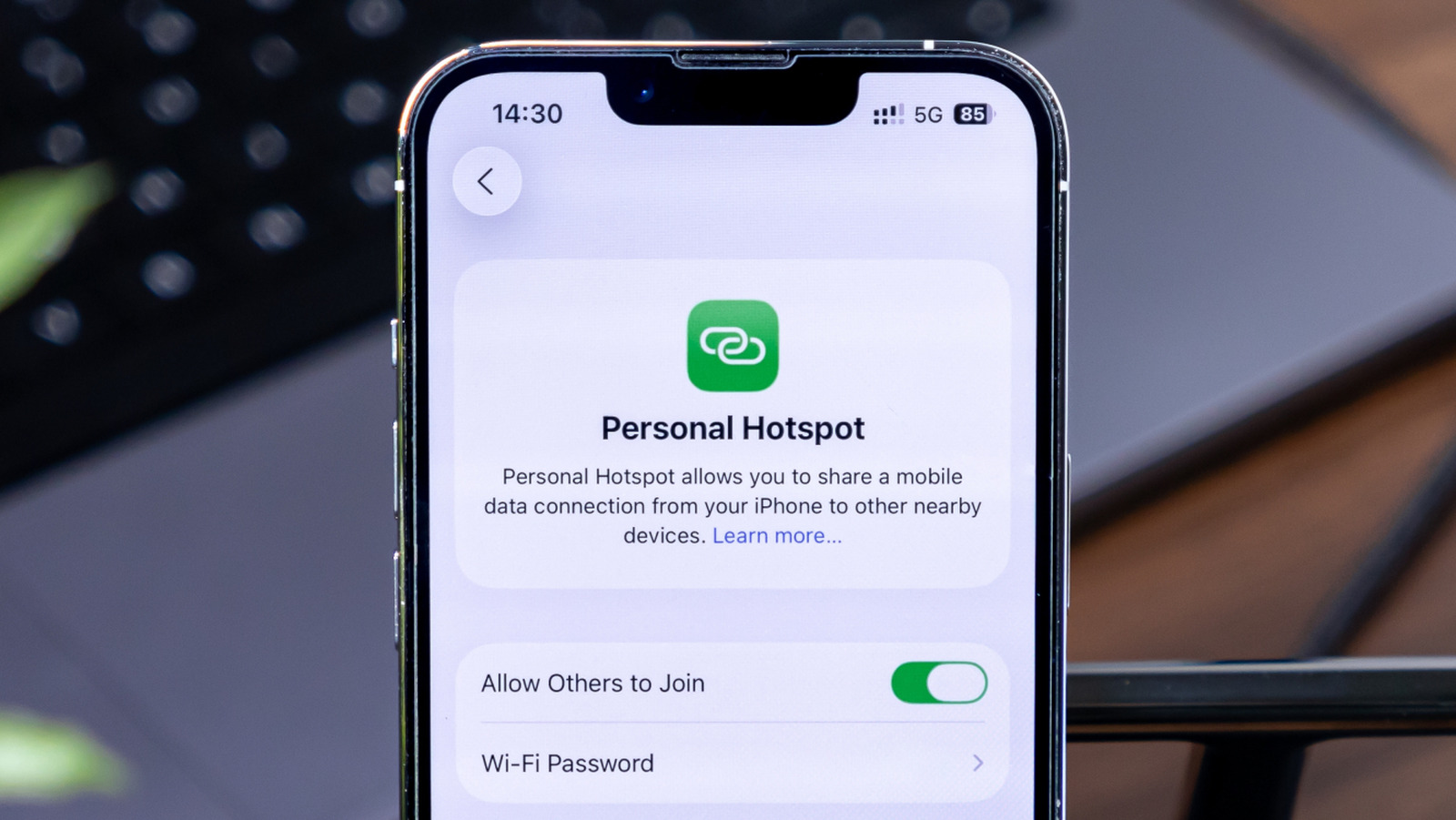
iPhone’s Personal Hotspot feature can be quite helpful when you don’t have access to a Wi-Fi network; it uses your iPhone’s mobile data connection to share internet with your other devices. Despite some of its shortcomings, such as occasional hotspot disconnections, it’s much more secure than getting internet from a random free Wi-Fi hotspot. And if your other devices are part of the Apple ecosystem, connecting to your iPhone’s hotspot is seamless.

However, since it uses your iPhone’s mobile data connection, it can quickly deplete your data allocation if left unchecked. One way to prevent this problem is to stay on top of the devices connected to your iPhone’s hotspot feature and how much data they are consuming. Fortunately, two iPhone features can help you in this matter. Here’s how you can track the number of your iPhone’s hotspot connections at any given moment, and how much data these connections might have consumed.

How to check the number of hotspot connections on iPhone

PixieMe/Shutterstock

iPhones offer a slightly roundabout way of getting the number of devices connected to their hotspot. To check, swipe down from the top right-hand corner of your iPhone to get the Control Center. If you are using an iPhone SE, an iPhone 8, or an older model, you’ll have to swipe up from the bottom edge of your iPhone.

Once you see the Control Center, tap on the smaller icons in the connectivity group at the top left corner of the screen. This will expand the group to show all the connectivity quick settings available to you. Alternatively, you can also swipe up in the control center to reach the same page. This screen shows whether your iPhone’s Personal Hotspot is active and how many devices are connected to it. Unfortunately, you can’t get any more information from here.

Gaurav Shukla/BGR

Apps like Network Analyzer are often recommended to identify devices connected to your iPhone’s hotspot. However, in our experience, they typically fail to work and only list your iPhone.

How to check mobile data consumption by hotspot connections

StandbildCA/Shutterstock

Although an iPhone may not show exactly which devices are connected to its hotspot in the Control Center or Personal Hotspot settings, there is an alternative option that can give you some idea of which devices connected to the hotspot in the past and how much data they individually consumed. This can help identify if one specific device is eating up too much of your mobile data.

To check this, navigate to Settings > Cellular/Mobile Service on your iPhone, and scroll down to the Cellular Data section, which lists all the apps and services that are using mobile data or can use it. Look for Personal Hotspot in this list and tap it open to see all the devices that have connected to your iPhone’s hotspot and how much data they have consumed. Remember, the data shown on this page is not specific to a day or week; it’s all the data collected since the “Cellular Data Usage Statistics” were last reset on that iPhone. The reset date can be found on the same page at the very bottom.

Gaurav Shukla/BGR

Notably, the hotspot data consumption page won’t always list the exact names of the devices. Sometimes, it’ll just list the MAC addresses, which makes things slightly more complicated if you intend to find the exact devices, as you’ll have to check individual devices for their specific MAC addresses.

Source

Posted on

Qualcomm claims enterprise mobile processor world first

After unveiling the Dragonwing suite of products in February 2025 to offer a purpose-built portfolio in consumer and industrial segments, Qualcomm Technologies has launched the Dragonwing Q-6690, which it claims is the world’s first enterprise mobile processor with fully integrated ultra-high frequency radio frequency identification (UHF RFID) capabilities.

The Dragonwing brand represents Qualcomm’s industrial and embedded internet of things (IoT), networking and cellular infrastructure solutions. Dragonwing products are intended to support edge intelligence custom-designed for business and industry, with on-device hardware and software artificial intelligence (AI) solutions seeing use in a number of use cases.

The net result, said the processor firm, is that the IoT solutions can be used to simplify complexity, empower smarter decision-making and optimise operational efficiency, forming “blueprints for industry transformation”, from enhancing everyday needs to solving the world’s most mission-critical challenges.

Designed to support a wide range of form factors, from ruggedised handhelds to retail point-of-sale systems and smart kiosks, Qualcomm said the Dragonwing Q-6690 offers manufacturers a scalable and upgrade-ready platform with software-configurable feature packs that can be upgraded over the air. It offers built-in 5G, Wi-Fi 7, Bluetooth 6.0 and ultra-wideband, supporting proximity-aware experiences and superior global connectivity.

Having fully integrated RFID capabilities is intended to eliminate the need for external RFID reader modules, therefore enabling smaller, more efficient device designs. Qualcomm added that the integration will also ease the enablement of security-focused, contactless use cases, such as access control, asset tracking, inventory management and product authentication, ideal for retail, logistics and industrial applications.

The Dragonwing Q-6690 also introduces software-configurable feature packs aimed at allowing manufacturers to choose their offerings depending on their own criteria and needs. This could include computing demands, multimedia capabilities, camera support, or peripheral configurations, with the ability to upgrade over the air without redesigning hardware. Qualcomm is confident that such a modular approach not only accelerates time to market and reduces certification overhead, but also extends product lifecycles by enabling over-the-air upgrades as customer needs evolve.

“The Dragonwing Q-6690 combines integrated RFID, AI and next-gen wireless capabilities in a single, scalable platform, designed to accelerate innovation across industries including retail, logistics and manufacturing,” said Art Miller, vice-president and head of retail at Qualcomm Technologies.

“We are particularly excited about working with retailers today that need platforms that are not only powerful and connected, but also adaptable to evolving customer expectations, from smarter kiosks and handhelds to real-time inventory analytics and contactless experiences.”

A number of leading hardware manufacturers – including Zebra, Honeywell, Urovo, HMD Secure and CipherLab – and end user firms have already committed to be the first to adopt the platform, with commercial devices expected to be available in the coming months.

“At Decathlon, we’re relentlessly pursuing ways to elevate the customer experience while optimising our operations,” said Hervé D’Halluin, leader of RFID and traceability at the sports retail brand.

“Since 2004, we’ve fully leveraged RFID technology across our entire value chain. By 2019, we had already achieved 100% RAIN RFID tagging of our products. The Dragonwing Q-6690, with its fully integrated RFID and AI capabilities, represents a game changer. It’s set to maximise our operational efficiency, amplify smarter in-store customer experience and support our sustainability goals through enhanced product traceability.”

Aileen Ryan, president and CEO at smart and sustainable technology consortium RAIN Alliance, said: “Qualcomm’s integration of RFID – also known as RAIN technology – into the Dragonwing Q-6690 empowers retailers and logistics companies to put RAIN-enabled devices into every employee’s hands, unlocking unprecedented productivity improvements and sales potential, from digital product passports and circularity to automated checkout, product authentication, asset tracking and inventory management. This represents a seismic shift that will democratise the internet of things, reshape industries and create entirely new markets.”

Source

Posted on

How To Enable Windows’ Hidden Ultimate Performance Power Plan

Luis Alvarez/Getty Images

Have you ever needed a power performance boost on your computer? Perhaps you are doing tasks like editing videos, designing graphics, or playing a PC game, and feel like your computer is running too slowly. Windows has a lot of settings, often not in obvious locations, that can be customized to change things on your computer, like its security or the way it uses its power. One such setting is hidden away fairly well and is referred to as the performance power plan.

Introduced in 2018, it uses Microsoft’s High-Performance power plan to improve the performance of your computer by letting the hardware take all the power that it needs. Ultimately, it delivers power faster and immediately, rather than evaluating how that power should be prioritized and when it should be delivered.

However, this ultimate performance power plan is hidden away for a reason. This much ongoing power can be very draining on your computer. It can cause it to get very hot and wear out the battery. And, unfortunately, you may not end up seeing the difference in power that you think you will be getting.

How to enable the performance power plan on Windows 10 and 11

Alex Photo Stock/Shutterstock

If you are still hanging onto Windows 10 and resisting the upgrade for as long as you can, then this is how you find the power plan option. Go to your computer Settings, and then click System. There’s an option for Power & Sleep. After you click on that, it will have a Related Settings option with Additional Power Settings. Choose that. A window will pop up, and you’ll choose Show Additional Plans and then check the Ultimate Performance option. It should say underneath it that it provides ultimate performance for higher-end PCs.

However, you might not be able to find the option in that way, and it may be hidden entirely. There is a workaround for that. On Windows 10, click Start and a search box will appear. Type “cmd”, short for command, in the box. On the Command Prompt that comes up, right-click and select Run as Administrator. When prompted, enter powercfg -duplicatescheme e9a42b02-d5df-448d-aa00-03f14749eb61. If you use Windows 11, press Windows+X and select Terminal(Admin). Use the same command when prompted.

Windows 11 also lets you create a custom performance power plan if the command prompt doesn’t work. Go to Control Panel, Power Options, and create a new power plan. After naming it, choose to change the advanced power settings and customize. You can design it as you like, such as for Processor power management -> Maximum power state, changing both the battery and plugged in settings to 100%.

Is the ultimate performance power plan worth it?

Artit Wongpradu/Shutterstock

There are some dangers to using this setting. It can drain your battery very fast because you are operating at high power at all times. It’s the opposite of Windows 11’s energy saver mode. It’s best to have your computer plugged in so you don’t lose your battery in the middle of something important. It may also be more draining on a laptop rather than a desktop, depending on the specific one you have and its capabilities.

It is also not likely to really give you a significant boost of power. For example, if you think it will help you during a video game, you won’t get a tangible result because the game already takes up a lot of power. If you are doing an activity like editing a video where you may use a lot of power for a moment and then be idle for a while, then this may give you a bit more speed in the moment. Truly, though, the end result will be minimal. You may not want to use this unless you are working on a tight deadline.

It’s worth noting that this setting uses a great deal of energy, which could impact your bill depending on how often you use this feature. It will also make your computer run hot. Be careful about accidentally overheating your computer, and don’t have it touching anything that can be burned.

Source