Posted on

This Underrated iOS Feature Can Help Extend Your iPhone’s Battery

Vadym Plysiuk/Getty Images

The iPhone is an incredible smartphone that gets better with each new generation. From improved UI and faster processors to enhanced camera tech, Apple always brings something new and exciting to the table. But when it comes to battery life, the iPhone could use a little help, especially if you’re the type of person who has multiple apps running at the same time. Everything from web browsing to listening to music to calling someone has an impact on your iPhone’s remaining battery, and you’d be surprised just how much power a function as mundane as making a phone call can deplete.

Fortunately, there’s an underrated iOS feature that can help extend your iPhone’s battery life: Charge Limit. Introduced with the iPhone 15, this lesser-known setting may end up netting you an extra year or two on the total life of your phone battery. That definitely beats having to carry a portable charger everywhere you go or hoping there’s a wall outlet wherever life takes you and your iPhone that day.

How to use the Charge Limit setting

Wongsakorn 2468/Shutterstock

As mentioned, the Charge Limit setting is only available on iPhone 15 models or later, as part of the iOS 17.0 rollout. (Even if you’re using an older iPhone that’s been upgraded to iOS 17, Charge Limit still won’t be available.) To access this feature, open the Settings app, then tap Battery > Charging. You’ll then be taken to a screen with a Charge Limit slider, which can be adjusted to 80%, 85%, 90%, 95%, or 100%.

Even switching from 100% to 95% is going to make an impact because of good old-fashioned science. The lithium-ion battery in your iPhone is designed to last longer when it’s not fully charged all the time. The chemicals that make up your phone’s internal power pack have less moving around to do when you set the charge limit to a lower threshold, leading to less degradation over time.

And capping the charge limit at around 80% is also a great way to cut down on heat generation. This is particularly useful for those of us rocking iPhone cases with minimal heat dissipation, such as a heavy-duty OtterBox products. It’s also helpful if you happen to live in an area that’s prone to hotter temperatures, especially during the spring and summer months.

More ways to extend your iPhone battery life

chainarong06/Shutterstock

While the Charge Limit setting is reserved for iPhone 15 or later, there are still a few things you can do with older iPhone models to improve the longevity of the battery. First and foremost, there’s the Optimized Battery Charging setting, which you can access by tapping Settings > Battery > Battery Health & Charging. You can think of this feature as “Charge Limit Lite.” 

How it works is instead of putting a hard cap at whatever charge level you choose, your iPhone will automatically monitor your daily charging habits so the device won’t charge past 80% until that final 20% is needed. The iOS Battery dashboard also has a Low Power Mode setting that can be toggled on or off. When enabled, your iPhone reduces background activity (e.g., downloads, mail fetch) until your device is fully charged.

You can try keeping your screen backlight at 70% brightness or less as well, or selecting a faster Auto-Lock duration by tapping Display & Brightness > Auto-Lock. You may also want to turn off Auto-Brightness (Settings > Accessibility > Display & Text Size) to prevent your iPhone’s ambient light sensor from taking over.


Source

Posted on

Senator warns of new UK surveillance risks to US citizens

Senator Ron Wyden has written to the US director of national intelligence, Tulsi Gabbard, urging her to provide Congress and the American public with a “frank assessment” of the security risks posed by UK surveillance to the US.

The letter, which follows disclosures that the UK Home Office issued a secret notice to Apple to gain access to its users’ encrypted data, raises new concerns that the UK’s Investigatory Powers Act (IPA) may allow it much wider access to data on US citizens than previously reported.

Android phones may have ‘backdoors’

In a letter to Gabbard yesterday, Wyden claimed the Home Office may also have issued a secret order against Google to introduce “backdoors” to the encrypted backup service used by billions of Android phone users worldwide. Following the publication of Wyden’s letter, Google said it had received no such order from the UK.

The letter also raises questions about Home Office powers to issue orders to secretly under the Investigatory Powers Act force US companies to store data belonging to US citizens in the UK, “where it could be then seized by the UK government”.

Wyden’s intervention comes as president Donald Trump, who has criticised the Home Office’s order against Apple as something China would be expected to do, met with prime minister Keir Starmer at Trump’s Turnberry Golf Club in South Ayrshire.

Wyden and Republican congressman Andy Biggs first wrote to Gabbard in February 2025, after a leak in The Washington Post revealed that home secretary Yvette Cooper had issued an order, known as a technical capability notice (TCN), against Apple, requiring it to introduce backdoor access to users’ data stored on its Advanced Data Protection (ADP) encrypted storage service.

Gabbard told the lawmakers that she shared their “grave concern” about the UK ordering US companies to create backdoors that would allow access to the encrypted data of US citizens. Such a move would “be a clear and egregious violation of American citizens’ privacy and civil liberties” and would create cyber vulnerabilities that could be exploited by hostile actors, she added.

Wyden stated in the letter that companies that receive orders under the UK’s IPA are legally prohibited from disclosing their existence, making it impossible to confirm which US technology companies have received such orders from the UK, “much less the extent to which they may be complying with them”.

Apple’s ADP service is disabled by default, making it likely that only a “very small” proportion of Apple’s customers “benefiting from this important cyber security defence” would be affected by a Home Office order.

However, Wyden raised the prospect – since denied by Google – that the Home Office has also issued an order requiring Google to provide backdoor access to encrypted backups made by billions of Android smartphone users that are protected by end-to-end encryption by default.

“When my office asked Google about backdoor demands from the UK, the company did not answer the question, only stating that if it had received a technical capabilities notice, it would be prohibited from disclosing that fact,” Wyden wrote.

This is in contrast to Meta, which offered Wyden an “unequivocal denial” when asked the same question on 17 March 2025, stating: “We have not received an order to backdoor our encrypted services, like that reported about Apple.”

Home Office hacking powers could impact US

Wyden has raised further concerns that the threat to US data posed by UK surveillance laws is not limited to demanding that US companies weaken their encryption with backdoors.

The British Embassy in Washington has not denied claims that the UK could use the IPA to force US companies to store newly created US customer data in the UK. “Such UK-located data could then be seized by the UK government,” he added.

Wyden has also raised concerns that the UK can use the “equipment interference” (hacking) provisions in the IPA to demand that companies “infect their customers with spyware to hack Americans” – a capability which the British Embassy in Washington has, again, not denied.                                                                                            

“The cyber security of Americans’ communications and digital lives must be defended against foreign threats,” Wyden told Gabbard. “The national security implications are serious, not least because the communications of US government officials could be subject to both weakened encryption and storage in the UK,” he said.

Commenting on Wyden’s letter, Jim Killock, executive director of the Open Rights Group, which is campaigning against UK’s moves against encryption, said the Home Office’s orders impact the security of people worldwide.

“Google’s refusal to answer senator Wyden is extremely worrying for Android users who rely on encryption for their privacy and security,” he added.

Update 21:00 29 July 2025:

Following publication of this story, Google told The Washington Post that the British government has never asked it for special access to users’ private messages and data.

A spokesperson told The Washington Post: “We have never built any mechanism or ‘backdoor’ to circumvent end-to-end encryption in our product,” adding: “If we say a product is end-to-end encrypted, it is.”

Source

Posted on

International AI Alignment effort tackles unpredictability

The UK’s AI Security Institute is collaborating with several global institutions on a global initiative to ensure artificial intelligence (AI) systems behave in a predictable manner.

The Alignment Project, backed by £15m of government funding, brings together an international coalition including the Canadian AI Safety Institute, Schmidt Sciences, Amazon Web Services (AWS), Anthropic, Halcyon Futures, the Safe AI Fund, UK Research and Innovation, and the Advanced Research and Invention Agency (ARIA). 

This reflects a growing global consensus across government, industry, academia and philanthropy that alignment is one of the most urgent technical challenges society faces, and that expanding the field is a shared international responsibility. 

In January, the government published its International AI safety report ahead of the AI Action Summit, which took place in Paris on 10-11 February 202. The report notes that AI experts are undecided as to when major societal risks of AI will appear. Some, according to the report’s authors, predict they are decades away, while others think that general-purpose AI could lead to societal-scale harm in the next few years.

“Recent advances in general-purpose AI capabilities – particularly in tests of scientific reasoning and programming – have generated new evidence for potential risks such as AI-enabled hacking and biological attacks, leading one major AI company to increase its assessment of biological risk from its best model from ‘low’ to ‘medium’,” the report’s authors noted.

AI alignment is focused on making sure AI systems behave in the best interest of humanity. Peter Kyle, secretary of state for science, innovation and technology, said this is at the heart of the work the AI Security Institute has been leading since day one, which involves safeguarding the UK’s national security and ensuring the British public are protected from the most serious risks AI could pose as the technology becomes more and more advanced.

Given the pace of AI advancement, the Department for Science, Innovation and Technology (DSIT) notes that today’s methods for controlling AI are likely to be insufficient for tomorrow’s more capable systems as the technology continues to develop, which, it said, is why there is the need for co-ordinated global action to ensure the long-term safety of citizens. 

Kyle said: “Advanced AI systems are already exceeding human performance in some areas, so it’s crucial we’re driving forward research to ensure this transformative technology is behaving in our interests.”

The funding includes up to a grant of up to £1m for researchers across disciplines from computer sciences to cognitive science. It also provides dedicated compute resources from AWS and Anthropic and access to investment from private funders to accelerate commercial alignment.

Geoffrey Irving, chief scientist at the AI Security Institute, said: “AI alignment is one of the most urgent and under-resourced challenges of our time. Progress is essential, but it’s not happening fast enough relative to the rapid pace of AI development.

“Misaligned, highly capable systems could act in ways beyond our ability to control, with profound global implications. By providing funding, compute resources and interdisciplinary collaboration to bring more ideas to bear on the problem, we hope to increase the chance that transformative AI systems serve humanity reliably, safely and in ways we can trust.” 

Source

Posted on

AI and machine learning engineers earn far less in UK

US software developers specialising in artificial intelligence (AI) and machine learning (ML) engineering appear to be earning significantly more than their peers in other countries, the latest global survey from Stack Overflow has reported.

The survey of 49,000 responses from 177 countries found that in the US, the median salary for an AI and ML engineer is $189,500 per annum, over $50,000 more than the global median.

UK AI and ML developers who took part in the survey earn $149,756, almost $40,000 less than those who work in the US. In France, the salary gap is higher, with the median annual salary for French AI and ML engineers at $104,413. In India, AI and ML engineers can expect to earn just $17,434 a year.

While 47% of the developers who took part in the survey say they use AI tools daily, Stack Overflow reported that more developers actively distrust the accuracy of AI tools (46%) than trust them (33%).

The survey found that experienced developers are the most cautious, with the lowest “highly trust” rate (2.6%) and the highest “highly distrust” rate (20%), indicating a widespread need for human verification for those in roles with accountability.

The majority (54%) of the 11,202 developers who responded to questions about how they use AI in their workflow say the primary use is to search for answers. Just over a third (35%) use AI to generate content or synthetic data, while 33% use it to help them learn new concepts.

The other main use is around documentation, with 31% saying they use AI to document their code and a quarter using AI to create or maintain documentation. Around a fifth of the developers polled use AI for debugging and to learn about the codebase.

However, based on the responses of 31,476 developers, the biggest single frustration among the people polled (66%) is dealing with “AI solutions that are almost right, but not quite”, which often leads to the second-biggest frustration: “Debugging AI-generated code is more time-consuming,” at 45%.

In a future with advanced AI, three-quarters of the developers surveyed say the primary reason they would still ask a person for help is when they do not trust answers provided by an AI. According to Stack Overflow, this positions human developers as the ultimate arbiters of quality and correctness.

“The growing lack of trust in AI tools stood out to us as the key data point in this year’s survey, especially given the increased pace of growth and adoption of these AI tools,” said Prashanth Chandrasekar, CEO of Stack Overflow. “AI is a powerful tool, but it has significant risks of misinformation, or can lack complexity or relevance.

“With the use of AI now ubiquitous and ‘AI slop’ rapidly replacing the content we see online, an approach that leans heavily on trustworthy, responsible use of data from curated knowledge bases is critical. By providing a trusted human intelligence layer in the age of AI, we believe the tech enthusiasts of today can play a larger role in adding value to build the AI technologies and products of tomorrow.”

Source

Posted on

Every Airline That Supports AirTag’s Share Item Location Feature

Apple Inc.

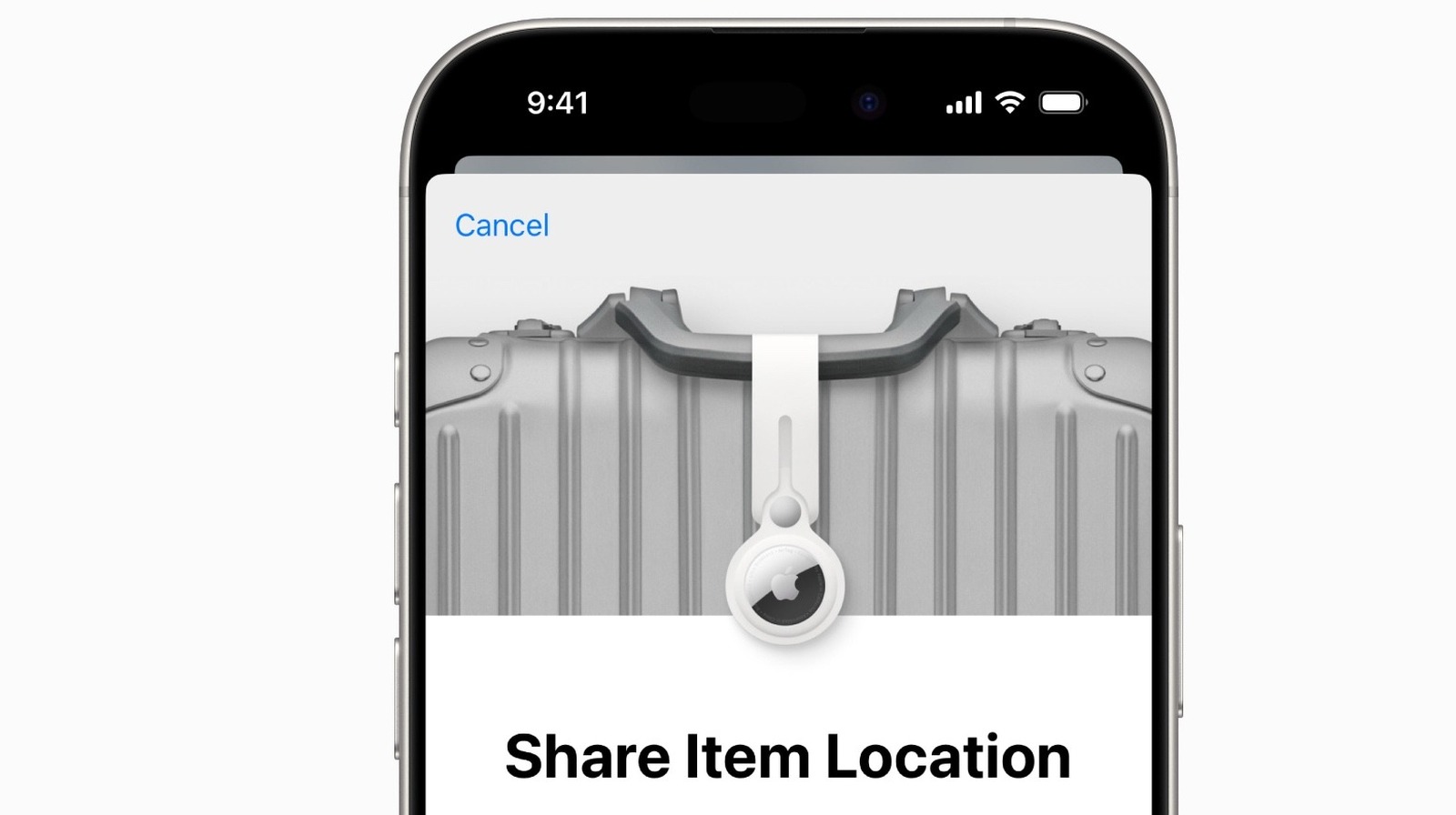
Released late last year as part of iOS 18.2, the Share Item Location feature for Apple’s AirTag has been one of the most useful additions introduced during the iOS 18 cycle. It’s now easier than ever to share the location of an AirTag I’m using with friends, family, and even airlines, which can help to ensure you never lose an item or a piece of luggage again.

With summer upon us, more people are finding out about this helpful feature as they head to the airport to go on vacation. Even better — this feature isn’t only available in the U.S. or on U.S. airlines. Since the Share Item Location feature launched in 2024, 30 airlines around the world have partnered with Apple to support it.

The feature helps bring peace of mind to your travels. After all, even before this feature was available, I was already tossing AirTags into all of my suitcases and contacting airlines in case they lost my luggage (which I’ve dealt with more than once). While we already taught you how to share a lost AirTag using the Find My app, here’s the list of airlines that support AirTag’s Share Item Location feature.

30 airlines support AirTag’s Share Item Location feature

José Adorno for BGR

At the time of writing, there are 30 airlines that officially support Share Item Location. That said, more airlines should be join this list soon — for example, Saudia just announced it now offers support for the feature. With that said, these are the countries and airlines that can track your AirTag:

U.S. airlines:

  • American Airlines
  • Breeze Airlines
  • Delta
  • JetBlue
  • United

Australia airlines:

Austria airlines:

  • Lufthansa Group/Austrian Airlines

Belgium airlines:

  • Lufthansa Group/Brussels Airlines

Canada airlines:

Finland airlines:

Germany airlines:

  • Lufthansa Group/Eurowings
  • Lufthansa Group/Lufthansa

Hong Kong airlines:

India airlines:

Ireland airlines:

Netherlands airlines:

New Zealand airlines:

Saudi Arabia airlines:

Singapore airlines:

Spain airlines:

Switzerland airlines:

Taiwan airlines:

Turkey airlines:

  • Ajet
  • Pegasus
  • Sun Express
  • Turkish Airlines

UK airlines:

  • IAG/British Airways
  • Virgin Atlantic

With AirTag’s Share Item Location feature, Apple’s Find My network provides an updated location of the Bluetooth tracker as long as one of your Apple devices is signed into your Apple Account and online. We are also still anxiously awaiting the release of AirTag 2, as it seems it’s only a matter of time before Apple upgrades its popular item tracker.

Source

Posted on

5 Prompts To Help You Get Started With ChatGPT Agent

José Adorno for BGR

Recently, OpenAI rolled out its new Agent Mode in ChatGPT for Plus, Pro, and Enterprise users. While we eagerly await for the upcoming GPT-5 models, this new feature brings the AI one step closer to completing tasks autonomously. This is especially beneficial because it evolves the tool from the standard searching and gathering data to actually saving people’s time on those tedious everyday tasks, such as thinking about what to make for dinner, booking a trip, finding the right pair of shoes to buy, and so on.

ChatGPT’s Agent Mode is especially useful when it comes to repeated routines, gathering information from the web, organizing results, and reminding users when it’s time to do something. It’s almost like having an actual personal assistant to run your errands for you.

If you’re a bit cautious about the amount of data you might be sharing with ChatGPT but want to get your head start with Agent Mode, I gathered some examples that could be a great way to get started with ChatGPT’s vision for the future. But before we jump into the prompts you should try with ChatGPT Agent Mode, you can only access this mode on the web, and you need to be a paid subscriber.

Easy prompts to get started with ChatGPT Agent Mode

José Adorno for BGR

Recipe rescue: Leave those nightly panic attacks because you don’t know what you’re cooking for dinner behind. You can ask ChatGPT to create a list of recipes for you by sharing the ingredients in your fridge and pantries. You can even take a photo of your fridge (with the door open) and type in a prompt like this:

  • “Every night at 6 PM, ask me what ingredients I have at home. Suggest 2 dinner ideas that take under 30 minutes to make.”

In time, the Agent will understand what you like and what you’d rather not have again, and the suggestions will improve as you continue to work with the AI agent.

Weekend chore planner: At some point every weekend, I’ll clean my house, do groceries, and complete other chores. ChatGPT’s Agent Mode can help you plan it all out with ease with a prompt as simple as this one:

  • “Every Friday, make a quick weekend checklist: groceries, cleaning, and a fun activity. Keep it simple, and no more than 5 items.”

Easy enough, and it won’t overwhelm you.

Subscription reminder: When the bill comes due at the beginning of every month, it usually becomes clear that I have more subscriptions than I actually need. Agent Mode can help you manage that with this prompt:

  • “On the last day of the month, remind me to check my subscriptions. Make a list of common services to review (you can add some suggestions) and ask if I want to cancel anything.”

Save yourself some money by having the AI remind you to cancel the services you’ve stopped using.

Agent Mode is easier to use than you might expect

OpenAI

While you can go more advanced, I’d say these are interesting ways to enjoy Agent Mode. Other possibilities include:

Grocery price tracker: Make sure you’re getting the best prices and visiting the right grocery store for your budget and shopping list before you leave the house by using a prompt such as this:

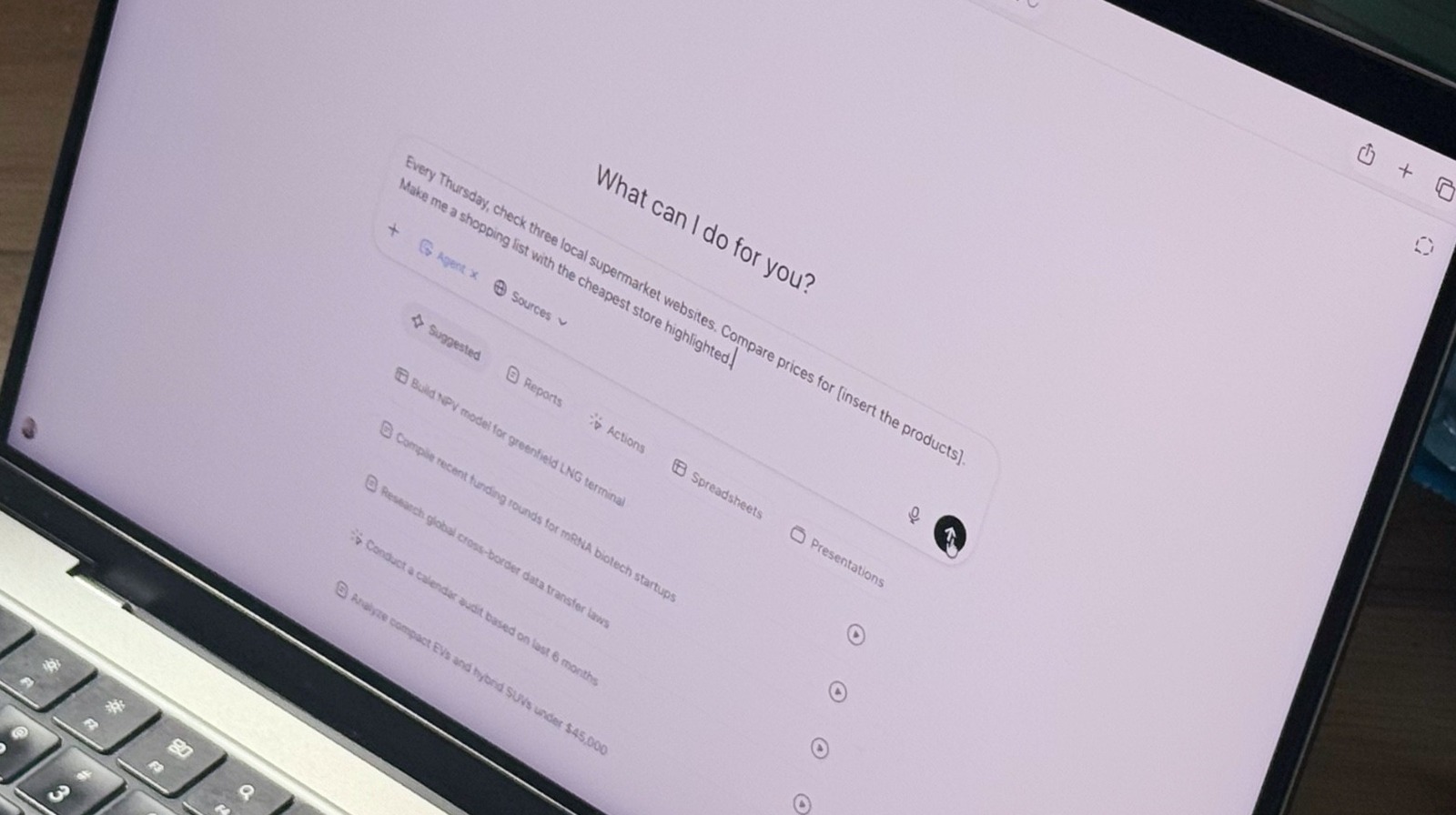
  • “Every Thursday, check three local supermarket websites. Compare prices for [insert the products]. Make me a shopping list with the cheapest store highlighted.”

Morning news condenser: If you want to stay on top of local, national, and world news, you can ask the ChatGPT Agent to go through your favorite news sources and get a summary of the top headlines for the day. Try this prompt:

  • “Every day at 7:30 AM, scan [insert the websites you usually check]. Summarize the top 5 headlines in 5 bullet points, and send them here.”

These are great ways to get started with ChatGPT’s latest tool.

Source

Posted on

2 Methods For Installing APKs On Your Chromebook

Marek Sowa/Shutterstock

When it comes to lightweight computing, it’s amazing how much you can do with a Chromebook. Made famous by brands like Asus, Dell, and Lenovo, most Chromebook models deliver fast boot times and zippy web performance, the latter being one of the main advantages of ChromeOS. In addition to apps like the Chrome web browser, most Chromebooks also have access to the Google Play Store. This means you’ll be able to download additional apps and games, including platforms like Netflix and Spotify, and video-conferencing tools like Zoom.

But what if there’s a test version of an Android app you’re dying to add to your Chromebook, and it’s not officially available on the Google Play Store yet? Fortunately, thanks to a process called sideloading, you’ll be able to install APKs (Android Package Kit) files on your Chromebook. Think of this as a backdoor method for manually uploading Android files to your machine. With APKs, you’ll be able to do things like access test builds of apps and install region-locked apps. You can also download an earlier version of an app, instead of the current version on the Play Store.

Fortunately, it doesn’t take much know-how to get your Chromebook ready to install APK files, and there are two methods to do so: activating your Chromebook’s Developer Mode or using ADB (Android Debug Bridge) with Linux.

Installing APKs in Developer Mode

CC Photo Labs/Shutterstock

Turning on Developer Mode isn’t too tricky, but doing so can be incredibly risky for the health of your Chromebook. First and foremost, you’ll want to triple-check you have all your most important files backed up to the cloud or an external drive, because once you activate Developer Mode, all of your Chromebook’s local data will be erased.

Developer Mode also disables a number of built-in system protections provided by ChromeOS, making your Chromebook far more prone to picking up a harmful virus or malware when you’re sideloading apps. Still, if you’re feeling brave enough, getting into Developer Mode is relatively simple. To get started, make sure your Chromebook is turned off. Then, press and hold both the ESC + Refresh keys, followed by the Power button. Don’t release the ESC + Refresh combo until you see a recovery message.

Next, press CTRL + D to activate Developer Mode. A pop-up window should appear, asking if you’d like to continue. Once you press Enter, your Chromebook will restart, which could take between 10-15 minutes. Now you’ll be able to install APKs via USB storage or from a developer site. Again, be careful of what you’re downloading, because ChromeOS won’t be there to back you up if a virus eats your Chromebook for lunch.

To revert to normal ChromeOS operations, just press the spacebar on the boot screen. Another pop-up will appear to let you know you’re exiting Developer Mode. Once you confirm, your Chromebook should revert to Normal Mode.

Installing APKs with ADB and Linux

CC Photo Labs/Shutterstock

A safer way to sideload your APK content — that doesn’t involve the scary Developer Mode — is by using your Chromebook’s built-in Android Debug Bridge (ADB) utility. Believe it or not, Chromebooks are fully capable of running Linux, and you’ll need to force yours to do so in order to sideload via ADB. All you have to do is navigate to Settings, then click Developers > Linux development environment (Beta). Toggle Linux on, click Install on the next screen, then follow the on-screen instructions.

To enable ADB mode, click Settings > Linux Beta > Develop Android apps > Enable ADB debugging. You’ll then be prompted to restart your Chromebook, and then it’s time to start uploading APK files.

Once you have one downloaded to your machine, drag and drop the file into My Files > Linux files. Next, open up your Chromebook’s Linux terminal (you’ll find the Terminal app in your app launcher) and enter the command line “sudo apt install adb.” When prompted, press Y, then Enter.

Once Linux finishes installing the packages, type “adb connect arc” to activate ADB mode. Now, when you type “adb install [APK file name].apk” into the terminal, ADB will sideload the APK you’ve chosen.

Source

Posted on

IoT connectivity revenues show strong rise

The year so far has seen a marked rise in the value and size of an internet of things (IoT) arena that has witnessed new technical standards, devices and evolving market complexities, and a study from Berg Insight has calculated that global IoT connectivity revenues increased by 12% annually to reach €14.2bn in 2024.

In The global M2M/IoT communications market report, the IoT market research firm projects that 2029 will see 6.4 billion IoT devices connected to cellular networks worldwide, generating annual connectivity revenues of €22.4bn.

Berg Insight estimates that the global number of cellular IoT subscribers increased by 14% in 2024 to reach 3.8 billion at the end of the year, corresponding to around 30% of all mobile subscribers. Over the next four years, the number of cellular IoT subscribers is forecast to grow at a compound annual growth rate (CAGR) of 11%, to reach 6.4 billion in 2029. During the same period, cellular IoT connectivity revenues are forecast to grow at a CAGR of 9.6%, from €14.2bn in 2024 to approximately €22.4bn in 2029. Meanwhile, the monthly average revenue per user (ARPU) is expected to drop from €0.33 to €0.30.

Another key trend revealed in the report was that IoT connectivity revenues are growing at a slower rate than the number of connections. According to the analysis, key performance indicators released by mobile operators in different parts of the world suggest that global IoT connectivity revenues increased by around 12% in 2024, while monthly ARPU dropped by 5%.

The top 10 mobile operators reported a combined active base of 3.3 billion cellular IoT connections at the end of 2024, accounting for 86% of the total 3.8 billion connections.

The report noted that China was the world’s largest market for cellular IoT connectivity services by volume, and cited China Mobile as being the world’s largest provider of cellular IoT connectivity services, with 1.42bn cellular IoT connections. Arch rivals China Telecom and China Unicom ranked second and third, with 628 million and 625 million connections, respectively.

According to data from the Chinese national telecoms regulator, the installed base in the country grew by 14% year on year to reach 2.7 billion IoT connections at the end of 2024, corresponding to about 70% of the global installed base.

Berg believes the role of the Chinese government is the main reason China is ahead of the rest of the world in the adoption of IoT. Authorities have actively endorsed large-scale IoT deployments as a method for addressing problems affecting society, such as crime, fire safety, energy conservation or traffic management. It added that the private sector is being directed and encouraged to do the same.
 
Vodafone ranked first among the Western operators and fourth overall with 204 million connections, followed by AT&T with 143 million in fifth place. Deutsche Telekom and Verizon had in the range of 56-60 million cellular IoT connections each. KDDI, Telefónica and Orange were the last players in the top 10, with about 49 million, 45 million and 37 million connections, respectively. The installed bases of the largest mobile operators grew at a rate of between 5% and 26% annually.
 
IoT managed service providers were also seen to be playing a key role in the ecosystem. The report noted that most players operate as full mobile virtual network operators (MVNOs), typically offering IoT connectivity services based on a mix of roaming and local access agreements, and sometimes value-added services targeted at vertical segments.

Notable examples cited by Berg Insight included 1GLOBAL, 1NCE, Aeris, BICS, CSL Group, Cubic, emnify, Eseye, floLIVE, Giesecke+Devrient, KORE, Monogoto, Onomondo, Semtech, Soracom, Tata Communications, Teal, Telit Cinterion, Velos IoT and Wireless Logic.

Altogether, IoT managed service providers had more than 200 million cellular IoT connections under management at the end of 2024 and around €1.8bn in annual revenues.
 

Source

Posted on

5 Raspberry Pi Accessories To Supercharge Your Next Project

Sabriel Smutny/Shutterstock

We may receive a commission on purchases made from links.

The Raspberry Pi single-board computer offers myriad ways to learn, explore, and create. It can be as simple as a small, portable computer or as complicated as an arcade cabinet. Whether you want to build a Telegram texting machine, a motion-activated camera, a network-wide ad blocker, or the perfect handheld emulator, the humble Raspberry Pi does it all, and you can do even more with a few accessories.

Accessories are crucial to the Raspberry Pi experience. While there are many projects that don’t require a single accessory, the best projects often require at least one. Some accessories, like a piezo speaker, are small and inexpensive, and others, like a camera or display, offer more possibilities but cost more money.

Although a bigger budget opens the door to more complex projects, there are great Raspberry Pi accessories for every budget. If you want to supercharge your Raspberry Pi projects, these are the top 5 Raspberry Pi accessories we recommend.

Raspberry Pi HQ Camera Module

Though there are other camera modules for the Raspberry Pi, this HQ camera module takes it a step further. It’s an interchangeable lens camera module with a 12.3-megapixel CMOS sensor, allowing you to customize your look and create high-resolution images. It can also capture video at 1080p.

So, what can you do with this camera module? The answer is a lot. With the HQ camera module, you can make a webcam for Zoom meetings and talking head recording. You can also make the camera turn photos into AI-generated images.

Using the Raspberry Pi HQ camera as a motion-activated security camera is one of the most popular uses. The camera can be set up to send you email alerts, which is great for keeping an eye on your home when you’re out of town. The motion-activated camera is also great for indoors, allowing you to monitor your pets while you’re at work. In addition to sending alerts, you can also access the camera feed at any point if you’re on the same network, an ideal situation for avid birdwatchers.

HiFiBerry DAC2 HD

Want to upgrade your sound system without spending a fortune? Despite what hi-fi audio snobs will tell you, it is possible with something like the HiFiBerry DAC2 HD. This Digital-to-Analog Converter (DAC) module, which converts a digital signal to analog sound, connects to the Raspberry Pi via the general-purpose input/output (GPIO) pins on the device and transforms your mini computer into a portable sound hub that lets you listen to all your music.

The HiFiBerry DAC2 HD is not a plug-and-play device. You’ll need to install software, but it’s nothing too hard. The hardest part is choosing the right software. Available software includes HiFiBerryOS, LibreELEC, Roon, and Volumio. Each software has its advantages and disadvantages. HiFiBerryOS is simple and lets you stream Spotify. Volumio is complex and more customizable, allowing you to stream your favorite music and podcast services. Finally, Roon is made for streaming your music library, which is kept on a server on your network and requires a subscription.

No matter which option you go with, you’ll be able to experience your music in a new light. Combined with a stereo and some nice speakers, you’ll have a high-end system on a budget.

SunFounder I2C Display Module

Nizzah Khusnunnisa/Shutterstock

The SunFounder I2C display is an inexpensive and easy-to-install component. There are many Raspberry Pi projects that, while they don’t require a display, would greatly benefit from one. The reason is that a simple I2C LCD display can elevate a project with a few lines of text. A project such as a music streaming device can work without a screen, but adding a screen makes the project more practical. It lets you see everything from the song title and the artist to what’s coming next in the queue.

In some cases, the display is much needed, like if you’re creating a weather station that tracks temperature, humidity, and air pressure. In that case, this tiny display can relay all the basic information you need, and it’s small enough that it doesn’t require a separate power source. So, while it may look simple and can’t do much more than display text, the SunFounder I2C display is quietly an elite accessory.

Raspberry Pi Sense HAT

The Sense HAT is an official Raspberry Pi accessory that is now iconic. It was initially developed for use on the International Space Station — it was co-developed with the European Space Agency — and it has since been a must-have accessory because it’s both packed with features and fun to use. The LEDs make the device stand out and lend themselves to quirky projects.

Onboard the Sense HAT are the following sensors: gyroscope, accelerometer, magnetometer, temperature, barometric pressure, humidity, and color and brightness. Essentially, this HAT can record everything in your immediate environment, and the accelerometer and gyroscope can be used for tracking speed and orientation.

There are projects galore for the Sense HAT, but creating a weather station is at the top of the list. You can track the temperature, humidity, and pressure of your surroundings, and you can keep track of it using the LEDs on the HAT. It’s not an efficient way to receive information, but the big, colorful LEDs make it fun.

Raspberry Pi M.2 HAT+

The M.2 HAT+, which is another official Raspberry Pi accessory, solves the many issues that come along with using a microSD card. This HAT allows for the use of M.2 NMVe SSDs with your Raspberry Pi. This is currently the fastest type of storage available. The M.2 HAT+ supports 2230 and 2242-size NVMe drives, which can typically be found with a capacity of 1 or 2 terabytes. There’s also a Raspberry Pi SSD kit, which comes bundled with the HAT and either a 256 GB or 512 GB NVMe drive.

In addition to expanding storage, NVMe SSDs are much less prone to failure compared to a microSD card, and the transfer speeds make moving and accessing files quicker. With an M.2 HAT+, you can make the most of storage-dependent projects, like media servers and video game consoles. Or, if you use your Raspberry Pi as a desktop PC, the additional fast storage will ensure you can store as many applications and files as you want. 

Source

Posted on

USB Sockets: Are They Drawing Power Even When Not In

Photovs/Getty Images

We may receive a commission on purchases made from links.

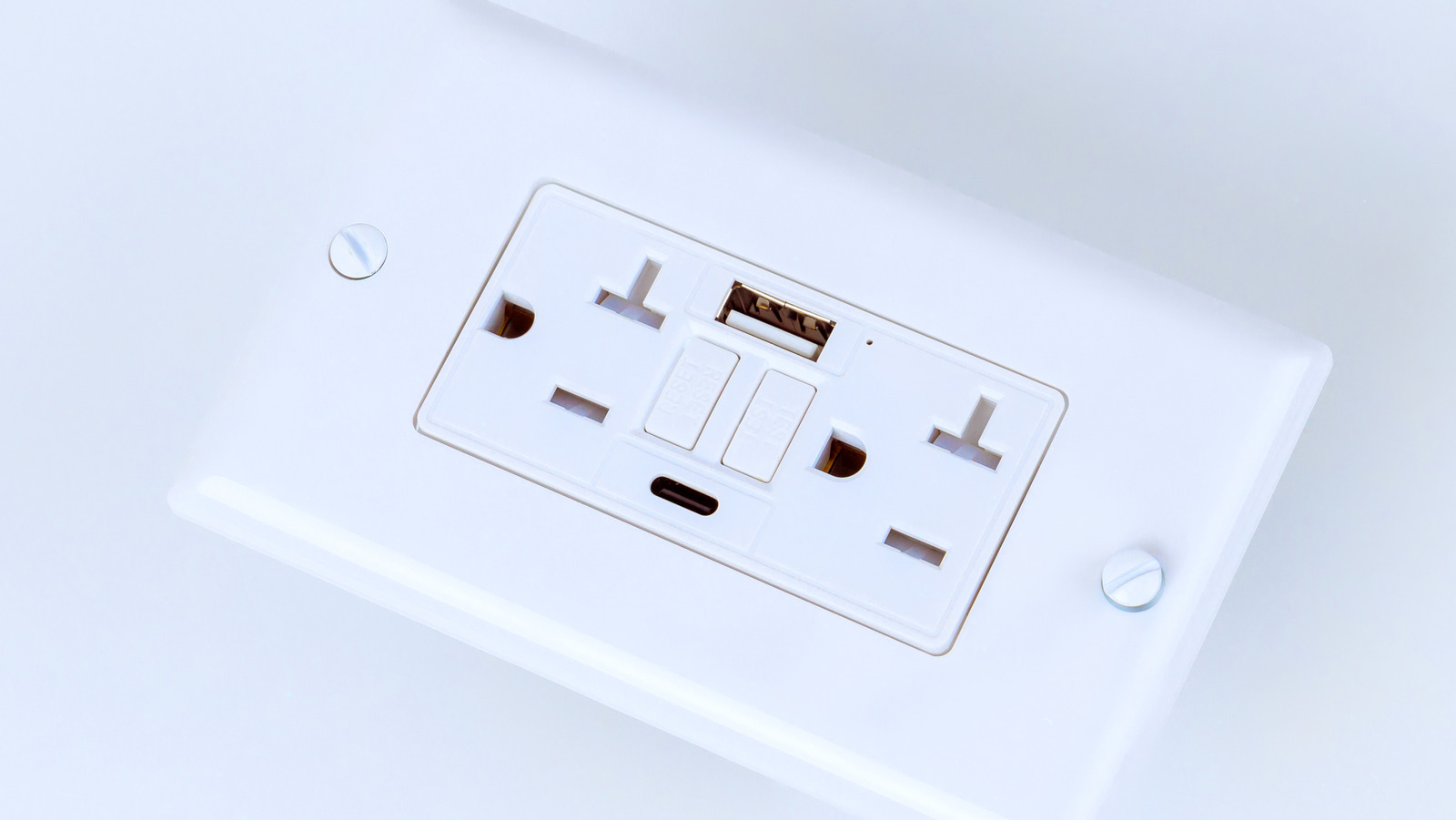
USB charging is everywhere, and if you have a newly built apartment or home, you may have a USB wall socket. It makes life convenient for those of us with several gadgets, eliminating the need for multiple power adapters. While providing a great way to charge devices such as smartphones, tablets, smartwatches, and other gadgets, these outlets don’t typically have on/off switches. As a result, it’s understandable to wonder if these outlets are consuming power even when nothing is plugged in.

While USB outlets do draw a bit of power even when nothing is plugged in, it’s only 0.05 watts typically. This is a marginal power draw and should have next to no impact on your household energy. If you consider that some light bulbs will use 60W of electricity while turned on, by comparison, the 0.05W used by USB outlets in standby mode amounts to barely anything on your electrical bill.

Should you unplug USB cables when they’re not in use?

Mrs/Getty Images

Ultimately, the power draw of both USB Type-A and USB Type-C wall sockets is tiny. Even with a USB cable plugged in and no device connected, the power draw should remain at 0.05W.

When connected, the power your USB outlets draw depends on the device that is plugged in. Laptops, game consoles, or smartphones draw the most power, while earbuds or smartwatches draw less. For example, a MacBook Pro requires between 60 and 140-watts of power, whereas smartwatches such as the Apple Watch Series 10 only need a minimum of 5-watts to charge.  

If you’re worried about high energy costs and using too much power, it’s always best practice to unplug any devices that aren’t needing a charge. Unplugging your device after it’s fully charged can also help prolong your device’s battery. Lithium-ion batteries can only be charged from 0% to maximum charge so many hundred times, and when the battery is kept at a high charge voltage, this will accelerate this chemical aging process. 

USB best charging practices

Tero Vesalainen/Shutterstock

Leaving a fully charged device on its charger can run up your electrical bill and alter the lifecycle of the battery, so it’s a good idea to unplug it once it’s fully charged. Additionally, you should know that not all USB cables are made equally. It’s best to shop for high-quality cables from reputable brands, or buy cables directly from the manufacturer of the device in question; if you’re buying a cable for your iPhone, try to buy your cable directly from Apple. 

Reliable brands like Belkin and Anker are worthwhile options too. For example, Belkin offers this USB Type-A to USB Type-C 15W Charger – which is ideal for smartphones — for only $10, or even less in certain deals. It has an average 4.7 out of 5.0 rating on Amazon, with over 4,400 reviews. For high-powered devices like laptops, the Anker 100W USB-C Charging Cable is a top pick. Priced around $16, or less, it also boasts a 4.7 average star rating with more than 20,000 reviews.

Source