Posted on

Why There’s Simply No Need For A WhatsApp Plus Subscription

A hand holding a phone displaying the WhatsApp logo on a green background with white speech bubbles Samuel Boivin/Shutterstock

WhatsApp Plus is beginning to roll out for some iOS users in certain regions, following an Android beta that launched in April. Often, when a service adds a premium tier, previously free things, like hidden WhatsApp features everyone should use, may get locked behind a paywall. With over 3 billion monthly users, the messaging platform is among the most widely used for communications, especially outside of the United States, so those concerns are more than fair.

Fortunately, you really don’t need to get WhatsApp Plus. Even WhatsApp itself would tell you that, as its Help Center page refers to the subscription as “optional”. Its premium features are mostly cosmetic, while all of the important functions of WhatsApp, like calling and messaging, remain available to all users.

So far, WhatsApp Plus seems to only be available in Europe and costs €2.49, suggesting a price of around $2.99. While the rollout has started small so the company can get user feedback, it’s expected to expand to more accounts in the coming weeks. WhatsApp Plus will likely add new features once it’s widely available, but so far, there’s nothing that would really make WhatsApp Plus worth the money.

WhatsApp Plus adds one useful feature, but little else

Close up of hands typing on a smartphone Jacob Wackerhausen/Getty Images

WhatsApp Plus is launching with five features:

  • Themes and app icons
  • Up to 20 pinned chats (up from three )
  • Premium ringtones you can set to specific contacts
  • Chat list customization (alerts, ringtones, themes)
  • Premium stickers with special effects

Of the five, four are strictly cosmetic. These extra personalization options are probably fun to mess around with, but things like ringtones and stickers don’t actually improve the service in any meaningful way. The only feature that actually impacts the app’s functionality is the increase in pinned chats, which is nice since three is pretty low, especially for anyone using WhatsApp as their primary form of communication.

That alone, though, is probably not enough to justify adding another subscription service to your monthly expenses. While it isn’t expensive, it’s also not particularly compelling. That’s good from a consumer standpoint, but it does make the service and its rollout kind of a nothingburger.

This isn’t the first time WhatsApp has introduced a subscription. From 2013 through 2016, WhatsApp was only free to use for the first year, charging $0.99/year after that. While it’s obviously not a massive fee, it impacted WhatsApp’s ability to expand and maintain users in the developing world, especially in places where even those with money lacked access to credit or debit cards. Removing that certainly helped the service expand to what it is today, though there are plenty of other great messaging apps for Android and iOS to check out if you’re unhappy with WhatsApp.

Source

Posted on

7 Reasons Why Retro Enthusiasts Love CRT Displays

Flat-screen television with a blank screen on a wooden surface, set against retro patterned wallpaper. LIAL/Shutterstock

If you walk into a store to buy a television these days, you’re most likely only going to find a flat-panel TV using OLED, LCD, QLED, and more. There are no more big CRT (Cathode Ray Tube) TVs to be bought, and surely we’ve all moved on from those beastly TVs of yore?

Well, not so fast. While CRT production for home TVs stopped in the U.S. around the mid-2000s, and most people no longer use them, there’s a strong community of CRT enthusiasts from all over the world who buy, preserve, and use these old TVs. The internet is filled with retro and AV enthusiast forums and groups that pore over listings looking for that holy grail CRT that’s been sealed in a box since the ’90s. Why?

As it turns out, while flat panel TVs surpass CRTs in many ways that matter for commercial success, CRTs are still better in a few key areas that almost guarantee that the typical videophile will want at least one of these lead and glass machines hanging around somewhere. If that sounds surprising, you’ll want to stick around to find out exactly what makes CRTs so good when used for the right reasons. Who knows? Perhaps by the end, you’ll be looking for your own back-breaking goggle-box.

They display classic games the way developers intended

Cozy retro living room with a CRT TV showing a Space Invaders-style game, a game console on a wooden stand, a glowing lava lamp, turntable, plants, and bookshelves in the background. Pressmaster/Getty Images

CRTs are popular among retro gaming enthusiasts because the games they want to play were developed with this older display technology in mind. The game developers would take advantage of the unique properties you get when you fire electron beams at phosphors, which means that playing these same games on a modern flat panel doesn’t look quite right.

A key example is how the combination of CRT image properties and the nature of analog video signals is used to create the illusion of a transparant waterfall in “Sonic the Hedgehog.” Using an emulator on a pixel-perfect flat-panel removes these clever tricks from their natural environment, and the game looks wrong or the intended effect is missing.

Likewise, many character sprites (the 2D images representing characters) look strangely misshapen and distorted on a flat panel. This doesn’t happen for sprites designed to be seen on flat-panel displays, since the artist creates them with these modern screens in mind. The natural pixel blending and unique pixel aspect ratio of CRTs mean that you need to view these older games on them to see what they are meant to look like. It’s not that CRTs can display pixel art inherently better than other display technologies; it’s that the artists created their imagery with the display technology of the day in mind, and for a certain era of gaming, that’s going to be a CRT.

Zero processing lag still beats even the best modern displays

Close-up of hands holding a classic Nintendo-style game controller. Luza Studios/Getty Images

When you’re playing a video game, let’s say it’s “Super Mario Bros.” for the sake of argument, there’s a span of time between pressing a button on the controller and seeing the character respond to that on-screen. This is known as input latency, and it’s an important aspect of video games that doesn’t get enough attention compared to things like frame rate or image resolution.

There are many contributors to the total latency in the chain from input to output, but in modern digital flat panels, a significant amount of digital processing must happen from the moment the signal enters the display until you see changes on your TV. This processing is meant to boost picture quality, and usually it’s good to have, but not when you’re doing something latency-sensitive, like playing video games. This is why modern TVs have game and PC modes, which disable as many of these post-processing effects as possible. This leads to lower picture quality, but also reduces latency.

That said, even the snappiest modern digital displays ain’t got nothing on an analog CRT. From signal to display, the latency is so low that in human terms, it might as well be zero. This is why retro games feel so snappy on a CRT, and why you keep missing those tricky jumps on a flat-panel TV.

Native resolution? CRTs don’t need one

Extreme close-up of a display showing an RGB subpixel grid, revealing the red, green, and blue pixel structure. Kwangmoozaa/Getty Images

The biggest adjustment going from CRTs to plasma, LCD, or OLED TVs is the concept of native resolution. It’s not hard to understand, but we need to briefly unpack some concepts. On a modern flat panel, there’s a physical grid of pixels. So a 1080p TV has a grid consisting of 1920×1080 pixels. If you put an image on that screen with exactly that number of pixels in that ratio, you get a perfect recreation of the image.

On Blu-ray, that’s what you’re getting, but DVD media has a fraction of the pixels. So what now? That’s what “upscaling” means on a smart TV. It’s a mathematical operation that determines how to handle all those extra pixels when there’s no information in the original image to fill the gaps. One form of upscaling is integer scaling. This only works if your lower-resolution image can be divided perfectly into the pixel grid. 1080p scales perfectly into 4K UHD by having four pixels represent one. It’s a softer image, but everything else looks right.

That’s not what happens when you end up with fractions of pixels, and various methods try to estimate what those fractional pixels should look like. The result is ugly artifacting, though scaling technology has become pretty decent. But, CRTs don’t have pixel grids. They draw the image on the back of a glass surface, no scaling required! That makes them ideal for retro video games and video content.

CRT motion clarity is still unmatched

Person playing a Sega Dreamcast on a CRT monitor, holding the original controller while a racing game runs on screen, with another setup visible in the background. Belen Sanma/Shutterstock

Apart from the tyranny of native resolution, the other shocking downgrade going from CRT TVs and monitors to LCDs was how horribly blurry these new flat panels are. A lot of it was down to ghosting, which happened because the LCD’s pixels couldn’t change state fast enough to keep up with the image on screen. This led to smeary ghost-like afterimages.

But modern flat panels have pixel response times as low as a single millisecond. They have high refresh rates, too, and yet these displays have blurry, smeary motion. Why? It turns out the problem is really with us and how our eyes and brain work. These modern screens are sample-and-hold displays. This means the screen holds a frame of video perfectly, and then the whole screen snaps to the next frame. This sounds like a good thing, but CRTs have a blanking period between frames as the phosphors decay, and it turns out this prevents us from perceiving movement on-screen as smearing across our retinas.

Flat panel makers have come up with technologies like motion interpolation, black frame insertion, and backlight strobing to try to achieve what CRTs can do naturally. The most expensive TVs and monitors with the latest backlight strobing technology do a pretty good job, but when you can pick up a used CRT for less than $30 and see perfect motion, it’s clear why so many people opt for the old tubes instead.

Deep blacks and contrast come naturally to CRTs

Front view of a gray CRT television with a blank screen and built-in speakers, isolated on a plain background. O Kemppainen/Getty Images

There was yet another thing those who lived through the great flatscreen revolution noticed when sitting down in front of their stylish new thin TVs. For some reason, the image looked so much more washed out than on CRTs. Bright full-frame images looked great, but any scene with darkness in it looked muddy.

This all comes down to emissive versus transmissive displays. A CRT emits its own light. So when something is dark or completely black, that part of the image is simply turned off. In an LCD, the display does not generate its own light. Instead, you need to shine a backlight through it to see anything. A black pixel is one that blocks all light from the backlight. Except, you can never perfectly block a backlight, so instead of black, you get a washed-out grey.

Using emissive screen technology, OLEDs do not have this problem, but they’re still more expensive than LCDs. LCD technology has advanced with backlight dimming zones, mini-LEDs, and new micro RGB displays. With these backlight systems, the backlight can be dimmed or turned off selectively, but CRTs are still among the cheapest ways to achieve perfect blacks, if you can find a good one. Some CRTs have a grey cast to the screen when turned off, and so the black isn’t quite perfect, but still far better than a typical LCD.

Modern alternatives still struggle to replicate the experience

Rear view of a person wearing over-ear headphones and holding a game controller, seated in front of a TV displaying a blurred interface. Yuganov Konstantin/Shutterstock

If CRTs are so much better than LCDs in so many ways, and even better than expensive OLEDs in some cases, why did they fall out of favor? There are a few likely reasons. Convenience is a big one. CRTs are bulky and extremely heavy. Scaling up the screen size also increases the bulk rapidly. The largest CRT TV ever manufactured is the Sony PVM-4300, and it weighs in at a staggering 440 pounds! That’s for a 43″ screen, which is absolutely pedestrian by modern standards.

HD CRTs existed near the end of their reign, but the higher resolution only made sense at bigger screen sizes. So even with worse color, contrast, and motion, people seemed happy to switch to thin, light, space-saving TVs. The result is that TV engineers have spent literal decades trying to mimic a fraction of the power of CRT technology. We mentioned black frame insertion earlier, and you’ve surely seen that awful motion smoothing on your smart TV, but as of this writing, emergent technologies like NVIDIA’s G-SYNC Pulsar and GPU-powered CRT scanline simulation are the closest anyone has come to matching CRTs with flat-panel displays.

DLSS on an NVIDIA graphics card uses powerful AI hardware to produce satisfying upscaling results that CRTs can achieve with no computation or special effort. If you have the money and access to the latest tech, you can have something almost as good as the TV you picked up for free from the sidewalk!

They’ve become rare, and that makes them desirable

Pile of discarded old CRT televisions and computer monitors stacked outdoors, forming a heap of electronic waste. Huseyin Asliyuce/Getty Images

Once the praises of CRTs had been sung, there was no way to unring that bell. People still want them,  but there is no new supply of CRTs. Every time one breaks, or two are combined to make one working model, the number of CRTs goes down. It’s a resilient technology, and with good maintenance, many will keep working for years to come, but unless by some miracle someone decides to start a new CRT factory, what we have at any given moment is it.

This creates a sort of “Concorde moment” where, knowing that something is going away forever, people want to get it while they can. As a result, used CRT prices have gone up significantly. Resellers are the bane of CRT enthusiast groups on sites like Facebook, where people snap up cheap used CRTs from sellers who don’t know about the demand, and then list them immediately with a huge markup. In particular, be wary of listings that say things like “retro gaming TV” or “rare retro TV.” That’s a sign the seller knows what’s up.

At some point, probably in the near future, modern display technology will likely catch up and surpass CRTs in every way. However, even after decades of development, they still haven’t quite done it. Which means that CRTs will remain a hot item among a certain subset of authenticity- and performance-obsessed enthusiasts.

Source

Posted on

5 Binge-Worthy Amazon Prime Video Shows You Can’t Turn Off

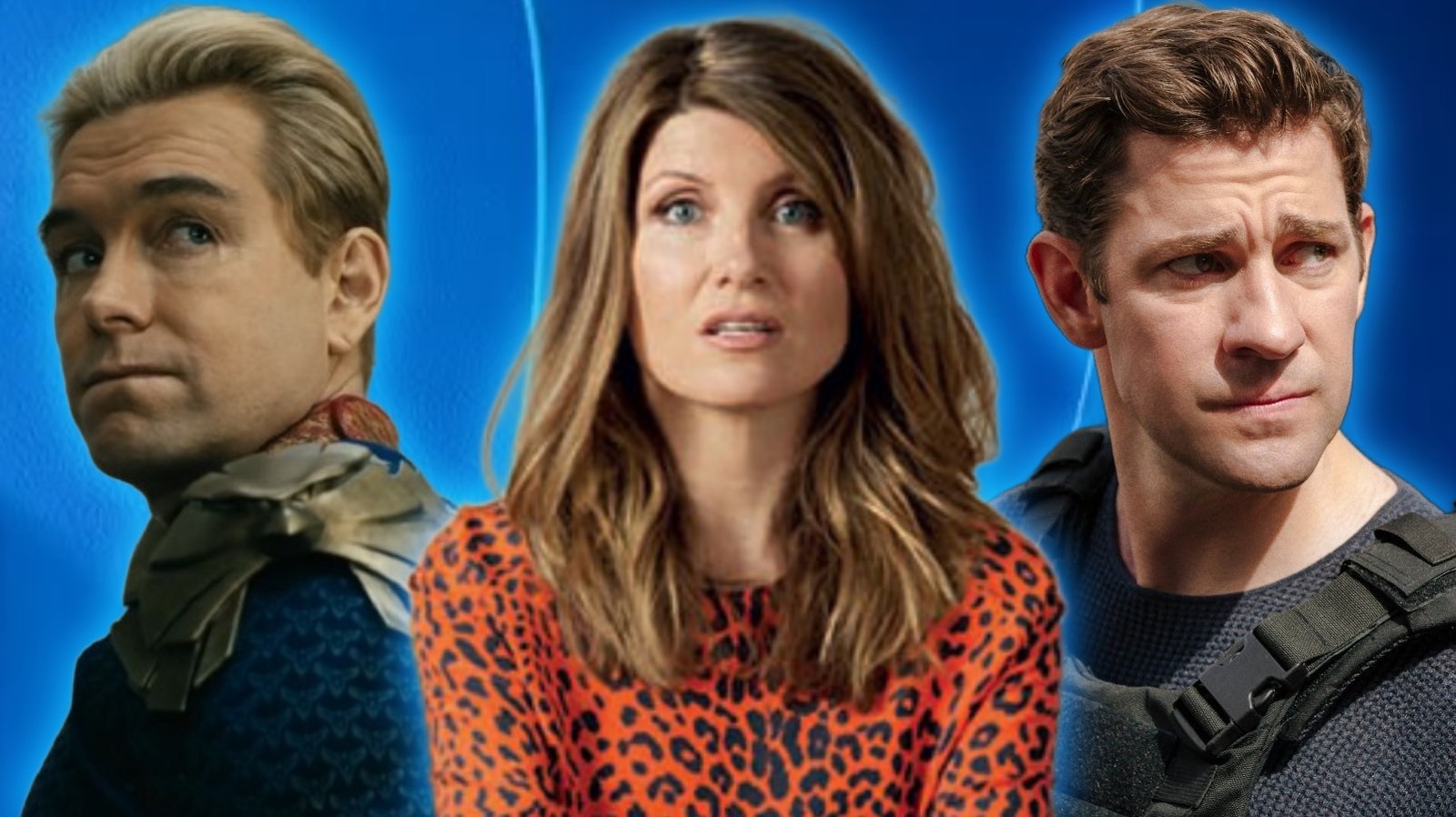
Homelander from The Boys, Sharon from Catastrophe and Jack Ryan from Jack Ryan Prime Video / Static Media

One of the toughest contenders to knock Netflix off the top spot among the best streaming services out there is Amazon Prime Video. It has conjured some pretty beloved shows that scooped audiences by the millions while costing around the same amount to make. With the likes of “The Rings of Power” and “Fallout” drawing in viewers by the bucketload, and even one-man neck-snapper “Reacher” getting plenty of attention, there’s clearly a lot to be had over on Prime Video. But just like every other streaming service at your disposal, there are also those truly top-level golden nuggets that, before you know it, will have you binging through to the finale.

From mainstream hits to cult comedy gut-busters, we’ve gathered together a good pile of programming that can help you pass the time, and if you’re lucky, might just become brand-new favorites that are worth going back to. If you want to laugh, cry, and be terrified of milk-obsessed madmen, we absolutely have you covered. To start things off, we’re going to one of the heaviest hitters that Prime Video has ever swung with, and it’s frankly a shame that it’ll soon be coming to an end.

The Boys

The Boys sat together watching the television on The Boys Prime VIdeo

When the world was caught up in a severe swirl of superhero stories, Prime Video gave us what might go down as one of the greatest comic book adaptations ever put on television. “Supernatural” showrunner Eric Kripke, along with producers Seth Rogen and Evan Goldberg, brought the world of “The Boys” to life in gory and often hilariously offensive fashion. Based on the comic book series of the same name by Garth Ennis, Karl Urban leads the titular team, who make it their mission to expose the world of supes and their sordid activities hidden from the public eye. Standing or occasionally hovering in their way is Antony Starr’s Homelander, an unhinged Superman sort with a god complex who is the scene-stealing villain of the show.

Often keeping its thumb on the pulse of current affairs with alarming accuracy, “The Boys” is an off-the-rails saga about absolute power corrupting absolutely, doing so through some truly heinous and jaw-dropping set pieces that often end in a pile of mulch in a world where heroes are hard to come by. Although there might be a series of spin-offs branching off from this world of F-bomb-dropping bad guys, it’s the flagship story that is undoubtedly Prime Video’s best bit of work and won’t be topped anytime soon.

Fleabag

Fleabag in the church in Fleabag Prime Video

The show that put Phoebe Waller-Bridge on the map remains one of the greatest comedy series on all of Amazon Prime. Adapted from the stage play of the same name, “Fleabag” follows a nameless singleton as she tries to navigate the pressures of London life and the demands of her family. This treacherous story of bedroom bumbling and awkward family get-togethers is a showcase of Waller-Bridge’s remarkable writing style, as she breaks the fourth wall and journeys from grieving over her late friend to an encounter with a man who’s as complicated as she is.

Adding to the ferociously funny world are Olivia Colman, Fiona Shaw, Jamie Demetriou, and Kristen Scott Thomas. The real highlight, though, is the chemistry between Bridge and Andrew Scott’s simply named Hot Priest, which is one for the record books. The latter breaks through her barrier and puts a stop to her often comical bouts of casual hookups and drinking. What follows is a bittersweet romance story that hits like a gut punch. If you somehow haven’t seen “Fleabag” and are worried you won’t have time, don’t fret. The two seasons in this show are composed of 30-minute episodes, and you won’t know what to do with yourself once they’re done. Don’t worry, though, it’ll pass.

Jack Ryan

Jack Ryan with a cut forehead in Jack Rya Prime Video

Plenty of A-listers have tried to take on the role of Jack Ryan, with Harrison Ford previously being the only one who did more than one term as Tom Clancy’s political hero. Finally, in 2018, “The Office” star John Krasinski stepped into the shoes of the CIA analyst and carried the role for four incredible seasons. Prior to his work on Prime’s “Jack Ryan,” Krasinski had taken on an action-focused role in “13 Hours” and directed and starred in “A Quiet Place.” Here, he does an effortless job meeting all the demands of this legendary literary hero role, but he’s backed by some decent talent as well.

Any spy-like hero deserves some assistance in the field, and Krasinski’s Ryan is helped on his world-saving missions by “The Wire’s” Wendell Pierce as James Greer and Michael Kelly as the consistently welcome Mike November, who feels like the Felix Leiter to Ryan’s Bond. Even on his own, though, Krasinski has enough charm and charisma to have earned the status of being the best Jack Ryan we’ve ever had. Once you’re done with the four consistently brilliant seasons, you’ll be rewarded with a new feature-length film: “Jack Ryan: Ghost War” is heading to Prime Video on May 20, 2026.

Catastrophe

Rob and Sharon sat on a sofa in Catastrophe Prime Video

“Fleabag” isn’t the only comedy from across the pond that’s worth lining up on Prime Video. Not earning quite as much attention as “Fleabag” (but then, what else could, really?), “Catastrophe” was a sitcom penned by “Bad Sisters” scribe Sharon Horgan and “Deadpool’s” Rob Delaney, who both play the lead roles in the Emmy-nominated series. Delaney plays Rob, an American ad exec who bumps into Horgan’s Sharon on a night out in London. One drink leads to another, and before they know it, a hangover from hell sees Sharon become pregnant and the two turning their lives upside down for the good of the unexpected family they’re about to become a part of.

With supporting talent composed of Ashley Jensen (“Extras”) along with the late, great Carrie Fisher playing Rob’s mother, Mia, this really is a forgotten laugh factory of a show that displays with blistering honesty the complications that can come with love and relationships. Despite debuting over a decade ago, there are some pressure points that Horgan and Delaney’s writing tackles in “Catastrophe” that still hold up today. Much like “Fleabag,” this brilliantly funny love story is short and sweet. Spanning a mere four seasons at six episodes each, it’s easy to get through — and once you’re done, you’ll be recommending to friends another classic that not nearly enough people have seen.

Mr. and Mrs. Smith

Mr. and Mrs. Smith looking at each other in Mr. and Mr. Smith Prime Video

Rarely are remakes better than the original movie. Thankfully, in the case of “Mr. and Mrs. Smith,” the Prime Video show feels like one that stands on its own — something totally separate from the Brad Pitt and Angelina Jolie action rom-com — and comes off better for it. Starring Donald Glover and Maya Erskine (“Blue Eye Samurai”), the series follows a pair of young secret agents who are forced to pose as a married couple for a mysterious organization. Understandably, the fake Mr. and Mrs. are wary of each other until feelings start to grow and they become a legitimate couple. The problem with that is that it sparks all the usual trappings of a relationship, interspersed with highly dangerous covert operations.

Glover and Erskine are a ridiculously cool pair of assassins who get the hots for one another and cross paths with a host of incredible cameos in every episode. Alexander Skarsgård, Sarah Paulson, Paul Dano, and Glover’s own mother, Beverly, are just some of the appearances that drop through the action-packed and super-witty show that ends in an emotionally charged finale. Prime Video has already confirmed that an all-new Mr. and Mrs. Smith will be taking on a mission in a new season. Do some recon and see how good the first ones are right away.

Source

Posted on

Update Your Apple Watch To watchOS 26

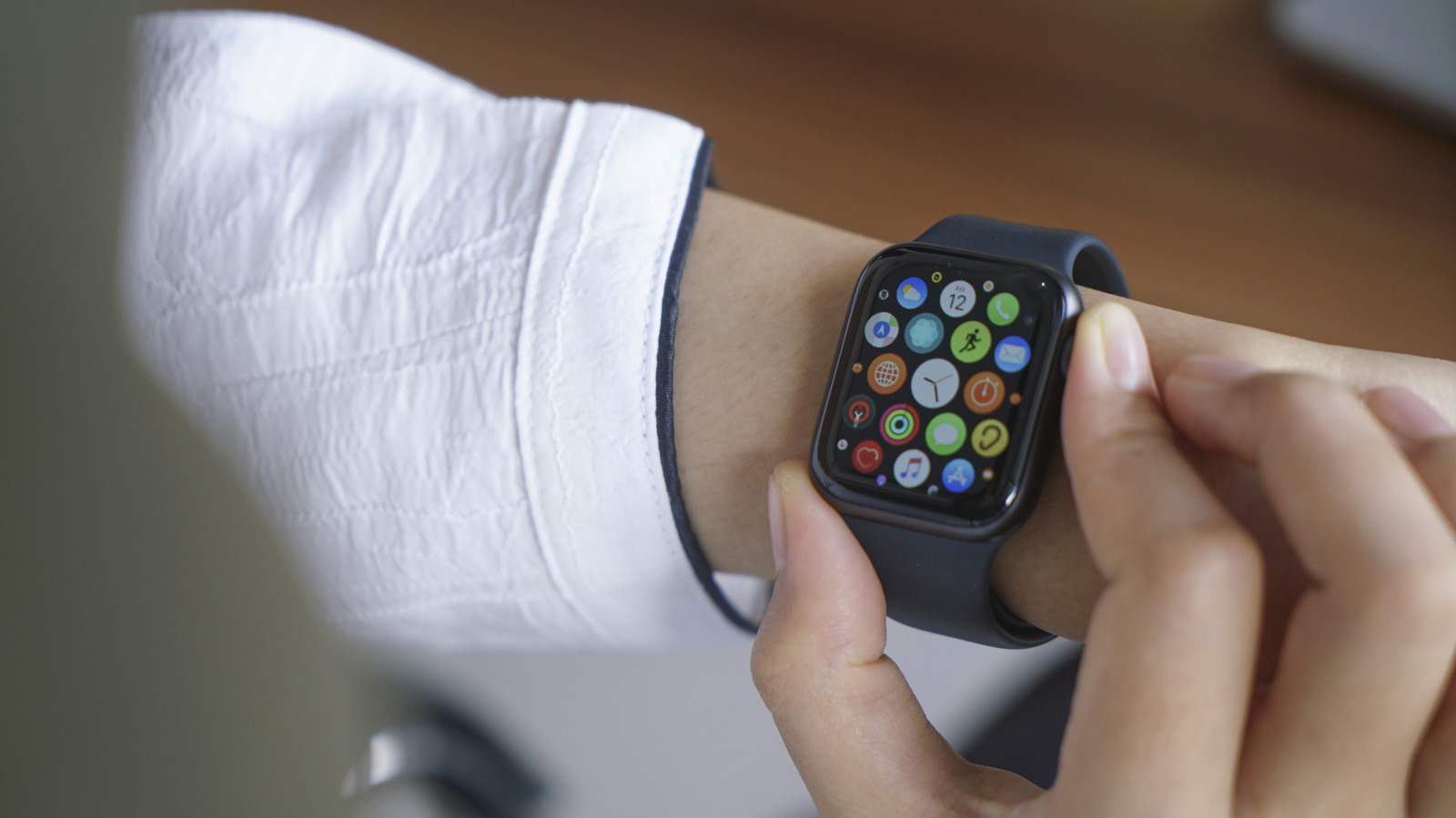
Person scrolling through apps on their Apple Watch Raditya/Getty Images

Unlike a traditional watch that gives you a static look, your Apple Watch allows you to change its look to fit your aesthetic. This is all thanks to watch faces, which are user interfaces that allow you to customize the look of your Apple Watch. Apple provides a variety of watch faces that are ready to use, and the company allows you to spruce up most of them depending on your needs. But in addition to that, there are other cool watch face apps that you can download on your Apple Watch to take things a notch higher. Now, on top of the various options from third-party developers and Apple’s own watch faces, the American tech company has just released a new software update that you can install on your watch right now to enjoy a brand-new face. 

The new watch face, called Pride Luminance, is available once you install Apple’s watchOS 26.5 update. It’s the latest watch face after Apple added four new faces with the introduction of watchOS 26. The Pride Luminance watch face comes in radial and vertical styles, with unmistakable Pride colors. Additionally, you can customize the watch face further with more colors. In a blog post, Apple said that the new watch face is part of the company’s efforts to “celebrate LGBTQ+ communities around the world during Pride Month and beyond.” To update your Apple Watch to watchOS 26.5, start by connecting it to Wi-Fi, then open the Settings app. After that, select General > Software Update and install the update.

Apple launches new Pride collection in celebration of Pride Month

As usual, Apple celebrates Pride Month in several ways. This year, the company is celebrating LGBTQ+ communities by launching a new Pride collection. A new watch face is always on the menu, and Apple didn’t miss that part for this year’s edition. In addition to that, the company also launched a new Apple Watch Pride Edition Sport Loop that the firm says is “woven from a rainbow of 11 colors of nylon yarns.” The band is available in several sizes, including 40 mm, 42 mm, and 46 mm, which means it’s compatible with a variety of Apple Watch models. 

The Pride Edition Sport Loop is part of the company’s collection to celebrate the season and is already available for sale on its website for $49. The watch face complements the new Pride Edition Sport Loop, and Apple has also launched a matching wallpaper on the iPhone and iPad as part of the collection. However, you’ll have to update your iPhone and iPad to iOS 26.5 and iPadOS 26.5, respectively, to get the new wallpaper.

Source

Posted on

3D Printing Research Just Made A Once Impossible 40-Year-Old Concept

When we think of zippers, we think of a 2D structure that allows users to fasten two parts of a garment. Pulling a slider up and down between two rows of teeth that face each other allows the zipper to close and open smoothly. Applying the same concept to a fastening device that has three sides would result in a 3D zipper that can be used to quickly close or open structures that could benefit from such a mechanism. Such a device is called a “Y-zipper,” and it existed only as a concept until recently. Demonstrated and patented over 40 years ago, the original Y-zipper wasn’t easy to manufacture. But present-day 3D printing technology allowed the MIT Computer Science and Artificial Intelligence Laboratory (CSAIL) researchers to bring it back to life and turn the Y-zipper concept into a product that could one day be manufactured at scale for specific scenarios.

According to MIT News, William Freeman was an electrical engineer at Polaroid in 1985 when he entered a competition from the Innovative Design Fund. The prize was $10,000 for inventions related to clothing and textiles. The judges rejected Freeman’s proposal, but the engineer kept the difficult-to-manufacture prototype and patented the invention. More than 40 years later, Freeman is an MIT professor, and other MIT engineers developed a simpler method to manufacture his three-sided zipper using 3D printing technology.

Jiaji Li, the MIT CSAIL researcher and lead author on the modern Y-zipper version, and his team developed the software that allows 3D printers to create the components of the 3D zipper that can be connected precisely with the help of a 3D slider. The resulting three-sided zipper becomes an object that changes rigidity as the actuator moves.

What can the Y-zipper do?

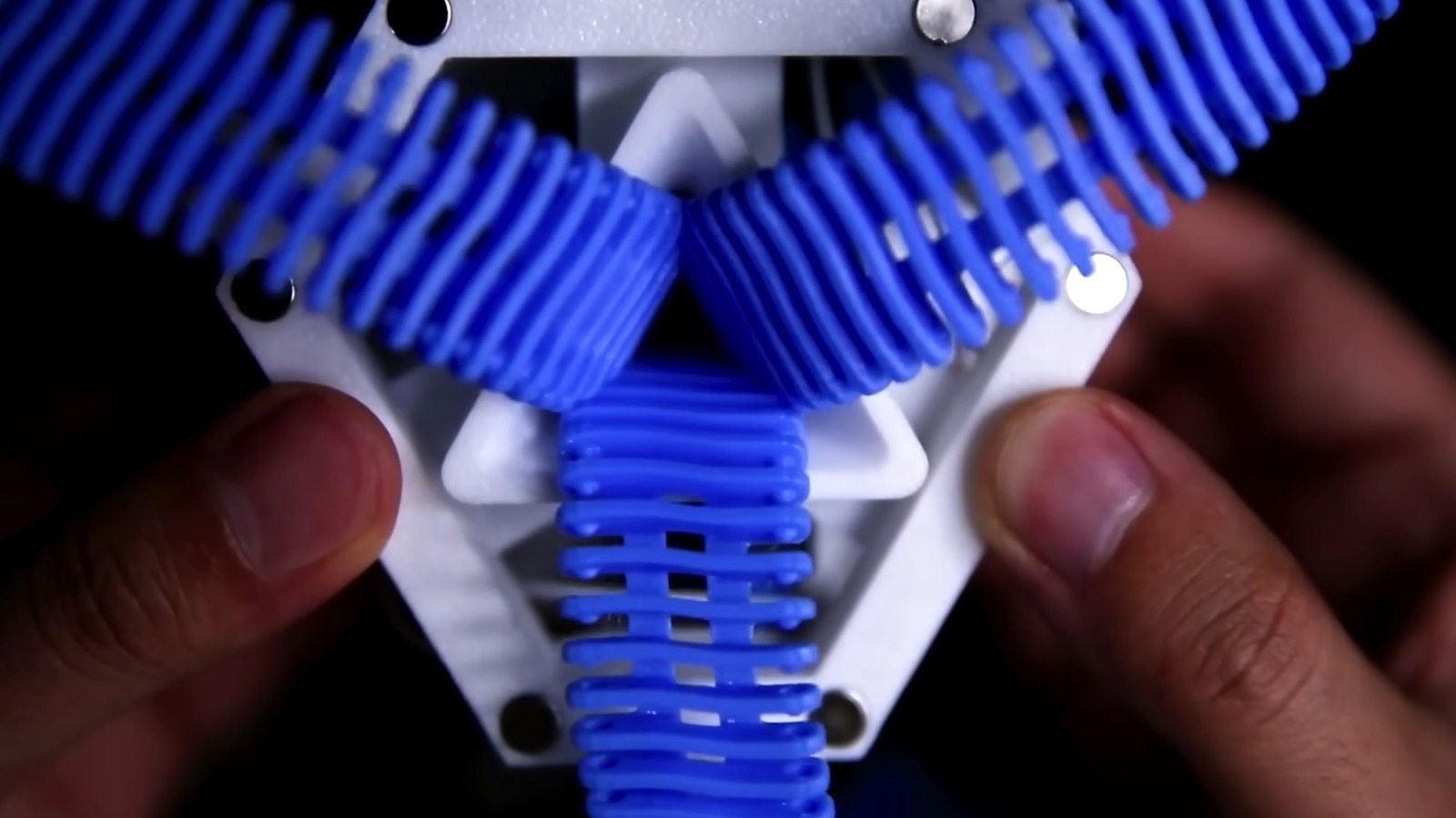
When not in use, the Y-zipper looks like a squid, according to MIT. Its three arms can be compared to tentacles. They’re flexible and loose, as each side provides little stiffness on its own. But when the actuator moves up to close the three-sided zipper, the teeth on the three sides interlock, creating a stiff structure. The software allows the 3D printer to create Y-zippers in different shapes, depending on their purpose.

The scientists demonstrated concepts that allow the Y-zipper to form a rigid vertical rod that can be used as a leg in a robot that has to navigate complex terrain. A concept robot featuring four Y-zipper legs was able to reduce its height to pass under obstacles, or increase it to step over rocks on the ground. A different concept proposed a medical device meant to provide support to a broken wrist. In this scenario, one of the three parts of the Y-zipper was 3D printed into a wrist sleeve, allowing it to stay flexible to support wrist movement during the day. At night, the user would connect the other two parts of the Y-zipper with the help of a slider, turning the sleeve into a rigid support that kept the healing wrist protected.

A third concept showed a Y-zipper structure added to a tent. A user needed just 80 seconds to assemble a simple tent instead of the usual six minutes. Adding four motorized actuators to the four Y-zippers could reduce the assembly time to under 60 seconds. Finally, the researchers also showed the potential of using Y-zippers for art installations that require items to change shape or rigidity, as seen in the flower experiment in the video above.

What about durability?

The 2D zippers found on clothes are relatively durable, though they can become damaged over time and need replacing. For 3D printed Y-zippers, durability may be even more important. For example, the flexible Y-zipper legs of a robot that may be used in exploratory or search-and-rescue missions need to be durable enough so the robot can cover large distances reliably. The MIT researchers experimented with two types of plastics used in 3D printing: polylactic acid (PLA) and thermoplastic polyurethane (TPU). The former was better for heavier loads, while the latter was more pliable. They also ran an experiment where an actuator opened and closed continuously to test the durability of the device. After 18,000 cycles, the Y-zipper broke.

These tests suggest that 3D printed plastic Y-zippers may be suitable for specific uses, like adding rigidity to a medical wrist sleeve. But other uses may require more durable materials to prevent the three-sided zippers from malfunctioning and losing their rigidity. The MIT researchers see metal as a potential material for Y-zippers, though it’s unclear how a metal model would be designed. 3D printing is the key technology for manufacturing the Y-zipper components, as the software ensures the three zipper components match the geometry and fit down to the millimeter and that the teeth fit precisely when the slider moves.

The perfect fit also depends on a factor the scientists would not be able to control: the environment. The researchers envisioned aerospace use for three-sided zippers, which could be used as tentacles to grab objects near a spacecraft. In such a scenario, debris could be a problem, as it may impact the zipping and unzipping processes.

Source

Posted on

3 Major Streaming Services That Cost Less Than $10

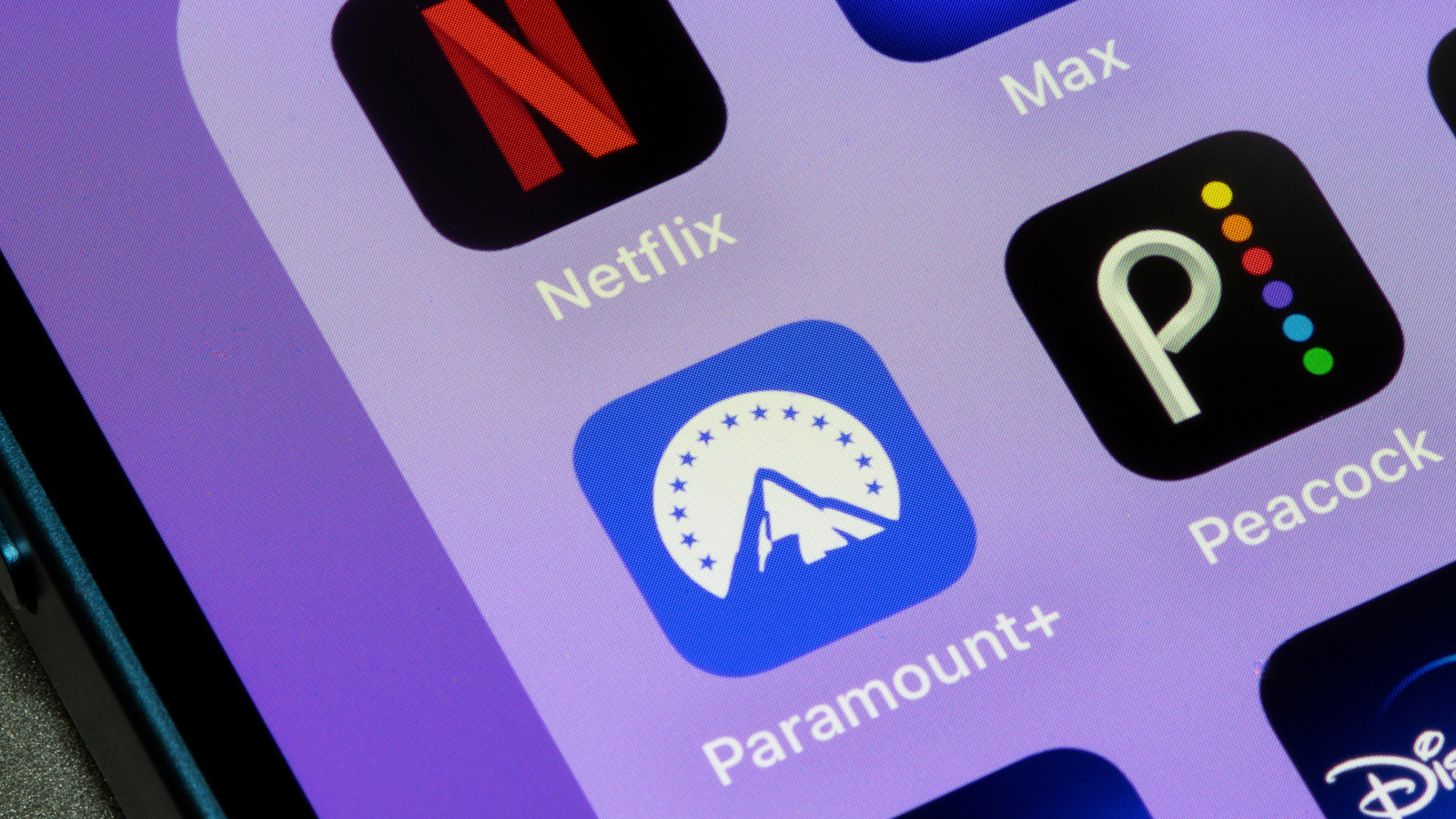
Icons of various streaming services on an iPhone screen Tada Images/Shutterstock

Streaming subscriptions continue to get expensive, with the likes of Netflix, HBO Max, Apple TV+, and AMC+ announcing a price hike over the last several months. This, combined with the fragmentation of content availability, can quickly make it costly to get a steady flow of good content to watch in your free time. This means you can either switch to free streaming services and watch whatever you get on them, or opt for something like Kanopy, which leverages your local library subscription to give you a cheap subscription alternative. Notably, there is a third option, which involves carefully choosing a selection of streaming services and their plans to pick the most affordable options that suit your needs.

While many major streaming services have crossed the $10 threshold for their monthly subscriptions, you can still find some notable options under $10, albeit with some caveats. Specific plans from popular streaming services like Netflix, Peacock, and Paramount+ can help you save a decent chunk of change if the recent price hikes are impacting your budget.

Netflix (Standard with ads)

A close up of an iPhone 13 with Netflix splash screen Wachiwit/Getty Images

Although Netflix announces a subscription price increase almost every year, the streaming giant has managed to offer at least one of its plans for under $10. This plan is ideal for folks who want access to Netflix’s massive content portfolio, including the originals, but don’t want to shell out a ton in monthly subscription fees. As the name suggests, the Standard with ads plan includes advertisements, something that you’ll have to deal with to get Netflix this cheap. Keep in mind that a small selection of titles may not be available as part of this plan due to licensing restrictions.

The plan also limits content resolution to 1080p, which isn’t super bad and allows you to stream on up to two devices simultaneously. More importantly, you can install and sign into Netflix on as many devices as you want, and the simultaneous device restriction will only come into effect when you actually start to stream something. You can also make up to five profiles to ensure different household members can maintain their separate watch history and recommendations. The Netflix Standard with Ads plan costs $9 a month.

Paramount+ (Essential)

Paramount Plus logo on a smartphone screen Blossom Stock Studio/Shutterstock

Paramount+ is one of the more affordable premium streaming services, with its ad-supported “Essential” plan costing only $9 a month. You can save further by opting for the annual plan at $90. This plan gives you access to over 40,000 movies and TV shows, including popular originals like “Dutton Ranch,” “The Madison,” “Landman,” and episodes of several Showtime originals. Additionally, you get movies like “Mission: Impossible — The Final Reckoning,” “Sonic 3,” and “The Running Man.” Some of its movie content comes via its deal with MGM+. You can also watch full episodes of many CBS, BET, Comedy Central, MTV, and Nickelodeon shows. Moreover, you can stream the NFL, UEFA Champions League, and live UFC fights.

The Paramount+ Essential plan allows streaming the service on up to three devices simultaneously, and the streaming resolution varies by content, with the maximum being 1080p for select content. The downside of this plan is that you miss out on higher-resolution streaming, the ability to download movies and TV shows for offline viewing, and live streaming of CBS and some of the sports content.

Peacock (Select)

The Peacock logo on a smartphone with an illustration from a streaming site catalog in the background. Samuel Boivin/Shutterstock

Although Peacock is quickly becoming pricier, it has a “Select” plan that you can get for just $8 a month or $80 annually. However, this is a pretty restricted plan that’s not only ad-supported but also limits the content catalog to TV shows from NBC, Bravo, and more. Fortunately, the TV show selection has several popular titles, including but not limited to “Yellowstone,” “Law & Order,” and “The Office.”  Episodes of the TV series currently airing on NBC also appear the next day for Peacock Select subscribers.

Unfortunately, you miss out completely on movies, Peacock Originals, sports, live events, and your local NBC affiliate. Therefore, the Select tier only really makes sense for folks who primarily watch TV content or are fans of legacy NBC shows. Peacock, which is one of the top 10 streaming services, says the Select plan is currently being tested, making it unclear whether it’ll remain a permanent fixture of the service.

Source

Posted on

Is The M2 MacBook Air Still Worth Buying In 2026?

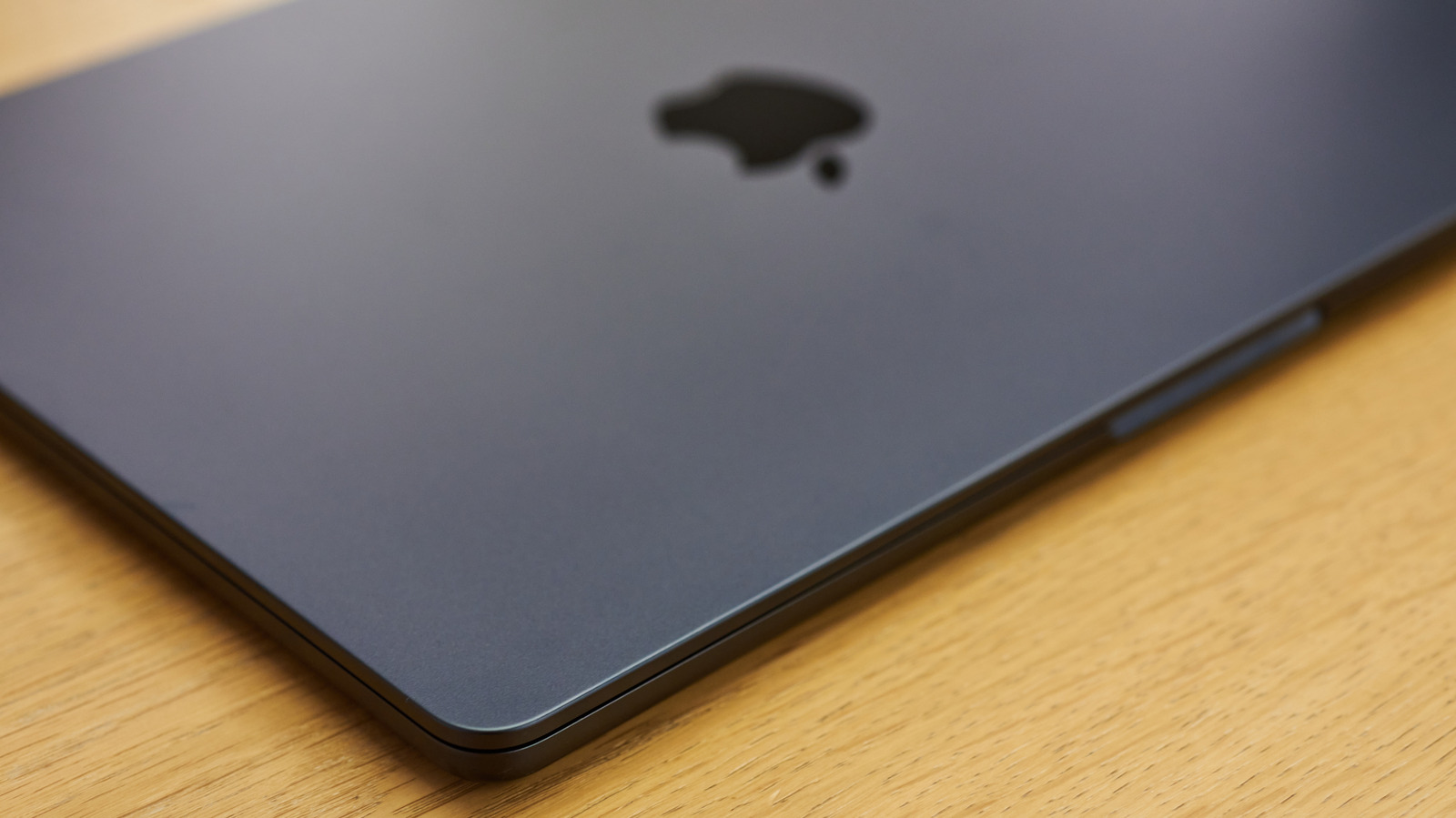
M2 MacBook Air on a table Art-Dolgov/Shutterstock

Apple released the M2 MacBook Air in June 2022. Four years and three generations later, it continues to be a great purchase in 2026. While the MacBook Neo makes it hard to recommend the M1 MacBook Air, the story is completely different for the M2 MacBook Air, as its extra features and more powerful processor make it relevant today.

This Air laptop introduced a complete redesign, following the same industrial look of the 2021 MacBook Pro, while also getting a display, webcam, and processor improvement. With a 13.6-inch display, Apple promises up to 15 hours of wireless web on the M2 MacBook Air. The laptop features two Thunderbolt USB-C ports, a 3.5mm headphone jack, and the most important upgrade compared to the previous generation: a MagSafe port, which helps you to not drop your Mac on the floor if you stumble over the cable. Originally available with 8GB of RAM, this MacBook can be found in the second-hand market with up to 24GB of RAM and up to 2TB of storage. It supports Wi-Fi 6, Bluetooth 5.3, and a 1080p FaceTime HD camera, which is great for taking video calls. It can connect to an external display with up to 6K and 60Hz resolution. Aside from all that, here’s why the M2 MacBook Air is still a solid option in 2026, and for whom it can be a perfect match.

Light work for years to come

15-inch MacBook Air displayed at an Apple Store Rezeki2031/Shutterstock

Since the MacBook Neo processor is comparable with the M2 chip available on the MacBook Air, it’s safe to assume that this laptop will continue to get support for at least another four years. While it’s still guesswork, as Apple hasn’t started to discontinue its Apple Silicon Macs in favor of newer models, we can expect that the M1 Macs will last for at least seven years. MacOS 27 will drop support for Intel Macs, not for the first Apple Silicon Mac released in late 2020. So, the M1 model will still get updates at least until late 2027, when the next macOS major update is expected.

This long support is impressive, especially because these computers are still great for web browsing and light activities like video calls, photo editing and paperwork. The recently-released MacBook Neo, which serves the same purposes, offers a new, yet not as powerful processor as the M5 chip on newer, more powerful MacBooks. So, it’s unlikely that Apple just released this laptop to drop support in just a couple of years.

Still, when considering the M2 MacBook Air’s design and other functionalities, like the MagSafe port, the better webcam, display, and SSD, the M2 it gets a lot more enticing. Besides that, a refurbished model is in the same price range as the MacBook Neo, from $499 to $599, depending on whether customers have a student discount.

Here’s when you should update to a more capable MacBook

A MacBook Pro on a table José Adorno/BGR

If you just want a lightweight, fast, and useful laptop, the M2 MacBook Air continues to be a solid option in 2026. Choosing a recent model, like one with the M4 chip or a M5 MacBook Air, is only worth it if you want the latest laptop with improved internal specs, like more RAM, storage, and support for more external displays. Likewise, if you’re planning to run really complex local AI tasks, do heavy photo and video editing, or need a lot of GPU power to work on 3D graphics, making the jump to a MacBook Pro could be worth it, especially due to the cooling fans that guarantee performance stability. Besides that, a MacBook Pro gives you more internal spec upgrades, a better display, and more ports.

However, if you’re looking for a laptop for college, to run several spreadsheets, do general light work, or just a computer to save all your files in a single place, the M2 MacBook Air will continue to be a solid option for years. The worst that could happen is Apple starting to release new Apple Intelligence features only for laptops with more RAM, such as those with a minimum of 16GB, for example. Besides that, there’s no indicator that the first few generations of Apple Silicon Macs will start to slow down or stop getting support for the latest macOS updates.

Source

Posted on

The Cheapest Kindle Scribe Is Launching Soon – With One

We may receive a commission on purchases made from links.

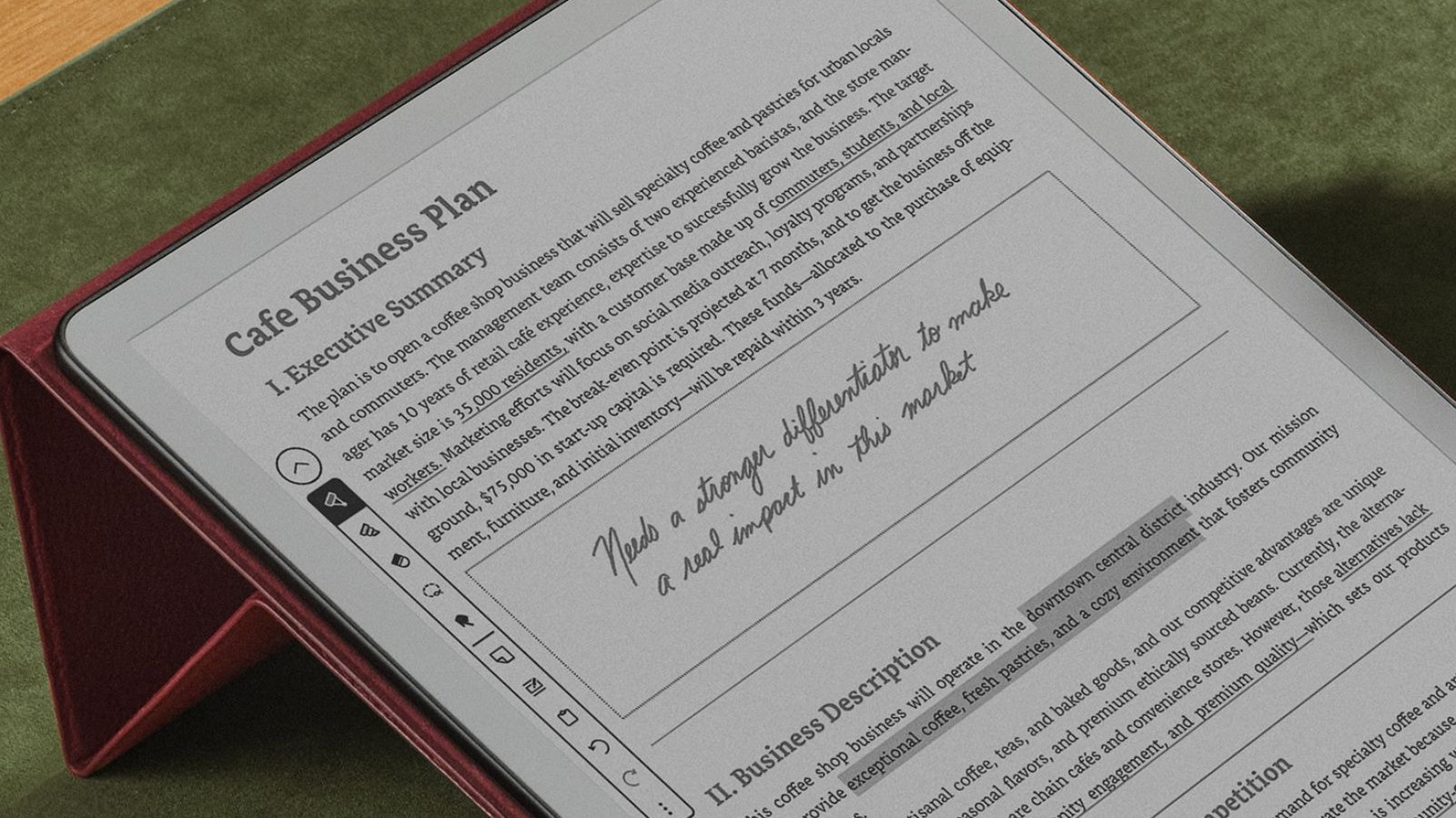
In 2025, Amazon announced plans to release a more budget-friendly version of its large e-reader / notebook tablet, the Kindle Scribe. Now, almost a year later, we finally know when the Kindle Scribe Without Front Light will arrive, as well as what it will cost. The new version of the Scribe will include an 11-inch display, just like the original version, and it will retail starting at $429.99 — $70 cheaper than the $499.99 Kindle Scribe with a front light.

While $70 is a significant discount, consumers looking to pick up the cheaper variant need to decide if the biggest catch is worth the money saved, as the lack of a front light on the cheaper Kindle Scribe means you’ll be more limited on where and when you can use the Scribe, especially if you plan to do a lot of reading on it. Without a front light, reading or writing in dark environments will more difficult. 

Aside from the missing front light, nearly everything else about the cheaper Kindle Scribe is the same as the original, though it does appear to max out at 16GB or storage, where the pricier model comes with 32GB or 64GB. That is a bit disappointing, especially if you plan to use it to take a lot of notes. However, it should still be more than enough storage for most users.

A solid deal for Kindle fans

The lack of a front light on the new Kindle Scribe model might be disappointing to some, and it certainly seems like a big trade-off on paper. However, the device does fit in with similar Kindle alternatives in terms of the features that it offers. Other popular options in this niche, like the reMarkable Paper Pure, offer similar functionality and features for around the same price.

Beyond the missing front light, the cheapest Kindle Scribe will still get you access to the Scribe’s paper-like feel, as well as the built-in AI notebooks that it offers. Additionally, when Amazon launches new AI-powered Kindle features like “Story So Far” — which is a way to recap stories before you jump into another — the new Kindle Scribe Without Front Light can access them and other features Amazon has added to the Scribe. If you prefer Amazon’s ecosystem and want to save $70, then the new Kindle Scribe without a front light is still a solid option, especially if you’re looking to upgrade to a new device in light of the news that Amazon is ending support for older Kindles.

Source

Posted on

Check Your Roku For This Update

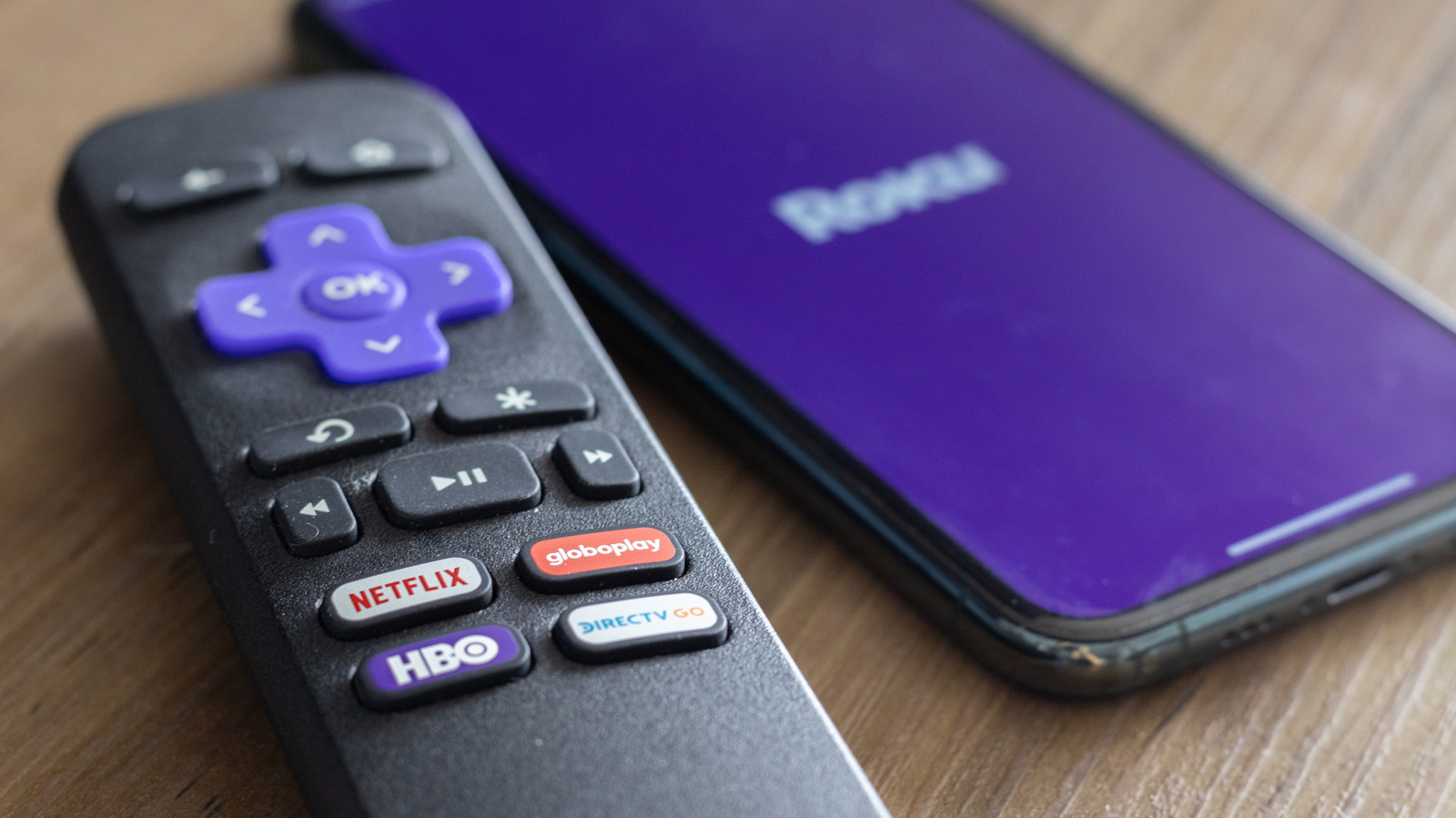
Roku remote up close with app buttons and the Roku logo on a smartphone in background. renata colella/Shutterstock

Roku users have seen a spate of recent updates that improve the overall streaming and navigation experience, as well as some new features. For example, Roku finally added cloud DVR support in one of the newest updates. In February, Roku also began testing a new home screen layout. In the same vein, Roku released Roku OS 15.2, aiming to improve the experience some more, but it’s primarily focused on developers creating content for the platform, specifically apps and services. But these changes will have a snowball effect, significantly changing some of the most frustrating aspects of Roku’s ecosystem.

The tangible benefits of the update will become more apparent and more prevalent as developers take advantage of the new advancements. Roku’s Perfetto-based app tracing tool has been upgraded, allowing developers to “visualize the BrightScript heap graph to inform [them] which SceneGraph and BrightScript objects consume the most memory. ” It also expands the BrightScript APIs with low-memory event notifications, remote control-related information, and supports AES-GCM encryption ciphers.

The updated information monitors will allow developers to see which app processes are using more system resources, like memory, so they can reduce and optimize to create leaner services. That should effectively translate into smoother navigation, faster app launches, more stable video playback, and fewer app crashes, as well. Major frustrations while using Roku devices stem from intermittent freezes, slow navigation when moving between menus, and delayed reactions leading to repeat and unnecessary button presses. These performance changes should help fix a lot of that.

Roku updates are generally rolled out in phases

Roku TV display in a retail store with the logo and screensaver on show. PJ McDonnell/Shutterstock

Roku rolls out its updates gradually over the span of several weeks to compatible Roku devices, so you can see these updates live on your device anywhere between now and June. Roku does this with stability and performance improvements introduced between to ensure the entire process goes smoothly. Not to mention, the Roku device ecosystem is diverse, spanning actual streaming sticks and media players to built-in TV hardware. Not everyone will receive the updates at the same time.

More importantly, because Roku OS 15.2 has a lot of backend changes meant for developers, it will also depend on when the apps update and take advantage of the new technologies. To check which version of the Roku OS your device is running, navigate to Settings > System > About, and you’ll see the version number listed next to Software version. You can also see the hardware ID and model there to identify which Roku device you have, if you aren’t sure.

You can also navigate to Settings > System > Software Update to check for available updates. If you don’t have the 15.2 update yet, don’t fret; the previous release, 15.1, added some new Roku TV features to help better organize your home screen, along with a host of other improvements. Roku seems to be getting better and better.

Source

Posted on

The ‘DC Extended Universe’ Name Came From An Unexpected Source,

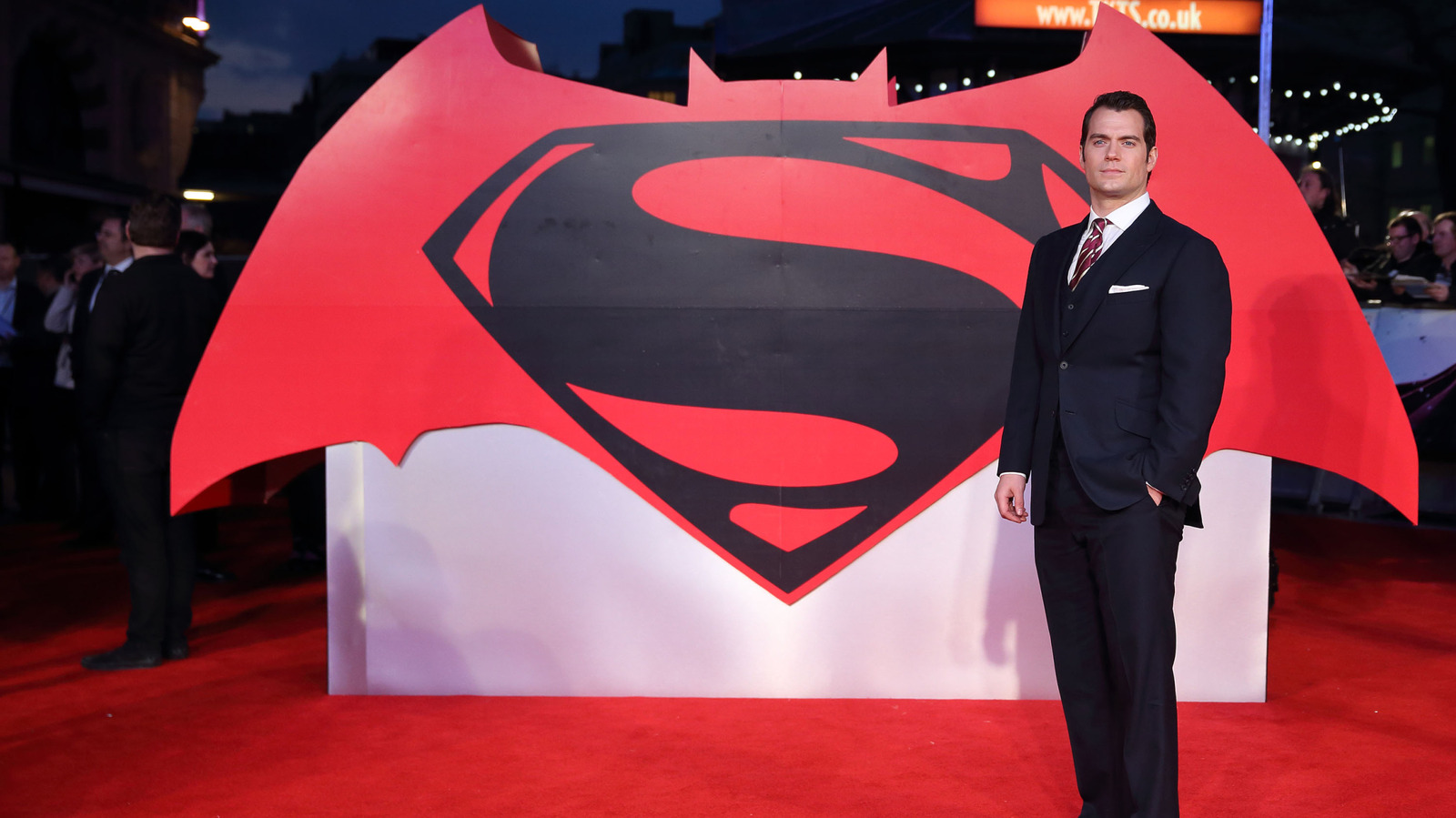
Actor Henry Cavill standing by the Batman vs. Superman logo Mike Marsland/Getty Images

The DC film franchise officially began in 2013 with Henry Cavill’s “Man of Steel.” Back then, there wasn’t a name for the slate of films released by DC Films (now DC Studios), as the name DC Extended Universe (DCEU) came a few years later. It’s one that fans have come to know, but its origins are as fascinating as the superheroes themselves.

The DCEU began as a bit of a joke name for DC’s movies. It came from an Entertainment Weekly article by journalist Keith Staskiewicz in 2015 about “Batman v Superman: Dawn of Justice.” Staskiewicz discussed the franchise introducing multiple characters in the future by saying he expected DC to continue building out its universe. The joke part stems from his use of the trademark symbol on DC Extended Universe, as DC hadn’t trademarked the name. Staskiewicz would later say he made up the name, thinking it was one DC would use.

DC never actually called its films the DCEU, even after DC Comics publisher Jim Lee spoke the phrase during a panel discussion at Chicago Comic & Entertainment Expo (C2E2) in 2020, saying, “So we’re very positive and hopeful for the future of the DC Extended Universe.” The name is mainly used by fans and media to refer to DC’s superhero films, but DC hasn’t always had such a narrow focus, as a non-superhero DC Comics adaptation was the last movie released on VHS.

What is DC calling its movie franchise today?

The Justice League movie poster Sarunyu L/Shutterstock

The history of DC’s film franchise is as tangled as the timeline created by Barry Allen in the 2023 movie “The Flash.” While the name DCEU never stuck officially with DC, journalists and comic book fans began using the moniker to refer to the line of movies released from 2013 to 2023. Colloquially known as the Snyderverse, as the run of films was helmed by Zack Snyder, it ended in 2023. Today, the DCEU is now officially known as the DC Universe (DCU).

A 2023 press release from DC Studios announced a reboot of DC’s film universe, with James Gunn and Peter Safran leading the path forward. The shift rebranded DC Films as DC Studios, officially named the DC Universe, and said it would include both movies and TV shows. The refocus would begin with the release of “Superman: Legacy,” which was later changed to just “Superman”, in July 2025.

James Gunn referred to the future of DC movies as the DCU before even leadership at DC began to do so. In December of 2022, Gunn shared a thread online where he name-drops the DCU after his first month as Co-Chairman and CEO at DC Studios. It wasn’t until late January the next year that DC Studios officially named the franchise the DCU. That shakeup means the DC Universe has a lot of movies and TV shows to add to watch lists.

Why the change from DCEU to DCU?

James Gunn at the Superman movie premiere Loredana Sangiuliano/Shutterstock

From the unofficial DCEU to the newly canonized DCU, DC has gone through a major shift. “Aquaman and the Lost Kingdom” was the final movie considered part of the DCEU. Then, 2025’s Superman replaced Cavill with David Corenswet, thus not only rebooting Kal-El and Superman, but the entire DC Studios’ new era of movies and television under one unified name.

The rebranding to DCU came down to telling a shared story in a single universe with legendary characters. While the previous run of movies did tell an interconnected story with characters like Wonder Woman, Superman, and Batman fighting alongside one another, the new era looks to capture what the Marvel Cinematic Universe is doing throughout TV and film. Before the DCU, James Gunn said no one was in charge of overseeing if the stories were connected.

Gunn and Safran are now overseeing several new movies and shows under DC. The long list of projects will see new faces as iconic characters from the comics, and introduce new heroes and villains like Clayface, who is now part of the DC Universe. Whether you enjoyed the previous era or the new, one thing is certain: superheroes, their alter egos, and enemies are here to stay, no matter what universe they’re in.

Source