Posted on

What Happened To Gateway Computers? Why The Brand Shut Down

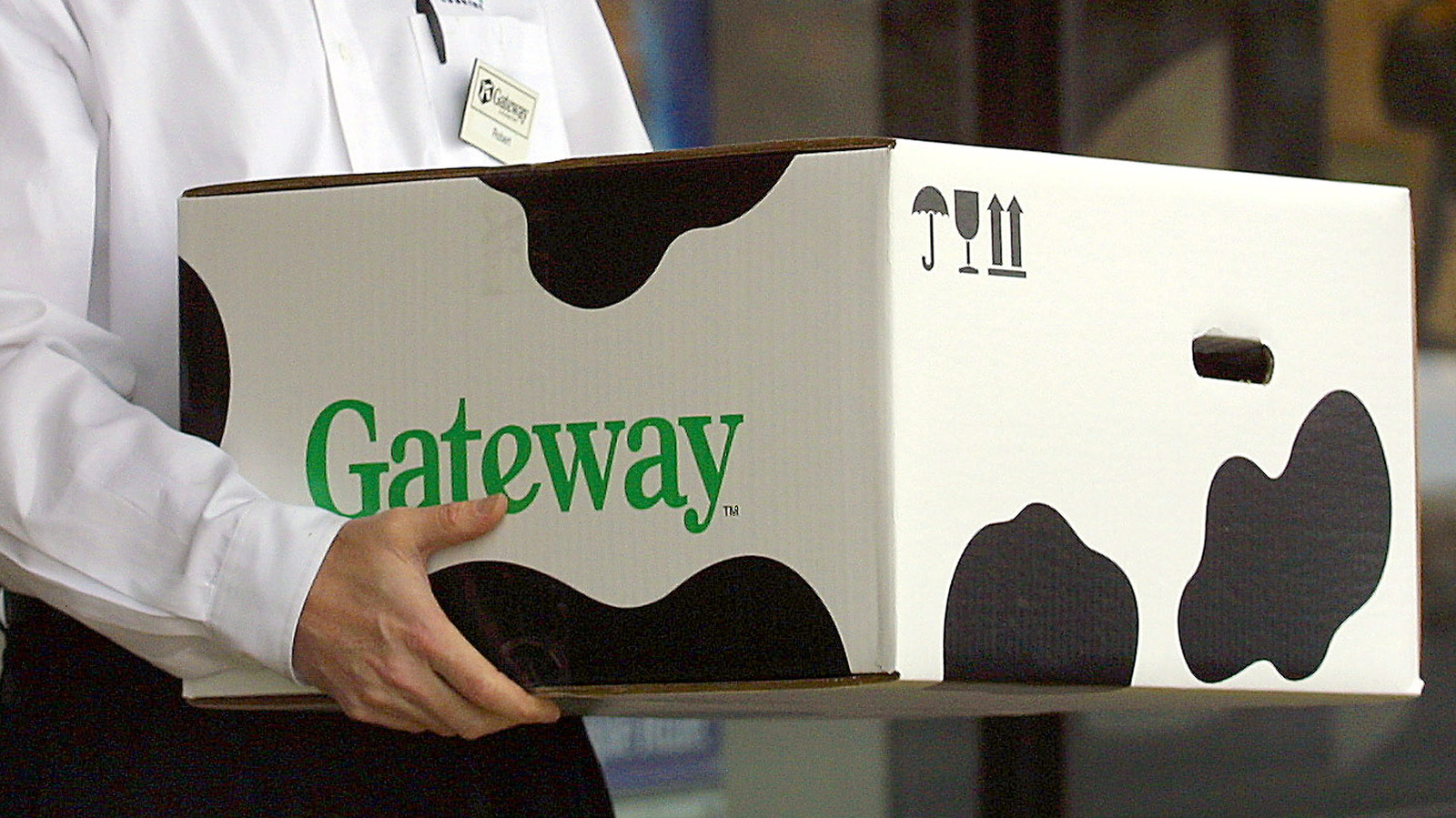
Classic Gateway cow patterned box Tim Boyle/Getty Images

Gateway, the company that competed against the likes of Dell and Packard Bell in the ’80s and ’90s, fell from grace and shut down production of its PCs rather rapidly. Originally based in Iowa, the company was founded in 1985, just a year after Michael Dell set up his PC reselling business. With the rise of the PC, Gateway quickly adapted, becoming a “white box” computer company, selling cheap PCs that it made in-house. 

After a fairly successful first few years, Gateway started to make certain mistakes that began to mount up. One user on Reddit, who claims to have worked with Gateway PCs back in the day, noted that the cheap prices owed to the sourcing of parts. They say that machines under the same name could have different parts, depending on when they were made. This led to the PCs having problems if they needed updating or repairing.

David L. Farquhar, an IT professional who worked on Gateway PCs at his various jobs, attributed part of the company’s undoing to the fact that it had lackluster customer support in the enterprise field. Despite two blogs talking about how friendly the consumer customer support was, often guiding him and a colleague through setups, it never managed to fit into the enterprise market. Without this foothold, similar to HP, Dell, or IBM, it couldn’t survive the oncoming storm. This might explain why it never makes favorite tech brand lists.

Gateway 2000 couldn’t hack it in the 2000s

CEO of Gateway, Tom Waitt Jeff Christensen/retired/Getty Images

Gateway began to struggle after the dot-com bubble popped (which will pale in comparison to the inevitable AI bubble bursting), in line with a slump in the PC industry as a whole in the early 2000s. Without the steady stream of income, when a price war cropped up between it and Dell, it saw a fourth-quarter loss of $94.3 million in 2000. Profits also fell, and its stock dropped to $18.75 from a high of over $80. In 2001, it also reported more losses — now $1.03 billion — and more revenue falls, with mass layoffs (24,600 to 14,000) and worldwide factories closed.

These losses proved particularly hard to overcome since Gateway wasn’t in a position to make up for them through diversification, considering it had little foothold in the enterprise and laptop markets. Its TouchPad product was canned, and its decision to launch physical stores started to become a burden, with overhead costs resulting in the closure of nearly 100 stores (19 at the start of 2002, then another 76 in 2003) out of 268. It did begin to diversify its portfolio in 2003, however, launching home theater PCs, PDAs, and MP3 players.

Management, despite the firm being on its back foot, opted to purchase eMachines, a lightweight computer company that sold budget systems. The 2004 purchase wound up costing $234 million in total, which was paid out as $30 million in cash along with 50 million shares in Gateway. With a quick boost from eMachines’ budget-PC momentum, Gateway peaked as the third-largest PC seller in the U.S. when the deal was finalized. The CEO of eMachines briefly became Gateway’s, but left in 2006 after the brand suffered further fallout from its pricing and management woes.

Sold to Acer, now a budget Walmart brand

Acer offices Marlon Trottmann/Shutterstock

By the time 2007 rolled around, Gateway was now down to just 1,800 people. With the PC industry rapidly changing underneath it, Gateway was effectively left behind, as it had failed to make a significant mark in the portable or enterprise market. As August hit, the company was sold to Acer for $710 million.

Acer, now owning the Gateway and eMachines brands, didn’t do too much with its purchase. What was there for its professional business was sold to MPC Corporation, which also went bust in 2008, blaming problems with integrating Gateway into its company. Acer eventually retired both the Gateway and eMachines branding.

However, in 2020, the company brought back Gateway. The brand is now used to rebadge Walmart’s EVOO-branded laptops, working with THX on the sound. Gateway currently provides incredibly basic laptops, ranging from offerings powered by the ultra-budget Intel N100 processor to some featuring older AMD Ryzen mobile processors, like the 5700U. Unfortunately, the story ends with the brand languishing in obscurity — it didn’t even make the cut in our list of laptop brands to avoid.

Source

Posted on

You Can Get Amazon Packages In 30 Minutes Or Less

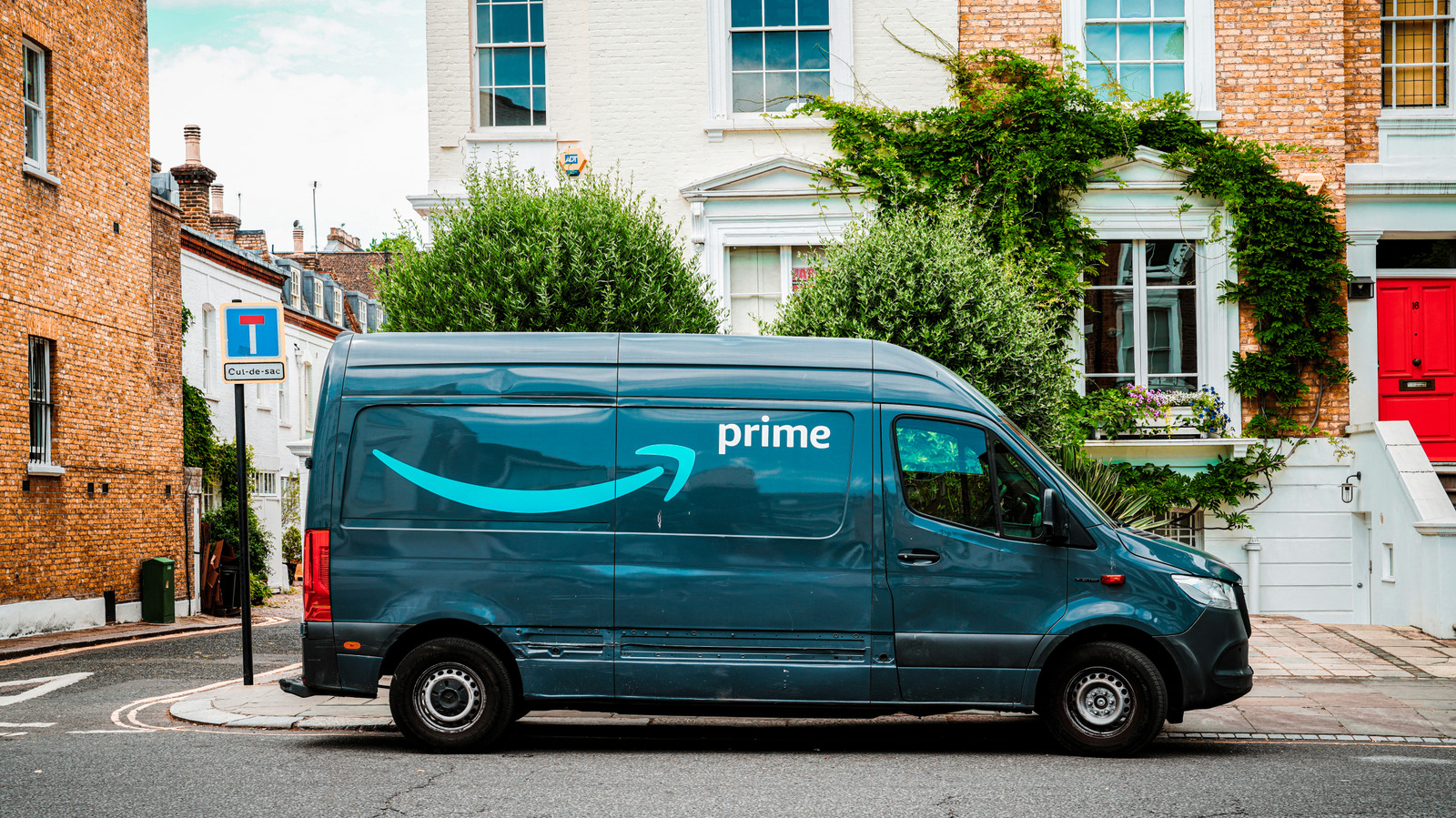
amazon delivery van parked by the curb outside of a set of homes int he city Ogulcan Aksoy/Getty Images

We may receive a commission on purchases made from links.

We knew at the end of 2025 that Amazon had big changes planned for 2026. From expanding access to drone deliveries to its own line of robotaxis in cities across the country, the online retailer has a lot in the works. One of the latest changes Amazon has announced is an updated version of its delivery services with the arrival of Amazon Now, which promises deliveries in 30 minutes or less.

To start with, Amazon is only offering its expedited delivery in Atlanta, Dallas-Fort Worth, Philadelphia, and Seattle. However, the company has plans to expand its service to Austin, Houston, Orlando, Phoenix, Minneapolis, and Oklahoma City in the near future. Amazon Now will continue to expand to other cities before the end of the year, the announcement from Amazon notes.

Udit Madan, Senior Vice President of Amazon Worldwide Operations, says that the move is meant to give Amazon customers the ability to pay for expedited deliver when they “need or want the convenience.” The service will support ultra-fast delivery on thousands of different products, including but not limited to grocery supplies and household essentials, as well as more luxury items, such as a new pair of AirPods Pro 3.

How to take advantage of Amazon Now

Amazon Now order page on the Amazon website showing delivery estimate time and offerings BGR

If Amazon Now is available within your region, you’ll now be able to select it when choosing your delivery option at checkout. A special banner will appear on the homepage of the website and in the Amazon app on Android and Apple devices. You can also head to amazon.com/now in your browser to see if it’s available in your area. From there, you can select from categories of supported items, as well as take advantage of personalized recommendations.

Much like some of Amazon’s other expedited delivery options, Amazon Now will be available to both Prime and non-Prime members. Orders over $15 will cost $3.99 per order for Prime members, while non-Prime shoppers will pay an additional $13.99 for expedited delivery. If the order is under $15, then Prime members will only need to pay $1.99 for delivery, while non-Prime members will be charged $3.99. The company also appears to be running a limited-time offer of free deliveries on orders over $15 at the time of writing.

Amazon Now will pull products for delivery from specially designed locations to help provide more efficient fulfillment of orders, as well as to prioritize the safety of employees that are picking up and packing the orders. At the moment, it does not sound like Amazon Now will rely on Amazon’s Prime Air delivery drones, which have sparked controversy in some areas.

Source

Posted on

Your Old Bose Speakers Might Have Lost Some Important Audio

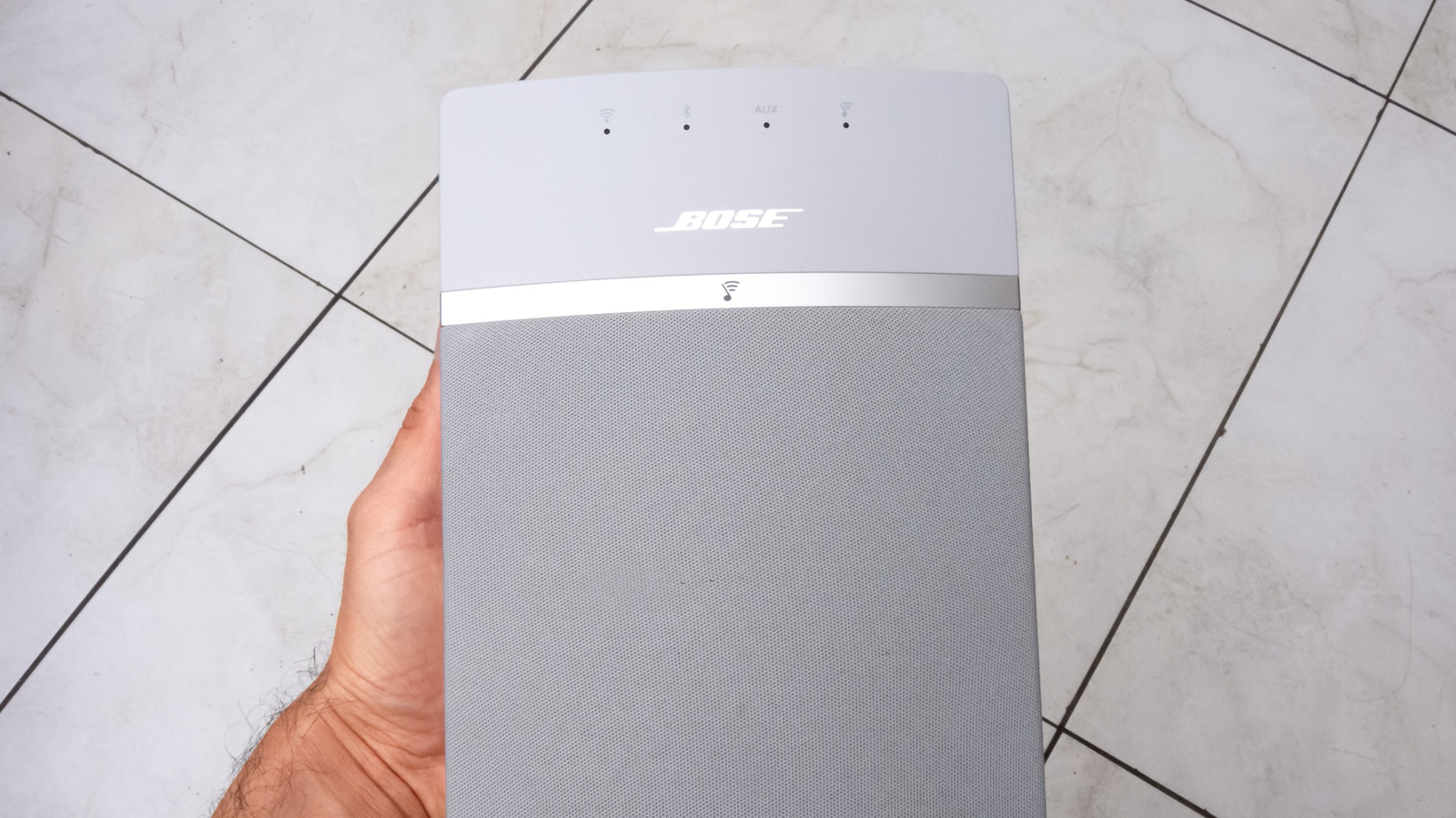
hand holding bose soundtouch speaker over a tiled floor Nara_money/Shutterstock

Cloud support for Bose’s SoundTouch platform officially ended on May 6, 2026, effectively killing off the company’s multi-room speaker ecosystem. Many long-time customers shared frustration at the time of the announcement — with some on Reddit even setting up a petition to try to keep it alive.

While the speakers will no longer receive security and software updates, they aren’t completely useless. Bose says that users will still be able to make use of some of the more basic features, such as listening via Bluetooth, AirPlay, Spotify Connect, and wired connections. However, some of the features that Bose fans might have specifically purchased the speaker ecosystem for will no longer be available.

According to Bose, preset buttons on all SoundTouch products and in the SoundTouch app will no longer work. Presets that you had installed before cloud support went offline in May may still work, though Bose isn’t making any promises. You’ll also no longer be able to browse or play music services in the SoundTouch app. Instead, you’ll need to start your playlists directly from Spotify, Apple Music, or your connected device. If you have your SoundTouch device plugged into a smart TV, then it will still function as intended. Finally, Bose notes that stereo pairing for SoundTouch 10 will no longer work now that cloud support has ended.

What Bose SoundTouch can still do

hand holding bose soundtouch speaker over a tiled floor Nara_money/Shutterstock

As we noted above, Bose SoundTouch devices will still mostly operate the same as any other smart speaker. You can still connect to it via Bluetooth, and you can still use multi-room groups within the SoundTouch app. Setting up and configuring your system is also still possible, so if you need to make changes or move your system around, you still can. Any feature that didn’t rely on cloud support from Bose still works in the newest, stripped-down version of the SoundTouch app, which operates locally.

Additionally, to help soften the blow for any long-time Bose fans who bought into the ecosystem, Bose has released open-source files for SoundTouch, which unlocks the potential for independent developers to create custom tools and features that SoundTouch users can turn to. There are plenty of reasons to install multi-room audio systems. However, shutdowns like the one that SoundTouch fans have had to endure can make it hard to know what ecosystems are worth buying into.

If you have a SoundTouch system and are looking to make a change, check out our recommended wireless speaker setups to get a better idea of where to go next. As for why Bose ended support for SoundTouch, the company says that with the continued evolution of technology, it simply couldn’t sustain the development and support for the cloud-based infrastructure the ecosystem relied on.

Source

Posted on

7 Essential Gadgets For Blackouts And Power Outages

We may receive a commission on purchases made from links.

Power outages are frustrating, and it does not matter whether they are scheduled shutdowns due to maintenance and repairs or unexpected blackouts in the case of severe weather conditions like storms and hurricanes. When such a situation arises, your normal life is hindered, as the loss of power restricts several regular activities, like being able to use electrical items around the house and connecting to your home Wi-Fi. 

To help cope with these situations, we have put together this list of some essential gadgets that will come in handy in case of blackouts and power outages. Among the goodies below, you’ll find an emergency radio that will let you stay updated with the weather and news, along with a portable fan with lots of power to keep you cool in the absence of air conditioners and ceiling fans, among others. We picked these gadgets from Amazon, a trusted online retailer, and made sure that all of them have a score of 4.5 stars (out of five) or higher, gathered from a minimum of 5,000 purchases, hence only adding quality products to this list.

GearLight S1000 LED Flashlight

The GearLight S1000 LED Flashlight can produce 1,040 lumens of bright white light to illuminate your space in the dark, plus you can zoom in on a specific area using one of the five modes that allow you to select between a range of wide illumination or a pinpoint location. The body is created with military-grade aluminum and an anti-roll design, making it safe against damage incurred from accidental drops as high as 10 feet, along with water-related damage. Furthermore, the compact design lets you keep it in your purse or anywhere around the house for an easy reach in case of power outages.

Mercury CSC praised this model for its durability, too. In a detailed review, they discussed how the zoomable feature is useful for focusing on distant objects and praised the fact that the flashlight stands firm against water.

There’s a tactical power switch located on the bottom of the handle so you can quickly turn it on without having to search for it on the light’s body. You can purchase this flashlight on Amazon for $20.99, with three alkaline batteries included. The gadget sits at a healthy 4.6-star rating from more than 82,000 Amazon reviewers who value the compact and lightweight design and its power to generate bright light that can reach long distances. Furthermore, the highly durable build was also well-liked by the users.

Midland ER310 Emergency Crank Radio

With the Midland ER310 Emergency Radio, there are three ways to power up the device — via a solar panel, hand cranking, or simply using a 2,600 mAh rechargeable battery that can produce up to 32 hours of uninterrupted performance. It features a bright 130-lumen LED light that you can also use in dangerous situations as an SOS light that signals for help in Morse code. 

Moreover, to stay in the know during severe weather conditions, you can press the WX Alert button, and the device will scan through seven available weather channels and tune in to the one with the strongest signal to fetch live updates. Plus, there’s a weather alert feature in conjunction with the National Oceanic and Atmospheric Administration (NOAA) that will sound an alarm to warn you in case of severe weather ahead. It can also produce an ultrasonic dog whistle that can help rescue teams find their way to you in case of blackouts during floods and thunderstorms.

Available on Amazon for $79.99, the Midland Emergency Radio has received 4.6 stars following nearly 5900 reviews on Amazon. Looking at the great battery time, integration of dedicated buttons, and ergonomic design, CNN rated this Midland model as the best emergency radio they tested for 2026, due to its ability to deliver emergency-band alerts without having to tune in to a respective radio channel. CNN also cited the unit’s efficiency – one minute of hand cranking generates 26 minutes of running time in their tests.

Ocoopa UT3 Lite Magnetic Hand Warmers

Hand warmers are another useful gadget that you might want to keep available during power outages, especially if you live in colder regions, when heaters tend to shut down. The Ocoopa UT3 Lite Hand Warmers are minimalist gadgets that fit nicely into your hands. A complete recharge provides around eight hours of use, which means you can get 16 hours from the two-pack you can buy on Amazon for $19.99. You can choose among three levels of heat intensity, with the highest being 126 degrees Fahrenheit. 

The lightweight and pocket-sized design makes these warmers easy to carry, while the magnetic back allows the two pieces to firmly join together when not in use for easy storage. Rated at 4.6 stars from over 15,000 Amazon reviewers, customers have appreciated their battery time, and multiple comments note that these warmers can provide sufficient heat even on the first level. Some buyers did say that you might need to bump up the heat to the maximum setting if you are wearing gloves. 

A reviewer at Women & Home credited these hand warmers for making a big difference in cold weather: “For someone who gets painfully cold hands, this immediate relief is a game-changer.” Meanwhile, Wirecutter named these hand warmers as the ideal budget pick on the market, as they come in a pair of two and could easily maintain the heat above 99 degrees Fahrenheit for 5 hours and 20 minutes, just 10 minutes short of the hand warmer ranked top overall on its list.

Jackery Explorer 300 Portable Power Station

The Jackery Explorer 300 Portable Power Station has got your back when the power grid fails, leaving you in the middle of a total blackout. The unit takes only two hours to charge the battery to 80% when charged with the 60-watt PD USB-C port and the wall outlet simultaneously. Listed for $259 on Amazon, this unit can help you avoid the worries of power loss for more than a decade, as it boasts an 11-year battery life.

The Explorer features a total of six outlets: two AC, two USB-A ports, and one DC car port, along with the USB-C port charging port for versatile use. This model operates at just 28 decibels, so it shouldn’t be much of a nuisance during power outages. 

This portable power station possesses a rating of 4.6 out of five stars from more than 10,800 customers who applaud its ability to power different devices during blackouts, while some also called it a worthwhile investment to use as backup power in areas that are regularly hit by storms and hurricanes. According to testing by the Wirecutter, the Jackery Explorer 300 easily powered a tabletop fan for six hours straight while also producing a peak power of 384 watts, making it a reliable choice for power outages.

Etekcity Lantern

Integrated with 30 powerful LED bulbs, the Etekcity Lantern can produce a bright light of 150 lumens, along with a 360-degree lighting effect to illuminate the entire surroundings. You can adjust the brightness by collapsing or expanding the lantern as per your requirements. It is created with ABS (Acrylonitrile Butadiene Styrene) material that prevents damage in case of accidental drops or exposure to water splashes, hence adding durability.

The lantern has a small compartment on the top of the gadget where you can store extra batteries and other small belongings. This lantern can provide up to 50 hours of lighting over the life of the three AA batteries that power it. The lightweight design of 0.67 pounds makes it easy to hang almost anywhere during power outages to use as a source of light. 

A pack of two lanterns sells for $16.89 on Amazon, where this unit has received a score of 4.7 stars following more than 49,000 customer reviews, making it one of the top-rated gadgets on the platform. Multiple buyers called it a must-have for power outages due to its impressive bright light output that spreads well across the room. Meanwhile, a review by The Square Reviews also noted it to be a great companion for emergency use, as it is bright enough to light up attics, basements, electrical rooms, and other areas where there is little to no illumination.

Koonie 10000mAh Portable Clip-on Fan

The Koonie 10000mAh Portable Clip-On Fan offers two mounting methods: a tabletop placement or clip-on attachment for use on any compatible surface. It is built with a powerful motor that can produce a maximum wind circulation of 14 feet per second — though you can choose among four speed levels — so you can stay cool even in humid summers when the electricity is out. In addition, the nimble head can be rotated 360 degrees in both directions, vertically and horizontally, for directed airflow. 

Plus, the low-noise operation of 35 decibels won’t be much of a bother, either. The fan can run for an entire day on a single charge, which takes around six hours. Amazon users commended the long-lasting battery and how the fan provides efficient cooling even when the charge levels have dropped. The gadget has garnered a reliable score of 4.6 stars out of five on Amazon from almost 17,000 customers and is listed at a price of $39.99. Moreover, a reviewer at Best Choice also recommended this portable fan for its superior performance, long battery life, multiple mounting options, and the ability to switch between speeds.

Iniu Portable Charger

The Iniu Portable Charger is equipped with a 10,000-milliampere-hour battery capacity that can charge three devices simultaneously, with rapid charging that allows it to reach 61% charge in half an hour. There are two USB-A ports for output, along with one USB-C port that supports both input and output. Hence, it is a great power bank to have for charging your devices in emergency situations, like power outages.

Furthermore, this power bank is pretty compact, which allows for convenient storage, while there is a dedicated phone holder that you just need to pull out before mounting your phone into it to watch live weather and news updates without having to hold the device in your hand. Available for $21.99 on Amazon, this cheap power bank stands at a 4.5-star rating gathered from nearly 12,000 reviewers who like its fast charging performance and impressive build, with multiple customers mentioning that it does not overheat while charging devices. Meanwhile, GearLab praises this charger for its fast charging and decent capacity despite its slim design and portability.

Methodology

A holographic image of five-star review above hands on a laptop keyboard Bohdan Bevz/Getty Images

While picking these gadgets, we ensured that all the products stand at a minimum rating of 4.5 stars (out of five) or above from at least 5,000 customers on Amazon, with a majority of them being positive highlights about the product. We also included expert opinions from reputable platforms, like Wirecutter, CNN, Best Choice, and others, to bolster the reliability of these selections beyond customer ratings.

Adding these products to your emergency blackout kit can prove valuable in a crisis. For example, a portable power station will generate enough power to light up a few bulbs in the house as well as charge your devices, so you are not left in the dark without a smartphone. Additionally, all these gadgets are either rechargeable or work with batteries; hence, they can last by your side for a longer period during power outages.

Source

Posted on

Never Do These 5 Things On Your PlayStation 5

A close-up of a PlayStation 5 console and controller iama_sing/Shutterstock

Typically, a PlayStation console can last over half a decade, give or take a year or three. No one really knows how long the average Sony PlayStation 5 will last (it isn’t that old yet), but the PlayStation 4 lasted somewhere between 5 and 7 years. Of course, as anyone who’s sinking money into a system, you want to aim to be in the upper echelon for how long your system lasts, and that’s usually influenced by how well you take care of your console.

The same principle applies to your DualSense controller: you can extend its life by cleaning it properly on a regular basis, practicing good charging habits, and turning off settings that can wear out its internal components. Beyond those tips, there are a few other unspoken rules for what not to do when handling your PlayStation 5 and its controller that you’ll want to follow if you plan to keep it around long-term.

Place your PlayStation 5 console in an enclosed area

The top half of a PlayStation 5 sitting on a carpet Niks Evalds/Getty Images

Your PlayStation 5 console gets very hot and needs proper airflow to function. Placing it in an enclosed space, like on a shelf in a cabinet, can impede that airflow. Generally, you should treat your PS5 like a computer: you wouldn’t want to put your desktop and all its components in a tightly sealed box like an open-faced shelf, or the heat won’t dissipate properly. If you’re limited on space, make sure the console has at least 10 cm (3.9 inches) of clearance in the back to allow for airflow. If you must use a shelf to store the unit, remove the back of the cabinet if possible so the space can be sufficiently ventilated.

You will also need to be mindful of dust, ensuring there isn’t any in the vicinity and that the system is not sitting on any cloth or being covered. Parking your PlayStation 5 in a place you can’t easily reach is also not advised, since you will still want to monitor the vents for any dust buildup. And of course, to be on the safe side, you should try to clean your console every 3 to 6 months. If you have pets or it is in a place that gathers more dust, like the floor, you will want to do a routine monthly cleaning to avoid unnecessary overheating.

Leave an active DualSense controller on a flat surface corner

Two DualSense controllers with precision screwdrivers nearby Kay Xtacy/Getty Images

It might sound silly, but leaving a DualSense controller on the corner of a table with the vibration on could lead to an unfortunate crash to the floor. Of course, there’s always a chance that you can accidentally knock the controller down with your hands and slide it off the surface. While these devices are meant to be durable, they are nowhere near invincible.

The vibration triggers on these gamepads are intense, and sometimes they can slightly drift on your table — and if your table happens to be a bit slippery, they could fall off of it. That’s why you should take a pause when you need to be hands-off, or more importantly, reduce the haptic feedback intensity to prevent these accidents. If you have an even more expensive PlayStation 5 controller, the DualSense Edge Wireless, you’ll want to take great care of it. It’s true that not every repair is too expensive (the stick modules can be easily swapped out), but you’d rather avoid it if you can.

Use a third-party base or cooler

Two PlayStation 5 consoles with a controller standing up with a base Miguel Lagoa/Shutterstock

The general rule of thumb is to only use the base that comes with your PlayStation 5 console. After all, these are designed to fit your PlayStation console perfectly. Another thing is that you might be tempted to buy a different cooling solution than the one that comes internally with your console to help overcome its overheating issues, but that may not always be the best idea.

Even with some inherent heat issues, the third-party coolers are a bit of a trap. One is that the installation and compatibility of some coolers don’t properly align with the console, or may even overwork its fans to accommodate them — this could damage the game system in the long term. Plus, some of these fans are louder than the PlayStation 5’s natural noise, which is really disruptive to your gaming. Just remember that Sony engineered these consoles with built-in fans and a heat sink to dissipate the heat they generate, so when you modify them, you risk obstructing the natural airflow.

Ignore an overheating notification

A person holding a DualSense controller in their hands Narumon Bowonkitwanchai/Getty Images

Even if you think this is a false alarm, do not ignore it. It’s hard to know exactly what the actual temperature of your system is; remember, you don’t know what is going on internally without doing a complete teardown of your console. This notification (the “too hot” notification) is a built-in safety measure to prevent your console, and more importantly, the CPU, from being damaged; this will trigger a system shutdown.

So when you see that notification pop up on your screen, you’d be better off waiting at least 30 minutes to an hour (or however long it takes to cool down) before continuing to use it. You’ll mostly only see the “too hot” notification occur when the heat sensors detect that the console is actually overheating internally. The primary cause is usually dust buildup on the fans or improper ventilation. If the warning keeps coming back even though you’ve taken care of those issues, though, something might be going wrong with the internal fans, and you’d need to investigate the cause to see if there’s been permanent damage dealt to the fans.

Use vertical placement for launch consoles

A PlayStation 5 console frontal view in a vertical position next to a DualSense controller Skrypnykov Dmytro/Shutterstock

Vertical placement of old PlayStation 5 consoles was always a worry due to the liquid-metal thermal conductor potentially spilling or being displaced. This component helps keep your PlayStation 5 effectively cooled, and if it isn’t properly placed between the APU and heatsink, it could cause overheating issues with your console.

While this was a popular concern, just remember that it isn’t necessarily a proven cause of liquid-metal leaks. Still, it’s been heavily debated: if you place your PlayStation 5 console vertically (and you bought one near launch), you theoretically risk leakage due to gravity. Unfortunately, if this were to happen, you would need to send the console in for repairs or perform a more hefty DIY fix. Reportedly, not all PlayStation 5 consoles have this issue. Specifically, if you own CFI-2100, CFI-2200, and the 2025 Slim CFI-2116 B01Y models, and many of the newer models released in the last few years, it shouldn’t be a problem. But if you have a launch console, you might want to be extra diligent with its placement.

Source

Posted on

5 Underrated Monitor Brands That Can Compete With Samsung

We may receive a commission on purchases made from links.

When most people think of a TV or monitor brand, they’ll usually think of Samsung first, but it’s not the only good choice when it comes to finding a great display. It’s no secret that Samsung dominates the gaming monitor market with its Odyssey line, but there’s a handful of underrated monitor brands that are either offering more value for money, better specifications, or both. Paying the “brand tax” for a recognizable brand is a common mistake while buying a monitor, but that could mean overpaying or missing out on better panel technology and larger screens.

For users looking to seriously upgrade their gaming setups without paying Samsung’s prices, there’s plenty of alternative manufacturers to choose from. Underrated brands like Z-Edge, Sceptre, and KTC can save gamers hundreds of dollars without sacrificing the performance and specifications needed for smooth gaming and productivity tasks. We’re going to break down five specific monitor brands you’ve likely never heard of to see how their products stack up against their Samsung counterparts.

Z-Edge

When it comes to entry-level gaming monitors, Samsung’s 24-inch Odyssey G3 is a solid pick for $149.99. It features a 180Hz refresh rate and offers a 1ms response time on a flat 24-inch screen. These are great specs for the money for basic competitive play, but Z-Edge has a 27-inch curved panel for $10 less at $139.99.

For this price range, Z-Edge is a better play thanks to its larger screen with a 1500R curve. This means the curve will fill a user’s peripheral vision more effectively than a flat display, resulting in great immersion. More importantly for competitive play, the Z-Edge can offer a 280Hz refresh rate – 100Hz more than the Samsung Odyssey G3 for less money. This translates to smoother motion during intense gameplay, while the 1ms response time ensures minimal input lag.

The Z-Edge also outcompetes Odyssey G3 in utility, offering two HDMI and two DisplayPort inputs compared to one of each in Samsung’s case. The only advantage Samsung’s panel offers is an ergonomic stand that swivels and pivots, which in this case doesn’t warrant the bigger price tag or lower specifications. Apart from the 27-inch model, Z-Edge also sells a 34-inch curved WQHD panel at $229, while a similar sized Samsung Odyssey G5 costs $60 more. Overall, Z-Edge competes well with Samsung’s offerings for a lower price in most cases.

AOC

Gamers usually want to go for a Samsung 34-inch Odyssey G5 that we mentioned earlier when it comes to budget-friendly ultrawide panels. The display offers good value for money with 165Hz refresh rate, HDR10 support, and a 1000R curve for $289.99 (MSRP $399.99). But once again, there’s other lesser-known monitor brands that deliver more on the dollar than Samsung.

It’s not a small brand by any means, but newcomers to PC gaming might not know of AOC. The 34-inch CU34GV4 is more or less made to compete with Samsung’s Odyssey G5 in every way. It offers a faster 180Hz refresh rate at $229.99. Even compared to Samsung’s discounted price, users can save over $60 while also getting a fast 0.5ms response time.

Apart from this model, AOC makes a range of monitors from ultra-budget ones like the $89 27B35H3 targeted towards casual gamers to the Q27G4ZD that features a 240Hz QD OLED panel and targets power users. Moreover, you can find a refurbished AOC CU34G2XP monitor on Amazon, sporting a 34-inch curved LED panel, for between $179 and $189 on Amazon.

KTC

The Samsung 32-inch Odyssey Neo G8 is a technical powerhouse with a 4K panel sporting a 240Hz refresh rate, but it also carries a hefty $749.99 price tag. It uses Quantum Mini LEDs to achieve 2,000 nits of peak brightness and is a great choice for a standard 16:9 gaming monitor, but there’s another affordable option from a fairly unknown brand, KTC, that still has great specifications. The KTC 32-inch 4K gaming monitor is a solid alternative for its price tag of $449.99, which is a much smaller burden on a user’s setup budget.

Granted, the KTC is a fast IPS panel, so there are some sacrifices to be made, but the savings outweigh losing a Quantum LED panel. It still provides a respectable 165Hz refresh rate and a 1ms response time, which is more than enough for most users pushing their PC rig to output to 4K. The panel covers 121% of the sRGB color gamut area and is capable of 1.07 billion colors, which is going to produce a vibrant and realistic image in any game.

Additionally, KTC offers a wide range of curved and ultrawide displays under its gaming monitor vertical that undercut Samsung. The brand also sells business monitors, such as the KTC 32-inch computer monitor that offers 1440p resolution and a 120Hz refresh rate — ideal for home and office use.

Deco Gear

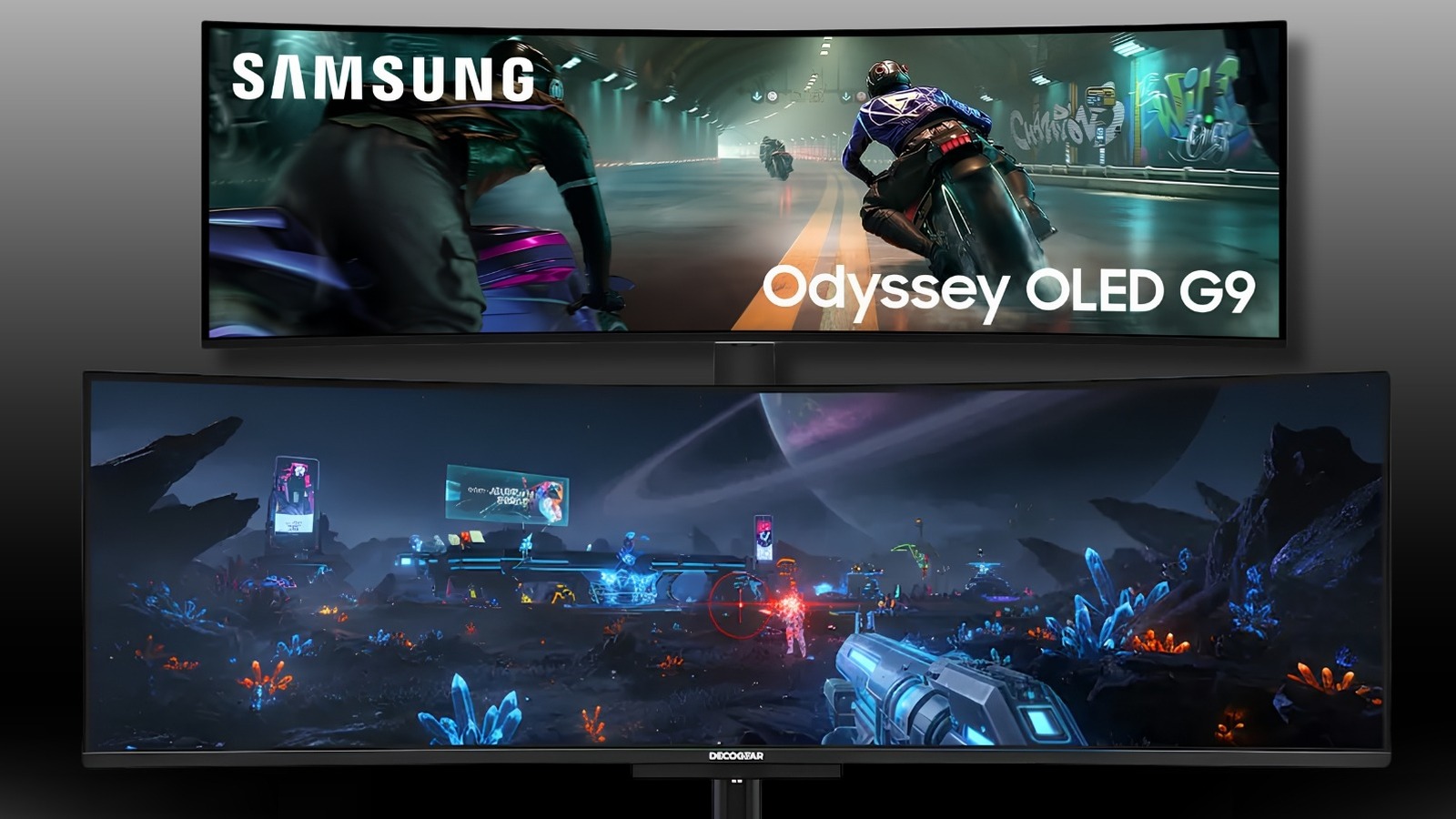
The Samsung 49-inch Odyssey G9 dual QD-OLED is a massive and immersive display that commands a price tag of $1,099.99. It features a 144Hz refresh rate, a 0.03ms response time, and Dual QHD resolution. These specifications are great, but the Deco Gear 49-inch QD-LED is the faster and cheaper choice at $1,000. Deco Gear’s panel has a significantly higher 240Hz refresh rate compared to the Samsung Odyssey G9’s 144Hz, and it costs $100 less.

Both monitors use QD-OLED panels, which are capable of infinite contrast and inky blacks with HDR400 True Black certification. Both have 0.03ms response times that more or less eliminate motion blur and ghosting. For users looking for a work and play monitor, the Deco Gear option features a USB-C port with 90W power delivery that’s capable of charging a laptop while sending over data and video with a single cable. To top it off, it has KVM support, allowing users to control two separate computers with one keyboard and mouse. Deco Gear also offers professional-grade color accuracy, with a DeltaE < 2 and 112% sRGB coverage.

Koorui

If you want to avoid ultra-wide monitors, the Samsung Odyssey QD-OLED G8 (G81SF) is usually a top-tier choice for gamers who can afford the $850 price tag. It has a 240Hz refresh rate, 0.03ms response time, and a glare-free panel. But of course, there’s a solid and lesser-known alternative. The Koorui 32-inch 4K OLED gaming monitor has nearly identical specifications and high-end panel quality for $799.99. That’s a saving of $50 without missing out on the most important features found in the Odyssey G8.

The Koorui option matches Samsung’s 4K UHD resolution, 240Hz refresh rate, and 0.03ms response time. It features a 99% DCI-P3 color gamut and a 1,500,000:1 infinite contrast ratio. This specification dump means users can experience the same inky blacks and precision as Odyssey G8. To top it off, it also includes AdaptiveSync technology for tear-free gameplay. The Koorui option has dual HDMI 2.1 ports, a DisplayPort 1.4, and USB-C ports, so this panel will handle a gaming PC and a couple of consoles all plugged in at the same time.

Koorui also makes a host of affordable curved gaming monitors in the $120 to $220 price range. Similarly, Koorui’s flat budget computer monitors also punch above their price bracket.

Methodology

A man and woman playing games on PCs via a gaming monitor. Johnnygreig/Getty Images

We specifically targeted brands that offered monitors with identical or superior refresh rates, response times, and panel technologies such as QD-OLED, Fast IPS, or LED, compared to Samsung’s lineup. While talking about the brands, we made sure to at least compare one monitor to its Samsung rival. Our primary goal was to find displays that deliver similar or better user benefits such as smoother motion, bigger screen real estate, or significant savings, exposing the brand tax often associated with household names. We also looked at customer reviews to make sure a monitor’s specifications and build quality actually hold up in real-world use.

We analyzed product listings, specifications, and verified merchant pricing from major retailers. We prioritized brands such as AOC, Z-Edge, and KTC because they consistently provide high-performance hardware at prices that undercut Samsung by $30 to over $300 depending on the category. We also considered features that impact long-term value, including warranties, port variety (such as HDMI 2.1, DisplayPort 1.4, and 90W USB-C), and ergonomic adjustability. Each selected monitor has been judged based on how its raw performance per dollar compares to its nearest Samsung offering, making sure our recommendations have tangible savings without compromising on visual quality. 

Source

Posted on

’80s Sci-Fi Movies You’ve Probably Never Watched (But Absolutely Should)

The 1980s gave science fiction fans some of the genre’s most iconic films, with classic sci-fi romps like “The Terminator,” “E.T. the Extra-Terrestrial,” “Star Trek 2: The Wrath of Khan,” and “The Road Warrior,” just to name a few. With such an abundance of classics, it’s understandable that more than a few sci-fi films from the decade ended up flying under the radar. Many of these almost-forgotten sci-fi flicks from the ’80s are definitely worth watching if you haven’t gotten around to seeing them.

All the movies here represent different sci-fi sub-genres. Along with being entertaining, they also illustrate how expansive, diverse, and versatile sci-fi cinema can be. In addition, without ever getting bogged down in preachiness or tedium, they often address real-world issues through the lens of fantastic storytelling. The fact that most of them are fun to watch (or, when not fun, at least engaging) is almost an added bonus.

Altered States (1980)

1980’s “Altered States” (starring the late, great William Hurt) takes the classic sci-fi lesson, “Be careful with your scientific experiments!”, and applies it to the world of psychedelics. In the film, whose script and source novel were inspired by real scientific studies, Hurt explores the depths of his own subconscious in a sensory-deprivation tank while under the influence of hallucinogens. As his experiments progress, the visions and “altered states” he experiences in the sensory deprivation tank begin to manifest in the real world.

There’s a reason this somewhat lesser-known science fiction film has earned a spot in the prestigious Criterion Collection. Although the special effects are somewhat dated, the imagery during the psychedelic trip sequences taps into subconscious symbolism and religious themes, making for a visually stunning experience. In the meantime, a few body-horror sequences ensure the movie makes the most of its genre, offering genuine thrills and chills in equal measure. “Altered States” also stands the test of time because, like so many great works of sci-fi, it tackles some weighty ideas. This story of a curious scientist venturing to the boundaries of reality asks, among other questions, “What is reality, anyway?”

Trancers (1984)

“Altered States” leans firmly in the direction of “hard sci-fi,” at least in terms of concept if not execution. “Trancers,” the first entry in what would become a minor franchise, embodies the B-movie side of the genre. However, that’s not to say it doesn’t have interesting ideas of its own.

“Trancers” is one of the numerous 1980s sci-fi flicks that deal with time travel. Its take on the familiar trope is wholly original: to travel back in time, characters take a drug that, rather than transporting their body to the past, transports their consciousness to the body of an ancestor. The film follows a retired cop in 23rd-century Los Angeles named Jack Deth (really), who uses this particular time-travel method to follow a criminal lunatic named Martin Whistler back to 1985 to stop him from using his psychic powers to turn victims into “trancers” who obey his every evil whim.

If that sounds like a “so bad it’s good” premise, be aware that “Trancers” currently has a 89% score on Rotten Tomatoes. It’s also a prime example of the way sci-fi can borrow from other genres to add flavor and texture to an imagined world. Specifically, “Trancers” is in many ways a Philip Marlowe detective story in sci-fi clothing, grounding what could otherwise be a schlocky flick in noir-ish character work.

Threads (1984)

1984’s “Threads” is about as terrifyingly real as science fiction movies can be. Although some might argue it doesn’t even belong in the genre, its engagement with common sci-fi themes (like nuclear disaster) earns it a spot on this list. However, potential viewers should be warned that they’re in for a remarkably sobering experience.

“Threads” is a television movie offering an almost painfully realistic account of what might happen to everyday people and society in general should nuclear war ever occur. While the film’s depictions of the initial nuclear destruction are vivid and shocking (given the TV-movie budget), “Threads” gets truly horrifying when it shows how quickly and easily civilization breaks down following a nuclear skirmish. As survivors in Britain face such horrors as radiation sickness, food shortages, and the destruction of crucial infrastructure, the world around them swiftly returns to the Dark Ages.

“Threads” highlights sci-fi’s ability to convey a message. Just as Rod Serling did with “The Twilight Zone” and Gene Roddenberry did with “Star Trek,” the filmmakers behind “Threads” used a fictional story to spark a serious conversation. “Threads” may be tough viewing, but that’s the point: Where the news may be flat and academic, sci-fi can explore the horrors of nuclear combat in unforgettable detail.

The Brother from Another Planet (1984)

This 1984 micro-budget picture from John Sayles proves that sci-fi movies, even those from the decade-long special effects extravaganza that was the 1980s, don’t have to feature lasers and explosions to be memorable. The titular “Brother” of the film is Joe Morton, playing an alien being who crash-lands on Ellis Island. Although the Brother is otherwise mute, he possesses various psychic powers that he deploys throughout interactions with iconic NYC characters, some of whom highlight the continuation of unofficial racial segregation.

One of the film’s numerous plot points involves white-skinned aliens from the Brothers’ home planet hunting him down. Naturally, the picture addresses topics such as racism. However, that’s not the extent of its cultural curiosity. “The Brother from Another Planet” is also noteworthy as a sci-fi depiction of the immigrant experience in the U.S. Give it a watch if you appreciate your 1980s science fiction with a side of humor and social commentary.

The Fly 2 (1989)

David Cronenberg’s “The Fly” is an example of a sci-fi remake that rivals its source material. While Cronenberg’s film is widely recognized as an icon of ’80s science fiction and body horror, its sequel also deserves attention. “The Fly 2” may not be a masterpiece in the way its predecessor was, but that doesn’t mean there’s nothing to recommend about this follow-up flick.

“The Fly” was interested in using its extremely campy concept (a brilliant scientist accidentally blends his DNA with that of a fly during a teleportation experiment) to address fears of aging and illness. The sequel mainly uses the idea as an excuse to indulge in pre-CGI ’80s creature effects and gore. It may not be high cinema, but it offers a good time for viewers who want to shut off their brains after seeing Cronenberg’s take on the material. Plus, it’s not devoid of themes, with much of the story highlighting corporate greed at the expense of human compassion.

These are just a few examples of sci-fi films that are easy to miss simply because they come from an era when so many classics of the genre made their mark. The fact that we don’t remember them as well as, say, “Aliens,” doesn’t mean they don’t deserve attention. To the contrary, whether you’re a fan of science fiction social commentary or you simply like creature-feature gore, these titles offer plenty to admire.

Source

Posted on

US Government Just Walked Back Ban On Chinese Routers And

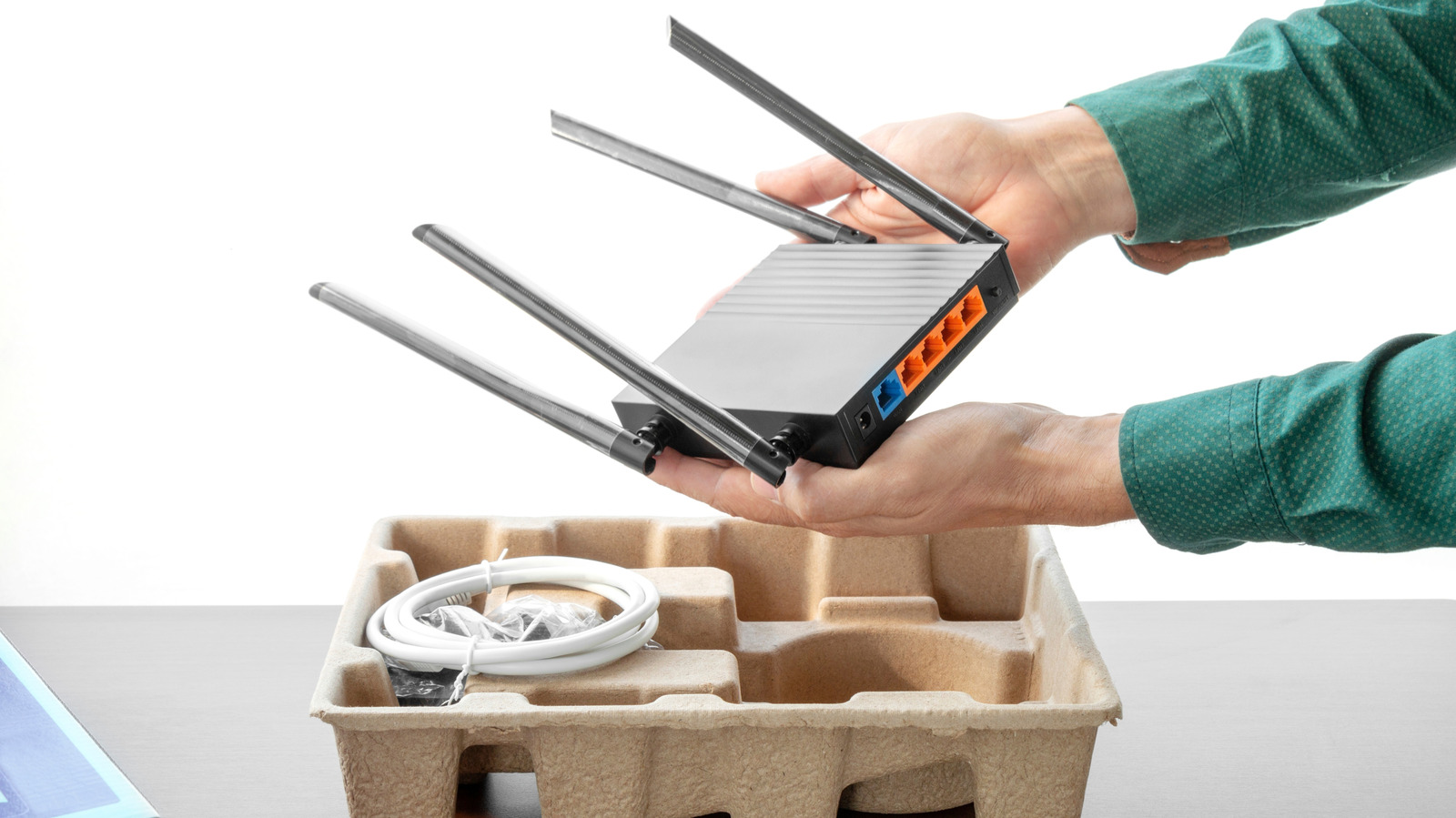
Someone removing a new Wi-Fi router with antennas from its original packaging AlexanDior/Shutterstock

In recent months, a lot’s happened regarding banned electronics and networking equipment like routers. Back in March, the U.S. Federal Communications Commission banned consumer-grade routers made in foreign countries by many brands. Some companies weren’t effected. For example, Netgear received an exemption from the FCC, and while newly imported routers aren’t covered, TP-Link routers are still considered safe to use — and will still receive software updates for a time. Unfortunately, most foreign routers were given an expiration date.

What makes things confusing is that previously approved versions of products are still allowed to be imported and sold, including foreign-made drones. The FCC just announced it’s walking back some of its proposed guidelines, extending the window that allows products sold in the U.S. to receive critical updates. The waivers will now expire at the end of 2028, and are valid until January 1, 2029. This applies to both foreign-made consumer routers and Chinese drones.

The catch, of course, is that you still can’t buy newly imported devices that were banned as part of the original change. You’ll merely be able to update and continue using devices that might’ve been previously cut off due to their originally planned March 1, 2027 expiration.

What does this actually mean for the effected devices?

Remote control drones displayed on retail store shelves Wongsakorn 2468/Shutterstock

To clarify, this extension allows router and device manufacturers to release software and firmware updates “to ensure the continued functionality of the devices, such as those that patch vulnerabilities and facilitate compatibility with different operating systems,” per the FCC. The original bans would have only allowed updates until March 2027, potentially leaving many networking systems and U.S. homes vulnerable. This update doesn’t appear to change any of the potential bans or rework the products that were added to the Covered List when the FCC moved to ban major foreign drone brands like DJI, alongside some popular network brands.

Reuters reports that the FCC is also considering banning the importation of additional Chinese equipment, including devices from Chinese telecom operators, and video surveillance tech from brands such as Huawei, ZTE, Hytera, Dahua, and Hikvision, citing national security risks. As with previous bans, any future changes wouldn’t be retroactive, meaning the FCC won’t ban previously approved devices.

Regarding the new expiration, after January 2029, a new extension would be necessary from the government to continue allowing software updates and support for any effected devices owned by U.S. customers. Otherwise, anyone effected would need to purchase new equipment, or risk security and support issues.

Source

Posted on

PlayStation Lawsuit Settlement Could Put Money Back In Your Digital

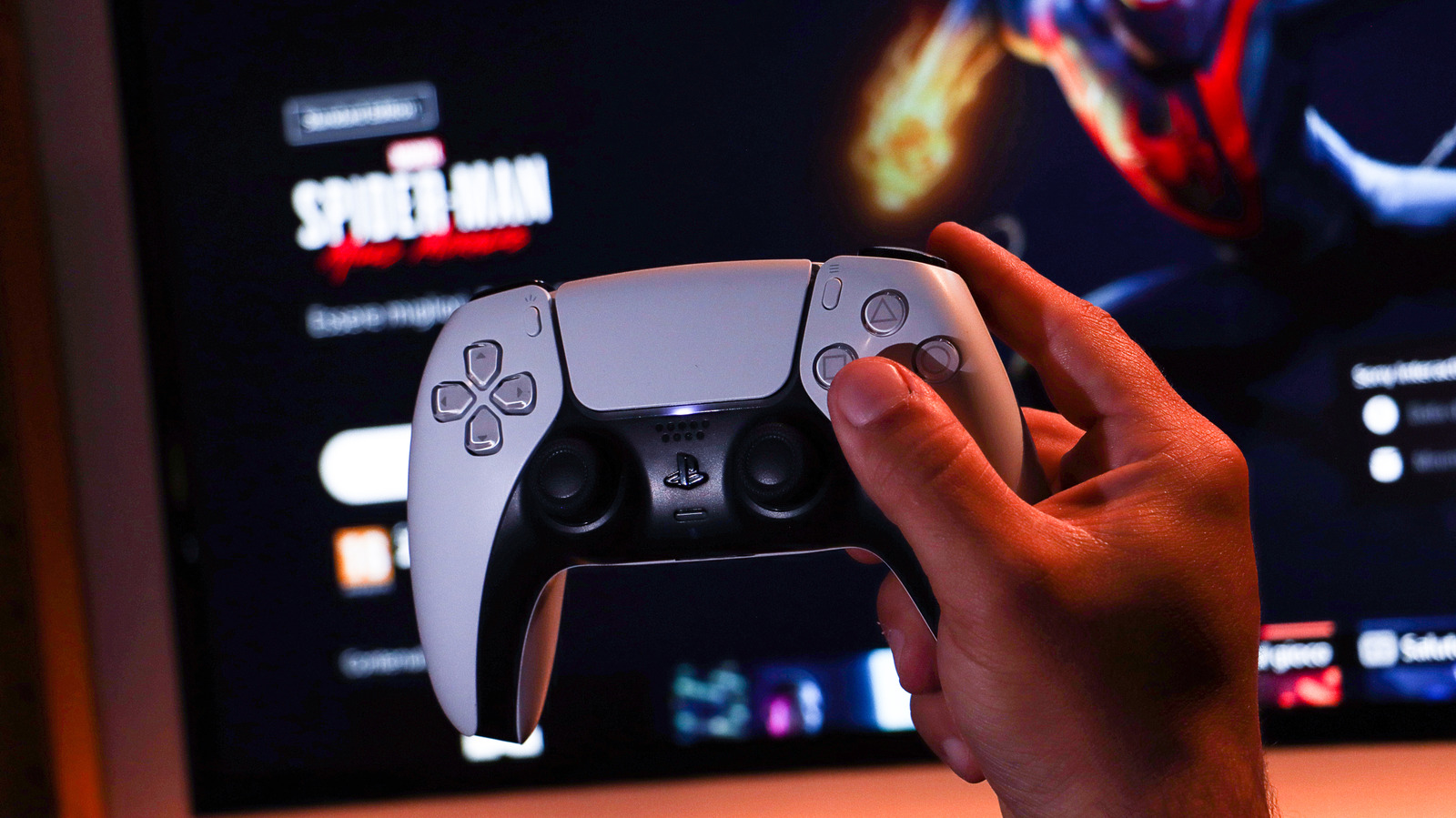
Player holding DualSense PlayStation 5 controller in front of TV with Spider-Man in background. Pinciniphoto/Getty Images

A $7.85 million class action suit filed against Sony and PlayStation has been granted preliminary approval from a judge and will now go through a final approval hearing in October. The lawsuit alleges that Sony illegally removed competition and raised prices. This happened in 2019, when Sony stopped third-party sales (Amazon, Walmart, and GameStop) of digital vouchers. By making the PlayStation Store the only place to buy the related games and raising prices, it violated federal antitrust laws.

If the settlement is approved, around 4 million U.S. PlayStation customers who bought games through the PlayStation Store before April 2019 will be a part of the class-action lawsuit. If your PlayStation Network account is the same, you should receive credits redeemable in your digital wallet automatically. If you deactivated your account, you will need to visit the official PSN Digital Games  Settlement website and contact the administrators to request a paper check instead.

The deadline to do that is August 27, 2026. If you would like to opt out, so you can potentially sue separately, you must submit a manual exclusion request by July 2, 2026. As for how much you’ll receive, there’s no specified amount yet. Around 25% of the $7.85 million settlement fund will go towards attorneys’ fees, and the rest to class members. Another £2 billion suit has been filed against PlayStation in the U.K. and is ongoing.

What games qualify for the settlement?

Person pointing at PlayStation physical gift cards on a store rack. aileenchik/Shutterstock

As the requirements are fairly specific, here’s what else you need to know. If you are a U.S resident and purchased one qualifying digital game through the PlayStation Store after April 1, 2019, and before December 31, 2023, you may qualify. The affected titles must have had a previously available digital voucher, meaning you could have bought them through a third-party like GameStop or Amazon before Sony removed the option. Several major titles are included, like “The Last of Us,” “Resident Evil 4,” “FIFA,” “Destiny 2,” “God of War Collection,” and many more. The full list of eligible games can be found on the official settlement website.

This isn’t the first time PlayStation players have been part of a class action suit. In 2018, Sony gave PS3 owners a $65 settlement related to an operating system feature removed from the console series. Similar to the previous payout, the current one is likely to be small since it will be distributed among millions of players. A Google class action will see Android users getting $135 million, paid out individually in small increments. Apple is also paying a $250 million lawsuit, which will see about $95 going to some iPhone users.

It may be a while before you see any of those funds added to your PlayStation wallet, as well. The final approval hearing is in October 2026, and that needs to happen before any funds are distributed. In the meantime, Sony raised the price of the PlayStation 5.

Source

Posted on

8 Reasons You Should (And Shouldn’t) Upgrade Your Router To

Close-up of a hand pointing at a futuristic interface labeled DadBusiness/Shutterstock

We may receive a commission on purchases made from links.

Right now, the best Wi-Fi technology money can buy comes in the form of Wi-Fi 7, also known by its much less sexy name, “IEEE 802.11be.”  There’s no arguing that Wi-Fi 7 is better than what’s come before it in every conceivable way. It’s the closest we’ve come to a wireless equivalent for Ethernet, which has traditionally always been more reliable than Wi-Fi.

Hearing all the hype about Wi-Fi 7 might have you chomping at the bit to upgrade your home Wi-Fi. That is, until you see how much a good Wi-Fi 7 router or mesh system will cost. Yes, as the latest and greatest Wi-Fi standard, the asking price is quite steep, although entry-level routers are coming down to more acceptable prices.

Nonetheless, upgrading your Wi-Fi isn’t just about the costs. It’s a major undertaking. So it’s not something you should do for marginal gains or features you don’t need. With that in mind, let’s look at some good reasons to make the jump to lucky number seven, and some equally good reasons to save your money and stick with what you have.

Wi-Fi 7 is a massive leap in raw speed

Stylized digital graphic of a speedometer with glowing blue and red motion streaks, representing high-speed data or performance. Sensvector/Getty Images

Going from Wi-Fi 6 to Wi-Fi 7 gives you a (theoretical) leap of 9.6Gbps to a whopping 46Gbps. Of course, these raw-speed numbers are pretty far away from real-world results. In situations that you might actually encounter, your Wi-Fi 7 router might hit around 900Mbps and a Wi-Fi 6 router something like 600Mbps. This is with Wi-Fi 7’s MLO (Multi Link Operation) feature turned off, which is a worst-case scenario, but since that feature won’t always be available it’s a fair rough baseline to work from. In some situations, it could be higher of course, the point is to treat those lab experiment speeds with a huge grain of salt.

That said, Wi-Fi 7 truly is a major upgrade over Wi-Fi 6 comparatively when it comes to speed. So, if you need that extra speed and you can’t just install an Ethernet cable, then the choice becomes clear. If you’re on an older Wi-Fi 5 system and it’s starting to buckle under the demand of all the devices in your home, it makes even more sense to upgrade.

Does that mean you need to upgrade to Wi-Fi 7? If you’re coming from Wi-Fi 5, Wi-Fi 6E might also be a good time to consider as it hits the pricing sweet spot thanks to Wi-Fi 7 now positioned as the top technological offering. There really is a worthwhile difference between Wi-Fi 6 and Wi-Fi 6E, in case you’re wondering.

Latency improvements are real and noticeable

A group of gamers sitting at desktop PCs, wearing headsets and playing a fast-paced multiplayer shooter. Lutsenko_Oleksandr/Shutterstock

Outright speed isn’t the reason Ethernet has usually been favored over Wi-Fi. For some types of network applications, it doesn’t matter how fast the total throughput of the connection is, if it has high latency then it won’t work as expected. Latency is a measure of delay — the amount it takes for your laptop or phone to receive an answer to a request for data. If you have high latency, but lots of bandwidth, then there’s a noticeable delay between clicking a link and a web page loading, but the actual loading process is fast once it starts. For things like online multiplayer games and video calls high latency can actually make them unusable.

Latency is one area of special focus for Wi-Fi 7. With features like Multi Link Operation active and all working as intended, Wi-Fi 7 offers latency figures somewhere between 10-50ms though sub-10ms results are also possible. That’s perfect for snappy web browsing and real-time video chats, but for hardcore online games, it’s still not good enough. Ethernet offers sub-millisecond latency, which means you can eliminate it as a factor when gaming and only worry about latency from other devices in the chain. For anyone who isn’t a competitive gamer, though, Wi-Fi 7’s latency chops might mean you don’t feel the need to lay cables anymore.

It’s built for the future, not just today

A cityscape at dusk, with vivid, multicolored light trails flowing along the roads and bridges like streams of data. Eoneren/Getty Images

Wi-Fi 7 doesn’t exist in a vacuum. It’s a standard that was developed with the growing needs of home networking in mind. We have more and more devices that need network connections, and the bandwidth requirements of online services are growing. Incidentally, have you seen how big console games are now?! While gigabit fiber internet has gone mainstream in many parts of the world, 10Gbps broadband is already rolling out in some (lucky) places and there’s simply no way that older Wi-Fi technologies can dole that amount of bandwidth out across a home full of devices.

It’s not just the future of home internet bandwidth, we need more bandwidth for the growing number of devices inside our homes, too. If you turn your old computer into a media center and start running a Plex or Jellyfin server with multiple 4K streams to everyone in your house, you’ll want fast local links. People are starting to locally host all sorts of services, and smart home technology is just going to become more common. Investing in Wi-Fi 7 now readies you for all of this.

Multi-device households benefit the most

A modern home scene where multiple people use devices simultaneously. Hobo_018/Getty Images

Wi-Fi-connected devices used to be rare, but, in modern homes, there’s a good chance there are far more Wi-Fi gadgets than people. It’s not outlandish to think that every person in a home these days has their own smartphone, and perhaps even a tablet or laptop. Throw in a few smart TVs, game consoles, and smart appliances, and you’re easily looking at close to a dozen Wi-Fi-connected devices for just a small family. And don’t forget, these devices don’t need to be actively used to consume bandwidth on your Wi-Fi network.

Wi-Fi 7 doubles the number of “spatial streams” compared to Wi-Fi 6, as it makes provision for up to 16 streams. However, the Wi-Fi 7 standard does not mandate 16 streams, which means just because a router has a Wi-Fi 7 badge it doesn’t necessarily have this specification. Even without the full 16 streams, though, the addition of new 320Mhz channels also increases the multitasking capacity of Wi-Fi 7 routers.

Again, there’s lots of leeway in the Wi-Fi standard for router manufacturers, so the specific router you buy determines its true capabilities. If you buy a high-end Wi-Fi 7 router with up to three 320Mhz channels, you’ll get up to 59 20Mhz channels as a result. This significantly increases how many devices can work well at the same time and gives you plenty of future proofing. 

Backward compatibility makes upgrading painless

A USB Wi-Fi adapter with an external antenna shown alongside routers. Only_NewPhoto/Shutterstock

Wi-Fi 7 is backward compatible with all the Wi-Fi gear you’re likely to find out in the real world. You’d have to go to a museum to find something that won’t connect. This means that if you’re using a Wi-Fi 4 or Wi-Fi 5 router at the moment, a Wi-Fi 7 router should be a drop-in replacement with no need to replace anything else. At least not right away.

Over time, your devices will naturally be replaced with newer ones, and so they’ll reap the benefits of Wi-Fi 7 fully, but even without a total Wi-Fi 7 system you’ll see improvements in speed, stability, and latency. For some devices, like basic smart home gadgets or IP cameras, you never have to replace them because they’ll get no real added benefit from Wi-Fi 7. They already worked just fine with older Wi-Fi technology and they have basic jobs. So don’t sweat it.

Your devices probably don’t support Wi-Fi 7 yet

Two modern iPhones with multi-lens camera arrays. vfhnb12/Shutterstock

There are many reasons why Wi-Fi 7 makes sense, but chances are, you don’t have to worry about upgrading just yet. Unless you have one of the latest iPhones, MacBooks, or other cutting-edge personal electronics, there’s a good chance you don’t actually have any devices that have Wi-Fi 7. While it’s true, as we just discussed, that Wi-Fi 7 will work just fine with all your current devices, is there a reason to pay the early-adopter tax if you don’t actually have the devices?

Backward compatibility cuts both ways. Any Wi-Fi 7 devices you do get in the meantime will work just fine with your older Wi-Fi system. You won’t get the full benefit, but that’s not the same thing as getting an objectively poor experience. Unless you have a specific Wi-Fi 7 device that you need more performance on, and Ethernet is not an option, then it’s probably not worth upgrading to a Wi-Fi 7 router just yet. It makes more sense to bide your time.

Prices will come down

Stacks of $100 bills. Volodymyr TVERDOKHLIB/Shutterstock

There’s no getting around that Wi-Fi 7 routers are quite expensive. For example, the excellent Amazon eero 7 that we recommended as one of the most reliable Wi-Fi mesh systems will run you around $170 per unit. That’s not at the high-end of the Wi-Fi 7 price spectrum either. Something like a Netgear Orbi 870 tri-band mesh system sits at around $400 per unit.

You can get Wi-Fi 7 routers for under $100, but as mentioned earlier, there’s a lot in the Wi-Fi 7 standard that’s optional. Which means those cheap bottom-tier routers are missing the features and specifications that make Wi-Fi 7 an attractive upgrade in the first place. As time goes by, though, and Wi-Fi 7 becomes the norm, prices should naturally come down. Unless money is no object, the rational choice would be to wait for Wi-Fi 7 routers that have the correct number of bells and whistles to move into a price bracket that’s more palatable.

Wi-Fi 6 is already good enough for most people

A laptop displaying a speed test reading, representing fast internet performance and bandwidth. RerF_Studio/Shutterstock

There’s always a way to improve Wi-Fi speeds, but there’s also such a thing as being “good enough” for your needs. Wi-Fi 7 is in a tough spot because it’s ultimately a forward-looking technology, and it might take quite a few more years before the true benefits of Wi-Fi 7 (and its successors) become truly apparent.

In the meantime, Wi-Fi 6 and 6E are probably faster and more capable than you need them to be. Unless you’re on an internet connection faster than 1Gbps or you have more devices on Wi-Fi than Wi-Fi 6 can handle and even if you need more capacity, there’s still Wi-Fi 6E with its extended band.

Also, don’t forget about Ethernet. It’s cheap, it’s reliable, and it offers amazing performance and reliability. Even better, every device you shift to Ethernet frees up more room for your Wi-Fi devices on your home network. Perhaps the best solution to your network performance woes is a network switch and a few spools of Cat6 Ethernet cable, along with a few hours of installation. It’s not the sexiest solution, but for a lot of you out there, it’s the most sensible one.

Source