Posted on

4 Reasons Why A Minimalist Phone Might Be Right For

Would you believe it if I said that before smartphones, we already had perfectly compact and usable mobile phones? There’s barely a trace of them left anymore, since the all-touchscreen smartphone took over and became the universal standard, but they did exist. For the past decade, however, even though there are all sorts of people out there with different needs and preferences, we’ve basically only had one type of phone on the market.

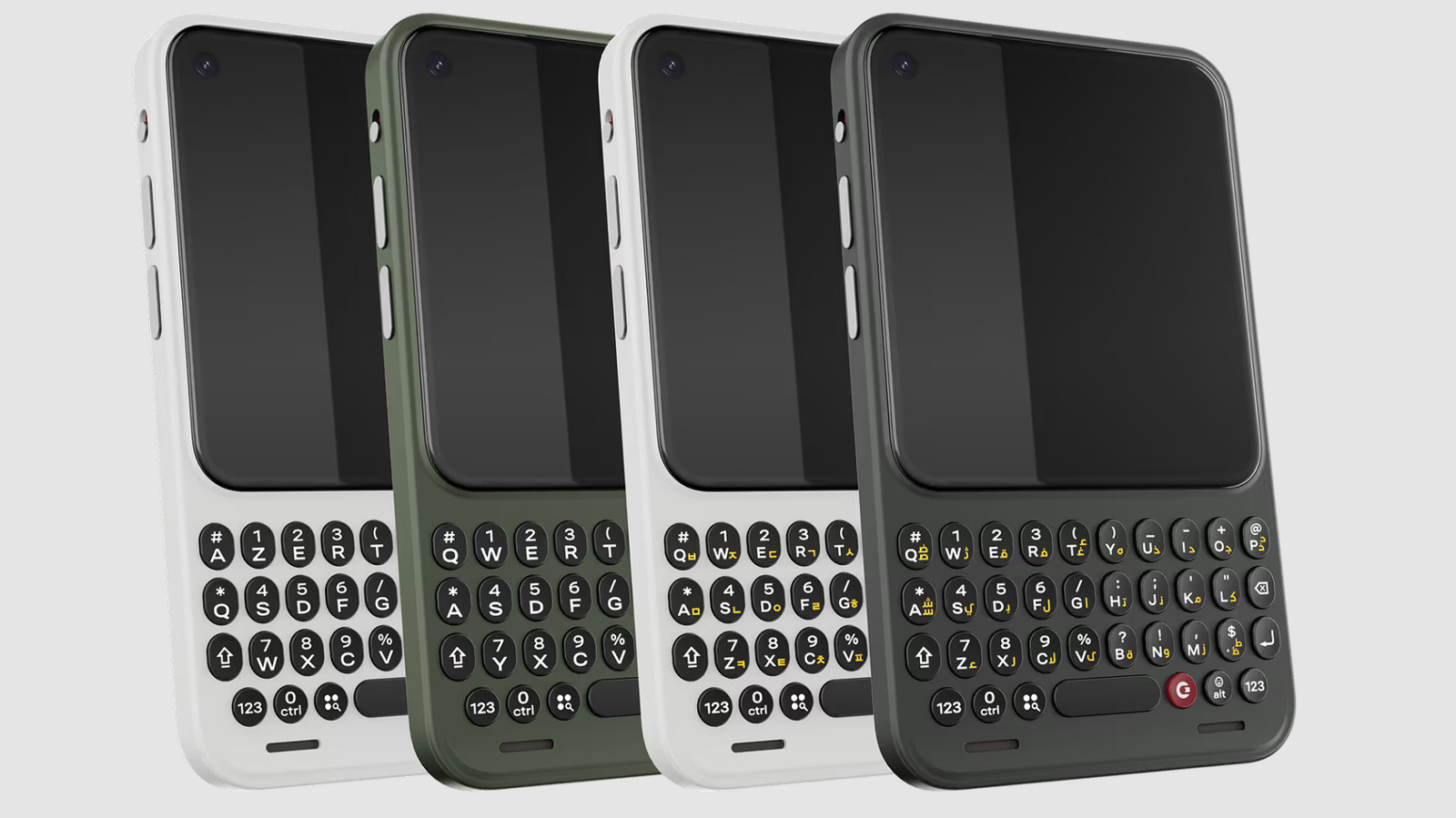
Luckily, this is starting to change now. Fueled by our collective desire to reduce screen time, new products dubbed “minimalist phones” have begun appearing. There are already plenty of great minimalist phones out there, and they’re pretty varied too. You’ve got all-touchscreen ones, ones with full keyboards, ones with numpads, flip phones, e-ink displays — almost everything you can think of. And there are more on the way, too, with models like the Clicks Communicator, due to ship later this year.

It might seem like an extreme move to create products that purposefully limit what you can do with them, but there are actually a lot of different benefits to minimalist phones, and a lot of different reasons to use them. They provide more options in pricing, accessibility, operating systems, display types, and features — and having more options is (nearly) always a good thing. Let’s have a look at some of the top reasons a minimalist phone might be good for you.

1. You’re struggling to reduce your screen time

Woman sat on floor using smartphone looking sad. furustic/Shutterstock

This is the big one, and the main way minimalist phones tend to market themselves. There are lots of studies out there lately about how reducing your smartphone usage can improve your mood and mental health, but actually putting the phone down isn’t easy for a lot of us. Although fixing our problems with additional purchases isn’t always the best idea, it’s still well worth considering if the product you’d be replacing is causing you significant problems.

By switching to a minimalist phone, you lose your instant access to standard smartphone activities like social media, mobile games, and online shopping — and this makes a big difference. Every time you would have reached into your pocket to scroll or play, you’ll end up doing something else, though what that something will be varies from person to person. Some of it could still be phone activity — plenty of minimalist phones can still play music, for example, and e-ink phones are great for reading. You might also lean into communication apps and spend more time chatting directly with friends on Discord or WhatsApp.

Additionally, you might start carrying around different types of tech, like an e-reader, a handheld games console, or even a music player (yes, they do still sell those). You can find ultra-tiny versions of all this tech, too — like the 4.3-inch XTEINK e-reader or the Playdate handheld console (I have one of these, and it’s super fun).

2. You’re sick of the standard Android and iOS operating systems

Close ups of two phone screens running iOS and Android. Tada Images/Shutterstock

This is me, for sure. My experience with iOS 26 on my iPhone 13 mini has been terrible, and I am most definitely sick of it. It’s buggy and slow, and its so-called personalization features are all just ugly to me. And what are my alternatives — switching to Android? No, thank you, I don’t want all the pre-installed bloatware and inconsistent software updates.

It’s a common predicament, but the minimalist phone scene does offer other options. Many of these devices, like the Light Phone III and the Punkt MC03, run custom platforms built on AOSP (Android Open Source Project). Though mostly maintained by Google, this is an open-source project, so anyone can use and build upon it as they see fit. This means minimalist phone companies like Punkt can create a deGoogled operating system that focuses on data privacy and looks completely different from normal Android versions.

Some minimalist devices keep the classic app icon look, but others go all out, creating a completely minimal and text-only interface that really makes the phone feel different and distraction-free. With full app support, limited app support, and completely app-free options to choose from, you don’t have to be hardcore to invite some minimalism into your life. Isn’t it amazing to have varied options for once?

3. You’re tired of touchscreens

Two people holding numpad mobile phones near each other. Elena Rui/Getty Images

Again, I relate to this one. Touchscreens have become the universal standard, but I personally find them so imperfect. Swipe gestures are the most unreliable thing ever, in my experience, and UI design for touchscreen software is still shoddy. I regularly try to tap on text I think should be interactable, just to realize that only the little icon next to it is clickable. And you do not need to have big hands to have problems with accuracy — I have stupid tiny girl hands, and I still struggle every time I pick up my phone.

So, for those who would prefer a physical keyboard and less tappable screen space, the minimal phone niche has options for you. Models like the Minimal Phone, the Punkt MP02, the Clicks Communicator, and the Nokia 2660 Flip all have full QWERTY keyboards or numpads that give you the opportunity to press real buttons again.

The certainty of a button press is a really important thing, and some of us haven’t forgotten that even after a decade of tapping screens. I have to stare so hard at my touchscreen keyboard for the visual confirmations that my taps have registered correctly, whereas with keyboards, we can all just relax and let our fingers move freely.

4. You don’t need most smartphone features

Child in green shirt playing Roblox on an iPhone. Getty Images/Getty Images

Despite the fact that all flagship smartphones are more or less the same, humans are not. We all live very different lives, and not everyone needs crazy AI features, a top-of-the-line camera, or processing power capable of running AAA video games in their pocket. If this is you, a minimalist phone might be a better choice. With the options out there, you can reduce the features, reduce the price, and still have a new and up-to-date bit of tech.

If you really need no smartphone features at all, you can grab yourself a true “dumb phone” like the Nokia 2660 Flip or the Punkt MP02. And, on the other end of the spectrum, if you still need full access to the Google Play Store, there are models that cater to that, too. But the AI features and top-of-the-line cameras? Who needs ’em!

The minimalist phone scene is still developing, and it might not have the perfect solution for you just yet, but it’s at least worth having a look. You might find yourself loving the minimal aesthetic or getting excited by e-reader/phone hybrids with e-ink displays. Maybe you miss the days when you had a flip phone, or maybe you just really don’t want to hand a bucket full of cash to Apple, Google, or Samsung again. There are many reasons a minimalist phone might be interesting to you, and even if you’re not convinced, there’s no reason not to explore all the options available to you.
Source

Posted on

Star Wars Technology That Actually Exists Today

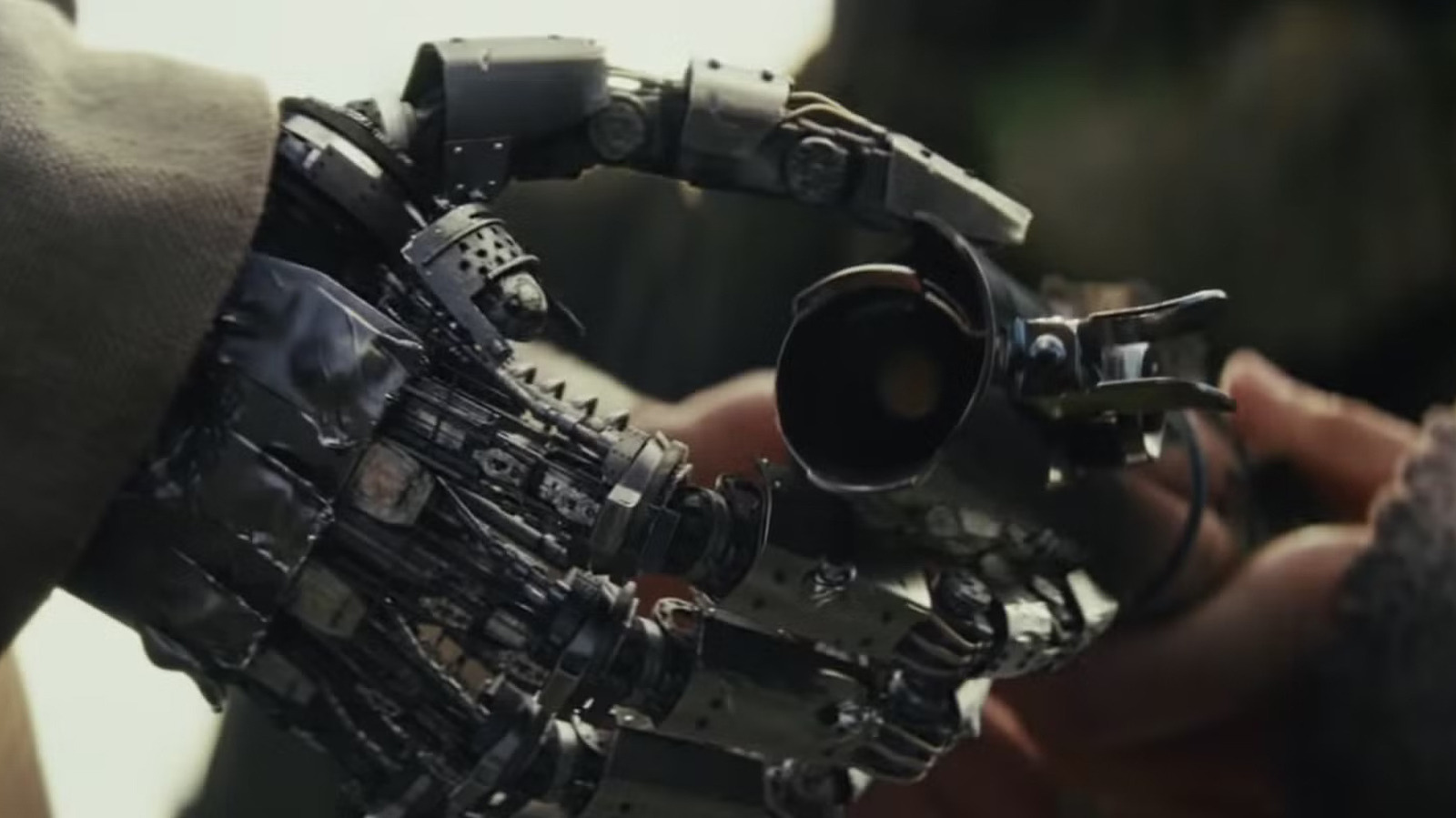
Screenshot of Luke's fake hand holding a lightsaber from Lucasfilm/Disney

“Star Wars” might not be the most scientifically accurate space-faring franchise around, but some of its technology has made it past the point of fiction. Yes, the stories from a long time ago, in a galaxy far away, might not feature as fleshed-out tech as its competitor “Star Trek,” but there are some shockingly familiar concepts. From holograms to land speeders, we’re actually almost toe-for-toe on ideas once thought to only exist in science fiction.

Technologically speaking, we’re even ahead in some cases. There’s quite a bit of debate about whether paper exists within the “Star Wars” universe — there was never a scene where someone from the Empire had to file an incident report after the Death Star blew up, after all. But in the real world, people have made strides to replicate “Star Wars” tech, with the host of YouTube channel Hacksmith going as far as creating a 4,000-degree plasma-based “lightsaber” of his own.

Publicly, no one else has made something quite like this, so we aren’t officially including Hacksmith’s garage-made lightsaber in our list. But with modern advances in technology rapidly changing every day, it won’t be long before the list contains references to an actual X-Wing or plasma blaster.

Our holograms are better than the ones in Star Wars

An AI hologram of Stan Lee Chelsea Guglielmino/Getty Images

It’s funny that “Star Wars” holograms always look like they need a good smack on the side, like how dad used to fix the TV in the 1990s. The once-future tech has been with us for a number of years now, with productions already using it on a regular basis. Holograms showing dead individuals have become something of a gag, but it’s still impressive to see how far along the technology has come since a holographic Tupac took the stage in 2012. Last year, technology that would allow us to touch holograms was debuted.

Now, as the tech gets cheaper, we’ve seen it make its way to our desks as well. Companies like Razer are pitching what amounts to a fancy Amazon Echo, featuring your choice of animated character beamed out of a small device. You won’t be asking them for help in your rebellion, but they might be able to tell you the time.

With some stars now aging out of the live stage era of their lives, groups like ABBA are also turning to holograms. Yes, “Star Wars” used them for communication, but we’re using them to listen to “Lay All Your Love On Me.” Kiss also plans to debut these in 2027. The rock group announced that it would be transitioning to an all-digital band in 2023, later selling its music and face paint designs to the same company producing ABBA’s holograms for $300 million in 2024.

No need for mirror tricks, hovercrafts are just speeders

A Hovercraft moving through the ocean John Keeble/Getty Images

When Luke Skywalker floats across the Tatooine desert with Ben, R2-D2, and C-3PO in the original “Star Wars” film, the crew placed mirrors on the bizarre contraption they’d crafted. On film, it created this excellent special effect that made it look like the actors were actually floating across the wasteland. In reality, hovercrafts have existed in concept since the 18th century, and they finally made a huge splash just before “Star Wars” actually came out.

Dating back to 1716, a Swedish scientist, Emanuel Swedenborg, first mentioned the idea of vehicles hovering. The 20th century is when hovercrafts would get a real start after some trials and tribulations. Much like how Anakin managed to build a protocol droid, Christopher S. Cockerell is known for his first tried-and-true hovercraft, the Saunders-Roe Nautical 1 (SR.N1 or SR-N1), which set sail in 1959.

Cockerell’s hovercraft probably wasn’t as venerable as its big-screen counterpart, considering its creator is on record as saying that the United Kingdom’s response to the SR-N1 was lukewarm. In the Maritime Defence Management Journal, Issue 47, Cockerell states, “The Navy said it was a plane not a boat; the RAF said it was a boat not a plane; and the Army were ‘plain not interested.'” Hovercrafts eventually took off properly and started seeing regular use in the same decade as “Star Wars” – the 1970s.

We already have droids and creepy robots

A close-up of a Bruno Martins Imagens/Shutterstock

Sometimes ChatGPT and other large language model chatbots come off as a little C-3PO-ish — a supposed all-knowing robot who gets things wrong on the regular is an all-too-real concept these days. For walking and maybe talking robots, we’ve wound up with companies like Boston Dynamics, or the company literally known as DroidUp, which is creating robots that bring the uncanny valley into your home.

The field of robotics has really been heating up in recent years as the need for capable and movable machines has taken hold. Factories and warehouses have begun to implement some robots on the factory floor already, with these acting less like a protocol droid and more like a brain-dead R2-D2. Meanwhile, companies like Boston Dynamics are seeing their creations, like Spot the robot dog, being deployed alongside troops on the front lines.

We’re also seeing Disney take full advantage of the rise of robotics. Aside from “Frozen’s” Olaf falling apart in front of kids at Disneyland Paris, it has developed real-life versions of “Star Wars” droids and other characters from its massive list of acquired properties. Disney’s “Imagineering” team has also begun integrating forms of artificial intelligence and machine learning, allowing its robots to “explore” the parks.

Father cut off your hand? Bionic limbs have been here a while

A person with a bionic arm holding a mug Viorel Kurnosov/Getty Images

Luke’s robotic wrist at the end of “The Empire Strikes Back” may have seemed futuristic in 1980 when the movie hit theaters, but by today’s standards, it looks surprisingly realistic. Bionic limbs have come a long way since the first myoelectric prosthesis was created in 1948. Not only are they being integrated with machine learning technology, where they’ll “train” on live data to be improved, but they’re already out in the field with these high-tech improvements.

Using signals sent from the brain to nearby muscles, bionic limbs can be controlled with enough precision to crack an egg. On top of this, recent breakthroughs in materials science have allowed for more realistic limbs to be created, and advances in 3D printing tech have made prosthetic limbs cheaper, more accessible, and more customizable than ever before.

One of the best examples of this online right now is an Instagram user, ciecie_mommi3type. She’s a nurse who has a bionic arm, and she shares videos of her doing regular things around the hospital or at home, including changing her battery mid-shift — fantastic insight into how this technology actually works in the real world. If any of the “Star Wars” movies and shows currently in production want to feature bionic limbs that seem futuristic by today’s standards, they’ll have their work cut out for them.

Source

Posted on

5 Portable Gadgets That Can Upgrade Any Hotel Room

A lovely hotel room by the water. QQuynh/Shutterstock

We may receive a commission on purchases made from links.

If you’re prepping to travel, you’ll want to grab lots of useful travel gadgets to fit in your carry-on that you can use on the plane as well as at your destination. You might only think of gadgets to use while traveling once you’re out and about. Items like a monopod for taking selfies, earbuds for listening to tunes, and a smartwatch for capturing your steps and navigation. But there are portable gadgets worth bringing along to upgrade your time in the hotel room as well.

Of course, you probably want to spend as little time in the room as possible so you can get out and explore. Maybe it’s a work trip, so you’re only in the room to sleep, change, and get work done. Either way, you can upgrade your hotel room experience during your stay with handy gadgets that elevate your stay, whether it’s at a five-star hotel, a short-term rental, or a more affordable spot to rest your head.

Amazon Fire TV Stick 4K Select

Not every hotel is equipped with smart TVs yet, so you’re stuck watching live TV or the hotel channel on loop. If there’s a rainy day that keeps you inside, or you want to unwind at night, you might prefer watching your own content. Even if it is a TV, you might be reluctant to sign into your account in case you forget to sign out before you leave. Provided you can reach the side of the TV to get to the HDMI port, you should be able to plug in your own HDMI streaming stick, connect it to Wi-Fi, and access your subscription-based services, like Netflix and Disney+.

My girlfriends and I did this on a recent spa weekend using the 4.2-rated, $39.99 Amazon Fire TV Stick 4K Select. Plug it in, switch inputs on the TV, then log in to your account if you aren’t already, and start watching. We were able to curl up on the couch with wine, dessert, and a great show to binge that we otherwise wouldn’t have been able to watch without this cheap and easy-to-use streaming stick.

Anker Zolo USB-C Charger Block

If you like to charge all your devices in the same spot, like on the bedside night table, you’ll need a charger block. Most hotels have a single dual AC outlet on the wall. Some might have a lamp or clock with a USB port as well. But if you have multiple phones, earbuds, a smartwatch, and more, this won’t be enough. The Anker Zolo USB-C Charger Block has two USB-A and USB-C ports with 50W max output for charging all your devices from a single outlet. Plus, it comes in a two-pack.

It’s ultra compact with foldable AC prongs, and you can use the USB-A ports for legacy cables and the fastest USB-C iQ port. This optimizes charging by detecting the device and charging at its fastest possible speed to get your device up and running quickly, like your phone. At $29.99 and with a 4.8 rating, it has plenty of glowing reviews, with customers saying it offers great value, charges devices quickly, and is ultra-compact. Plus, with two in the pack, you can leave one at home and take one with you.

Pure Enrichment PureZone Mini Portable Air Purifier

If you’re concerned about germs, it’s always a good idea to walk with sanitizing wipes and use them on surfaces that are often the dirtiest in hotel rooms, like doorknobs and handles, the ice bucket, and the TV remote. Once you’re done wiping down surfaces, set up the 4.1-rated, $39.99 Pure Enrichment PureZone mini portable air purifier to further clean the air of pollutants. While you hope the room or rental has been properly cleaned, the true HEPA filter in this unit helps eliminate 99.97% of dust, odors, and allergens that remain.

It’s lightweight (a pound) and small enough to pack in your suitcase or put in the car if you’re driving to your destination. It can clean up to a six-square-foot space in just 12 minutes, so the air will be cleaner to breathe by the time you’re done unpacking. It’s cordless, with the rechargeable battery lasting up to 12 hours per charge, so you can let it run while you sleep without even having to plug it in. You can choose from three fan speeds to get the level of purification you need. 

Customers note that this portable purifier does take some time to recharge and can be noisy on the highest fan level. But you can leave it plugged in and running continuously on the lowest setting for a consistent clean, and to create a comfortable and allergen-free oasis.

POAQCIF Portable Charging Bank

There never seems to be enough outlets in a hotel room, or they are often positioned in awkward places. If you have multiple devices that need charging, like phones, headphones, tablets, smartwatches, and more, one of the best portable charging banks is not only useful to take with you on the go but to use in the hotel room, too. The 4.3-rated, $38.99 POAQCIF portable charging bank checks every box because it has built-in cables, multiple ports, AC prongs, plus a magnetic surface for wirelessly charging MagSafe and Qi-compatible devices. It offers fast charging, and the 10,000mAh battery can recharge a premium smartphone 1-1.5 times, or multiple devices at the same time to give them all a battery boost.

I have used this unit when I travel. It’s a bit larger and heavier than I might like, but it works well and offers so many versatile charging options. You don’t have to worry about forgetting a cable at home. Plug it in at night, then use it to recharge your devices on the go, or in a location in the room where you don’t want cables, like in the bathroom while you’re getting ready.

Besslly Travel Hangers

Yes, you can always call housekeeping to request extra hangers, but they either take long or only bring a couple when you really need a good dozen. If you love to pack lots of outfits and delicate clothing you need to hang up, grab a pack of the Besslly Travel Hangers for $9.87. They fold up nicely to slot in your luggage, then neatly unfold to hold your blazers, dresses, blouses, dress shirts, even your jeans or other pants with belt loops to secure them.

This 4.6-rated set comes with 15 hangers, each of which measures 5.1 x 2.9 inches when folded, 16.5 inches long when unfolded, which shoppers say is about the same size as a standard hanger. They’re especially useful in rooms that might not have any hangers, like on a cruise ship. They are non-slip and made of thick plastic, but aren’t good for heavy clothing. They are great for your summer outfits, like sundresses and Hawaiian shirts. Plus, the more clothing you can cram into the closet, the more drawers there are left to share with the family.

Methodology

A woman sitting at a desk in a hotel on her laptop, suitcases by the bed in the foreground. Anchiy/Getty Images

We chose these items based on high customer reviews as well as personal experience. Every product chosen has at least 4.1 stars. Some of the selected gadgets are ones the author, a frequent traveler, owns and uses herself, or she has used similar products from the same brands.

Source

Posted on

What Happens If You Never Update Your iPhone?

person holding an iphone with the iOS 26 update install underway Dontree_M/Shutterstock

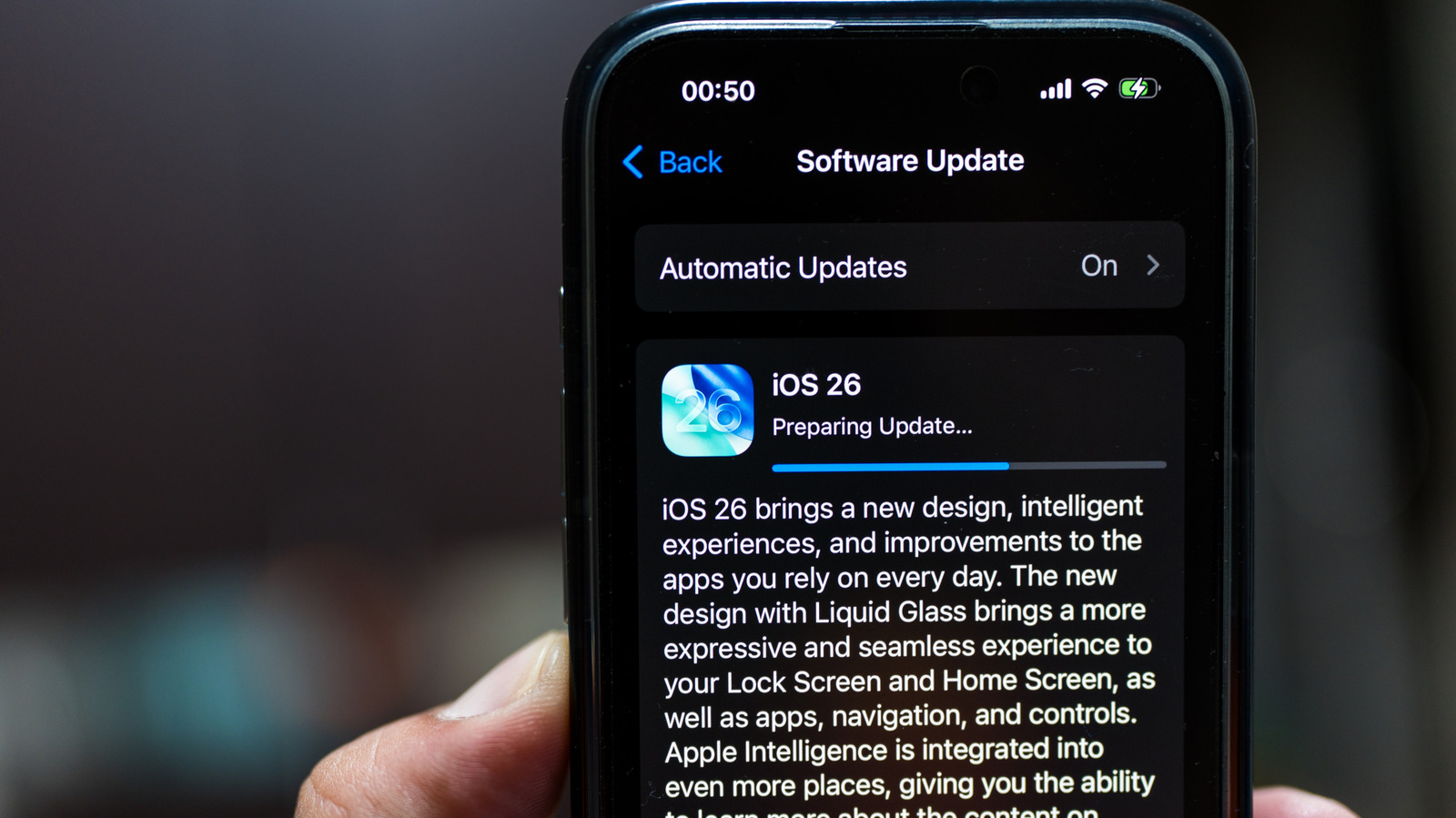
Your iPhone, like so many devices, receives regular software updates. Apple generally pushes major iOS updates in September, while fixes and security patches roll out during the year. These updates can take up a lot of space, often in the 7-16 GB range, so consider cleaning up the storage space ahead of time to make your aging iPhone run faster. If your phone is running low on storage, it may feel tempting to skip iOS updates or flat out never update. 

But that’s the wrong approach for almost everyone, because, by not updating your iPhone, you are risking impacts to performance and security, and missing out on new features. The effects may not always be visible immediately, but over time, you will likely notice the difference. Some apps may stop working a couple of years down the line and unpatched unpatched vulnerabilities put your data at risk. In other words, never updating your iPhone is not a great idea, especially today, when you consider all the hidden iOS 26 features that are actually useful.

You lose out on the latest features and security fixes

compromised password notification on an iPhone's lock screen Tada Images/Shutterstock

When we talk about software updates, it’s important to understand how the process works. Companies like Apple design secure software using advanced protocols, in this case, iOS. But over time, hackers can find vulnerabilities and breach the operating system. When that happens, the data stored on your iPhone is at risk of being exposed to bad actors. That’s where updates come into the picture. 

Apple is constantly working to identify vulnerabilities and will release patches for them alongside updates. Apart from that, iPhone updates introduce the latest features and bug fixes. For instance, iOS 26.4 introduced new emojis and better keyboard accuracy, while iOS 26.4.2 was focused on fixing bugs and improving iPhone security. In the case of major iOS upgrades, you get a wider set of capabilities and a lot of other changes. 

For instance, iOS 26 brought a host of new iPhone Messages features, the integration of Apple Intelligence, and upgraded Maps. So, by not updating your iPhone, you’re missing out on that, and at a time when cyberattacks are growing and data breaches remain frequent, it’s not a smart choice to run an outdated, unpatched iOS version on your iPhone.

Source

Posted on

This $4 Tool On Amazon Is ‘Perfect’ For Cleaning Your

We may receive a commission on purchases made from links.

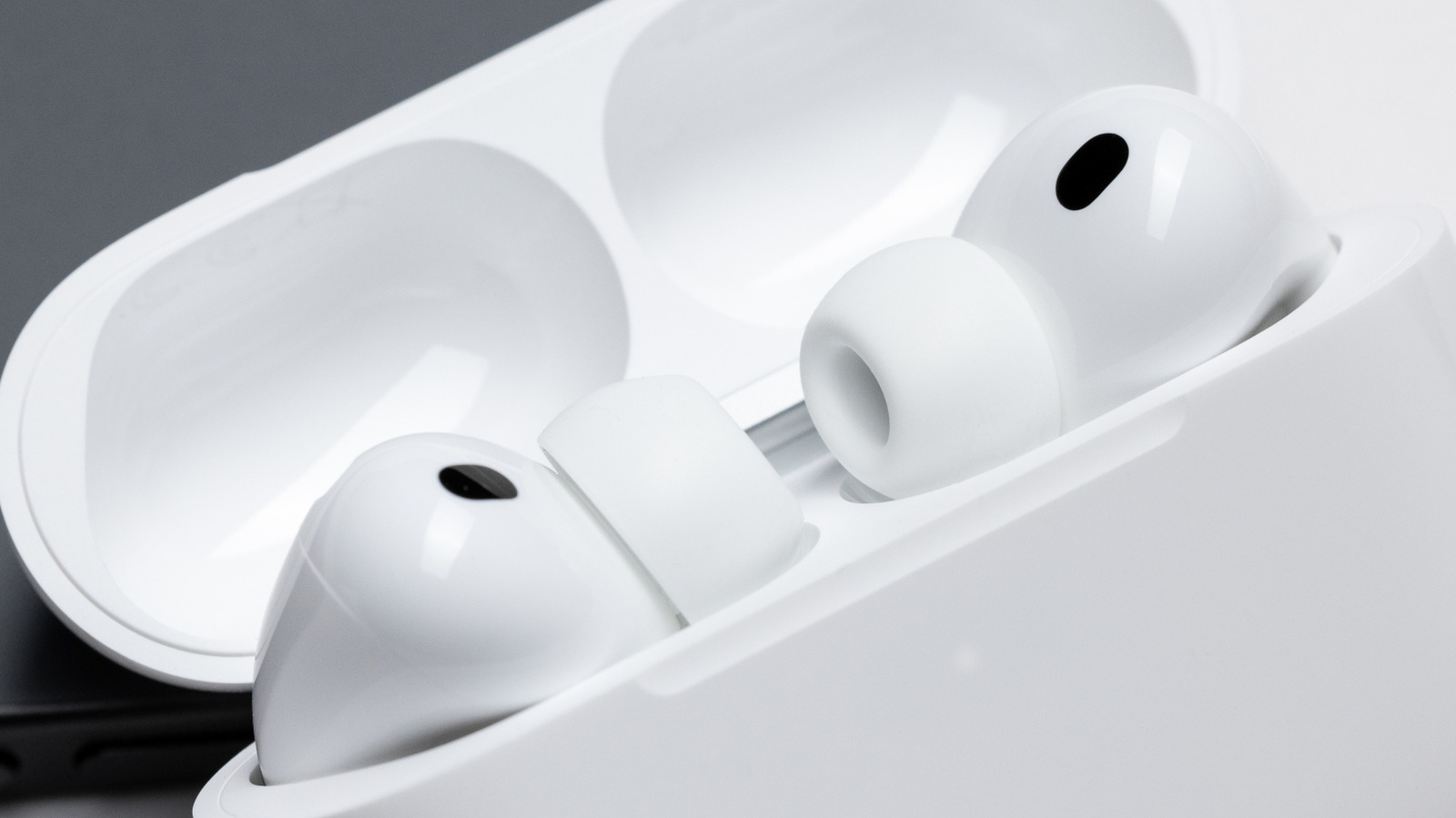
Unlike over-ear or on-ear headphones, earbuds like the AirPods need to be tucked inside your ears for a secure fit. Whether you wear your AirPods every single day or only a handful of times a week, they’ll certainly get dirty over time from earwax and other gunk. That’s why experts recommend cleaning your AirPods often. While how often they need cleaning depends on how often you wear them, treat this as mandatory maintenance you shouldn’t skip, as it can help you avoid the risk of ear infections. Dirt can also be the reason why active noise cancellation isn’t working on your AirPods, and cleaning can help fix the issue. But those AirPods are delicate pieces of tech, so they require a bit more care when cleaning. 

If you’re in the market for a dedicated cleaning kit for your AirPods, you’re in luck. Yesimla’s Cleaner Kit for AirPods will only cost you $4 on Amazon if you’re a Prime subscriber. This cleaning kit usually costs $7, but the brand is currently selling it at a discount. The kit is highly rated on Amazon, with an average rating of 4.4 out of 5 stars from over 9,600 reviewers as of this writing. Furthermore, it has even earned Amazon’s Choice label, which speaks to its high rating and good price.

Yesimla’s Cleaner Kit makes cleaning AirPods easy

This kit features a 3-in-1 design that gives you multiple tools in a single package, disguised as a pen, for cleaning different parts of your AirPods. The tip of the kit is a round metal nib designed to clean the tiny parts and holes in the earbuds, ensuring you can remove dirt from the crevices that are typically hard to reach. The second tool is a soft microfiber brush located above the pen’s tip for cleaning the sound outlet opening and any other small parts and holes. At the rear of the pen is a soft sponge for cleaning the charging compartment of your AirPods’ case. 

Together, these tools ensure you can comfortably clean all the places that may have dirt, whether on the earbuds themselves or in the charging case. While this kit is marketed as a tool for cleaning your earbuds, the brand says it can also be used on other gadgets, such as digital cameras, smartphones, and other Bluetooth earbuds. The brand says the kit is made of soft materials, but you’ll still want to take care not to damage anything while cleaning. 

Users vouch for the cleaning kit as the perfect tool

Five-star review concept Bohdan Bevz/Getty Images

As of this writing, 86 percent of reviewers have given the kit a 4- or 5-star review. One Amazon reviewer praises the kit as a “comprehensive cleaning solution,” saying it lives up to its multi-function claim and delivers great value for money. Another reviewer speaks highly of the kit, saying it helped clean “the small, difficult-to-reach areas of Apple AirPods and their charging case.” Others say it’s a great product because it helped them clean their AirPods really well. Past buyers say the tip of the pen easily removes “compacted wax and debris,” and the soft microfiber comes in handy for cleansing the surface of your AirPods without scratching. 

Additionally, users say the Yesimla Cleaner Kit for AirPods is compact (barely bigger than half a pencil), making it easy to store and even small enough to fit into your pocket if you want to carry it around or pack alongside your other valuables when going on a trip. Some users have bought the kit and used it to clean their phones, and say it works perfectly. The kit is also praised by users for being easy to use, durable, effective at its job, and worth the price.

Source

Posted on

Smart Earrings Are Now A Thing – And They Track

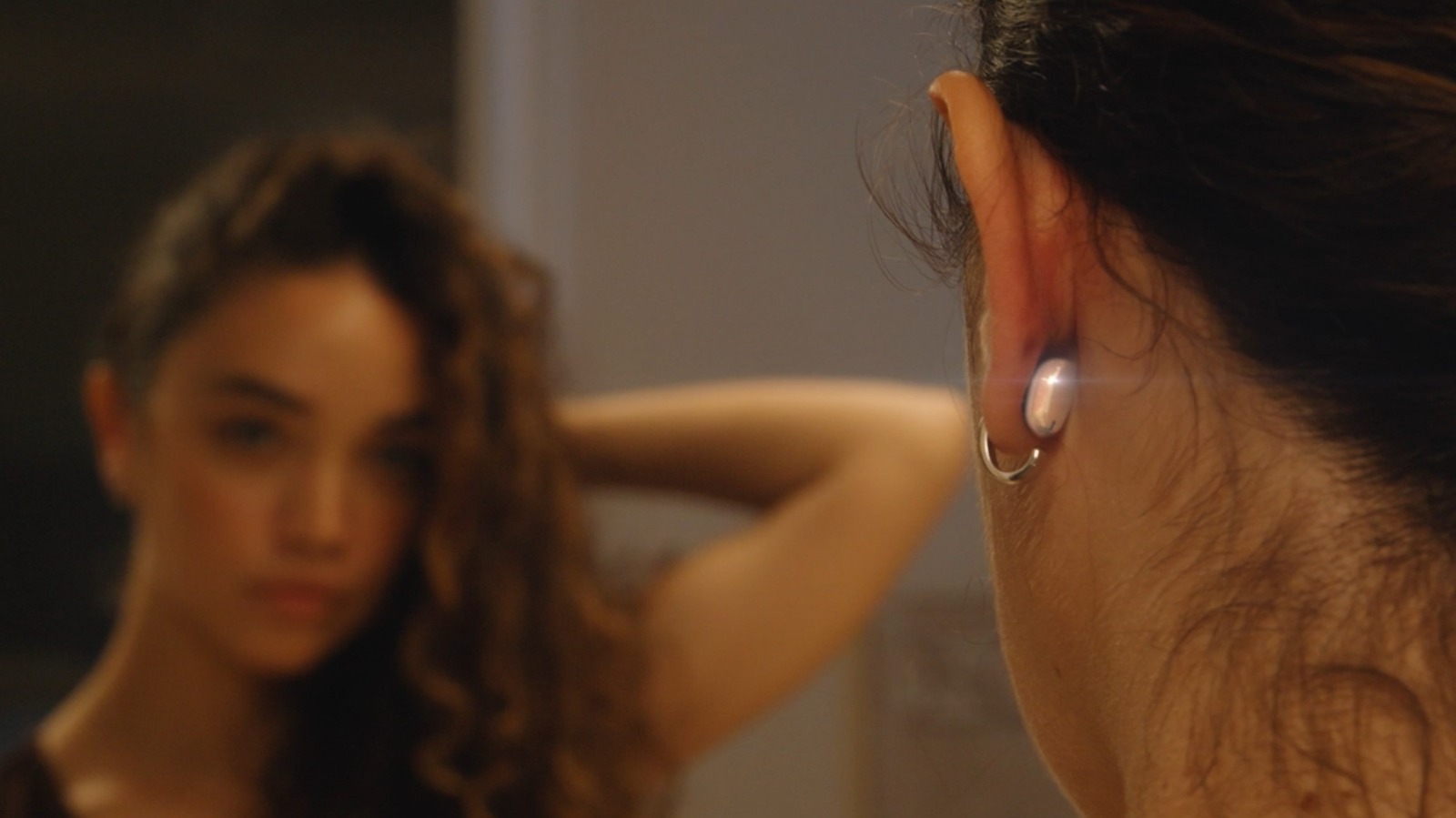
Smartphones evolved into smartwatches, watches into smart rings, and it would seem the next natural progression is smart earrings. An innovative, up-and-coming wearable device is the Lumia 2 smart earrings, which launched on Kickstarter and met its funding goal in just three minutes. The campaign already raised nearly $1.5 million, well over the initial $10,000 goal. They promise “discreet next-gen health tracking,” with embedded tech to monitor your sleep, activity, blood flow, and over 20 health metrics. They’ll last for seven days on a single battery charge. Moreover, they’ll purportedly come in a variety of styles, as you’d expect from a designer jewelry option.

The idea of smart earrings isn’t entirely new. Another company, Incora Health, has 18-karat gold-over-titanium smart earrings on the way. Peripherii offers Priamble also offers a pair of earrings that function as earbuds rather than a sensor-laden wearable. What makes Lumia 2 earrings unique and enables feature-rich health tracking is their design. The sensors rest directly behind the ear, rather than on a finger or wrist, providing access to the ear’s shallow blood vessels for precise readings. That allows for continuous data streams, such as extended heart rate or blood flow readings, without interruption by sudden movement during exercise. 

Currently, Lumia 2’s base price is $249, with different styles running higher, alongside high-quality material choices like gold, silver or titanium. There will also be a $20 monthly membership to use the tracking app and features, with annual plans available at a discount. Although the first shipments will go out to backers in December 2026, as far as I’m concerned, they already belong on the list of futuristic gadgets you can already own.

Why would you wear smart earrings over other smart wearables?

Undoubtedly, the same questions asked of smart rings are relevant here. For example, what’s the point of an Oura Ring or similar smart ring if you already wear a smartwatch? Without using the Lumia 2 earrings myself, I cannot attest to this, but it seems the health monitoring is more robust thanks to the earrings’ sensors, which rest discreetly behind the ears. There are many things a smart ring can do that a smartwatch cannot, because you wear it on your finger rather than your wrist. 

Distraction-free tracking is one major benefit, which will also be possible with smart earrings like the Lumia 2, maybe even better. Every few minutes, Lumia 2 collects blood flow and heart rate metrics, such as HRV and displays this information in the app. You can also sacrifice battery life to increase or customize those polling rates if you want more frequent readings. It’s also a totally different experience wearing something like this, all day, every day, in the shower, to bed, at work, at the gym, and everywhere else you go. The Lumia 2 is designed to consistently monitor your most vital health metrics in real-time and over the long-term.

With sensitive health data, privacy and security are always a concern. Lumia Health was established by people who claim to understand this. Daniel Lee, the co-founder and CEO, has a family history that inspired the development of Lumia’s devices. Lumia Health also states health data will be encrypted, anonymized, and “access-controlled.” It will only be shared with third parties, such as AWS, to “securely store and serve” users. Lumia promises to provide an opt-out for anyone who doesn’t want their data “contributing to an aggregated pool of open source data for top researchers,” and will “vet” those researchers.

Source

Posted on

5 Great Sci-Fi Shows That Were Never Finished But Are

A woman choosing a TV show from a holographic interface Gorodenkoff/Getty Images

It’s a very specific kind of heartache that nearly everyone have experienced at one point in their lives: a series canceled before its time. As someone who will often wait until a series has completely wrapped to get into it, specifically to avoid this specific brand of torment, I realize that I’ve missed some gems over the years just because they were prematurely killed by an unfeeling network.

But just because a series wasn’t given the opportunity to unspool all the way to a natural conclusion doesn’t mean it’s not valuable. Also, like bingeable sci-fi miniseries, these shorties have the advantage of being relatively bite-sized. There are several science fiction shows (a surprising number of which are adaptations of other media) that got bumped off due to low viewership or an executive’s whim, but still garnered effusive critical reaction or a cult following.

Some of these were lucky enough to spawn films or spin-off series down the line (some even launched underappreciated, three-season reboots), but many lie still in their graves, hidden treasures that only the most avid archaeologists may uncover. I wanted to build a list that didn’t just highlight the most obvious canceled pearls but also some of those forgotten gems that time (and the streaming revolution) has forgotten.

Firefly

A photo of the cast of Firefly Frazer Harrison/Getty Images

Starting with an obvious choice, “Firefly” may seem like low-hanging fruit for this list, but it feels appropriate given the recent announcement of an animated series that features the return of the original cast. “Firefly” is one of the most notorious cult classics in science fiction history with good reason. Its combination of sci-fi and Western tropes turned out to be a perfect cocktail of ingredients, recalling Gene Roddenberry’s characterization of the original Star Trek series as “Wagon Train to the stars.”

It was underpinned by sharp writing and witty dialogue that added just the right amount of edge at a moment when the genre needed a counterpoint to the clean lines and sanitized environments of the “Star Wars” prequels and “Star Trek” sequels of the era. But the real key was the characters. Never has such a varied, charismatic group of rogues, outsiders, and troublemakers shared a starship. “Firefly” is one of the best examples of how the found family trope can be deployed to get an audience truly invested in a cast… and absolutely rip their hearts out of their chests when terrible things happen to said cast.

VR.5

Now onto the truly esoteric. Though I’ve loved it for years, I’ve never encountered another person who’s heard of, much less seen an episode of “VR.5.” That said, it remains one of my favorite shows of the ’90s, and a forgotten gem that’s well worth watching even in 2026 (assuming you can find it). “VR.5” launched on Fox way back in 1995 and, much to my personal chagrin, only got to air 10 of 13 filmed episodes before being summarily axed.

It tells the story of Sydney, a lonely technophile who discovers that by putting her phone on top of her modem, she can pull people into a fully virtual world just by calling them. It’s a weird premise and, as you’d expect, the tech hasn’t aged particularly well, but it’s remarkably atmospheric for a network TV show from the mid-90s. It also features excellent work from Lori Singer as Sydney, and a fantastic supporting turn from “Buffy’s” Anthony Head. “VR.5” beautifully blends mystery and conspiracy elements to create a jigsaw puzzle plot that I’m deeply saddened we’ll never get a proper resolution to.

Almost Human

Detective John Kennex (Karl Urban) and Dorian (Michael Ealy) talking on a street. 20th Century Fox Television

In an era where it feels like you can’t make a sci-fi or fantasy show without Karl Urban, it’ll come as no surprise that he starred in this underrated gem from the mid-aughts. In pitch-perfect casting, Urban plays a rough-around-the-edges, grizzled detective named John Kennex. After a tragedy that kills his partner and leaves him with a cybernetic leg, he’s paired with an android (standard practice in the show’s vision of 2048, when police androids are rolled out to combat the rampant crime rate), with whom he has a deeply conflicted relationship that defines much of the show’s narrative arc.

The show only aired for a single season and was reportedly cancelled for not reaching “CSI numbers” to offset its steep budget. It’s a textbook case of unfulfilled potential. While the first season is uneven, its world-building and stellar cast show tremendous opportunity for growth, and it was one of the rare sci-fi series that managed to blend genuinely funny moments into its action and drama.

Raised by Wolves

Another “two and done” series that was canceled after it wrapped its second season, “Raised by Wolves” follows a pair of androids, called Father and Mother, tasked with rearing a brood of human kids. The series takes place on Kepler-22b, a far-flung exoplanet 640 light-years from Earth. It is, in many ways, a reflection on human nature and how ungovernable we are as a species; much of the conflict centers around religious differences in the human population, and Father and Mother’s difficulty in resolving those differences in a peaceable and satisfactory way.

Critical reception of the show was generally pretty strong, and, like a lot of the shows on this list, it appeared to be building momentum going into the second season (the first holds a 76% approval rating on Rotten Tomatoes, with the second jumping all the way up to an impressive 86%). While that fact may make its cancellation sting even more after you wrap up what’s available, it’s also meatier than many other series in the streaming era, with 10 episodes in the first season and 18 in the second.

Altered Carbon

Similar to “The Lazarus Project”, an overlooked British sci-fi series with a perfect Rotten Tomatoes score, “Altered Carbon” represents the beautiful synergy of a wild science fiction premise married to enough narrative scaffolding to support its weight (as well as some genuinely good writing and acting). In the far future, consciousness is stored as Digital Human Freight, which can be implanted in human or synthetic “sleeves,” bodies that allow a person to continue to exist after death.

However, only the super-rich, called Methuselahs after the biblical elder because they’re often centuries old, can afford to indefinitely extend their life spans this way. When one of them is mysteriously murdered, he pulls an ex-revolutionary convict out of prison to crack the case. Like so many interesting experiments, “Altered Carbon” fell into the “two seasons and done” Netflix trap that seemed to be vacuuming up so many media projects in the late aughts.

In what also feels like a signature Netflix move, it was also supported by a one-off anime movie prequel, but it didn’t gin up enough enthusiasm to keep the series alive. Despite its short lifespan, “Altered Carbon” is still very much worth watching, even if just to absorb its “Blade Runner”-adjacent, gritty cyberpunk vibes.

Source

Posted on

This Free Tool Gives Your Headphones An Audiophile-Approved Tune-Up

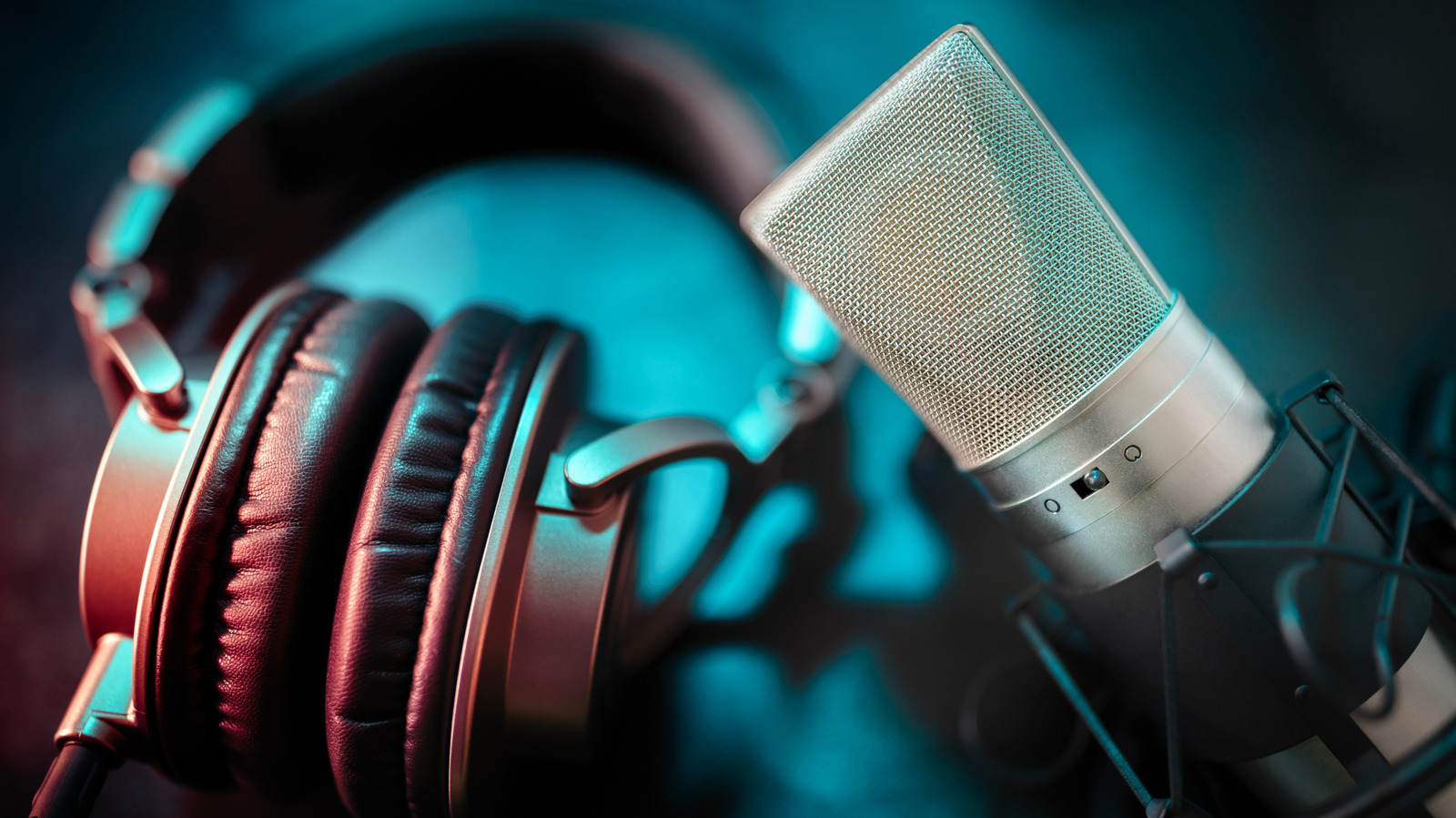
A pair of studio headphones next to a studio condenser microphone Brian A Jackson/Shutterstock

There are literally thousands of headphones available on the market — from affordable over-ear Bluetooth headphones to finely tuned in-ear monitors, and everything in between. If you’ve read our recent article on cheap gadgets to level up your sound, you know that there’s a lot you can do to mold and improve how your headphones sound. And if you picked up one of our favorite pairs of headphones, then you’ll want to get the most out of them. So, what if you want to improve the sound of your headphones simply with software, for no money at all? Enter AutoEQ, a free tool that seeks to dial in the sound of your headphones with scientific precision.

The premise is actually pretty simple: AutoEQ is a community-supported, GitHub-released software that includes an array of recommended equalizer (EQ) settings for hundreds of popular headphone and earphone models out there. The software itself is not an EQ, however. It’s essentially a repository for settings that work with an existing equalizer app you may already have. So instead of using your EQ app to guess what would make your headphones sound better, consider using AutoEQ to really dial it in.

How an equalizer works (and where AutoEQ steps in)

An abstract depiction of graphic equalizer software Oleksandr Hurtovyi/Getty Images

As we covered in our piece on settings to get your car audio sounding great, an equalizer can really help improve the sound of any audio device. What is an EQ, though? Simply put, it’s a physical device or piece of software that filters sound, accentuating certain parts of the frequency response to taste. So if you’ve ever thought, “I want some more bass” or “This has too much treble,” then an EQ is the tool for the job.

Many modern headphones, especially those that connect wirelessly, come with dedicated equalizers in their companion software. This is great, but if you want to get extra precise, you can download a separate, dedicated app for even more control. AutoEQ, for example, recommends a variety of apps such as Neutron for Android, iOS, or Windows, SoundSource for macOS, and more. The AutoEQ documentation also points out that there are three types of EQ styles: graphical, which lets you mold your sound on a chart; parametric, which gives you dial-based control over more parameters; and convolution, which lets software metering dial in just the right levels across the spectrum.

Where AutoEq comes in is that you can either download a set of EQ settings for parametric or graphical EQs on their site by selecting your headphones and your EQ software, or you can connect the software to your convolution-style EQ to have ultra-precise control. The result? A mix that’s got a pleasant, well-balanced sound, supported by a community of audiophiles who just love music.

Source

Posted on

Avoid These 5 Mistakes When Setting Up A New Phone

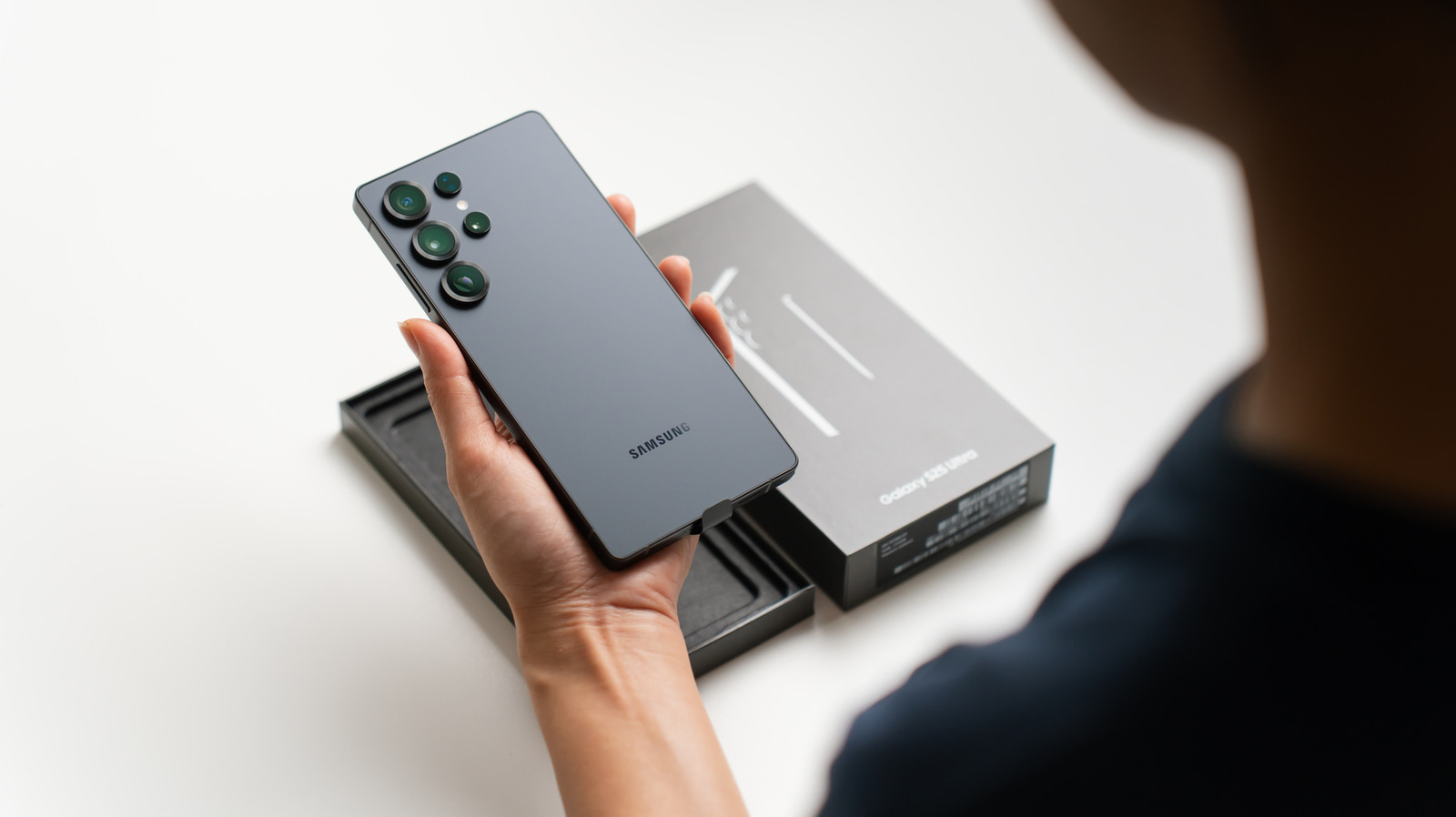
person holding a new Samsung Galaxy S25 ultra with its box kept in the background umitc/Shutterstock

Getting a new phone is exciting, but most people don’t realize how important the first few hours are, especially the setup part. If you’re someone who rushes through the initial setup process, accepting everything the device throws your way, it’s time to stop that. A little time and effort here goes a long way, especially when it comes to performance, security, and overall experience.

Common mistakes people make while setting up a new phone, whether Android or iOS, include skipping basic security checks, quickly downloading every app you use, allowing all permissions and notifications, not installing pending updates, using battery or performance-booster apps, and discarding your old phone too soon. Some of these mistakes can affect performance, while many influence battery life.

In an age where people average over four hours of screen time every day and smartphones have become the go-to device for almost all tasks, getting things right from the start can go a long way. From bookings and payments to social media and content creation, avoiding these small mistakes will make a big difference in the long run.

Ignoring security features

person holding an iPhone with the face ID & passcode settings open and a laptop and coffee mug in the background Bendix M/Shutterstock

When setting up a new phone, people usually rush through everything, including security-related settings. Since smartphones today store more sensitive data than ever, whether it’s passwords to online accounts, banking details, or photos, it’s important to ensure total privacy and security. In most cases, your smartphone’s built-in security features, like Google Play Protect, password or biometric protection, and location tracking, do the job. When these are set up, it’s unlikely that anyone will be able to access data on the smartphone, and this even increases your chances of finding it when your phone is stolen.

You may also want to supplement the built-in features with third-party apps like a VPN or an antivirus suite. For instance, if you install apps from outside the Play Store on Android, an antivirus can help protect your phone. And if your device is ever infected, it will help find and remove the malware. A VPN, on the other hand, protects your privacy by masking your identity on the web. 

Apart from that, Android and iOS devices come with other built-in security features, like Find Hub on Android or Find My on iOS. You should take the time to review features like these when setting up a new phone, even if you never used them on your old device. Lastly, if there are any pending software updates, install them right away. This will not only protect your device but also bring all the latest features to it. Skipping updates is one of the things you should never do on your smartphone.

Installing all apps in one go

an android phone showing low storage on Google Play Store Nwz/Shutterstock

It seems appealing to install all the apps you use on your new phone right away for convenience, but it’s a big mistake for two reasons. First, you will end up losing a significant share of storage, some of it on apps you’ll rarely use. With storage being so vital, especially as smartphone brands increasingly ditch the SD card slot, you don’t want to fill it up with apps before you even start using your new phone. Second, some apps you considered useful on your old phone might no longer be needed, as those features are integrated into the phone’s operating system. For instance, you can now change the flashlight brightness on a Google Pixel through the built-in toggle, something that previously required installing an app. 

Additionally, setting up a new phone is the perfect time to remove unwanted apps that were pre-installed to free up more storage and keep your phone running smoothly. Also, if you use third-party apps to optimize the device’s performance, you may want to see if you can live without them on your new phone. Modern phones are much smarter at handling background processes, resource management, and battery drain. Using apps to handle this offers little to no benefit.

Accepting all permission requests and allowing all notifications

an android phone placed on a pink surface displaying app permissions for Android PixieMe/Shutterstock

When you set up a new phone, there are a lot of permission prompts and notification settings to go through, both from pre-installed apps as well as the ones you manually add. This is usually a one-time thing, and accepting them all is the quicker choice — but it’s not the smart one.

Not every app on your smartphone needs full access, whether it’s to the camera, microphone, contacts, or stored files and media. Even if they do, you don’t necessarily need to grant them for the app to function. For example, if you don’t share media files on Reddit, there’s no need to let the Reddit app access your gallery or the camera. So, actually review the permissions requested by apps when setting up your new phone and only allow the ones that align with your needs.

Similarly, if you allow every app to send all kinds of notifications, your phone may keep buzzing constantly, which is distracting and even affects the battery life. One approach is to only allow critical notifications while muting others. Alternatively, you can adjust how the notifications show up — for instance, allowing alerts from some while disabling sounds for others.

Transferring everything from your old phone

data transfer in process from old iPhone to new iPhone Dontree_M/Shutterstock

A new phone isn’t just an upgrade in terms of hardware and software — it’s also an opportunity to start fresh. But many people make the mistake of restoring everything from their old device, essentially cloning it onto the new device. If you do this too many times, you’ll end up with the same set of apps that you used 10 years ago, even when newer, better alternatives exist.

This doesn’t mean that you shouldn’t transfer data from your old devices at all. This makes sense for many users, especially when there are passwords to import, photos you want to keep, and a wide array of personalization you’d otherwise have to reconfigure. A quick data transfer eliminates the need for all that. On iPhones, you have the “Quick Start” feature for this, and that’s what many opt for.

The best option, though, is to find a middle ground between the two. Instead of transferring everything, spend the last couple of hours with your old phone doing maintenance — uninstall apps you don’t need and delete files that don’t have to be carried forward — and then proceed with the transfer. This way, you get what’s essential without losing storage or resources on the junk your older phone has been accumulating all this time.

Immediately getting rid of your old phone

person placing an old phone in a recycle box with two other phones kept on the side on a wooden table Yuki-ramen1025/Getty Images

One of the biggest mistakes you can make in this situation is getting rid of your old phone right after setting up the new one. In theory, it may seem harmless. Once your new phone is set up, the older one doesn’t serve any purpose. So, it’s tempting to either sell or dispose of your old smartphone. But if problems arise, they usually do so during the early days, and keeping your old phone handy can help you deal with them.

For instance, if some data didn’t transfer over or an app doesn’t feel right on the new phone, the old device can act as your safety net for the time being. You don’t need to actively use it — just avoid factory resetting the phone for a couple of weeks, or at least until you’re certain that everything is in order. When the time finally comes, make sure to completely wipe the device so that your data doesn’t fall into the wrong hands.

While we’re on the subject, you shouldn’t immediately discard the box your new phone came in. If an issue comes up within the first few days and you need to exchange or return the device, you may need the original packaging. Keeping the box around can also impact the phone’s resale value in the long run. With the original box, you are likely to fetch a higher value if you ever plan to sell the device.

Source

Posted on

5 Android Apps And Features That Can Replace Your Old

Someone holding a Samsung Galaxy S26, with the back facing the camera Framesira/Shutterstock

If you were to go back to the 2000s or early 2010s and tell someone who was struggling to get a document printed so the boss could sign it before the end of the day that that entire workflow would be handled by a phone in the future, they might find it a little inconceivable. But that’s where we are right now. It’s a testament to how far mobile phones have come, from allowing people to call and text anywhere to being mini computers that can fit in our pockets. As time goes on, they keep replacing the need for old office equipment with various free apps and features. Although screen time needs to be managed to ensure that phones don’t become a problem, they can lead to efficient workflows.

These days, smartphones can function as a tool for scanning and signing documents, performing calculations, transferring files, and basic desktop computing. An Android phone can make an office more mobile, leading to a significant cost reduction, especially when it replaces old and clunky office gadgets. As phones get more advanced and new apps keep popping up or adding more features, it’s only a matter of time before we start questioning the need for physical equipment at all.

Google Drive for document scanning

An Android phone with the Google Drive logo on the screen Algi Febri Sugita/Shutterstock

Once upon a time, people had to wait in line to use the scanner so they could fax important documents. This could be in a busy office or a now-extinct internet cafe. While scanners still exist today, one can easily scan an important document using Google Drive and email it to whoever needs it in less than two minutes.

The word “scan” is used a bit loosely here because when you take a picture using the document scanning feature, Google Drive processes it using AI-powered optical character recognition (OCR) and produces a PDF. Because of that, it’s also a good way to make copies of important documents, including receipts, invoices, memos, certificates, business cards, and diagrams. Everything is stored in the cloud and ready to be accessed whenever you need it.

Speaking of cloud storage, Google Drive can also eliminate the need for a flash drive, particularly if you have an online workflow. You get 15 GB of free storage courtesy of your Google account, which is enough to handle daily file sharing, document storage, and cross-device syncing. Just finished working on a document that a colleague needs? Drop it in a shared folder, and they will be able to access it. You can download Google Drive from the Play Store.

Voice recorder apps for transcriptions

Voice Recorder app on an Android Lukmanazis/Shutterstock

If you’re using a modern Android device, it probably has multiple built-in microphones. They might not be high-quality microphones that can be used to record a song or voice-over, but they can replace the need for a voice recorder. As the saying goes, “A short pencil is better than a long memory.” If you constantly attend meetings, brainstorming sessions, and interviews, it’s always good to have some form of documentation instead of relying on your memory alone. This is where a voice recording app can come in handy, especially if you intend to transcribe notes later.

Depending on the Android phone you have, it may already come with a voice recording app, or you might need to download one from the Play Store for free. For instance, Samsung Galaxy devices have Voice Recorder and Google Pixel phones have Recorder, both of which have excellent machine-learning transcription features that will give you a text version of the conversation in an instant. You can even find a variety of free third-party voice recorders on the Play Store. Some of them have advanced features like audio editing, speaker identification, and speech-to-text.

Calculator apps for even the most complex math problems

Someone using a calculator app on an Android Ka Iki/Shutterstock

While highly complex financial calculations are better off being handled by a dedicated program like Excel or Zoho Invoice, the need for quick calculations still arises. In the old days, this used to be the job of a digital calculator stored in a desk drawer. These days, Android devices come with one built in. When the phone or tablet is in portrait mode, it’s a basic arithmetic calculator — but with a toggle or a flip to landscape mode, it can become an advanced scientific calculator.

If the calculator is advanced, it might have a unit converter. This provides a quick and offline method for converting multiple units of measurement (e.g., time, length, speed, temperature, and volume) without needing to download a separate app or even know how the conversion is being done. It might also have history, allowing you to revisit past calculations or roll them back if you make a mistake.

Even if the built-in calculator doesn’t have any of the features mentioned above, you can download one from the Play Store, such as ClevCalc or RealCalc. Some even have advanced features. For instance, you can graph out equations with the Desmos Graphing Calculator or make sense of your finances (e.g., credit card bills, loan repayments, 401(k), and taxes) with Financial Calculators.

Quick Share for transferring files (even to iPhones)

Want to transfer a file to a colleague? As already mentioned, Google Drive is one of the quickest ways to make files available to others. But if it’s a highly sensitive file that shouldn’t be uploaded to the cloud, you don’t need to first transfer it to your computer (via USB cable) and then to your colleague’s device. All modern Android devices have Quick Share (formerly Nearby Share). You can use it to transfer files to devices around the office that are within 16 feet of each other via Bluetooth. It creates a secure connection between devices, with end-to-end encryption (E2EE) protecting all file transfers.

Quick Share is one of the best AirDrop alternatives for Android devices, and nowadays, you can even use it to transfer files to Apple devices (iPhone, iPad, and macOS devices). Quick Share has interoperability with AirDrop on Google Pixel 9 or newer, as well as select Samsung or Oppo devices. But even if the device you’re trying to send the files to doesn’t directly connect to Quick Share, you can still create a link or QR code so they can be easily downloaded.

Samsung DeX for a PC-like experience

If you have an old entry-level desktop that is showing its age performance wise, you might not need to buy a new one if you own a modern flagship Samsung phone or tablet. Samsung DeX allows you to connect your device to a TV or monitor (wired and wirelessly) and turn it into a desktop experience that is suitable for light work. If all you do on your computer is browse the internet, write notes, manage tasks, edit documents, and perform basic spreadsheet calculations, you can get by using your Galaxy device as a computer.

Samsung DeX can work in a pinch if you don’t need specialized PC software, and all you need can be found on the Play Store. Its desktop-like experience allows for multi-window multitasking. You can open up to five windows at once (opening a sixth one will minimize the first window opened), as well as resize and rearrange them just like you would on a PC. You can create multiple workspaces to separate your workflows (e.g., writing, research, drawing, or designing). On top of controlling everything through your Android device, you can use a wireless keyboard and mouse with Samsung DeX.

Source