Posted on

Utah’s New VPN Laws Could Have A Huge Effect On

A brown and golden gavel lays across a black keyboard on a silver computer Deepblue4you/Getty Images

As parents scramble to protect their children from the adverse effects of a free and open internet, lawmakers are increasingly restricting access to untoward content via age verification laws. Enforcement, however, has proven difficult, with constituents often flocking to tools like virtual private networks to circumvent restrictions. As a response, lawmakers have advocated restricting access to VPNs, which camouflage a user’s location by spoofing their IP address. While VPN restrictions have been deployed in totalitarian countries like North Korea, Belarus, China and Russia, age limits that necessitate them to enforce are increasingly popular in liberal nations like the U.K. and Australia. Some American states, like Wisconsin and Michigan, have attempted to codify VPN bans. On May 6, 2026, Utah became the first state to officially effectively combat users’ access to the privacy tool.

Utah’s state Senate Bill 73, dubbed Online Age Verification Amendments, was signed by Utah’s Republican governor Spencer Cox in March. The law, which largely focuses on taxing websites exhibiting adult content, sets several age verification provisions. Critically, SB73 shifts liability for minors accessing adult content onto the websites themselves. This constitutes a major shift in the state’s content censorship rules, as online providers will be legally liable for verifying the age of all users located in Utah, regardless of if they’re using a VPN to mask their location. 

Advocates argue that such provisions act as a soft VPN ban, potentially forcing websites to prevent all traffic from known VPN IP addresses. While this form of enforcement is significantly less extreme than some proposed bans, specifically Wisconsin’s now-abandoned law which sought to ban the technology outright, Utah’s new restrictions could prove a watershed moment for American censorship online. Advocates warn the move creates a dangerous precedent with major implications for national censorship laws. 

Inside SB73

A computer with a red VPN symbol is projected against a background showcasing IP addresses across different locations on a map Traffic_analyzer/Getty Images

To ensure that Utah residents adhere to the state’s new age restriction rules, SB73 imposes two new provisions concerning VPN usage. The first extends companies’ legal liability for users violating the state’s age regulations, requiring companies to restrict access from any underage users physically located in the state. Second, it prevents entities with “a substantial portion of material harmful to minors” from sharing information related to VPNs.

Although these may sound like minor changes, advocates worry that they could force websites to indiscriminately apply age verification measures. For one, websites cannot accurately determine VPN users’ true locations, potentially forcing companies operating in Utah to apply age verification rules across a VPN company’s entire customer base. Determining who’s using a VPN, for that matter, is equally difficult, since VPN companies routinely add new IP addresses, rendering VPN blacklists ineffective. In a statement given to TechRadar, popular VPN provider NordVPN gave the issue the moniker of a “liability trap.” Because Utah’s age restriction mandate is essentially unenforceable, NordVPN argues, it forces websites into making age verification rules universal, and thus subjecting  “millions of users to invasive identity checks [when] they have no legal obligation.”

It’s important to note that Utah’s restrictions are not a hard-and-fast mandate. Instead, it deploys what the Electronic Frontier Foundation, a non-profit focused on defending digital rights, dubs a “don’t ask, don’t tell” policy, in which “websites likely only have an obligation to ask for proof of age if they actually learn that a user is physically in Utah and using a VPN.” Rather than assuage concerns, however, EFF argues that such legal uncertainties create “a dangerous precedent” that “threatens to significantly undermine digital privacy rights.”

Implications

A black screen displays an age verification notice, prompting users to select whether they are 18 years old or older to access Zulfugar Graphics/Shutterstock

This discussion must be held within the context of the broader age verification debate, which activists argue unduly infringes on users’ privacy. To enforce age restriction rules, websites must require access to sensitive information, ranging from government IDs and biometric data to users’ online browsing histories. Increasingly, websites like Google are feeding some amalgamation of this data into AI algorithms to determine user’s ages. According to EFF, each of these age verification methods “demands users hand over sensitive and immutable personal information that links their offline identity to their online activity.” Some activists argue that age verification rules function more to feed surveillance structures than safety measures. Furthermore, users worry that providing personal data creates major security concerns, exemplified by a slew of high-profile hacks of age verification providers in recent years.

As the first American age verification law to directly address VPN usage, Utah’s SB73 sets a dangerous precedent while offering little practical utility. By roping VPNs into its online censorship laws, Utah expands the Overton Window for American lawmakers looking to restrict constituent’s online activities. In doing so, the ban potentially sets the stage for more invasive restrictions without making its constituents’ online lives any safer. In fact, Utah’s SB73 exemplifies a legal paradigm in which privacy measures are increasingly treated as “loopholes” rather than security tools. 

Utah is far from the only jurisdiction pushing for more invasive age verification rules. As governments around the world look to mitigate minor’s exposure to social media, pornography, and other sensitive materials, VPNs have increasingly found themselves in the crosshairs. Ultimately, restricting their usage potentially causes more damage than benefits.

Source

Posted on

This Common Weather Condition Could Make Your AirPods Static Shock

A person using AirPods in a public setting. Anchiy/Getty Images

That sudden, quick electric shock you felt on your fingers or in your ear after taking the AirPods out of the case to listen to music isn’t a malfunction, and your AirPods aren’t broken. What you’re running into is static shock that can happen in specific weather or environments, such as areas with low humidity or windy conditions. You may experience the same electric discharge repeatedly if you can’t alter the conditions since static electricity can build up over time and shock you briefly as the AirPods touch your skin.

Apple has a support document that explicitly deals with static electricity and Apple products, including AirPods, the Vision Pro spatial computer, and MacBooks. The company explains that static electricity will accumulate on products or the human body, leading to a static shock, and it clarifies that the incidents do not indicate there’s an issue with the Apple product. Weather conditions aren’t the only factors that can lead to static shocks. Clothes made of synthetic fibers can also favor these small zaps. Other actions that can lead to static shock include removing gadgets from clothing and working out with devices like AirPods. “This condition is similar to dragging your feet across a carpet and receiving a static shock when you touch a doorknob,” Apple writes, noting that it can happen with other electronic devices, not just Apple products.

How to fix the problem

A concept image of static shock between two people. Abdesign/Getty Images

To prevent static shocks, Apple offers guidance for both indoor and outdoor conditions. AirPods users should increase the humidity at home or the office. Portable humidifiers and air conditioners can help in that regard, according to Apple. You may also have a humidity indicator in your home to monitor the level of moisture in the air. Most experts recommend maintaining indoor areas between 40-60% relative humidity (RH) to reduce the risk of electrostatic discharge.

Apple also suggests anti-static sprays (for the air) and anti-static lotions (for dry skin) to prevent electric shocks. Clothes made with natural fibers can also reduce the risk of static shocks, as they’re less likely to hold an electric charge. In a separate support document, the company notes that touching a grounded metal object that’s not painted before using AirPods models, including the AirPods Max over-the-ear headphones, can prevent shocks.

When outdoors in windy conditions, Apple advises users to keep the AirPods protected from the wind. The friction between AirPods and some clothing items can also cause static shock, so that’s another thing users should minimize when outside.

When to worry

A person taking out AirPods from the case. Ediebloom/Getty Images

The static shocks aren’t dangerous, even if they’re slightly painful. Northeastern University explains that the phenomenon happens because electrons can transfer from one material another. When there’s enough humidity in the air, the extra charges are redistributed through the ambient moisture, so electric shocks are prevented. But dry air will prevent the electric charges from rebalancing, as there’s not enough water in the air. Winter conditions with dry air would also increase the likelihood of experiencing static shock.

That said, static shocks can be risky in certain environments, like working with sensitive devices. Northeastern offers similar tips to Apple’s guidance to prevent static shocks, adding a few others that may be important to people working in specific industries where electric shocks can damage equipment and products. For example, users should consider wearing specific items that can prevent static shocks, like grounding bracelets. Floor mats can also be useful in reducing electric charge build-up.

Separately, AirPods users should not treat all potential electric shocks as static shocks. Apple advises users not to use damaged AirPods or charging cases, as the batteries can be damaged. The batteries may become hot and cause burns if damaged. Apple also advises users not to charge AirPods with damaged charging products. The presence of liquids, such as water, when charging is not advised. These are risky conditions that can lead to electrocution and fire.

Source

Posted on

4 Signs Your Router Might Be Dying

A person working at a desk next to a white router Kazakova0684/Getty Images

Having your router fail to power on is a nightmare scenario, given we depend on the internet for everything. Depending on the manufacturer and your personal care, you may need to upgrade your router every three to four years. Besides its natural electronic degradation, your router could die prematurely, so you ought to be on the lookout for clear signs it is nearing the end of its life.

Your router could be dying, but not dead — and that’s when you should start looking to buy a new one. Stress on the hardware is one indicator. If you notice it overheating in a relatively cool room, the components might be working overtime to keep the router running. Another indicator is with the connection itself. If you are having trouble adding new devices to its network, or you notice significant slowdowns while using them, then the gateway might be trying to clue you in that it is malfunctioning when it shouldn’t be. Eventually, you’ll want to know whether your router is on its last legs, so you can plan ahead and upgrade your router to one that supports Wi-Fi 7.

Weak signal and range problems

A man searching for a Wi-Fi signal on his phone near the router Grigvovan/Shutterstock

Unless you are using a good Wi-Fi extender to mask your router’s flaws, a weak Wi-Fi signal may indicate coverage issues with your networking device. That’s because the internal antennas or radio chips can degrade over time. As a result, the transmitted signal becomes too weak to penetrate walls like it used to. Though internal part degradation is one factor, the other is that the power management capacitor could also be failing. That means it might not be supplying enough power for the antennas or Wi-Fi (radio) chips to do their jobs, resulting in a weakened signal.

A good way to test it would be to use a device and see if you lose connection when you move too far away from the router. If you have an extender plugged in, keep it unplugged, run the test, and if you notice issues where you shouldn’t (such as when it’s within range), your router might need replacing.

Slow connection and poor speeds

A person holding a device with a Wi-Fi symbol over it with an exclamation mark Vittaya Pinpan/Getty Images

If you notice your network connectivity has worsened over time, such as random drops, a complete loss of connection, or significantly slower speeds, that’s another sign that your router might be near its end. A few things can affect your connection. For one, the router can begin dropping data packets. When that happens, the data needs to be retransmitted to fix the interruption. You can observe this behavior if you experience unexpected delays, buffering, or even minor stuttering or freezing while streaming or connected to an online network. Loading times are also slower, and sometimes files don’t download continuously when they should.

A quick hardware restart can sometimes fix data packet loss and temporarily restore network health. But that’s not a good thing, as it could indicate something is wrong with your router. Your device’s hardware could be overheating, or it could be too old to process data fast enough to meet the demands of your data requests.

Inability to handle more devices

Showing no Wi-Fi over a device while a person is sitting ParinPix/Shutterstock

Your router can become congested or overloaded when it is in use. When multiple devices simultaneously connect to it, you’re essentially exposing any hardware stability issues it might have. A symptom of a dying router, or at least one that can no longer handle modern processes, is when it gets bottlenecked by its capabilities (or lack thereof). The first clue comes from a sudden drop in network connectivity. You can notice this when someone opens their laptop or phone while you’re on a device that’s normally steady online, and finds they are also experiencing connection issues (assuming this isn’t an allocated bandwidth issue). Your router might be having trouble handling other devices connecting to the same network, even though there is enough bandwidth.

This could be due to your gateway struggling to manage its CPU and RAM. Both are overutilized to the point that they cannot process multiple requests simultaneously. As a result, they are limited to the number of devices they can connect to. Most modern routers should be able to handle a heavy load, so the number of devices connected to your network shouldn’t be an issue unless you’re running a demanding smart home or have a small business. You should look up your router’s model number and check the manufacturer’s specifications to determine its exact capacity. Doing so could determine whether you’re hitting the limit due to normal constraints or whether your router’s internal components are deteriorating to the point that it no longer functions normally.

Outdated firmware or you can’t update it

Wi-Fi symbol over a router graphic on a computer with a person interacting with it ParinPix/Shutterstock

Aside from hardware health, two easy-to-spot software issues could indicate your router won’t last much longer. The first one is that the newly supported firmware is having trouble updating properly on your router. If there’s a stability issue, downloading and installing new router firmware might expose it rather than fix it. Rolling back to an older firmware version might bandage the issue, but it can lead to vulnerabilities. It should also remain a red flag that you have underlying issues with your router’s compatibility or hardware integrity. By avoiding updates, you can add more problems down the road.

Another factor is age and a lack of ongoing support. As your router ages, manufacturers stop releasing new firmware updates altogether. If your device is stuck on outdated firmware and no longer receives updates, it’s a clear sign your router has reached end-of-life and should be replaced. You can usually double-check if this is the case by confirming if your router’s manufacturer lists the device as unsupported.

Source

Posted on

Samsung Is Ending LPDDR4 RAM Production – Here’s What That

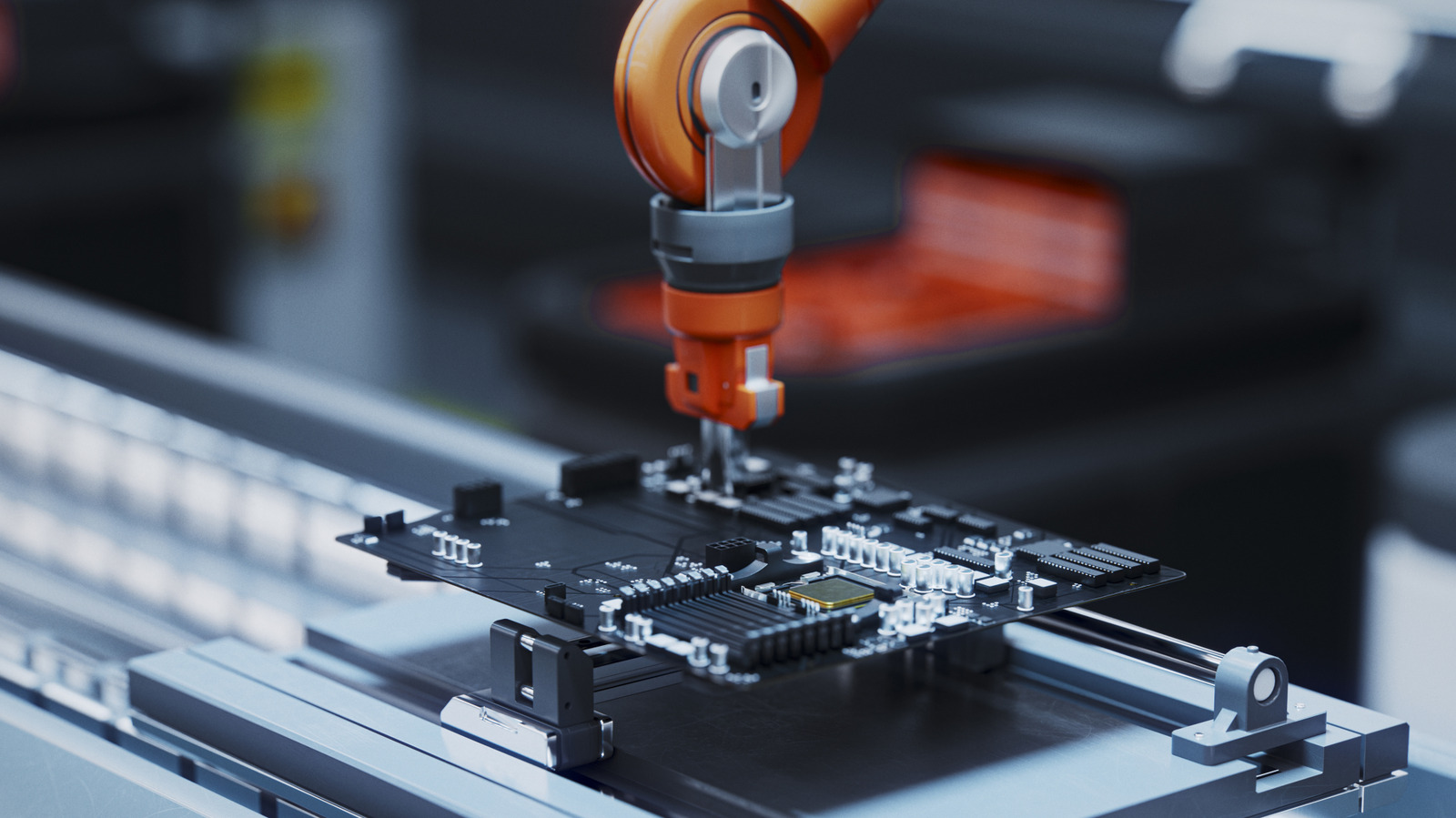
A robotic arm manufactures a motherboard on an assembly line Luza Studios/Getty Images

While the AI bubble burst seems to be closer since OpenAI’s Sora shut down on April 16, demand for components hasn’t slowed down. Countless companies snapped up crucial computer components such as RAM, which inflated prices for countless gadgets — not even the Raspberry Pi was safe from the fallout. But now Samsung might unintentionally pour salt in the wound with a potential production halt of one of its more budget-friendly RAM chips.

Samsung plans to stop producing LPDDR4 memory modules by the end of 2026, according to South Korean outlet TheElec (via Notebookcheck). The company has stopped accepting orders for new LPDDR4 modules, as well as its more energy-efficient LPDDR4X. Samsung has been making these memory chips for close to a decade now, and it is reportedly pulling the plug to ramp up production of the more powerful LPDDR5 and LPDDR5X memory modules. LPDDR4 production lines will be retrofitted to churn out these new bits of RAM.

While Samsung hasn’t explained the underpinning logic of their decisions, several theories have emerged. One train of thought is that Samsung ended LPDDR4 RAM production because LPDDR5 is more profitable, while others believe that the recent ratification of the LPDDR6 RAM chip influenced this decision. Regardless of the actual reasons, this development is yet another indication that the AI-fueled RAM demand isn’t going to stop hurting consumers anytime soon.

Faster phones, but at what cost?

Companies such as Qualcomm and MediaTek place these memory modules into their lower-end products to keep costs down, but since that will no longer be an option, they will have fewer savings to pass on to customers.

Since LPDDR5 RAM is more expensive than LPDDR4, we can expect a jump in some phone’s prices. Let’s say you buy a Xiaomi Redmi A7 Pro because it’s a solid budget phone. The next year you recommend this smartphone to a friend, they tell you that it’s actually more expensive than you claimed. In this LPDDR4 scarcity scenario, that could be more than just inflation; Xiaomi could have started building the phone with LPDDR5X RAM modules because there were no more LPDDR4X chips. And since the components were more expensive to obtain, the company had to increase the phones’ price.

But this hypothetical scenario is not all bad. Phones will run faster with LPDDR5 RAM, but that’s a cold comfort for everyone who wants to buy a budget or mid-range phone. These are the customers who are willing to sacrifice processing power to save a few hundred bucks — it’s literally why the budget phone market exists in the first place. Samsung’s emphasis on the LPDDR5 will make phones that were once affordable that much harder to buy.

Other companies have their eyes on the LPDDR4 market

History has taught us that if a company refuses to make a product customers want, another will step up to the plate and fill that void. And while few companies manufacture RAM, Samsung hasn’t exactly cornered the budget LPDDR market: SK Hynix’s share is estimated around 26%, with Micron being a big third player.

And now, according to ETNews, Chinese companies Gigadevice and Changxin Memory Technology (CXMT) are joining forces to start selling their own LPDDR4 RAM chips, as well as DDR3 and DDR4 RAM. If this agreement goes according to plan, CXMT and Gigadevice might become relevant suppliers of LPDDR4 and LPDDR4X RAM, which would be a huge blow to Samsung but a major win for fans of budget smartphones.

Samsung has yet to confirm or deny the reports of its plans for LPDDR4 production, but this isn’t the first time the company would stop making a particular breed of RAM. In 2025, Samsung announced it would cease manufacturing DDR4 by the end of the year, only to backpedal in order to comply with special “non-cancelable, non-returnable” contracts. If another NCNR contract rears its head and forces Samsung into uncanceling LPDDR4 production, it could keep budget phones slow but affordable … for now, anyway.

Source

Posted on

5 Best Time-Loop Movies Ever Made, Ranked

Sarah Connor, William Cage and Colter Stevens together Static Media

Science fiction has made it abundantly clear, whether it’s in a super-cool DeLorean or a phone booth operated by two total dudes, time isn’t always on your side. Traveling through it can lead to paradoxes, see people erased from existence, or, at the absolute worst, be caught in a time loop that they can’t get out of. Sometimes those loops that have seen heroes live the same days over and over again have led to some of the most compelling and downright clever time travel stories ever put on film, and we’ve put together five of the best for you to watch, watch, and then watch some more.

From heroes stranded until they figure out how to save the day, or others who might as well be stuck on a treadmill through time before they step off with an invaluable life lesson, time loops have led to some great stories. With that in mind, here is a batch of movies that highlight just how brilliant, or horrifically bad, things can get when you’re forced to live the same day, or even an entire life, an infinite number of times.

Take your pick of which ones are worth adding to your watchlist and try not to think about whether we’ve been here all before. Now, where was I? Ah, yes…Science fiction has made it abundantly clear…

5. The Terminator

The Terminator (Arnold Schwarzenegger) walking down the hallway armed in The Terminator Orion Pictures

The time loop Sarah Connor (Linda Hamilton) unknowingly finds herself in isn’t especially pushed to the forefront of “The Terminator” like some other entries on this list. Instead, the focus is mostly on Arnold Schwarzenegger’s unstoppable killing machine in this hardwired horror movie as she tries to outrun the dark future, which is quite literally hunting her down. It’s only at the end of James Cameron’s blockbuster breakout hit that the movie’s brain-breaking twist is applied, and in doing so, it led fans fighting to wrap their head around the turn of events ever since. 

After Kyle Reese (Michael Biehn) falls in love with the mother of the human resistance, a night of passion cements the time loop that would inevitably bring everything to fruition. Unbeknownst to Reese, the lone soldier sent back in time is, in fact, the father of the man who sent him there, turning him into the father of the future resistance.

More importantly, the remains of the crushed Terminator are thoroughly examined by Cyberdyne Systems, which would use this future tech to eventually create Skynet, the system that would eventually build Terminators and lead to Judgment Day. It’s a simple loop through time that’s enough to cause a headache, but without it, there never would have been possibly two of the greatest sci-fi action movies ever made. Now, if only there was another loop in history that would undo all the sequels that followed, everything would be peachy.

4. Source Code

Colter Stevens (Jake Gyllenhaal) looking at Christina Warren (Michelle Monaghan) crouched in front of an explosion in Source Code Summit Entertainment

Train journeys are never fun, but Jake Gyllenhaal finds himself in a nightmare one that he can only escape by being blown to bits. Coming from a veteran of cyclical storylines, Duncan Jones (“Moon”) takes control of this quasi-“Quantum Leap”- like story that forces Gyllenhaal to relive a horrific terrorist attack to locate the one responsible. Joining him for the ride is the consistently charming Michelle Monaghan, who gets partly caught up in his mission to save the day, even though it keeps ending in a massive explosion.

While a lot of these films have a vast landscape to tread over and over again, Jones’ sleeper sci-fi movie keeps things simple by letting Gyllenhaal go no further than a train station. In doing so, he keeps the tension confined to the doomed train he’s on, with no single repeat run of his mission feeling boring. It also helps that Gyllenhaal’s natural charm and determination through the story keep you invested, even when you learn that his time might be up before those he’s trying to save. Brilliantly cut together and a legit whodunit that keeps you guessing, “Source Code” feels like the kind of forgotten thriller that’s hard to find these days, and makes you glad that some filmmakers still make them.

3. 12 Monkeys

James Cole (Bruce Willis) looking at Jeffrey Goines (Brad Pitt) in 12 Monkeys Universal

No time travel movie feels as rough around the edges and as outlandish as “12 Monkeys,” and that’s not a bad thing. Bruce Willis is thrown down a time tunnel by director Terry Gilliam to find the source of a man-made virus that wiped out most of humanity, leading him to a mental patient played by Brad Pitt (who was surprisingly disappointed with his performance). The problem with this particular time-jumping jaunt is that the method of transportation isn’t as precise or streamlined as in other well-known movies, adding to the unpredictability and the difficulty of Willis’s mission to save the future by heading to the past.

Much like “The Terminator,” though, the only bit of stability is the surprising time-loop that presents itself in the film’s final act, and it’s one that’s far more upsetting than even the one involving future wars with killer robots. Throughout the film, Willis’ James Cole has recurring dreams of a young boy witnessing a man being shot outside an airport. It’s then revealed that this dream is actually of his childhood, and that the man he sees being shot is his older self dying, keeping him stuck in an endless, horrible loop between life and death.

It’s a gut-punch of a twist, but one that, following a frantic and constantly table-turning mission, ends on a straightforward but unapologetically bleak finale. Cole’s journey is one of order and chaos endlessly intertwined and is perhaps one of the most tragic as a result.

2. Edge of Tomorrow

Sergeant Rita Vrataski (Emily Blunt) facing Major William Cage (Tom Cruise) in Edge of Tomorrow Warner Bros.

If only Tom Cruise had the power to go back in time and settle on a title for what is one of his most underappreciated sci-fi action movies, “Edge of Tomorrow” (aka “Live, Die, Repeat”), might’ve had a lot more success. Even so, that doesn’t take away from the film being an exceptional time-loop movie, with Cruise inhabiting a very different action role than what you’ve been used to in the years prior.

Based on the manga “All You Need Is Kill,” Cruise plays public affairs officer Major William Cage, who finds himself on the front lines of a war with an unbeatable alien species. A close encounter with the enemy gives Cage the ability to relive the same day of the fateful battle to figure out how humanity can turn the tide — he just has to keep dying to come to this conclusion. Watching Cruise gradually become a hero, rather than being one outright, adds a great element to what is otherwise an action-packed sci-fi war movie.

Seeing him fumble into often-fatal circumstances with exceptionally funny timing for once is great, but the real highlight is Emily Blunt as “Full Metal B***h” Sergeant Rita Vrataski. She’s a hard-edged, massive sword-carrying hero who is stuck in a time loop of her own, but trains Cage to meet her on the battlefield and hopefully put the aliens on the back foot. It’s yet another reminder that if you want a sci-fi movie to last, adding Emily Blunt to the cast is never a bad idea.

1. Groundhog Day

Phil Connors driving with a groundhog at the wheel in Groundhog Day Columbia Pictures

We can go around and around when it comes to time loop movies, but in the end, the best one involves Bill Murray taking issue with a groundhog. Directed by Harold Ramis, “Groundhog Day” is a movie that doesn’t get caught up in scientific mumbo-jumbo. All you know is that Phil Connors (Murray) is a grouchy news reporter who finds himself stuck in Punxsutawney, Pennsylvania, on the titular day. Over, and over, and over again.

Landing somewhere in the calendar between “A Christmas Carol” and “It’s A Wonderful Life,” “Groundhog Day” plays like what if Ebenezer Scrooge were stuck in the town of Bedford Falls, where the locals are good-hearted people and an outsider who struggles to acclimate himself to being a decent human being. The journey he takes to get there is a long one, one that sees Phil almost undergo a spiritual awakening as he comes to terms with the time-restricted prison he’s confined in.

The laughs come from the reluctant hero getting the lay of the land and the routine that comes with it, which in turn, transforms him into a godlike figure, who is willing to get shot, stabbed, and electrocuted like there’s no tomorrow. It’s only as he slowly comes to learn more about his love interest (Minnie Driver) and to take every day as a blessing that Murray’s bitter hero becomes the iconic one worth rooting for all this time, which makes “Groundhog Day” the classic worth going back to.

Source

Posted on

What That Little Button On The Back Of Your Chromecast

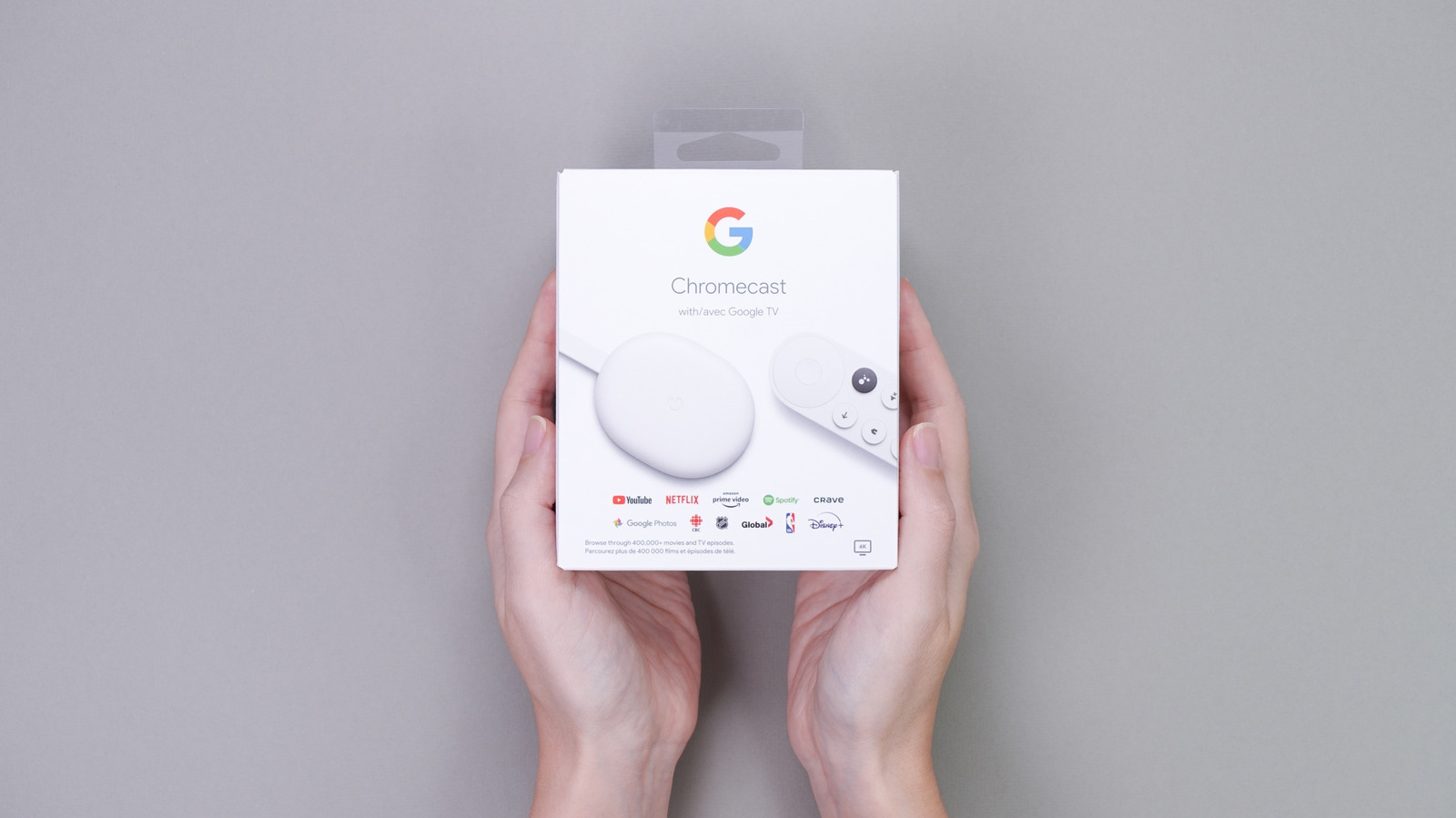
Two hands holding a Chromecast with Google TV inside its packaging. JuliaDorian/Shutterstock

Many smart TV models support popular streaming apps, and some come with the Google TV platform preloaded instead of a custom operating system. But some people may prefer using set-top boxes or streaming sticks connected to their TV to access their favorite streaming services. The Google TV Streamer and the various Google Chromecast models that preceded it are among the available streaming options. These devices are essentially tiny computers and, as such, can malfunction. When troubleshooting fails, the Chromecast models can be reset to factory settings if other fixes don’t work. Rather than going into the device’s settings, you can press a little button on the back of your Chromecast to start the factory reset process.

Older models may have the button placed on the side, but either way, the button is useful when you can’t access the operating system to initiate a factory reset. The physical button is also a quicker way to factory reset the Chromecast once you’ve determined that a device reboot won’t fix the underlying issue. The factory reset should be your last resort after trying other fixes, though. In addition to turning the device on and off, you can delete and reinstall apps and update the firmware to try to fix the underlying problem.

A factory reset is also necessary before selling or giving the Chromecast to another user. This step ensures that you delete your personal data from the Chromecast, including Google account sign-in and streaming apps. Google released several Chromecast products (discontinued in 2024) over the years, including the Google TV Streamer, Chromecast with Google TV, Chromecast Ultra, third-generation Chromecast, second-generation Chromecast, first-generation Chromecast, and the Chromecast Audio device. All of them can be restored to factory settings in two ways: from the Settings menu or using the hardware button.

How to factory reset your Chromecast

The software factory reset option is similar across models. You have to navigate to the Settings menu, using either the device’s remote or the Google Home app on iPhone or Android devices. This process involves switching on the TV and Google streaming device, finding the Settings menu, and then looking for the Factory Reset option (sometimes under the About menu).

If this process is unavailable, you should look for the hardware button to perform a factory reset. Regardless of the Chromecast model, the device will need to be connected to the TV and turned on. The process of using the physical button to factory reset a Chromecast device is similar across models. It involves pressing and holding the button for a few seconds and observing a specific light color change that will indicate the reset process has started. The streaming device will restart after the procedure.

For the Google TV Streamer, you should press and hold the button on the back for 10 to 12 seconds and wait for the LED light to change from blinking yellow to solid white. The Chromecast with Google TV will follow a similar pattern. You’ll press and hold the button on the back, waiting for the light to change from blinking yellow to solid white. Chromecast Ultra and second-generation and third-generation Chromecast models have a button on the side. The light will change from blinking orange to solid white. The first-generation model’s physical button has to be held for 25 seconds until the solid LED light starts flashing red. Finally, the Chromecast Audio’s light will change from blinking orange to white when the side button is held.

Source

Posted on

Mortal Kombat II Reviews Are In, And Critics Are All

Critic reviews for “Mortal Kombat II” are rolling in, and they’re all saying the same thing: It’s an entertaining action flick with great martial arts-inspired combat, but with a poor script that drags the experience down. Simon Abrams put it best in his review on the Roger Ebert website, saying, “It makes good on its grisly promise whenever its meat-puppet protagonists stop talking and start pummeling each other.” At the time of writing, “Mortal Kombat II” sits at a perfectly neutral score of 50 on Metacritic.

“Mortal Kombat II” is a sequel to the 2021 “Mortal Kombat” movie, which was received very similarly by audiences. It, too, was taken as a middling attempt at a video game adaptation, landing on a 55% rating on Rotten Tomatoes. The first reactions to “Mortal Kombat II” show that this sequel has promise, but it still might not be the second-round comeback that the series needed.

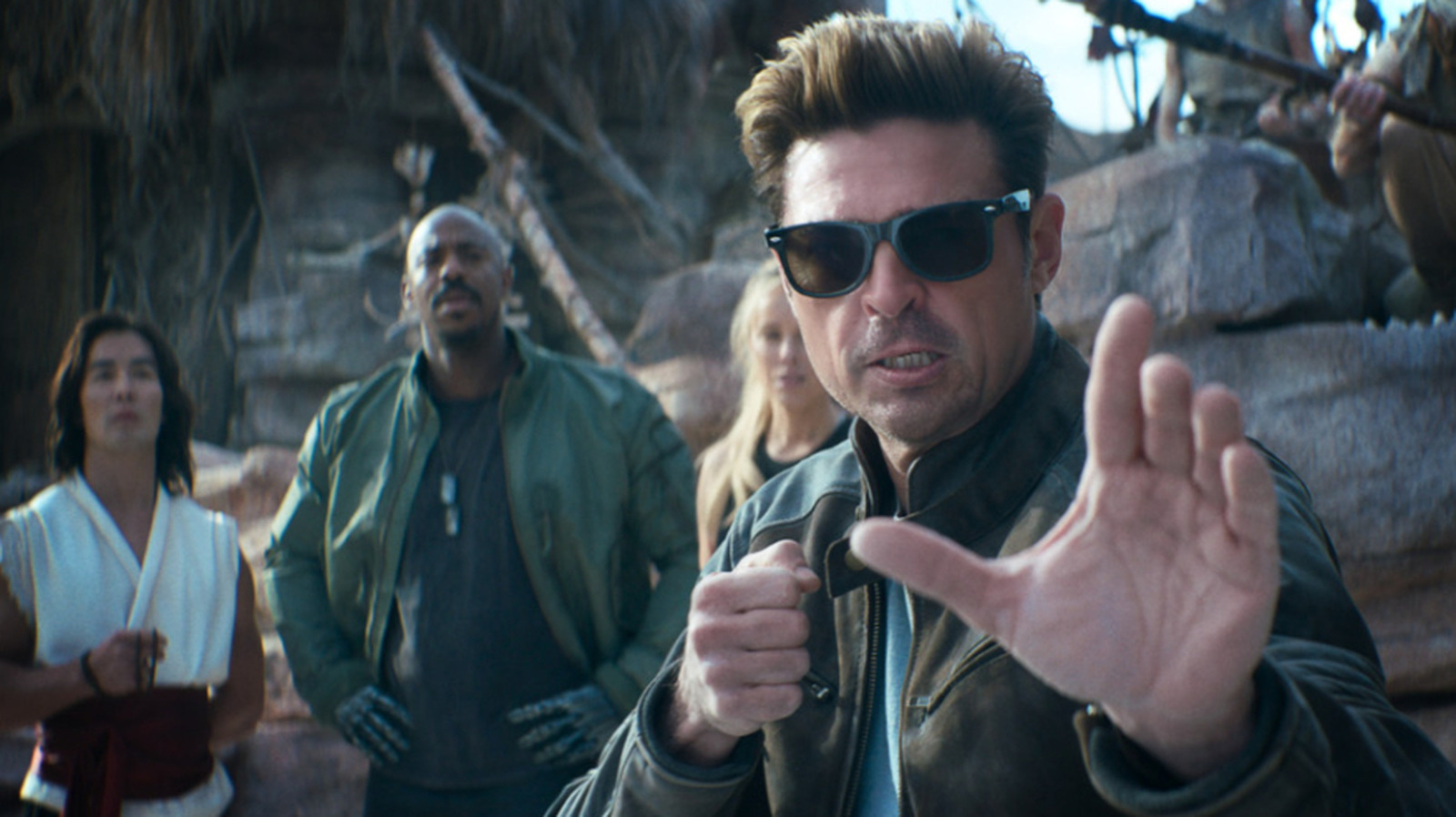
The new film stars Karl Urban as Johnny Cage, a renowned character from the original game franchise who is nearly as legendary as the likes of Scorpion, Sub-Zero, and Raiden. Karl Urban previously starred in a beloved comic book cult classic, but are his action chops enough to make up for a movie’s shortcomings? You can see for yourself if the new “Mortal Kombat” is a fatality for the film franchise when “Mortal Kombat II” starts showing in theaters on May 8.

How Mortal Kombat II builds on the first film

Critics are practically unanimous in their opinion that “Mortal Kombat II” is far from perfect. However, some critics are praising the film for improving upon the first installment in meaningful ways. In his Spanish-language review for Cocalecas, Ruben Peralta Riguad said, “Mortal Kombat II is more complete than its predecessor and more confident in what it wants to be, but it still fails to strike a balance between spectacle and narrative.”

Sebastian Zavala Kahn voiced a similar opinion in his review for Me gusta el cine, saying, “While not a masterpiece, it takes into account the criticisms of the first instalment and develops into a narrative that is at times emotional, at others aggressively fun, and, overall, more coherent than expected.” Despite the criticisms leveled against the movie’s writing, everyone agrees that the action is beyond reproach. If you were a fan of 2021’s “Mortal Kombat,” you will find even more to love in “Mortal Kombat II.” With this theatrical release coming in the wake of a new Resident Evil movie trailer, 2026 is promising to be a strong year for video game films.

Source

Posted on

What Is The 3-2-1-1-0 Rule For Your PC Data Backups?

A concept of a person using multiple devices and a cloud service for data backups. khunkornStudio/Shutterstock

The security of one’s personal data is increasingly important in a world where sophisticated hackers use all sorts of tactics to steal login information and money from unsuspecting users. While you can use theft protection features, the theft of a phone could result in a temporary loss of precious data, assuming a backup is available. Add ransomware attacks, which can lock personal data on a PC until a ransom is paid, and the use of advanced AI in phishing scams, and you’ll quickly realize why it’s more important than ever to back up all your data, not just your handset. But backing up your PC to an external hard drive or SSD regularly might not be enough to safeguard your information in case of hacks, device damage, or device theft or loss. For added peace of mind, you should employ the 3-2-1-1-0 rule for backing up your information, which is an upgraded version of the 3-2-1 recommendation.

These methods are designed to make sure that an organization or individual backs up their data in more than one place, including an offline, remote location and ensuring that the backups are in good condition. In other words, these methods add a few redundancies to prevent unexpected scenarios that go beyond a hacker tampering with one’s computer, a lost phone, or a natural disaster that might destroy a computer or storage.

The 3-2-1-1-0 rule explained

Various storage devices next to a laptop. Simpson33/Getty Images

To understand the 3-2-1-1-0 rule, it’s important to first look at the 3-2-1 backup strategy. The numbers refer to specific actions a user should take when considering backing up their data. “3,” the first number in the sequence, is the number of data copies you should consider. This includes the data on the PC you’re actively using. In addition to that copy, you should have two more copies.

The second number in the original sequence is “2,” and refers to backing up the data to two types of media. You can use any good cloud service and an SSD. Or you can back up data to an HDD and an SSD, in case you’re worried about the latter’s life expectancy. You can use more than two types of media for backups if you have access to them. The “1” in the original 3-2-1 rule advises users to keep one copy of the data offsite. If you have a cloud backup, that counts. Alternatively, you can place an external drive in a different location than your home.

The second “1” and the “0” in the 3-2-1-1-0 rule also take care of more sophisticated ransomware attacks and vulnerabilities of the public cloud. Hackers may go after backup devices connected to the PC as part of a ransomware attack. The second “1” in the 3-2-1-1-0 sequence says that users should keep at least one backup offline, so it can’t be accessed by attackers. The “0” is a crucial addition to the rule, and, in retrospect, it is something that should have been part of the original recommendation. It stands for zero errors. You should ensure that the backups are in good condition and can be used to restore data immediately if needed.

How to implement the 3-2-1-1-0 rule

A concept of saving data to a secure cloud. Summit Art Creations/Shutterstock

Backing up your data with the 3-2-1-1-0 rule may sound complicated and expensive, but it doesn’t have to be. You should consider three data repositories, including the PC you’re using. The second one can be a cloud backup from a trusted service that offers strong security and enough storage space to accommodate your needs. The third can be an external drive that you connect to the computer. You can make additional copies if you have any old drives that you want to repurpose.

Combining cloud storage with an SSD or HDD also satisfies the “2” rule: You’re using two different media types to reduce the risk of both backup copies being similarly compromised. The first “1” is also satisfied if you keep one copy of the backup in the cloud. If you want only physical copies, you can consider a second location for one of them, like your parents’ house or a safe deposit box. However, this may not be convenient, as you will want to perform frequent data backups.

For the second “1” in the 3-2-1-1-0 rule, you should consider backing up data to one of your drives after disconnecting the computer from the internet. That way, you’ll be able to move data to the drive without worrying about attacks. Make sure to run a malware check and verify that no third party can control your device before backing up data. Finally, the “0” in the sequence may turn out to be the most work-intensive one. You’ll need to routinely check the data in the cloud and local drive backups and ensure they are accessible. You may want to perform mock restores from time to time to see if the backups work as intended.

Source

Posted on

The 5 Biggest New Features One UI 8

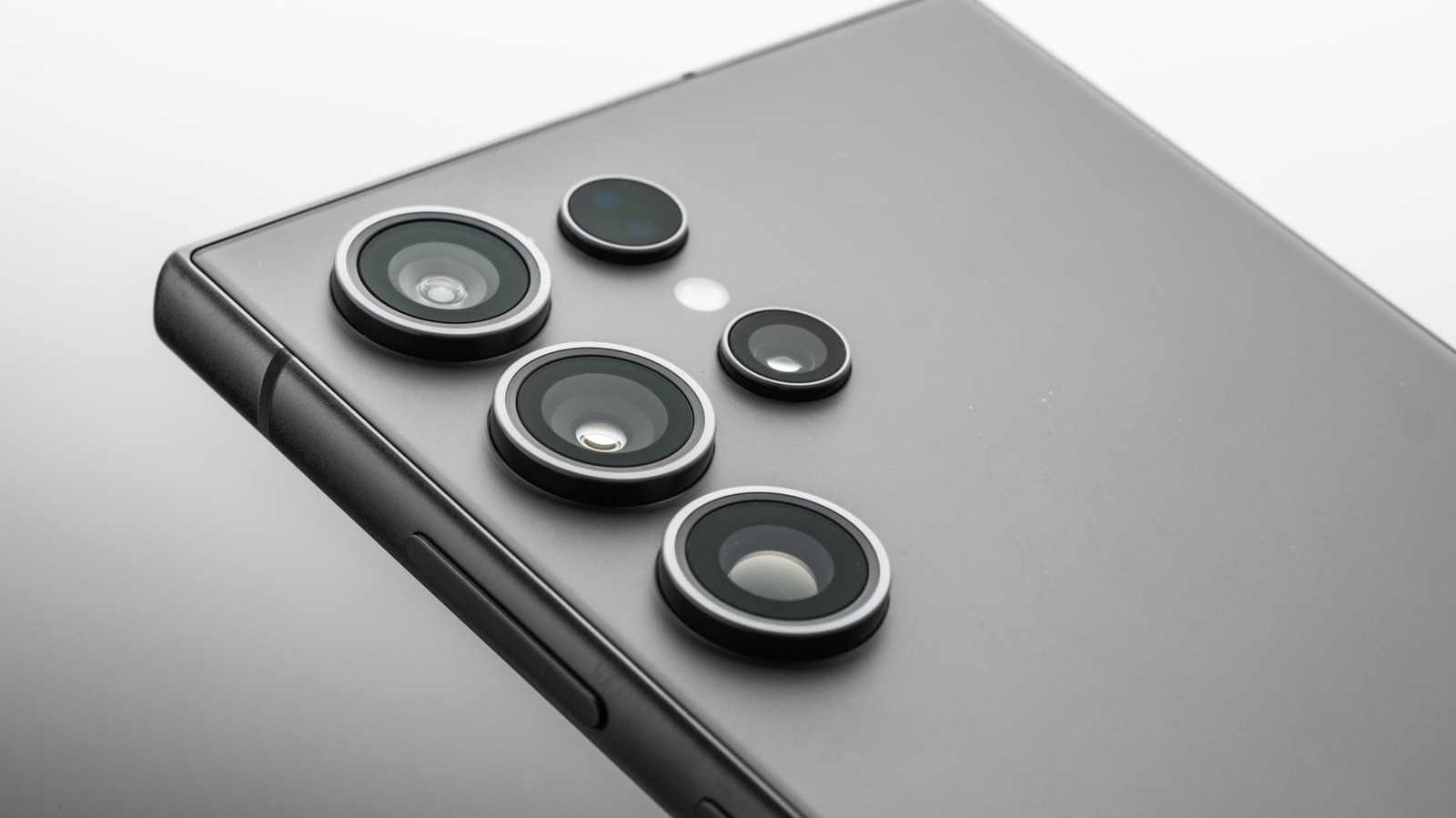
A closeup showing a Samsung Galaxy S series phone from the back Valio84sl/Getty Images

After a long beta cycle, the first stable iteration of Samsung’s One UI 8.5 is finally here on older Samsung phones, bringing many popular features present on the Galaxy S26 to previous-generation Samsung devices. The update started rolling out in Korea on May 6, 2026, but it should drop in other regions throughout May. One UI 8.5 introduces many new Galaxy AI features, improves upon old ones, and also allows for Quick Share between Android and Apple devices.

For now, the update brings these features to the Galaxy S25, the S25 Plus, the S25 Ultra, and the Galaxy S25 FE. Sources confirm that other Samsung phones will also be receiving the same features as part of One UI 8.5 later on. These phones include those from the S24 lineup, as well as the Galaxy Z Fold and Z Flip phones — specifically the Z Fold 6, Z Fold 7, Z Flip 6, and Z Flip 7.

1. Call screening

A phone lying on a table, receiving a call from an unknown number amenic181/Shutterstock

The Galaxy S26 series debuted with tons of new features. Some of the biggest changes had to do with Galaxy AI and how much it improved on the AI features from previous generations, alongside plenty of fully new AI features. One such feature that many Samsung users will appreciate is call screening, and with One UI 8.5, you can use it on your Galaxy S25 and older Samsung phones.

Call screening, as the name suggests, screens incoming calls to let you know exactly who is calling before you pick up. Whenever you get a call from a suspicious number — either something the AI flags as suspicious or all unknown numbers in general, depending on what you select — your Samsung phone can take the call for you.

It asks the caller who they are and what they need you for, and determines if they’re legitimate. You can then decide whether to pick up the call. Furthermore, even if you don’t respond, you can review a summary or a transcript of the call after it’s done and decide what to do afterwards. This feature improves greatly on the Bixby text call feature, and now the AI can choose replies itself. You can even set it to take incoming calls from unknown callers automatically, where you’d have to manually select the option in previous renditions.

2. Upgraded Photo Assist

A woman browsing through pictures in her smartphone gallery Kaspars Grinvalds/Shutterstock

For many users, the S26’s AI photo-editing tools were among the highlights of the new phone lineup. The Galaxy S25 already came with Photo Assist, but this was much more limited than what we now have with One UI 8.5

With the original Photo Assist, you could circle or select any object in a picture to remove it from the photo entirely, resize it, or move it around. You could also import objects from other pictures in your gallery to add them to a photo and turn your sketches into real-world objects. Additionally, if there were faces present in any picture, you could use Portrait Studio, which used generative AI to create stylized portraits.

With the new and improved Photo Assist in One UI 8.5, you have more control over what you want to do. It has all the features that its previous iteration had, but now also lets you type in prompts. With the previous version, you could try drawing a tree and hope that Galaxy AI would get the colors right to match your vision, but with the newer Galaxy AI features, you can add in text prompts to create the exact result that you had in mind.

3. Improved Audio Eraser

A man in a suit taking a call in a bus surrounded by other people Toby Burrows/Getty Images

Background noise is annoying. Whether you’re trying to watch a YouTube video or recording a video of yourself in a busy park, having unnecessary sounds in the background can be quite frustrating to deal with. Samsung came up with a solution for this: Audio Eraser.

This feature — which debuted on the S25 series –  allowed users to use AI to isolate and remove any background noise for improved clarity on the audio of video recordings. This, however, only worked for videos in the gallery, where S25 owners could use the video editor to remove background noise after recording something.

Audio Eraser has been enhanced in One UI 8.5 as well as on the Galaxy S26 phones and now functions system-wide and in real-time. This means that, with One UI 8.5 now coming to older phones, users can block background noise through many built-in programs, as well as streaming platforms and social media apps. In practice, this can block loud background noise when you’re watching a YouTube video, scrolling through Instagram Reels, or when you’re using the sound recorder. The audio removal for recorded videos now also works while you’re recording the footage, which means you don’t have to remove it in post-processing.

4. Quick Share with Apple devices via AirDrop

Two people holding their phones near each other to transfer files Maruco/Getty Images

The ability to share pictures and videos wirelessly has existed on smartphones for quite some time. While this process used to be much slower when it was done over older iterations of Bluetooth, both Android’s Quick Share and Apple’s AirDrop can transfer small files almost instantly using a combination of Bluetooth and a Wi-Fi connection.

The feature solved many problems — you don’t have to consume data or use a cable just to transfer some pictures, for example — but for whatever reason, Quick Share and AirDrop weren’t compatible with each other for the longest time, which meant you couldn’t send files from your Android phone to an Apple device or vice versa. That changed late last year, with certain Android phones adding support for AirDrop. The Galaxy S26 phones released earlier this year also had this feature, with Quick Share supporting cross-platform file transfers between Android and Apple devices.

We already saw this feature added to older Samsung phones in the One UI 8.5 beta, though that version had some glaring problems. With One UI 8.5’s official stable release, these should be fixed. Like in the beta version, the feature will be added to the Galaxy S25, S24, S23, and even as far back as the S22 series. If you’re using any of these phones with One UI 8.5, you can use Quick Share to send or receive files from an iPhone, iPad, or Mac.

5. Now Nudge

A person holding a Samsung Galaxy S26 phone in their hand Gints Ivuskans/Shutterstock

Among the many Galaxy AI features for Galaxy S26 phones, Now Nudge and other proactive AI suggestions are among the most helpful in daily life. With most AI features on older Samsung phones, you had to prompt the AI before it did anything. With the new Galaxy AI features in One UI 8.5, that’s no longer the case, and your phone can now offer suggestions unprompted.

Now Nudge analyzes the context and offers suggestions on things to do based on the notifications and messages you receive or by looking at what you’re trying to do. For example, if you receive a notification about an upcoming meeting, Now Nudge can “nudge” you to add it to your calendar or reschedule it if you already have an appointment at that time. Similarly, if you receive a text message asking you to send pictures from a certain date, Now Nudge can find those pictures for you, making it easier to send them.

Source

Posted on

Scientists Have One Big Question After Reconstructing A 3

Fossilized remains of pre-human ancestor Little Foot PTZ Pictures/Shutterstock

“Little Foot” isn’t just a beloved character from “The Land Before Time,” it’s also the name given to the fossil of a human ancestor found in a South African cave in 1994. Although critical features, like the fossil’s face, could provide insights into our shared evolutionary history, for decades, those insights remained elusive. Innovative digital reconstruction tech has changed that. Now, some researchers are questioning whether the fossil may represent a previously undiscovered species.

In a study published in Comptes Rendus Palevol, researchers have shared the results of the five-year digital reconstruction process. Their findings don’t just offer a unique glimpse into what a pre-human ancestor like Little Foot would have looked like, they may also provide evidence of the existence of a previously unknown human ancestor. Although one sample isn’t enough to confirm that Little Foot is the fossil of a “new” species, this research broadens our understanding of where we come from while also shedding light on just how little we know about our ancestors.

Reconstructing a 3.7 million-year-old fossil’s face answers some questions and raises others

Illustration of human evolution from ancestors to modern humans ZCOOL HelloRF/Shutterstock

Little Foot has always been an important specimen due to the fact that it’s long been the closest thing we have to a complete Australopithecus skeleton. Australopithecus was an early hominin genus that lived in Africa over 2 million years ago. Although Little Foot’s skeleton is more complete than other Australopithecus fossils, generating a clear image of what its face looked like has proved difficult, as the skull sustained major damage after being buried for an estimated 3.67 million years.

A research team has now used digital technology to rearrange the specimen’s skull bones, creating a picture of its overall face shape. As a pre-human ancestor, naturally, Little Foot’s mug displays some key differences from that of today’s humans. For instance, the orbital region around the eye sockets is significantly larger than our own. However, this detail has raised an interesting question for researchers.

Most of Little Foot’s skeleton was discovered in the Sterkfontein Caves of South Africa. When the research team compared its digital reconstructions of its face to other Australopithecus fossils, they found it bore a surprising resemblance to those found in eastern African fossils. Per a CNN report, some also argue that these disparities may mean Little Foot is actually an example of a previously unidentified human ancestor.

Scientists plan to continue reconstructing Little Foot’s skull

Human hand reaching to gorilla hand with DNA spiral in the middle Kagenmi/Getty Images

Dr. Jesse Martin recently co-authored a study arguing there’s reason to believe Little Foot might be the fossil of a species other than Australopithecus. Martin suggests that methods used to determine the age of the Little Foot fossil haven’t offered a definitive answer to the question of how old it is. If researchers have the age of the fossil wrong, this could throw into question whether its species has been properly identified.

The full reconstruction of Little Foot’s skull isn’t complete. The current digital reconstruction focused primarily on the face. The team behind the research plans to continue, hoping to reconstruct other portions of the skull (particularly the cranium). What they learn might provide more information about overall evolution of the human brain. This future research may also offer more insight regarding the species the fossil belongs to, and whether that species represents a new discovery. Having a clearer sense of what we evolved from could even help us better understand what we might evolve into.

Source