Posted on

5 Of The Biggest Tech Repair Myths You Should Stop

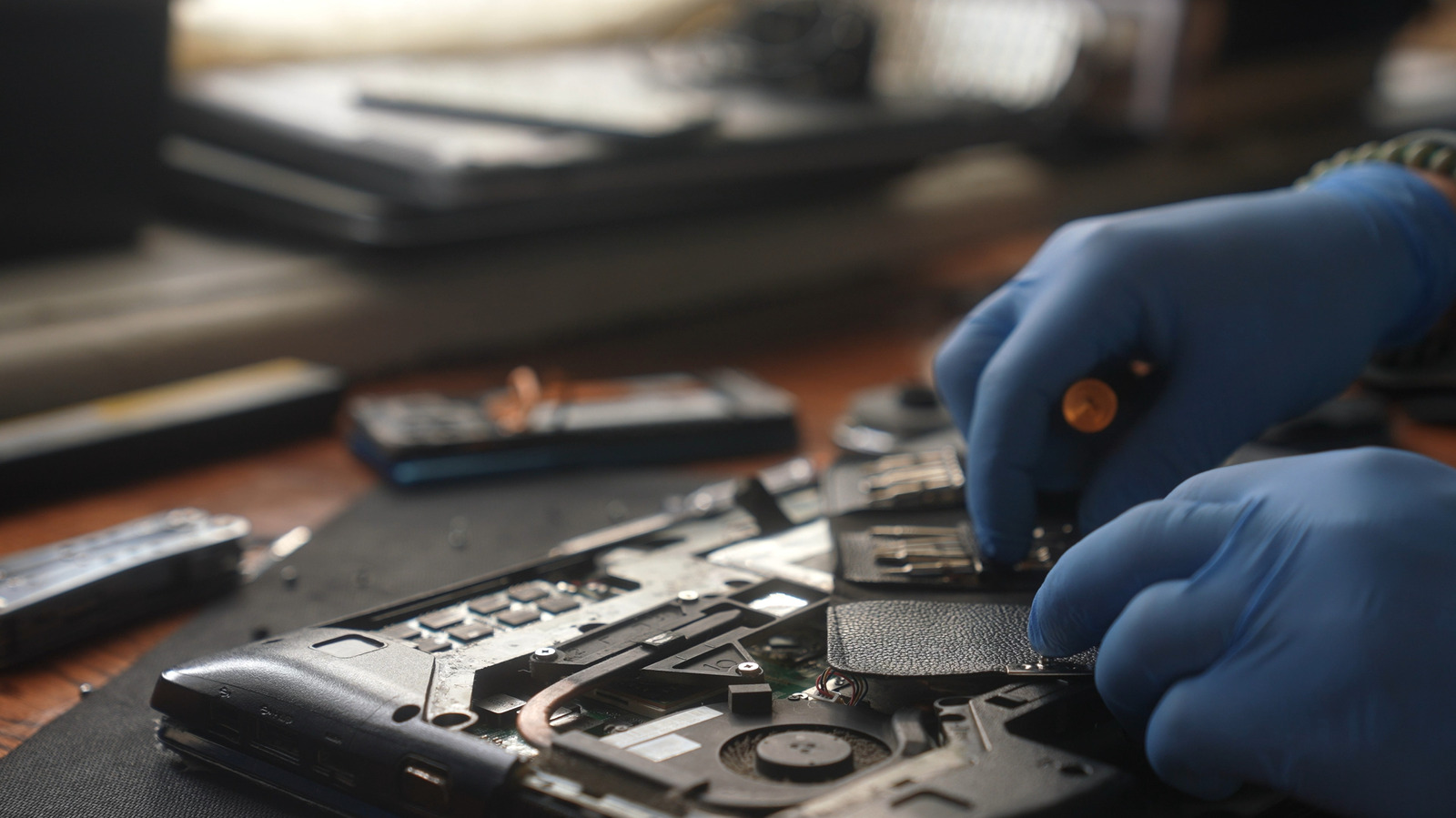
Person wearing blue gloves repairing a laptop using specialized tools KinoMasterskaya/Shutterstock

Whenever a device stops working or a particular component fails, say your laptop stops charging because of a dead battery or doesn’t turn on at all, you often have to pick between repair and replacement. For the longest time, repairs seemed like a good choice, then replacing devices became more common, but as of late, repairs have become popular again. However, many still fall for the biggest tech repair myths. While there will always be exceptions, these myths shouldn’t stop you from opting for repairs or even considering the idea.

Many of the myths stem from aggressive marketing campaigns by manufacturers, while others come from lived experiences. For instance, repaired devices may sometimes fail again within weeks or people may lose data during repairs, but these things don’t happen as frequently as you’ve been conditioned to believe. Companies benefit when you replace devices with a single faulty part, while with repairs, you generally end up saving time, money, and effort.

Keep in mind that repairs can be a smart choice in many cases, and outright impractical in a few. To understand how that works, you first need to know the common repair myths. That will help you make an informed decision, based on the device’s condition and other related factors.

Repairs aren’t effective in the long run

Two people soldering components on a circuit that's placed on a table Danchooalex/Getty Images

One of the most common myths about tech repairs is that they’re not as effective, especially in the long run. Many believe that the device will fail sooner if the faulty component or the entire device is not replaced. While that may have happened to some, it can’t be treated as fact. The effectiveness of repairs largely depends on the quality of work done and the extent of the problem. For instance, low-quality repairs are usually not effective, and the problem is bound to reappear. Similarly, if the fault is too complex and puts other components at risk, say an issue with the motherboard, replacing that part may be the smarter choice.

On the other hand, there are problems that are easy to fix. For instance, if your system is overheating, simply cleaning the PC to clear dust buildup can help bring temperatures to safe operating levels. On older laptops with a removable case, this doesn’t even require professional help. Similarly, there are times when repairs or workarounds are financially feasible. For instance, if your laptop has broken or damaged hinges, they can be repaired at a fraction of the cost of replacement. Similarly, if a USB port is not working, you can get a USB hub or docking station.

As long as you’re getting the repairs done by the OEM or a professional, it’s not a problem in most cases. Also, some offer warranties on repairs, which could range between 3–12 months. Verify that, and if possible, opt for those, given the better work quality.

Older devices don’t benefit from repairs

Used electronic devices including a keyboard, camera, smartphones, remote control, cables, flash drive, and adapter placed on a green surface Savanevich Viktar/Shutterstock

Another myth people generally fall for is that it’s not worth fixing older devices, especially when newer models are available. It’s largely based on the assumption that older devices are prone to problems, and even if you repair one, another component will fail sooner or later. But that’s far from true, especially for devices that have been maintained well.

For example, if you have a 5–7 year old laptop that has poor battery life and has become slow over time, replacing the battery and switching to an SSD from an HDD will improve performance. Similarly, adding more RAM can make it feel faster. And these are much more cost effective options compared to getting a new laptop. Another problem with modern laptops is that many models now come with soldered RAM, which, though faster, is not upgradable. Additionally, with the rising costs of RAM and SSDs, computer prices have increased in the last few years, making repairs all the more practical and financially feasible.

Of course, for some older devices, repairs may not make sense. For instance, a laptop or smartphone that no longer receives updates becomes a security risk, and you’re better off getting one that’s supported. But there are again workarounds. Recently, users with devices that didn’t support Windows 11 switched to alternatives like Linux or ChromeOS Flex to ensure functionality and long-term software support.

Third-party repairs are sub-par and void warranty

Back panel of an iPhone removed to show its battery during repair blstq/Shutterstock

While this may have been true a decade ago, the situation now is very different. There are a number of professional third-party repair centers everywhere, offering the same quality of products and overall experience as OEMs. So, third-party repairs are no longer sub-par.

Additionally, voiding warranty is another common concern. But not every repair from a third-party professional will void your device’s warranty, provided it’s still relatively new and covered under the program. To find out the types and extent of repairs allowed by the manufacturer, check the device’s manual or the OEM’s website. But with more stringent laws being enforced and the Right-to-Repair Movement gaining prominence, manufacturers are being forced to make repairs simpler. Besides, companies like Framework are now pushing modular laptops, where most repairs and upgrades can be performed at home.

At the same time, low-quality repairs remain a concern for some. While they can’t explicitly be linked to third parties, the chances are certainly there, as OEMs strive to maintain a certain standard. So, if you’re looking for third-party repairs, don’t always go with the cheapest one. Research your options and pick a repair service with the best reviews.

Repairs may expose your personal data

Person holding a smartphone with a digital folder icon with a lock sign over it Vittaya Pinpan/Getty Images

We have all heard stories about people losing their personal data after handing over their device for repairs. And while such cases exist, it’s not a universal problem. Firstly, most repairs don’t even require access to your phone, let alone the data on it.

For instance, batteries, charging ports, or faulty buttons can be replaced on locked devices. Secondly, the problem is often a result of negligence on the user’s part. If you’re handing over a device without a passcode or biometric protection, you’re directly risking the data. Even if that device is lost, the risks are the same. Anyone who finds it can access or misuse the data.

Apart from that, companies now offer built-in features to protect users against data loss. For example, BitLocker on Windows PCs encrypts drives, preventing unauthorized access. Even if you have given your laptop over for repair, they won’t be able to access the data on it, as long as you have not shared the PIN, password, or the BitLocker Recovery Key.

DIY repairs are just as good

Person unscrewing the back panel of a laptop placed on a blue surface abdallah abdelal/Shutterstock

The past few years have seen a significant increase in DIY repairs, and while these can be more convenient and fun, they’re not always safe. The first challenge is finding the right tools for the job. Even if you find them, it’s not as easy as most people think. Laptops are getting sleeker, and the components are more closely packed than ever.

Without the necessary skill set and experience, you’re likely to damage the components. Online tutorials can offer guidance, but can’t be relied on entirely. For regular users, DIY repairs are a major risk, and if things go wrong, you may end up spending more than what you would’ve paid for a professional repair service. Additionally, DIY repairs can often be time-consuming. You may have to spend hours on something that would ideally take a professional 30 minutes.

Remember, simple repairs like battery replacement, changing cables, or cleaning dust accumulation can be done at home. But for anything that’s more complicated and involves internal system components, seeking professional help is the smarter choice.

Source

Posted on

Spotify’s New Badge Will Finally Help You Tell Real Artists

Spotify logo with colorful background and bright lighting. PJ McDonnell/Shutterstock

AI-generated content is becoming prolific enough that we need clear indicators when it’s present, which explains why many services are now requiring creators to disclose its use. Steam has added an AI disclosure on the pages of games that use it, and social media networks have their own ways of identifying and disclosing AI. Spotify is now joining the trend, except it’s using the opposite approach: A new “Verified by Spotify” badge will show on artist profiles indicating “authenticity and trust” or, more aptly, that the artist is human and not AI.

One of many uncomfortable truths about using Spotify as your primary music platform is that it’s starting to get filled with AI slop. While Spotify pledged to clean up the AI content on the streaming service, that didn’t exactly stop the flood of incoming media. This new verified badge will help everyone tell the difference between what they might consider true artistry and synthetic personas. At launch, the feature will help identify 99% of artists that Spotify listeners actively search for, representing “hundreds of thousands of artists.”

The badge will begin appearing on artist profiles and next to artist names in search over the next few weeks, according to Spotify. You’ll see both the “Verified by Spotify” text and a matching green checkmark icon offering clear visibility. Verified artists have “consistent listener activity and engagement,” meaning they’re popular over a long period, have a good standing on Spotify’s platforms and follow service policies, and have an “identifiable artist presence both on and off-platform.”

The verified feature could potentially evolve to include AI artists later

It’s wild to consider, but judging by Spotify’s words, it’s entirely possible that AI content may be tagged with the verified badge at some point. It states, “At launch, profiles that appear to primarily represent AI-generated or AI-persona artists are not eligible for verification.” Pointing out specifically that such profiles will not be supported “at launch” suggests that things may change later. Spotify also says, “In today’s music landscape, the concept of artist authenticity is complex and quickly evolving, and we’ll continue to develop our approach over time.”

That’s an interesting way to word the approach. Artist authenticity may be “complex and quickly evolving” in a landscape where AI is quickly becoming commonplace, yes, but it’s hardly complex to discern what’s human-created and what’s not. Granted, DJ X, a hidden Spotify feature that can make your playlists better, is essentially an AI-powered music assistant.

Regardless of how you feel about AI content on the platform, it’s good to have a clear indicator of who’s authentic and who’s not — for now. Spotify also clarifies a review team will work to verify artists. “We’ll pair these standards with human review and judgment to identify real artists behaving in good-faith, not just filtering out bad actors, giving you a more reliable signal of the authentic artistry behind the music.”

Source

Posted on

Elon Musk’s 200 Million Share Payday Depends On SpaceX Putting

The first four words of the phrase “the rich get richer and the poor get poorer” seem to sum up Elon Musk to a tee. Musk owns companies such as Tesla and SpaceX — or at least has a significant stake in them — and he seemingly earns thousands of dollars a day without lifting a finger. However, unless he can set up a functional colony on Mars, he won’t receive what could be the biggest payout in history.

Recently, Reuters got its hands on some confidential SpaceX pay package information. According to the outlet, Musk will receive “200 million in super-voting restricted shares,” but only on two conditions. First, SpaceX needs to achieve a market value of $7.5 trillion (it is currently valued at an estimated $1.48 trillion). The second condition is much more ambitious: Establish a “permanent human colony on Mars with at least 1 million people.”

While SpaceX is currently focused on setting up a base on the moon, Musk fully intends to resume Mars colonization plans after completing the lunar settlement. After all, such a colony would help any organization or entity travel to Mars. Not only would the moon occasionally cut down some of the distance (when properly aligned), but it can function as a refueling station thanks to carbothermal oxygen reduction reactors that turn lunar soil into oxygen — and because it’s easier to launch rockets from the moon due to its low gravity. That, and because depending on who you ask, Musk isn’t about to give up such a lucrative payout.

The pay package also provides a smaller, easier payout

While Elon Musk will never stop shooting for the moon — er, Mars — a permanent colony 1 million strong is a feat he might never live to see. However, that doesn’t mean he won’t see a cent from any restricted shares.

According to Reuters, the pay package document outlines another payout locked behind a more easily achievable milestone. This consolation prize consists of “60.4 million in restricted shares” if SpaceX can operate orbiting data centers that “provide at least 100 terawatts of compute capacity.” That’s the equivalent of 100,000 nuclear reactors — the average nuclear reactor provides one gigawatt of power — so maybe it isn’t exactly what most people would call feasible. Still more readily achievable than setting up a colony on Mars with a population the size of Jacksonville, Florida.

While we know the number of shares in each payout, their monetary value remains a mystery. But even if Musk doesn’t achieve any of the aforementioned goals, he still stands to earn hundreds of billions through Tesla alone. And again, that’s only one of the many companies he owns, which means he will probably pocket hundreds of billions more in the coming years. And if SpaceX starts making GPUs, that number will climb even higher.

Source

Posted on

YouTube TV’s New Multiview Feature Is Great, But It Could

If you’re a frequent YouTube TV user, you might have noticed it getting better with recent updates. As Google promised, some big changes are rolling out to YouTube TV, affecting many aspects of how the service works. For example, there are now more premium plan options, we’ve seen some design and UI changes, and YouTube TV launched a game-changing new feature: multiview customization. Whereas previously, multiview — the proprietary version of picture-in-picture that lets you watch multiple streams at once — offered limited compatibility with live channels, you can now fully customize what’s shown in each panel. You can actually display nearly every live channel available in one of four multiview panes.

You can watch live sports games, add a TV show or movie to the mix, and throw up other content you’re keeping an eye on — like a channel with live financial tickers. Customization is here, it works great, and it certainly makes multiview more satisfying than it used to be. However, there are still limitations, leaving one to question if it could be improved further with a few minor tweaks. For starters, only live content is available, so you can’t watch DVR or on-demand content with it. Moreover, some devices won’t support the new functionality. Google says “less than 5%” of devices are incompatible, but that’s not an insignificant number.

I can’t help but imagine one big way to make multiview extra useful. Being able to choose additional TV inputs on supported devices. That may not even be possible, and it wouldn’t matter on mobile, but watching live sports alongside a game or content from another video source in a separate window would be awesome.

How does the YouTube TV multiview customization actually work?

Once you use the feature, customizing the viewable content in each pane is pretty straightforward. On a YouTube TV device that supports it, with content playing, press down on your remote, select the multiview option, and in the feature panel that appears, simply select which channels you want to watch simultaneously. Google calls this feature panel the Multiview Builder. You’ll also be presented with a few recommendations, such as “Top Picks for You,” “Watch in multiview” channels, and categories like Sports, TV, and more.

It’s a bummer you can’t use pre-recorded, DVR content or on-demand options with multi-view. You’re stuck with live channels only, which somewhat limits your options. It’s not totally unwarranted to hope we’ll see future upgrades. YouTube TV as a whole has been improving steadily. The TV app recently got the Ask feature, which has been available on mobile for years, on top of all the recent changes. With that, you can now ask AI for help to search and learn more about content. Moreover, the new multiview functionality is worlds better than before, so there’s that.

Source

Posted on

This Powerful Console Can Replace Your Steam Deck, And It’s

We may receive a commission on purchases made from links.

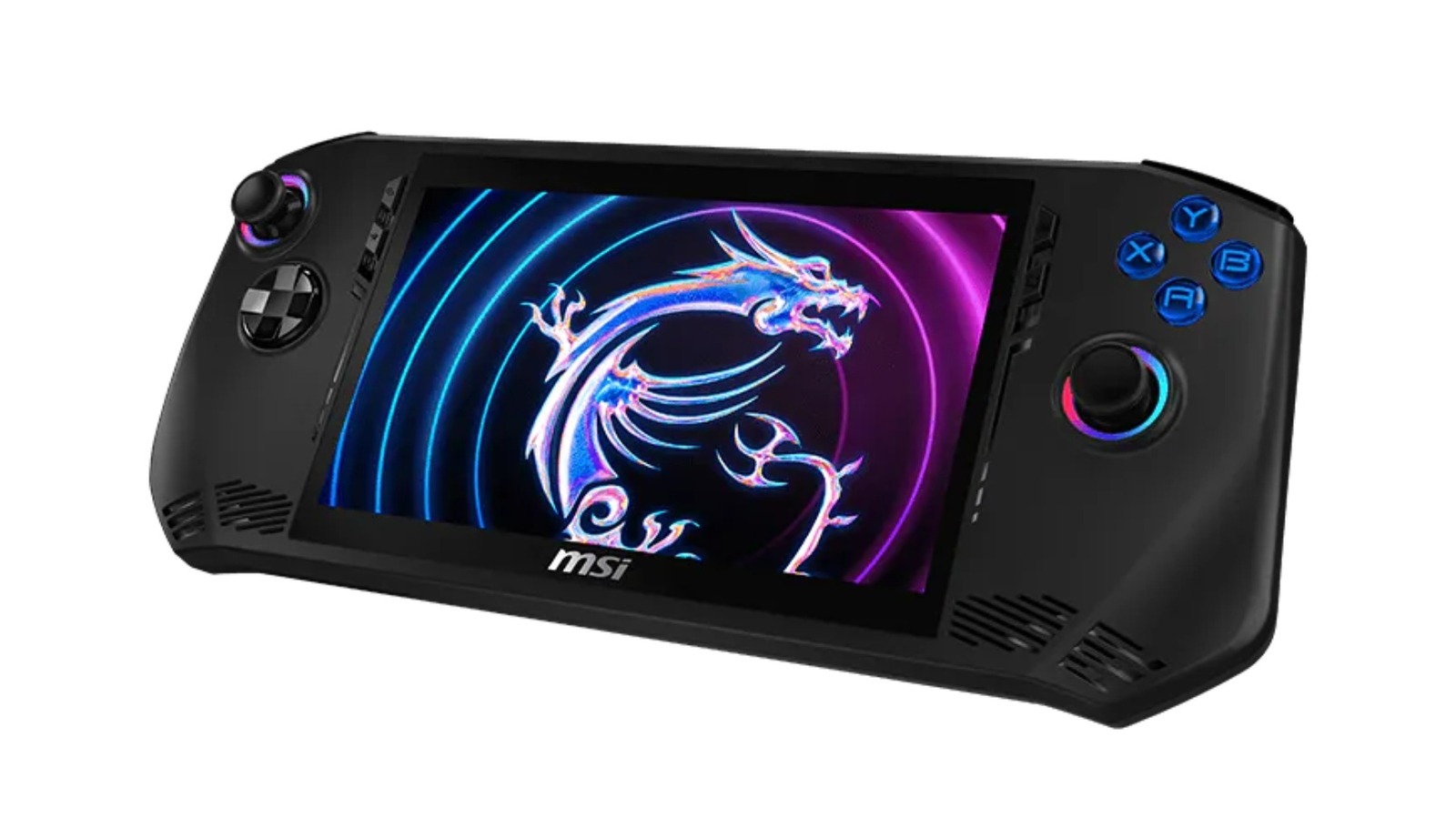
The Steam Deck has inspired plenty of rivals, including some even more powerful than Valve’s own handheld gaming computer. These other models offer different features and are often easier to get a hold of than the Steam Deck, which is often out of stock in recent months. One of these is the MSI Claw, a line introduced in March 2024 that uses Intel Core Ultra processors in most models and runs on Windows 11. Newer Claws have added Copilot AI and higher specs, but the MSI Claw A1M-051US and its Ultra 7-155H processor is still a solid piece of hardware.

At $699, the MSI Claw A1M is slightly more expensive than the Steam Deck OLED’s 1TB model, which goes for $649. But while it has about half the built-in storage at 512GB, it justifies the price with stronger technical specs. That said, if the price was a bit too high for you before, it’s worth noting that the MSI Claw A1M is currently on sale at Walmart for $598.95 — a discount of just over $100.

Save money on the MSI Claw A1M through Walmart

At $598.95, a little under 15% off, the MSI Claw A1M is around $50 more than the 512GB Steam Deck OLED. Valve’s handheld has a 1280×800 display with a refresh rate of up to 90Hz. Compare that to the Claw’s 1920×1080 and 120Hz. It’s also faster, with max CPU speed at 4.8 GHz versus the Steam Deck’s 3.5GHz. It’s also Wi-Fi 7 compatible while the Deck is a Wi-Fi 6E device.

Another point in the Claw’s favor is its support for different gaming platforms, including Steam, Xbox, and Epic. While Steam Deck users can play games from Xbox and other third parties, you’ll have to go through the effort of downloading separate launchers yourself. On top of that, the Claw has Hall Effect joysticks – which are designed to be more resilient and not develop stick drift — and it also features customizable RGB lights around the joysticks and buttons.

Other elements of the MSI Claw A1M are comparable to the Steam Deck, including its 16GB of RAM and slightly smaller screen (7″ to the Steam Deck’s 7.4″). One common complaint among Claw models is regarding battery life, but that’s not by any means unique. After all, users are always trying to find ways to extend their Steam Deck’s battery. If you’re looking for a new gaming handheld, Walmart’s deal on the MSI Claw A1M is a compelling discount. Not only is it the more powerful hardware, but unlike the Steam Deck, it’s available right now.

Source

Posted on

Taron Egerton’s 9-Episode Apple TV Series Is A Must-Watch After

Taron Egerton is a versatile Welsh actor who gained international acclaim for his starring role in the “Kingsman” movies. More recently, he proved that he can play a terrifying villain in the 2026 Netflix original thriller “Apex.” Egerton possesses a talent for action, comedy, and even horror, and he’s able to steal the show in all three. If you were captivated by Taron Egerton’s dramatic performance in “Apex,” your next watch should be the nine-episode series “Smoke” on the Apple TV platform.

“Smoke” tells the story of an arson investigator (Taron Egerton) and a police officer (Jurnee Smollett) who team up to capture a duo of serial arsonists. In this criminal pursuit drama, Egerton’s character is what draws you into the narrative. It quickly becomes apparent that there is friction between the main characters and that deeper secrets and conspiracies lie beneath the surface. Taron Egerton was even nominated for a BAFTA for his role in “Smoke,” so it’s definitely worth watching for his performance.

A compelling cop drama filled with obscured secrets

“Smoke” is more than just a clever name for an arson story; it’s also a perfect descriptor for the elusive nature of this series. As Alan Sepinwall said in his Rolling Stone review of “Smoke,” it “starts off a hacky cop show.” It’s only after you hold out for a few episodes that you realize how compelling it actually is. It’s as if there’s a layer of proverbial smoke obscuring the main mysteries, and you have to wait for it to clear away.

Episodes six and seven of the show’s single nine-episode season have the highest ratings on IMDb. It makes perfect sense: the last half of “Smoke” is where it evolves from being a typical police show into a unique story with a premise that actually stands out. And, as with any good character-driven drama, our lead character is at the center of it all. Fans of Taron Egerton will enjoy seeing how his character responds to transformative revelations as they come to light.

With the release of Netflix’s “Apex,” now is a great time to go back through the entire Taron Egerton catalog. If you like “Smoke,” you’ll also love the Apple TV series “Black Bird.” These two shows are enough to justify at least one month of the service, even after last year’s Apple TV subscription price increase.

Source

Posted on

This Is The Worst Bluetooth Speaker Consumer Reports Has Tested

We may receive a commission on purchases made from links.

Dropping more than $500 on a Bluetooth speaker should translate to great sound quality, solid battery life, and a handful of audio settings and customizations that are easy and entertaining to use. Unfortunately, this isn’t always the case, as evidenced by Consumer Reports (CR) after testing the Sony SRS-XV900, a $900 party speaker that ended up delivering a pretty lackluster experience. As a matter of fact, the speaker even made it on CR’s list of the 25 worst products of 2025.

“Hazy, grainy, muffled, sizzly,” and “smeared” are just some of the descriptive language CR went with to sell its disdain. It’s hard to believe that such a large Bluetooth speaker from a major brand delivers such unimpressive audio, especially when you consider its multiple tweeters, stereo drivers, and its X-Balanced Speaker Unit woofer. It also weighs close to 60 pounds, making its attached wheels a must for carting the XV900 around.

CR also said “[the XV900] has sonic shortcomings that leave a lot to be desired when listening to music,” but did mention that it does a solid job at highlighting dialogue and vocals. Hindustan Times Tech provided a second opinion; while reviewer Shaurya Tomer thought the XV900 sounded great, and that there was a good amount of EQ options to work with, he ended up dinging the speaker for its bulky size.

Choosing the right Bluetooth party speaker doesn’t have to be difficult

The Sony SRS-XV900 will soon be a relic, as the product is already unavailable at Best Buy, and is no longer listed on Sony’s site; though its XV800, XP700, and XV500 siblings can still be purchased. As far as party speakers are concerned, it seems that Sony shifted focus to its ULT lineup. Prices start at $900 for the ULT Tower 9, and go up to $1,200 for the ULT Tower 10. There are also a few non-party Bluetooth speakers in the ULT family, including the ULT Field 1, 3, 5, and 7.

Fortunately, Sony isn’t the only player in town when it comes to pulse-pounding Bluetooth speakers that can fill a backyard with hip-hop. Brands like JBL make a wide variety of speakers, including crowd-pleasers like the PartyBox Stage 320 and PartyBox 110. Party speakers like the ION Pathfinder 320 and Klipsch GIG XXL are awesome options, too.

When choosing a Bluetooth party speaker, it’s important that you ask yourself what features, settings, and connections are most important. RGB lighting, a long-lasting battery, and water protection are just a few of the boxes we’d want to check ourselves. You’ll also want to make sure that the speaker you select is compatible with whatever mobile devices and AV components you plan on hooking up to it.

Source

Posted on

The Apple Vision Pro Just Made Medical History

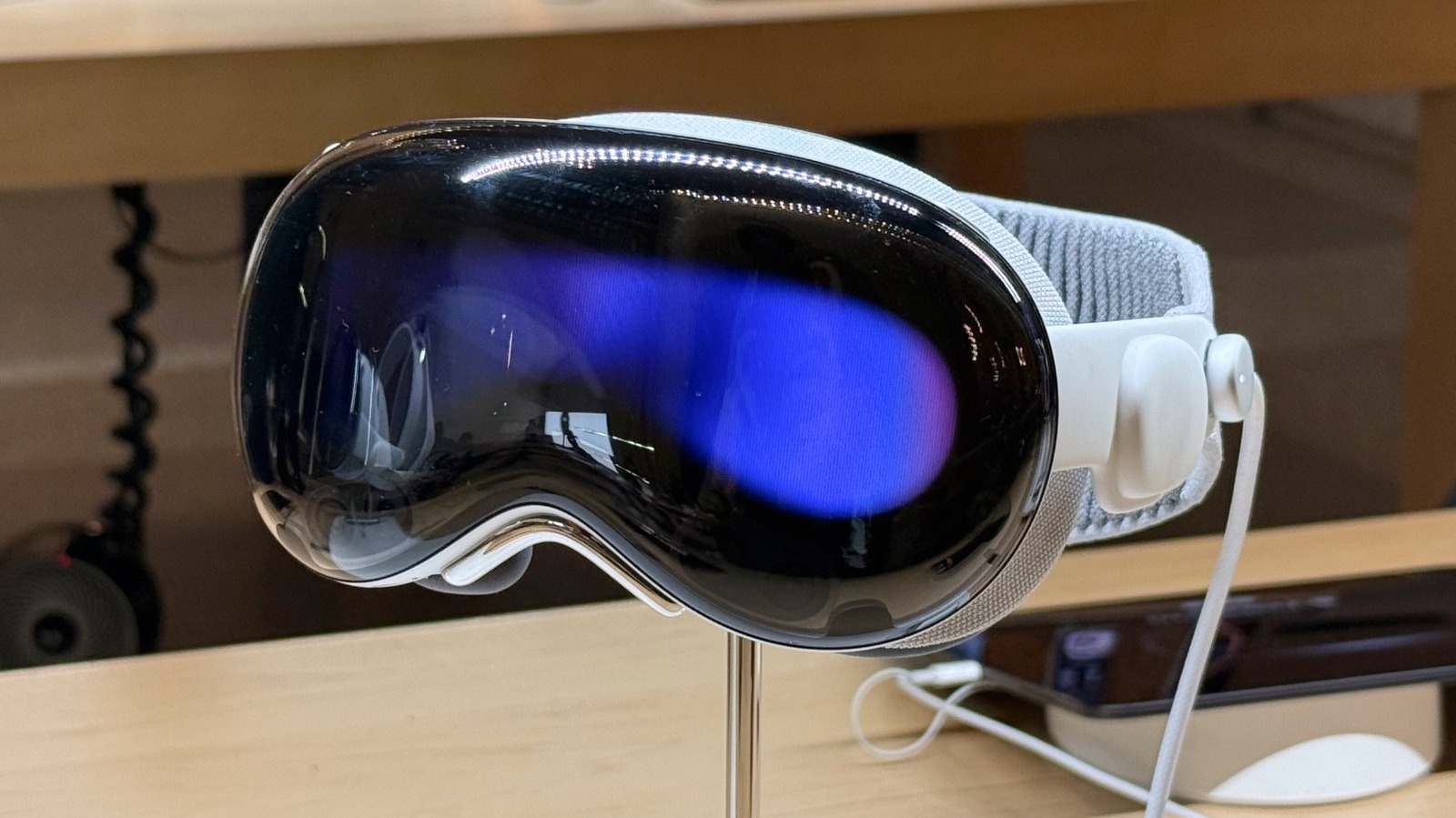
Apple Vision Pro displayed in a store José Adorno/BGR

Apple Vision Pro — Apple’s mixed reality headset — seems to have found a good market in medicine, as it’s just made history by being used to perform a cataract surgery. As explained by SightMD, an ophthalmology practitioner in the New England area, Dr. Eric Rosenberg performed the initial procedure in October 2025, and since then, several other cases have been performed using Apple’s new platform. While it only made the news now, Dr. Rosenberg used an app he developed called ScopeXR, which helped him see the surgery in a deep, 3D view, while digital maps of the patient’s body and test results appeared right in front of his eyes.

While surgeons have used the Apple Vision Pro to help perform spinal surgery earlier, it’s impressive that the mixed reality headset, which doesn’t require users to touch any surface to interact with it, continues to be improved for several medical purposes. “What we accomplished in that operating room is something that has never been done before anywhere in the world,” said Dr. Eric Rosenberg. “This isn’t just about a new device; it’s about reimagining what the operating room of the future looks like. We’ve created a platform that makes surgeons safer, smarter, and more connected.”

Inside ScopeXR’s software

Even though Apple Vision Pro is the platform that helped perform this surgery, it was the ScopeXR app — designed for ophthalmic surgery — that made it possible. According to SightMD, the software integrates with other 3D digital surgical microscopes, which gives real-time surgical images on the Vision Pro. The platform is compatible with several surgical systems, and it doesn’t require major infrastructure changes to be widely adopted. This tool also enables real-time collaboration between other doctors and health professionals in real time, which can let other specialists be part of the procedure from anywhere in the world by letting them see what the operating surgeon sees with live microscope feeds, diagnostic data, and with two-way audio support.

“We are now able to bring the world’s best surgeon into any operating room, at any hour, from anywhere on the planet,” said Dr. Rosenberg. “From residents performing their first cases to surgeons facing unexpected complications, this technology democratizes access to expertise, and that will save vision.” Another important feature of this tool is that, in the same way that other doctors and specialists can participate in the surgery, it can also be used by students, residents, and others to observe and learn how to perform those surgeries.

Here’s why Apple Vision Pro is a perfect match for surgeries

Despite these advancements, the Apple Vision Pro is far from being a successful Apple product. Unlike all other devices offered by the company, which are available worldwide, the mixed reality is only available in select regions, and with a hefty price tag of $3,499. Then, there’s the poor battery life and uncomfortable feeling when used for a few hours. Nonetheless, the Apple Vision Pro is a well-crafted product with two high-end micro-OLED displays offering an excellent mixed reality experience. Apple even updated the headset recently, with the M5 Apple Vision Pro offering 10 percent more pixels and a refresh rate of up to 120Hz.

Apple says its 12 cameras, sensors, and microphones stream images within 12 milliseconds, which is an impressively low latency. The M5 processor, which now powers the Vision Pro, makes apps load faster, in addition to hardware-accelerated ray tracing. The new Neural Engine cores of the M5 chip also make AI features run twice as fast, and the revamped Dual Knit Band makes the heavy headset more comfortable to wear. Since all actions are performed with the eyes, pinch gestures, and voice commands, the headset seems like a natural fit among health professionals.

Source

Posted on

This Netflix Cult Thriller Series Is Only 6 Episodes And

A new series is quickly dominating streaming, though some viewers may need a feel-good Netflix show to cheer them up after watching it. If you’re in the mood for a semi-dystopian thriller in the same vein as “The Handmaid’s Tale,” Netflix’s miniseries “Unchosen” may be the right pick for your weekend.

“Unchosen” quickly dominated the charts after releasing on April 21, taking the No. 1 position for shows on Netflix in over 40 countries, including the U.K. and the United States. With a focus on a woman attempting to survive in a repressive community, the drama series takes inspiration from reality without being based on a true story. Nonetheless, its creator still hits audiences with some rather brutal truths about people living in private sects.

With six episodes, each averaging around 45 minutes, “Unchosen” can be knocked out pretty quickly, making it an addictive Netflix series you can finish in a day. On Rotten Tomatoes, it holds a 70% Tomatometer score and a 42% Popcornmeter score. In a review for Metro, critic Sabrina Barr states, “‘Unchosen’ demonstrated how important it is to look beyond the surface, delving deep until you discover what’s really bubbling underneath.”

Unchosen is a must-watch on Netflix

Written and created by Julie Gearey, “Unchosen” is set around a conservative cult led by Christians known as The Fellowship of the Divine. With “Doctor Who’s” Christopher Eccleston acting as the leader of the group, those within the sect are hidden away from the rest of the world, known as “the unchosen.” With limited access to technology, women are required to obey the men within the group, who have free rein to do as they please.

The story focuses on Rosie (Molly Windsor), a wife and mother who encounters an escaped convict by the name of Sam (Fra Fee). From there, Sam joins the cult, and Rosie begins her journey toward freedom and personal liberation. Along with Eccleston, Fee, and Windsor, the miniseries also stars Asa Butterfield, Siobhan Finneran, and Alexa Davies, among others. Like other shows on Netflix, you may not be able to stop after the first episode.

What makes “Unchosen” interesting is that Gearey interviewed several former cult members for the series, as she explains in an article for Netflix’s Tudum. She found many through online communities. Through her research, Gearey also learned that over 2,000 cults continue operations within the United Kingdom. You can find “Unchosen” streaming on Netflix, though it’s currently up in the air whether the series will get a second season. No spoilers, but the first season ends conclusively, so don’t worry about a cliffhanger should it not return.

Source

Posted on

Honor MagicPad4 Review: The Super-Thin Android Tablet For Productivity

Display on the Honor MagicPad4 Christian de Looper/BGR

Apple paved the way for ultra-thin tablets with the iPad Pro a few years ago, and now other companies are starting to follow suit. The latest of those is Honor with the new Honor MagicPad4. The new tablet has an incredibly thin build, a high-end chipset, and an OLED screen on the front.

Those things alone aren’t necessarily enough to make for a great tablet. Android tablets are notorious for lacking software refinement, and while some of this has gotten better over the past few years, you’d be hard pressed to argue that Android is as good on tablets as iPadOS. That’s not to mention the fact that Apple has started shipping its laptop-class chips in its higher-end tablets, making them perform better than ever before.

Does Honor do enough with the Honor MagicPad4 to get around these issues, or should you consider a different Android tablet instead? I’ve been using the Honor MagicPad4 to find out.

Design

Thickness of the Honor MagicPad4 Christian de Looper/BGR

At 4.8mm thick (not counting the camera bump) and 450g, Honor is calling this the world’s thinnest Android tablet, and that tracks. It’s very thin — thinner than the iPad Pro, which is saying something. I use an iPad Pro regularly, and the ultra-thin form factor wasn’t quite as mind-blowing for me as it might be for someone coming from a thicker device — but that’s just because of the novelty of it. It’s still very impressive to hold.

The build quality is good too. Overall, the MagicPad4 feels refined and premium. It has flat edges, like pretty much every new phone and tablet these days, and it comes in a few different metallic finishes. I have the gray model, and it looks nice.

The buttons and ports are more or less where you would expect them to be. There’s a power button on the left side (or top, depending on orientation), USB-C port on the bottom (or right) edge, and a front-facing camera positioned along the top when you’re holding it in landscape. That’s the ideal placement.

The bezels are very thin too, and they look great. But there’s a practical trade-off — super-thin bezels on a tablet make it hard to hold the device without accidentally triggering touch inputs on the screen. It’s not a dealbreaker, but it’s a recurring minor annoyance, and you’ll have to get used to holding it in a way that you don’t unintentionally tap the screen.

Overall, design is a clear win here. It’s portable, it’s premium, and it feels great. Whether anyone actually needs a tablet this thin is another conversation, but Honor has proven it can build one.

Display

Display bezels on the Honor MagicPad4 Christian de Looper/BGR

The MagicPad4 features a 12.3-inch OLED panel with a 3:2 aspect ratio, running at 3000 × 1920 resolution (roughly 3K) with 290 PPI. That’s a shift from the MagicPad 3, which had a larger 13.3-inch LCD screen. The size reduction might sound like a downgrade on paper, but the jump from LCD to OLED more than makes up for it — you’re getting dramatically better contrast, deeper blacks, and richer colors.

Peak brightness hits 2,400 nits in HDR, which is easily bright enough for any indoor scenario and handles direct sunlight reasonably well, even if it doesn’t quite match the peak figures on Honor’s latest phones (though that’s an unfairly high bar to set).

The 165Hz refresh rate is higher than what most competing tablets offer, and while I’d argue the difference between 120Hz and 165Hz is subtle enough that most people won’t notice it day to day, scrolling and animations do feel very smooth. It’s probably unnecessary for productivity work, but for gaming or simply enjoying a buttery interface, it’s a nice bonus. In daily use, the display looks excellent. Colors are vibrant, text looks crisp, and it hits the marks you want from a premium tablet.

Keyboard

Keyboard on the Honor MagicPad4 Christian de Looper/BGR

Honor sells a dedicated smart keyboard with an integrated trackpad as a separate purchase, and it’s a solid if slightly imperfect companion to the MagicPad4. The keys offer good travel despite the thin profile, and typing for extended periods feels comfortable and responsive. The trackpad works well too — it’s generally smooth and does the job.

The stand mechanism is highly adjustable, and it’s sturdy enough. That said, the hinge feels a little fragile in practice. The way the keyboard folds and attaches to the tablet seems like something that could wear over time. It’s not flimsy, exactly, but it doesn’t inspire the same confidence as, say, Apple’s Magic Keyboard.

That said, if you’re planning to use the MagicPad4 as a laptop replacement for lighter work, the keyboard gets the job done. It won’t replace a proper laptop keyboard for typists, but for its intended purpose, it’s more than adequate.

Performance

Back of the Honor MagicPad4 Christian de Looper/BGR

The Honor MagicPad4 runs on Qualcomm’s Snapdragon 8 Gen 5 built on a 3nm process, paired with either 12GB or 16GB of RAM, depending on configuration. This isn’t the Snapdragon 8 Gen 5 Elite variant, so you’re not getting the absolute best silicon Qualcomm makes. But in practice, the performance difference is small for productivity workloads.

Day to day, the MagicPad4 handled everything I threw at it without breaking a sweat. Heavy multitasking across numerous apps, split-screen productivity, and media playback all run smoothly with no stutters or freezes. The tablet also handled sustained workflow pretty easily without getting overly hot, which is impressive given how thin the build is.

All that said, the iPad Pro with Apple’s M-series chip still outperforms the MagicPad4 in pretty much every measurable way — though it’s also a fair bit more expensive. For the vast majority of users, the MagicPad4 still offers more than enough when it comes to performance.

Battery and charging

USB-C port on the Honor MagicPad4 Christian de Looper/BGR

The MagicPad4 boasts a 10,100mAh silicon-carbon battery, which delivers solid but not groundbreaking endurance. In my experience, it’ll comfortably get most productivity users through a full workday of mixed use. If you’re a power user, you might find yourself reaching for the charger by late afternoon. This is almost certainly a direct consequence of that ultra-thin 4.8mm design.

When you do need to charge, 66W Honor SuperCharge support via USB-C fills the battery reasonably quickly. It’s faster than what many competing tablets offer, though it doesn’t hit the blistering speeds Honor and others achieve on some of their phones. For a tablet you’ll typically charge overnight or during lunch, the speed is more than adequate.

Camera

Camera on the Honor MagicPad4 Christian de Looper/BGR

The MagicPad4 comes with a 13-megapixel rear camera, alongside a 9-megapixel fixed-focus front camera at f/2.2. Let’s be honest — tablet cameras exist primarily for video calls and the occasional document scan, and that’s about it. Nobody is choosing a tablet based on its camera system, and nobody should be.

Given that, the cameras here are fine. The rear camera produces images that are sharp enough but lean toward the dull side for color and dynamic range — perfectly serviceable for scanning whiteboards or snapping reference photos, but you won’t be replacing your phone for anything creative. The front camera, benefiting from that smart top-edge placement in landscape mode, works well enough for video calls with decent quality and exposure.

Software

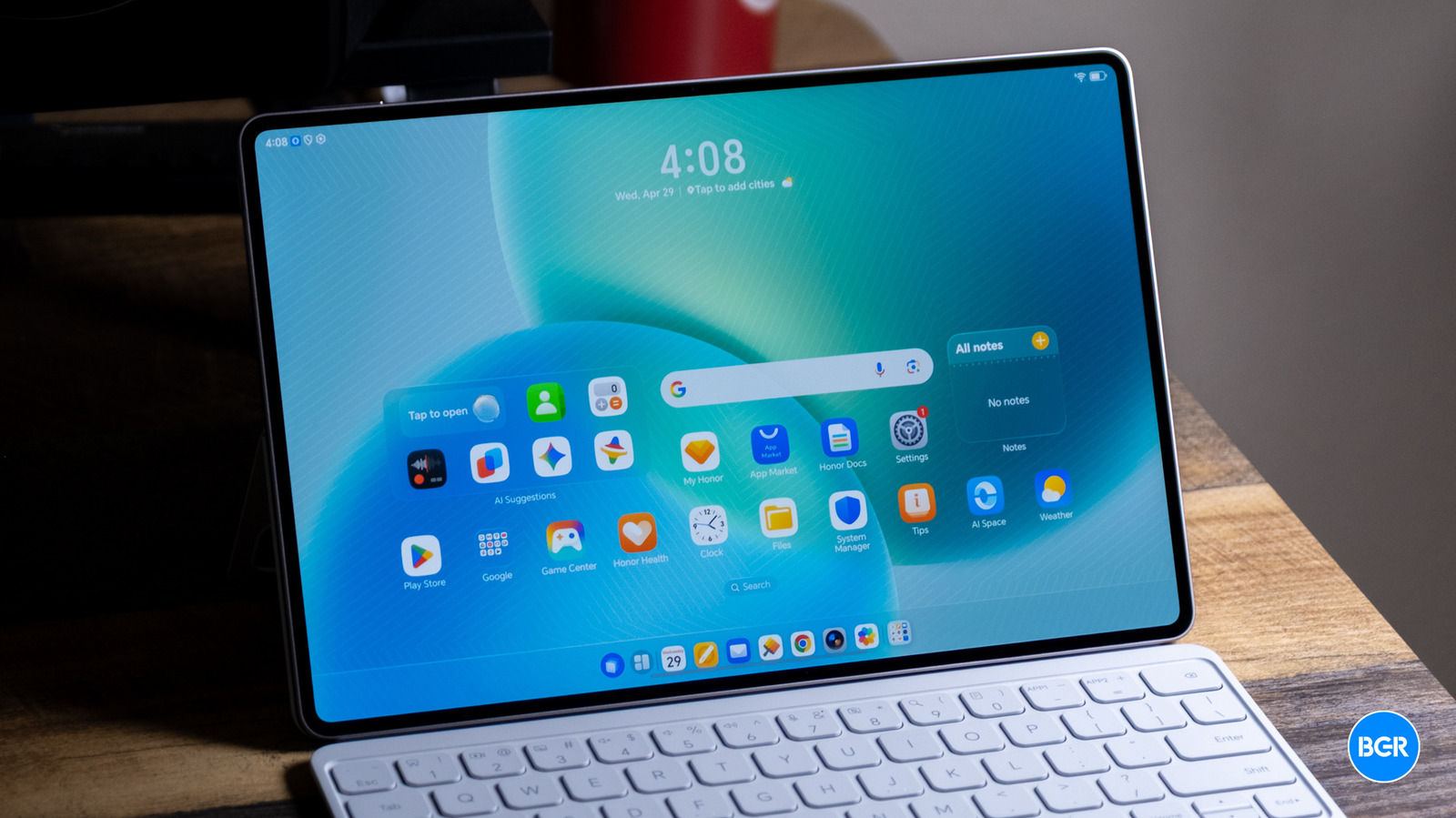
Software on the Honor MagicPad4 Christian de Looper/BGR

The MagicPad4 ships with MagicOS 10 based on Android 16, and Honor has committed to six years of OS and security updates — something that puts it in line with the industry’s best update policies. More importantly, the actual software experience on this tablet is genuinely good, which isn’t something you can always say about Android on bigger screens.

The standout here is PC Mode, which gives the interface a desktop-like environment with a taskbar, floating windows, mouse support, and more. It works pretty well, especially once you get used to the layout and how the multitasking system works. The tablet supports up to 20 simultaneously active windows, giving you real flexibility in organizing your workspace.

Honor Connect deserves a mention too — it enables cross-device connectivity and even lets the tablet function as an extended display for a Mac, which is a clever way to appeal to users who aren’t fully locked into one ecosystem. It’s similar to the feature on iPad but, you know, not on an iPad.

Honor has adopted a Liquid Glass-style design language that looks pretty similar to Apple’s implementation. It looks decent, and it’s quite customizable — you can tweak the appearance to your preferences.

Conclusions

The Honor MagicPad4 is a great tablet. It’s beautifully built, impressively thin, and packs enough power to handle anything a reasonable user would throw at it. The OLED display is gorgeous, the software experience is surprisingly competent, and the keyboard accessory makes it a viable productivity machine. It can’t quite compete with the iPad Pro though — Apple’s combination of superior silicon, a better tablet OS, and a deeper app ecosystem still puts it in a different league. But if you’re committed to Android or simply want a premium tablet that isn’t an iPad, the MagicPad4 is one of the best options you can buy today.

The competition

The MagicPad4’s core differentiators come down to its extreme 4.8mm thinness, the 165Hz OLED display, a comprehensive and actually functional PC Mode, and AI tools focused on genuine productivity scenarios like meetings rather than empty gimmicks. Against Samsung’s Galaxy Tab S series, I find the MagicPad4 more compelling overall. It’s better designed, performs comparably or better, and offers a more thoughtful software experience for productivity users.

That said, if raw ecosystem support and app optimization are what matter most to you, the iPad Pro remains king. But taken as a complete package, the Honor MagicPad4 punches well above its brand recognition in Western markets.

Should I buy the Honor MagicPad4?

Yes, if you’re looking for a well-built, premium Android tablet.

Source