
Posted on

8 Cheap 3D Printers You Should Buy And 2 You

Stenko Vlad/Shutterstock

We may receive a commission on purchases made from links.

3D printing is a fun hobby to get into. Crafting figurines, useful tools, and other knickknacks on the fly is a pretty appealing prospect for many. If you’re interested in acquiring a 3D printer, then be prepared to be sucked into a creative wormhole. 3D model data, various kinds of filaments, print resolutions, extruder types, FDM or SLA printing technology, and operation speed are things you will become aware of in no time. It’s wonderfully captivating in its own way, but anyone on the fringe of getting into this hobby will point at a common barrier to entry: price. 

It’s no secret that 3D printing is expensive to get into, with some high-end 3D printers costing $1,000 or more. For most people, this serves as a major deterrent that prevents them from getting into what could be an interesting pastime. That said, the printer could pay for itself if they decide to pursue profitable 3D printing projects to earn some money on the side.

Thankfully, 3D printing has become such a popular activity that entry-level budget printers are more commonplace — and viable — than ever before. If there are 3D printers being specifically made for kids, then you can bet your bottom dollar that you can find reliable 3D printers that can be bought at a reasonable price for any age group. It’s natural to worry that sticking to a shoestring budget will hamper the quality of the product you purchase. Thankfully, various critics have already reviewed a litany of budget 3D printers, letting you know which ones are worth your money… and which ones should be given a wide berth.

Buy: Elegoo Centauri Carbon

CoreXY 3D printers have become widely coveted for the speed they afford during the printing process. Instead of just inefficiently moving the nozzle on the Y-axis, a CoreXY printer — as the name suggests — moves the printhead on both the X and Y planes, using two ingeniously placed motors that work in tandem to facilitate this movement. It brings a sense of stability to the printing process and minimizes any artifacting, leading to better print quality. If this has convinced you to snag a budget-friendly CoreXY 3D printer, then the Elegoo Centauri Carbon will be right up your alley.

With 4.5 stars out of 5 on both Creative Bloq and TechRadar, a score of 4 out of 5 on PCMag, and a similar number of stars on Tom’s Hardware, this $290.69 printer is an excellent pick for people who want to enjoy a good-quality device. It prints at a speed of 500 millimeters per second, utilizes a 121-point auto-leveling method, and is compatible with a wide array of materials courtesy of its 320°C max nozzle temperature. If you want a cheap 3D printer that prioritizes both quality and speed, look no further than the Elegoo Centauri Carbon.

Buy: Creality Ender-3 V3 SE

There’s a reason why the Creality Ender-3 V3 SE has received a 4.5-star rating out of 5 from both TechRadar and Tom’s Hardware. For $230, you won’t find better 3D printers on the market. It utilizes a direct drive extruder, letting it support a wide variety of filaments while also enhancing the precision of its 3D prints. It may not have the fastest printing speed, but for its low price, 250 millimeters per second is more than reasonable. With Creality’s CR Touch sensor and pressure sensors on the bed, the Ender-3 V3 SE’s auto-leveling helps adjust the Z-axis for optimal printing performance. The device’s home screen does a great job of conveying all the information you need when setting up the printing process.

Keep in mind that this printer doesn’t have Wi-Fi support. Make sure you have an SD card ready that you can insert into the printer to upload any 3D model data and get started with your latest project. It’s a minor inconvenience, but one that you’ll get over in due time. One of the biggest perks of the Ender-3 V3 SE that makes it so viable for beginners is the ease of setting it up. The 3D printer is mostly assembled from the moment you take it out of the box. Putting in a few screws, setting up the auto-leveling system, and adding the filament will all take roughly 20 minutes. Expect to get started with your 3D printing journey in no time after getting your hands on the Creality Ender-3 V3 SE.

Buy: Anycubic Kobra 3 V2

With four stars on both Creative Bloq and Tom’s Hardware, you can’t go wrong with the Anycubic Kobra 3 V2. A print speed of 600 millimeters per second is excellent and makes the $279 investment in this 3D printer quite worthwhile. A 60 mm Y-axis, SG15 X-axis bearings, and LeviQ3.0 technology all ensure that the auto-leveling in the Kobra 3 V2 is precise and error-free. The 720p camera attached to this 3D printer helps you keep an eye on the printing process, with its time-lapse videos also making for a fun treat.

One of the biggest selling points of the Kobra 3 V2 is the ACE Pro multimaterial unit, letting you add four filaments at once to initiate more complex 3D printing projects without having to switch out materials all the time. It also comes with a dryer to stabilize any overhangs and improve 3D print quality. Sure, the ACE Pro isn’t perfect — there are reports of filaments getting mixed up, stuck, and tangled together in the unit — but that’s a minor complaint for what is otherwise a standout 3D printer.

Skip: Elegoo Neptune 4

The onset of Klipper firmware has done a great job of making 3D printers more efficient and accurate than ever before. This technology has been adopted by several devices for its perks, and the Elegoo Neptune 4 is no exception. However, while other 3D printers integrate KlipperScreen to let users configure every aspect of this firmware to their liking, the same can’t be said for the Neptune 4. It lacks both the aforementioned KlipperScreen and Wi-Fi support, meaning that the only way you can access the Klipper options is to use either a Wi-Fi dongle or an Ethernet cable for a direct internet connection and access the Klipper config file using Fluidd, a web-based interface.

These complex processes can make it a challenge to use the Elegoo Neptune 4, especially for beginners who are prone to making common 3D printing mistakes. This is why Tom’s Hardware was fairly restrained in their review with an unremarkable 3.5-star rating out of 5. To make things worse, the Neptune 4 utilizes a weird hybrid system for bed leveling, forcing you to manually set up the nozzle and adjust the Z height before letting the device take care of the rest of the setup process. The $225 price point is certainly attractive, but you can still find better budget 3D printers in the same range.

Buy: Bambu Lab A1 Mini

The Bambu Lab A1 Mini has developed a stellar reputation as one of the most compact and budget-friendly 3D printers on the market. This pre-assembled 3D printer needs you to set up just three things: the filament wiper, spool holder, and Bowden tubes. With support for up to four filaments at once if you opt for the optional AMS Lite add-on, a direct drive extruder, and a maximum printing speed of 500 millimeters per second, the $219 you spend on this device will feel like a bargain.

It’s no wonder that critic reviews for the Bambu Lab A1 Mini have been glowing across the board. It got a 4.5 out of 5 rating on PCMag, a similar number of stars on Tom’s Hardware, and a perfect 5-star rating on TechRadar. Larger 3D models are a challenge to print on its small print bed, and the addition of the AMS Lite can lead to filament wastage, but none of these drawbacks should stop you from getting what is easily one of the best budget 3D printers around.

Buy: Sovol SV06 ACE

The Sovol SV06 ACE is an excellent budget 3D printer, boasting a suite of features at the very reasonable price point of $236.54 that makes the overall package oh-so-tantalizing. The integration of Klipper firmware, along with a direct drive extruder, helps this printer reach speeds of 600 millimeters per second without compromising the quality of the final piece. The inbuilt camera ensures that you can track the progress of an ongoing project and check for any errors while also recording time-lapse videos to show off the fascinating process of printing a 3D model from scratch. It’s easy to see why Tom’s Hardware was so glowing in its review, giving this 3D printer a solid 4.5 stars out of 5. 

If you enjoy tinkering with the software of your devices, then you’ll be delighted to know that the SV06 ACE has Wi-Fi support and ships with a copy of the OrcaSlicer, an open-source technology that — along with Klipper — can be customized to tailor this 3D printer’s processes as per your requirements. Of course, this can be a bit too technical for beginners to get into, which is why newcomers to 3D printing will be glad to know that setting up and operating the SV06 ACE is relatively straightforward. It only takes 15 minutes to be assembled, can download 3D model data over Wi-Fi, and receives easy-to-install OTA software updates. This makes the Sovol SV06 ACE a perfect all-in-one package that will satisfy both beginners and advanced users.

Skip: Phrozen Sonic Mini 8K S

If your priority is to 3D print high-quality figures with a ton of detail and excellent surface quality, then go for an SLA printer. It uses photopolymerization, hardening liquid resin with a strong, focused UV light to whip out detailed, professional-looking 3D models. If you’re a fan of TTRPGs, a resin printer can potentially help you save a ton of money on figurines. However, unlike its filament counterpart, a resin 3D printer is usually more expensive. Seeking out a budget device in this category can be a challenge, which is why the $270 Phrozen Sonic Mini 8K seems like a tantalizing option at first glance. However, a 3.5-star rating out of 5 from Tom’s Hardware makes it clear that this is far from the best SLA printer you can get your hands on.

With its 8K resolution print quality and a heat-resistant 7.1-inch LCD panel to project UV light, there’s no denying that the Sonic Mini 8K S will help you create high-quality 3D models. However, you can find other resin 3D printers in a similar price point with better resolutions. The Phrozen Sonic Mini 8K S is also a very messy printer, which isn’t ideal when you’re trying to be careful about using a toxic material to craft figurines. Resin regularly splashes from the build plate to the metal surface of this printer, and the end product regularly gets stuck, forcing you to use a third-party cutter to separate it from the build plate. It’s a hassle that is better off avoided by opting for a different 3D printer altogether.

Buy: Elegoo Mars 5 Ultra

If you’re dead set on purchasing a resin printer without breaking the bank, then the Elegoo Mars 5 Ultra is a great option. It supports a marvelous 9K resolution to make your models look incredibly detailed and refined. The auto-leveling function simplifies the setup process, while the tilt release feature gently peels the layer from the release film to minimize errors. It also comes equipped with systems to detect possible failures and resin shortages, all of which combine to make the 3D printing process as error-free as possible. All these features can be enjoyed for the very reasonable price of $284.99, making the Mars 5 Ultra an excellent value-for-money resin printer.

The reviews don’t lie, with a 4 out of 5 score on PCMag and 4.5-star ratings on both Creative Bloq and Tom’s Hardware highlighting the brilliance of this MSLA printer. People who are new to 3D resin printing will appreciate the Mars 5 Ultra’s Wi-Fi connectivity. Not only will this let you easily download any 3D model data with ease, but it also lets you use ChituBox Basic. This helpful tool allows you to transfer files remotely, track the printer’s progress via its camera, and access its stored time-lapse videos. All of these features help the Elegoo Mars 5 Ultra stand out as one of the best and most cost-effective 3D printers you can purchase. Just make sure you never 3D print any functional parts, since resin is not the best material to craft anything sturdy.

Buy: Anycubic Kobra X

A 4.5-star rating out of 5 from Tom’s Hardware makes it abundantly clear that the Anycubic Kobra X is a great 3D printer, especially for multicolor filament printing. This is enabled by the cutting-edge ACE GEN 2 multimaterial system with its 4-color printing capability. On top of this, you can expand your palette to 19 colors by attaching the optional ACE 2 Pro, making it easier than ever to print complex and reliable 3D-printed parts. Filament swaps are also very fast, taking an average of just around 35 seconds. A 49-point auto-level system will help streamline the initial calibration setup while also rechecking this leveling at the start of each print, minimizing any potential for error.

The noise generated by this printer is also relatively low, peaking at 48 decibels. Live tracking is also a possibility courtesy of a 720p camera. Unfortunately, the placement of this camera is slightly off, leading to a viewing angle that isn’t optimal for capturing time-lapse footage. Beginners who want to get into fuss-free multicolor printing will find the Anycubic Kobra X to be perfect for them. The best part is that you can get your hands on this amazing 3D printer for just $279, which is an unbelievable bargain!

Buy: Elegoo Saturn 3 Ultra

With its 10-inch 12K Mono LCD, the Elegoo Saturn 3 Ultra is the perfect resin printer to help you create highly detailed, beautiful models. It’s one of the most user-friendly 3D printers on the market, courtesy of an HD touchscreen to easily initiate printing tasks; Wi-Fi connectivity makes downloading 3D model data quite easy, and the integrated air purifier will prevent the smell that plagues most resin printers from permeating your workspace. Of course, that’s not to say that the Elegoo Saturn 3 Ultra is perfect by any means. 

It comes with a Voxeldance Tango slicer, which is okay but far from the most optimal software that is available on most other modern 3D printers. The lack of an auto-leveling system is also a notable drawback and can make it somewhat of a headache to manually adjust the printer’s bed level before every project. Still, despite these issues, the Elegoo Saturn 3 Ultra is easily one of the best and most affordable 3D resin printers on the market. On sale, you can grab this printer from the brand website for just $299. Most review outlets share our praise, as seen in the amazing 9.2 out of 10 score on CNET and a near-perfect 4.5-star rating on GamesRadar.

Methodology

Stenko Vlad/Shutterstock

Any 3D printer with a price tag lower than $300 has been deemed “cheap.” Following this, printers that should be bought or skipped have been categorized based on their reviews from various notable publications. These include Tom’s Hardware, Creative Bloq, TechRadar, CNET, GamesRadar, and PCMag.

Source

Posted on

How To Deep Clean Your Steam Deck The Right Way

Esa Riutta/Shutterstock

We may receive a commission on purchases made from links.

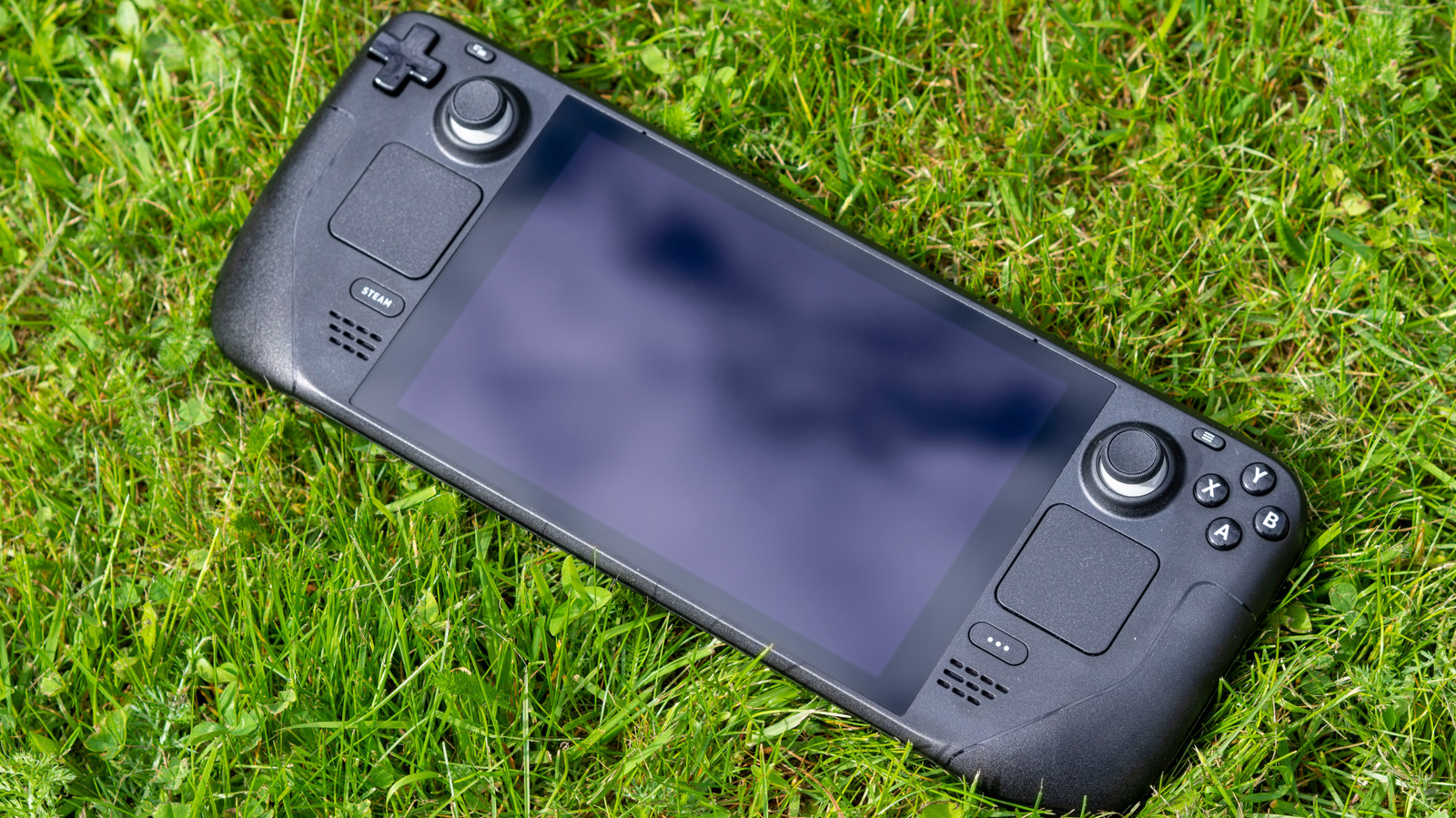
A clean life is a happy life, which is something very apparent in the world of technology. Keeping your devices clean will help extend their lives and allow you to get the most out of them, especially with how expensive new technology can be. And considering we are living right in the middle of a memory and storage shortage that’s even impacting items you use every day, keeping your devices clean and running longer is more important than ever before.

You might think that simply wiping your Steam Deck’s screen with the sleeve of your hoodie is enough to get you by, but you might actually be doing more harm than good. In fact, you might actually be cleaning your Steam Deck improperly and reducing its overall life if you are using some common cleaning products that you have lying around the house.

It’s essential to set up a basic cleaning regime to keep your Steam Deck up and running at its full potential. Things such as shell and screen maintenance, button and input testing, and port inspection should be done regularly. And at all costs, avoid using any aggressive liquid cleaner or compressed air, both of which can lead to damage to the external and internal components.

Good Steam Deck cleaning practices

Ninjin/Getty Images

The screen is the most important part of the Steam Deck, and its care should take precedence as replacing it can be a costly affair. Avoid using any type of liquid cleaner, as even something as common as isopropyl alcohol can lead to screen damage. This also includes any cleaning wipes that include alcohol or ammonia, as those substances are considered aggressive and can dissolve the various coatings on a screen.

Your best bet is to use a microfiber cloth, such as these Japanese microfiber lens cloths from Koala, to gently wipe your Steam Deck screen. If your screen does need more attention, a gentle spray cleaner like the Sparkle Flat Screen & Monitor Cleaner is a good choice for stubborn grime. Just be sure to spray the cloth and not the unit itself. Both of those items also work great on the shell of your Steam Deck.

For more deep cleaning of ports, buttons, and grooves, a cleaning kit such as the iFixit Precision Cleaning Kit or a basic 10-in-1 cleaning kit is your best bet. These often include a number of thin spudgers that can reach into thin grooves to remove dirt and grime buildup, several micro brushes for hard-to-reach areas and ports, and often a special contact solution to protect or clean tarnished or corroded contacts.

Building good cleaning habits will save you headaches later

David McQ/Shutterstock

Depending on how often you use your Steam Deck, a regular weekly cleaning schedule should become part of your routine. You should be wiping down and dusting your device weekly to keep it pristine and to help avoid the buildup of dust inside the unit. Keeping your Steam Deck in a clean area is also important, as various bugs love to find their way inside electronics, especially game consoles, because of the warmth they generate. 

A more in-depth cleaning of ports and buttons with various brushes and picks can be left to a monthly schedule, but if you have kids, you may need to increase this, as they have a habit of having dirty fingers even during the best of times. And if you are on a budget, you don’t need to invest in expensive cleaning products.

Your local Dollar Tree or similar retailer carries various microfiber clothes, different-sized makeup brushes that dust incredibly well, and packs of floss picks that are great for cleaning those grooves where grime builds up. And with the Steam Deck now constantly out of stock and Valve possibly delaying their upcoming Steam Machines, making your device last is more important than ever.

Source

Posted on

5 Ways Android Is More Powerful Than iOS

Elvard project/Shutterstock

Whether you’re buying your first smartphone or upgrading to a more capable model, for most consumers, the choice comes down to Google’s Android vs. Apple’s iOS. There’s a lot of overlap between the two, as Google and Apple routinely replicate software features that were first released by their rival. People who aren’t loyal to either platform would not go wrong picking the device that meets their immediate needs, regardless of the operating system. But more savvy users may tell you differently, saying it’s a choice between variety, customization, and freedom, or high-quality products built around privacy and security that do not offer the same liberties. In what follows, we’ll explain why Android is more powerful than iOS. 

We’re no longer in the early years of the Android vs. iPhone rivalry. We’re looking at two mature operating systems that are each very capable. Android 16 and iOS 26 are the latest software versions available for Android and iPhone, each turning the handset in your pocket into a powerful personal computer. The phone may be the first device you pick up for chores that would have required a laptop or desktop in previous years. That mobile computer is even more versatile if it runs Android, as it makes possible a few types of actions not available on iPhone.

An Android phone will handle multitasking better than iOS, and it’ll give you access to a richer file management system. Android phones can run almost any app via sideloading, whereas iPhones are mostly restricted to the App Store. All of that adds up to a more PC-like experience on Android than you get on iPhone. And finally, we can’t ignore the emergence of AI, where Google has a massive advantage over Apple.

An Android phone (and skin) for every whim, taste, and budget

tinhkhuong/Shutterstock

iPhones are often described as boring, as Apple prefers to refine an existing design for several years before introducing novelties. The Android camp offers a much wider selection. Want the closest thing to an iPhone that Android has? You buy one of Google’s latest Pixel 10 phones, which feature high-end specs, great camera capabilities, the latest Gemini AI features, and Google’s ideal version of Android, which receives the latest software update the fastest. Want a foldable phone? Samsung and Motorola make clamshell handsets, while Google, Samsung, and others sell book-type foldables. Samsung also has a new Galaxy Z TriFold model, a phone that might completely change tablets forever.

Price is another reason why Android as an ecosystem is more powerful than iOS. For $499, you can buy the Pixel 10a mid-ranger, which offers the same chip as the Pixel 9, a strong camera, and lots of AI features. British vendor Nothing has a series of Phone A-series models that target budget buyers. The entry-level Galaxy A16 was Samsung’s best-selling handset of 2025. The budget iPhone 16e starts at $599, while the most affordable iPhone 17 retails for $799.

But that’s just one side of the equation. Because Android is open source, device manufacturers can customize the OS to fit this wide variety of hardware. These bespoke versions of Android are known as OEM skins, with Samsung’s One UI being the most famous example. As a result, Android offers power-user features like Good Lock on Galaxy phones for major UI tweaks, Mind Space on OnePlus devices for AI-assisted memory, or Moto Actions on Motorola phones for quick gesture shortcuts. Put simply, Android’s hardware variety drives software innovations that Apple’s ecosystem is less equipped to foster.

The computer experience: Customization, multitasking, and file management

Andrey_Popov/Shutterstock

Generally, the more money you spend on an Android device, the better the experience will be. Android has always offered better customization options that allow users to configure the phone as they see fit. It’s not just the ability to use dynamic wallpapers, modify icons, or install custom launchers. Android lets users replace default apps in ways iOS might not. For example, you can pick your browser of choice, your digital assistant, and the phone and messages apps you want to use on Android.

Then there’s Android 16’s massive redesign that makes the user interface more reactive and intuitive than before. Actionable menus are more obvious, thanks to the use of color or a differently shaped button. All of that may make interacting with apps faster or feel more natural. Android 16 aside, you can even get an Android experience that doesn’t feature any Google apps. On iPhone, you can’t install alternative iOS versions, though in some cases you can jailbreak the handset to run additional apps.

Multitasking is also better on Android, as users can run more than one app on the screen at the same time. The feature is especially handy on foldable phones where there’s more screen real estate to use. Samsung’s Galaxy Z TriFold even comes with a unique DeX mode that turns the device into a desktop-like experience when it’s unfolded. File management is another experience that shines on Android. Users can access the entire storage partition, which makes managing data a lot easier than on iPhone. iOS features an improved Files app that’s been updated in iOS 26, but Android has a wide variety of file manager apps to choose from that can be even more robust.

Sideloading apps is much better on Android

Kharis Ardi/Shutterstock

Power users are more likely to need specific apps that might not be available from the Google Play Store. This is where Android’s sideloading support comes into play, a feature that has been a longstanding advantage of Google’s OS. Android allows third-party app stores like the Galaxy Store. You can also install apps by downloading an APK from a third-party provider or website, whereas iOS requires a signed IPA, and sideloaded installs usually expire unless you re-sign them. Apple only allows third-party app stores in the European Union and Japan, and even that is a limited experience.

The downside of installing any app you desire, ignoring its provenance, concerns security. That’s Apple’s main point about restricting support for sideloading. If the App Store is the only place where you can get apps, and Apple manages that space securely, it’s unlikely that iPhone users will install malware. Android users have similar protections when installing apps from the official Google Play Store, but for sideloaded apps, the responsibility is more on the user to safeguard their device.

That said, the ability to run any apps, including specific applications you may build yourself for home or work tasks, can be a key differentiator. Especially for the power user who knows how to protect themselves when sideloading apps.

Google apps shine in the era of AI and Android XR

Vitalii Petrushenko/Getty Images

Install Gmail, Google Maps, Google Photos, YouTube, Chrome, and other Google apps on your iPhone, sign into your Google account, and you can ignore alternatives from Apple already present in iOS. However, the Google apps work even better on Android, where Google controls the underlying operating system. For instance, Google can make app data available to the built-in voice assistant for deeper voice interactions. Now that we’re in the Gemini era, Google’s AI assistant is able to interact with your other Google apps to surface personal information when you need it. Ask the AI questions by voice about email or calendar data, and Gemini can respond.

Gemini is also built into apps like Google Maps, allowing users to have conversations tailored to travel or navigation. Google Photos lets you edit images with AI, including Nano Banana. Gemini serves as a camera coach on Pixel 10 phones to help you take better photos. Gemini also works in Google Search, via AI Mode, and is available as a standalone app. In addition to Gemini features, Android phones also support third-party AI solutions that smartphone vendors develop for their handsets, such as Samsung’s Galaxy AI platform. iOS will eventually offer similar features via a planned Siri revamp, but you don’t have to wait for those AI experiences if you’re on Android.

Finally, Android XR is also relevant here; the AI-centric Android platform that Google developed for wearable devices, like spatial computers (Galaxy XR) and smart glasses. Android XR places Gemini on the user’s face, giving the AI eyes and ears to see and hear everything the user sees and hears.

Android’s ‘Aluminium’ future is poised for even more power

Justin Sullivan/Getty Images

Apple introduced a feature called Continuity years ago that allows users to seamlessly switch between iPhone, iPad, and Mac when performing specific actions. Maybe you were reading or editing a document on the handset and you want to take advantage of the larger display of the Mac. While Google has worked to implement similar features in the years that followed, the company is now looking to turn Android into a desktop operating system. First, Google is merging ChromeOS with Android, which will mean future Chromebooks and other Android PC models will offer experiences more similar to Android phones. That’s called Aluminium OS, with Google expected to deliver the Android-ChromeOS merge in 2026.

Android already offers PC-like features on smartphones. Running multiple apps side-by-side on a mobile phone, moving files with ease via a desktop-like filesystem, and installing any app you want, not just what’s available on Google Play, is possible on a small-screen device. But to be more of a full-fledged desktop OS, Android needs a larger canvas, and Aluminium may deliver that. Also, many Gemini AI features available on Android phones should transition to Aluminium. When that happens, an Android user may be able to seamlessly switch to an Android desktop or laptop and run all the apps and tasks they had open on the handset, not just some of them. Add Gemini AI assistance on all these devices, and productivity may improve significantly on Android, but that’s just speculation.

Even without Aluminium in place, Android users can connect their phones to Windows devices to manage the handsets from their computers. Separately, Samsung’s DeX functionality lets users connect some Galaxy phones to displays and peripherals, which enables a desktop Android experience.

Source

Posted on

This Tiny $17 Gadget Helps You Stay Productive, And Amazon

We may receive a commission on purchases made from links.

We’ve long known that procrastination, in general, is not a laziness problem or a time problem but has more to do with human behavior and psychology. It doesn’t have much to do with poor time management either. Productivity tends to fall off if you don’t have the right motivation or the right work schedule, and no, that doesn’t mean working nonstop all day, every day. One way to deal with all of it, and potentially build more focused work sessions, is to use a technique called the Pomodoro method. You work for a certain amount of time, unhindered and focused, and then take a certain amount of time off, as a small break. Usually, you work in 25-minute intervals with five-minute breaks in between. You track these sessions using a special timer called a Pomodoro timer.

There are many different types of Pomodoro timers with varied designs and styles, and they’re one of the most useful gadgets for boosting productivity when working from home. One on Amazon is making the rounds, and Amazon reviewers absolutely adore it. The OORAII rotating Pomodoro timer, available for a mere $17, currently has over 870 reviews on Amazon with a 4.7 out of 5-star score. A whopping 85% of those reviews are 5 stars, with a further 9% at 4 stars, meaning 94% of all reviews are 4 stars or higher. People really seem to love this thing.

Some of the comments praise it as being “elegant, functional,” and “almost perfectly designed.” Others have said it’s an “essential task timer,” or that it was precisely what they needed to stay focused and energized throughout their day.

Why does the Pomodoro technique work?

Invented in the 1980s by a French university student trying to improve their studying, named Francesco Cirillo, the Pomodoro technique specifically addresses natural burnout. He originally used a small manual timer or egg timer, like a digital kitchen timer. Cirillo learned, however, that the small breaks in between focused sessions can give your body enough time to relax and unwind and keep you going, provided you’re following the regimen and truly take a break.

The Pomodoro technique has been known to provide several benefits during intense work or study sessions, including improved focus, minimized distractions, fewer feelings of burnout, and overall better motivation. It also reduces stress and anxiety related to the work itself, such as the impending doom of pressing deadlines.

The $17 OORAII Pomodoro timer from Amazon works by allowing you to track your individual 25-minute focused sessions, interspersed with five-minute breaks. There are preset intervals to make them easier to select, along with additional 10-minute and 50-minute intervals. Once the timer is set, it will sound an audible alert with three volume settings — silent, low and high — to let you know the timer is finished. It senses which interval you choose via a gravity sensor, and when you flip it, the system knows. Moreover, it offers a long battery life with USB-C charging for convenience. Sure, you could technically use one of the more obvious Amazon gadgets out there, like an Echo speaker or Alexa-enabled device. But the OORAII Pomodoro timer has the presets ready for the technique, so there’s no need to fiddle with a clock or timer, and it’s really convenient to use and get going. Plus, it’s only $17, which is less than your average fast food meal these days.

Source

Posted on

Gap between upskilling intent and execution in business, says Pluralsight

Organisations understand the importance of giving their employees the opportunity to learn new skills, but many are falling short, according to research.

A study from tech training provider Pluralsight found almost 95% of business leaders in the UK believe providing employees with tech skills should be top of the agenda, but approximately the same amount don’t have the resources to make it happen.

Matt Lloyd Davies, cyber security researcher and principal author at Pluralsight, said: “While nearly all executives acknowledge the strategic importance of a learning culture around technology, the fact that 95% of professionals still feel under-resourced reveals a clear gap between leadership intent and day-to-day enablement.

“Closing this gap requires leaders to move from aspirational statements about culture to measurable action, embedding continuous learning into performance reviews, workforce planning and leadership accountability.” 

Skills gaps in the technology sector have been an ongoing issue, making it difficult for organisations to find the talent they need for certain roles, especially when it comes to rapidly evolving technologies such as artificial intelligence (AI) and cyber security.

To improve the skill level of tech workers, implementing plans for continuous learning within firms is something that has been spoken of and recommended by the government for years.

Pluralsight’s Tech skills report 2025 found that 95% of IT executives in the UK want to create a “culture of learning” in their organisations, especially as artificial intelligence (AI) becomes an increasing part of business.

Almost half of AI-related projects ended up unfinished across 2025 as a result of a lack of appropriate skills, and this issue is likely to continue into the next year without an increased focus on tech learning.

But there are barriers to providing the level of upskilling needed for employees to be ready for AI adoption – Pluralsight found half of employees in the UK said they don’t have time for training, and 93% said a lack of support is the biggest barrier to upskilling.

While all organisations asked said they have a strategy for upskilling, 56% of leaders are very aware of the blockers in the way of achieving this, and almost all claimed skills shortages are a current barrier to successful teams.

Drew Firment, AWS community hero and vice-president of global partnerships at Pluralsight, claimed that where time is an issue when it comes to training, it is more about company culture than anything else.

“A learning organisation doesn’t make time; it builds time into their business model,” he said. “How that happens will differ for every business – it could be through protected learning hours, bite-sized formats or structured development pathways – but it must be a priority.”

There are obviously many benefits to having a skilled workforce, and Pluralsight found retraining already-existing employees saves companies money.

Tech skills report 2025 claimed that in the UK, it is 1.6 times more expensive to hire new people than it is to offer internal talent the opportunity to learn new skills – the research found the average new employee in the UK costs approximately £9,769, while upskilling costs £6,056, and more than 40% of tech leaders said it also takes longer to hire than it does to train.

This route is also more beneficial for employees, with 41% claiming more training leads to promotions, and almost half claiming increased skillsets lead to pay rises.

Source

Posted on

Innovate UK cyber startup programme gets £10m funding booster

The Department for Science, Innovation and Technology (DSIT) has committed to extending the Innovate UK-backed Cyber Security Academic Startup Accelerator Programme (CyberASAP), putting an additional £10m of funding behind the project.

Since its establishment in 2017, CyberASAP has helped create multiple new British cyber security companies, commercialised breakthrough security technologies, led to several high-profile acquisitions and raised approximately £47.4m in funding – 68% of that figure from private backers.

The programme was set up to bridge the gap between academia and industry and assist in turning newly researched cyber technologies into commercially viable products. So far, it has supported academics at 80 institutions in the UK in moving beyond their research and into the market, helping tackle pressing challenges around cyber defence, artificial intelligence (AI), digital education, edtech, quantum and workforce development, among other things.

“CyberASAP shows what’s possible when publicly funded research is matched with the right commercial support. Over nine years, the programme has helped academics from across the UK turn ideas into real-world impact…delivering a near four-to-one return on public funding. It’s a powerful example of how we build capability, resilience and growth in the UK’s cyber security ecosystem,” said Emma Fadlon, co-director of CyberASAP at Innovate UK Business Connect.

“The UK’s academic community has had an incredible impact on computing, cryptography and cyber security stretching back 100 years. The CyberASAP programme now equips our brilliant academics with the best possible support to convert inventions and breakthroughs into scaled companies that can make businesses and citizens safer in the AI era,” added Dave Palmer, general partner at Ten Eleven Ventures, a specialist in venture capital funding for the security sector, which has previously backed multiple CyberASAP projects.

This year’s cohort of 14 finalists will showcase their innovative technology, alongside an alumni showcase, at the CyberASAP Demo Day on Wednesday 25 February. This year, some of the projects on display address issues such as child protection, money laundering, privacy, quantum security and ransomware.

PingChen Lin, co-founder and CEO of CybPass, a University of Sheffield spin-out that is working to address security and compliance assurance for AI systems in high-risk, regulated industries, will be participating in the alumni sessions this week.

“Returning to Demo Day feels deeply meaningful, a moment to reflect on how far we’ve come, and to proudly showcase the expanded vision we’re now bringing to market,” he said.

Lin said the CyberASAP programme had played a pivotal role in the young firm’s journey. “[It helped] us leap from academic research into a company ready to solve real-world problems. It challenged our thinking, sharpened our focus on customers and regulation, and gave us the conviction to build CybPass into an investable cyber security venture tackling urgent AI assurance challenges,” he explained.

Source

Posted on

AIDA Cruises fleet sets sail with OpenRoaming for Wi-Fi connectivity

AIDA Cruises has engaged Cisco Services to deploy Wireless Broadband Alliance (WBA) OpenRoaming technology across its fleet.

The cruise industry is currently experiencing rapid growth, but from a networking perspective, ships operate in some of the most challenging environments and remote locations in the world, and with Wi-Fi a staple of any modern holiday offering, AIDA Cruises’ wireless network needs to operate 24/7, span 12-20, manage densely packed connections, and sustain them as users move around the ship.

The WBA’s overall stated aim is to drive “seamless”, interoperable service experiences via Wi-Fi within the global wireless ecosystem, and AIDA is the first cruise brand to introduce OpenRoaming at sea, offering what it calls “seamless” Wi-Fi for staff and passengers as they move around ships, wherever they are in the open sea.

OpenRoaming is designed to offer an automatic and secure connection of billions of devices to millions of Wi-Fi networks, providing a global standards-led approach, removing public-guest Wi-Fi connectivity barriers, and bringing greater convenience and security to the wireless ecosystem.

The WBA insists that OpenRoaming can simplify Wi-Fi, much like the cellular roaming experience. It says companies that join WBA OpenRoaming can allow end-users to automatically connect on any Wi-Fi network managed by a federation member. This, it claims, creates a world where Wi-Fi users move from one network to another without needing to constantly re-register or sign in.

The OpenRoaming framework and standards are based on a number of key features. For cloud federation, this consists of a global database of networks and identities, dynamic discovery and the Wireless Roaming Intermediary Exchange. 

AIDA Cruises is using the Cisco Wireless family of products to enable OpenRoaming across 11 ships, including Cisco Wireless 9800 series controllers and the Cisco Wireless 9100 series access points. The OpenRoaming AIDA network supports operational systems, entertainment and safety. It also provides critical guest services including the onboard information portal for daily programmes, next port information, onboard chat and booking services.

Implemented as part of a broader modernisation of AIDA Cruises’ network architecture, the WBA says OpenRoaming can enable a “frictionless” user experience by eliminating repeated logins in future, supporting seamless, secure Wi-Fi access for passengers and ship staff.

Passengers can connect instantly to Wi-Fi using pre-existing profiles, removing the need for login screens, and enjoy a consistent connectivity experience as they move around the ship. Users with OpenRoaming natively on their phone, via an existing profile or their preferred app, can access Wi-Fi automatically with no usernames or passwords, safe in the knowledge that the connection is secure. 

OpenRoaming is also claimed to support uninterrupted streaming and social sharing for guests, and reliable connectivity for crew workflows throughout vessels, including mission-critical tasks such as servicing and safety-related tasks.

The onboard experience was validated on the first ship fitted out as part of a 14-day repeatable dry-dock programme, in which AIDA and Cisco Services executed a complete network overhaul within a tight window of opportunity before returning the ship to sea.

Commenting on the deployment, AIDA Cruises CIO Gordon Poppe said: “We’re in the middle of the open ocean, but we actually exceed the connection standards you would experience in many places on land. If you’re on a FaceTime call and you move around the ship from deck to deck, you will always be connected and won’t drop. Connectivity is not only about being connected to the internet, but it’s also being able to connect to our digital touch points on board, from the minute you enter the ship.”

Tiago Rodrigues, president and CEO of the Wireless Broadband Alliance, added: “Cruise guests want connectivity that feels effortless and secure from the moment they step onboard to access ship services and use their own devices. With their OpenRoaming profile, they can even seamlessly connect to OpenRoaming-enabled Wi-Fi at each port and city they visit.

“AIDA Cruises is showing how open, interoperable Wi-Fi roaming can remove friction at scale, improve the guest experience and support operational performance in one of the most demanding connectivity environments.”

Source

Posted on

This Popular Electronic Suddenly Disappeared From Costco Shelves

Arina P Habich/Shutterstock

There’s no telling what you may find at a Costco, but we can tell you it’s not going to be a certain video game console. With news like Valve confirming fans’ worst fears about the Steam Machine and the cost of electronic components going up, it’s been a rough time for gamers and consumer electronics in general over the past several months. Now, it looks like the gaming community is suffering another blow, as Costco is no longer carrying Xbox consoles or games in the U.S. or U.K.

While it took users across the web to first make the discovery, Costco has seemingly stopped carrying Xbox gaming systems. While the reasoning is rather ambiguous, there can be several motivating factors for the decision, including rising costs and slumping sales concerning the console. Considering Business Insider notes that Costco is the third largest retailer in the world just behind Walmart and Amazon, the decision can be a significant loss for gamers.

Other video game systems and gaming titles are still available at Costco, and you can even find enough items through the retailer to build your own retro arcade if you want to, but don’t expect to find anything Xbox-related any time soon. This may also stand as further evidence that users should go with the PlayStation 5 over an Xbox in 2026. However, Microsoft has also confirmed that there will be another Xbox console after the X and S series.

Costco no longer carries Microsoft Xbox products

djgis/Shutterstock

If you go to the Costco website and search for “Xbox,” it’s likely you will either find nothing or a list of consoles, games, and accessories that have little to do with Microsoft or Xbox. Unfortunately, this has been an ongoing problem for a while now, as ResetEra user kubev first discovered the lack of console stock back in September 2025. Interestingly, both the Nintendo Switch 2 and the PlayStation 5 are still available, though the former is only available to members.

Additionally, Costco had indeed confirmed that it will no longer be carrying Xbox stock, including both the Series X and Series S consoles. Former IGN employee Destin Legarie posted on X that the Costco confirmed it will no longer be stocking the Microsoft systems, citing a “business decision.” Though Costco provided a murky answer, one reason may be that hardware sales have been declining for the past two years, as noted by IGN. There’s also the fact that Microsoft has raised the price of the Xbox numerous times, including another raise in September 2025.

While other retailers such as Amazon still carry the Xbox Series X and the Xbox Series S, it can still be quite an issue for consumers when 2026 is already shaping up to be one of the most expensive years in tech. It also doesn’t help that AI data centers are driving up the cost of everyday items. It’ll be interesting to see how Microsoft tackles its next system.

Source

Posted on

The 4 Best And 4 Worst Smoke Alarms For Smart

Brian A Jackson/Shutterstock

We may receive a commission on purchases made from links.

Smoke alarms are a vital bit of kit in every home. After all, fire risk doesn’t just come from obvious sources like forgotten candles, but also everyday gadgets like your dehumidifier or power bank. According to the National Fire Protection Association (NFPA), having working smoke alarms reduces the risk of dying in a home fire by 60%. They have been commercially available since the early 1970s, and the core technology behind them hasn’t changed much since, though new features have come in to offer some modern touches. 

For instance, the ability to connect to the home Wi-Fi network means they can send notifications to the owner’s phone when triggered, and they can be linked to other alarms in the home so that all of them sound if smoke is detected in any room. Connected smoke alarms also help cut down on false or nuisance alarms — a common reason people disable their smoke detectors — and that’s led to them quickly becoming an essential smart home gadget. 

However, not all smart smoke alarms are created equal. Some can be restrictively expensive. The more complex technology also opens the door for technical issues that can’t be solved with a simple reset. Other downsides may be more inconvenient than dangerous, like failing to connect to your smart home’s ecosystem, be it Amazon, Google, or Apple.

BGR has rounded up some of the best and worst smart smoke detectors on the market, so you don’t have to find out if you made the right call when you need it most.

How do smoke alarms work

Brianajackson/Getty Images

A smoke alarm’s job is straightforward: detect smoke particles in the air and sound an alarm early enough for people to escape. While modern ones may boast fancy features, most have always worked in one of two ways — using ionization or photoelectric (also known as optical) sensing.

Ionization alarms contain a tiny amount of shielded radioactive material positioned between two metal plates. As it naturally decays, the material releases particles that knock electrons off nearby air molecules, turning them into charged particles called ions. These ions allow a small electric current to flow between the plates. But when smoke from a fire enters the chamber, the particles attach to the ions and interfere with their movement, reducing the current. If the current drops below a preset threshold, the alarm is triggered. Ionization detectors are particularly quick to respond to fast-flaming fires, which produce large numbers of tiny soot particles that disrupt the current more rapidly. Fun fact: ionization technology was actually a NASA invention.

Photoelectric alarms use a light beam and a sensor inside a chamber. The sensor is positioned at an angle to the beam, so that under normal conditions the beam does not hit it. When smoke particles enter, they scatter the light, triggering the alarm only when enough light is detected. These detectors are generally more responsive to slow, smoldering fires, which produce lighter-colored particles that are more reflective. Each technology has its strengths, so the NFPA recommends having both in a household, and many modern smoke alarms use dual-sensor setups.

What makes a great smoke alarm

sophiecat/Shutterstock

There are hundreds of different smoke alarms on the market, and it can be easy to feel overwhelmed when shopping around. Of course, its ability to detect a blaze and alert the household quickly is the priority, so opting for a dual-sensor alarm is ideal.

Power source is equally important. You don’t want to have to replace it too quickly, or find out it’s not working during an emergency situation. Many models come with long-life lithium-ion batteries. Others are hardwired into your home’s power, with a backup battery to keep them running during outages. Some have sealed batteries to stop the user from removing them and forgetting to install replacements.

Other useful features include a large, clearly visible test button which makes it easy to check that the alarm is working, and the ability to detect carbon monoxide as well as smoke.

Smart smoke alarms offer a variety of additional features, so it’s important to choose a model that fully integrates with your home’s digital ecosystem to make the most of its capabilities. Top-of-the-range devices will offer smartphone alerts, low-battery warnings, and self-testing capabilities. In-app silence buttons will quickly put a stop to any false alarms and save you from frantically trying to reach the physical reset button while the siren blares around you. Quality devices will also connect to other alarms on the network, which is helpful in large houses where one alarm may not be audible from all rooms.

Best: X-Sense SC07-MR Smart Smoke & CO Alarm

The best smart smoke alarm on BGR’s list is the X-Sense SC07-MR Smart Smoke & CO Alarm. At a glance, the $45.99 device looks like nothing to write home about, offering the typical loudness of 85 dB at 10 feet away and no integration with any of the top three smart home ecosystems of Apple, Amazon, and Google. The manufacturer guarantees a 10-year lifetime, which is fairly standard, and the device is powered by a single replaceable CR123A battery rather than connecting to the mains.

However, the added features put it at the top of our list. When paired with the SBS50 base station (which will set you back an additional $22.99), the alarm volume increases to a powerful 100 dB, and it can connect to the X‑Sense Home Security app, enabling notifications, remote monitoring, and the ability to silence the alarm from your phone.

The alarm uses both ionization and photoelectric sensors to detect smoke, so it’s extra safe, and it even has the ability to automatically alert a 24/7 professional monitoring center as soon as the alarm is triggered. An agent will contact someone from the household, either via a phone call or message, and can quickly dispatch emergency services if the emergency is verified. Note that to access this service, users must subscribe to Protect+ Premium for $4.99 per month, which offers automatic emergency dispatch. The basic $2.99 plan will provide the same service, but you must manually alert the monitoring center by pressing a button in the app.

Best: Meross MA151

Another great smart smoke detector option is the Meross MA151, available for $41.99 without the base station or $61.99 with it. Like the X-Sense model, by itself the alarm is not hugely impressive, offering a volume of 85dB, no ecosystem integration, and a 10-year lifetime. It is not dual-sensor either, though it does have two optical sensors within the sensing chamber to increase accuracy.

With the Matter hub, however, the alarm can connect to Amazon Alexa, Apple Home, Google Home, and Samsung SmartThings. It also boosts alarm volume to a whopping 110 dB and allows it to connect to up to 16 other alarms in the household. If you also have other sensors for your doors and windows, the alarm can double up as a security system that is triggered when an intrusion is detected.

The Matter hub allows the MA151 to connect to the Meross app for real-time alerts, including those for low battery and tampering. On the negatives, it does not offer emergency service integration, and you do need to buy the Matter hub to utilize the coolest features. The two AA batteries are replaceable, but this has the disadvantage of meaning that you are the one who needs to replace them, which can be a chore.

Best: Sensereo MSC-1

Our next best smoke alarm is the Sensereo MSC-1, which is a little more expensive at $69.99. We must caveat that currently this device is only certified for use in the U.K. and EU, but a U.S.-certified version will be released at a later stage. Indeed, you can order it to the U.S. and U.S. owners have reviewed the device, but using it there could nullify insurance claims.

Like the Meross MA151, this alarm can pair with a Matter hub to boost the number of ecosystems it is compatible with, but unlike the Meross option, it detects carbon monoxide as well as smoke. In fact, it displays the exact ppm on its built-in screen. Its built-in alarm is the standard level of  85 dB at 10  feet, and the Matter hub does not increase this.

The MSC-1 is not a dual-sensor device, relying only on photoelectrics to detect smoke. That being said, the manufacturer does boast that it has an “optimized chamber structure” designed in a way that minimizes interference from external light to reduce false alarms. Reviewers say that it takes about 20 seconds to detect smoke during tests. It requires one replaceable CR123A battery to function, which may be preferable to the more expensive mains power connection, or less preferable if you really don’t like changing alarm batteries.

Best: Owl Wired

Our final choice to round out the top four is the Owl Wired. While this option detects smoke using only a photoelectric detector, it contains a host of other sensors to pick up carbon monoxide, motion, noise, temperature, and humidity. Motion and sound detection help with security, as the device can alert you in the case of unexpected activity, while temperature and humidity readings are useful for assessing potential for damp or mould.

The detector connects to three smart home ecosystems without the need for an additional hub: Apple, Google, and IFTTT. The latter is especially good for automating smart actions based on sensor triggers, such as turning on lights when motion is detected or sending you an emergency call in the case of smoke or carbon monoxide. Even if you don’t use Apple HomeKit or any of the other setups, the Owl Home app will also display readings from the sensors.

The Owl Wired is powered by your home electricity, so owners won’t have to fiddle around changing batteries every few years, but the initial setup will be more technical and more expensive. It does have an internal backup lithium battery for use in a power cut, but the manufacturer says this only has a lifetime of about a week (it is looking to improve this via an over-the-air update.) You can connect up to 20 detectors in a household, but this will cost you, as each device retails for $169. They do come in a sleek black color as well as white, though, which is unique.

Worst: Kidde Smart Smoke & Carbon Monoxide Alarm

It wasn’t easy to single out the worst smoke detectors, as most models still offer useful features, but the first on our list is the Kidde Smart Smoke & Carbon Monoxide Alarm. Retailing for about $75 on Amazon, this dual-sensor device can connect to Amazon Alexa and Ring systems, and with a subscription to Ring’s smoke & CO professional monitoring plan, it also provides access to a 24/7 monitoring center that can contact emergency services if an incident is confirmed. On paper, it ticks a lot of boxes for a smart smoke alarm.

However, BGR found a significant number of reviews highlighting frequent false alarms, often in the middle of the night and without any obvious trigger. Furthermore, the alarm emits a persistent beeping at the end of its 10-year lifespan, which some find frustrating, especially given instances where it apparently began less than a year after initial purchase. The brand is also let down by its customer service, as it has received widespread criticism on TrustPilot, with many describing support as unhelpful or slow.

Worst: First Alert SC5

Like the Kidde detector, the First Alert SC5 has several strong selling points. It includes a carbon monoxide sensor, voice alerts that state what type of hazard has been detected and where, and built-in integration with Google’s smart home ecosystem. That compatibility made it a popular replacement after Google officially discontinued its Nest brand in March 2025. On paper, the SC5 looks like a natural successor for households already invested in Google Home.

However, the alarm also suffers from many of the same complaints as the Kidde model. Despite retailing at a not-cheap $129.99, it has attracted numerous reports of false alarms. Some former Nest users on Reddit have described it in harsh terms, calling it “junk” and “garbage,” particularly due to alarms that trigger without an obvious cause. Several reviewers also claim that silencing the alarm can be frustrating, with the app insisting there is “too much smoke” even when there isn’t. Others mention unexplained network disconnections that undermine its smart functionality. Despite a straightforward setup and self-testing features, the volume and consistency of negative feedback suggest this is one to avoid.

Worst: Place Any Space

The Place Any Space smoke alarm is quite new to the market, having been released last summer, meaning that the reviews should be taken with a pinch of salt. However, for a price tag of $138.95, it is not massively impressive. The Any Space model comes with just photoelectric detection technology and does not natively integrate with any of the main smart home ecosystems. It is only available as a hardwired model, limiting installation flexibility. It won’t alert the emergency services to a fire automatically, and It’s not even that loud, with a volume of 79 db at 10 feet.

Not everything is bad, though — many reviewers say it has a good motion-sensing night light feature. It also has temperature and humidity sensors like the Owl Wired, and voice alert options like the SC5. Improvements could be on the horizon, too. Last summer, the manufacturer told The Verge it is working toward Matter hub and Google Home functionality. However, it might be a good idea holding off on investing in the Place Any Space before that happens.

Worst: First Alert Z-Wave Plus Smart Smoke and Carbon Monoxide Alarm

Rounding out the four worst smart smoke alarms is another model from First Alert; the Z-Wave Plus Smart Smoke and Carbon Monoxide Alarm. The first red flag is that the word “Monoxide” is spelled “Monxide” on the vendor’s official website at time of writing. Its specs are also relatively unimpressive, with the standard offering of 85 dB and a 10-year lifetime, no ionization-based sensor, and native support for only one smart ecosystem, Ring. The Ring integration does mean that users can take advantage of Ring’s 24/7 monitoring service, as with the Kidde device, but this will, of course, mean forking out for a Ring-branded alarm or base station as well as the Ring Protect subscription itself. A Z-Wave gateway hub can provide other smart home integrations, but it will also necessitate an added cost, on top of the roughly $59 alarm.

Just like many of the others on our list, this First Alert device is prone to unexplained false alarms, according to online reviewers. The manufacturer recommends vacuuming it out once a month, which seems an excessive level of ongoing maintenance.

Methodology

The Image Party/Shutterstock

BGR began by compiling a long list of smart smoke detectors frequently discussed in user reviews across forums such as Reddit and technology review sites. From there, each model was evaluated and ranked using a set of objective criteria, which included the price, the number of compatible smart home ecosystems (such as Amazon Alexa, Google Home, and Apple HomeKit), whether the device offers emergency service integration, whether it features dual-sensor technology (with both ionization and optical detection), battery life, and maximum decibel rating.

Beyond technical specs, BGR also considered more subjective themes in user feedback. Factors like ease of installation, app reliability, and connectivity stability were taken into account when they appeared consistently across multiple reviews. BGR identified the four highest-performing models and the four lowest-performing models from the longlist for featuring in this article.

Source

Posted on

In-orbit test of Atlas-1 laser terminals sees 100x comms speed

With space getting more crowded, operators of smaller craft are struggling with radio spectrum licensing, often facing a higher risk of signal interference as well as having to sacrifice downlink speed to afford missions. Looking to offer a boost to “smallsat” players, Astrolight has announced tests of technology designed to offer secure and high-speed space-to-ground links for small satellites.

European space-tech company Astrolight said that it will demonstrate its low-SWaP (size, weight, and power) Atlas-1 laser communication terminals in space for the first time in March 2026. The terminals demonstrate high bandwidth (up to 1 Gbps), secure space-to-ground links aboard two customer satellites, scheduled for launch this March with SpaceX’s Transporter-16. 

Explaining how the service advantages can be gained, the company noted that as laser communication uses narrow, focused beams of infrared light, it can transmit data at up to 100 times faster rates than traditional radio frequency (RF) and is immune to electronic interference, jamming and interception.

Ahead of the demonstrations in space, each Atlas-1 terminal is said to have undergone “comprehensive” client-led testing to confirm reliable and consistent operation on satellites across a range of environmental conditions.

“These in-orbit missions are a big milestone for the global small satellite industry,” said Astrolight CEO Laurynas Mačiulis. “Smallsat operators have long faced the issue of having to sacrifice data traffic due to the limitations of radio spectrum and the need for big antennas. Because Atlas-1 is laser-based, it provides high data rates, but with equipment that is smaller and more affordable than many other solutions on the market. Laser communication is also much more secure than traditional radio frequency.

“With orbit becoming more crowded, operators relying on traditional radio-frequency links are facing growing exposure to unintentional interference and increasing spectrum licensing limitations. Integrating laser communication into space systems is one of the best ways to deliver secure, high-throughput connectivity while reducing dependence on scarce RF spectrum and its constraints.”

In one of the first applications of the technology, two satellites carrying Atlas-1 will be part of Greece’s national small satellite initiative, backed by the European Space Agency. Operating within the Ermis satellite constellation and the PeakSat mission, they will look to demonstrate gigabit-per-second downlinks to optical ground stations (OGSs) in Greece, helping to advance Greece’s national space infrastructure.

Coordinated by the National Kapodistrian University of Athens, Ermis is Greece’s first small satellite constellation mission and aims to establish novel space communications services such as low-earth orbit (LEO) 5G-IoT, Inter-Satellite Link and optical downlink. The latter, enabled by Atlas-1, will support hyperspectral Earth observation capabilities for national needs, including precise agriculture. Laser-based connectivity will be tested with links established between Atlas-1 and Helmos OGS in Greece.

The PeakSat mission, designed by the Aristotle University of Thessaloniki, will also specifically evaluate the operational performance of the Holomondas OGS as it attempts to pave the way for the broader adoption of optical communication technologies in Greece. The laser link between Atlas-1 on board the satellite and the ground station will be tested across a range of scenarios, including different elevation angles, weather conditions and illumination environments.

To ensure precise alignment of Holomondas OGS with the satellite’s laser terminal and enable data reception at speeds of up to 1 Gbps, Astrolight has upgraded the station with an advanced 808-nanometer Laser Beacon and a compatible C-band optical receiver, designed to meet the demands of laser communication under varying atmospheric and operational conditions.

“With this first in-orbit demonstration of Atlas-1, we want to prove that high-speed, secure downlinks don’t have to be reserved for large spacecraft,” added Mačiulis. “In the near future, laser links will save small satellite operators time and resources necessary to pursue more high-scale missions, while enhancing the throughput and security of communication.”

After the development of Atlas-1, Astrolight said it would be working on Atlas-2, a low-SWaP laser terminal for both inter-satellite and space-to-ground communication. 

Source