Posted on

How Far Can You Actually Track Apple AirTags?

Apple introduced its AirTag accessory for locating lost or misplaced items back in 2021. There are rumors that a new AirTag 2 version will be coming in late 2025, but the original AirTag remains a fantastic accessory. You can connect it to items like your keys, purse, luggage, or wallet, or even place in your car, on a pet collar, or in a child’s backpack.

When the item is nearby, like keys in an unchecked pocket or a wallet underneath the car seat, you can use Siri or the Find My app to make the AirTag play a sound. With Precision Finding, you can get navigational directions right to it using the app.

AirTags can work from even further distances, like if you left your keys on the patio table of the local coffee shop, or in the gym locker. Using the expansive Find My network around the world, you could even find your luggage if it somehow ended up in another country. Essentially, you can track AirTags up to about 30 feet away using Bluetooth (potentially longer outdoors), but virtually infinite distances using the network of Apple device owners.

Using an AirTag to find items close by

It’s important to set up Apple’s Find My network when you get an iPhone so you can locate both the phone, and as many as dozens of items by logging into the app on any other Apple device. Ring a misplaced iPhone, display a message on screen so it can be returned to you, or even remotely lock or erase a lost or stolen iPhone by using Find My. 

Link items to the Find My app, like AirTags and third-party accessories that use the Find My network. For example, I have a Satechi Passport Cover connected to my Find My network, so I never lose that essential document. I once left it at a counter at the airport and was able to find it!

If the item is within the 30-foot Bluetooth range, you can see its location and use sounds to find it. When using an iPhone 11 and up, Precision Finding (which leverages Ultra Wideband technology from the U1 chip) can lead you right to it, providing turn-by-turn directions. It uses the phone’s camera, ARKit, accelerometer, and gyroscope to guide you along to the AirTag’s location like you’re on a scavenger hunt.

Apple AirTag’s near infinite range

How does it work if the AirTag is miles away? Apple’s Find My network, made up of the network of more than 2.35 billion active Apple devices out in the world, uses those devices in tandem to find yours. When someone with an iPhone or other Apple device (with Bluetooth turned on) comes within at least 30 feet of your AirTag, the AirTag will “ping” the device with its location. You can then see approximately where it is via the app’s map.

The person who comes across the AirTag can tap their iPhone or any NFC-capable device to the AirTag, and it will open a website that shows your contact phone number if you provided it in Lost Mode setup. From there, the good Samaritan can call or text to let you know they found your item and make arrangements for a safe return. The experience is protected by end-to-end encryption, so it remains private and secure.

The rumored AirTag 2 is expected to boast improvements like a thinner design, upgraded Ultra-wideband chip with longer Precision Finding distance, and improved privacy. So, you might want to wait to see what the new version has to offer.

Source

Posted on

Apple Is Simplifying The iPhone 18’s Camera Control

José Adorno/BGR

A year and two generations after introducing the Camera Control functionality on the iPhone, it seems Apple is getting ready to simplify this feature. According to Weibo leaker Instant Digital, the company plans to remove the capacitive sensing layer of the Camera Control, leaving it with pressure sensing recognition only.

This change would be on par with what other smartphone makers offer, like Oppo and Vivo. These brands use a single-sensor approach that can recognize taps, presses, and even sliding gestures. While this could mean Apple is readying to phase out the Camera Control, as many people have mixed feelings about it, it could also mean the company is trying to find a way to cut costs.

With that, even if Apple makes the Camera Control simpler, it would still have the ability to recognize different types of pressure and sliding gestures. More interestingly, for the 20th anniversary of the iPhone, Apple could use piezoelectric ceramics for haptic feedback, as the company is rumored to finally switch to solid-state buttons.

Apple should remove the Camera Control functionality

José Adorno/BGR

Even though Apple is currently planning to simplify the manufacturing process of the Camera Control, the company would be better off without Camera Control. After testing this feature for a year on the iPhone 16 Pro Max and continuing to have it on the iPhone 17 Pro Max, it only feels valuable for opening the camera quicker or using Visual Intelligence, which is something I rarely use.

While the latter can be pretty useful, and Apple continues to expand on Visual Intelligence features, I honestly challenge the necessity of having this extra button. Like the Action Button, it can be pretty useful if you can add a shortcut to improve a task you do repeatedly — or it can be just a dead button for your mute switch.

Since Apple has always been a company pushing customers to the future, it seems very un-Apple what it has done in the past few years with the Action Button and the Camera Control. However, the ongoing rumors that solid-state buttons are coming might give us a glimpse of the company’s old dream of a button-less and port-less iPhone.

Source

Posted on

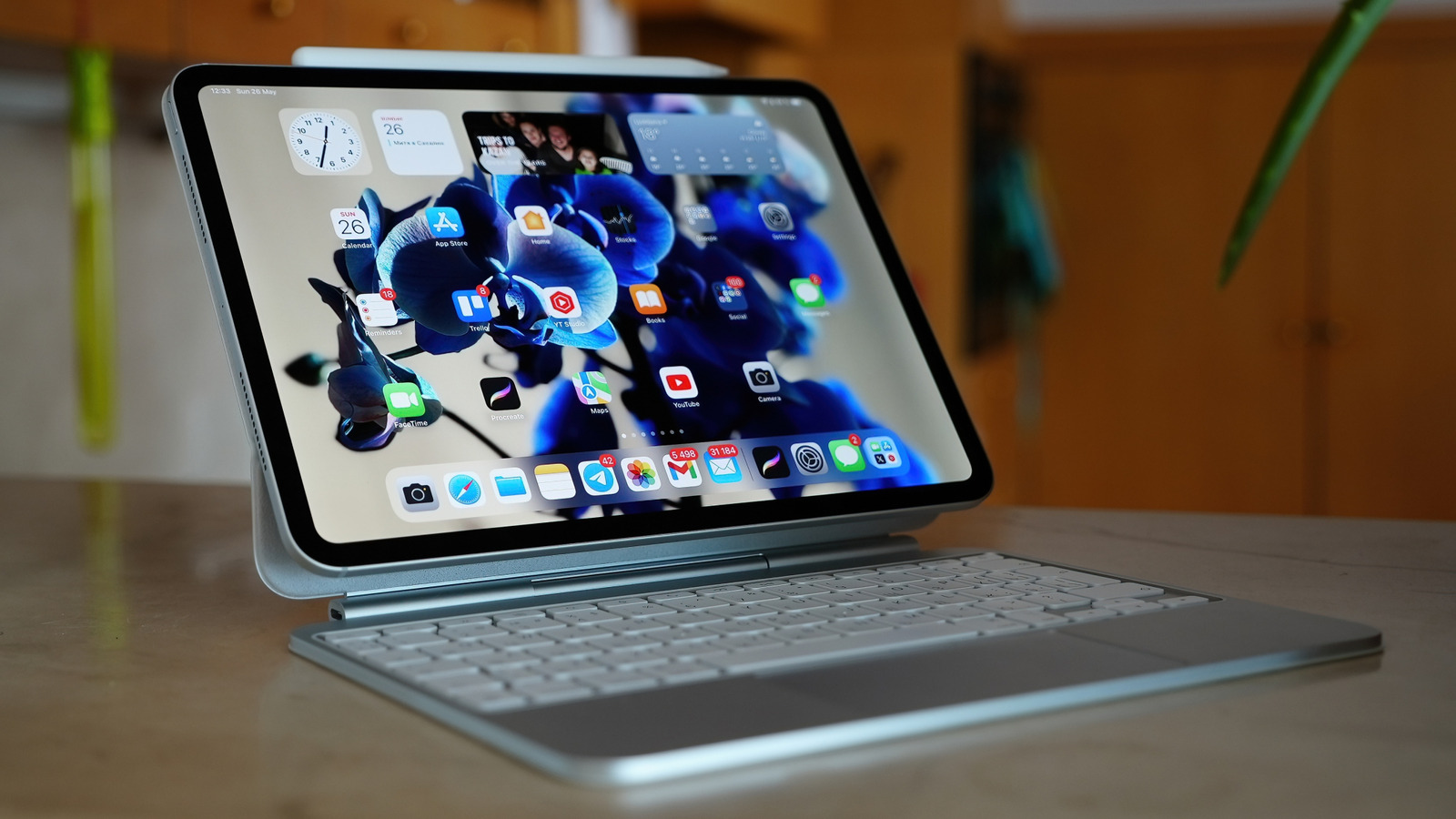
10 Tips For Using Your iPad As A Laptop Replacement

Mr.Mikla/Shutterstock

We may receive a commission on purchases made from links.

When Apple introduced the first iPad back in 2010, few people knew what to make of it. While Apple has always denied drawing inspiration from science fiction, many of us couldn’t resist drawing the comparison between the iPad and the Newspads from Stanley Kubrick’s “2001: A Space Odyssey.” It was an almost paper-thin slab of glass and metal that sat neatly between a smartphone and a laptop, perfect for watching movies, checking emails, and reading on the go.

At the time, it wasn’t the powerhouse it is today. The iPad was more of a companion than a full-fledged computer — something you reached for when your laptop felt too bulky or your phone too small. Over the years, though, Apple quietly pushed it further, crafting a capable tool for writing, designing, sketching, and even video editing. Many people now use it as their main device for both work and creativity.

That shift really took off with the introduction of Apple’s M-series Mac chips — the same ones found in MacBooks. Suddenly, the iPad became a portable powerhouse. And when paired with the Magic Keyboard and Apple Pencil, you realize it’s no longer a stretch to call it a true laptop alternative. So, let’s find out what it really takes to replace your laptop with an iPad.

Pair it with a Magic Keyboard or Smart Keyboard Folio

Typing on a touchscreen works fine for quick notes or short replies, but once you’re drafting an email or editing a document, it starts to feel limiting — especially when you consider the iPad’s screen size. After all, there’s a reason the Apple Pencil is favored for taking notes. If you plan to use your iPad for real work, a physical keyboard makes a huge difference. Apple’s Magic Keyboard and Smart Keyboard Folio are two of the best options because they take your iPad a third of the way to becoming a laptop.

Both attach magnetically and draw power directly from the iPad, so there’s no pairing or charging to worry about. The Magic Keyboard is the more premium option, with a strong floating hinge, a responsive trackpad, and backlit keys that make late-night typing easy. The Smart Keyboard Folio, on the other hand, focuses on portability. It’s thinner, lighter, and comes with a strong case that handles travel and everyday use quite well.

Whichever one you choose, you’ll feel the difference immediately. Typing feels more natural, multitasking becomes easier, and your iPad starts to feel like a productivity driver instead of a glorified tablet. Once you’ve used one of these keyboards for a while, switching back to typing on glass feels almost impossible.

Use a Bluetooth mouse or trackpad

Once you’ve paired a keyboard with your iPad, the next step is adding a mouse or trackpad. Touchscreens are great for scrolling or quick taps, but when you’re working on a spreadsheet, editing a photo, or tweaking a design, you’ll want more precision. Many Apple keyboards already come with a trackpad, but an external mouse may be more comfortable for you. Naturally, you’ll want one with Bluetooth connectivity, since there are only so many devices you can attach to the iPad’s charging port.

Connecting it takes less than a minute. Turn on your Bluetooth mouse or trackpad, open your iPad’s settings, and pair it. iPadOS recognizes most Bluetooth accessories right away, giving you a full desktop-like cursor experience. You can scroll, drag, highlight text, and switch apps effortlessly. Apple’s Magic Mouse and Magic Trackpad offer the smoothest integration, but plenty of third-party options perform just as well.

Once you connect a mouse or trackpad, you’ll quickly notice how it changes the way you use your iPad. You stop stretching for the screen every few seconds, and switching between multiple apps feels more fluid. This upgrade seems like a no-brainer, but you can’t truly appreciate the difference until you’ve tried it for yourself.

Master windowed apps, Split View, and Stage Manager

Multitasking on the iPad keeps getting better with every update. With iPadOS 26, Apple upgraded multitasking features in a big way, introducing full windowed apps that let you open, resize, and arrange multiple apps anywhere on the screen. You can even launch multiple windows for some apps — like two Safari tabs side by side, or a pair of Notes for comparing ideas. Swipe upward to get a quick overview of everything you have open, and bring back an app into focus with a single tap. What’s even better is the three-button control derived from macOS, which lets you close, minimize, and zoom in/out windows.

If you haven’t updated yet, or your iPad doesn’t support the new windowing system, Split View and Stage Manager still offer plenty of flexibility. Split View lets you run two apps side by side — just open one, swipe up to show the Dock, and drag another app alongside it. Stage Manager takes it a step further, allowing you to resize and overlap multiple apps while keeping others docked on the side for quick access.

Store files with iCloud Drive and external storage

Ugis Riba/Shutterstock

A lot of people still think switching to an iPad means sacrificing control over their files, but that idea couldn’t be further from the truth. Between iCloud and external storage support, managing files on an iPad feels just as flexible as using a laptop. You can organize projects, back up important documents, and move large files around without running into the limits that older iPads have.

iCloud Drive does most of the heavy lifting. Your files stay backed up online and accessible from almost any device, not just Apple’s. If you’re on a Windows PC, you can log in through the iCloud website or install the iCloud for Windows app to browse and edit files as if they were stored locally. This makes it easy to start a project on your iPad, continue on another device, and come back later without missing anything.

When you’re dealing with large media files or need offline access, connect an external SSD or flash drive to the iPad’s USB-C port. You can drag, drop, and organize content directly in the Files app, just like on a laptop. The Crucial X9 1TB Portable SSD is a great starting point, offering plenty of storage for videos, photos, and documents. It has USB-C connectivity, 1050MBps data transfer rate, and is just under $100, so you can extend your iPad’s storage without breaking the bank.

Install desktop-grade apps

DenPhotos/Shutterstock

If the iPad is going to replace your laptop, it needs to run the same kind of apps — and these days, it can. Apple has spent years working with developers to bring full desktop-grade tools to iPadOS, and the results are impressive. You can now use apps like Microsoft 365, Adobe Photoshop, DaVinci Resolve, and Final Cut Pro, with nearly the same functionality as a MacBook. They’re just as fast, reliable, and designed to take full advantage of the iPad’s power and touch interface.

These apps feel right at home in the iPad ecosystem. They support multitasking, Apple Pencil, and keyboard shortcuts, so you can edit a document, retouch an image, or color-grade a video without feeling like you’re missing out on desktop features. Most even sync seamlessly through iCloud, OneDrive, or Google Drive, letting you start something on your iPad and finish later on another device.

Considering that the iPad uses the same M-series chips as the MacBook, the hardware easily doubles as a gaming device. Many mobile titles, like “Call of Duty: Mobile” and “PUBG Mobile,” run smoothly with a connected controller. And in recent years, developers have started bringing full AAA experiences to iPadOS. Games like “Resident Evil 2” and “Assassin’s Creed Mirage” are optimized for iPads, showing just how much power the tablet can push.

Invest in a power bank for extended battery life

Hadrian/Shutterstock

When using your iPad as a laptop, chances are you’ll be on it all day — meetings, edits, calls, maybe even an external display. Apple still quotes around 10 hours of battery life, but real-world use often falls short once you start multitasking or running resource-heavy apps. That’s why a power bank isn’t just a backup anymore, but part of your setup.

The Anker Zolo Power Bank is one of the best portable chargers you can go for right now. It packs a 20,000 mAh capacity, delivers up to 45W of output, and even has built-in dual USB-C cables so you don’t have to carry extras. At roughly 12.85 oz, it’s light enough to keep in your bag without noticing the weight. That kind of output gives you enough power to keep an M-series iPad running through long editing sessions or external-display work without slowing down.

A good power bank does more than extend screen time; it keeps your workflow steady. You can plug in your iPad, charge your phone, and stay productive whether you’re commuting, flying, or spending the day away from a wall outlet.

Use the Apple Pencil for note-taking and editing

Avid Photographer. Travel The World To Capture Moments And Beautiful Photos. Sony Alpha User/Getty Images

The Apple Pencil is one of those accessories you don’t realize you need until you’ve used it for a while. At first glance, it seems like something only artists would care about, but that’s not really the case anymore. You’d agree that the Pencil signs e-signatures better than a mouse, or that jotting down notes feels more natural than typing with a keyboard — but there’s more to it than that. 

For anyone who sketches, edits, or brainstorms visually, the Apple Pencil is pretty much an extension of your hand. It’s precise enough to trace shapes, smooth out photo edits, or take clean handwritten notes without lag. Apps like GoodNotes, Notability, and Freeform make the experience even better, turning the iPad into a proper notebook and art canvas. Once you’ve spent some time with it, you start reaching for the Pencil almost without thinking.

Take advantage of Universal Control and Sidecar

ms_pics_and_more/Shutterstock

If you own both a Mac and an iPad, you already have one of the best productivity setups you could ask for. Universal Control and Sidecar connect your devices so smoothly that they start to feel like parts of the same machine. That’s how powerful Apple’s ecosystem is — it creates a single, fluid workspace that feels straight out of the future.

With Universal Control, you can use your Mac’s keyboard and trackpad on your iPad as if it were another screen. Move the cursor, drag a file across, or copy and paste text between devices without setting up anything complicated. As long as both devices share the same Apple ID and Wi-Fi network, it just works. On the other hand, Sidecar turns your iPad into a touchscreen MacBook. You can either extend your desktop for extra space or mirror your Mac screen for presentations.

Both apps work seamlessly with the Apple Smart Keyboard or Magic Keyboard for iPad, as well as any connected mouse or trackpad. When using Sidecar, you can draw, edit photos, and manipulate objects on your iPad while seeing real-time updates on your Mac.

Optimize battery and performance settings

Prykhodov/Getty Images

Your iPad is already designed to balance power and efficiency, but with a few small adjustments, it can run cooler with better performance, and last longer between charges. First off, update to the latest software. Each new version of iPadOS usually comes with small but vital improvements to speed and battery efficiency.

Next, tap on the Battery section in Settings. Turn on Low Power Mode when you’re away from an outlet to limit the display refresh rate (on compatible models) and disable mail syncing. Reducing screen brightness, disabling Bluetooth or Wi-Fi when you don’t need them, and closing apps that constantly update in the background all help stretch your battery life. If you’re using an external keyboard or display, unplug them when you’re done. These accessories quietly draw more power than most people realize.

These small changes take less than a minute but make a big difference in daily use. You’ll notice important apps run much smoother, fewer low battery alerts, and longer sessions before you need to plug in the charger.

Connect to an external display for desktop-like setup

Mphillips007/Getty Images

A laptop is nice, but have you ever worked on a desktop setup? If you’ve never tried connecting your iPad to an external display, you’re missing one of its best tricks. Hooking it up to a monitor or smart TV’s USB port gives you the breathing room you could only get on a laptop or desktop. Suddenly, you’re no longer squinting at the screen when editing, studying, multitasking, or gaming.

Connecting it is straightforward. If you’re using a USB-C monitor, simply plug your iPad directly into it. For HDMI displays, a USB-C to HDMI adapter works just fine. But if you want the best setup, use the Apple-recommended USB-C Digital AV Multiport Adapter. That way, you can charge your iPad while it’s connected to an external display and still have extra ports for accessories like a mouse, SSD, or flash drive. Prefer going wireless? AirPlay lets you mirror or extend your screen to an Apple TV or compatible smart TV without a single cable.

With Stage Manager or the new windowed apps mode in iPadOS 26, your workspace expands even more. You can drag windows across both screens, keep your main apps on the larger display, and manage secondary tools on the iPad itself. Once you’ve tried it, it’s hard to go back to using the iPad alone.

From tablet to full workstation

Gece33/Getty Images

If we’re being honest, turning an iPad into a full workstation isn’t cheap. By the time you add a Magic Keyboard, an Apple Pencil, and maybe a dock or external display, you’re well into laptop territory. But the difference is what you get for it. You’re not just replacing a laptop; you’re building an all-in-one entertainment, productivity, and creative hub.

And the iPad’s future makes that flexibility more attractive. Apple’s new M5 chip in the latest iPad Pro models pushes performance even further, with faster processing for on-device AI, hardware-accelerated ray tracing for better graphics, and Wi-Fi 7 for faster, more stable connections. These improvements signal a future where the iPad comfortably handles desktop workflows, advanced creative tasks, and AI-powered productivity, while remaining portable.

So while the cost might make you pause, the payoff clearly outweighs it. You don’t need both a laptop and an iPad. You just need one device that’s powerful, portable, and ready for any kind of day you’re having.

Source

Posted on

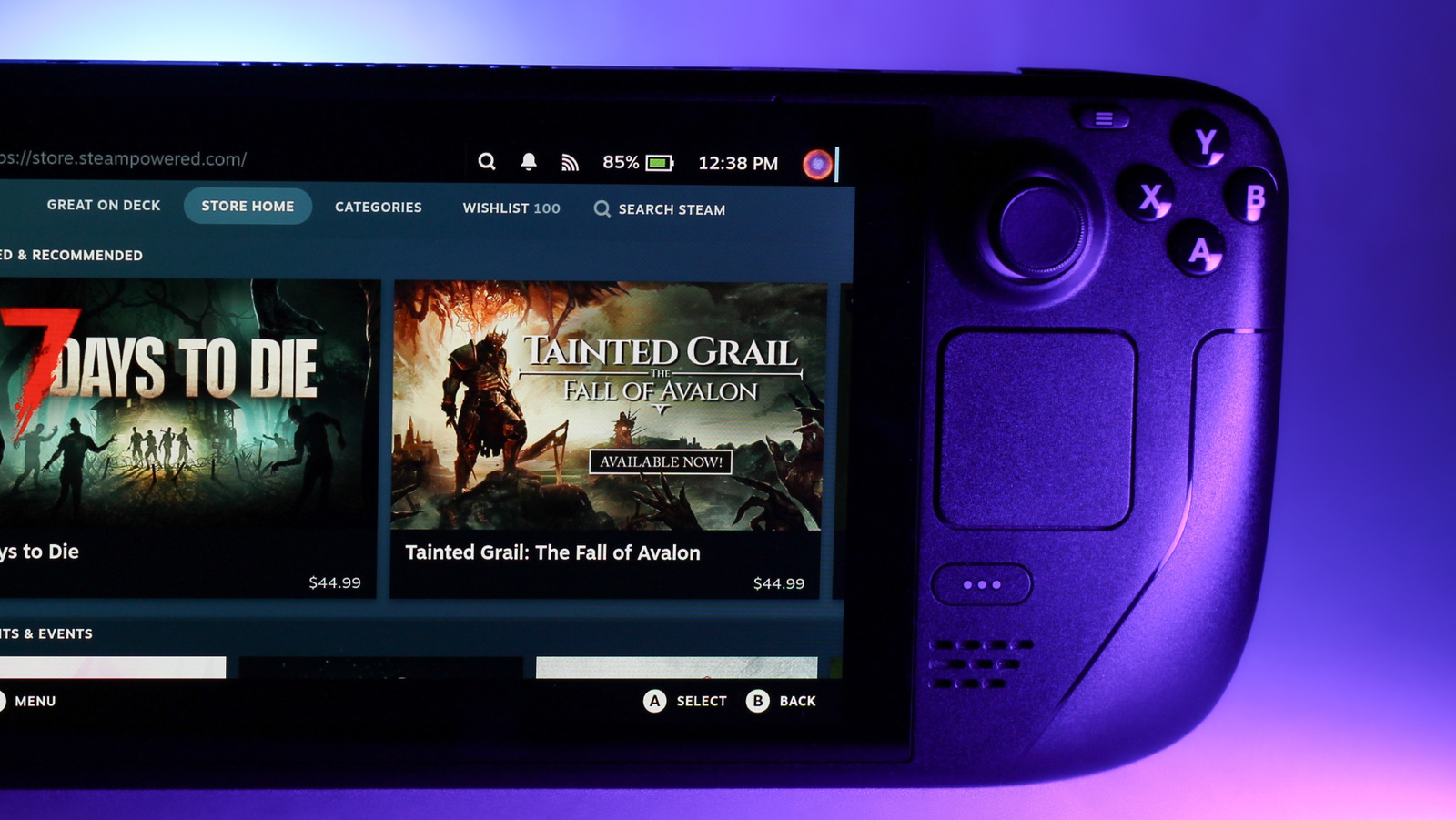
Steam Deck Users Can Play Xbox Games Remotely With This

David McQ/Shutterstock

Using something like the Heroic Launcher to play non-Steam games on the Steam Deck works great for Epic Games, but it doesn’t work as well for Xbox games. If you want access to the Xbox Cloud Gaming service, you have a few options. You can install Microsoft Edge on your Steam Deck, which will give you access to the Xbox Cloud Gaming service through the browser, but it lacks a number of features. Or you can go with Better xCloud, an open-source alternative designed to address what the stock Edge experience lacks. 

One of the most notable features Better xCloud provides that isn’t available through Edge alone is the ability to play your Xbox games remotely from other browsers, such as Google Chrome. In addition to alternative browsers, Better xCloud reduces lag and supports 1080p streaming resolution for games. You can even stream when on another network, making it a fantastic way to gain access to your collection of Xbox games while on the go.

Players can also tweak a multitude of settings that aren’t available through the traditional Xbox Cloud Gaming experience inside the Edge browser. Those who subscribe to Game Pass can adjust the bitrate of their stream, configure the renderer being used, and even play around with several clarity boost features. 

Better xCloud gives you more control

Nwz/Shutterstock

Additional Better xCloud tools allow for fine-tuning and adjusting visual elements such as sharpness, saturation, and more. One feature that may make it a must-have for gamers is the native mouse and keyboard support, giving you more ways to play. The plugin even provides access to touch screen support and screenshot capabilities, which are lacking through the stock Edge experience.

With Better xCloud, you get a ton of features and settings that make Xbox Cloud Gaming a much more robust experience on the Steam Deck, and the best part is that it’s totally free. The application gives you some impressive granular control, something great for those who love to tinker with their settings in order to get every ounce of speed and power from their device. 

Because this is all done through a browser plugin, Better xCloud works on more than just your Steam Deck. You can install it on Android boxes, Meta Quest VR headsets, Apple phones and laptops, and more. It’ll even work on LG TVs with webOS 22 or higher, making it a great option for sets like the LG B4 OLED. With all the games you’ll now be able to play, you might want to look into ways of extending the battery life of your Steam Deck. 

Source

Posted on

Government faces questions about why US AWS outage disrupted UK

The UK government is being pressed for a response as to why a major, multi-hour Amazon Web Services (AWS) outage in the US disrupted UK-based organisations, including HM Revenue & Customs (HMRC) and Lloyds Banking Group.

The outage, which AWS confirmed started just before 8am UK time on 20 October, originated in AWS’s US-East-1 datacentre region in North Virginia, and caused large-scale disruption to a host of companies across the world, including in the UK.

The US-East-1 region is renowned for being Amazon’s first and flagship cloud region, as well as its largest, and is often the place where the public cloud giant rolls out new services to customers first.

For this reason, it is not unheard of for service issues with the US-East-1 region to blight overseas users of the firm’s cloud technologies.

But with concerns mounting in the UK (and other geographies) about the public and private sector’s over-reliance on US-based big tech platforms, the outage has led to renewed calls for greater transparency about the resiliency of the nation’s hosting arrangements.

“The narrative of bigger is better and biggest is best has been shown for the lie it always has been,” Owen Sayers, an independent security architect and data protection specialist with a long history of working in the public sector, told Computer Weekly. “The proponents of hyperscale cloud will always say they have the best engineers, the most staff and the greatest pool of resources, but bigger is not always better – and certainly not when countries rely on those commodity global services for their own national security, safety and operations.

“Nationally important services must be recognised as best delivered under national control, and as a minimum, the government should be knocking on AWS’s door today and asking if they can in fact deliver a service that guarantees UK uptime,” he said. “Because the evidence from this week’s outage suggests that they cannot.”

Government use of cloud under scrutiny

AWS has vowed to publish a detailed “post-event summary” detailing the causes of the outage and the steps it had to take to bring services back online.

In the meantime, and in line with Sayers’ recommendations, HM Treasury is already being asked to account for why it has not used powers conferred on it earlier this year to ensure suppliers like AWS are up to the job of delivering resilient cloud services to organisations in the financial services sector.

The chair of the Treasury Select Committee, Meg Hillier, published a letter she has written to the economic secretary, Lucy Rigby, that appears to have been penned during the AWS outage.

The letter calls on Rigby for clarification about why, despite having the power to do so since January 2025, the Treasury has apparently so far neglected to add AWS to its Critical Third Parties (CTP) list of suppliers.

This designation, which was introduced through changes made to the Financial Services and Markets Act 2020 in November 2024, is intended to provide the UK’s financial regulators with the means to include third-party suppliers to the sector within their supervisory scope – the idea being that doing so might help better manage any potential risks to the stability and resilience of the UK financial system that might arise as a result of a third-party supplier suffering from service disruption, as happened on 20 October with AWS.

As stated in Hillier’s letter, it appears the Treasury is yet to call any suppliers into the scope of the CTP regime, including AWS, which is known to be a supplier to a large number of UK financial services institutions.

“In light of today’s major outage at Amazon Web Services … why has HM Treasury not designated Amazon Web Services or any other major technology firm as a CTP for the purposes of the Critical Third Parties Regime,” asked Hillier, in the letter. “[And] how soon can we expect firms to be brought into this regime?”

Hillier also asked HM Treasury for clarification about whether or not it is concerned about the fact that “seemingly key parts of our IT infrastructure are hosted abroad” given the outage originated from a US-based AWS datacentre region but impacted the activities of Lloyds Bank and also HMRC.

On the latter point, Hiller asked: “What work is HM Treasury doing with HMRC to look at what went wrong, and how this may be prevented in future?”

Computer Weekly contacted HM Treasury for details of its response to Hillier’s letter, and to seek clarification on whether it has plans to imminently add AWS to the CTP list. It also asked if the Treasury has concerns about parts of the UK’s banking infrastructure being hosted overseas, in the wake of the outage.

A spokesperson for the government department did not directly answer the questions posed by Computer Weekly, but did provide the following statement in response:

“We know the threat cyber attackers present, which is why we are working with regulators to establish a Critical Third-Party regime, so we can hold firms providing these services to the same high standards as other financial services institutions,” the Treasury statement read.

UK reliance on overseas clouds

Hillier’s question to the Treasury about whether it has any concerns about key parts of the UK’s IT infrastructure being hosted overseas is being echoed by other UK cloud market watchers and stakeholders in the wake of the outage.

“We should be asking the obvious question: why are so many critical UK institutions, from HMRC to major banks, dependent on a datacentre on the east coast of the US?” said Mark Boost, CEO of London-based cloud services provider Civo. 

“Sovereignty means having control when incidents like this happen – but too much of ours is currently outsourced to foreign cloud providers. The AWS outage is yet another reminder that when you put all your eggs in one basket, you’re gambling with critical infrastructure.

“When a single point of failure can take down HMRC, it becomes clear that our reliance on a handful of US tech giants has left core public services dangerously exposed,” he said.

AWS has operated a UK datacentre region since 2016, with a key selling point of these facilities being that it would allow UK-based organisations to access locally hosted versions of its public cloud services.

This adds further weight to Boost and Hillier’s line of questioning about why a US outage impacted UK-based organisations when, presumably, these organisations should be relying on the UK region to access AWS services.

When Computer Weekly put this question to AWS, citing the disruption caused to HMRC during the outage as an example, a company spokesperson advised the publication to direct that comment directly to the government tax agency.

Shared responsibility model

That response (or lack thereof) potentially speaks to the notion of the “shared responsibility model” that AWS subscribes to, whereby the organisation considers security, compliance and the resilience of its customers’ cloud environments to be something of a shared burden.

As detailed on the company’s Shared Responsibility Model reference web page, this setup is designed to “relieve” AWS customers of the operational burden of running their own cloud infrastructure, but they remain responsible for whatever data they choose to host in it.

“Customers should carefully consider the services they choose [to host in AWS] as their responsibilities vary depending on the services used, the integration of those services into their IT environment, and applicable laws and regulations,” said AWS.

“The nature of this shared responsibility also provides the flexibility and customer control that permits the deployment.”

Speaking to Computer Weekly, Brent Ellis, principal analyst at IT market watcher Forrester, said the fact the outage originated in the AWS US-East-1 region and impacted UK organisations suggests “at least some part” of the HMRC and Lloyds setups had a dependency on that region.

“That would have been an architecture choice by those companies, but not necessarily a fault of AWS,” said Ellis. “That dependency could also have been introduced by a nested SaaS [software as a service] component for the organisations involved.

“Generally, I think this shows how complex and interconnected modern cloud-based infrastructure is, and that is a problem from a resilience perspective, especially if you do not have visibility into the nested dependencies that underlie your business technology stack.”

Regulatory intervention

Because of the impact such dependencies can have, Ellis is of the view that the AWS outage may prompt calls for regulatory intervention to prevent a repeat of it, in a similar vein to what Hiller and her colleagues on the Treasury Select Committee are calling for. “I do think it gives fodder to the greater push for sovereign cloud,” he said. “It also will probably spur regulation to increase visibility into dependencies and fault domains for critical sectors like finance.”

What users of hyperscale cloud services, such as AWS, need to know is what services and capabilities within their chosen suppliers’ extended portfolios are hosted in the UK, and how resilient they are, added Sayers.

To highlight why this is important, he cited the findings of a series of investigations into Microsoft’s cloud hosting arrangements in the Scottish policing sector that he worked with Computer Weekly to make public.

That work resulted in an initial disclosure from Microsoft that it could not guarantee the sovereignty of UK policing data stored and processed in its M365 platform.

This was later followed up with further revelations that policing data hosted in the Microsoft cloud could be processed in more than 100 countries, without users explicitly knowing about it.

“We already know Microsoft do not have a UK-based capability for all their services, but we need to know exactly what the [overseas hyperscalers] can deliver in the country and how resilient that actually is,” said Sayers. “We need to properly understand their points of failure and how they can be engineered around.”
 
Some of the hyperscalers have sought to evade answering questions on this point, claiming the information is commercially sensitive, he continued. “That’s not a defence we can tolerate anymore,” said Sayers. “These services are increasingly friable, increasingly complex and increasingly hidden from our view. If we are to rely on them, we need to know they are reliable, and if they aren’t then we need to pivot – at least for critical services.”

Customer-created issues

Ellis’s colleague, Dario Maisto, is a senior analyst at Forrester, who told Computer Weekly that AWS is aware that customer-created, cross-region architectural dependencies are part of a “bigger sovereignty problem” facing its European customer base.

“[AWS] is about to launch a perfect replica of its services [in Europe] under the AWS EU [European Union] sovereign cloud offer, with the first isolated [sovereign] region in Germany,” he said.

“In fact, the only way a client can be sure that its data and workloads do not suffer from any dependency from infrastructure abroad is physical and logical isolation of the cloud regions the client uses [so that it] must not be possible at all that the client is able to make any choice that creates a dependency on foreign infrastructure.”

Achieving this outcome, continued Maisto, means all of the services the customer needs must be hosted within the isolated region as the only ones the client can access. “A data boundary or a commitment to the market cannot guarantee what only a precise architectural construct of the client’s cloud environment can grant,” he added.

AWS is far from the only cloud provider to suffer an outage, and any cloud company an enterprise entrusts their data to could suffer a similar fate at some point in their existence.

However, Civo’s Boost said the incident highlights why enterprises should be looking to diversify their pool of cloud providers, but also why governments and regulators need to be taking a closer look at how much of the world’s infrastructure runs on a relatively small number of hyperscale cloud platforms.

“The more concentrated our infrastructure becomes, the more fragile and externally governed it is,” he said. “If Europe is serious about digital sovereignty, it needs to accelerate its shift towards domestically governed and diversified infrastructure. Governments and regulators have a responsibility to create the conditions for real competition. That means rethinking procurement, funding sovereign alternatives and making resilience a baseline requirement.”

Source

Posted on

Render Networks unveils next-generation business intelligence platform

Render Networks has announced the launch of ClearSight, an artificial intelligence (AI)-powered evolution of its business intelligence layer built on its Databricks Data Intelligence Platform.

The firm has stated that ClearSight will support better decision-making at every stage of infrastructure deployment, giving customers the clarity to act faster and the confidence to evolve toward AI-driven operations.

The Render Networks platform is said to be designed to deliver real-time visibility into projects, streamline construction workflows from design through to completion, and create a scalable model for efficiency and predictability. It is also attributed with “uniquely” combining advanced automation with field-first execution, transforming design data into fully scoped, construction-ready plans.

Powered by the Databricks Data Intelligence Platform, ClearSight is designed to upgrade Render Networks’ business intelligence capabilities and deliver the next phase of AI-driven broadband deployment insights. It is built to deliver “continuous visibility, predictive insights and performance accountability” across every phase of broadband deployment.

By turning connected field and geospatial data into focused intelligence, Render claims ClearSight bridges the gap between field execution and strategic decision-making. The firm stated that the net result is businesses gain clarity into portfolio progress and delivery confidence, project managers can track quality and contractor performance with ease, and finance teams gain precise insight into labour and materials required and used – all in one shared environment designed to drive faster, more informed, data-backed decisions.

Render said that its integration with Databricks marks a pivotal step in evolving how data and AI are visualsed and applied to decision-making as networks and supporting infrastructure are built. By powering ClearSight with the Databricks Data Intelligence Platform, Render said that it is equipping broadband operators and builders with the continuous insights needed to move from insight to action, and from reactive management to proactive, predictive operations.

The Databricks Data Intelligence Platform and Databricks’ flagship AI product Agent Bricks are said to be built to democratise access to data and AI, making it easier for organisations to harness the power of their data for analytics, AI apps and agents. Built on an open source foundation, the platform is enabled organisations to drive innovation to increase revenue, lower costs and reduce risk.

“With ClearSight, we’re embedding advanced data and AI capabilities that will redefine how the entire broadband value chain anticipates risks, forecasts outcomes and uncovers opportunities across large-scale infrastructure environments,” said Render Networks CEO Stephen Rose. “ClearSight supports great decision-making at every stage of infrastructure deployment and gives our customers the clarity to act faster and the confidence to evolve toward AI-driven operations.”

Adam Beavis, vice-president and country manager of Databricks ANZ, added: “We’re seeing an unprecedented demand from enterprises that want to leverage AI to derive real-time insights. With ClearSight, Render is making it easier than ever for their customers, regardless of their function, to harness insights to make meaningful decisions using capabilities like Databricks AI/BI and Agent Bricks. These innovations pave the way to build multi-agent AI systems to deliver proactive recommendations and smarter decision-making for their customers in the near future.”

Source

Posted on

Samsung’s Galaxy Z Fold 8 Might Feature The Same Anti-Crease

jennywonderland/Shutterstock

Samsung is preparing for more competition in the foldable smartphone niche as Apple is expected to launch its first-generation foldable iPhone as soon as next year. Rumored to be the iPhone Fold, the handset is expected to be a part of the iPhone 18 series, according to most reports. Another report offered a contradictory take recently, claiming that Apple might have to delay the foldable iPhone. Korean news site DealSite notes that Samsung wants to stay prepared for either option by launching the Galaxy Z Fold 8 with a new hinge that might help prevent creasing. Samsung will reportedly use laser drilling technology to create micro-structures in the metal plate covering the hinge instead of the conventional chemical etching processes.

This isn’t the first time we’ve heard of this manufacturing procedure in connection with foldable phones that do not crease as easily after repeated folding and unfolding. Earlier this year, well-known analyst Ming-Chi Kuo said the iPhone Fold would feature a more expensive hinge. The metal plate sitting between the hinge and the OLED display would feature micro-structures made via laser drilling to improve the screen’s ability to handle stress and reduce the appearance of a crease. Kuo noted at the time that Samsung Display uses chemical etching, but Apple had stricter demands for the foldable iPhone. Laser drilling is more expensive, the analyst added.

More upgrades for the Galaxy Z Fold 8

MonicaZ82/Shutterstock

DealSite echoes reports that said Apple is willing to pay a premium to ensure the foldable iPhone doesn’t have a crease. That’s a design compromise foldable phone buyers have had to deal with since the early days. The news report mentions recent rumors that claimed both the foldable iPhone and the foldable iPad may see delays due to Apple’s “perfectionism.” However, DealSite also says that the iPhone Fold production is proceeding smoothly for a 2026 launch, citing an unnamed industry insider. An iPhone delay is the best-case scenario for Samsung, as it would allow the company more time to improve its already-dominant position in the foldable niche. But Samsung won’t wait for Apple to release an iPhone Fold before significantly improving its own foldables.

The crease-less display wouldn’t be the Galaxy Z Fold 8’s only upgrade. The report says Samsung will upgrade the battery to 5,000 mAh — a notable upgrade from the current 4,400 mAh battery used in the Galaxy Z Fold 7. Also, the report says the Z Fold 8 might bring back S Pen support. There may also be other improvements to compete against Apple. Samsung usually unveils its new foldables during the summer. The Galaxy Z Fold 8 and Galaxy Z Flip 8 should be launched next July, regardless of Apple’s schedule for the foldable iPhone. Assuming no delays, Apple is expected to launch the iPhone Fold in September 2026 alongside the second-generation iPhone Air, the iPhone 18 Pro, and iPhone 18 Pro Max.

Source

Posted on

Jaguar Land Rover attack to cost UK £1

Britain’s Cyber Monitoring Centre (CMC) – a non-profit dedicated to analysing and categorising cyber incidents in the UK – has declared the Jaguar Land Rover (JLR) cyber attack a Category 3 Systemic Event on its “hurricane” scale and believes the overall financial cost to the economy adds up to about £1.9bn so far.

The cyber attack – linked to the loosely affiliated Scattered Lapsus$ Hunters hacking collective – shut down JLR’s assembly lines, with ripple effects spreading quickly across the UK’s automotive supply chain and harming more than 5,000 other organisations so far.

The CMC said its estimate, which sits within a modelled range of £1.6 to £2.1bn but may yet run higher, reflected the substantial disruption to JLR’s own capabilities and downstream organisations.

It cautioned that the estimate was still sensitive to multiple assumptions, with some key factors in this including whether or not JLR’s operational technology (OT) infrastructure was affected, and exactly when the organisation is able to fully restore its production lines – based on the time it took to reboot JLR production after the first Covid-19 lockdown, it estimates that this may not be until January 2026.

It described the JLR cyber attack as the single most economically damaging cyber event to ever hit the UK.

“That should make us all pause and think, and then – as the National Cyber Security Centre [NCSC] said so forcefully last week – it’s time to act. Every organisation needs to identify the networks that matter to them, and how to protect them better, and then plan for how they’d cope if the network gets disrupted,” said CMC technical committee chair and former NCSC lead Ciaran Martin.

CMC chief executive Will Mayes added: “We tend to think of systemic cyber risk as something that spreads through shared IT infrastructure: the cloud, a common software platform, or self-propagating malware. What this incident demonstrates is how a cyber attack on a single major manufacturer can cascade through thousands of businesses, disrupting suppliers, transport and local economies, and triggering billions in losses across the UK economy.

“No single organisation can manage these risks alone. Industry, insurers and government each have a role in strengthening the UK’s operational resilience. The CMC’s purpose is to create a shared, trusted evidence base that supports better decisions following major cyber events.”

The CMC’s assessment also considered some of the human impacts of the JLR attack, noting that while it had not endangered human life in the same way as cyber attacks on NHS bodies might, it had affected the job security of thousands, with knock-on consequences for mental and physical wellbeing and household resilience, as well as compound effects on existing economic, regional or social inequalities.

Phil Wright, partner at business advisory and accountancy firm Menzies, said the JLR incident demonstrated how exposed supply chains really are to disruption.

“The ripple effects stretch far beyond JLR itself. This isn’t just about delayed orders. Warehousing, logistics and even communication tools are paralysed, showing how fragile integrated supply chains become when a single system goes down,” he said.

“Integrated supply chains demand that all suppliers, regardless of size, need to critically evaluate the adequacy of their IT security infrastructure. The cost of more advanced infrastructure may be prohibitive for smaller players further down the chain, but their lack of resilience can mean that an incident proportional to their scale could be terminal.”

Source

Posted on

Apple Hits $4 Trillion Market Value, Becoming The Third Company

FotoField/Shutterstock

Apple has become the third big tech company to hit $4 trillion market value, following Nvidia and Microsoft. As reported by Reuters, Apple’s stock went up 0.2% to $269.2 during early trading, making the company hit an all-time high — surpassing the $4 trillion mark. While Apple’s stock struggled at the beginning of the year due to the Trump administration’s tariffs and a lack of AI advancements, Apple was able to navigate through that by diversifying its supply chain, making local agreements for U.S. manufacturing, and enjoying increased demand for the iPhone 17 models.

In addition to that, the company reported its strongest quarterly results in years during the April-June period with double-digit growth, thanks to the new M4 Macs, iPhone 16 sales, and an ever-growing services business. With the company’s forecast looking better than expected, it’s possible that Apple’s market value continues to enjoy momentum and grow even more.

Apple still needs to crack its AI strategy

José Adorno/BGR

Apple became a $4 trillion company three years after it hit the $3 trillion mark. While it isn’t the first to hit the goal, it’s impressive that the company managed to hit it despite lagging on the AI front. As pointed out by Reuters, Apple’s shares have been climbing since the September launch of the iPhone 17. More interestingly, Apple has a strong demand for these models, even though it decided not to heavily invest in its Apple Intelligence platform this year.

After the Siri fiasco and the company’s announcement that it would delay an all-new Siri experience to next year, it seems Apple has enough leverage to figure out its AI strategy, as the rest of its business is doing better than ever. That said, even with the company losing key AI employees to Meta, the market still believes in Apple’s business, as the company continues to ready more devices for the upcoming future, such as its AR glasses, an iPhone Fold, and a redesigned MacBook Pro for late 2026.

Source

Posted on

UAE’s datacentre boom powers AI ambitions and digital sovereignty

The UAE is undergoing a shift in its digital infrastructure landscape, with a wave of data centre and cloud investments reshaping the nation into a regional hub for artificial intelligence (AI) and digital transformation.

This momentum is not only redefining the UAE’s technological capabilities but also reinforcing its strategic vision of becoming a global nexus for digital innovation and data sovereignty.

According to a recent report by Research and Markets, the UAE’s datacentre market was valued at approximately $1.26bn in 2024 and is projected to surpass $3.3bn by 2030. This growth is underpinned by a robust pipeline of operational and upcoming facilities, with combined capacities reaching several hundred megawatts.

The investment surge is being driven by a confluence of factors – the UAE government’s digital transformation agenda; the rapid adoption of AI technologies across sectors; and a regulatory environment that encourages innovation and foreign investment. Sovereign wealth funds, regional developers, and global hyperscalers are all doubling down on the UAE’s digital future.

Executives from leading UAE and international firms told the Emirates News Agency (WAM) that the country’s cloud infrastructure is enabling true data sovereignty, allowing organisations to manage and operate their data and AI solutions securely within national borders.

Fahad Al Hassawi, CEO of Du, highlighted the telecom operator’s commitment to bolstering national digital infrastructure: “We continue to invest heavily in datacentres and 5G networks to support the digital economy and reinforce data sovereignty,” he told WAM.

Du’s capital investments in digital infrastructure reached AED 545m in 2025, up from AED 442m in 2024, with capital intensity rising to 14%.

Global tech giants bet big on the UAE

The UAE’s appeal as a cloud and AI hub is not lost on international players. Eric Wan, vice president of Alibaba Cloud International, praised the country’s open economic and regulatory environment, calling it “ideal for attracting major investments.” Alibaba Cloud recently launched its second datacentre in Dubai, part of a broader strategy to anchor its Middle East operations in the UAE.

Ahmad Shakoura, group vice president for emerging markets at Cloudera, emphasised the foundational role of cloud infrastructure in enabling AI. He told WAM that AI cannot thrive without advanced data infrastructure, highlighting that hybrid cloud environments are now among the UAE’s most strategic enablers for scalable, secure, and high-performance AI adoption.

Local champions are equally ambitious. Khazna Data Centers, the UAE’s largest datacentre provider, recently announced plans to add over 1GW of hyperscale capacity by 2030. This includes more than 400MW of new capacity in international markets such as Saudi Arabia and Italy, alongside major domestic expansions in Abu Dhabi, Dubai, and Ajman.

“The region’s growth in AI, and specifically in the UAE, comes from the leadership’s commitment to leapfrogging into the future and building intelligence locally to fuel economic development,” said Tinboat Arslanouk, chief business officer – international at Khazna in a recent interview with ComputerWeekly.

As the Middle East’s digital economy accelerates, the UAE is emerging not just as a participant but as a leader. “The Middle East datacentre market is booming due to aggressive investments, advantageous legislation, and strategic ambition,” Arslanouk added. “This region is quickly becoming a crucial component of the global digital backbone.”

Regional IT leaders have also welcomed the growth of the Middle East market. Umesh Moolchandani, CIO at engineering firm Bin Dasmal Group said, “A hybrid, multi-cloud architecture that combines private, locally managed datacentres with hyperscale capabilities is our top priority. For sensitive, mission-critical workloads, this guarantees optimal latency, enhanced data sovereignty, and predictable prices.”

With a blend of visionary leadership, cutting-edge infrastructure, and a welcoming business climate, the UAE is not only future-proofing its economy, it’s hoping to set the pace for digital transformation across the region and beyond.

Source