Posted on

Reports Suggest Microsoft Recall Can Still Screenshot Credit Card Numbers

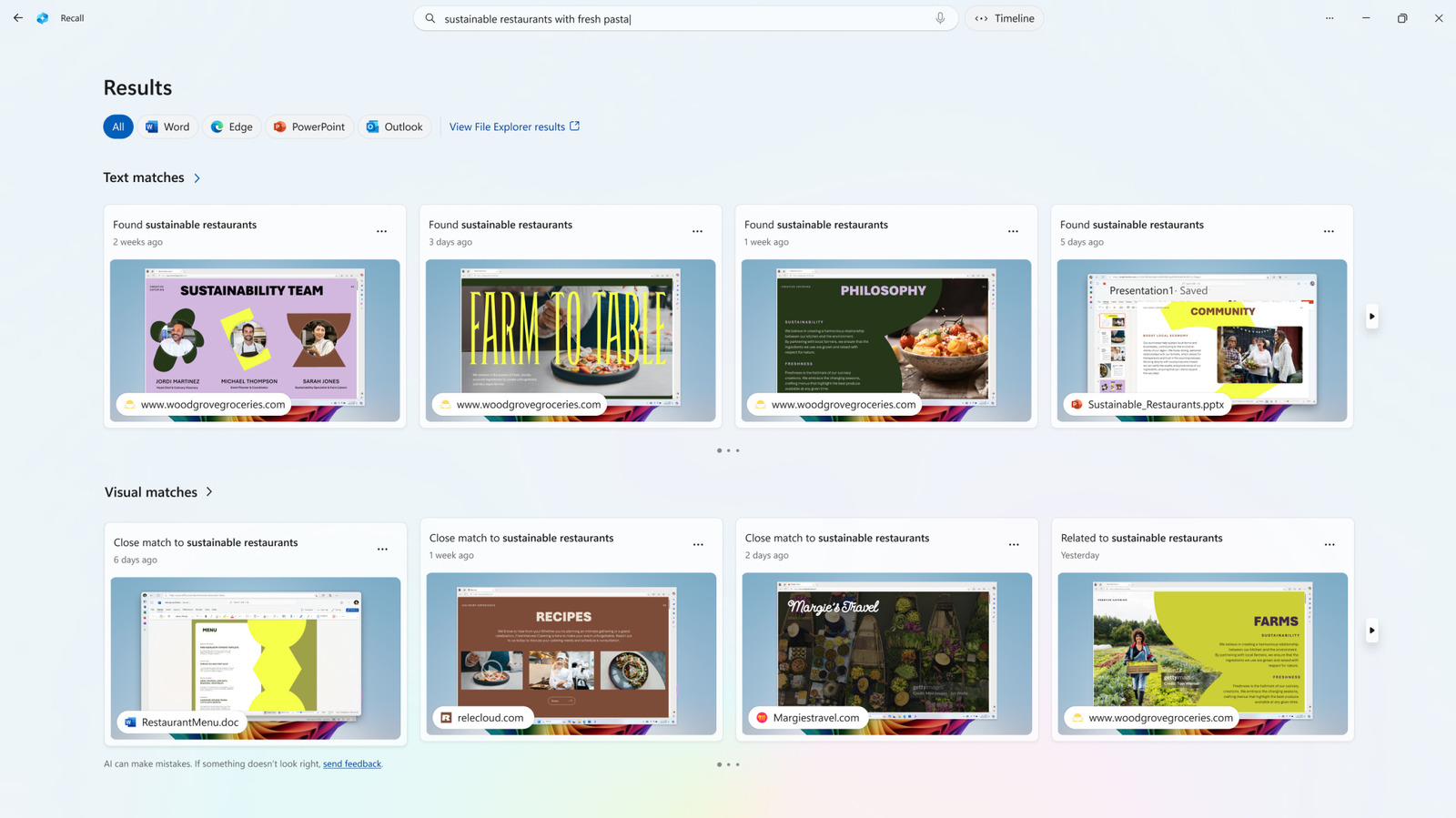
Perhaps unsurprisingly at this point, Microsoft’s controversial Recall feature is once again in hot water. The service, which is designed to automatically capture screenshots of your Windows desktop on a Copilot+ PC, was supposedly patched to disable it from capturing screenshots of sensitive information like credit card numbers, passwords, and more, but a new report suggest otherwise.

Despite Microsoft claiming that Recall does everything on the device on which it’s operating, there have been concerns around just how easy it might be for bad actors to get ahold of the information catalogued by Recall. This has led the company to release several updates and even temporarily remove the service in order to ensure it won’t be able to capture that information.

But it seems those “fixes” weren’t enough, as a new report from The Register claims that Microsoft Recall’s sensitive information filtering is good, but not always good enough, and that it occasionally captures sensitive information anyway.

Growing cause for concern

This wasn’t quite an unforeseen consequence, especially since filtering isn’t always going to be a tried-and-true method for blocking out sensitive content. But it does raise some questions about whether or not Recall is good enough as it is right now. It is worth noting that in this experiment, the author of the report was trying to push Recall to see when it would fail to filter out sensitive content, and some of the instances in which it didn’t filter might be too much to ask of an AI system that’s still technically labeled as a “preview” by its creators.

But there were other times where the pages that the reporter used with Recall should clearly have been seen as credit card payment pages, just without the words like “payment” and “credit card” included. It could be argued that Recall doesn’t have to understand when a specific sequence of numbers is a credit card, but one could also argue it’s better for the system to assume so and refuse to capture potentially sensitive data.

Of course, Microsoft has already made plenty of changes to Recall, but there might be more work ahead to help address these concerns. For now, though, these issues highlight one of the problems with embracing AI solutions like Recall.

It might be best to avoid Recall

Despite the sensitive information filtering, the fact that Recall can’t seem to identify credit card information unless the words “payment” or “credit card” are present does raise some questions about the filtering system’s efficacy. Other attempts to play up the system required the author of the report to resort to putting information in plain text files, which Recall then captured. That’s also concerning, but again, we can only expect the AI to identify so much of what is and isn’t sensitive information.

Personally, I wouldn’t ever fully trust a system like Recall. Even with the sensitive information filtering, there are too many possibilities for it to mess up and give potential bad actors access to far too much information if they ever gain access to my computer. And while this report from The Register is concerning, to say the least, there’s a bit of an inherent risk that comes with embracing AI like this. And you have to determine if that’s a risk you’re willing to take for the benefits that Microsoft claims it brings to the table.

Source

Posted on

MS Authenticator users face passkey crunch time

Microsoft’s move towards passwordless technology will kick up a gear from Friday 1 August 2025, when Redmond will implement new measures that in effect force users of its Authenticator application to migrate to passkeys by removing password support and deleting stored passwords

Since the start of June 2025, users of the Authenticator application have lost the ability to add or import new passwords through the app – although until July, they were able to continue saving passwords through autofill.

Since the beginning of July, they have not been able to use autofill with Authenticator and, beginning this week on 1 August, any passwords saved in Authenticator will no longer be accessible.

According to Microsoft, saved passwords – though not generated password history – and addresses will continue to be synced to user’s accounts and remain accessible through the organisation’s Edge browser.

If they have recently logged in, Authenticator users will have been promoted to set up passkeys at that time, but more guidance and next steps are available from Microsoft.

“The authentication landscape has evolved, and we now have better options available across many devices and services, with password managers, passkeys and biometrics all playing their part in reducing the burden and improving protection,” said Steve Furnell, a senior member at the Institute of Electrical and Electronics Engineers (IEEE) and professor of cyber security at the University of Nottingham.

“At the same time, these solutions are far from ubiquitous. Many leading websites still use passwords as the basis for sign-up and it varies whether other options are available or clearly signposted once accounts are set up. Password hygiene has only seen modest improvements and we’ve been addressing the same issues for decades.

“Keychains and autofill features offer some supplementary support by easing the memory burden of remembering multiple passwords. However, they don’t address the underlying bad practice in selecting, sharing and reusing passwords. Password managers can only assist if the features are properly implemented – and despite the availability of new tools, many people still struggle to maintain good password hygiene.”  

How passkeys work

Passkeys comprise two separate bits of encrypted information that must be paired to work – like a key and a lock. The first, private part is stored on the user’s device through an authentication app, and the second, public part, is stored with the destination service that has implemented passkey technology.

When a user attempts to log in to this service, it sends a notification to a user’s chosen authenticator app – others besides Microsoft Authenticator are available – on their mobile device.

The user can then use their fingerprint, facial recognition, or a personal identification number (PIN) on their device to unlock the app, which creates an encrypted, private passkey and sends it back to the service, where it is paired with the public key, thus logging the user in without them having transmitted any credential personally identifiable information (PII).

Passkeys do have some drawbacks – they are not available everywhere yet, which means some may struggle to keep up with managing them, and they require users to overcome any discomfort at incorporating biometric verification into their security practice.

Nevertheless, security experts do in general consider them to be much safer than passwords because they eliminate the need for users to memorise lengthy and complex passwords (or worse still, write them down).

Additionally, each newly generated private passkey is unique, so they cannot be reused across multiple services, and because the keys are only stored on the user device and not on the destination service’s infrastructure, they are less vulnerable to phishing attacks or keylogging malwares, and are harder to compromise in a data breach – an attacker who breached the service would only be able to obtain the public key.

A gradual transition

Darren Guccione, CEO and co-founder of Keeper Security, said that the elimination of password support by Microsoft suggests at first glance that the industry was moving rapidly towards normalising passwordless tech, however, rather than heralding anything so dramatic, the transition was proceeding rather more gradually.

“Solutions that can generate and secure traditional passwords remain critical for individuals and organisations alike even as passwordless becomes more widely adopted,” said Guccione.

Citing Keeper’s own research, Guccione said that 40% of organisations today are operating in a hybrid environment in which passwords and passkeys coexist.

“This is more reflective of the current cyber security reality – one in which passkeys offer distinct advantages but in which the infrastructure, user behaviour and systems required for universal adoption are still catching up,” said Guccione.

While this approach does introduce risks, he said, organisations that can strategically layer both passwords and passkeys can mitigate some of these by, for example, prioritising the use of passkeys in sensitive or regulated areas, such as managing privileged access to customer data.

“The end of passwords in one platform doesn’t signal the end of passwords altogether. It’s a slow and gradual transition that necessitates modern and agile security solutions,” said Guccione.

Source

Posted on

Nvidia’s Budget RTX 5050 Vs RTX 4060: Is The Upgrade

Stefan_Sutka/Shutterstock

With the latest Nvidia GPUs now available, it’s natural to consider an upgrade to a newer model. The RTX 50-series cards, which were among BGR’s best of CES 2025 picks, are worth taking a look at. Although the top-of-the-line models are performance powerhouses, don’t overlook the entry level cards, like the RTX 5050, which comes with all the same features as the pricier cards in the lineup.

New, exclusive features to the 50-series cards include the addition of upgraded machine learning-powered upscaling tech. Also available are upgraded AI cores that can push what’s possible when using creative software, making the 50-series cards a viable upgrade for gamers and creators alike. But is it worth upgrading?

When comparing the RTX 4060 with the RTX 5050, it’s clear that both GPUs are capable options when it comes to 1080p gaming. They are also affordable. Or, at least, more affordable than a 5090. If you’re a gamer, the reason to upgrade is that GPU prices moved closer to MSRP a few years ago. Plus, you’re going to get much better gaming performance from a new card. A higher, more stable framerate is a safe bet when upgrading. But when performance gains aren’t guaranteed by upgrading, what do you do?

The RTX 4060 is a better GPU

Tricky_Shark/Shutterstock

That’s not an opinion, it’s a fact. Based on head-to-head benchmarking, as seen on the RandomGaminginHD YouTube channel, the RTX 4060 is still a formidable GPU that can compete with Nvidia’s latest Ada Lovelace architecture GPUs. All the hype surrounding the Nvidia RTX 40 series reveal paid off, it seems.

When running the same game on 1080p with the ultra or RT preset, the RTX 4060 outmaneuvered the RTX 5050 card, showing that newer isn’t always better. For example, when playing “Baldur’s Gate 3,” the RTX 4060 had a framerate of 109 frames per second (FPS) compared to the 5050’s 101 FPS. In “Red Dead Redemption 2” and “Grand Theft Auto V,” the 4060 did better by 6 and 5 frames, respectively.

Granted, in games like “The Witcher 3: Wild Hunt” and “Cyberpunk 2077,” the RTX 5050 performed as well or better than the 4060. What’s worth noting is that the 5050 is a newer, pricier card that consumes more power. Based on price, performance, and power consumption, the RTX 5050 is not better than the 4060 on paper.

Upgrade to the RTX 5050 if you want the latest features

Jovana Kuzmanovic/Shutterstock

Despite being outgunned by the older RTX 4060 card, the RTX 5050 comes with new features that make it an enticing upgrade. The 5th Gen Tensor Cores improve AI performance, with the RTX 5050 having 421 AI trillions of operations per second (TOPS) compared to the 4060’s 242 AI TOPS. That may not matter much if you only need a high-end GPU for gaming, but it’s a big deal for creators, many of whom use creative software like Photoshop, DaVinci Resolve, and Blender.

The new DLSS 4 with Multi Frame Generation is another feature to get excited about. When combined, these two features can supercharge your gaming experience, significantly increasing frame rates and stability. While using AI to upscale gameplay and create new frames out of thin air can lower image quality and introduce latency, the higher FPS is a worthwhile trade-off.

If this doesn’t get you excited, you’re probably fine with your RTX 4060. But, if you can overlook a performance downgrade in exchange for the latest tech, the RTX 5050 is worth the upgrade.

Source

Posted on

Global LEO satellite comms services spend set to hit $14

Research from Gartner has pointed to the emergence of low-Earth orbit (LEO) consumer and business use cases that are driving communications service providers (CSPs) to expand the market to the point of enabling LEO satellites to become a mainstream enterprise broadband technology.

The study notes that to date, LEO satellites have primarily delivered broadband connectivity to remote locations where traditional networks don’t reach. Due to the fact that they orbit closer to the Earth than traditional satellite technology, LEO satellites can provide faster connections and lower latency. This allows them to deliver high-speed broadband and complement traditional terrestrial networks.

Gartner’s research, Forecast analysis: LEO satellite communications services worldwide, noted that the market is now entering a rapid expansion phase, with over 20 active LEO satellite service providers and more than 40,000 satellites expected in the next few years. The analyst calculates that end-user spending on LEO satellite communications services is expected to reach $4.8bn globally in 2026, an increase of 24.5% compared with the end of this year.

The analyst believes the largest growth in LEO satellite communications services in 2026 will come from businesses and consumers in remote areas with no other connectivity options, with spending expected to increase 40.2% and 36.4%, respectively. This is followed by LEO services for internet of things (IoT) connectivity (32%), maritime and aviation (13.8%), and network resilience improvement (7.7%).

Gartner’s report says emerging use cases for LEO satellite communications services can be categorised into four distinct areas: fixed and mobile broadband services; global IoT connectivity; supplementing mobile broadband services; and infrastructure backhaul.

For the former, Gartner says the main early use of LEO satellite services is for fixed and mobile broadband connectivity, especially for remote sites, and to augment existing broadband connections. Such services support use cases such as connectivity in areas with no broadband service, temporary locations like construction sites, or on ships and airplanes. They are also used for communication during emergency responses, or to improve resilience as fallback or backup connectivity to traditional broadband.

In an example cited in the report, Gartner noted that LEO-connected drones are being used in Australia to deliver 4G/5G mobile connectivity during natural disasters, while some French and US airlines are starting to offer free high-speed Wi-Fi to passengers using LEO satellite communications services.

Second, LEO IoT satellites can complement or even replace traditional IoT networks for applications needing global coverage, with limited bandwidth and latency requirements. They can be used for global asset tracking, agriculture, oil and gas, natural resources, transportation and logistics, military sensing, and security monitoring. The example given is global IoT connectivity deployed for land, sea and air using LEO satellites. An automaker in China has already launched 20 LEO satellites to improve navigation for autonomous vehicles, and plans to have a constellation of 240 satellites.

In terms of supplementing mobile broadband services, Gartner suggests LEO satellite communications services can supplement mobile broadband by providing seamless coverage and enhancing the user experience through direct-to-device connections and integration with 5G non-terrestrial networks.

Finally, regarding infrastructure backhaul, the report says both CSPs and companies with geographically dispersed operations can use LEO satellites for reliable and high-bandwidth connectivity, supporting critical applications, data transfer and communication needs independent of traditional terrestrial limitations. For example, LEO satellites can provide the necessary backhaul for the operations of government agencies and defence organisations, which often require secure and reliable communication links in remote or hostile environments.

Commenting on the report, Gartner senior director analyst Khurram Shahzad said there would be swings and roundabouts for the industry going forward. “As use cases continue to grow, companies and consumers can expect consistent internet access and internet of things sensing anywhere, without being limited by location. Even airplanes, ships and sea platforms will benefit from new means of network resiliency and a ubiquitous internet.

“Despite these expanding use cases, the industry remains nascent, with various limitations, including regulatory barriers in some countries and capacity constraints in certain areas. LEO services can also encounter roaming restrictions, lack interoperability and aren’t certified for all mission-critical maritime needs. It is important for CSPs to assess strategies on a use case basis.”

Source

Posted on

Apple May Tap Intel To Manufacture Future M-Series Mac Chips

José Adorno for BGR

After the WWDC 2025 keynote, Apple revealed it’s finally ditching support for Intel Macs starting with macOS 27 in the fall of 2026. While this change is due to the successful release of the company’s own silicon processors, it doesn’t mean that Apple is going to completely eliminate its relationships with Intel.

At least, that’s what GFKH analyst Jeff Pu believes. In a note seen by BGR, Apple is keeping a close eye on Intel’s long-anticipated 14A manufacturing process, as it could be used to make some M-series chips as soon as 2028.

Currently, TSMC is the only manufacturer of Apple’s M-series chips. The company uses the second-generation 3nm manufacturing process on chips for the iPhone 16 and M4 Macs. Later this year, Apple is expected to use a third-generation process, ahead of a more advanced 2nm technology in 2026. While Apple has already partnered with TSMC to get access to the first 1.4nm chips by 2028, it seems Apple might tap Intel to manufacture some of them as well.

Apple’s possible partnership with Intel could benefit future M-series Macs

Apple Inc.

According to Jeff Pu, “the next focus Intel 14A process will incorporate second-generation RibbonFET and PowerDirect, marking a technological evolution built upon the foundation of the PowerVia introduced in Intel’s 18A. Targeting both AI and edge applications, Intel has already provided early versions of the 14A PDK to key customers, with several expressing interest in producing test chips. We anticipate NVIDIA’s gaming GPU (low-end version) and Apple’s M series to emerge as adopters of Intel 14A.”

Comparing the 18A to the 14A, the newer manufacturing process is expected to achieve a 15-20% performance gain, a 30% improvement in transistor density, and 25% reduction in power consumption. Mass production is expected to begin in 2028.

That said, if Apple taps Intel to manufacture its future M-series chips, this could make production cheaper, as TSMC wouldn’t be the only company responsible for making Apple’s best chips. In addition, this could also make upcoming processors even better, as both manufacturers would fight to get the latest technologies and offer them to Apple.

Source

Posted on

iOS 26 Public Beta Is Now Available, And These Are

José Adorno for BGR

After a month of exclusive beta testing for developers, Apple is now opening up the gates for iOS 26 public beta testers. While this update has arrived a few days after the fourth test version of the developer’s build, you shouldn’t forget that this build is also a work in progress, and the experience might not be as smooth as you’d hope.

That said, if you’re adventurous enough to try iOS 26’s upcoming features before everyone else, you’ll find there are a lot of new things to take advantage of, including the new Liquid Glass design, improved Apple Intelligence capabilities, and several little tricks Apple didn’t tell you about during the WWDC 2025 keynote.

With that in mind, don’t forget to backup your iPhone and read our guide on how to download the public beta. After that, you should read on to find out about eight iOS 26 features that are worth checking out as soon as you join the Apple Beta Software Program for iOS 26.

iOS 26 features you should try right now

José Adorno for BGR

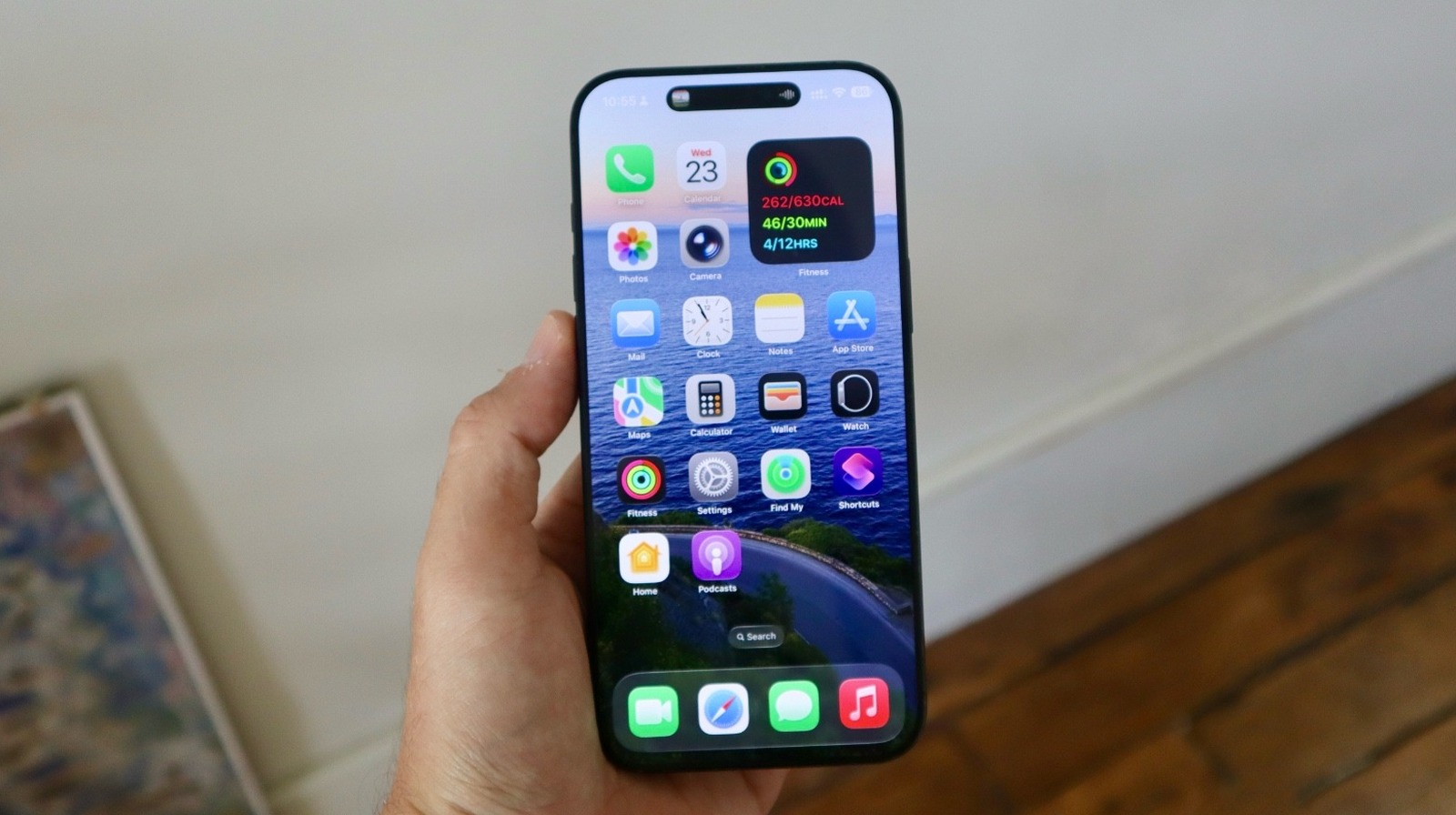
Of course, the first new feature you should test out is the new Liquid Glass design. While it has been generating a lot of debate online due to its transparency, Apple has been tweaking it with every new test build. iOS 26 public beta testers get their a first look at this revamped UI in action. Apple calls it “beautiful, delightful, and instantly familiar.” Users will get a unique experience everywhere on the phone, including the Lock Screen, Home Screen, Control Center, apps, icons, and more.

If you have an iPhone 15 Pro or newer, you’ll be pleased to know that Apple now offers onscreen ChatGPT awareness. You can now ask the AI questions about what’s on your screen. Another important AI change available in the iOS 26 public beta is the Live Translation functionality. On Messages, Phone, and FaceTime, you can automatically receive translated text and audio when talking to your international friends.

One of the features I like the most in the iOS 26 public beta is the ability to use an Apple Intelligence-powered chatbot. Here’s how to create yours. If you’re an Apple Music user, you’ll discover that Apple gave it a revamp with iOS 26 public beta, and my favorite feature is the ability to auto-pin your favorite songs; you can have up to six shortcuts of artists, albums, songs, and playlists ready to be played in a tap.

For Messages app users, Apple is adding a series of exciting new features, including polls, wallpaper support, and the ability to screen new senders, which adds a new folder for unknown numbers that message you.

iOS 26 supported devices

José Adorno for BGR

As of iOS 26, Apple will no longer support the iPhone XR and iPhone XS lineup with major software updates. These are the models that will receive iOS 26 when it launches this fall:

  • iPhone 11
  • iPhone 11 Pro and 11 Pro Max
  • iPhone SE (2nd gen)
  • iPhone 12 mini and iPhone 12
  • iPhone 12 Pro and iPhone 12 Pro Max
  • iPhone 13 mini and iPhone 13
  • iPhone 13 Pro and iPhone 13 Pro Max
  • iPhone SE (3rd gen)
  • iPhone 14 and iPhone 14 Plus
  • iPhone 14 Pro and iPhone 14 Pro Max
  • iPhone 15 and iPhone 15 Plus
  • iPhone 15 Pro and iPhone 15 Pro Max
  • iPhone 16 and iPhone 16 Plus
  • iPhone 16 Pro and iPhone 16 Pro Max
  • iPhone 16e

Alongside iOS 26 public beta 1, Apple is also making the first public beta versions of iPadOS 26, macOS Tahoe, watchOS 26, and tvOS 26 available to iPad, Mac, Apple Watch, and Apple TV owners.

Source

Posted on

5 iPadOS 26 Features To Try Now That The Public

José Adorno for BGR

iPadOS 26 public beta 1 is out. After a bit more than a month of beta testing for developers, Apple has now released the first glimpse of this upcoming operating system update to a broader audience. If you’re willing to try this update before it’s actually available to everyone later this fall, we’ve got a list of the top iPadOS 26 features you should be using.

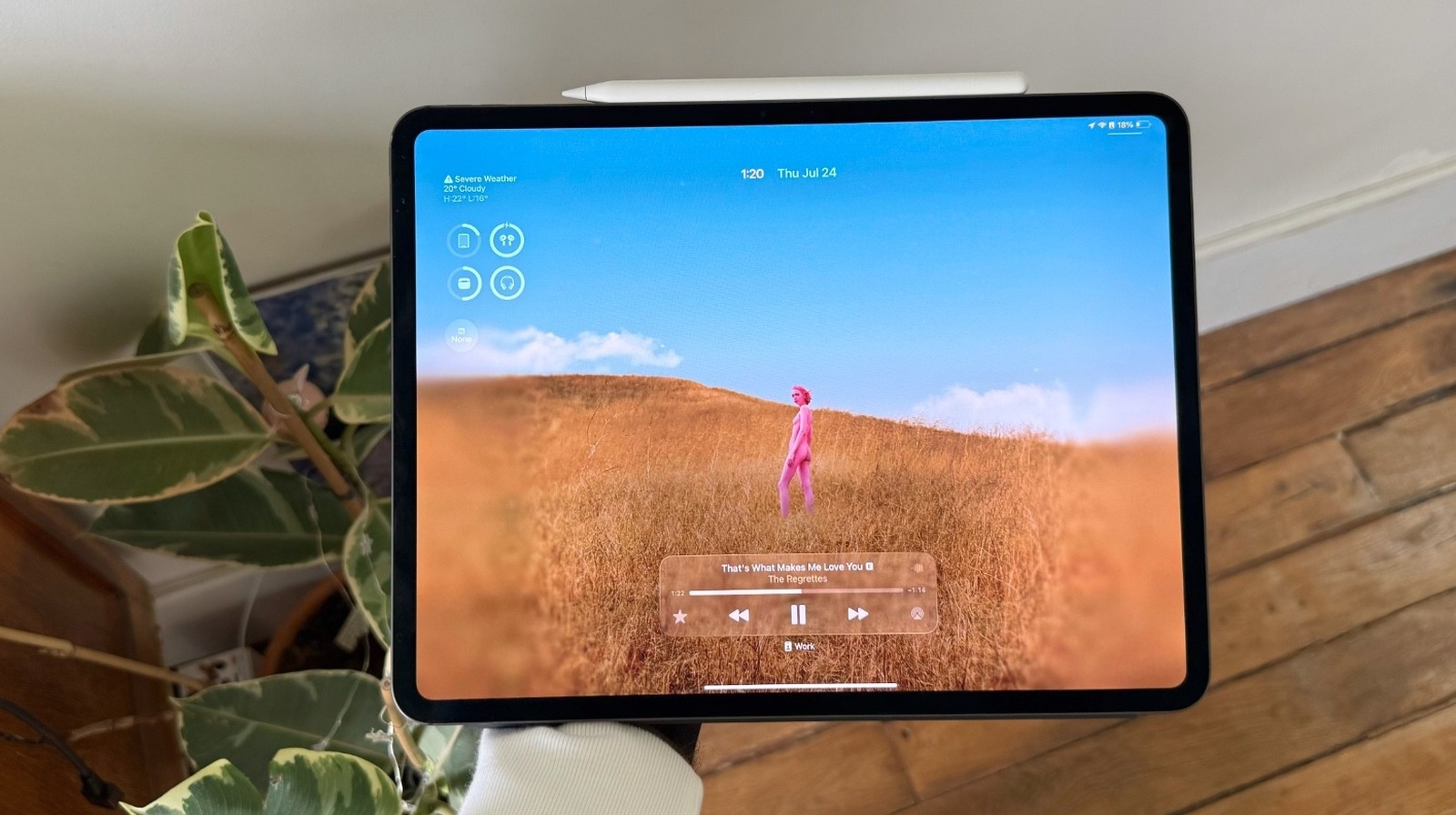
Of course, the first thing you should do is check out the new Liquid Glass design. This is the first time Apple has completely revamped how the iPhone and the iPad look since iOS 7. You’ll notice that the Lock Screen, Home Screen, Control Center, app icons, and more look slightly different than they used to, featuring a unique transparency.

José Adorno for BGR

Besides the new design, you should start taking advantage of the new windowing system. Forget about Stage Manager, Split Screen, and Slide Over, as you can now add as many open windows to your Home Screen as you’d want. What makes this feature even better is that you can have apps running in the background, so you can export a video while scrolling through social media. Earlier this month, we penned an article instructing iPad owners on how to master iPadOS 26’s new multitasking capabilities.

iPadOS 26 brings even more to public beta testers

José Adorno for BGR

For Apple Pencil users, Apple created a new Preview app which lets you edit sketches, PDFs, and images. With that, you don’t need to use the Files app to sign a document or make changes to content. The company says this software was built to use with the Apple Pencil, which is very nice for those who spent the money on the Apple accessory.

On the Apple Intelligence side, users can take advantage of the new Shortcuts app, which can even create a real AI chatbot without using ChatGPT. However, if you prefer the OpenAI option, you should know that it now has onscreen awareness. ChatGPT can actually see what’s on your screen, and it can now help out by searching for information, helping you solve a math problem, and more.

Alongside iPadOS 26 public beta 1, Apple has also released the first test versions of iOS 26, macOS Tahoe, watchOS 26, and tvOS 26. We’ll let you know if we find any other interesting upgrades or additions in the public betas.

Source

Posted on

macOS Tahoe Public Beta 1 Is Now Available For Mac

José Adorno for BGR

If you’re waiting for a more stable version of macOS Tahoe to give it a try, Apple is now seeding the first public beta of Mac’s upcoming software update. The arrival of macOS Tahoe public beta 1 means that the company considers this version stable enough for a broader audience to download, even though you shouldn’t forget this is still in testing. In other words, there will be bugs.

That said, if you’re brave enough to give macOS Tahoe a try a couple of months before its official release, you should know that this is one of the most important updates for the Mac to date.

The reason it’s so important is that Apple has confirmed that this will be the last new macOS version available to Intel Macs, five years after it unveiled the first computer with its own proprietary chip. Intel Mac users can have a small glimpse of what the future of Apple’s Macs will look like. However, there’s so much more available with macOS Tahoe.

macOS Tahoe’s Liquid Glass gives a glimpse of the Mac future

José Adorno for BGR

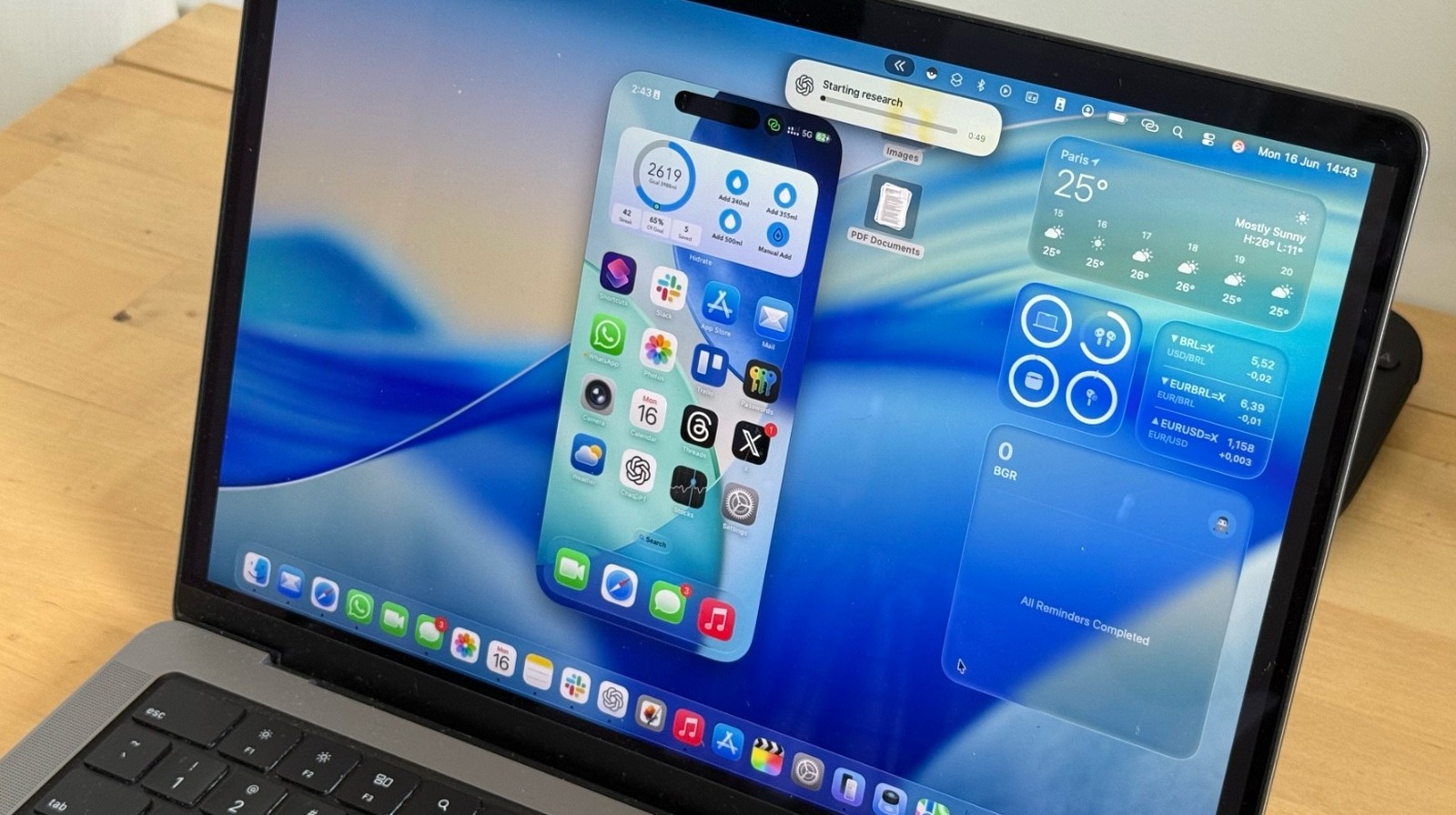
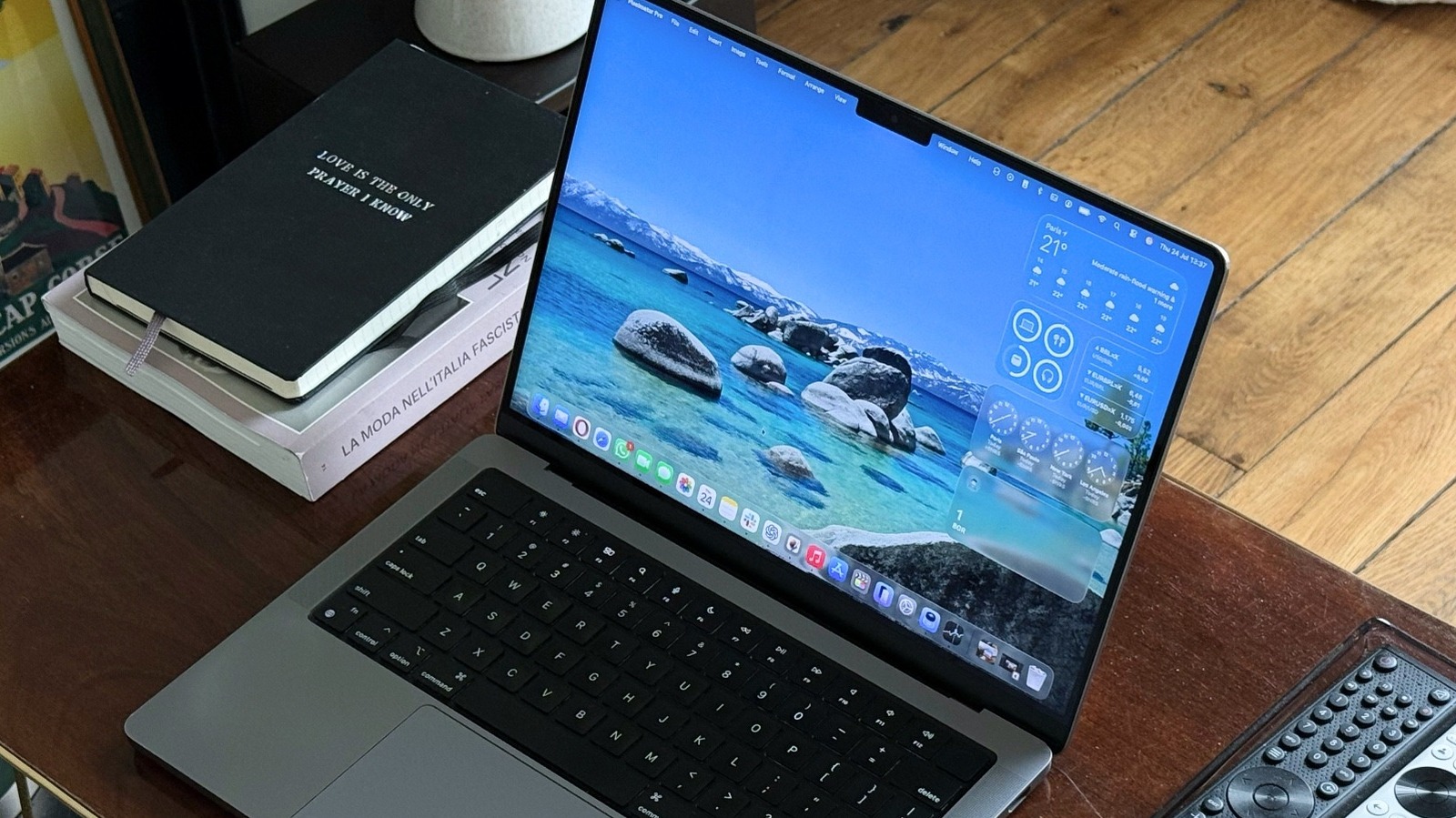
One of the biggest changes is the new Liquid Glass design, as the company works to make the user interface of the iPhone, the iPad, and the Mac more similar to one another. Alongside new Continuity features, including Live Activities support, Apple added Phone and Journal apps to macOS Tahoe’s public beta.

This new software is also setting the stage for a better Siri. Spotlight now indexes everything on the Mac. Apple says a clipboard contains everything you copied and pasted during the day, while you can also use it to take actions, including summarizing documents, creating images, and taking advantage of Apple’s AI-powered Shortcuts app.

Speaking of Apple Intelligence, macOS Tahoe public beta 1 adds Live Translation, onscreen awareness with ChatGPT, Genmoji and Image Playground capabilities, and even the ability to create a chatbot using Apple’s LLMs. Alongside macOS Tahoe public beta 1, Apple is also making the first test versions of iOS 26, iPadOS 26, watchOS 26, and tvOS 26 available.

Source

Posted on

watchOS 26 Public Beta Now Available With Your New AI

José Adorno for BGR

Following a month of beta testing, Apple is now releasing the first watchOS 26 public beta to Apple Watch users. Unlike other test versions, you should really think twice before downloading this update, as Apple doesn’t offer a way for users to downgrade to a more stable version.

With that in mind, if you’re planning to try the watchOS 26 public beta ahead of the fall release, you should be aware that you need to keep your iPhone and Apple Watch running the betas until the stable version is available.

That said, the best feature you should try in watchOS 26’s public beta is the new AI fitness coach called Workout Buddy. This is one of the Apple Intelligence features coming to your Apple Watch in a few months. But don’t forget that you’ll need to have newer Apple Watch and iPhone models to use it, such as an Apple Watch Series 9 and an iPhone 15 Pro.

Workout Buddy is great, but there’s even more in watchOS 26

José Adorno for BGR

This Apple Intelligence-powered functionality “generates personalized pep talks using voice data from an Apple Fitness+ trainer.” Apple explains that Workout Buddy helps “set the mood for your workout,” as it encourages you based on the data available in the Health app, which means you can get an extra push during your workout based on what you already do.

Speaking of AI improvements, the Smart Stack got even better. The next time you go to the gym, you might see your workout suggestion there. Also, if you lose cellular connection, the Apple Watch will start registering your location so you can know where to go.

With watchOS 26 public beta 1, Apple is also expanding the Liquid Glass design to the Apple Watch. Even though it’s more subtle than the UI revamps available in iOS 26, iPadOS 26, and macOS Tahoe, Apple Watch users will find a revamped Photos Watch Face, Control Center, Lock Screen, and more. There’s also a new gesture to learn in watchOS 26. According to Apple, new Apple Watch models let you do a wrist flick. By turning your wrist over and then back, you can dismiss a notification or a call and go back to your Watch Face.

Alongside watchOS 26 public beta 1, Apple also released the first public test versions of iOS 26, iPadOS 26, macOS Tahoe, and tvOS 26.

Source

Posted on

Be wary of enterprise software providers’ AI

Financial results analysis by Forrester has found that enterprise software providers are ramping up efforts to sell the idea of an artificial intelligence (AI) user experience. The analyst firm warned that products with embedded AI from the likes of Microsoft, Oracle and SAP require careful financial management, and that IT leaders need to look for openness and avoid data silos.

Within its enterprise software providers’ financial report analysis, Forrester noted that the rapid adoption of Microsoft Copilot is forcing the hand of IT decision-makers. It recommended adopting FinOPs (finance and DevOps) to ensure costs are kept under control. With Oracle, it recommended IT leaders prioritise negotiating commercial protection and have an exit strategy.

Forrester warned Adobe customers to be prepared for the high costs associated with data management and workflow integration. Salesforce customers should “rigorously test” openness to avoid data silos, while SAP customers should focus on transparent pricing during contract negotiations. 

Forrester described ServiceNow as a central nervous system of the business, inferring that IT leaders need to establish strong central governance, treating it as a critical platform. With WorkDay’s evolution to a platform, Forrester said IT leaders should invest in building out developer skills and talent to deliver custom applications based on this platform.

Forrester’s analysis noted that enterprise IT software firms are positioning embedded AI copilots, assistants and autonomous agents as the new primary interface, which the analysts at Forrester describe as an operating system for the application.

They urged IT decision-makers not to be swayed by a “slick demo” since the value of AI and agentic AI is entirely dependent on an organisation’s willingness to invest in process redesign. According to Forrester, the barrier being created in the current crop of enterprise software is less about the AI’s intelligence and more about the monumental organisational effort to retrain the workforce on new workflows. According to Forrester, this dramatically increases the risk of being locked into a provider’s enterprise software portfolio, which limits choice especially in terms of choosing best-of-breed products over a fully integrated software stack from one provider.

“While consolidating to a primary platform can yield efficiencies, it also concentrates risk and neuters your negotiation leverage. Your next major software decision is a bet on a single vendor’s security posture, pricing model and innovation capacity for the next decade,” the analysts at Forrester warned.

They advised IT leaders to address the “all-in-one” narrative by architecting for a composable enterprise. Instead, IT leaders should put in place a strategy that defines a primary “host” platform while maintaining what Forrester calls “a robust integration fabric”, such as using integration platform as a service (iPaaS) and application programming interfaces (APIs) to connect best-of-breed “tenants”. The analyst firm also recommended that IT leaders assess platform openness and data export capabilities, which it said is now more critical than ever.

According to Forrester, enterprise software providers are now positioning their proprietary data platforms such as Salesforce Data Cloud or SAP Business Data Cloud, as the commercial gateway to their AI services. Its advice to IT leaders is to resist the push to create a new, proprietary data silo. Instead, IT teams need to build a data fabric or mesh architecture that is not tied into one particular provider’s technology stack.

“Fund the essential work of data governance but do so in a way that gives you architectural control and allows you to federate data from multiple sources without being held hostage by a single platform’s data strategy,” Forrester said.

According to Forrester, this productisation of data platforms ties in with enterprise software providers ending discounts and forcing product “rebundling”, which, it warned, concentrates risk for enterprise IT. It recommended IT leaders have a strategic response built on rigorous financial governance, architectural flexibility and a clear-eyed view of business outcomes.

Source