
Posted on

5 Smart Ways To Use Motion Detectors Around Your Home

Bilanol/Getty Images

We may receive a commission on purchases made from links.

Motion detectors might make you think about smart security systems and surveillance, but they can be great and inexpensive tools that you can use around your home for other purposes as well. Motion sensors are easily programmable, and they can be connected to pretty much any other device without much tech know-how. They’re small and often cost less than $50, like the Ring Alarm Motion Detector. You can place them strategically around your home to automate lighting, monitor activity, or notify your loved ones that you have arrived.

Motion detectors aren’t just for convenience and safety. You can also use them to add some flair to your home by making your rooms respond to your presence. You can set one up to play music when you enter the shower or trigger a scent diffuser in your guest room. It’s also possible to program a feeding schedule for your pets so you no longer have to worry about them missing a meal or being overfed. You can automate just about anything with motion detectors, so here are five smart ways to use them.

Automatic lighting

Stock-Asso/Shutterstock

Porch lights that switch on as soon as someone approaches the door have been around for a while, but you can also use them to automate lighting indoors. All you have to do is get motion detectors and arrange them strategically around the house while connecting them to your lighting system. Then you can set up your lights to turn on as soon as you enter the room and turn off when you leave. Also, you can convert your Amazon Echo into a motion detector if you already have one and integrate it with your smart home system.

That said, you can use motion detectors to set various mood lights, night lamps, or even colorful LED strips. This is especially useful if you have young children who are afraid of the dark. Set up a dim night light that will turn on if they wake up or help them navigate to the bathroom. Set up a night mode throughout the house, and you won’t have to deal with waking up to harsh, bright lights anymore. All you have to do is connect your nightstand lamp to the motion sensor and use a light dimming setting.

Pet alerts

sophiecat/Shutterstock

Motion detectors can also be helpful tools for pet owners. If you work long hours and you’re not always home to take care of your pet, you can use motion detectors to automate some tasks. Set up automated feeders and water dispensers. As soon as your dog or a cat approaches the feeder, the motion detector will trigger the release of the food or water, perhaps paired with a timer. That way, you won’t have to worry about returning home to a mess or overfeeding your pet by leaving it with too much food.

Another great way to use motion detectors is to set a door to automatically open when your pet approaches. That means your pet will be able to go outside and do their business even if you’re not home. Also, if you have exotic pets, motion detectors can help you automate lights for terrariums and aquariums. Some pets, such as lizards and snakes, are motivated by light. Have it turn on in their living space when you come home. Manage their sleeping habits with automated lighting and you’ll know your pet will be awake when you’re home.

Automate your game room

RSplaneta/Shutterstock

Want to feel like you just stepped into a futuristic arcade when you walk into your game room? Set up a motion detector and connect it to multiple different device that trigger all at once when you enter the room. You could grab the Roku Smart LED Strip+ SE to display your favorite color scheme or set your console to power on automatically by pairing the motion detector with smart plugs. Background music could instantly play for you when your motion is detected. Even your game chair’s ambient light can be triggered automatically.

On top of that, you can use the motion detectors to help you track the amount of time you’re playing games. Program a sensor to detect your lack of movement and remind you after a set amount of time to take a break and stretch. You could even play a sound through a smart speaker or change the light scheme in your room at set intervals. This is a subtle way to have fun gaming without completely losing track of time.

Honey, I’m home

Eclipse_images/Getty Images

Who says you can’t mix romance and tech? Be creative, and set up a motion detector near your front door, or even at the front of your driveway, to automatically send a sweet text message to your partner. This may seem like a small gesture, but it will be a welcome one, especially after a long, hard day of work. To set up an automatic text message with a motion sensor, you’ll also need a smart home hub or an app like IFTTT. This will allow you to program your motion detector to automatically send a custom text message to the selected phone number.

That said, it’s not just a nice gesture. This sort of system can also be practical in many scenarios. For instance, if you have an elderly parent who lives alone, you can set up an SMS alert to notify you that they arrived home safely. And if the message doesn’t arrive when expected, you have an early sign that something might be wrong and you can quickly take action.

Regulate the temperature in your home

Studio Romantic/Shutterstock

There’s no longer a need to waste energy heating up (or cooling down) an empty room. You can use cheap motion detectors and connect them to smart thermostats in your home to automate heating or cooling. Imagine you come home from work, and when the motion sensor detects your presence, the AC starts cooling your home. When you’re absent, the system will power down to preserve energy and lower your bills.

This can be especially useful in larger homes where there’s no need to heat or cool every room all the time. There’s no need to heat the guest room, basement, or office if nobody is in them. Also, you can sync up automated temperature control from your Google Nest Thermostat or ecobee with your lighting systems. Have the entire room come to life when you enter it and let it shut itself down when you leave.

Source

Posted on

Storage suppliers’ market share and strategy

The more things change, the more they stay the same, as the French say. That’s certainly the case in enterprise storage.

Here we review the storage supplier profiles published this year on ComputerWeekly.com, and find all the key players building on key themes of the past decade.

These include: flash storage (often QLC for increased density), hybrid cloud operations, storage and backup for containerised apps, as-a-service models of purchasing, and storage for AI workloads.

For each array maker, we look at company history and character, market share and rankings, key storage products, and each supplier’s approach and level of maturity to the cloud, consumption models of procurement, and container storage and data protection.

As in our last survey in 2023, we find players with differing approaches and levels of maturity across all these areas, as well as significant technology refreshes for some suppliers.

While the cloud – and readiness to provide storage there and on-premise – has been a big driver for a few years, recently, the strong trend has been towards support for artificial intelligence processing, and this is reflected in many product technology refreshes.

Data management

Elsewhere, some suppliers – notably NetApp and Pure Storage – have taken the apparently logical step from storage management across the enterprise and the cloud to more explicitly targeting data management.

We also find a new player – Lenovo – which has gone from also-ran to fourth in IDC’s rankings, largely via a strategy of partnering to gain hardware products and a sharp focus on the small and medium-sized enterprises end of the market.

Here are IDC’s external storage system market share rankings for 2023, which were as follows (2022 in brackets):

  • Dell 26.1% (29.6%)
  • Huawei 9.7% (9%)
  • HPE 8.3% (9.9%)
  • Lenovo 7.7% (4.1%)
  • NetApp 7% (8.3%)
  • Pure Storage 6.1% (6%)
  • Hitachi Vantara 4.9% (4.4%)
  • IBM 4.7% (4.4%)

Source

Posted on

You Can Check Who Is Connected To Your iPhone’s Hotspot:

aileenchik/Shutterstock

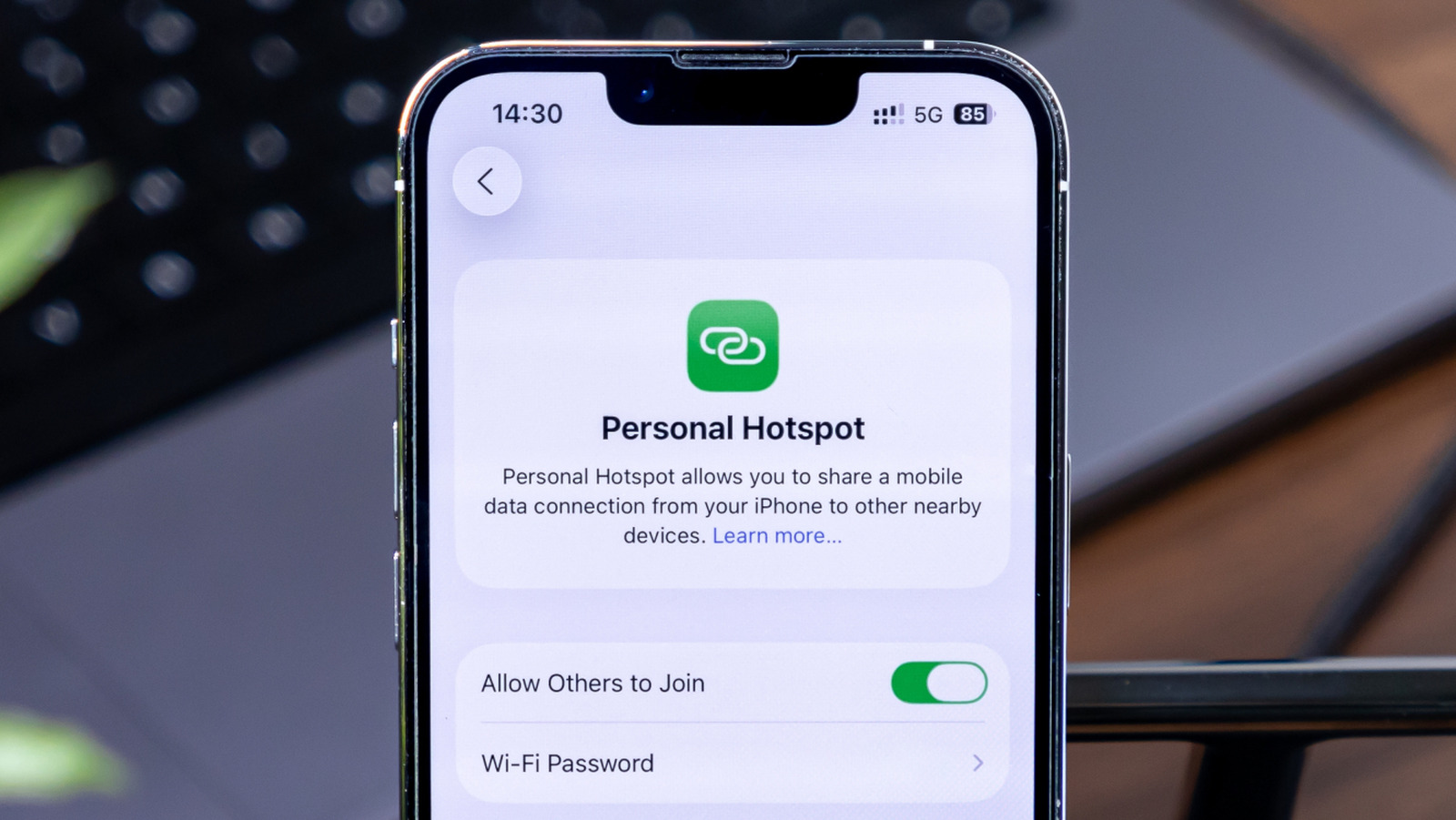
iPhone’s Personal Hotspot feature can be quite helpful when you don’t have access to a Wi-Fi network; it uses your iPhone’s mobile data connection to share internet with your other devices. Despite some of its shortcomings, such as occasional hotspot disconnections, it’s much more secure than getting internet from a random free Wi-Fi hotspot. And if your other devices are part of the Apple ecosystem, connecting to your iPhone’s hotspot is seamless.

However, since it uses your iPhone’s mobile data connection, it can quickly deplete your data allocation if left unchecked. One way to prevent this problem is to stay on top of the devices connected to your iPhone’s hotspot feature and how much data they are consuming. Fortunately, two iPhone features can help you in this matter. Here’s how you can track the number of your iPhone’s hotspot connections at any given moment, and how much data these connections might have consumed.

How to check the number of hotspot connections on iPhone

PixieMe/Shutterstock

iPhones offer a slightly roundabout way of getting the number of devices connected to their hotspot. To check, swipe down from the top right-hand corner of your iPhone to get the Control Center. If you are using an iPhone SE, an iPhone 8, or an older model, you’ll have to swipe up from the bottom edge of your iPhone.

Once you see the Control Center, tap on the smaller icons in the connectivity group at the top left corner of the screen. This will expand the group to show all the connectivity quick settings available to you. Alternatively, you can also swipe up in the control center to reach the same page. This screen shows whether your iPhone’s Personal Hotspot is active and how many devices are connected to it. Unfortunately, you can’t get any more information from here.

Gaurav Shukla/BGR

Apps like Network Analyzer are often recommended to identify devices connected to your iPhone’s hotspot. However, in our experience, they typically fail to work and only list your iPhone.

How to check mobile data consumption by hotspot connections

StandbildCA/Shutterstock

Although an iPhone may not show exactly which devices are connected to its hotspot in the Control Center or Personal Hotspot settings, there is an alternative option that can give you some idea of which devices connected to the hotspot in the past and how much data they individually consumed. This can help identify if one specific device is eating up too much of your mobile data.

To check this, navigate to Settings > Cellular/Mobile Service on your iPhone, and scroll down to the Cellular Data section, which lists all the apps and services that are using mobile data or can use it. Look for Personal Hotspot in this list and tap it open to see all the devices that have connected to your iPhone’s hotspot and how much data they have consumed. Remember, the data shown on this page is not specific to a day or week; it’s all the data collected since the “Cellular Data Usage Statistics” were last reset on that iPhone. The reset date can be found on the same page at the very bottom.

Gaurav Shukla/BGR

Notably, the hotspot data consumption page won’t always list the exact names of the devices. Sometimes, it’ll just list the MAC addresses, which makes things slightly more complicated if you intend to find the exact devices, as you’ll have to check individual devices for their specific MAC addresses.

Source

Posted on

Qualcomm claims enterprise mobile processor world first

After unveiling the Dragonwing suite of products in February 2025 to offer a purpose-built portfolio in consumer and industrial segments, Qualcomm Technologies has launched the Dragonwing Q-6690, which it claims is the world’s first enterprise mobile processor with fully integrated ultra-high frequency radio frequency identification (UHF RFID) capabilities.

The Dragonwing brand represents Qualcomm’s industrial and embedded internet of things (IoT), networking and cellular infrastructure solutions. Dragonwing products are intended to support edge intelligence custom-designed for business and industry, with on-device hardware and software artificial intelligence (AI) solutions seeing use in a number of use cases.

The net result, said the processor firm, is that the IoT solutions can be used to simplify complexity, empower smarter decision-making and optimise operational efficiency, forming “blueprints for industry transformation”, from enhancing everyday needs to solving the world’s most mission-critical challenges.

Designed to support a wide range of form factors, from ruggedised handhelds to retail point-of-sale systems and smart kiosks, Qualcomm said the Dragonwing Q-6690 offers manufacturers a scalable and upgrade-ready platform with software-configurable feature packs that can be upgraded over the air. It offers built-in 5G, Wi-Fi 7, Bluetooth 6.0 and ultra-wideband, supporting proximity-aware experiences and superior global connectivity.

Having fully integrated RFID capabilities is intended to eliminate the need for external RFID reader modules, therefore enabling smaller, more efficient device designs. Qualcomm added that the integration will also ease the enablement of security-focused, contactless use cases, such as access control, asset tracking, inventory management and product authentication, ideal for retail, logistics and industrial applications.

The Dragonwing Q-6690 also introduces software-configurable feature packs aimed at allowing manufacturers to choose their offerings depending on their own criteria and needs. This could include computing demands, multimedia capabilities, camera support, or peripheral configurations, with the ability to upgrade over the air without redesigning hardware. Qualcomm is confident that such a modular approach not only accelerates time to market and reduces certification overhead, but also extends product lifecycles by enabling over-the-air upgrades as customer needs evolve.

“The Dragonwing Q-6690 combines integrated RFID, AI and next-gen wireless capabilities in a single, scalable platform, designed to accelerate innovation across industries including retail, logistics and manufacturing,” said Art Miller, vice-president and head of retail at Qualcomm Technologies.

“We are particularly excited about working with retailers today that need platforms that are not only powerful and connected, but also adaptable to evolving customer expectations, from smarter kiosks and handhelds to real-time inventory analytics and contactless experiences.”

A number of leading hardware manufacturers – including Zebra, Honeywell, Urovo, HMD Secure and CipherLab – and end user firms have already committed to be the first to adopt the platform, with commercial devices expected to be available in the coming months.

“At Decathlon, we’re relentlessly pursuing ways to elevate the customer experience while optimising our operations,” said Hervé D’Halluin, leader of RFID and traceability at the sports retail brand.

“Since 2004, we’ve fully leveraged RFID technology across our entire value chain. By 2019, we had already achieved 100% RAIN RFID tagging of our products. The Dragonwing Q-6690, with its fully integrated RFID and AI capabilities, represents a game changer. It’s set to maximise our operational efficiency, amplify smarter in-store customer experience and support our sustainability goals through enhanced product traceability.”

Aileen Ryan, president and CEO at smart and sustainable technology consortium RAIN Alliance, said: “Qualcomm’s integration of RFID – also known as RAIN technology – into the Dragonwing Q-6690 empowers retailers and logistics companies to put RAIN-enabled devices into every employee’s hands, unlocking unprecedented productivity improvements and sales potential, from digital product passports and circularity to automated checkout, product authentication, asset tracking and inventory management. This represents a seismic shift that will democratise the internet of things, reshape industries and create entirely new markets.”

Source

Posted on

How To Enable Windows’ Hidden Ultimate Performance Power Plan

Luis Alvarez/Getty Images

Have you ever needed a power performance boost on your computer? Perhaps you are doing tasks like editing videos, designing graphics, or playing a PC game, and feel like your computer is running too slowly. Windows has a lot of settings, often not in obvious locations, that can be customized to change things on your computer, like its security or the way it uses its power. One such setting is hidden away fairly well and is referred to as the performance power plan.

Introduced in 2018, it uses Microsoft’s High-Performance power plan to improve the performance of your computer by letting the hardware take all the power that it needs. Ultimately, it delivers power faster and immediately, rather than evaluating how that power should be prioritized and when it should be delivered.

However, this ultimate performance power plan is hidden away for a reason. This much ongoing power can be very draining on your computer. It can cause it to get very hot and wear out the battery. And, unfortunately, you may not end up seeing the difference in power that you think you will be getting.

How to enable the performance power plan on Windows 10 and 11

Alex Photo Stock/Shutterstock

If you are still hanging onto Windows 10 and resisting the upgrade for as long as you can, then this is how you find the power plan option. Go to your computer Settings, and then click System. There’s an option for Power & Sleep. After you click on that, it will have a Related Settings option with Additional Power Settings. Choose that. A window will pop up, and you’ll choose Show Additional Plans and then check the Ultimate Performance option. It should say underneath it that it provides ultimate performance for higher-end PCs.

However, you might not be able to find the option in that way, and it may be hidden entirely. There is a workaround for that. On Windows 10, click Start and a search box will appear. Type “cmd”, short for command, in the box. On the Command Prompt that comes up, right-click and select Run as Administrator. When prompted, enter powercfg -duplicatescheme e9a42b02-d5df-448d-aa00-03f14749eb61. If you use Windows 11, press Windows+X and select Terminal(Admin). Use the same command when prompted.

Windows 11 also lets you create a custom performance power plan if the command prompt doesn’t work. Go to Control Panel, Power Options, and create a new power plan. After naming it, choose to change the advanced power settings and customize. You can design it as you like, such as for Processor power management -> Maximum power state, changing both the battery and plugged in settings to 100%.

Is the ultimate performance power plan worth it?

Artit Wongpradu/Shutterstock

There are some dangers to using this setting. It can drain your battery very fast because you are operating at high power at all times. It’s the opposite of Windows 11’s energy saver mode. It’s best to have your computer plugged in so you don’t lose your battery in the middle of something important. It may also be more draining on a laptop rather than a desktop, depending on the specific one you have and its capabilities.

It is also not likely to really give you a significant boost of power. For example, if you think it will help you during a video game, you won’t get a tangible result because the game already takes up a lot of power. If you are doing an activity like editing a video where you may use a lot of power for a moment and then be idle for a while, then this may give you a bit more speed in the moment. Truly, though, the end result will be minimal. You may not want to use this unless you are working on a tight deadline.

It’s worth noting that this setting uses a great deal of energy, which could impact your bill depending on how often you use this feature. It will also make your computer run hot. Be careful about accidentally overheating your computer, and don’t have it touching anything that can be burned.

Source

Posted on

Healthcare Professionals Have One Big Tip For Using ChatGPT In

aileenchik/Shutterstock

Mental health care is as essential as caring for any other part of our bodies. Perhaps even more so, as our brains lead all aspects of our lives. People seeking care for their mental health may go to therapy, where they see a trained professional who helps them work through thoughts and emotions, and sometimes suggests changes that may help. We might go to a therapist for work stress, relationship problems, generally feeling anxious, or even issues like C-PTSD.

With the rise of artificial intelligence (AI), however, people are turning to chatbots like ChatGPT for therapy. Chatbots are AI systems that let users talk back and forth through a text-based format as if they are speaking to a real person. These are appealing because seeing a therapist is expensive, it must be scheduled into your day, and sadly, sometimes people feel ashamed of needing mental help at all.

However, using AI chatbots for therapy is never a good idea. There are no regulations in place to protect people who use AI in a way that can impact their mental health. Chatbots are known to provide untrue and unsafe information that can actually hurt the user and negatively affect them mentally in the long run. Health care professionals have a big tip for those using ChatGPT and other bots for their therapy: don’t. There are better options available.

Why you shouldn’t use AI as your health care therapist

Cheng Xin/Getty Images

Companies that own chatbots train them to provide disclaimers that users should seek medical professionals in times of need. However, that doesn’t stop harm from being done. There have been cases where chatbots say they have the same training as therapists. There are reports of AI encouraging bad behavior like drug use because they are too eager to agree and support users. There is an ongoing lawsuit claiming a teen committed suicide because Character.AI encouraged him to do so. In May 2025, a federal judge on the case rejected the notion that artificial intelligence has free speech rights, as argued by a chatbot company.

Dr. Brent Kious is an Associate Professor of Psychiatry at the University of Utah. He studies the use of AI in health care. He pointed out that it’s hard to identify what people are getting out of the use of ChatGPT as a therapist. Is it true therapy or just some kind of illusion of companionship? There are no regulations to monitor this. Dr. Kious stated in his interview on Psychology Today, “We are all unwittingly participating in this massive social experiment by interacting with things like ChatGPT, where that experiment is driven entirely by profit motives, with very little attention paid to how it’s going to affect the course of human life or society. And we should all take a step back and say, “Maybe not.” Maybe let’s put the brakes on this.”

Better options instead of ChatGPT

Pormezz/Shutterstock

Some employers offer a few free mental health sessions as part of their benefit packages. Check if your employer has one and take advantage of it. A company called BetterHelp provides online therapy to make it more convenient. You can also choose to talk to your therapist via text, only audio, or audio and video. It does cost money, however.  There is the free Crisis Text Line that’s also available through online chat or WhatsApp. You can text HOME to 741741 if you are in the United States.

ChatGPT answers billions of prompts a day, but the problem with using it or other AI for your mental health care is summed up well by psychotherapist Antonieta Contreras in her article published on Psychology Today: “We are flooded not only by articles, blogs, and videos on social media full of misinterpretations, assumptions, and misinformation, but now we have AI chatbots repeating like broken records summaries of those wrong ideas, like that people are “stuck in survival mode” … The result? People believe they’re irreparably damaged when they may actually be either already shifting into a less maladaptive state or experiencing the regular, albeit painful, process of being human.”

Source

Posted on

Okta makes AI identity play with Axiom acquisition

Identity technology supplier Okta is to acquire Axiom Security, a supplier of privileged access management (PAM) for cloud, database, software-as-a-service (SaaS) and other critical resources, to reinforce its own offerings in this area.

The acquisition will see Axiom’s core technology integrated into Okta Privileged Access, which the buyer says will expand access controls across more sensitive resources so that its customers can, in turn, strengthen their own security fabric.

Okta claimed privileged access controls will form a key defensive layer to mitigate risks related to artificial intelligence (AI) as more of its customers bring AI projects into their workflows.

The supplier believes that many organisations are not giving sufficient regard to these risks. Its recent AI at work survey – which quizzed almost 300 C-suite executives in nine countries, including the UK – found that only 10% of respondents had a “well-developed” strategy for managing so-called non-human identities, or NHIs.

“In today’s dynamic cloud environment, manually managing these permissions can quickly become chaotic, leading to significant security risks, compliance gaps and operational inefficiencies,” observed Okta’s chief technology officer (CTO) and head of engineering, Abhi Sawant.

“With the introduction of a common NHI – AI agents – into the enterprise, businesses are struggling to ensure there is still visibility, security and governance for these unique privileged account types.

“Outdated or traditional PAM platforms that aren’t built with the flexibility and neutrality needed to manage permissions for the non-human workforce will lead to greater security risks,” he added.

According to Sawant, this is just one among many reasons that enterprises should consider deploying identity security fabrics – that is to say, architectures that can appropriately manage newfangled NHIs, as well as more traditional flesh-and-blood ones.

New functionality

In the coming months, Okta plans to introduce multiple Axiom-derived functionalities into its Privileged Access service.

These will include unified controls to offer a single-point-of-admin for privileged access across all privileged resources, whether on-premise or cloud-based, and just-in-time access, a potentially critical capability that eliminates standing privileges and replaces them with time-limited access, reducing operational overhead and risks by automating permissions for elevated access in environments such as Amazon EKS, GitHub, PostgreSQL or Snowflake, to name but a few.

At the same time, Okta hopes to spin up AI-based application connector builder capabilities, exploiting AI to provide more security coverage across environments, while also using Axiom to extend secure access capabilities to databases and Kubernetes.

Securing agents a hot topic

Another product of Israel’s booming security development ecosystem, Axiom was co-founded four years ago by Itay Mesika and Ilan Dardik, who, like many cyber entrepreneurs, met during their military service. The firm has attracted around $10m in funding in the past couple of years, including a $7m seed round in 2022.

Still operating very much in its scaleup phase, Axiom counts multiple software companies among its customers, including corporate travel management platform Navan, and some cyber security names, including cloud security specialists Orca Security and Varonis.

The financial terms of the acquisition were not disclosed, but according to Israeli media reports, the deal may value Axiom somewhere around $75m (£56m).

The deal comes hot on the heels of Palo Alto Networks’ far larger bid for CyberArk, which similarly focused on incorporating more identity and PAM expertise into the buyer’s security platform with the intent of better protecting autonomous AI agents.

Source

Posted on

Three new Citrix NetScaler zero-days under active exploitation

Citrix has issued patches to fix three newly designated common vulnerabilities and exposures (CVEs) in the widely used NetScaler Application Delivery Controller (ADC) and NetScaler Gateway lines, at least one of which is known to be under active exploitation by an undisclosed threat actor.

The trio of bugs, which are tracked as CVE-2025-7775, CVE-2025-7776 and CVE-2025-8424 are, respectively, a memory overflow vulnerability that leads either to pre-authentication remote code execution (RCE) or denial of service (DoS), or both; another memory overflow vulnerability that gives rise to unexpected behaviour and DoS; and an access control vulnerability in NetScaler’s management interface.

“Cloud Software Group strongly urges affected customers of NetScaler ADC and NetScaler Gateway to install the relevant updated versions as soon as possible,” said Citrix in a statement. The supplier added that there are no effective workarounds.

Per independent security analyst Kevin Beaumont, of the three flaws CVE-2025-7775 appears to be the most immediately dangerous issue. Citrix also confirmed talk of exploitation, noting in its advisory that: “Exploits of CVE-2025-7775 on unmitigated appliances have been observed”.

Commenting on the latest disclosure, Benjamin Harris, CEO and founder of watchTowr, said: “Well, well, well…another day ending in ‘day.’ Once again, we’re seeing new vulnerabilities in Citrix NetScaler facilitating total compromise, with CVE-2025-7775 already being actively exploited to deploy backdoors.

“Patching is critical, but patching alone won’t cut it. Unless organisations urgently review for signs of prior compromise and deployed backdoors, attackers will still be inside. Those that only patch will remain exposed,” he added.

No further information about the observed incidents, or whom they may have affected, has yet come to light. This said, the significance of NetScaler – which provides application delivery and secure remote access for internal- and external-facing applications – to many enterprises means that any vulnerabilities in the products are frequently a prime target for threat actors, particularly ransomware gangs.

This is borne out by the not-infrequent cadence of vulnerability disclosures impacting NetScaler. Earlier this summer Citrix fixed CVE-2025-5777, a flaw that enabled a threat actor to circumvent authentication measures by inputting malicious requests to steal a valid session token from memory.

Due to its similarity to the Citrix Bleed issues of 2023, CVE-2025-5777 quickly earned the nickname Citrix Bleed 2, and it was swiftly exploited by threat actors, although at the time of writing it does not appear to have been named in any major confirmed or attributed cyber attacks.

‘Tricky to exploit’

On a positive note, VulnCheck vice-president of security research Caitlin Condon said memory corruption flaws such as CVE-2025-7775 and CVE-2025-7776 were generally somewhat “tricky to exploit” and as such, tend to be used either by exceptionally highly skilled adversaries or more commonly, state-sponsored threat actors, as opposed to more commodity attackers.

As a case in point, Condon told Computer Weekly in emailed comments, another NetScaler flaw, CVE-2025-6543 with a similar description to CVE-2025-7775 has yet to see exploitation at scale despite having been rattling around since the end of June.

But, she added, this does not mean patching should be any less of a priority, particularly given recent trends.

“While the Citrix advisory only explicitly mentions active exploitation of CVE-2025-7775, management interfaces for firewalls and security gateways have been targeted en masse in recent threat campaigns,” said Condon.

“It’s likely that exploit chains targeting these vulnerabilities in the future may try to combine an initial access flaw like CVE-2025-7775 with a flaw like CVE-2025-8424 with management interface compromise as a goal. Vulnerability response prioritisation should include CVE-2025-8424 rather than being limited to the higher-severity, but harder-to-exploit, memory corruption CVEs alone,” she said.

Source

Posted on

TUC calls for government crackdown on business AI shortcuts

The Trades Union Congress (TUC) is calling for the government to make changes to company tax regulations and extend the powers of regulators to ensure artificial intelligence (AI) is not abused by employers to weaken staff.

In response to Labour’s Plan for Change, industrial strategy and memorandum of understanding with large language model (LLM) providers, including OpenAI, the TUC has published a paper focused on the importance of collective bargaining as AI becomes embedded in the workplace.

The TUC’s Building a pro-worker AI innovation strategy paper warns that short-term priorities driven by the UK’s corporate governance system mean AI may be used by some employers to cut costs and automate existing processes, rather than invest, expand and innovate.

“Such decisions will more likely displace or deskill workers rather than augment, expand or retrain the workforce as part of technological upgrading,” said the TUC. The paper’s authors noted that if machines do more tasks and reduce the demand for skilled workers or for labour overall, workers could become less able to command a fair share, with the surplus increasingly captured by employers and AI companies.

The TUC wants to see businesses incentivised to look beyond short-term shareholder value, and when reporting on employment matters, they should cover the impact of AI on employment. It also wants to see worker representation on company boards to provide a workforce perspective on business decision-making, including engagement in technology strategy. 

It called on the government to require company directors to focus on long-term company success as their primary aim, taking account of the interests of stakeholders, including the workforce, shareholders, suppliers, customers and the local community, along with impacts on human rights and the environment. There also needs to be changes to the tax regime, which the TUC said should be evaluated to consider effective means to incentivise investment in labour-augmenting, rather than displacing, AI automation technologies.

Looking at regulators, the TUC said the Competition and Markets Authority (CMA) should be directed by the government to investigate the impact of market power on employment, alongside its current focus on “consumer benefit”. The paper said the Enterprise and Regulatory Reform Act 2013 should be amended to extend the CMA’s remit from consumer protection to worker protection.

The TUC also wants the Information Commissioner’s Office’s current remit to protect individual data rights to include collective data rights. This includes extending the ability of unions or worker organisations to access and exercise rights on behalf of individual workers. An example of how this could be used Ω the paper, is the ability of a union to gain access to data on how algorithms are used to set pay in the platform economy dynamically.

TUC assistant general secretary Kate Bell said: “AI could have transformative potential – and if developed properly, workers can benefit from the productivity gains this technology may bring. But for this to happen, workers must be placed at the heart of AI innovation.

“That means ensuring public money comes with strings attached, and isn’t siphoned away into the pockets of billionaire tech bosses. It means ensuring workers get a share in any productivity gains from new technologies. And it means dedicated training and skills programmes to protect workers in industries that may be disrupted by AI.”

Bell warned that if AI in the workplace is left unchecked, the AI revolution could entrench rampant inequality where shareholders are enriched while jobs are degraded or displaced.

“We cannot let that happen. Unmanaged disruption is not inevitable or acceptable. It’s time for an urgent and active policy response that makes sure workers are not left behind. AI technologies can help build a better future – we’re setting out a plan that shows how it can be done,” she added.

Source

Posted on

Ransomware activity levelled off in July, says NCC

The number of ransomware attacks observed worldwide held steady in July, increasing by just 1% to 376 recorded cases, according to the latest monthly Threat Pulse figures from cyber security services firm NCC Group.

This comes in the wake of an unfortunate record-breaking start to 2025, but as NCC’s analysts observed, the more stagnant summer should not give security teams cause to rejoice, for the threat remains as persistent as ever. In July, this held especially true for the industrial sector, which bore 101, or 27%, of recorded attacks.

The consumer discretionary sector, including retail, was the second most attacked sector in July, with attacks rising from 76 to 82, followed by IT with 31 reported incidents, and healthcare with 30.

As ever, the majority of these attacks unfolded in the North American theatre, which accounted for 54% of incidents, down 3% month-on-month, followed by Europe with 21%, Asia with 12%, and South America with 6%.

NCC’s global head of threat intelligence, Matt Hull, urged organisations to fix the roof while the sun is still shining.

“While ransomware activity remained relatively flat in July, this lull should not be mistaken for a reduced threat. We saw a similar dip during the summer months last year, yet the overall threat level remained high,” he said.

While ransomware activity remained relatively flat in July, this lull should not be mistaken for a reduced threat Matt Hull, NCC Group

“Looking ahead, we anticipate the return of previously disrupted groups, likely in collaboration with social engineering actors to start launching more sophisticated and coordinated attacks. Now is not the time for complacency.”

Broken out by threat actor activity, INC Ransom emerged as the leader of the pack in July, accounting for 54 attacks, or 14% of the total. INC Ransom’s attacks have been on a steady upward trend since the spring, targeting providers of critical national infrastructure (CNI).

INC Ransom is noteworthy in the UK for being behind a spate of NHS-linked intrusions towards the end of 2024, and in the US for its attack on Ahold Delhaize, the Benelux-based parent of the well-known Food Lion and Giant supermarket chains.

It is also known for targeting Citrix products and services, several new flaws in which were reported in the past few months.

Other particularly active gangs in July were Qilin and Safepay, with 40 attacks apiece, and Akira with 37. DragonForce, used to great effect against Marks & Spencer in the UK, accounted for just under 20 incidents in July.

Qilin time

This month’s Threat Pulse report also offered a deeper dive into the Qilin ransomware operation. Qilin was the gang behind the June 2024 attack on NHS pathology lab services provider Synnovis, but since then, it has grown into the most active ransomware crew seen by NCC in June 2025, and, with almost 300 recorded victims so far this year, is easily one of the most formidable foes currently operating.

The predominantly Russian-speaking gang aggressively targets known vulnerabilities in widely used enterprise software tools from the likes of Fortinet, SAP and Veeam, and like many of its peers, makes a sport of targeting CNI organisations.

Regarded as a master of the ransomware-as-a-service (RaaS) crime model, Qilin swept up many homeless affiliates following the closure of RansomHub, and has gone out of its way to catch the eyes of less technically minded affiliates, said NCC.

The operation stands out for its technical proficiency and user-friendly interface that enables affiliates to easily build their payloads to target specific systems and manage victim negotiations and payments. It also has a competitive commission structure, with between 80% and 85% of payouts going to the affiliate, and even offers them legal services – after a fashion – to help guide them in their negotiations.

“The emergence of Qilin has been a product of wider trends observed throughout the ransomware landscape,” wrote NCC’s analysts.

“Threat actors engaging in specialised roles within the RaaS ecosystem offer affiliates a wide range of choices.

“RaaS platform developers can specialise in creating a service that attracts affiliates and produces profits for them as well. This has resulted in technically proficient developers and affiliates operating in major gangs like Qilin,” they added.

Source