
Shop Loewe — $749
 VIVEK PAYGUDE/Shutterstock
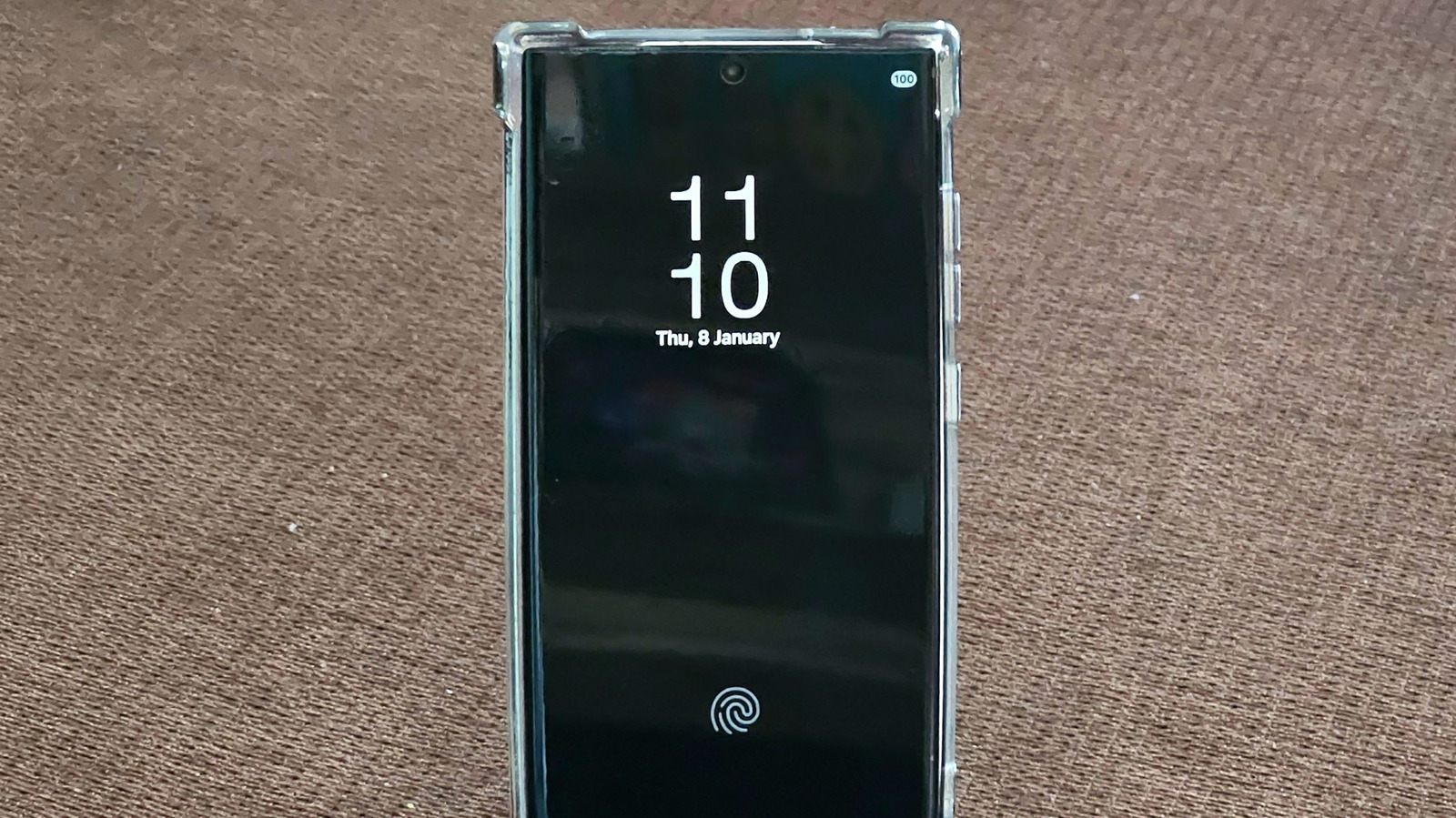
The Always On Display (AOD) feature is available on several Samsung phones, from the Galaxy S26 flagships to the cheaper Galaxy A37 and Galaxy A57, and can be a convenient tool to have on hand. AOD lets users glance at the screen for quick information, including the time, notifications, widget content, and Now bar updates (where available). While the Always On Display functionality doesn’t light up the entire screen, it still uses energy compared with leaving the display fully off while the phone is idle. The energy consumption can vary depending on the type of screen used in a particular Galaxy phone, but it can be notable, reaching up to one percent of your battery charge per hour.
Newer flagship phones feature LTPO (Low-Temperature Polycrystalline Oxide) OLED panels that allow Samsung to offer dynamic refresh rates, ranging from 1 Hz to 120 Hz. The lower the refresh rate, the less energy the screen consumes, including when it’s just showing static content with AOD enabled. Midrange and entry-level devices may not feature the same type of OLED panels. Refresh rate may only go up to 90 Hz on some of them, without supporting dynamic refresh. Also, the more content (like widgets and richer wallpaper) that is shown while the screen is not in use, the more energy AOD will consume.
Even Samsung points to AOD as a power vampire, with their support documentation notes that it’s one of the features that Power saving mode disables in an attempt to make your charge last longer. Samsung doesn’t provide specific battery consumption figures, but third-party tests have shown that AOD is responsible for faster battery drain.
AOD battery life use on Galaxy S flagships
 Robert Way/Shutterstock
Samsung introduced the AOD functionality in 2016 with the Galaxy S7 series. The company said the feature uses less than 1% per hour of battery energy, indicating that AOD would be turned off when battery life drops to 5%. Techspot tests at the time showed that the AOD feature used between 0.59% and 0.65% battery per hour. This translates to nine percent battery use for a 14-hour period. A Chekyang battery test for the Galaxy S8 Plus showed in 2017 that the battery lost 4-6% of its charge overnight when AOD was enabled, compared to just 2-3% when the feature was turned off.
In 2022, DXOMark tested the battery consumption for Always On Display for four handsets, including the iPhone 14 Pro Max, Pixel 7 Pro, Galaxy S22 Ultra, and Xiaomi 12S Ultra, at a time when Apple had just introduced AOD support. The tests found that a phone battery would drain about 3-4 times faster with AOD enabled. The Galaxy S22 Ultra lasted for 136 hours with AOD and 417 hours without AOD. All phones were placed in a Faraday cage for the test, with controlled parameters, including temperature and ambient light. The battery was set between 20% and 80%, and the phones were put in airplane mode.
The Galaxy S22 Ultra was the first Samsung flagship to support a 1-120 Hz adaptive refresh rate, with earlier models having a static refresh rate or an elevated lower threshold. Non-Ultra models supported 48-120 Hz refresh rates. The Galaxy S24 series was the first to offer users 1-120 Hz refresh rates across the board. AOD battery consumption stayed under one percent per hour for the Galaxy S24 phones, with a Reddit test showing a 5-7% battery drain for a 10-hour period.
What about cheaper Samsung phones?
 Framesira/Shutterstock
Samsung brought AOD to cheaper Galaxy A phones in 2017, starting with the Galaxy A3, A5, and A7 models. The feature then trickled down to Galaxy J and Galaxy M lines in the following years. Since 2023, Galaxy A34 through A37 and Galaxy A54 through A57 have offered AOD functionality. The entry-level Galaxy A24 and Galaxy A25 also support Always On Display. The 2021 Galaxy A32 shipped with a 90 Hz screen, while the Galaxy A52 5G model featured a 120 Hz display. The Galaxy A13 5G (2021) came with a 90 Hz panel, while the Galaxy A25, introduced in late 2023, featured a 120 Hz panel. Importantly, midrange and entry-level phones with high-refresh-rate panels generally did not support adaptive refresh rates like the Galaxy S models do. That means the AOD feature won’t be as efficient on these devices.
AOD battery consumption stayed at around one percent per hour for cheaper phones. A PhoneArena test in 2017 showed the Galaxy A5 would consume about 20% over 24 hours for the AOD functionality. Anecdotal reports from users put battery use at 1-3% per hour for a Galaxy A52 with a 90 Hz screen and less than 0.5% per hour for a Galaxy A55 at 120 Hz.
Overall, your mileage may vary depending on the type of Galaxy phone you own. Flagships feature more efficient displays, but they may show more advanced features in AOD. Also, the newer the handset, the better the hardware, including the OLED panel. To improve battery life, users can enable a Tap to Show feature that will reduce the time the screen stays on for quick status checks.






