
Shop Loewe — $749
The Infinix Note Edge isn’t a bad-looking device, and some aspects of it are actually quite nice. That said, overall, it does look and feel a little dated. One of the better things about its build is that it’s reasonably thin, despite housing a large 6,500mAh battery. It’s no iPhone Air, but for a phone in this price range, it is decently impressive.
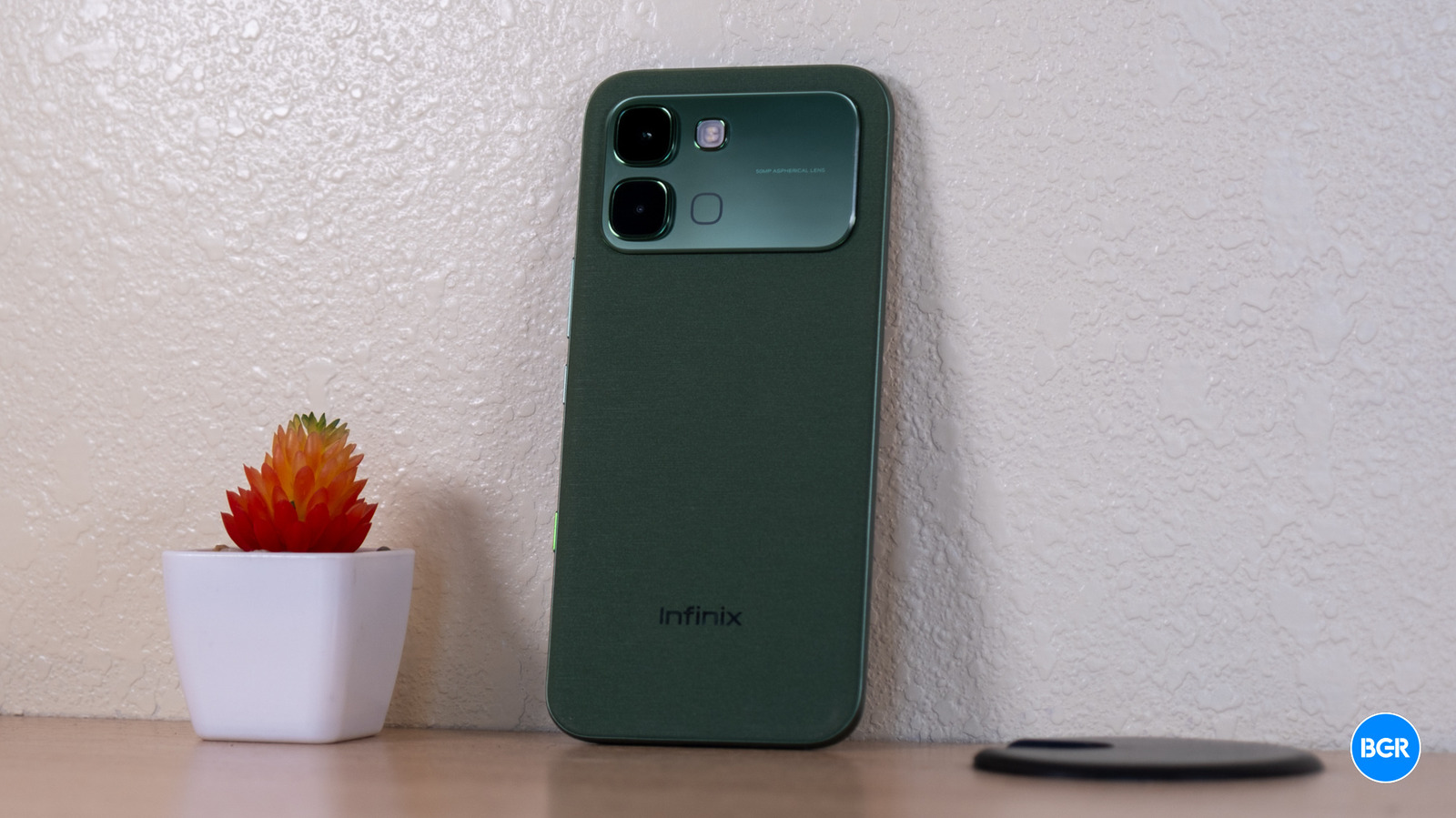
On the front, you get Corning Gorilla Glass 7i, and the back features what Infinix calls a Pearl Light Ripple Design finish, which is really a textured plastic. There’s also an IP65 rating for dust and water resistance — though keep in mind IP65 only covers low pressure water exposure, not full submersion.
The phone comes in five colors: Lunar Titanium, Silk Green, Stellar Blue, Shadow Black, and Orange. That Orange option is a pretty clear attempt at emulating the iPhone 17 Pro Max, and your mileage will vary on whether that’s a good thing. I’m reviewing the Silk Green model.
Infinix has gone with an edge-style design here, where the display curves slightly around the sides of the phone. There was a time when this look felt modern and sleek — but that time has passed. Most flagships have moved away from curved displays entirely, and seeing one here in 2026 feels a bit out of date. The textured back feels alright in the hand, but the overall build has a hint of cheapness. Neither of those things are a huge deal, of course, for a phone in this price range.
Most of the buttons and controls are where you’d expect them to be. The power button and volume rocker sit on the right side, and the USB-C port is on the bottom. There’s also a customizable button on the lower right side of the phone. I don’t love the placement — it makes it very difficult to use phone mounts without accidentally triggering the button.
There are some things I like about the customizable button though. It’s actually more customizable than plenty of alternatives. You can set it to open Infinix’s Folax AI, but also the camera, flashlight, or a custom app of your choice. That flexibility is nice to have.
It’s a bit lazily implemented on the software side though. When you go to customize it, the button shown in the UI looks nothing like the actual side of the phone — it’s clearly just a rip-off of Apple’s customization screen for the iPhone’s Action button. It’s not even in the same location on the rendered phone. All said, the design of the Infinix Note Edge is perfectly fine, but not necessarily all that modern.






