Posted on

iOS 26 Public Beta Is Now Available, And These Are

José Adorno for BGR

After a month of exclusive beta testing for developers, Apple is now opening up the gates for iOS 26 public beta testers. While this update has arrived a few days after the fourth test version of the developer’s build, you shouldn’t forget that this build is also a work in progress, and the experience might not be as smooth as you’d hope.

That said, if you’re adventurous enough to try iOS 26’s upcoming features before everyone else, you’ll find there are a lot of new things to take advantage of, including the new Liquid Glass design, improved Apple Intelligence capabilities, and several little tricks Apple didn’t tell you about during the WWDC 2025 keynote.

With that in mind, don’t forget to backup your iPhone and read our guide on how to download the public beta. After that, you should read on to find out about eight iOS 26 features that are worth checking out as soon as you join the Apple Beta Software Program for iOS 26.

iOS 26 features you should try right now

José Adorno for BGR

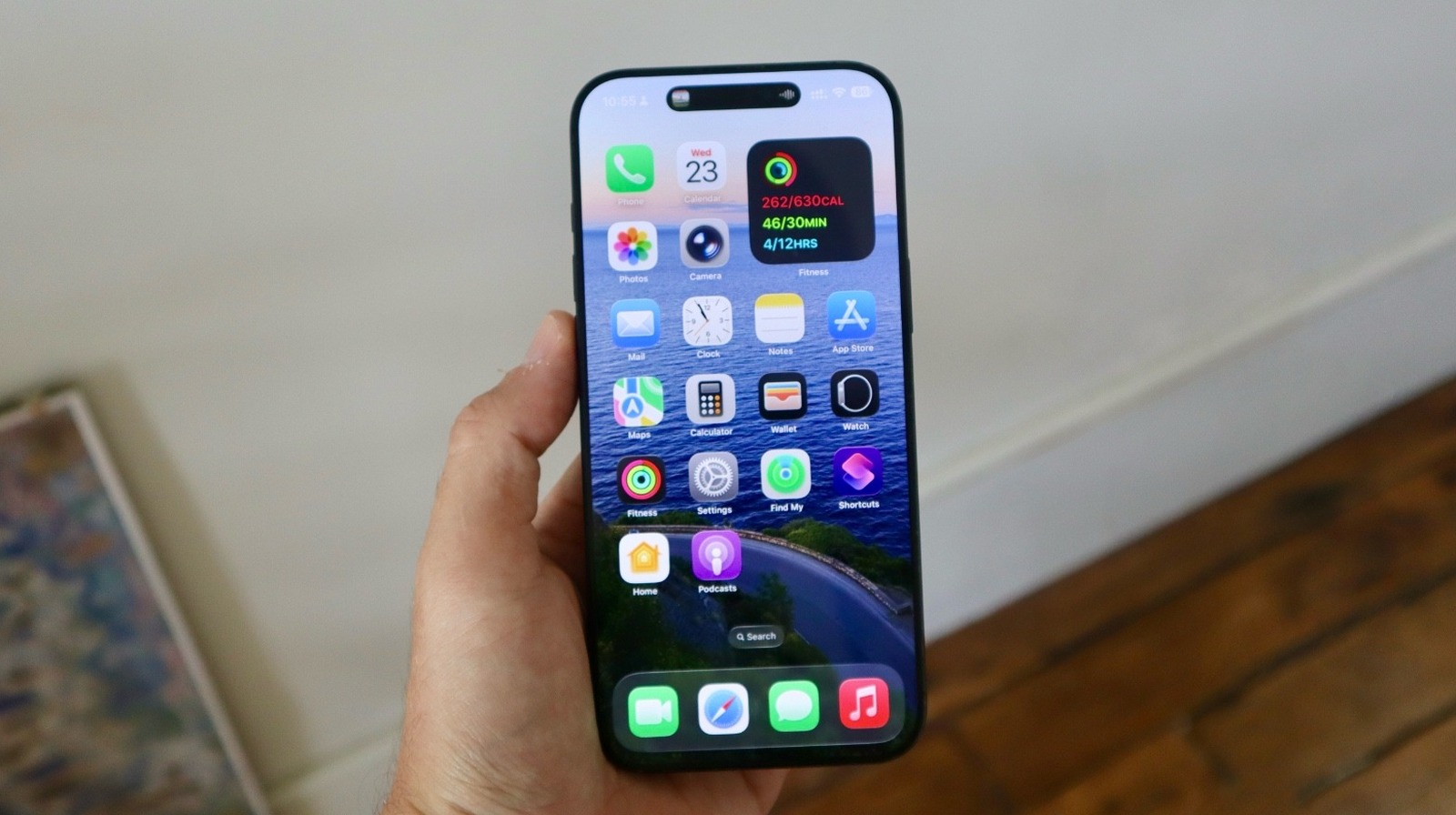
Of course, the first new feature you should test out is the new Liquid Glass design. While it has been generating a lot of debate online due to its transparency, Apple has been tweaking it with every new test build. iOS 26 public beta testers get their a first look at this revamped UI in action. Apple calls it “beautiful, delightful, and instantly familiar.” Users will get a unique experience everywhere on the phone, including the Lock Screen, Home Screen, Control Center, apps, icons, and more.

If you have an iPhone 15 Pro or newer, you’ll be pleased to know that Apple now offers onscreen ChatGPT awareness. You can now ask the AI questions about what’s on your screen. Another important AI change available in the iOS 26 public beta is the Live Translation functionality. On Messages, Phone, and FaceTime, you can automatically receive translated text and audio when talking to your international friends.

One of the features I like the most in the iOS 26 public beta is the ability to use an Apple Intelligence-powered chatbot. Here’s how to create yours. If you’re an Apple Music user, you’ll discover that Apple gave it a revamp with iOS 26 public beta, and my favorite feature is the ability to auto-pin your favorite songs; you can have up to six shortcuts of artists, albums, songs, and playlists ready to be played in a tap.

For Messages app users, Apple is adding a series of exciting new features, including polls, wallpaper support, and the ability to screen new senders, which adds a new folder for unknown numbers that message you.

iOS 26 supported devices

José Adorno for BGR

As of iOS 26, Apple will no longer support the iPhone XR and iPhone XS lineup with major software updates. These are the models that will receive iOS 26 when it launches this fall:

  • iPhone 11
  • iPhone 11 Pro and 11 Pro Max
  • iPhone SE (2nd gen)
  • iPhone 12 mini and iPhone 12
  • iPhone 12 Pro and iPhone 12 Pro Max
  • iPhone 13 mini and iPhone 13
  • iPhone 13 Pro and iPhone 13 Pro Max
  • iPhone SE (3rd gen)
  • iPhone 14 and iPhone 14 Plus
  • iPhone 14 Pro and iPhone 14 Pro Max
  • iPhone 15 and iPhone 15 Plus
  • iPhone 15 Pro and iPhone 15 Pro Max
  • iPhone 16 and iPhone 16 Plus
  • iPhone 16 Pro and iPhone 16 Pro Max
  • iPhone 16e

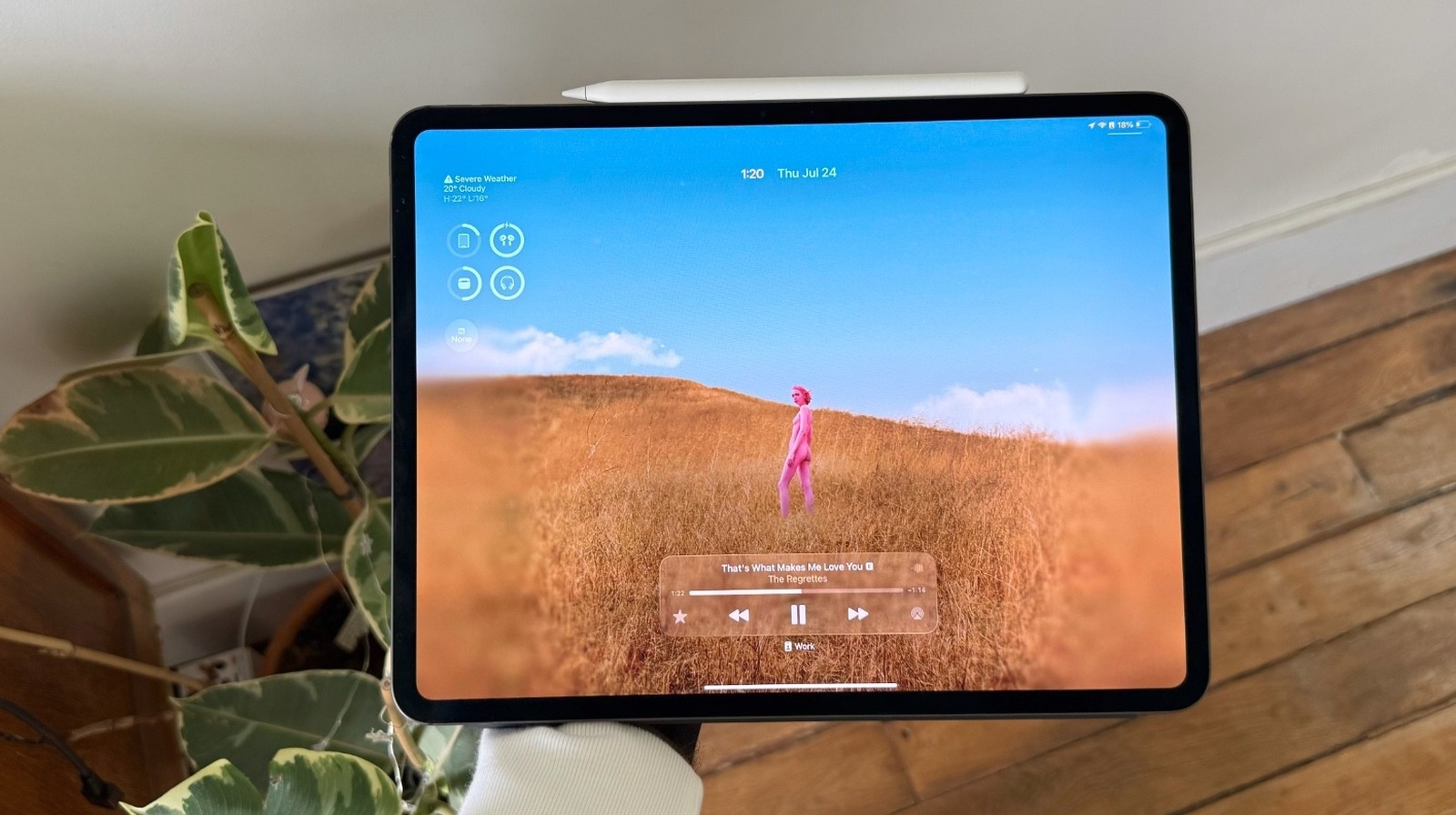
Alongside iOS 26 public beta 1, Apple is also making the first public beta versions of iPadOS 26, macOS Tahoe, watchOS 26, and tvOS 26 available to iPad, Mac, Apple Watch, and Apple TV owners.

Source

Posted on

5 iPadOS 26 Features To Try Now That The Public

José Adorno for BGR

iPadOS 26 public beta 1 is out. After a bit more than a month of beta testing for developers, Apple has now released the first glimpse of this upcoming operating system update to a broader audience. If you’re willing to try this update before it’s actually available to everyone later this fall, we’ve got a list of the top iPadOS 26 features you should be using.

Of course, the first thing you should do is check out the new Liquid Glass design. This is the first time Apple has completely revamped how the iPhone and the iPad look since iOS 7. You’ll notice that the Lock Screen, Home Screen, Control Center, app icons, and more look slightly different than they used to, featuring a unique transparency.

José Adorno for BGR

Besides the new design, you should start taking advantage of the new windowing system. Forget about Stage Manager, Split Screen, and Slide Over, as you can now add as many open windows to your Home Screen as you’d want. What makes this feature even better is that you can have apps running in the background, so you can export a video while scrolling through social media. Earlier this month, we penned an article instructing iPad owners on how to master iPadOS 26’s new multitasking capabilities.

iPadOS 26 brings even more to public beta testers

José Adorno for BGR

For Apple Pencil users, Apple created a new Preview app which lets you edit sketches, PDFs, and images. With that, you don’t need to use the Files app to sign a document or make changes to content. The company says this software was built to use with the Apple Pencil, which is very nice for those who spent the money on the Apple accessory.

On the Apple Intelligence side, users can take advantage of the new Shortcuts app, which can even create a real AI chatbot without using ChatGPT. However, if you prefer the OpenAI option, you should know that it now has onscreen awareness. ChatGPT can actually see what’s on your screen, and it can now help out by searching for information, helping you solve a math problem, and more.

Alongside iPadOS 26 public beta 1, Apple has also released the first test versions of iOS 26, macOS Tahoe, watchOS 26, and tvOS 26. We’ll let you know if we find any other interesting upgrades or additions in the public betas.

Source

Posted on

macOS Tahoe Public Beta 1 Is Now Available For Mac

José Adorno for BGR

If you’re waiting for a more stable version of macOS Tahoe to give it a try, Apple is now seeding the first public beta of Mac’s upcoming software update. The arrival of macOS Tahoe public beta 1 means that the company considers this version stable enough for a broader audience to download, even though you shouldn’t forget this is still in testing. In other words, there will be bugs.

That said, if you’re brave enough to give macOS Tahoe a try a couple of months before its official release, you should know that this is one of the most important updates for the Mac to date.

The reason it’s so important is that Apple has confirmed that this will be the last new macOS version available to Intel Macs, five years after it unveiled the first computer with its own proprietary chip. Intel Mac users can have a small glimpse of what the future of Apple’s Macs will look like. However, there’s so much more available with macOS Tahoe.

macOS Tahoe’s Liquid Glass gives a glimpse of the Mac future

José Adorno for BGR

One of the biggest changes is the new Liquid Glass design, as the company works to make the user interface of the iPhone, the iPad, and the Mac more similar to one another. Alongside new Continuity features, including Live Activities support, Apple added Phone and Journal apps to macOS Tahoe’s public beta.

This new software is also setting the stage for a better Siri. Spotlight now indexes everything on the Mac. Apple says a clipboard contains everything you copied and pasted during the day, while you can also use it to take actions, including summarizing documents, creating images, and taking advantage of Apple’s AI-powered Shortcuts app.

Speaking of Apple Intelligence, macOS Tahoe public beta 1 adds Live Translation, onscreen awareness with ChatGPT, Genmoji and Image Playground capabilities, and even the ability to create a chatbot using Apple’s LLMs. Alongside macOS Tahoe public beta 1, Apple is also making the first test versions of iOS 26, iPadOS 26, watchOS 26, and tvOS 26 available.

Source

Posted on

watchOS 26 Public Beta Now Available With Your New AI

José Adorno for BGR

Following a month of beta testing, Apple is now releasing the first watchOS 26 public beta to Apple Watch users. Unlike other test versions, you should really think twice before downloading this update, as Apple doesn’t offer a way for users to downgrade to a more stable version.

With that in mind, if you’re planning to try the watchOS 26 public beta ahead of the fall release, you should be aware that you need to keep your iPhone and Apple Watch running the betas until the stable version is available.

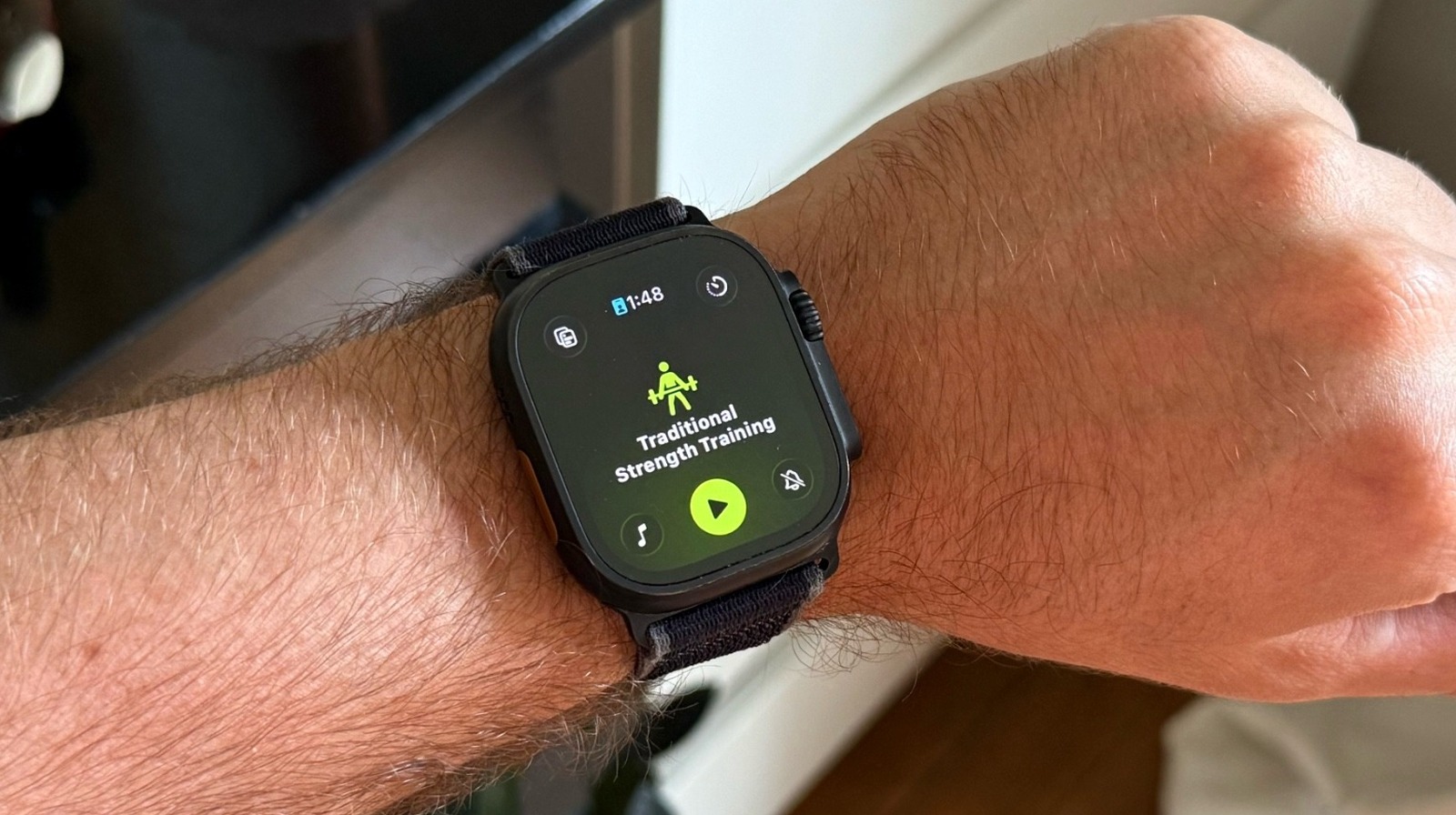
That said, the best feature you should try in watchOS 26’s public beta is the new AI fitness coach called Workout Buddy. This is one of the Apple Intelligence features coming to your Apple Watch in a few months. But don’t forget that you’ll need to have newer Apple Watch and iPhone models to use it, such as an Apple Watch Series 9 and an iPhone 15 Pro.

Workout Buddy is great, but there’s even more in watchOS 26

José Adorno for BGR

This Apple Intelligence-powered functionality “generates personalized pep talks using voice data from an Apple Fitness+ trainer.” Apple explains that Workout Buddy helps “set the mood for your workout,” as it encourages you based on the data available in the Health app, which means you can get an extra push during your workout based on what you already do.

Speaking of AI improvements, the Smart Stack got even better. The next time you go to the gym, you might see your workout suggestion there. Also, if you lose cellular connection, the Apple Watch will start registering your location so you can know where to go.

With watchOS 26 public beta 1, Apple is also expanding the Liquid Glass design to the Apple Watch. Even though it’s more subtle than the UI revamps available in iOS 26, iPadOS 26, and macOS Tahoe, Apple Watch users will find a revamped Photos Watch Face, Control Center, Lock Screen, and more. There’s also a new gesture to learn in watchOS 26. According to Apple, new Apple Watch models let you do a wrist flick. By turning your wrist over and then back, you can dismiss a notification or a call and go back to your Watch Face.

Alongside watchOS 26 public beta 1, Apple also released the first public test versions of iOS 26, iPadOS 26, macOS Tahoe, and tvOS 26.

Source

Posted on

Be wary of enterprise software providers’ AI

Financial results analysis by Forrester has found that enterprise software providers are ramping up efforts to sell the idea of an artificial intelligence (AI) user experience. The analyst firm warned that products with embedded AI from the likes of Microsoft, Oracle and SAP require careful financial management, and that IT leaders need to look for openness and avoid data silos.

Within its enterprise software providers’ financial report analysis, Forrester noted that the rapid adoption of Microsoft Copilot is forcing the hand of IT decision-makers. It recommended adopting FinOPs (finance and DevOps) to ensure costs are kept under control. With Oracle, it recommended IT leaders prioritise negotiating commercial protection and have an exit strategy.

Forrester warned Adobe customers to be prepared for the high costs associated with data management and workflow integration. Salesforce customers should “rigorously test” openness to avoid data silos, while SAP customers should focus on transparent pricing during contract negotiations. 

Forrester described ServiceNow as a central nervous system of the business, inferring that IT leaders need to establish strong central governance, treating it as a critical platform. With WorkDay’s evolution to a platform, Forrester said IT leaders should invest in building out developer skills and talent to deliver custom applications based on this platform.

Forrester’s analysis noted that enterprise IT software firms are positioning embedded AI copilots, assistants and autonomous agents as the new primary interface, which the analysts at Forrester describe as an operating system for the application.

They urged IT decision-makers not to be swayed by a “slick demo” since the value of AI and agentic AI is entirely dependent on an organisation’s willingness to invest in process redesign. According to Forrester, the barrier being created in the current crop of enterprise software is less about the AI’s intelligence and more about the monumental organisational effort to retrain the workforce on new workflows. According to Forrester, this dramatically increases the risk of being locked into a provider’s enterprise software portfolio, which limits choice especially in terms of choosing best-of-breed products over a fully integrated software stack from one provider.

“While consolidating to a primary platform can yield efficiencies, it also concentrates risk and neuters your negotiation leverage. Your next major software decision is a bet on a single vendor’s security posture, pricing model and innovation capacity for the next decade,” the analysts at Forrester warned.

They advised IT leaders to address the “all-in-one” narrative by architecting for a composable enterprise. Instead, IT leaders should put in place a strategy that defines a primary “host” platform while maintaining what Forrester calls “a robust integration fabric”, such as using integration platform as a service (iPaaS) and application programming interfaces (APIs) to connect best-of-breed “tenants”. The analyst firm also recommended that IT leaders assess platform openness and data export capabilities, which it said is now more critical than ever.

According to Forrester, enterprise software providers are now positioning their proprietary data platforms such as Salesforce Data Cloud or SAP Business Data Cloud, as the commercial gateway to their AI services. Its advice to IT leaders is to resist the push to create a new, proprietary data silo. Instead, IT teams need to build a data fabric or mesh architecture that is not tied into one particular provider’s technology stack.

“Fund the essential work of data governance but do so in a way that gives you architectural control and allows you to federate data from multiple sources without being held hostage by a single platform’s data strategy,” Forrester said.

According to Forrester, this productisation of data platforms ties in with enterprise software providers ending discounts and forcing product “rebundling”, which, it warned, concentrates risk for enterprise IT. It recommended IT leaders have a strategic response built on rigorous financial governance, architectural flexibility and a clear-eyed view of business outcomes.

Source

Posted on

Apple pushes almost 30 security fixes in mobile update

Apple has released more than 20 vulnerability fixes for its mobile device ecosystem in a new round of updates to the twin iOS and iPadOS operating systems (OS), with a warning for users to update now ahead of likely exploitation in the wild.

Unless a major new vulnerability is disclosed in the next couple of months, the new Apple iOS update is likely to be the last major one before the supplier’s anticipated release of iOS 26 – alongside new iPhone models – later this year.

The update, which takes both the iPhone and iPad OS to version 18.6, is light on information when it comes to the various vulnerabilities contained within. As is customary when Apple issues new cyber security updates, the supplier does not like to give too much away lest it inadvertently gives threat actors the inside track on how best to compromise its vast user base.

The iOS and iPadOS 18.6 releases include fixes for a potentially serious CoreMedia Playback permissions vulnerability that may lead to an app being able to access sensitive data, tracked as CVE-2025-43230, and a patch for a flaw tracked as CVE-2025-31229, in which the VoiceOver feature may read aloud a user’s password.

Noteworthy too is a fix to CFNetwork, a network communications framework that is used by Apple to run HTTP, HTTPS and various other protocols. Tracked as CVE-2025-43223, the issue in question enables a low-privileged user to modify restricted network settings, potentially posing an extreme security risk.

Finally, also in scope are multiple issues affecting WebKit, the underlying open source browser engine powering Safari, Mail, the App Store, and other Apple and Linux applications. These bugs – 11 in all – have various impacts, from causing the Safari browser to crash, to data disclosure, denial of service and memory corruption.

None of the WebKit issues have been identified as zero-days but WebKit flaws are often sought out by threat actors, particularly nation-state-backed ones indulging in cyber espionage.

Nor is the volume of WebKit fixes was necessarily unusual for an iOS and iPadOS security release, but users should still pay attention, as Josh Stein, vice-president of security strategy at Jamf, a mobile device management (MDM) specialist, pointed out.

“The positive news from Apple is that none of these vulnerabilities have been exploited in the wild. However, this should not delay users from updating their devices to iOS 18.6. Keeping devices up to date with the latest patches is one of the most effective ways to safeguard against attackers,” Stein told Computer Weekly.

If the update has not been downloaded and applied automatically, users can hurry things along by navigating to Settings, General, then Software Update on their Apple devices.

Digital markets

At the same time, the latest updates also incorporate changes specific to the European Union (EU) which enable Apple to remain compliant with the Digital Markets Act.

These include updated App Store terms for developers to communicate and promote offers for end-users and new fees for doing so.

For EU users specifically, the update provides a refreshed experience for using alternative app marketplaces or downloading apps from a developer’s own site.

Source

Posted on

The 10 Most Exciting Features In The tvOS 26 Public

Apple Inc.

I’m a huge Apple TV fan. While Apple has been touting Vision Pro as the perfect entertainment device, I still think nothing beats an Apple TV 4K paired with a combo of HomePod 2 and a good TV. Gladly, there’s a whole department at the company that agrees with me, as the tvOS 26 update is expected to be one of the most interesting so far.

With tvOS 26 public beta 1 now available to users, I decided to share some of my favorite features coming with this update. After all, there’s a lot to see in tvOS 26, as it has been the case with all of the software updates Apple unveiled during WWDC 2025 keynote.

That said, Apple has continued to show its commitment towards the Apple TV platform. While TVs get smarter, it’s Apple’s set-top box that makes them last longer. While the company is switching their efforts from gaming to the Apple TV app and Apple Fitness+ experiences, users have a lot to be excited about in tvOS 26, especially now with the public beta out.

Liquid Glass and better recommendations are the highlights of tvOS 26

Apple Inc.

tvOS 26 public beta offers a new Liquid Glass design. While Apple wanted to make the experience more seamless between iPhone, iPad, and Mac, in this case, the company wants to bring more focus to the action onscreen in tvOS.

The familiar yet refreshing experience starts after you choose your profile. This is likely one of the best changes coming to Apple TV, and if you share your set-top box with family members, you’re probably tired of having mixed recommendations because everybody uses your profile. That said, once you power on the Apple TV with tvOS 26 public beta 1, you’ll be able to switch between user profiles much more easily.

After that, you’ll probably want to take a look at the new Apple TV app, the hub for all your favorite content — whether it’s from Apple or third-party services. With new cinematic poster art, Apple wants to immerse you in the entertainment and make discovering your next favorite shows and movies even more fun.

Apple Music users will love tvOS 26

Apple Inc.

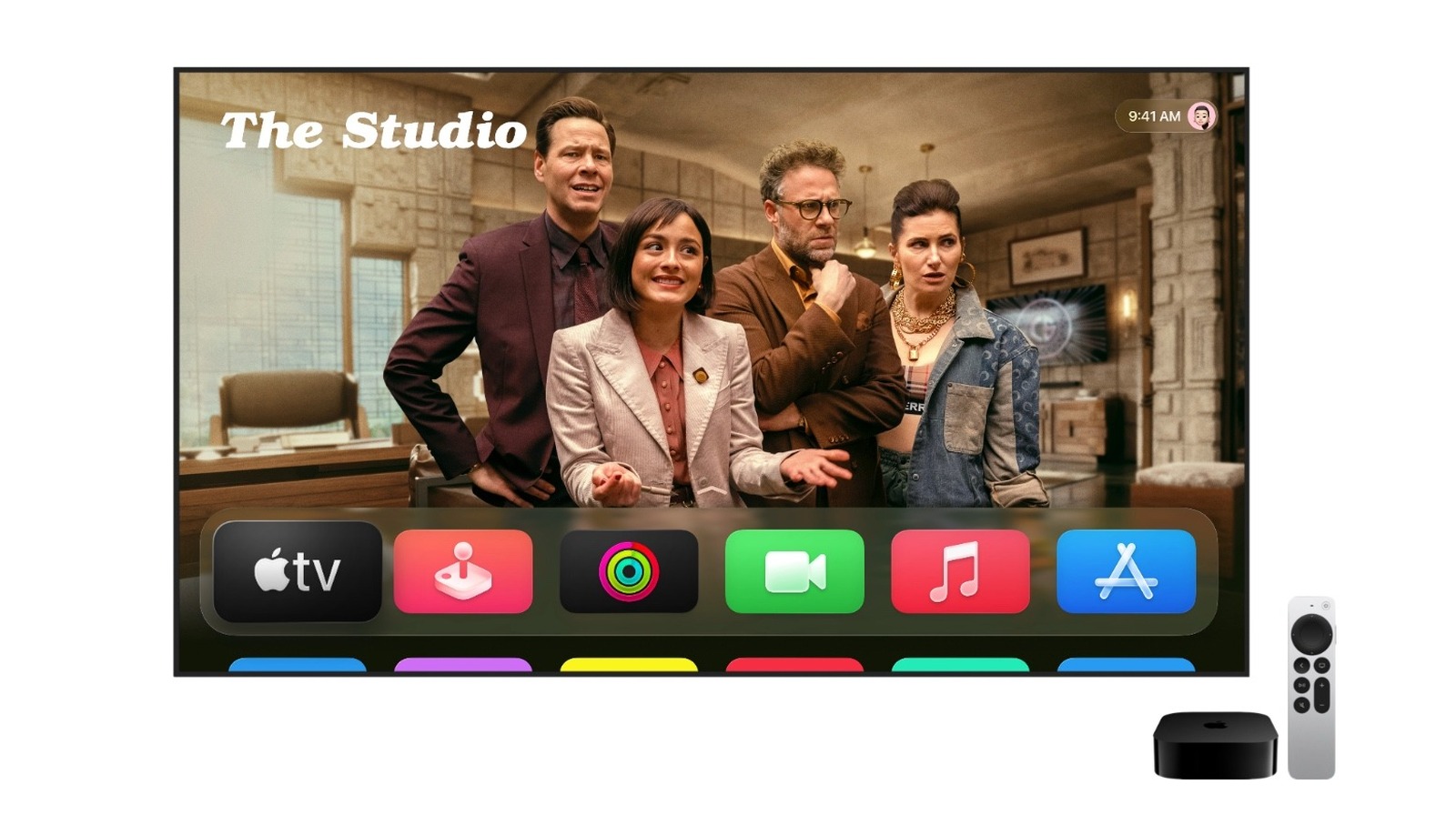
This redesign is especially useful now that so much good content is available on Apple TV+, including “Stick,” season three of “Foundation,” and the comedy “The Studio.” tvOS 26 also adds other important tweaks in the first public beta for Apple Music users. If you’re an Apple Music subscriber, there are new features to make your experience even better.

  • Sing with your iPhone as a microphone: With tvOS 26 public beta, you can transform your iPhone into a mic and hear your voice amplified through the TV speakers as you sing your favorite songs.
  • Lyrics Translation and Pronunciation: Apple makes it easier for you to understand and sing your favorite foreign-language songs, including popular K-pop tunes with these new features.

For FaceTime fans, tvOS 26 also improves the experience by adding Contact Posters, Live Captions, and even offering Call Notification when you have your Apple TV on. Finally, tvOS 26 public beta adds new screen savers captured across India.

These are my favorite features coming in tvOS 26. While every current set-top box will be able to download this update, it’s important to note that most features are exclusive to the second and third generations Apple TV 4K. tvOS 26 public beta 1 is now available alongside the first public test versions of iOS 26, iPadOS 26, macOS Tahoe, and watchOS 26.

Source

Posted on

Surge subsea net looks to boost affordable broadband in Indonesia

Indonesian digital infrastructure provider PT Solusi Sinergi Digital Tbk (Surge) has deployed subsea optical technology to connect Jakarta and Singapore, as part of its plans to bolster regional datacentre interconnectivity and support its stated mission to expand affordable broadband access to underserved communities across the country.

Surge believes it’s strategically positioned as a “pioneer in digital transformation” and infrastructure development across Indonesia. It operates across multiple verticals to create a robust ecosystem that serves the country’s growing demand for advanced connectivity and digital services.

Its infrastructure portfolio includes a fibre optic backbone operating over 6,900km of fibre optic infrastructure along railway corridors, boasting 144-core capacity and up to 64 Tbps bandwidth capacity.

Its infrastructure includes 58 strategically located Edge Cloud points (local datacentres) directly connected through the company’s own fibre network. This is supported by long-term collaboration with PT Kereta Api Indonesia (Persero) and partnerships with global players such as NTT East, Nokia, Huawei and Qualcomm.

It also offers a fibre-to-the-home access network covering over 300,000 fixed broadband home connects with a 90%+ take-up rate, and what are said to be unique offerings encompassing 200Mbps and 500Mbps download speeds.

With network capacity reaching up to 144 cores and maximum bandwidth of 64 Tbps, Surge says it is positioning itself as a key player in delivering reliable, nationwide digital connectivity infrastructure – serving a wide range of segments from the general public to industrial players and tech enterprises.

The high-capacity subsea connection, powered by Nokia 1830 Photonic Service Switch technology, is part of Surge’s broader infrastructure expansion to extend fibre-based broadband to 40 million households. It is designed to enable its internet initiatives, bringing what it says is affordable and reliable connectivity to the communities that need it most.

The network is designed to deliver an initial capacity of 20.8 terabits, allowing Surge to offer ultra-high-speed services of up to 800GE for Tier-1 and Tier-2 enterprise customers. Nokia also says its subsea service can enable Surge to deliver scalable, space and power efficient transmission, supporting growth plans while maintaining operational efficiency.

“This strategic deployment underscores our commitment to digital equity and building a more connected, inclusive future,” said Shannedy Ong, director at PT Solusi Sinergi Digital Tbk. “With Nokia’s advanced optical transmission technology, we can efficiently scale our network to deliver reliable, high-speed and affordable broadband to unserved and underserved communities across Indonesia.”

James Watt, senior vice-president and general manager at optical networks for Nokia, said: “Connecting up to 40 million people with affordable broadband access is a huge honour and responsibility. With Surge, we are building a high-performance network and providing solutions that will unlock new opportunities for growth across Indonesia.”

The contract with Surge comes days after Nokia revealed the Medusa submarine cable system – connecting the Atlantic coast, the Mediterranean Sea and the Red Sea – has deployed its coherent optics technology to deliver performance and capacity across two continents.

Owned by African infrastructure and telecoms operator AFR-IX Telecom, the Medusa Submarine Cable System is 8,760km long, and will be the first and longest subsea cable to connect the main Mediterranean countries, providing access to telecommunications infrastructure and 16 landing points around the Mediterranean Sea.

Boasting an architecture that is said to offer a unique design, the cable has segments with up to 24 fibre pairs, with a capacity of 20Tbs per fibre pair. Medusa uses a Nokia 1830 GX Series platform and ICE7 coherent optics capable of transmitting tens of terabits per second per fibre pair.

Source

Posted on

These Tech Accessories Will Change The Game For Coffee Drinkers

Guido Mieth/Getty Images

We may receive a commission on purchases made from links.

Starting each day with a piping-hot cup of coffee is essential for many of us. While a simple drip-brew Mr. Coffee machine may be all that is necessary for the casual coffee fan, caffeine devotees may want to take things to the next level. Fortunately, the greater world of consumer tech offers plenty of incredible accessories that can make just about anyone feel like a barista.

Whether you’re looking to achieve the perfect grind for every batch of coffee beans or you want a travel-friendly press to enjoy a warm beverage on a cold camping-trip morning, there’s certainly no shortage of coffee tech to choose from. In fact, the one tricky part is wading through Amazon’s many pages of coffee gadgetry to find the best products. Fortunately, that’s where we come in.

From smart mugs and thermoses that keep your coffee at the perfect temperature to smart coffee makers that will start a brew at a pre-chosen time each morning, here are five of the best tech accessories that will change the game for coffee drinkers.

A desktop warmer

With this House Gem 36W Mug Warmer, you can say goodbye to lukewarm beverages that turn your stomach. Available in black, white, and wood finishes, you’ll be able to choose from three temperature settings (176, 150, and 130 degrees Fahrenheit) to ensure your mug of coffee, tea, or other warm beverage is precisely the way you like it.

The 5.2-inch heating plate accommodates most mug sizes and is completely waterproof, so you don’t have to worry about spills. And measuring just 5.9 inches for length and width, you should have zero issue finding a home on your desk for this next-level coaster. Other great features include a 2-12 hour programmable timer, as well as a four-hour auto shutoff.

One thing to keep in mind: The warmer stays hot long after you’ve removed your mug from it, so do exercise caution. You’ll also want to make sure you’re using mugs that will fit onto the recessed heating plate (the actual plate isn’t flush with the rest of the device).

A programmable mug

If you’re the kind of person who’s always flying out the door at the last minute, the Ember Travel Mug 2+ should be at the top of your list. Designed to keep your beverage steaming-hot (120 to 145 degrees Fahrenheit) for up to three hours on a full charge, you’ll wonder how you ever lived without your thermos having a built-in battery. Better yet, when you place the Travel Mug 2+ on its charging coaster, it’ll keep your drink hot all day.

The folks at Ember also put together a great companion app (for iOS and Android devices) that you can use to set the temperature and customize various presets. You’ll even be able to add the Travel Mug 2+ to Apple’s Find My network. Should you ever misplace this precious drink holder, you’ll be able to track it down with an iPhone, iPad, or Mac.

We’re also glad to see a push-to-open lid and the ability to sip from any part of the mug. Some buyers have said the lid doesn’t have the tightest seal, though, so just be careful when transporting the mug from A to B.

A smart coffee maker

Want to get your Alexa ecosystem involved in the brewing of your morning beverage? The Hamilton Beach Smart Coffee Maker is one of several drip coffee makers that can be connected to Wi-Fi. This allows you to use Alexa voice commands and Alexa Routines to have a warm cup o’ joe waiting for you at the crack of dawn.

Using the Alexa app or an Alexa-compatible smart speaker, you’ll be able to start a brew, change the brew strength, and turn off the coffee maker. And while it’s a small convenience, the front-facing clock uses Wi-Fi to stay in sync, so you won’t even have to make any Daylight Savings adjustments.

At 13.9 inches tall, this Hamilton Beach coffee machine should be able to find under most kitchen cabinets, and the swing-out brew basket makes it easy to add grounds fast. Enjoy up to 12 cups of delicious coffee without having to lift a finger in the morning (as long as you set up the machine the night before).

A portable coffee press

It’s hard to argue with the kind of flavor the best coffee presses deliver, which is why we had to highlight the Aeropress Clear Coffee Press. Available in six colors, the press itself is made from Tritan, an ultra-durable, BPA-free plastic that is shatterproof and great for travel. In fact, it’s small enough to fit into just about any bag or piece of luggage.

When it comes to brew tech, the Aeropress combines French press, pour-over, and espresso methodologies to give you a pour that’s unforgettable. You’ll be hard-pressed to taste any grit or bitterness when using the Clear Coffee Press, thanks to the device’s micro-filtration technology, which is also why this press delivers such bold flavor.

For only $50, it’s hard to say no to coffee-on-the-go that tastes this good. Some customers have said the carafe remains hot for a while after usage, so be mindful of how you’re handling the machine when packing it up.

A capable bean grinder

We’ve said plenty about the tech that brews the coffee and keeps it warm, but a great bean grinder goes a long way, too. This OXO Brew Conical Burr Coffee Grinder is a terrific countertop accessory for coffee lovers, even if you own barista gear with built-in grinding. With 15 grind settings to choose from, you’ll be able to whip up grounds for everything from a hearty espresso drink to an ice-cold brew for the summer months.

The 40mm stainless steel conical burrs deliver consistently-uniform grounds, and the static-fighting container keeps grounds from sticking to the grinder. At 12.8 inches tall, 7.75 inches wide, and 5.3 inches from front to back, the OXO Brew won’t eat up precious countertop real estate. And at 4.5 pounds, the grinder is fairly lightweight, too.

Customers have praised the OXO Brew for its excellent performance and quiet operation. While $100 may be a bit too pricey for some, a solid grinder is not an accessory to skimp on.

Source

Posted on

You’re Probably Using Google AI Overviews Wrong

Marco Lazzarini/Shutterstock

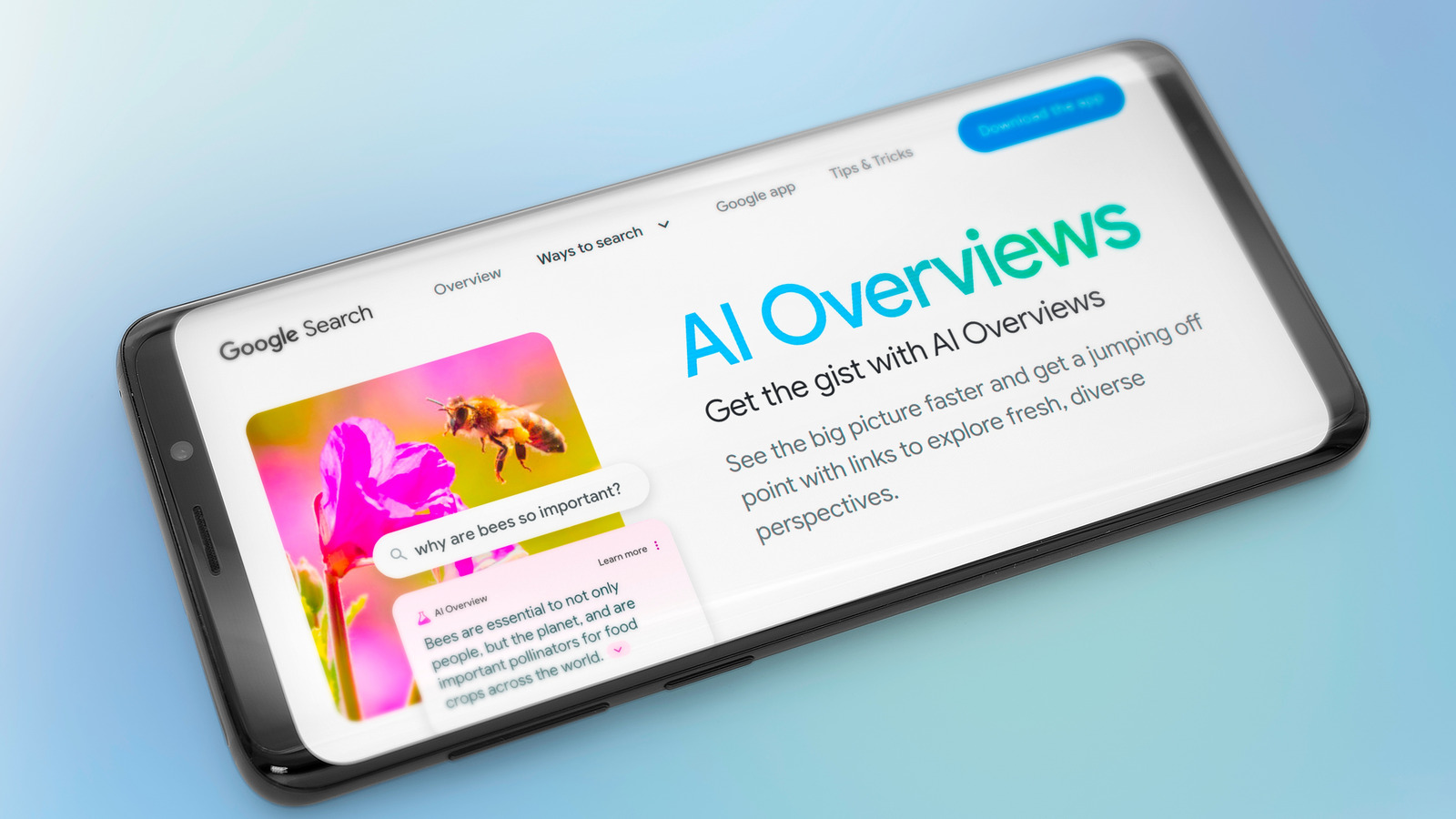
Google introduced AI Overviews in Google Search last year, an AI-powered feature providing rapid answers to user queries. The launch hasn’t exactly gone off without a hitch. AI hallucinations plagued the feature early on, including the now-infamous glue-on-pizza recommendations. Hallucinatory returns have diminished since launch, though AI Overviews will still make up stuff on occasion. Google has also expanded AI Overviews significantly since the May 2024 launch.

According to Google, AI Overviews are incredibly popular with users. Studies show that AI Overviews caused a dramatic drop in search traffic from Google. Google disputes those findings, but if all the data are accurate — that AI Overviews are widely appreciated and Google Search users make fewer visits to AI Overview sources — then it means you’re using Google’s tool wrong.

Ever since ChatGPT went viral in late 2022, we’ve seen a panoply of AI chatbots emerge online, including Google’s Gemini, the model that powers AI features in Google Search. All chatbots work similarly. They predict the next word rather than actually showing real intelligence or reasoning. That makes all of them prone to mistakes. You shouldn’t trust AI blindly no matter what service you use. Verifying sources is a must in today’s information ecosystem, and that’s how you’re using AI Overviews wrong.

Studies on AI Overviews

Thaspol Sangsee/Shutterstock

According to The Guardian, a new study claims that AI Overviews cause 79% fewer clickthroughs to top results in Google Search. The data come from analytics company Authoritas, which found a site ranked first in Google Search before AI Overviews debuted would lose a significant chunk of traffic. YouTube links would also get prominent placement compared to other search results. This study is now part of a legal complaint to UK regulators on the impact of AI Overviews.

The report mentions a second study from US thinktank Pew Research Center that found users only clicked a link under the AI Overviews once every 100 times. The study followed 69,000 Google searches for about a month. Google disputed both studies in comments to The Guardian, citing flaws in the methodology. A similar study from GrowthSRC Media found that clicks on top links in search results have dropped by 32% with the arrival of AI Overviews.

Google advertised AI Overviews as a source of traffic in August 2024. “With AI Overviews, we’re seeing that people have been visiting a greater diversity of websites for help with more complex questions. And when people click from search result pages with AI Overviews, these clicks are higher quality for websites — meaning users are more likely to spend more time on the sites they visit.”

An impending AI disaster

Google

Google CEO Sundar Pichai said during the company’s Q2 2025 earnings that “AI is positively impacting every part of the business.” Per The Verge, Google parent Alphabet reported $96.4 billion in revenue for the period, a 14% increase over last year. Google Search revenue reached $54.1 billion.

Pichai shared figures about AI in search, saying AI Mode has more than 100 million users in the U.S. and India. AI Overviews has over 2 billion monthly users across more than 200 countries. “We are also seeing that our AI features cause users to search more as they learn that Search can meet more of their needs,” Pichai said. It’s “especially true” for the younger generation.

Pichai hasn’t addressed user behavior like the ones the study above highlights. But even without official figures, analytics from media companies highlight a growing problem. The Guardian notes that UK publishers have experienced lower traffic since AI Overviews were introduced. For example, MailOnline noted clickthrough rates dropping by 56.1% on desktop and 48.2% on mobile during the month of May. UK publishers are looking to the Competition and Markets Authority for help with their complaint.

The problem is obvious and serious. Google uses internet data to train frontier AI models that power features like AI Overviews. That data comes from news sources and blogs that count Google Search as a revenue stream. While Google might be defending AI Overviews now, if the studies are accurate and people aren’t clicking on search results as often as before, future AI models will suffer. In turn, Gemini and AI Overviews will be directly impacted, including the quality of the summaries they offer.

How to improve your AI Overviews experience

YouTube

I get it — it’s just easier to search for something, read the AI Overview you that appears above the search results, and move on with your day. But I’ll remind you of something I’ve been pointing out since the early days of ChatGPT: You can’t fully trust AI to deliver hallucination-free results.

Even if AI Overviews aren’t likely to tell you to top your pizza with glue anymore, hallucinations have not disappeared. If you want accurate information from the web, you shouldn’t rely exclusively on what the overview is telling you without double-checking the information. Scroll through the Google Search results, click on a source, see if the AI Overview was right.

This isn’t (just) about supporting those websites that work to provide the information you were looking for. It’s about developing healthy habits for browsing the web and accessing information in the age of AI. The alternative is living in a world where what the AI says is taken at face value and considered the truth, even if it’s a hallucination. Asking for sources and checking them is something you should do with any AI tool you use, not just AI Overviews. I do it all the time with ChatGPT, and I’ve had fights with the AI when it failed to provide links to back up its claims. I’ve also corrected the AI or made it correct itself on several occasions when I was served hallucinations.

Source