Posted on

Australia’s Floating Solar Array Is Doing A Lot More Than

An aerial view shows a floating solar panel plant on a reservoir surrounded by lush forests. Photovs/Getty Images

Australia’s water supplies are evaporating. According to researchers at Deakin University, the country’s water infrastructure loses nearly 370 billion gallons every year due to evaporation, about three times the water in Sydney Harbor. But the land down under has crafted a novel solution to persevering its water supplies, one that has an added bonus of inching the country closer to its zero-emissions goals: floating solar power cells. 

Known as floating photovoltaics (FPVs), or floatovoltaics, these massive floating installations of solar panels are cropping up across Australia’s dams and water reservoirs. By covering the surface of water reserves, solar panels drastically reduce the rate of evaporation. Critically, it does so without triggering algal blooms that ruin water quality, a common problem with traditional covers that block out too much sunlight. Instead, the installations actually keep water supplies clean while adding renewable energy to the country’s power grids.

Of course, solar panels are not a catch all to Australia’s energy or water concerns, however, their proliferation across the country exemplifies how municipalities and industrial partners can address climate issues when provided sufficient funding and will power. Furthermore, the solar projects underscore the interconnectedness of global climate concerns and the auxiliary benefits of their solutions. And although floating solar panels may not grab as many headlines as the solar moon-ring project proposed by Japanese firm Shimizu, they may prove an essential piece of the green energy puzzle. 

Floating towards solar

Floating solar farms are becoming increasingly popular as a green energy measure, since floatovoltaics offer several benefits over traditional solar projects. For one thing, the water is a natural coolant, a critical advantage given solar panels’ efficiency rates decrease as temperatures rise. Solar arrays that use bifacial panels, which capture sunlight on both sides of the panel, further increase efficiency by using the light reflecting off the water. As such, floatovoltaics can be more efficient than traditional arrays. The water savings from such arrays are more than a knock-on effect. Australian utilities have found that laying solar panels across 70% of a reservoir’s surface can cut evaporation rates by over half (via Bloomberg). 

This could prove particularly helpful in rural agricultural areas, where canals and irrigation channels often lose massive amounts of water. In California, for example, researchers found that the state’s 4,000 miles of aqueducts could conserve roughly 63 billion gallons of water every year by installing solar arrays. The revelations helped spur California’s latest energy experiment, Project Nexus, which looks to install solar panels across the state’s network of agricultural canals.

Similar projects are underway in Australia, where installing FPV infrastructure in the country’s agricultural areas is increasingly becoming a priority. In 2025, for instance, the Australian Renewable Energy Agency invested $8.5 million in a five-year initiative to test the technology’s viability in Australia’s agricultural settings. The project is part of the Australian government’s Future Drought Fund’s Resilient Landscapes program, and plans to deploy the floating arrays across the country’s farm irrigation infrastructure.

A budding photovoltaic industry

An aerial view shows the Yamakura Dam's floating solar panels in Chiba, Japan. Carl Court/Getty Images

Market researchers expect demand for such installations to climb over the next decade, due in large part to the Australian government’s willing support. One example is the floating solar farm in Warrnambool, Victoria. Completed in 2026, the array is the country’s largest, consisting of 1,200 bifacial solar panels. Generating more than 600,000 kWh of electricity annually, the energy from the array powers the Warrnambool Water Treatment Plant, and is expected to reduce the utility’s greenhouse gas emissions by over 650 tons per year. Similar projects are cropping up around the country. Norwegian photovoltaics company Ocean Sun and Singaporean firm Canopy Power, for instance, have partnered to bring 70-meter solar rings to Australian utilities.

Australia isn’t the only country that wants to deploy the technology. In fact, the country’s collection of floating solar farms are relatively diminutive compared to other nations long invested in the technology, such as Japan. In 2016, it erected what was then the largest floating plant consisting of 50,000 photovoltaic panels. By 2019, the country’s lakes had 73 of the world’s 100 largest floating solar plants. Since then, China has risen into a world leader in solar energy, boasting several of the world’s largest floating projects, including its 320 MW Dingzhuang solar farm. However, both South Korea and India are developing solar projects that will surpass the Dingzhuang project. France, the Netherlands, Indonesia, Portugal, Taiwan, Norway, Italy, and the U.K. are among the countries investing in floating solar power. In the U.S., the NJR Clean Energy Ventures in Milburn, New Jersey is the continent’s largest floatovoltaic project.
Source

Posted on

5 Signs You Need To Replace Your 3D Printer

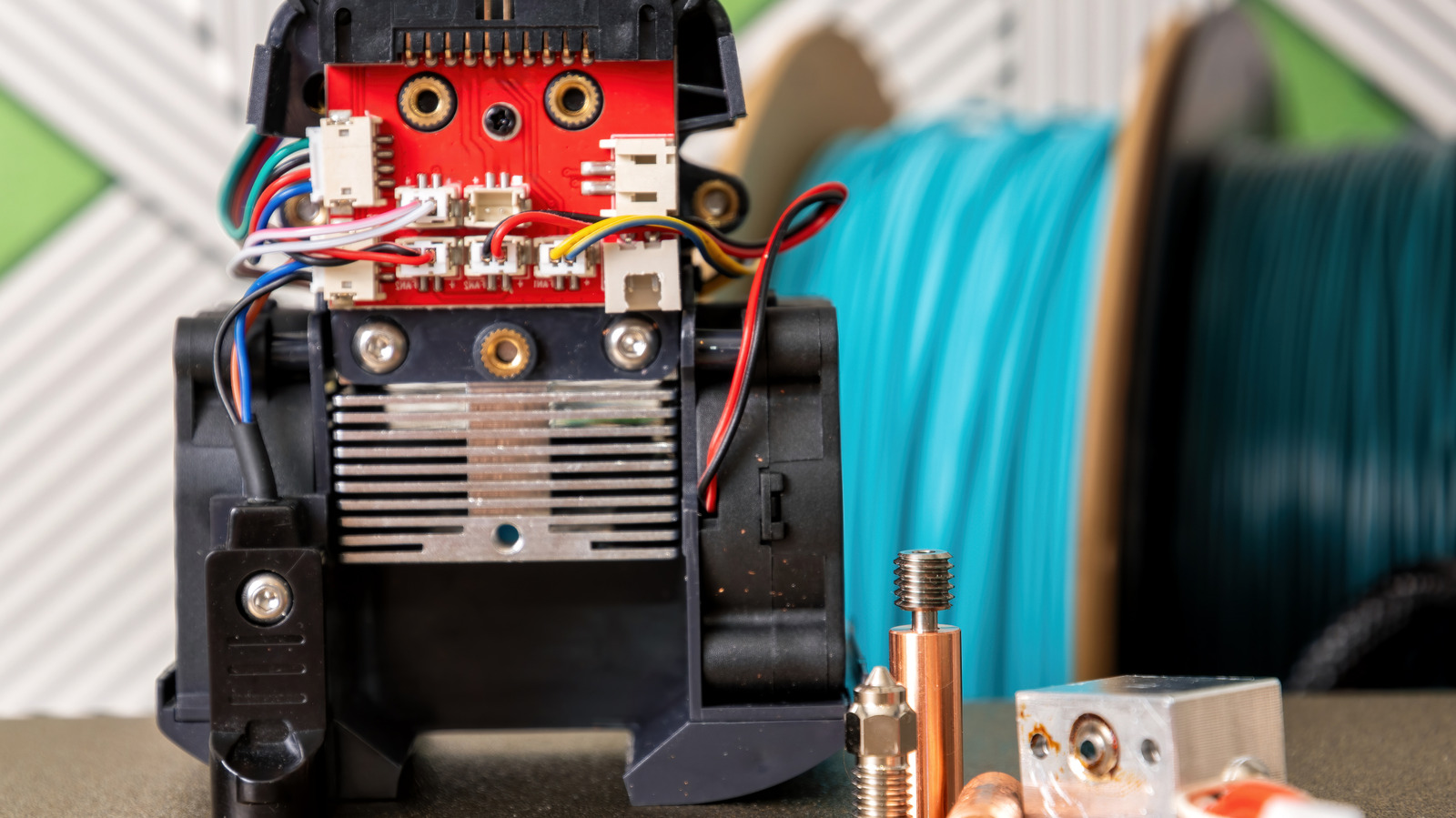
A disassembled 3D printer head. Serebryannikov/Getty Images

The fact that consumer technology has advanced enough for 3D printers to even exist is an undeniable sign of how far we’ve come. Unfortunately, no matter how capable our hardware becomes, we still haven’t figured out how to make it last forever. The same is sadly true for 3D printers — sooner or later, they will begin to exhibit signs of inevitable failure, from consistently low-quality prints to constant freezes and failures.

While they are increasingly common, 3D printers are extremely complicated pieces of equipment with numerous moving parts and programmed routines. Much like an elaborate watch, the moment one of those elements falls out of step, it can have a ripple effect on the rest of the device’s operation. You may be able to prolong your 3D printer’s lifespan with some replacement parts and sensible upkeep, like cleaning the bed, but if it starts exhibiting one of these symptoms consistently — and especially if it’s exhibiting more than one — it might be time to start shopping around for a replacement.

Prints are coming out low-quality, even with adjustments

A tangled, messy 3D print. Wissawa Chamaboon/Shutterstock

If a 3D printer consistently fails to produce high-quality prints, that’s a pretty good sign things aren’t working properly. Granted, failed or low-quality prints aren’t a sign of imminent failure in themselves — if you’re printing a new design for the first time, there’s always a chance it’ll come out a little weird — but after one or two rounds of adjustments, you should get what you’re looking for. There are plenty of quick tips you can use to improve your print quality, like leveling the bed and testing the nozzle.

It’s specifically when your printer can’t seem to make what you want, even after those adjustments, that it might be time to start investigating the hardware. If you’re still having issues, no matter how much you adjust the elements of the print or the process, including the printer’s temperature, the speed of the nozzle movement, and replacing standard consumables like worn belts or clogged nozzles, that may be a sign that a critical part within the printer has suffered an irreversible failure. If you’re concerned, try printing a different design, particularly one you already know that your printer can handle. If it comes out fine, there might just be a problem with the design you were trying to print before. However, if that standby design is also flawed, and especially if it’s flawed in the same way that the new one is, this may not be a problem you can adjust your way out of.

The printing process is unusually slow

A 3D printer printing an object. Reflexpixel/Getty Images

Generally speaking, 3D printers are not particularly fast — you are creating elaborate shapes and patterns out of nothing but liquified plastic, after all. In fact, 3D printing pros generally agree that deliberately slowing the process yields higher quality prints. That said, there’s a fine line between “taking time” and “taking entirely too much time.” A 3D printer may be slow, but if it seems to be noticeably slower than usual, something may be wearing out.

There’s no single standard for how long a 3D printing job takes. It all depends on the size and complexity of what you’re printing, with small, simple objects taking around an hour and more elaborate constructions taking as long as several days. If your prints are taking even longer than that, though, it could be a sign that your printer’s components are clogged, damaged, or otherwise wearing out. If you think a print is taking longer than it realistically should, try switching to a simpler shape or using a less elaborate infill pattern to speed things up. If it’s still taking too long, there could be an internal problem that’s hampering the process.

The printer is constantly stopping and freezing

A student adjusting a 3D printer. Cyano66/Getty Images

More so than the printer running slowly, it’s particularly concerning if the printing process is constantly freezing or failing. Even if there’s a little filament clog or the nozzle is moving somewhat slowly, as long as it’s still actually moving and dispensing, you can hopefully fix the problem. Even if it does just stop, in the best-case scenario, it may have just run out of filament while you weren’t looking. On the other hand, if the printer is completely locking up and not responding, that’s almost definitely a signal that something has gone very wrong.

Constant failures and stopping in the middle of a printing job are often a sign of severe internal component degradation, to the point that the printer can’t just power through anymore. There are various potential mechanical culprits of this circumstance, such as a motor overheating or the extruder getting clogged. These kinds of problems can rarely happen on their own and can be remedied with some quick tune-ups. If they keep happening despite your efforts, though, the internal parts may be degraded and on the verge of breaking down.

You’re replacing parts unusually often

A damaged 3D printer extruder. Lost_in_the_Midwest/Shutterstock

All of the previous problems could, ideally, be remedied by replacing the relevant parts with fresh ones. Whether it’s the nozzle, the internal belts, the extruder motor, the drive gear, or whatever else, if there’s a single part of your 3D printer that’s on the fritz, swapping it out is usually the definitive solution, if not the most affordable one. However, there’s a certain point in replacements and repairs where you need to consider whether you’ve fallen into a sunk-cost fallacy.

One part in your 3D printer failing every now and then is unfortunate, but not unreasonable to deal with. If you find yourself having to replace parts on a semi-regular basis, though, that could be a sign that the device’s critical, irreplaceable components are what’s going wrong, with their problems causing faster degradation in whatever new parts you add. After a certain point, replacing parts will become more expensive than buying an entirely new printer; if you’ve reached that point, it’s probably a safe bet that your current printer is a lost cause and should be replaced entirely.

The printer itself is outdated and struggling

A new MakerBot 3D printer on display in a store. James Leynse/Getty Images

Speaking of replacing the printer, even if there’s nothing catastrophically wrong with it in the short term, the sad fact is that even the fanciest, most elaborate printer will eventually become obsolete. The older your printer gets, the more miscellaneous struggles it will begin to exhibit, and those struggles will start to add up.

As 3D printing is still a relatively new technology, new advancements and standards are constantly rolling out, from new equipment to software updates. If your current printer is too old, it might not be able to properly process new filaments, utilize new slicers, or parse changes in software and design files. If you try to force your printer into using materials or components it’s too old to handle, it might struggle, with the mechanical wear and tear from years of use potentially leading to odd noises and vibrations as it tries to power through. There’s no hard cutoff point for a 3D printer to age out, but if your current printer is more than 10 years old and exhibits these types of problems, it’s probably time to put it out of its misery.

Source

Posted on

PSA For ’90s Kids: Your Old Film Camera Is Popular

A photographer using a film camera while a classic model hangs from her neck. Ozgurdonmaz/Getty Images

We may receive a commission on purchases made from links.

Trends always come back around, especially fashion trends. That’s not just an anecdote; there’s math behind the phenomenon, and trends seem to come back on a 20-year cycle. So, it probably shouldn’t come as a surprise that your old film cameras are popular again. There’s a really cool reason behind it, according to those who are on the hunt for the old tech. It moves away from the instant gratification of today’s hyper-digital world, where phones and digital cameras can instantly show you what you captured. Instead, it’s equal parts authentic and lived-in. Taking a traditional photo and developing it slows you down. “There’s a romanticism behind it, a nostalgia,” says one proponent to the BBC.

Gen Z and Millennials are responsible for the surge in popularity of analog cameras. They’re seeking authentic, unique experiences, which is something digital photography cannot really achieve on the same scale. Even when using the best digital cameras for aspiring photographers, you’re giving up part of the original hobby. There’s no extra work or film to develop. That’s why traditional film is still used by auteurs and professionals in many instances. Moreover, the look of real film is difficult to imitate, even with software and photo effects, and the experience is completely distinct. You shoot with a physical medium, then take time to develop the photos afterward; meanwhile, negatives give you a true, tangible representation of each print. 

What are some traditional cameras for old-school shoots?

Someone holding 35mm film rolls in their hand with a camera nearby. Gerardo Huitrón/Getty Images

If experience is the name of the game for you and you want to have a great time, there are several digital-first, affordable cameras that make photography more fun simply by what they offer. They make it ‘feel’ like shooting with an old-school or retro camera. That’s especially pertinent if you’re not fond of taking the time to develop the film afterward. 

Some truly original film camera options in the budget-friendly range include the Kodak Ektar H35 Half-Frame and the Kodak Snapic A1, both of which use 35mm film and feature two-zone focus. If you want a pro-grade camera, you can’t go wrong with the Pentax 17 Half-Frame, the Nikon FE SLR, or the Canon Vintage AE-1 SLR with a 50mm lens. With some older camera models, refurbished options are your best bet, as you’ll rarely find them brand-new or unused. 

If you want the best of both worlds, a combination of digital-like experiences with instant feedback and traditional print photography, Polaroid-style cameras are a fantastic option. Fujifilm Instax cameras mimic the instant-print and novel feel of a Polaroid. The Fujifilm Instax Wide 400, for example, is affordable, fun to use, and won’t empty your wallet when it’s time to stock up on extra supplies. 

Where do you get the film?

Physical film rolls hanging in a darkroom for developing. Trailbomber/Getty Images

Believe it or not, 35mm film rolls from companies like Kodak, Fujifilm, and others are still available at online retailers like Amazon. The film can be a bit more expensive than it used to be, but the fact that it’s still readily available and so easily accessible is something of a surprise in today’s market. Several other retailers also carry film rolls and bundles.

As for developing the film after you shoot some great pictures, you can do it at home, though the process is time-consuming. You may be able to find local photography shops, or take advantage of online services, where you mail your film to the headquarters and they send it back when developed. Big stores like Walmart and CVS still develop film, but it’s not a fast turnaround service.

Ultimately, you still have the means to take pictures the old-fashioned way and then have your film developed in various ways. The costs can also be as manageable as you want, with options for budget-friendly cameras, limited film, and development costs, like doing it all yourself at home, or more expensive, professional-tier options with cameras that look the part. That may be another big reason the hobby is surging in popularity. The freedom to choose when and where you’ll splurge for quality and authentic styles.

Source

Posted on

What Is The 60-60 Rule For Using Headphones?

A person wearing headphones outside Stockphotodirectors/Getty Images

Headphones are very popular with smartphone users, with many people seen wearing over-the-ear models or wireless earbuds like AirPods in public places. But while many models offer great sound experiences for listening to music and making phone calls, it’s important to understand the safety concerns related to using headphones for longer periods.

It’s not just about ear health, but also the risk of hearing loss. That’s where the 60-60 rule can be useful, as it can help headphone users protect the health of their ears and their hearing. The rule is easy to remember and refers to two elements: sound volume and exposure duration. The 60-60 rule means you should listen to music at 60% of the headphone’s maximum volume for up to 60 minutes before taking a break. Adhering to the 60-60 rule would help a user stay within safe listening parameters, and allow the ear to take breaks from sound exposure.

The World Health Organization (WHO) explains that prolonged exposure to loud sounds can lead to a type of hearing loss known as noise-induced hearing loss (NIHL). That’s because the sensory cells inside the ear that transmit sound to the brain can be affected by loud sounds. The California Hearing Center further explains that the cells responsible for hearing will not regenerate after being damaged, making NIHL irreversible. They note that the three parameters that can lead to hearing loss are high volume, extended exposure, and cumulative exposure. The National Institute on Deafness and Other Communication Disorders further explains that the damage can happen immediately when the sound is very loud. It can also occur over longer periods of exposure to high volume sound. This form of NIHL can go unnoticed initially, but some may eventually experience symptoms.

Why is 60% volume safe?

The volume level seen in the iPhone's Control Center Zalfar/Shutterstock

The WHO also recommends keeping volume at 60% of maximum, noting that users should aim to keep the sound below 80 dB. The organization offers examples of different volumes to help users understand what 80 dB may sound like. The sound of normal breathing is measured at about 10 dB, while soft whispering goes up to 30 dB. Normal conversation produces sounds that are about 60 dB, while a doorbell will reach 80 dB. Heavy traffic is louder, at 85 dB, while shouted conversation reaches 90 dB. A plane taking off is significantly louder, at 140 dB.

The WHO offers guidance on time limits depending on volume level, saying it’s safe to listen to sounds at up to 60 dB without any limits. If the volume goes up to 80 dB, the WHO lists a cumulative limit of 40 hours for seven days. An increase to 85 dB reduces the limit to 12 hours and 30 minutes for the same period. Going to 100 dB (hair dryer) reduces that limit to 20 minutes for the same one-week period. The National Institute for Occupational Safety and Health has a recommended sound exposure limit of 85 A-weighted decibels (dBA) over an eight-hour workday.

The California Hearing Center notes that the 60% volume in the 60-60 rule isn’t arbitrary. It’s based on the volume levels available from consumer devices, which can reach 100-110 dB if set at maximum. Therefore, lowering the headphone volume to 60% would reduce the volume level to 75-85 dB. Put differently, lowering the headphone volume under 60% would be more beneficial to the wearer. For example, using noise-cancelling headphones, like the AirPods Pro, can block external sounds and improve the listening experience at lower volumes.

Practical tips for following the 60-60 rule

A person using AirPods while exercising Dragana Gordic/Shutterstock

Your iPhone or Android device may not show a volume percentage or decibel reading. The California Hearing Center advises users to count volume steps if they appear onscreen and stop at around 60%. Another method of reducing volume to safe levels is to see if you can hold a conversation with someone near you. The volume is too high if you need to take off the headphones to hear the other person. The same source also notes that iPhone and Android devices offer hearing safety features. The iPhone lets you enable a feature called Reduce Loud Audio in the Settings app, under Sounds & Haptics > Headphone Safety. Android has a Media volume limit in the Sound and vibration menu of the Settings app.

The iPhone’s Health app also shows sound exposure for headphones and the environment in the Hearing section. The Health app can issue notifications if the environmental sound is too loud, so you can take action. The iPhone’s Shortcuts app can help you automatically reduce the volume to a desired level when you connect headphones. That’s one way to help you keep the volume under the 60% recommendation.

To follow the 60-minute rule, you can set on-device timers to ensure you take breaks between listening sessions. Separately, the 60-60 rule can be used to limit exposure to other loud sounds, not just headphones. Finally, headphone users who experience hearing issues, such as tinnitus (ringing in the ear), muffled sounds, or pressure in the ears should consider seeing a healthcare professional.

Source

Posted on

5 Bluetooth Gadgets Perfect For Working At Home

Man wearing headphones and using a laptop in his home office. DexonDee/Shutterstock

We may receive a commission on purchases made from links.

Working from home gives you the freedom to customize your workspace in ways you can’t in a traditional office. Part of that is the ability to integrate or install a variety of gadgets that could potentially boost your productivity and improve your experience. There are actually a lot of gadgets that will instantly upgrade your home office. Air purifiers and diffusers to keep the air fresh and smelling nice, RGB and smart lighting to illuminate the space in neon hues, and even a tablet or laptop you can take with you around the property or to a local coffee shop.

Whether you’re nestled up in a cozy home office, relaxing on a hammock in your backyard, visiting the local cafe with free Wi-Fi, or working wherever the muse takes you, there are some gadgets that stand head and shoulders above others. They truly change the way you not only experience work but also the space around you. Those are what I would describe as the perfect Bluetooth gadgets for working at home or wherever. Collecting, installing and using them can really make the difference between a super productive day and one that’s stressful and challenging. I’ve put together a few to help you get a head start on achieving your perfect home workspace.

Noise-canceling Bluetooth headphones

Young woman working on a laptop and wearing headphones in an office setting. Andreypopov/Getty Images

Everyone recommends headphones, and it’s an obvious choice, I know, but hear me out. Whether you prefer earbuds or classic over-the-ear headphones, not just any pair will suffice. Working from home can also bring distractions, not unlike the office, with the sounds of kids screaming or playing, clanking dishes, or barking dogs. If you’re working out of a new spot in public, like a restaurant or cafe, there might be lots of noise there, too. Noise-canceling headphones, specifically, let you turn on an ambient noise reduction mode to tune out all those pesky background sounds.

Keep in mind, you don’t have to use them to listen to music or podcasts. You can simply put on more calming tones or environmental audio that’s not a distracting, overstimulating clash of chaos. For instance, the Sony WF-1000XM5 noise-canceling earbuds, a highly rated pair, feature special noise-isolating ear tips and premium noise cancellation, thanks to proprietary processors that remove background audio with help from dual feedback microphones. Basically, they make everything quieter so you can focus. If you’re looking for a couple of additional top choices, Consumer Reports has the low-down on the best noise-canceling headphones money can buy.

Find a good pair, and they’ll completely transform your workspace and environment for the better. Fewer distractions are always a good thing.

Conference-friendly speakerphone

The goal for this guide was to step outside the box a little. That’s why this entry includes two options for Bluetooth-enabled speakerphones: one more basic, the other more advanced, but both equally invaluable during business hours. The Anker PowerConf is a tabletop conference speakerphone with 360-degree coverage thanks to six built-in microphones. It also delivers smart voice enhancements to keep you sounding clear to those on the other side, and has a large 6,700mAh battery for 24 hours of continuous call time on a single charge. Bluetooth 5 allows you to sync your phone or laptop, and it works with popular apps like Zoom, GotoMeeting and more.

Similarly, the Insta360 Wave is a Bluetooth-enabled, Zoom-certified speakerphone with an 8-microphone 3D array. It’s also compatible with an attachable webcam, so you can handle video and audio from a single device. AI-powered noise reduction and conferencing features help you lead the perfect meeting, including with automated assistant support and AI transcriptions.

In either case, it’s excellent to have a speakerphone handy for those work meetings, client meetings, and beyond. Most professional offices have expensive equipment and a huge meeting room to make this work. You can do it with a relatively affordable Bluetooth device.

A smart and modular stand-up desk

I’ve been working from home for nearly two decades now, and if there’s one thing I’ve learned in all that time, it’s that remaining sedentary for long periods, eight hours or more per day, is just not good for you. Not only is it a proven health risk, but it can dampen productivity and creativity, the latter of which I have to maintain all day, every day. But everyone has to work to survive, and most of the time that means sitting at a desk. How do you get around sitting all day? The best solution is to install a standing desk, or rather, a motorized one that lets you switch between sitting and standing positions.

The Uplift V3 standing desk is a solid example, but it also incorporates Bluetooth and app controls, alongside a modular design. You do have to purchase a Bluetooth adapter separately or simply choose a desk that comes with one, but once you do, you can use the app to adjust desk height, get movement reminders, track daily standing goals, calibrate settings, access a digital assistant, and much more. As for the physical desk, it’s highly modular, allowing you to swap out designs, like the actual desktop style, add in optional grommets for cords and cables, get mounts or accessories like a functional gooseneck desk lamp, and change out the keypads. That said, if you don’t like this model’s design, there are many, many more Bluetooth-enabled desks out there.

Bluetooth adjustable desk lamp

The lighting in your office is important. During video calls, conferences, and meetings, when you’re trying to read, or when you’re working at the desktop, it’s good to have directable lighting. But achieving great lighting is more complex than flicking a switch and turning on overhead lights in your office or living room. Sometimes, opening windows can let in too much light or cause glare, and having a big light on all day is too much, as well. That’s when it’s excellent to have a smart desktop lamp. 

If you don’t want app controls, the BenQ e-Reading desk lamp is a good choice. You can adjust brightness, temperature, and dimming with physical knobs on the lamp itself. Or, you could opt for Lepro’s clamp-style desk lamp for a budget-friendly option.

Alternatively, the Govee Desk Lamp, gaming light bars, or the Philips Hue Iris smart LED table lamp are Bluetooth and smart-assistant-enabled choices. They employ designs other than just traditional gooseneck-style lamps, but also give you a variety to choose from. With these smart lights, you can use a mobile app or a voice assistant to customize colors, set dynamic scenes and activate light effects. Don’t worry, if all of that is too distracting, you can also set a neutral white or warm light, as well. It’s a smart way to bathe your workspace in pleasant radiance. Moreover, a bright, adjustable desk lamp is one of the recommended ways to set up a desk that prevents neck and back pain, per the experts.

A foldable keyboard and mouse combo

Since the focus is on Bluetooth-enabled gadgets, you should have known that a keyboard and mouse would come up as essential office items. While a mechanical or full-size keyboard and ergonomic mouse are most often recommended, they aren’t terribly portable. The true beauty of working from home, depending on what you do, is that you can work from anywhere, even if it’s just moving around inside your home or property. But to do that, you’ll also need reliable mobile gear. A foldable keyboard and mouse combo provides precisely that.

A foldable keyboard is mostly designed for travel. You can fold up the device for easy stow-and-go and bring it with you on a plane and to various hotels and workplaces. But it’s also a great option to move around your local area. The ProtoArc XKMO1 foldable keyboard and mouse combo takes that a step further, bundled with a hard carrying case. Also, it’s a full-size keyboard with a number pad when set up, and it comes with a matching precision mouse. They’re rechargeable via USB-C, offering hundreds of days of continuous battery life each. You could also use them to work from a set-top or mini PC connected to a TV. Grab these, connect them to your computer or laptop, sit back on the couch, and plug away. The ProtoArc has over 2,900 reviews with a 4.4 out of 5-star rating. However, if you don’t like this particular model or want to look at yourself, there are quite a few others on Amazon and elsewhere.

Source

Posted on

Not Google, Not Samsung: Survey Says This Phone Brand Leads

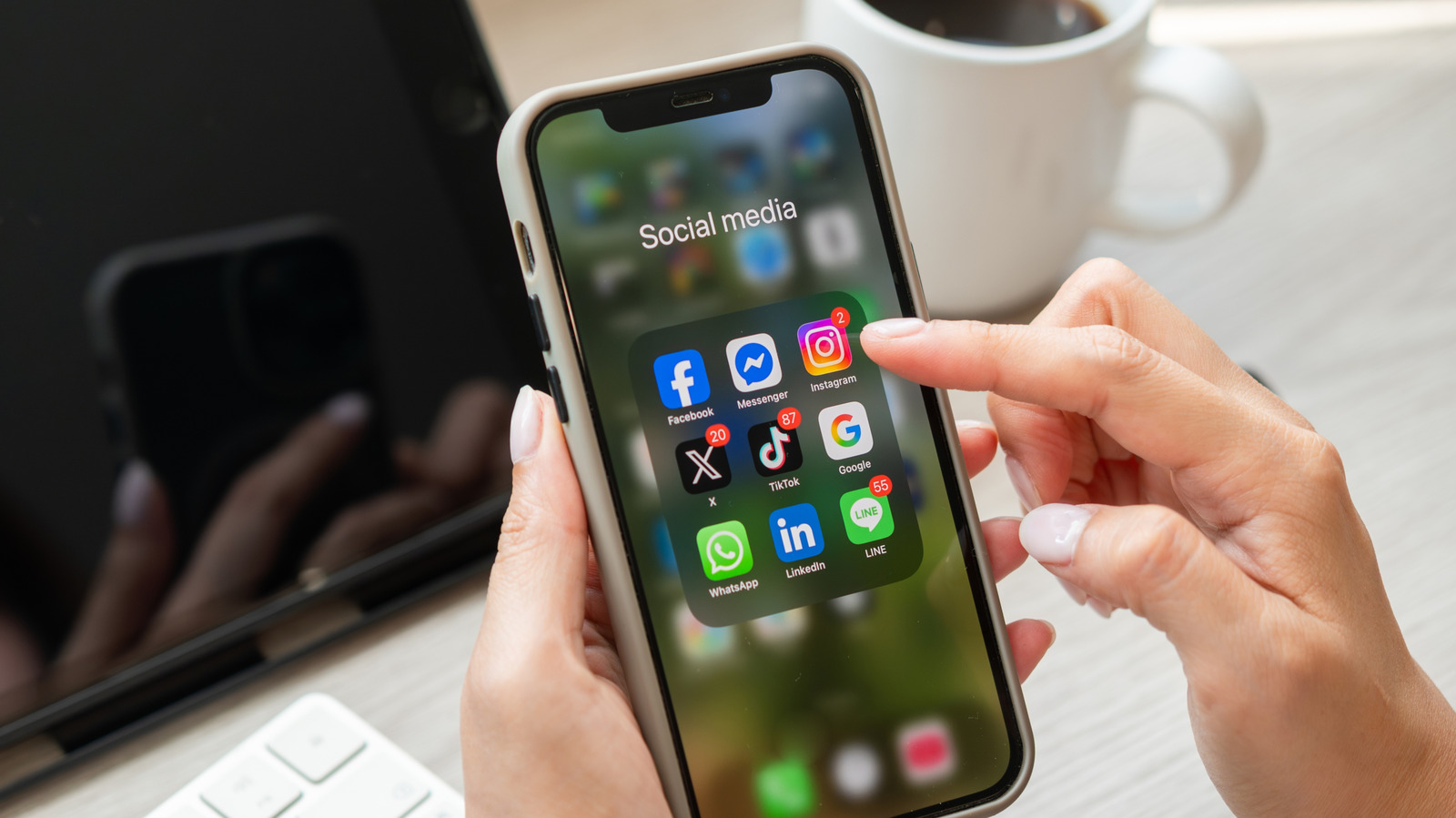
finger hovering over instagram icon in social media app on iphone display Vasin Lee/Shutterstock

When you look at brand loyalty in the smartphone market, it’s hard not to be impressed by just how loyal Apple fans are to the iPhone. The company has maintained one of the most loyal followings over the years, and it continues to build its ecosystem of devices that work together, making owning an iPhone even more useful if you already have a Mac or iPad. And while some people might argue that Apple’s iPhone has stagnated, the company’s fans remain dedicated, with a recent survey of 5,000 smartphone users revealing that they are 3.6% less likely to switch phone brands than Android users. 

The survey, carried out by SellCell.com, compares data from users in 2026 to previous surveys the company ran back in 2019 and 2021. According to survey data, iPhone user loyalty has risen over the past several years, from 91.9% in 2021 to over 96% in 2026. That might sound like a small margin, but compared to Android 86.4% loyalty rating, it’s a pretty stark difference. 

Of course, there are a number of reasons users are sticking with their iPhones. Chief among them is the overall value that devices like the iPhone 17 offer, especially if you’re already pretty embedded in the Apple ecosystem.

Why more users are sticking with iPhone

hand holding iphone 17 pro in cosmic orange, blurred background Evolf/Shutterstock

Beyond the overall value iPhones tend to offer, most survey respondents say they’re sticking with Apple because they prefer it, with 60.8% of Apple users stating so. Another 17.4% say they’re too invested in the Apple ecosystem to leave, which makes sense given how many devices Apple offers at this point and how well they work together. That’s something Apple continues to improve upon with its Continuity features across both iPhone and Mac. Another 8.7% of users say they’ve never had an issue with their iPhone, making them unlikely to switch. 

Finally, another 10% of users say that they stay because their Apple phone is just easy to use, while the remaining 3.1% say they stick around because they trust Apple’s approach to privacy and security as a whole. That’s not unexpected, especially since Apple continues to pursue positive changes, like the company’s recent fix of an iPhone flaw that let the FBI read deleted notifications.

This is why some might switch to Android

person taking sim card out of side of iphone Alina Vytiuk/Getty Images

While many users are happy to remain loyal to Apple and the iPhone, some noted they would switch brands with their next upgrade. However, among the 3.6% of users who say they might switch, more than 25% say they would do so because another brand offers better value, with 24.7% saying the iPhone has become too expensive. Smartphone prices are expected to rise as well, so that last reason could definitely become more prevalent in the coming years.

Of course, it’s important to note that of these percentages, less than 15% say they would switch because they prefer Android, while 12.4% say they just want a change. As such, it doesn’t appear that Android has much to offer to pull Apple users away, as the biggest reasons for switching mostly come down to price and overall phone value. With more Android models out there, thanks to the various brands that create Android phones, those seeking to save money on their next smartphone could find a few good, cheap smartphone options to invest in instead.

Overall, Apple’s loyalty remains at the top of its game, though these results are far from a complete breakdown of the Apple community.

Source

Posted on

Can You Use HDMI To Daisy Chain Monitors?

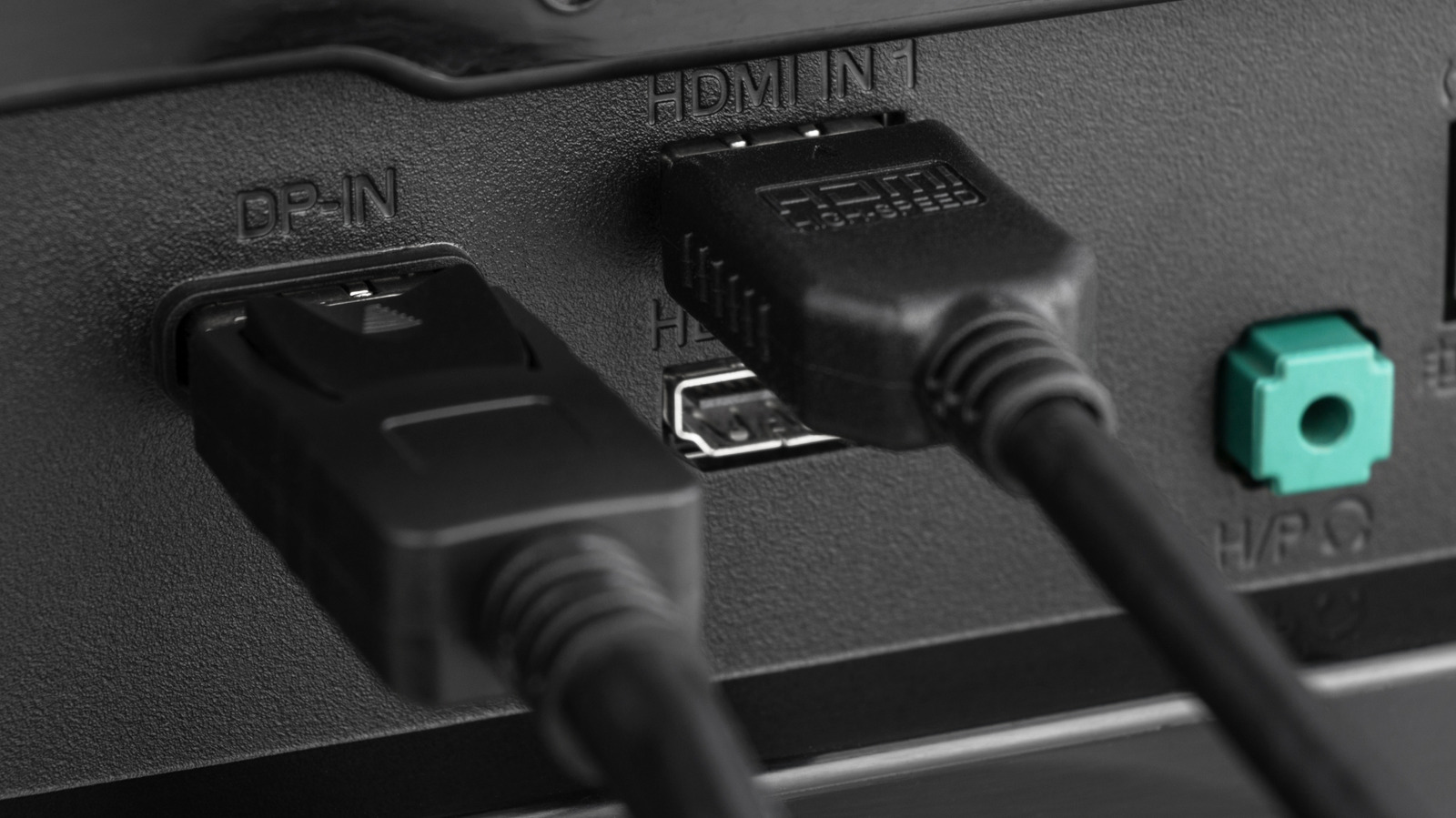
HDMI ports on monitor AlexanDior/Shutterstock

Daisy-chaining monitors together is pretty easy once you have the right equipment, and a great solution if you don’t have enough ports or a long enough cable. Unfortunately, if you want to do this with your standard HDMI cable, you’re a little out of luck. Without the necessary onboard protocols, HDMI lacks the additional features of its counterpart, DisplayPort. There’s no real route to daisy-chaining monitors via HDMI, so you’ll have to opt for alternatives.

Daisy-chaining monitors via DisplayPort isn’t widely available on most modern monitors, with few brands still equipping them with the necessary ports. USB-C and Thunderbolt have taken this role instead, with brands like ViewSonic opting for the multifaceted cable over DisplayPort. 

HDMI might be the easiest cable to connect a PC to a monitor, but it lacks key features that other cables offer. Namely, HDMI doesn’t support Multi-Stream Transport (MST), which is exclusive to cables that support the DisplayPort 1.2 standard or higher, including USB-C and Thunderbolt. Since 2014, USB-C has supported DisplayPort, and with it, MST. However, some modern computers, like Apple Silicon devices, don’t support MST. If that’s the case, it’s best to use Thunderbolt 4 or USB4-equipped docks to connect multiple monitors.

Thunderbolt is how to daisy chain in 2026

Docks exist that convert DisplayPort into HDMI, but this isn’t “daisy chaining” in the same capacity. These dongles and docks simply convert the MST signal into two video outputs, extending a single cable into multiple. Actual daisy chaining involves plugging cables into two separate ports, then into the next monitor, with a single output from the laptop or PC. 

If you do want to daisy chain monitors in 2026, your best bet is Thunderbolt. While the USB4 specification can go toe-to-toe with Thunderbolt in many ways, including maximum transfer speeds, it still lags behind Thunderbolt. However, Thunderbolt is also expensive to buy into, with short cables running from $20 to $129 if you go through Apple for the 1.2m-long version.

Monitors that support daisy-chaining will feature different USB-C ports: one for input and the other for your daisy-chain connection. Thunderbolt can support up to two 4K screens or a singular 8K monitor. If you’ve managed to find a DisplayPort-equipped daisy chain monitor, you’ll be able to get four 1080p monitors off of one source. 

Source

Posted on

5 Cool USB-C Gadgets You Should Plug Into Your New

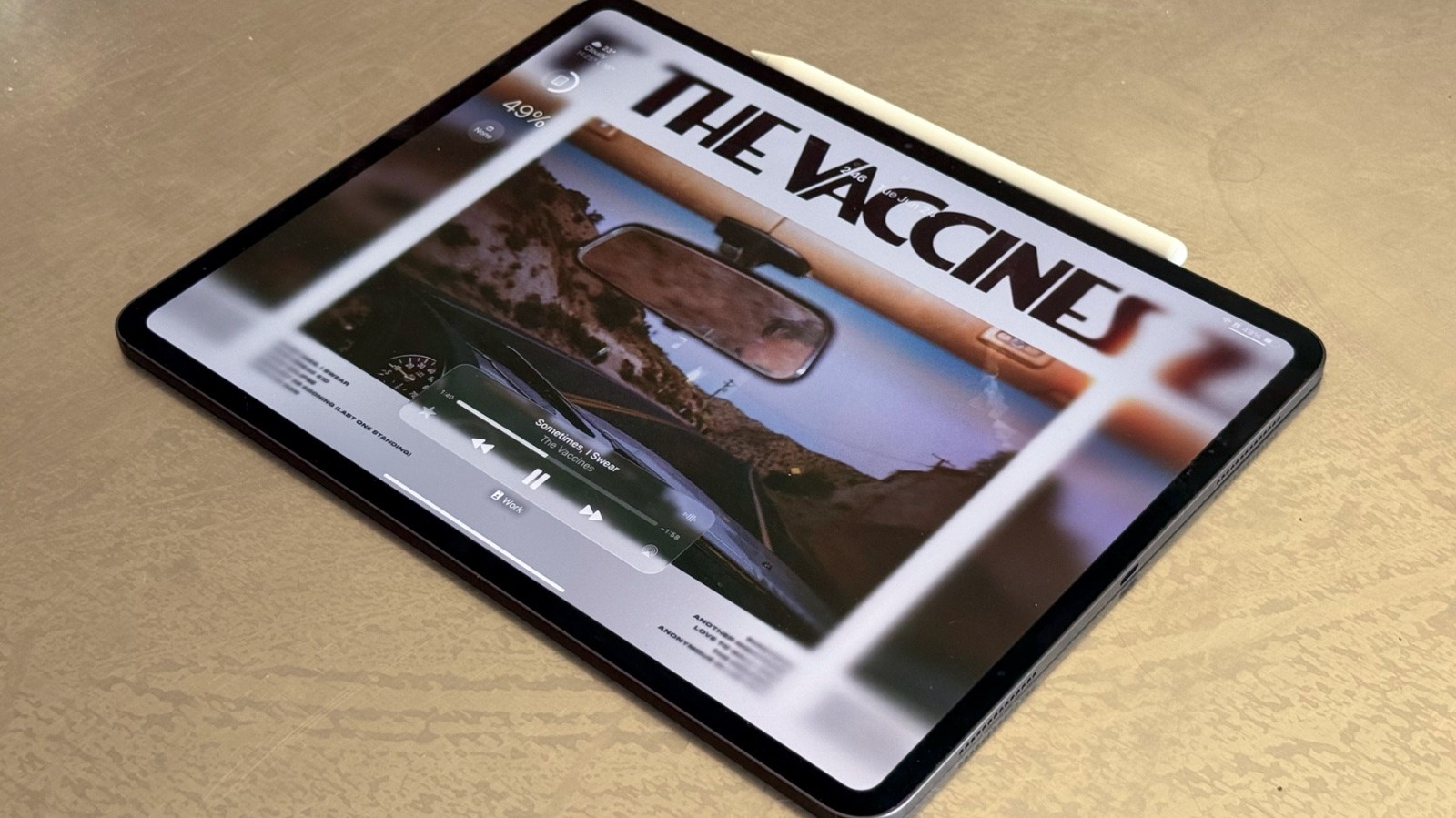
Apple's iPad Pro M4 on a table José Adorno/BGR

We may receive a commission on purchases made from links.

Today, all Apple iPad models feature a USB-C port. While only the iPad Pro models have Thunderbolt support, there are still plenty of gadgets you can plug into your tablet, like a microphone for podcasts, a powerful power bank, or even an external storage drive.

Even though some of the top accessories people should have for their iPads don’t require USB-C, like the Magic Keyboard and the Apple Pencil, there are several USB-C products that can make your iPad more useful. Besides that, since Apple keeps expanding iPad capabilities with improved software features, like a super-powered Files app and support for third-party SSDs and microphones, users can do a lot more on their tablets than they could a few years ago.

In this selection, we’ll talk about some of the most popular options available, as well as devices the BGR staff has been using on their own iPads, whether for work, personal projects, or just to take advantage of the iPad hardware. 

USB-C microphone for podcasts

If the iPad is your best companion and you’re always working with your voice, going to meetings, recording podcasts, or demoing some songs, then something like Sennheiser Professional Profile is one of the coolest gadgets you could have for your iPad. With USB-C support, you can plug this microphone into your Mac or your iPad, and it’s good to go, as there’s no need for additional software, interface, or window opened up. If you need to tweak anything in your audio, you can do it with the physical buttons on this product, making it one of the most professional and straightforward accessories you could have for your iPad.

Among its features, this Sennheiser microphone includes a mute button, a gain control for the mic volume, a mix control for balancing voice and iPad audio, and a volume control for those monitoring the experience with headphones. Users can also plug it into third-party table stands, and it comes with a 3-point self-locking boom arm. This product has a $129 price tag, while the set with the boom arm costs $199.

Power bank

Apple promotes that all iPad models feature an all-day battery, which can be misleading depending on how you use your tablet. A solid backup option is to carry a powerful power bank. While regular iPad models can charge properly with a 20W plug, the iPad Pro can charge up to 50 percent in 30 minutes with a 60W or greater charger. 

Since larger 13-inch iPads, like the iPad Air and iPad Pro, have larger batteries, it’s only natural to use a good power bank to recharge them. One of the top recommendations is Anker’s Laptop Power Bank, with 165W of power and 25,000 mAh of battery capacity. According to the company, it could charge an iPad Pro up to 1.4 times.

It has three USB-C outputs with up to 100W, and one USB-A output with 33W. It comes with one retractable USB-C cable and features a smart display that shows battery temperature, current output and input in watts, and battery health of your power bank. It also shows its remaining battery and remaining recharge time, keeping users informed about how they’re using this device.

This is not the only power bank Anker offers, though. Users can choose between even more powerful options, such as the 26,000 mAh model with 300W of power, or more modest versions that can charge your iPad.

External storage drive

If you usually use the iPad Pro to edit in Final Cut Pro and don’t have enough storage on your device, Samsung offers some of the best portable SSDs on the market. The SSD T7, for example, has read and write speeds of around 1GB/s, which means whenever you’re working on a project through this SSD, it will feel as if every file were on your iPad.

This device features all the latest PCIe NVMe technologies, so it is already twice as fast as the previous T5 model and up to 9.5 times faster than an external HDD. Samsung offers 1TB, 2TB, and 4TB models with a sleek form factor. What makes this product very interesting is that you can use it with different devices, like your iPhone, Mac, PC, and so on.

One important thing to know is that these portable SSDs are on the pricey side. The smallest 1TB drive costs $274.99, while the 4TB option can cost more than $1,000. That said, this product is really focused on creators and people who need extra-fast storage at all times.

Dock station

Satechi has a really popular lineup called OntheGo, with one of the latest items being this Foldable Stand Hub. This lets you connect your iPhone or iPad to a 4K60Hz HDMI output while still offering dual 10Gbps USB-C and USB-A ports, UHS-II SD and microSD card slots, and 100W USB-C power delivery passthrough to keep everything up and running.

With this dock station, you can have somewhere to place your iPad firmly on a desktop while connecting several accessories at once. Satechi calls this new accessory a portable workstation, as it’s just one inch thick and folds up for easy transportation. While this list focuses on cool iPad accessories, the OntheGo Foldable Stand Hub is also a great option for iPhone users, too, and even for Samsung Galaxy owners who might want to take advantage of DeX. Satechi’s OntheGo Foldable Stand Hub is available on the company’s website for $ 79.99 and is optimized for iPad Pro, iPad Air, and iPad mini (A17 Pro) or later.

USB-C to Ethernet adapter

A USB-C to Ethernet adapter is perhaps the simplest device on this list, but it’s especially useful if you use the iPad on the go and your internet connection isn’t reliable, whether that’s your hotel’s Wi-Fi or 5G. With a USB-C to Ethernet adapter, like the Belkin model available on the Apple Store, you can give your iPad a more stable connection via an Ethernet cable.

This can be especially useful if you’re on a deadline and need to send a large file, playing an online game that requires a stable connection, and so on. In fact, Belkin itself says this adapter is the way to go for online gaming, streaming, video conferencing, and other tasks that require reliable performance. It comes with a built-in 90mm cable, is USB-IF certified, and has an LED indicator light to show when everything is working properly. Once you plug the adapter into your iPad’s USB-C port, you just need to connect an Ethernet cable to it, and that’s it. This accessory costs $29.95, but Belkin also offers a slightly upgraded option that includes a 100W pass-through charger port. 

Source

Posted on

Soundbar Vs. Surround Sound: What’s Better For Your Home Theater

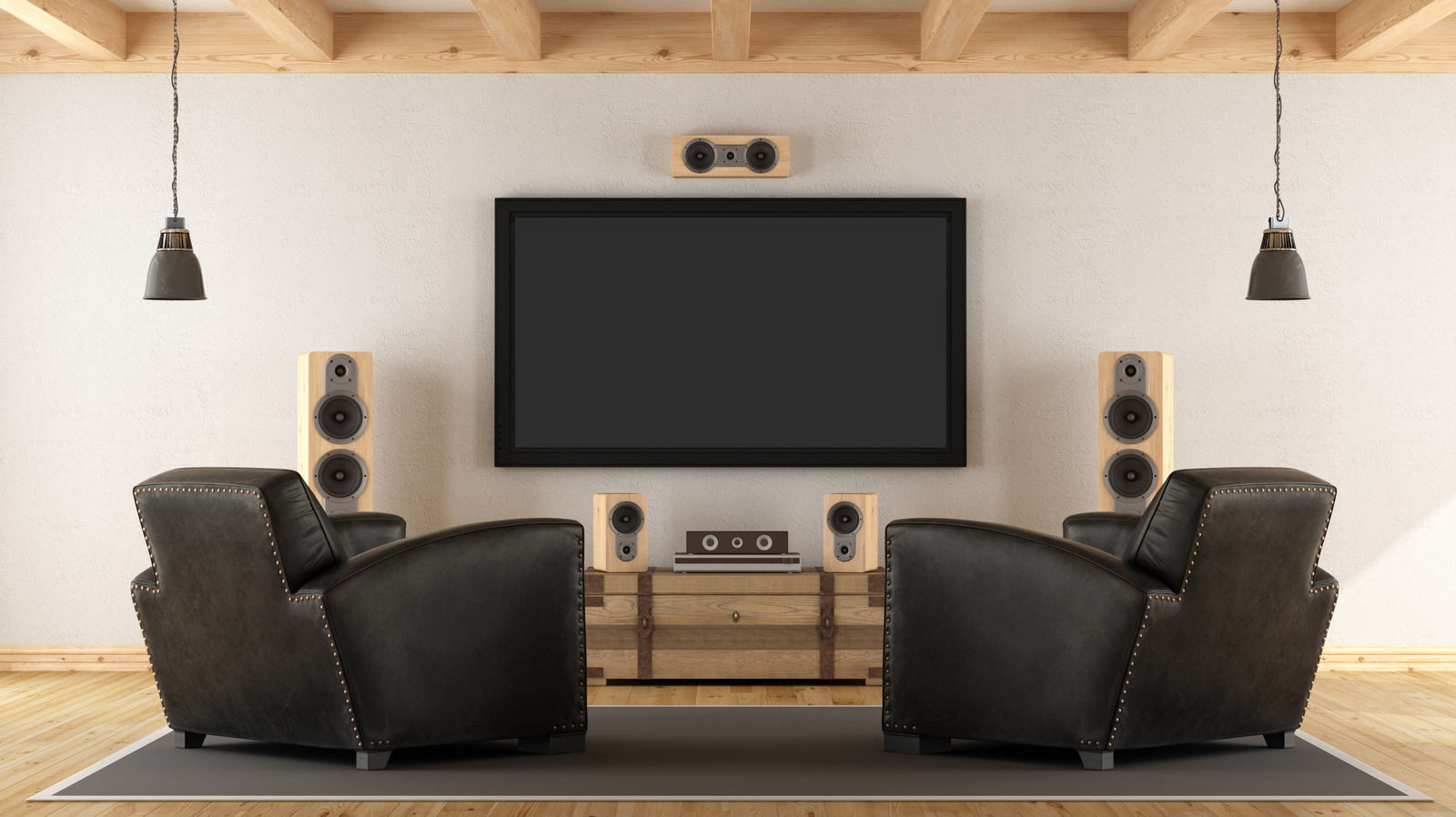
A trendy but rustic living room features a complex surround sound setup Archideaphoto/Getty Images

If you’re judging a soundbar against a surround sound system and money is no object, surround sound is the easy winner. If you’re considering cost, the discussion becomes more nuanced. Price, space, and ease of use may sway you toward a soundbar, which is a notable replacement for TV audio. But a soundbar is simply not in the same league as a surround sound speaker system when it comes to home theater audio.

A surround sound system has separation and precision that soundbars can’t reproduce because they can only simulate multiple speakers. While some soundbars can simulate the sound well, it will never be the same — there is only one speaker, after all. Picture a scene in the woods at night. A whisper comes through clearly on a center channel speaker. In the left and right speakers, you hear a light piano and matching footsteps. Then a stick snaps behind you through the rear left speaker. You jump. That same sound coming through a soundbar sounds more artificial. It doesn’t actually come from behind you; rather it’s bounced off your walls to emulate the directional audio of that left rear speaker. You hear the stick snap, but it’s not precise. You don’t jump.

Then there’s the subwoofer. Many soundbars now come paired with a subwoofer. But it’s not always a true powered subwoofer, which can deliver low frequencies that shake you while maintaining layered tonal sounds and pivoting to new low frequencies. Think about the opening scene of “Top Gun” as the low boom of jets syncs with the synthesized bass of “Danger Zone.” A soundbar’s subwoofer is more likely to muffle or distort it than a powered subwoofer.

Why a soundbar can be better for you than surround sound

A soundbar with remote on a mantle below of a mountain flat screen television Simpson33/Getty Images

Despite the positives of surround sound systems, the soundbar market is booming. It’s expected to double in the next decade, according to Renub Research. The benefits tell you why. First off, there’s the ease. Setting up a surround system will take hours. You have to run wires under furniture or through walls, place speakers, and calibrate audio for your space. With a soundbar, you take it out of the box, plug it into the wall and your TV, and do a quick setup. It takes about ten minutes.

You’re also more likely to get better value for money. Surround sound systems can cost more than $1,000 for 5.1 surround or more than $3,000 for a Dolby Atmos system, which layers in audio above and around you. Some systems can cost as much as tens of thousands. The best soundbars with Dolby Atmos will cost anywhere from $500 to $1,500. The cost-to-quality ratio leans toward soundbars.

You also have to take into account where you live. If you rent your home, you’re probably not able to drill into walls to mount speakers. The average renter lives in a 1,089-square-foot home, which makes it nearly impossible to properly set up a surround system. Even in owned homes, which average twice the square footage, only a fraction of your space is used for watching movies. One bar under your screen and a hidden subwoofer take up considerably less space than a multi-speaker surround sound system.

Source

Posted on

William Shatner Thinks A Star Trek: TNG Detail Went Against

William Shatner, Gene Roddenberry, and Captain Picard facepalming on a generic space background Paramount/Super Festivals/NASA/Larry D. Moore via Wikimedia

William Shatner has some very strange opinions on “Star Trek,” a show he helped make a household name. Despite being best known as Captain James T. Kirk, the rhythmically talking actor hasn’t really engaged with the franchise since he left. However, in a 2024 interview with The Hollywood Reporter, Shatner claimed that “Star Trek”s successor show, “The Next Generation”, missed the mark on one aspect of creator Gene Roddenberry’s vision.

The first “Star Trek” movie, “The Motion Picture”, failed critically due to its slow, plodding pace. It didn’t help that it was released two years after the original “Star Wars,” which changed the sci-fi game with its flashy effects and speedy progression. It was still commercially successful at the box office, with a $139 million gross against a $44 million budget, but wasn’t to the audience’s or critics’ evolving tastes. After this, Roddenberry lost control of the franchise for a while, as the rest of the original Enterprise crew’s movies went to different creative teams.

When Roddenberry got “The Next Generation” onto TV, it came with a far stricter hand in control. Roddenberry was notorious for scrapping scripts and placing rules that no ’80s show looking for success could operate under. The ill-fated Season 1 of “The Next Generation” (TNG) is seen as a bizarre start to the show and was poorly received by fans. One episode is Michael Dorn’s, who played Worf, pick for worst episode. Among the rules that Roddenberry imposed was no conflicts between characters, and no romance between those aboard the Enterprise D. Watching season one of “TNG” feels like a weird transitional phase between the original series and what “TNG” would eventually become. Shatner, in another interview with Cinema Blend, expressed that “TNG” having romance between the crew was against Roddenberry’s vision and would have him “turn in his grave.”

The Next Generation wasn’t for Shatner

“Star Trek: The Next Generation” is set in the 24th century, with the idea that the characters were far beyond the present day idea of a human. An episode that highlights this is from the first season, “The Neutral Zone”, wherein people from the past are revived. One of those is an ex-financier, who’s shocked to learn that money has no meaning in the 24th century. 

“TNG’s” action was also different to other shows, with episodes dealing with diplomacy and discovery, with most violence confined to Captain Picard, played by Patrick Stewart, threatening to do something. Once Roddenberry took a major step back after the second season, storylines about romantic entanglements between “Number One”, Commander William Riker, and Counselor Deanna Troi, started to become more prominent. Even the crew itself began to butt heads at times over certain situations as the show progressed.

This is what Shatner takes umbrage with. In the Hollywood Reporter interview, he states that as Roddenberry was part of the military and a policeman before entering TV, he knew how officers aboard a military vessel should behave. Shatner said, “There was this militaristic vision of ‘You don’t make out with a fellow soldier’ … There are strict rules, and you abide by the rules.” He also added that the “ethos has been forgotten … what I’ve seen with glimpses of ‘The Next Generation’ is yes, the difficulty in the beginning, between management, was all about Gene’s rules and obeying or not obeying those rules.”

Shatner’s interpretation of Roddenberry’s feelings is debatable

William Shatner speaking with mouth open Euan Cherry/Shutterstock

When Shatner clarified his claims in the Cinema Blend interview, he doubled down on this thought: “I don’t know about the latest things, but the couple of things I’ve noted is that there are relationships, sexual relations, relationships going on between the people that would make Gene Roddenberry turn in his grave.” It’s ironic then, that despite Shatner’s claims of intimately knowing the man, he seems to forget about “The Motion Picture’s” heavy sexual imagery with V’Ger and the entire character of Ilia.

One of the first things she mentions in the movie is that she has an “oath of celibacy,” and this is directed at Captain Kirk. When she’s scanned by doctors after being killed and replaced with an android copy, they explicitly mention that even the “smallest body functions are duplicated.” Shatner himself even famously participated in prime time TV’s first scripted interracial kiss, when Kirk locked lips with Nichelle Nichols’ Lt. Uhura, although the crewmates weren’t romantically involved, and were forced into the kiss by aliens. Even in “TNG”, when under direct control from Roddenberry, his own decisions may have made him turn in his grave, according to Shatner. 

Its third episode was “The Naked Now”, wherein all the crew onboard are overcome with lust after being infected. He also said that season one character, Tasha Yar, was directly inspired by “Aliens'” Vasquez, who he claimed had “created a whole new style of feminine beauty.” Sometimes watching what you’re critical of can unveil new information, even when you’re a legendary pop culture figure.

Source