Posted on

Amazon Users Call This $20 Keychain Gadget ‘Almost Perfect’

We may receive a commission on purchases made from links.

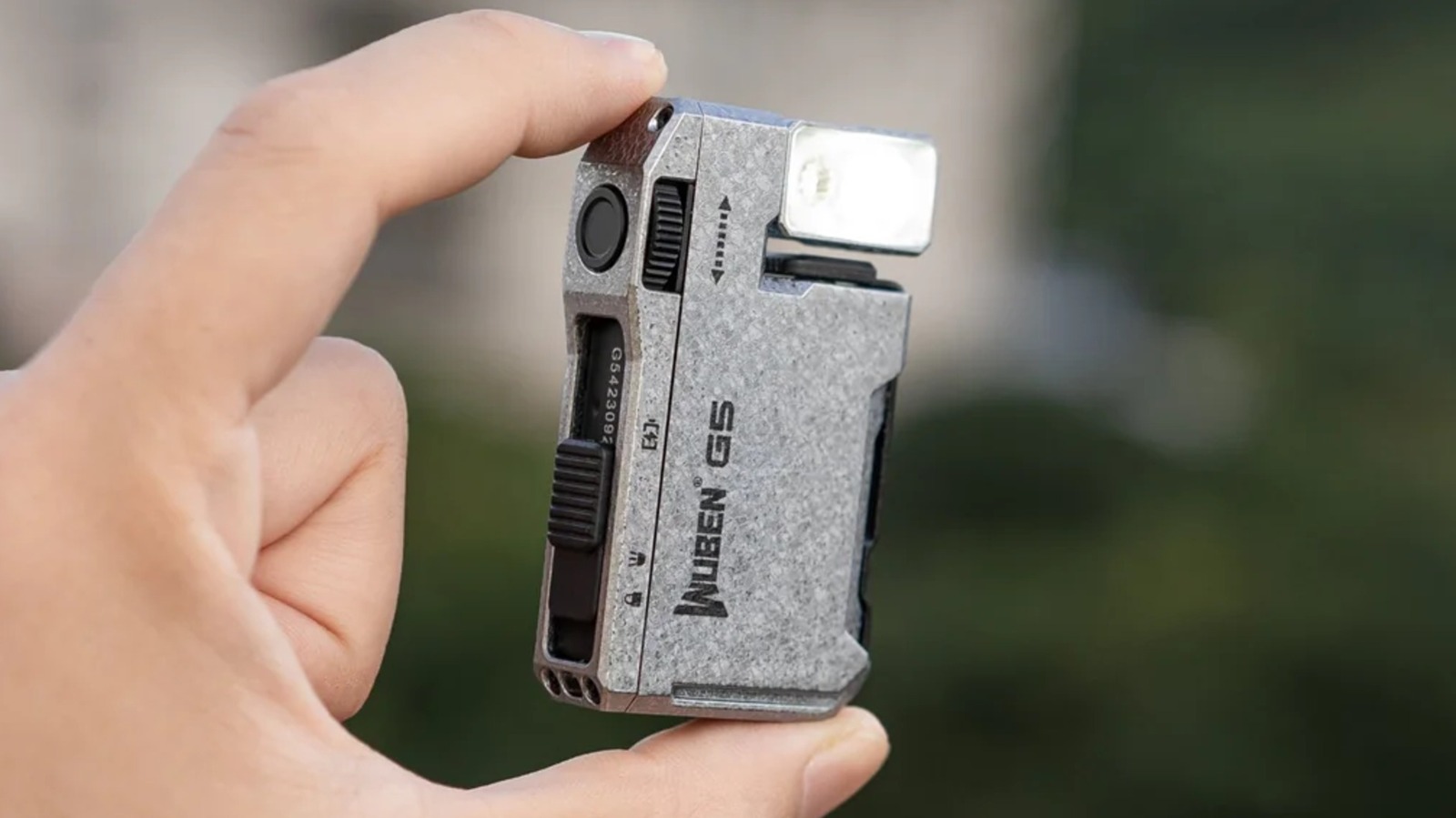
We’re no strangers to a good everyday carry item. From packing some portable earbuds to a multipurpose tool that can help in a variety of situations, a good EDC item should be compact and provide something beneficial. As we were perusing Amazon in our endless quest to find the perfect deal, we found a keychain flashlight that can be just the thing for those that like to be prepared.

Amazon has the Wuben G5 Rechargeable EDC Flashlight available at a discount for Amazon Prime members (discounted items are just one of the many perks to a Prime membership), and it comes highly rated from customers. Along with a 180-degree rotating head, minimalist design, and an IP65 water resistance rating, this dual-source flashlight also includes a clip for attachments, and it offers a wide variety of lighting options. Users can even snag an accessory for the item at an additional cost.

Though Prime users can save on this item, it’s got intriguing enough specs that even those lacking a membership may want to give it a look. While you may need to spend a certain amount to make Amazon Prime worth it, the $14.99 monthly price tag may just be acceptable for those that find themselves frequently ordering through the retailer. Nonetheless, this flashlight touts itself as being good for emergencies, and considering everything it’s able to pack into a device the size of a pocket lighter, it may just come in handy if you’re in a pinch.

Prime members save 20% on this portable magnetic flashlight

The Wuben G5 Rechargeable EDC Flashlight is available for 20% off its typical listing price for Prime members, and along with a black color option, users can also choose from green or white. However, the white variant is a Commemorative Edition that goes for $29.99, regardless of whether you have a Prime membership. Wuben also sells a hard-shell carrying case for $9.99 that it promises is a custom fit for the device.

With a 4.4-star rating from over 7,000 reviews, the magnetic Wuben G5 features a light with 400 maximum lumens and an illumination distance of 82 meters. It offers three different brightness levels of cold white light, and buyers can use the pulley switch to engage an auxiliary RGB light that can produce seven different colors. The flashlight also features a Beacon Mode and Warning Light Mode, both of which produce different flashing effects for signaling duress.

The Wuben G5 relies on USB-C charging for power, and the company promises the device can last up to 65 hours on the lowest brightness setting while fully charging in just an hour and a half. Customers on Amazon appreciate this item for its compact design and bright light while also giving it praise for its portability. However, some customers note that the product itself could be more durable. With 87% of customers rating this one 4 stars or higher, the Wuben G5 is nonetheless a cheap USB gadget that Amazon users love.

Source

Posted on

5 New And Returning HBO Max Shows To Watch In

HBO Max logo on phone screen with streaming interface in background Thrive Studios ID/Shutterstock

April showers bring May flowers, or more accurately, a bunch of great TV shows and movies to watch on HBO Max. Like most streaming services, Max often has a refreshed rotation to not only make sure there’s some great stuff to watch but also new material altogether like new shows, new seasons, new movies and beyond. They keep that subscription relevant for sure.

Of course, you have the well-known options like “Rooster” or “Euphoria,” the latter of which is likely coming up on the conclusion of its final season. You also have newcomers on the way, like “Lanterns” scheduled to drop in August. There are more than a few addictive HBO Max miniseries you can finish in one day or during a binge session, as well.

If you’re not privy to the difference between HBO versus HBO max, you might want to check out a simple guide that breaks it all down. Basically, HBO Max is the streaming service housing HBO, with lots of additional original shows and content. Seeing as it’s now May, and time for some new entertainment, here are some of the best shows coming to HBO Max over the next month.

1. Euphoria season 3

Season 3 of “Euphoria” actually premiered on April 12, so technically, it doesn’t belong on this list. However, it’s still worth noting, as a majority of the season will be airing every Sunday in May until the end of the month.

The whole cast is back, but this season takes place five years after the previous one, and everyone has grown a little. Rue is in trouble with some bad people, Jules is living luxuriously, Cassie is engaged to Nate, and Maddy is doing her own thing. If you have no idea who any of those characters are, it’s time to go back and start watching from the beginning.

The reviews of season 3 thus far seem to be hit or miss. Some people love the direction and others don’t, but that doesn’t change the fact that it’s nice to see things through, and if you’ve already invested yourself into the first two seasons, you’re going to want to catch the rest. If you haven’t been watching, now might be the perfect time to catch up. Seasons one and two are peak TV. Well, peak streaming TV, anyway.

2. On the Roam season 2

Premiering May 14, “On the Roam” brings Jason Momoa back as he travels the world exploring, adventuring, and interacting with “the people.” Think tinkerers, artists, engineers, musicians, and everyone who Momoa defines as “people doing the impossible.”

In season one, for example, Momoa went to visit all his top creative inspirations, including a renowned photographer. Each episode took us through his influential experiences, highlighted a mutual bond of love for art, and showed off some truly beautiful scenery. If nothing else, it’s an excellent look at the lives of others seen through the eyes of someone curious and ever-growing.

Admittedly, it’s a lot like the celebrities-do-incredible-things-on-camera takes we’ve seen become more commonplace, such as “Limitless” with Chris Hemsworth, or “Ride” with Norman Reedus. Although, “On the Roam” is a much more colorful and inventive take on the genre, and with season two shortly on the way, now’s a good time as any to catch up. That may well be the tagline for this piece, given that there’s plenty of time to catch up on the various shows HBO Max has streaming. Hop in and get started, get caught up, and get ready for the new stuff.

3. Song of the Samurai

Premiering on May 9, “Song of the Samurai” will portray Hijikata Toshizo and the Shinsengumi police force as they attempt to maintain law and order in Kyoto. It’s actually a live-action adaptation of the popular manga series, “Chiruran: Shinsengumi Requiem.” The storyline takes place during the Bakumatsu period in Japan’s history, known to be the the final years of the Japanese shogunate.

The show looks interesting, and if it follows the manga, it’ll definitely be filled with action, swordplay, and plenty of intrigue. The first season will be eight episodes, that all look to be dropping onto the streaming platform in parts or chapters — part one has a two-episode premiere. If you like these kinds of shows, or enjoyed “Alice in Borderlands,” made by the same studio, you should at the very least check out “Song of the Samurai.”

The manga it’s based on has quite as lot of content, so if the engagement numbers are good, there’s a fair chance we’ll see more seasons. Warner Bros. Discovery thinks it’s going to be a good one, saying: “With THE SEVEN’s production quality, TBS’s creative strength, and a world-renowned manga at its core, we are confident the series will captivate international viewers.”

4. Hacks season 5

“Hacks” returned officially on April 9, and will continue premiering new episodes up until the series finale on May 28. The final season has ten episodes. I’m going to say it again, if you haven’t had the opportunity to catch up on “Hacks,” go ahead and get started. All seasons are available on HBO Max. It’s phenomenal, and actually really funny. We could all use more laughter these days.

“Hacks” is a stellar dark-comedy series that follows the tumultuous career of one professional Las Vegas stand-up comedian and her entourage. Jean Smart plays Deborah Vance to perfection as a quippy, independent comedian who doesn’t take grief from anyone and gives it back tenfold. As if that description wasn’t impressive enough, this season she’s coming back from the dead, sort of. 

Currently sporting incredible ratings on Rotten Tomatoes, “Hacks” features a 99% from critics and an 81% from users. You know it’s going to be pretty good by those numbers. At any rate, May will see the last episodes ever from the hit HBO Max show, and we’ll see if its quality holds steady.

5. Half Man

Another show that originally premiered in April, “Half Man” kicked off on April 24 on HBO Max. New episodes will release weekly every Thursday, including from May 7 to May 28, right up until the end of the month. So, once again, “Half Man” is another excellent new show most of which you can catch through the month of May. What’s it about, though?

Starring Jamie Bell and Richard Gadd — the latter from “Baby Reindeer” fame, if you caught that show on Netflix — “Half Man” follows two men from polar opposite lifestyles and personalities who become brothers. Spanning a lengthy period of about forty years, the show follows the extended relationship of the brothers ” with all the good, bad, terrible, funny, angry, and challenging moments along the way.” It sounds positively enthralling, though the description does make it sound suspiciously like a dark-themed Mario Brothers. It’s yet another show to add to your watch list if you have any interest. The reviews so far seem to be good, with a 76% from critics and 77% from users. It’ll be interesting to see where it lands after the full season is available.

If you don’t see anything on the list you’re interested in, you might want to browse for some additional movies and content, or simply learn how to cancel your HBO Max subscription. There are plenty of other streaming services out there.

Source

Posted on

Kindle Battery Dying Fast? A Stuck Indexing Problem Might Be

A close-up of a low battery warning on a Kindle reader. Cindhyade/Shutterstock

We may receive a commission on purchases made from links.

Amazon released firmware update 5.19.2 for various Kindle models in February 2026, which caused a series of bugs, including fast battery drain. Kindle users complained online, with Amazon releasing firmware update 5.19.3.0.1 in April 2026 to improve performance. But a new firmware update may not be the only reason why your Kindle battery is dying faster than usual. You may be dealing with a stuck indexing problem, which forces the reader to consume more energy as it repeatedly tries and fails to index a book. This isn’t a new problem, especially for longtime Kindle users who may have had to fix indexing issues on various models in the past. But newer users might be surprised to see the battery life indicator showing much lower battery life than expected.

The good news is that fixing the indexing problem should be a simple process, and the fix has been known to users for years. Go to the home screen and type a word in the search box, but make sure it’s not a routinely used word. You can even enter a random string of letters to force the device to perform the search. The results page should have a “Text in Books” or “Words in Books” field you can tap if it is highlighted. After that, you can see which titles are not indexed. One or more of them may be stuck while indexing and consuming excessive energy. To resolve the issue, you can delete these books from your Kindle and then redownload them.

If you purchased your books from Amazon, you should have no problem redownloading the content. If you have sideloaded content, you’ll want to make sure you have the books available before deleting them.

How long should the Kindle battery last?

A Kindle reader on top of a stack of books. Kittyfly/Shutterstock

Amazon sells various Kindle models, but battery life is one of the key features the retailer advertises, in addition to Kindles holding thousands of books at a time. Unlike a smartphone, which typically lasts for about a day, a Kindle reader’s battery life should offer many weeks of use.

Amazon says the basic Kindle model offers up to six weeks of battery life between charges. The Kindle Colorsoft can last up to eight weeks, while the Kindle Paperwhite and Kindle Scribe have the longest battery life rating, at 12 weeks. However, Amazon has specific conditions for reaching that sort of battery life. The device would need to have the Wi-Fi turned off and the light setting set at 13. The user should read for only 30 minutes per day using these settings to match Amazon’s estimates. In other words, your Kindle battery life might differ if you use it for longer than 30 minutes each day, leave the Wi-Fi on, and use a brighter screen.

Even so, the reader should offer several days of use between charges. Any issues may be caused by an indexing issue or a buggy update. For example, a Reddit user complained that the 5.19.2 update drained the battery significantly within hours of recharging it. After discovering the reader was using a large amount of data for no apparent reason, they fixed the battery drain by putting the reader in airplane mode.

Other tips to improve battery life

A Kindle Colorsoft reader on a counter. Primestock Photography/Shutterstock

Amazon has a support document that offers a few general tips for improving Kindle battery life. The retailer says lowering the screen brightness, turning off the internet connection when not in use, putting the device to sleep, and turning on Power Saver can help conserve battery life. The same document also tells users to use compatible USB cables to recharge the device and keep the product connected to power during large downloads. Amazon also addresses the Kindle indexing process, saying users should keep the device charging after large downloads so the Kindle can index the newly downloaded titles. Since indexing can be a problem, it may be a good idea to periodically check if the indexing process has finished or if it’s stuck, as described above.

While Amazon says a 16 GB Kindle can hold thousands of books, you may want to avoid downloading large batches at a time to prevent any indexing issues. If you plan on preloading many titles on your Kindle, you’ll want to split your downloads into batches, and ensure each batch is indexed without issues before moving to the next one. You may want to use a power bank to periodically recharge your Kindle while traveling if the battery keeps draining after you’ve fixed any indexing issues.

Finally, software updates may fix any battery issues, so it may be a good idea to update your Kindle to the latest software version. That said, the 5.19.2 update caused battery drain on some models, so it may be a better idea to wait a few days after an update is released and see whether the firmware caused any issues for other users.

Source

Posted on

Experts Recommend Avoiding This Android Smartphone Brand If You Want

Smartphones on the counter of an electronics store Osobystist/Getty Images

The push to stuff more and more technology into a smartphone chassis has resulted in repairability taking a backseat. While there have been some efforts to make smartphones more repairable in recent years, the situation hasn’t meaningfully improved. So, if you’re someone who likes to spend their money on sustainable technology, it can be tricky to find a smartphone with a good repairability score, as some of the biggest players in this industry have a poor track record. According to the “Failing the Fix 2026” study published by the U.S. Public Interest Research Group (PIRG) Education Fund, Samsung, which is the biggest Android phone brand in the U.S., scores pretty low in repairability.

The U.S. PIRG is a non-profit consumer advocacy organization, which is helped by the U.S. PIRG Education Fund with research and public education. While Samsung isn’t the worst among all major smartphone brands, as that title goes to Apple, it ranks the lowest among Android smartphone makers. So, if you want a reasonably repairable smartphone, it’s best to avoid Samsung, which will certainly be hard, as the company offers some of the most popular and well-rated Android phones and is considered the best major Android phone brand in terms of customer satisfaction.

Samsung gets the worst repairability grade, Motorola the best

Close up of a hand holding the Samsung Galaxy S26 at the Galaxy Unpacked event Gints Ivuskans/Shutterstock

The “Failing the Fix 2026” study grades a total of four smartphone brands in the U.S., three of which make Android devices. Although Samsung got the worst grade of “D” among Android phone manufacturers, Google and Motorola performed better with “C-” and “B+” grades, respectively. Motorola’s grading, while not amazing, is still pretty good and indicates that the brand’s phones have much better repairability than Samsung phones, making it a more enticing choice for anyone seeking better repairability. 

The study based its findings on the repairability scores provided by the manufacturers as part of the EU’s European Product Registry for Energy Labeling (EU EPREL). Keep in mind that it’s not comparable to the repairability grades offered by the same study in previous years, as they used repairability scores provided by companies in France on slightly different parameters. The EU repairability scores are based on a phone’s repair documentation, ease of disassembly, spare parts availability, use of standard fasteners, use of standard tools, and length of software updates, which better take into account a device’s overall repairability. Besides the EU repairability scores, the grades also saw deductions based on a manufacturer’s association with anti-Right to Repair associations, and all phone manufacturers lost points on this front, except for Motorola.

Notably, it’s not just the “Failing the Fix 2026” study where Samsung’s phones have scored low in terms of repairability. The company’s phones also haven’t performed well in iFixit’s repairability scores. None of the last six Samsung phones rated by iFixit scored more than 5 out of 10. That said, there has been a marginal improvement in the repairability of its newer phones over the previous generations.

Source

Posted on

The 7 Best Folding Smartphones Ranked Worst To Best According

We may receive a commission on purchases made from links.

Despite their improvements, it’s hard to deny that slab phones can feel a bit boring. Every year, you get the same glass-and-metal sandwich with different internals, but in a brand-new color. Maybe that’s why, when Samsung took the stage to announce the first Galaxy Fold in 2019, even the average consumer took notice. Sadly, this attention didn’t translate into sales. The first foldables just weren’t ready for everyday wear, with issues pertaining to the display and hinge. Now, however, the reality has changed — for the better. You don’t have to worry about dust and water as much, and even the battery life and performance are almost on par with the slab phones.

There are two kinds of folding phones on the market. A retro flip-style phone, where a normal-sized device folds in half for better portability, and a book-type style, which is more for power users who need a tablet-sized display to work on the go. Regardless of your preference, there are plenty of choices. But they can be super confusing, especially when you consider the competition from Chinese makers like Oppo and Honor. While such phones aren’t available in the U.S., we decided to put them against the big players from Samsung, Google, and Motorola to see where they stack up, based on real user reviews.

7. Motorola Razr 2025

Flip phones, as portable as they are, add a layer of friction between you and their big inner display. In theory, this pause could make you think about why you’re picking up the phone, helping you focus on better things than Instagram Reels. At $549.99 on Amazon, the Motorola Razr 2025 makes perfect sense for a first-time flip buyer. Design-wise, we wouldn’t call it inventive, but real buyers say the aluminum frame has stood the test of time in both indoor and outdoor use. The redesigned titanium hinge lets you position the phone in different ways. The Razr 2025 is IP48 certified, meaning you can take it for a quick swim, but dust particles smaller than 1mm will be a concern. Maybe skip the beach.

The displays, of which there are two, are headlined by a 6.9-inch 120Hz OLED panel, paired with an outer 3.6-inch 90Hz OLED panel that wraps around the camera cutouts. The best part? You can run most apps on the cover screen, albeit with some aspect-ratio issues. Performance is, sadly, where the cracks start to appear. In our 2025 review of the Razr, we found that the MediaTek Dimensity 7400X is fine for everyday use, but its lack of raw performance kills any gaming dreams. Some buyers also highlighted the phone’s thermal headroom — or the lack thereof — which, once exceeded after using the phone outside, led to weird lags and crashes.

Optics are handled by a 50MP main sensor, coupled with a 13MP ultrawide lens. According to PhoneArena, photos from the main sensor are decent in good light, with Motorola’s software leaning towards punchy colors. Take away that light, and both sensors suffer from noise, and the shutter speed is about a second more than desired.

6. Motorola Razr 60 Ultra

The Motorola Razr is probably the phone that comes to mind when anyone thinks about the early 2000s. If you’d like to experience the same feeling without the annoyances of the Razr 2025, then the Razr 60 Ultra is the best Motorola has to offer. Physically, almost nothing has changed from the predecessor, aside from a 10 g increase in weight. But Motorola’s Pantone partnership means you get an array of new vibrant colors, including wood veneer and even premium back materials like Alcantara. It’s not revolutionary, but at a time when most brands are turning down the saturation, it definitely adds some character that buyers absolutely love.

The biggest update to the Razr Ultra is the outer display, now a 4-inch OLED panel with a 165Hz refresh rate. Likewise, the inner 7-inch screen has the same features and a peak brightness of 4,500 nits. Motorola also added more widgets to the outer screen and improved app functionality to reduce how often you need to open the phone.

Under the hood lies the flagship Snapdragon 8 Elite processor, which, based on our review of the Razr, is leaps and bounds faster than the regular Razr. You can play games, and we haven’t heard stories of users getting performance throttled on a hot summer day. The Razr Ultra features a 50MP main sensor paired with another 50MP ultrawide lens. In practice, MrMobile says it handles HDR competently in daylight, producing crisp photos that can go head-to-head with the Samsung Flip 7. Low-light obviously exposes a few gaps in Motorola’s processing department, but buyers say the shots still look social media–worthy, nonetheless. What’s not very good is the 3 years of software support, which at $799.99 on Amazon is a tough pill to swallow.

5. Samsung Galaxy Flip 7

A person holding the Z Flip 7 Wongsakorn 2468/Shutterstock

After years of iterating on similar internals in the category Samsung helped co-found with Motorola, the Galaxy Flip 7 ($899.99 on Amazon) is the most complete flip phone on the market. And these aren’t just what we found in our review of the Galaxy Z Flip 7, but agreed to by experts and users alike. This praise mainly stems from the updated cover display, which now stretches edge-to-edge (even around the camera modules) and lets you do almost everything. But, in classic Samsung fashion, not everything is easy. In real-world use, the Korean smartphone maker tries its best to prevent you from using apps on the cover screen, with buried settings and app installations. That being said, features like the ability to resize apps to different aspect ratios if the square form factor doesn’t work well are a welcome addition.

With the new waterdrop hinge, the inner 6.9-inch LTPO AMOLED 120Hz display opens almost flat. The Z Flip 7 also packs a 4,300mAh battery, but its benefits are partly overshadowed by the Exynos 2600’s shortcomings, which experts found to be slightly worse than the Snapdragon 8 Elite. Still, users say the Flip 7 is an all-day phone, and it earns a lot of points back with 7 years of software support. This is industry-leading.

When it comes to cameras, the 50MP main sensor produces natural-looking photos that TechRadar says are closer to those from an iPhone than previous efforts. Portraits are handled beautifully thanks to Samsung’s mature image processing, and you get portrait videos in 4K quality as well. While the selfie shooter is a little less capable, the fact that you can just ignore it and use the main lens with the cover screen makes up for it to most buyers.

4. Honor Magic V5

Yes, the Honor Magic V6 has already been announced in China. But reviews are yet to come, and it isn’t coming to global markets anytime soon. Until then, the Honor Magic V5 grabs the number four spot, as it’s still a very capable phone. Honor toned down its flashiness with the V5, giving it a more subtle yet premium look, especially in the copper finish. Unfolded, it measures just 4.1mm thick, and the central camera module keeps it from wobbling on a table. Buyers say that the IP58 and IP59 ratings offer solid protection against water, though we’d still recommend keeping it away from fine dust.

Our review of the M5 said that both displays on the Magic V5 are excellent, with plenty of usable screen space on the LTPO AMOLED panels, even in sunlight, thanks to the 3,000-nit peak brightness. Since Honor isn’t afraid to try new technologies, a 5,820 mAh silicon-carbon battery finds its way into the Magic V5. The result? Superior all-day battery life with moderate use, with some charge left to spare, as per TechRadar. The cameras, of which there are three, include a 50MP main, a 64MP 3x telephoto, and a 50MP ultrawide. Sure, the photos are detailed, with accurate dynamic range and good low-light performance, but that’s not the point. Experts report that Honor’s filters give you more control over the final look of your photos.

Sadly, MagicOS is still a big departure from stock Android, with a cluttered interface. That being said, the new multitasking features are similar to those in ColorOS, and you can now customize the icons and change their shapes, too. Coupled with the Snapdragon 8 Elite, the V5 is a handy foldable that’s held back only by the fact that you cannot buy it in the U.S.

3. Pixel 10 Pro Fold

Durability is the biggest concern for foldable phone buyers. After all, you want your shiny, expensive piece of folding glass and metal to work well for at least a few years. This hasn’t been easy. We’ve seen reports of folding phone buyers experiencing issues with sand trapped inside the hinge or water ruining the internals. Well, that’s not a problem with the Pixel 10 Pro Fold ($1,799 on Amazon). Google somehow sealed off the internals to get an IP68 rating. What this means is that you can technically go for a swim in a meter-deep water, and nothing should go wrong. The catch? Compared to the Samsungs and Honors with sub-5mm thicknesses, buyers say the Pixel 10 Pro Fold feels much bulkier, like two slab phones joined by a hinge.

Nevertheless, the rest of the 10 Pro Fold is really good. The outer 6.4-inch OLED 120Hz display has a more conventional aspect ratio, meaning you aren’t typing with cramped thumbs. Inside, you’re greeted with an 8-inch panel running Android 16 with Google’s stock UI. Our review of the Pixel 10 Pro Fold praised how well the Android experience translates to the big screen, with fun colors, slick animations, and some folding-specific features like Drag and Drop. As this is a Google phone, you also get tons of AI features, headlined by Magic Cue, which suggests contextual information.

Things start going downhill if we look at what powers all these AI features: the Tensor G5. Based on benchmark results, the G5 lags behind the latest Snapdragon in multi-core performance. Google also skimped on updating the camera sensors (48MP primary, 10.5MP ultrawide, and 10.8MP telephoto) from last year’s 9 Pro Fold. Still, users say daylight images here are colorful, marked by the signature HDR-heavy look. However, zoomed-in nighttime photos lose details and look more like paintings, as per TechRadar. 

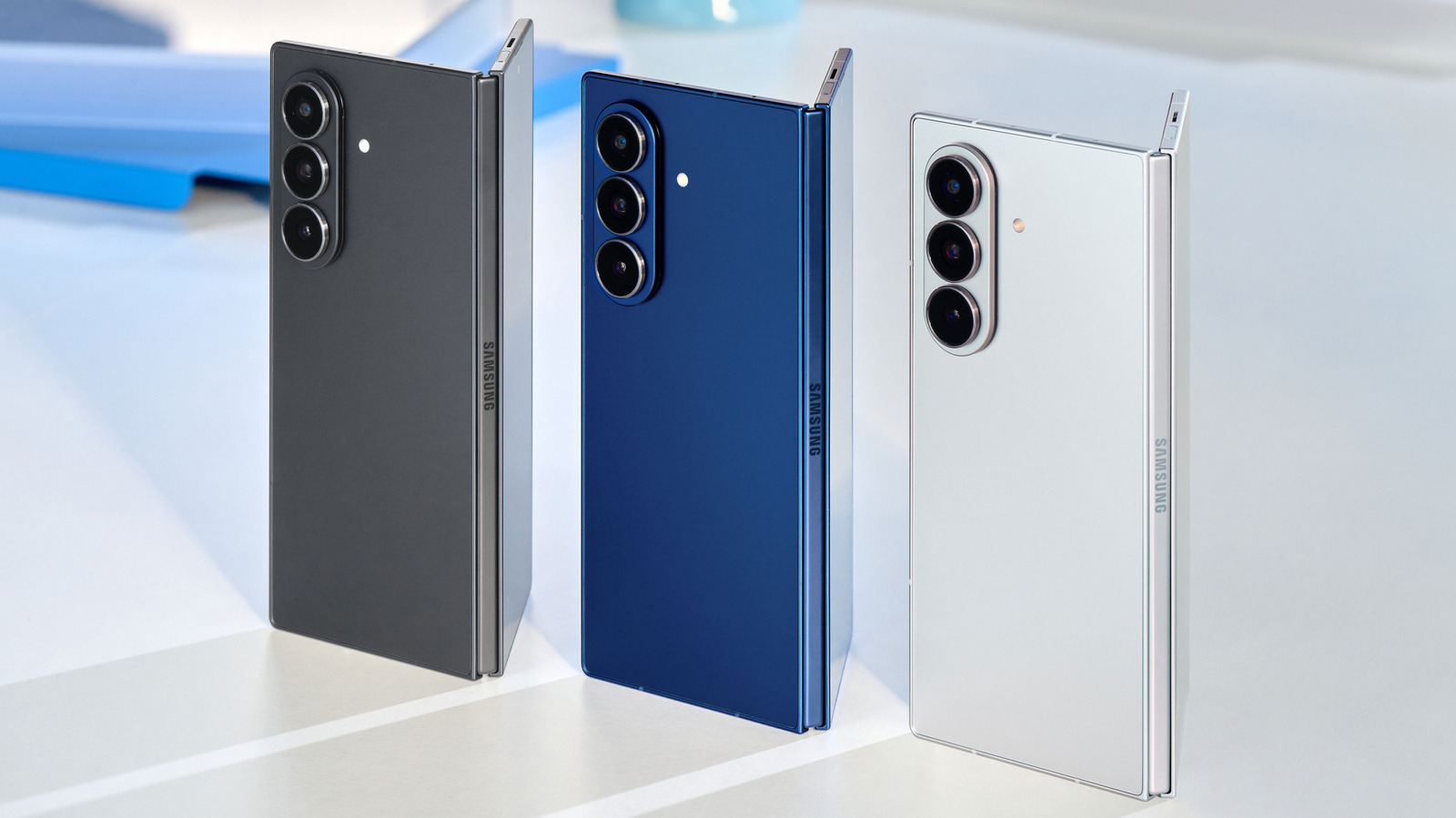
2. Samsung Galaxy Fold 7

It’s not often that a major smartphone brand like Samsung decides to change multiple things in one generation. Most brands prefer to iterate on a winning formula. Well, that hasn’t been the case with the Galaxy Fold 7 ($1,675 on Amazon), which, after years of being same-same but different, has upped the ante. These changes are most apparent in the design. Unfolded, the Fold 7 is 4.2mm thin, which is down from 5.6mm on its predecessor. The 215g weight is comparable to that of any slab phone, and the aspect ratio is now wider to accommodate a better typing experience.

Both displays are top-of-the-line QHD AMOLED panels with a variable refresh rate. Sadly, Samsung has had to remove the digitizing layer for the insane thinness, meaning your beloved S Pen no longer works. Also, the hidden underscreen camera is gone. That being said, the rest of the optics are really good. The setup is led by a 200MP primary sensor, along with a 10MP 3x telephoto and a 12MP ultrawide lens. While a higher megapixel count doesn’t necessarily translate to better images, both MrMobile’s and our review of the Galaxy Fold 7 found that the sensor pulls more details in low light by binning down to 12MP. Daylight photos are handled beautifully, even in challenging HDR scenarios. The only bummer for some buyers has been the telephoto lens, which at 3x feels limited compared to rivals.

The Snapdragon 8 Elite for Samsung powers the device, and the performance is very solid. Buyers suggest the Fold 7 can handle demanding titles like “PUBG” at high settings without a hint of stutter. Also, OneUI 6 is one of the most mature foldable software experiences. Its multi-window features are easy to set up, the AI is helpful, and even the Dex Mode offers some useful functionality for keyboard and mouse users.

1. Oppo Find N6

Oppo has been doing folding phones in Europe and China for quite a while. The Find N6 may be the best foldable you can’t buy in the U.S. because it makes very few compromises. Remember the crease that bothers you when using the phone? Oppo has gotten rid of it (almost) with a Zero-Feel Crease design. You can still see it when the light falls perfectly, but according to buyers, the dip in the display’s performance is pretty much absent. Folded, the N6 is just 8.9mm thick, it weighs a manageable 225g, and you even get an IP59 dust- and water-resistant rating.

Oppo makes some of the best camera phones, and that expertise shines through in the Find N6’s optics, which comprise a 200MP main sensor, a 50MP ultrawide, and a 50MP 70mm telephoto lens. Colors are handled in collaboration with Hasselblad, and while we can’t say photos here are exactly like those from Oppo’s slab phones, they are very close. Digital Camera World’s review said both the highlights and shadows retain stellar detail in any lighting, and the shots look natural with a subtle hint of vibrancy. The Hasselblad filters add a style to your shots that you won’t find elsewhere. Sure, the zoom is limited to 3x, but the 50MP sensor lets you crop in up to 10x and still get Instagram-worthy shots.

The Find N6 runs on a special version of the Snapdragon 8 Elite Gen 5 processor, translating to roughly a 5%–10% drop in benchmark scores. In practice, you won’t notice any of that missing performance, as the N6 breezes past every task and even gaming. You also get a big 6,000 mAh silicon-carbon battery to power the internals, and we found it lasts over a day of medium-to-heavy use. All this, coupled with OPPO’s retention of stylus support, makes the Find N6 among the best folding phones on the market.

Methodology

A person holding the Galaxy Z Fold 7 Framesira/Shutterstock

Despite being relatively new, the folding phone market has matured significantly. You have phones catering to different needs and niches, but that also makes ranking them difficult. As a result, we combined our reviews of many of the phones mentioned with reviews from trusted media outlets and YouTubers, including TechRadar, PhoneArena, and MrMobile.

All that said, we didn’t just look at how well these phones fold, but also how they handle the regular smartphone experience, like being able to play games on the big screen without overheating, taking good photos regardless of the lighting, and most importantly, using the phone outdoors in rain or dusty conditions. To keep things fair globally, we also included Chinese flagships.

Source

Posted on

5 Tweaks And Upgrades To Make If Your Phone Feels

A picture of the top half of an Android phone Nguyenducquang/Getty Images

If your smartphone has started taking a hot minute to load apps or click a photo, you might already be thinking about upgrading to something new. Yes, the phone might be slower, and the battery might be draining quickly, but that doesn’t mean you need to trade it in if you still think it has some life left. Unless the phone is unusable, it could just need an update so you can enjoy the latest software features and improvements. You could also try clearing some space to cut the clutter and make it faster. Even something like a battery replacement can give it a new lease on life. 

Even if everything is working as expected, when the manufacturer stops supplying software updates, you’ll need to upgrade. If you don’t, the phone might become a security risk, and some apps and features may even stop working. For iPhones, you have at least five to seven years before this happens. For Android phones, it varies by manufacturer, but it’s generally two to three years for budget phones and longer for flagship devices. But if your phone hasn’t reached the end of its software update cycle, refreshing a few things could just be all it needs to feel less outdated.

Update everything on your phone

A graphic of a phone with 3D icons flying out of it Narvo Vexar/Getty Images

Apple and Google release major updates every year that upgrade your iPhone or Android phone’s system software. Apple does it once a year around September, while Google will now do it twice a year starting with Android 16. That said, your Android phone might not get a major update every year as it largely depends on the manufacturer. 

These updates usually add new features and improve the user interface. In the background, they also improve the phone’s security, making it more resilient against hacks. In between the major updates, you will get smaller ones that improve performance, fix bugs, and patch security vulnerabilities. You can update an iPhone by going to Settings > General > Software Update and tapping “Download and install.” On Android, it depends on the phone you have. Generally, you need to go to “Settings > Software Update > Download and install.”

Also, be sure to update your apps because developers regularly update them to be better optimized. Updated apps will also be able to take advantage of the newer features that came with the software upgrade, on top of being more secure. To update your apps on iPhone, open the App Store, tap your profile picture icon in the top-right corner, scroll down to the “Upcoming Automatic Updates” section, and tap “Update All.” On Android, open the Play Store and tap your profile picture icon in the top-right corner. Then select “Manage apps and devices” in the menu and tap “Update All.”

Free up some internal storage space

An iPhone with a pop-up stating that the storage is full Tada Images/Shutterstock

Over the years, old phones can accumulate clutter in the form of unused apps, duplicate photos, large videos, and bulky app caches. These fill your phone’s internal storage, making the phone and apps sluggish because they have no room to store temporary data to run their processes efficiently. The key is to only delete what you don’t need. If space is too tight, you can transfer files to cloud storage. Just keep in mind that there are some files you should never keep on the cloud, such as your financial and medical records, to protect such information from breaches.

You should start with the apps. Long-press any unused app on the Home screen and tap “Uninstall” on Android or “Remove App” on iPhone. Next, clear Safari’s cached data on the iPhone by going to Settings > Apps > Safari and tapping “Clear History and Website Data.” You can do the same on Android, but you have to do it individually for any browsers or apps. Go to Settings > Storage > Apps, select the app, and tap “Clear Cache.”

Afterward, open your phone’s photos or gallery app and start deleting any images and videos you don’t need, such as duplicates, accidental photos, and downloads (e.g., memes and TikTok videos). On iPhone, tap “Select” in the top-right corner, choose what to delete, and tap the trash bin icon in the bottom-right corner. On Android, long-press the photo or video until a checkmark appears, select what to delete (it will have a checkmark on it), and tap “Delete.”

Add external storage with a microSD card

A picture of a microSD card in a hybrid SIM tray on a smartphone Wisely/Getty Images

If you don’t want to delete photos, videos, documents, and other files, there is another option — expanding the storage with a microSD card. If you’re an iPhone user, there is not much you can do except make more space on your local storage by deleting files, since there’s no way to add more storage space via a microSD card. The same goes if you’re using modern Android phones, as many smartphone brands have stopped using the SD card slots.

But if your old Android phone still has a slot for a microSD card, you can simply buy one and insert it. Afterward, you can transfer the files that are filling up your internal storage to give the system more room to work with. Open your Android phone’s file management app (e.g., My Files or Files by Google), select the files you want to move, and tap “Move.” Then, navigate to the microSD card or a folder within it and tap “Paste” to transfer everything there and free up internal storage. If you don’t want your internal storage to quickly fill up again, you can set the microSD card as the default storage on your Android device (provided your phone supports this feature).

Get a new case

A person inserting a phone into a case AYO Production/Shutterstock

You have probably bumped and dropped your phone over the years. While the phone probably still looks good, the case might be looking a little banged up, making your phone look too old. If you tend to drop your phone a lot, you might want to get a rugged case, even though it might make your phone look bulkier. Otherwise, a simple case will do.

On top of the added protection, cases can change a phone’s entire aesthetic. If you’ve been sporting a basic-looking case for years, it might be worth transitioning to something eye-catching. For instance, instead of the usual white, black, or clear case, you can get a red, blue, or green one. You can even go with one that has a logo or your favorite anime character. The power to customize the outside of your phone is in your hands. But ensure your next case has a few essential features, such as a sturdy feel and a warranty from the manufacturer. While you’re at it, be sure to replace the screen protector as well. This can help the phone feel new again if it’s too scratched or cracked — you will also be able to see better.

Replace the battery

a person opening the back of a smartphone Poravute/Getty Images

A smartphone battery will last about 300 to 500 charge cycles, which is about two to three years for the average person. Afterward, you’ll most likely notice that its lithium-ion (Li-ion) battery cannot hold as much charge as it used to, requiring you to recharge it several times a day. If you’re at this point, you’re most likely feeling the age of your phone, and what makes matters worse is that you simply can’t open the back, remove the battery, and pop in a new one. Li-ion batteries are sealed in modern smartphones to make them slimmer, water-resistant, and dustproof. But that doesn’t mean that the battery cannot be replaced.

You can call a professional phone repair service to swap your old battery for a new one. With your phone lasting like it did when you first bought it, you might not find it outdated anymore. Also, when lithium-ion batteries become old, they tend to overheat easily because they’re going through a lot of internal stress due to the chemical and heat degradation that has happened over the years. The heat not only further degrades the battery, but it also makes your phone sluggish. You might find that your phone is also faster now that it’s not running too hot.

Source

Posted on

There’s No Point In Unplugging Your Smart TV

A TV showing a mountainous scene on screen. New Africa/Shutterstock

Many tech devices and appliances in the home constantly draw power because they remain plugged in, from your refrigerator to your washer and dryer, and yes, your smart TV. None of these are products you’d typically unplug, the first two for obvious reasons. But you might wonder if there’s value in unplugging your TV, especially if you won’t be using it for an extended time. Maybe you’re going away for a long vacation, or it’s a bedroom TV you only watch sparingly.

The short answer is no. The latest TVs are designed to run efficiently, and many include standby mode, one of the cool things you maybe didn’t realize your smart TV could do. This mode still draws what’s called phantom power, a load that’s drawn when a device is plugged into an outlet, even when it’s off and/or not in use. But it’s very little power. Some of the latest TVs use standby mode to display art, making them look like paintings on the wall. One such model is the Samsung The Frame TV, along with other cheaper alternatives. If you want to be extra energy-conscious, fully turn off the TV rather than leave it in standby, which you can adjust in settings. But there’s no need to unplug it fully. So, don’t worry about squeezing behind a wall unit to reach the plug whenever you want to enjoy extended screen-free time.

Turn off standby mode

A remote in hand held up to a TV in the background that's off. Thomas Holt/Shutterstock

If you’re pinching pennies or really concerned about non-essential energy use, you can easily turn off standby mode on virtually any smart TV (one notable exception is Amazon-branded Fire TVs, which do not include options to adjust for Standby Mode). This will still draw some phantom power when it’s off, but less than in standby mode. You’ll find this option in the Settings menu, usually under System, Power and Energy (Samsung TVs) or under a menu option like additional settings, advanced settings, preferences, power, or device preferences. Search menus until you find it. From there, you can turn off the standby light or power indicator.

Keep in mind that standby mode doesn’t draw much power anyway. TVs like the 55-inch LG G5 OLED, for example, draw less than 0.5W of power in standby mode. This would amount to about $30 per year, or $3 per month, in savings at most, which is not much. It’s tough to argue that such minimal energy usage is worth the annoyance of constantly unplugging the TV and plugging it back in. If you are insistent on unplugging, however, consider using a surge-protected power strip for the TV, speakers, and other home theater devices so you can simply unplug that to disconnect everything at once.

What happens when you unplug

Under a TV showing the power plug in the socket with cables hanging down. Pj_joe/Getty Images

Be mindful that unplugging the TV and turning off standby mode might reset certain features, like the internal clock. It could also remove network connections and prevent potentially essential background software updates from running. Unplugging your TV can contribute to significant energy and money savings, alongside larger strategies to unplug other devices that draw phantom power, with overall potential savings of as much as $165 annually. But unplugging the TV itself won’t contribute a ton to that. You’re better off unplugging other energy-consuming devices like your desktop monitor and laptop, phone chargers, coffee machine, toaster and even power strips, to save a few bucks.

So, technically, you can save both money and energy by unplugging your TV whenever you won’t be using it. If you’re going to be away for an extended time and you’re worried about a potential power spike or want to minimize energy usage as much as possible while you’re gone, go ahead and unplug. Otherwise, it’s not really worth it. Standby mode on the latest TVs is designed to consume very little energy, or you can disable it so the TV turns completely off. Even though it’s still drawing a bit of power when plugged in, it’s not enough to bother unplugging unless you have a really compelling reason to do so.

Source

Posted on

4 Devices Your Steam Deck Can Connect To

The mighty Steam Deck, despite getting up there in years and alternative PC handhelds overtaking it in performance, still sits atop the pile. That’s even with it featuring a highly customized version of Linux, which you might never really interact with. What makes the Steam Deck so resilient as the years go on is its flexibility. From the various control methods, like gyro and touch pad, or just the general fact that it’s using Linux, modders and developers have been able to go wild providing tools and options.

A big part of that flexibility is that connecting the Steam Deck to other devices isn’t a headache. Headphones, smart glasses, and more are all usable on Valve’s handheld. Some have even gotten some much-needed community support to make them even easier to set up.

Speaking of flexibility, if you own an Asus ROG Ally or another PC gaming handheld, all of what’s being recommended below should work too, even if you stick with Windows. Having Linux, like SteamOS, CachyOS Handheld, or Bazzite, would make things easier. However, no one’s going to yuck your yum if there are key games that you’re still playing on Microsoft’s OS.

1. Your gaming PC

A gaming PC lit up Daryadanik/Getty Images

Remote play on a Steam Deck is one of the best ways to use the handheld. Not only are you getting the top-end performance of your gaming PC, but it’s being beamed to somewhere you’ll be more comfortable. There are multiple options too, with the built-in Steam Remote Play functionality baked directly into the device. If you’re willing to get your tech-hands dirty, Sunshine and Moonlight (or any of its derivatives) might be the way to go.

With a plethora of games now very much unplayable on the Steam Deck’s aging hardware, sometimes it’s best to let your beefier machine handle things and stream over your network. The Steam Deck will effectively become a giant controller with a screen, similar to the PlayStation Portal. That means you get access to the full Deck control methods, including the back buttons and gyroscope.

If you own a Steam Deck OLED, you won’t be able to take advantage of the better depth of colors available on the panel. High Dynamic Range (HDR), which enables those rich blacks and contrasts to really stand out on the screen, has been part of the Steam client for about two years, but isn’t yet enabled over Remote Play to Linux. That said, again, if you get your hands dirty a little, Sunshine might be able to pull it off.

2. An excellent set of headphones

A woman clasping headphones around her head Nimis69/Getty Images

While audio is probably not a focus while on the move, once comfy after spending a Steam gift card or cash on games, it’s imperative to the overall experience. Can you imagine “Resident Evil” (2002) without hearing the horrors of Spencer Mansion, or “Disco Elysium”s updated voice acting not tickling the brain stem? The Steam Deck is primed for connecting a decent set of headphones, however, in whichever way you want.

The USB-C port on a Steam Deck isn’t just for hooking up a USB hub for additional ports. Some headphones now support being connected over USB-C, giving you premium audio and a nifty way to charge your headset while you play. Of course, Bluetooth and the 3.5mm jack are there for more traditional methods as well, meaning you won’t be stuck on those tinny Steam Deck speakers.

If you own a pair of AirPods, an additional bit of software to consider is Decky Loader. This will allow you to install and activate a bunch of plugins, including one that will help manage Apple’s earphones. MagicPods slots right into Decky Loader, giving the Steam Deck actual control over noise cancellation, the microphone, and the ability to track the battery too.

3. Use your phone to control Steam Deck Desktop mode with KDE Connect

Screenshots of KDE Connect on iOS and PC BGR/Joel Loynds

Ever needed a keyboard or remote control in a pinch? The Steam Deck has an incredibly powerful desktop mode that features the KDE desktop environment, which can helpfully be used like any other Linux desktop. With that in mind, you can download and use KDE Connect, an app that can either be installed on another PC or, handily, your phone.

KDE Connect is a free app that can be installed on the Steam Deck, and much like the rest of the KDE software suite, is quite easy to use and deceptively powerful. During complex setups that require the use of the terminal or even just navigating the web, it can be a bit of a hassle with the Deck’s onscreen keyboard. With KDE Connect, you can use your phone’s keyboard or use it as a wireless mouse. All of this is done over the network, making it a super-easy setup. All that needs to happen is some permissions given when prompted, and away you go.

KDE Connect also has the option to transfer files between devices. Better yet, if you have a Bash script or other command that you run regularly or want to initiate a shutdown remotely, the app can handle all of that for you. The only thing to keep in mind, especially on iOS, is to keep the app open when using it, or KDE Connect will instantly drop it.

4. Smart glasses

RayNeo Air 3S Pro glasses with box Matthieu Tuffet/Shutterstock

Smart glasses, or augmented reality (AR) or mixed reality (XR) glasses, depending on which brand you speak to, are a killer device to hook the Steam Deck to. There are several companies now making these, including XReal, RayNeo, and Viture, and they differ slightly from say, Meta’s Ray-Ban glasses with the camera embedded. These are designed for projecting a huge virtual screen in front of you, with around 100 inches usually being touted. On Steam Deck, there’s even a Decky plugin that will help manage these for you.

Using USB-C, XR glasses act like a second monitor to your Steam Deck. Depending on the brand, this could also come with light motion tracking that will let you “anchor” the virtual screen to a position or have it float in front of you. It’s suggested that you grab a specific dongle for these, which sports two USB-C ports to still let you use a charger so that you don’t get caught with an empty battery. Another nifty feature is that the glasses contain speakers, and will drive your audio through the glasses’ arms.

XR glasses aren’t for everyone straight out of the box. Some users might find that their particular kind of sight will require them to get their prescription cut into smaller lenses that sit in front of the embedded screens. Once that’s been sorted, viewing your games blown up to 100 inches and floating in the pitch black of night proves this is sone of the best bits of tech to release in the last few years.

Source

Posted on

How Long Do Raspberry Pis Last? Here’s What Users Say

Close up of the Raspberry Pi logo on a board. Jeesoen/Getty Images

You can do some incredible things with the Raspberry Pi. There are some quick and easy projects for novice users, such as creating an HTPC, building smart home devices like smart photo frames, and setting up your own web server. You can also go the more conventional route and build a mini PC, even one that can run Steam games, to play on a desktop or in a living room. But while the versatile, very modular chipset is promising in that regard, there is the question of longevity. How long do Raspberry Pis last, on average, according to those who own and use them?

They don’t include cooling, so you’ll need to supply your own components, like a fan or heatsink, if you need them. Moreover, there are many ways to install a Raspberry Pi, and in confined spaces like cases or boxes, it might generate more heat. Prolonged and extreme heat can cause damage. So, it’s a valid question.

Raspberry Pis can last between seven and ten years, depending on usage, frequency of that usage, cooling, and power quality. Compare this to the average lifespan of a mini PC, around four to six years, and the average lifespan of a traditional desktop PC, five to seven years, and that’s pretty reasonable. The seven-to ten-year timeline also jives with user commentary on the matter. Many users say their Pis have lasted for that long, or longer, running non-stop. It also depends on how hard the card is working (i.e., the average performance load) and whether the power being supplied is consistent and reliable.

How long are Raspberry Pi cards officially supported, though?

Raspberry Pi modular computer held in the palm of someone's hand. Pengpeng/Getty Images

The next question regarding longevity is how long the cards or card series are officially supported. Google’s Chromebook devices, for example, receive ten years of update support before being discontinued. Some of the Raspberry Pi hardware comes with an obsolescence statement promising production until a specific date. Meanwhile, Raspberry Pi OS, the optional operating system for Pi devices, continues to support even older models. There are many clever ways to reuse old Raspberry Pi chipsets, as well, allowing you to squeeze a little extra life out of the aging models.

As for production, each series generally stays in production for a while. The Compute Module 1 (CM1) was first manufactured in April 2014 and discontinued in January 2026, lasting about 11 years, 9 months. The 2 Model B was manufactured in February 2015 and discontinued in January 2026, or about 10 years and 11 months. Of course, not all production runs last that long. The 1 Model B was first introduced in March 2012 and discontinued in July 2014, which is a little over two years. There are also many available with production runs that end in the future, like the 4 Model B and Compute Module 4, both of which end production in 7 years. The promising thing to note here is they’re not being phased out quickly due to hardware upgrades in new models, giving Raspberry Pi computers, in general, a long, reliable lifecycle across different iterations.

Source

Posted on

10 Waterproof Bluetooth Speakers Perfect For Poolside Fun

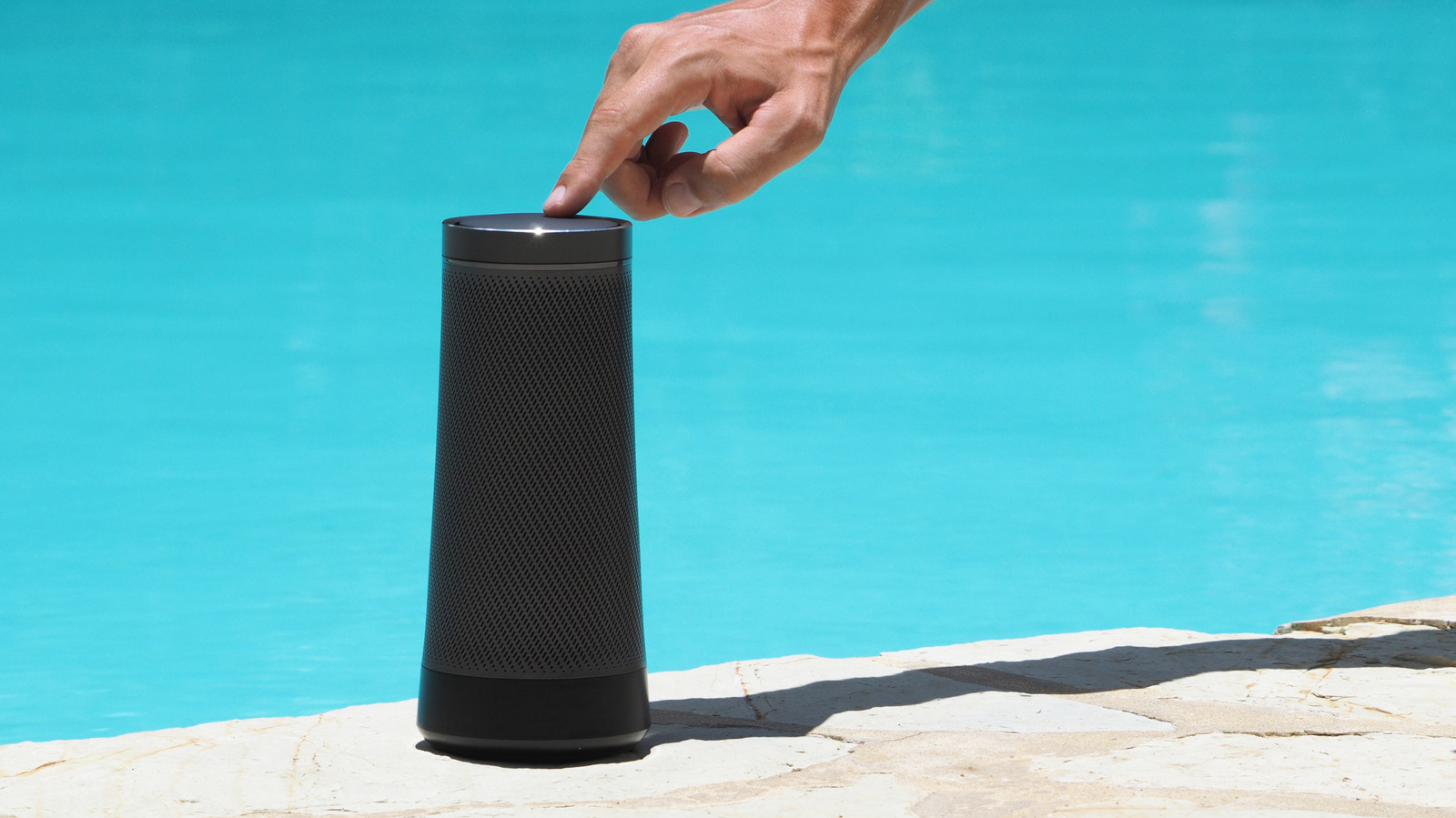
A portable speaker next to a pool, with a hand tapping it. Andrei Nasonov/Getty Images

We may receive a commission on purchases made from links.

When the weather’s great and the sun comes out, you’ll want to spend your time relaxing by the pool or at the beach. And for maximum enjoyment, you’ll need a Bluetooth party speaker to pump out the tunes. But not all speakers are equal, when it comes to poolside security.

A reliable pool-destined Bluetooth speaker needs something that the best home gym Bluetooth speakers don’t: waterproofing. After all, one simple trip, drop, or kick is all it’ll take to see your sub-bass become sub-aqua, and a speaker without waterproofing could be permanently wrecked by such a swim. An IP67 rating will ensure your device can withstand dunks in a meter of water for up to 30 minutes. But for absolute safety, you’ll want IP68, which means it’s certified to survive for that long in depths of a meter and a half — a much better pick if your pool goes beyond a paddling depth.

So here are portable speakers you can buy right now that have an IP68 rating, so you can use them poolside or at the beach without fear. It’s an exhaustive list, after considering over 20 brands’ offerings, to ensure only options with this maximum waterproofing are shown. You can even pair them with the best waterproof phones you can buy, so you don’t need to worry about any of your tech malfunctioning. Prices may vary.

1. Nobis Clip N1

Many of the best cheap but high-quality wireless speakers you can buy on Amazon come from well-known audio brands, but we’ll start with with a small, inexpensive option from a brand that mainly makes power banks. The Nobis Clip N1 costs just $23.99, in either black, blue, or pink, and so it’s the most affordable speaker available right now with an IP68.

In fact, Nobis outdoes the typical definition of IP68, promising the Clip N1 will survive for 30 minutes of submersion for up to two hours. It has a 24-hour battery life, outputs sound at 8 watts, and can be paired with another of its kind to offer stereo sound. It even has a novel feature: In the app, you can choose between various beats, and buttons on the Clip will let you start playing that beat, even if you’re already playing a song. These include snare rhythms, clap-snaps and maracas.

Likely due to its coming from a relatively unknown brand, major reviewers haven’t paid much attention to the Nobis Clip N1. But amateur testers have written about how it delivers fantastic value for money, a sentiment reflected by buyer comments on retail sites which also compliment its compact design and durable build.

2. Tribit PocketGo

While we placed Tribit dead last when we ranked major Bluetooth speaker brands from worst to best, its devices are competitively priced. Take, for example, the Tribit PocketGo: This costs just $29.99, and is frequently discounted to bring its price even lower — sometimes below the Nobis Clip N1.

This super-compact speaker has been praised by professional reviewers for its compact, lightweight build, weighing just under 8 ounces. It’s also waterproofing, touting that IP68 protection with pride, with additional drop resistance to ensure it’s safe on dry land too. It lasts for 20 hours of music, and can pair with certain other speakers which use the True Wireless Stereo tech.

The PocketGo outputs sound at 7 watts, so it’s almost the quietest speaker on this list, something flagged by online commenters who’ve used it. However, those users still pick it for one handy reason: It has a microSD card slot, so you can load it up with a music selection that it can play from. It’s perfect if you’re going to places without cell reception for Spotify, or if you don’t want to rely on a paired device for tunes.

3. JBL Go 5

JBL is a name that’ll be familiar to portable speaker shoppers (and will become far more familiar through this list). The JBL Go 5 costs $54.95, so it’s the most affordable Bluetooth blaster from the brand that fits the criteria for this list, and it comes in seven different color options to choose between. Coming in a pretty similar form factor to the Tribit above, it’s drawn praise from professional reviewers for its compact, rugged design, which can withstand a plunge or drop.

Despite having the lowest output power at just 4.8 watts, testers have praised its sound quality and volume, so it seems to outstrip its specs sheet. However, there is an issue raised both by said testers and raised by prospective buyers online: the battery life. Clocking in at eight hours, and two extra if you use its Playtime Boost mode, it doesn’t match many of the other options on this list. Some online commenters are also dubious about the improvements from past models, with additions like Auracast and ambient lighting not universally beloved, so some may find the $5 cheaper JBL Go 4 preferable — although it only has an IP67 rating.

4. Tribit Stormbox Micro 3

One of the newest options on this list, the Tribit Stormbox Micro 3 costs $64.99 at MSRP, though it started seeing discounts immediately upon release. It’s an improved version of the already hugely-popular Stormbox Micro 2. Testers expressed surprise that the new model seems to exceed its predecessor in value and quality — and, more importantly, power output and battery life.

The Micro 3 is IP68 protected against submersion and can withstand drops of up to 1.22 meters with a versatile strap and magnetic mount — meaning you can hook it to bags or bikes, or put it on a refrigerator. It lasts for 24 hours of listening and connects via Bluetooth 6.0 for a longer range than many alternatives on this list. Its output power is 13 watts, combining a main driver with passive radiators, and it has a bass boost mode accessible via a button on its body, which enacts a low-end-boosting EQ you can customize yourself.

5. Soundcore Boom Go 3i

The design of the Soundcore Boom Go 3i may seem familiar if you’ve just read the above entry, and it’s true that the Boom and Micro look pretty similar, including the carry clip. That’s not where the similarities end. This device, from Anker’s audio sub-brand, also has 24 hours of listening time, Bluetooth 6.0 support, and an IP68 rating, although it costs a little more at $79.99. It’s a comparison many online users have also made.

However, the device outputs sound at 15 watts, so you’ll get a little extra power than the Tribit offers, and has a built-in digital display so you can easily see how much power it has. Another tool at its disposal is RGB lighting, with striped patterns adding a little extra fun lighting to your party, although some testers have criticized how some people find this unnecessary. If you’re an RGB fan, you can customize the light show using Soundcore’s app, which will also let you turn the feature off if you’re not interested.

6. JBL Grip

We’re moving from the pick-shaped smaller Bluetooth speakers to slightly larger ones now, with the JBL Grip, the first-generation model of the company’s newest speaker line. Available in a wide range of colors for $99.95, this slightly undercuts the more established siblings which we’ll meet later. It offers a 16 watt output via its full-range driver, and can last for 14 hours on the trot. And, of course, it’s IP68 rated, with JBL’s mesh weave ensuring it’s protected from hard knocks, too.

Some reviewers criticized the max volume and bass capability of the JBL Grip, but the biggest issue people took with it — and perhaps the main reason to keep scrolling — is how similar it is to certain other releases from the company. Professional reviewers have recommended opting for the slightly-pricier Flip 7, while online commenters also expressed a preference for JBL Flip options due to the improved power output and sound quality. But if you want a slightly smaller and more affordable option than JBL’s bigger speakers, the JBL Grip’s one to consider.

7. Soundcore Boom 3i

If you prefer to enjoy your water-based partying by the sea rather than the pool, then the Soundcore Boom 3i has a rather unique pitch to make it one of the best Bluetooth speakers for outdoor use. Not only is this speaker IP68 certified and protected for drops up to a meter, it has specific resistance to salt water, so it can get hit by waves and keep pumping out music. It’s even manufactured to float speaker-up if in water so you can keep hearing your tunes.

It’s also designed to avoid rust and corrosion, so it it’ll withstand the elements better than anything else on this list. It also has a shoulder strap to counteract its larger size. Many outdoorsy reviewers have testified to its ruggedness and portability, and testers on online forums have pointed to its durability features as some of the best parts.

The Soundcore Boom 3i has a 50 watt power output, so it’ll go much louder than the previous options on this list, with the brand’s tech designed to offer enhanced bass output. Its battery life is 16 hours, so it doesn’t match certain rivals on this list, but it’ll still go for the best part of a day between charges. And you only have to pay $129.99, so it’s the cheapest of the larger speakers on this list.

8. JBL Flip 7

As we’ve already seen, and will soon discover further, JBL is a fan of the tube-style Bluetooth speakers, and the Flip line is the one which has seen the most entries of all of them. The JBL Flip 7 builds on the brand’s popular series with a few improvements over previous models, and has won audio awards from brands like What Hi-Fi as a result of its great sound quality.

The Flip 7 sells for $150, and comes in a wide range of colors including beach-chic sand and outdoorsy camouflage models. Its speaker outputs audio at 25 watts to reach the crevices of a medium-sized yard, and its battery life will let you listen for up to 16 hours on a single charge. The speaker also comes with a range of clip-on accessories, like a strap and carabiner, so you can easily carry it about or strap it to your bag strap. And that’s not to mention several useful modes, like the JBL speaker infinity button, which lets you pair multiple of the speakers together (although, in the case of the Flip 7, is actually a triangle button, and doesn’t work with older models ).

If there are any criticisms of the JBL Flip 7, it’s that the battery life isn’t fantastic , and it’s certainly not the longest-lasting model on this list. But if you need something durable, it’s a fantastic pick, with some online commenters describing how their own Flips have survived world trips or long dips in rivers.

9. JBL Charge 6

JBL clearly has total control of the IP68 party speaker market, because here’s another speaker from the brand which ticks all the boxes. The JBL Charge 6 is hugely popular, having won awards from review brands and raking in 5-star review scores from others , so if you’re looking for a solid party speaker on a middling budget, it could be the best pick.

Reviewers praise the sound of the Charge 6, which offers powerful yet expansive music, so you can light up your pool party with great audio (unless you’re listening at low volumes (EMDASH) testers say it quickly drops energy if you go quiet). The Charge has a 30-watt woofer and 15-watt tweeter and can last for up to 28 hours of listening. It’s also readily portable thanks to an attached carry strap, and will withstand an aquatic dunk thanks to its IP68 rating.

If there’s one thing some online testers criticize, it’s the lack of an audio jack, so you can’t enjoy wired audio unless you have an adaptor for its USB-C port. The JBL Charge 6 launched for $199 but it’s available for $160 in multiple retailers, making it a tempting Flip 7 alternative if you don’t mind something a little bigger.

10. JBL Xtreme 5

The final product on this list is the most expensive, and for good reason. The JBL Xtreme 5 will cost you $399, so it’ll set you back twice as much as the nearest alternative. It’s fittingly huge, requiring a shoulder strap to tote about, but comes with specs that could justify the price.

It has a 90-watt speaker output and lasts for up to 28 hours of listening, so it’s for long parties or large gatherings. Ambient lights add some visual flair and various sound-boosting and battery-life-lengthening tools justify the extra cost. Naturally, it’s well protected, with an IP68 protection and a hardy chassis that’ll take a beating without giving way.

Professional testers who’ve used the JBL Xtreme 5 have praised the upgrades it brings over previous models. In particular, the speaker’s penchant for bass sounds was picked out, but just as praise-worthy were its quality-of-life tools: its swappable battery, IP68 protection, and range of audio inputs, for example. If there’s one point of consternation that online audio fans point out, it’s the price — other JBL products are available for a lot less and don’t necessarily offer many compromises, and many argue they can’t justify such a high asking price. So it’s probably only for people who are hosting pool parties all summer, since they will get value for their money.

11. Methodology

A Bluetooth speaker next to two beakers, on the side of a pool. Ruslan Malysh/Getty Images

To create this list, the current offerings from 20 major speaker and audio companies were considered, to see if they fit three key criteria that would make them a good buy for poolside parties or other water-adjacent uses. Firstly, they needed an IP68 rating, to ensure they were fully waterproof. Secondly, they had to be portable, so you could carry them about with you without requiring mains power or a Wi-Fi connection. Thirdly, they had to be currently on sale in the U.S. from major retailers, and the most recent model of their respective lines.

These criteria saw lots of speakers cut, which is why you’re only reading about 10, and from a limited number of companies. To ensure the speakers belonged on the list, online discussion and critical feedback was taken into account, and when relevant, personal experience was also used to add or find context. To create the exact order of this list, products were ordered in price, from cheapest first to priciest last.

Source