Posted on

HDMI 2.2 Is Coming, But You You Don’t Need To

ToNiYoMiO/Shutterstock

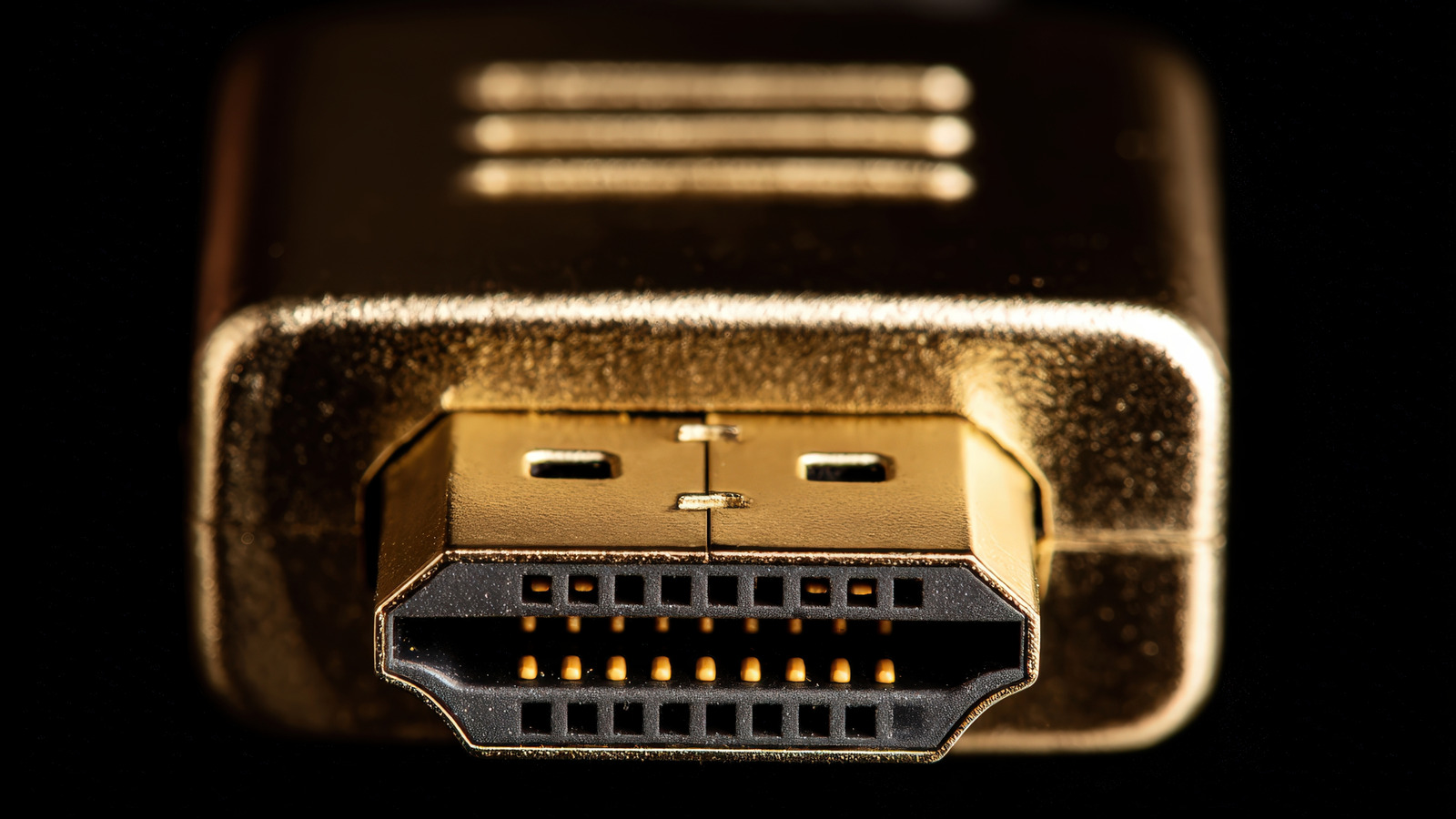
First announced in January 2025 at CES, the HDMI Forum officially released the next version of the HDMI specification, Ultra96 or HDMI 2.2. It brings higher resolutions and refresh rates, including 12K at 120 FPS and 16K at 60 FPS. But don’t get excited just yet because it’s not something that’s going to be rolled out to TVs currently in your home, so there’s nothing for you to upgrade. When a new standard is adopted, it takes years for manufacturers to install it in new devices. HDMI 2.1, for instance, was released in November 2017 but didn’t actually show up in a marketable product until September 2020, and it was an NVIDIA graphics card that first used it, not a monitor or TV. It may take just as long or longer for HDMI 2.2 to appear in products on store shelves.

Moreover, there were questionable decisions around the HDMI 2.1 standard’s use, particularly in how some manufacturers “fake” it. Yes, there’s a good chance that your HDMI 2.1 ports are actually fake, because some of the features that make up the new standard are optional. Yes, that’s as confusing as it sounds. There are HDMI 2.1 ports that don’t include the features and specs they should.

The new HDMI 2.2 version introduces new ports, but also a new Ultra96 cable, and together they support a higher bandwidth up to 96 Gbps, double the previous version. However, similar to the way HDMI 2.1 replaced older versions, HDMI 2.2 will do the same. All ports will be labeled as 2.2, and since the new features are “optional,” it’s likely we’ll see a lot of “fake” HDMI 2.2 ports.

Why don’t I need to upgrade anything?

There’s no exact timetable for HDMI 2.2’s practical launch, meaning, yes, the standard is released, but it won’t show up in new products for a while yet. So, there’s no need for you to run out and upgrade your TV or swap out your HDMI devices and cables. Manufacturers probably aren’t in any hurry to adopt the new standard, either, so even many products launching over the next year, maybe longer, won’t include HDMI 2.2. But there’s another point to consider. If the standard were to be adopted immediately and included in every single TV, which it won’t, the faster bandwidth and functionality will also need to be supported by content providers, and that’s currently not the case either.

If you’re simply interested in achieving a higher visual fidelity with your existing setup, there is an HDMI setting that can make almost any TV look better. On the other side of that coin, there is another HDMI setting that could ruin your experience. Either way, you have some time to fiddle around with your TV, media streaming devices, and other HDMI gear. The new HDMI 2.2 tech is not going to roll out overnight, especially since it officially launched in June, nearly half a year ago.

Source

Posted on

You Can Store Your Car Keys On Your Android Smartwatch

VADZIM SHUBICH/Shutterstock

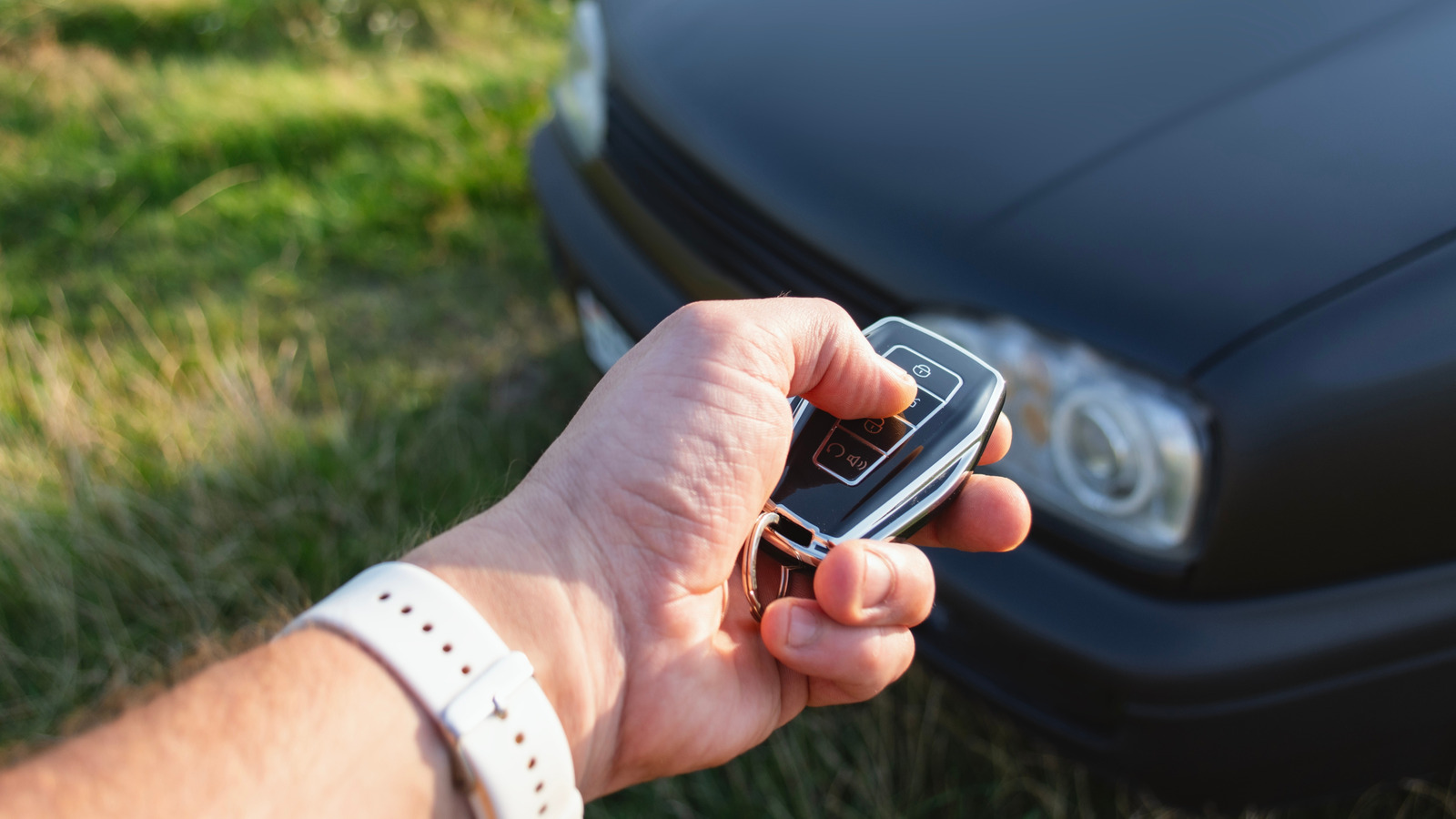
There’s a safer way to unlock and start your car than using the key fob that comes with it, assuming you own the right hardware. The right combination of a vehicle, an Android phone, and an Android smartwatch will let you use the handset in your pocket and the wearable on your wrist to unlock the car, start it, and manage all the other controls a traditional key fob offers. Enabling digital car key functionality on your smart devices will ensure you always have access to your car, even when you forget your fob. Also, the digital car key can be shared with others if more than one person drives the same vehicle. Access can be rescinded just as easily, a feature that comes in handy if the phone or watch is stolen.

Both Apple and Google support digital car keys on phones and smartwatches. The setup process is similar for the two ecosystems. In each case, drivers will need to ensure they own the right car and run the appropriate operating system versions that support digital car key features. After that, they can pair the car with the phone and the watch. The car keys will be stored in the respective wallet app.

Depending on the car model, you may have to touch your Android device against the door handle to lock and unlock your car. You may also have to bring the device next to the car key reader to start the vehicle. The best option is called “passive entry,” allowing you to control the car (lock/unlock and start) without holding the device next to the handle or key reader.

How to store car keys on an Android smartwatch

Smartwatches traditionally work with smartphones rather than being standalone devices, regardless of platform. That means the Android phone is the main device you’ll pair with your car before moving the digital car key to your smartwatch. We’ve already explained how to store your car keys on your Android phone. You have to use the official app from your car manufacturer, use an email link from the car manufacturer, or use the car head unit to pair the Android phone with the car. This process turns your handset into a digital car key that can be used instead of the key fob.

A Google support document explains that you can add the digital car key to your Android watch if you’re wearing it while you set up the car key on the handset. Another option is adding the car key to the watch if you set up the wearable at a later date. The smartwatch setup will prompt you to add the car key to the device. Finally, Google explains there’s an “add to watch” prompt in Google Wallet. Head to your digital car key settings and use the feature with a compatible Pixel Watch.

Digital car keys are stored securely on the device, not in the cloud, whether it’s an Android phone or watch. Once the digital car keys are saved, they’ll offer a more secure experience. They connect to the car via Bluetooth and Ultra Wideband (UWB) technology. This makes them more secure than key fobs, which are vulnerable to relay attacks. For additional protection, you can set up a screen lock for the digital car keys. Importantly, the digital car key will still let you unlock and start your car even if the smartwatch or phone battery has run out.

Which Android smartwatch and car do I need?

Wasan Tita/Getty Images

While storing car keys on an Android phone and an Android smartwatch should be straightforward, it only works if you have the right hardware. Google lists the following brands on its digital car key page: Audi, BMW, BYD, Denza, Genesis, Hyundai, Kia, Mercedes-Benz, Mini, Polestar, Porsche, RAM, Volvo, and Yangwang. You’ll need to check each car manufacturer’s website for specific models.

Also, ensure your Android hardware supports digital car keys. The same Google page mentions the compatible devices below. For smartwatches, the company only mentions its Pixel brand:

  • Google: Pixel 6 and later, Pixel Watch 3, and Pixel Watch 4
  • Oppo: Find N3, Find N3 Flip, Find N5, Find X8, Find X8 Pro, Find X9 & Find X9 Pro
  • Xiaomi: Xiaomi 12 & 12 Pro, 13, 13 Pro & 13 Ultra, 13T & 13T Pro, 14 & 14 Ultra, 14T & 14T Pro, 15 & 15 Ultra, 15T & 15T Pro, MIX Flip, Poco F7 Ultra
  • Motorola: Motorola Edge 50 Ultra, Motorola Razr 50 Ultra, Motorola Razr Plus 2024, Motorola Razr 60 Ultra, Motorola Razr Plus 2025 & Motorola Razr Ultra 2025
  • OnePlus: OnePlus 11, OnePlus Open, OnePlus 12, OnePlus 13 & OnePlus 15

For Samsung devices, the Korean giant has a dedicated support page that explains which Galaxy-branded smartphones will work with specific car vendors. The page doesn’t list Galaxy Watch models. For other Android phone and Android smartwatch brands, users will need to see whether the vendor has enabled digital car key support.

Source

Posted on

The 3 Cheap Alternatives That Replaced USB Drives

Piotr Sawejko/Shutterstock

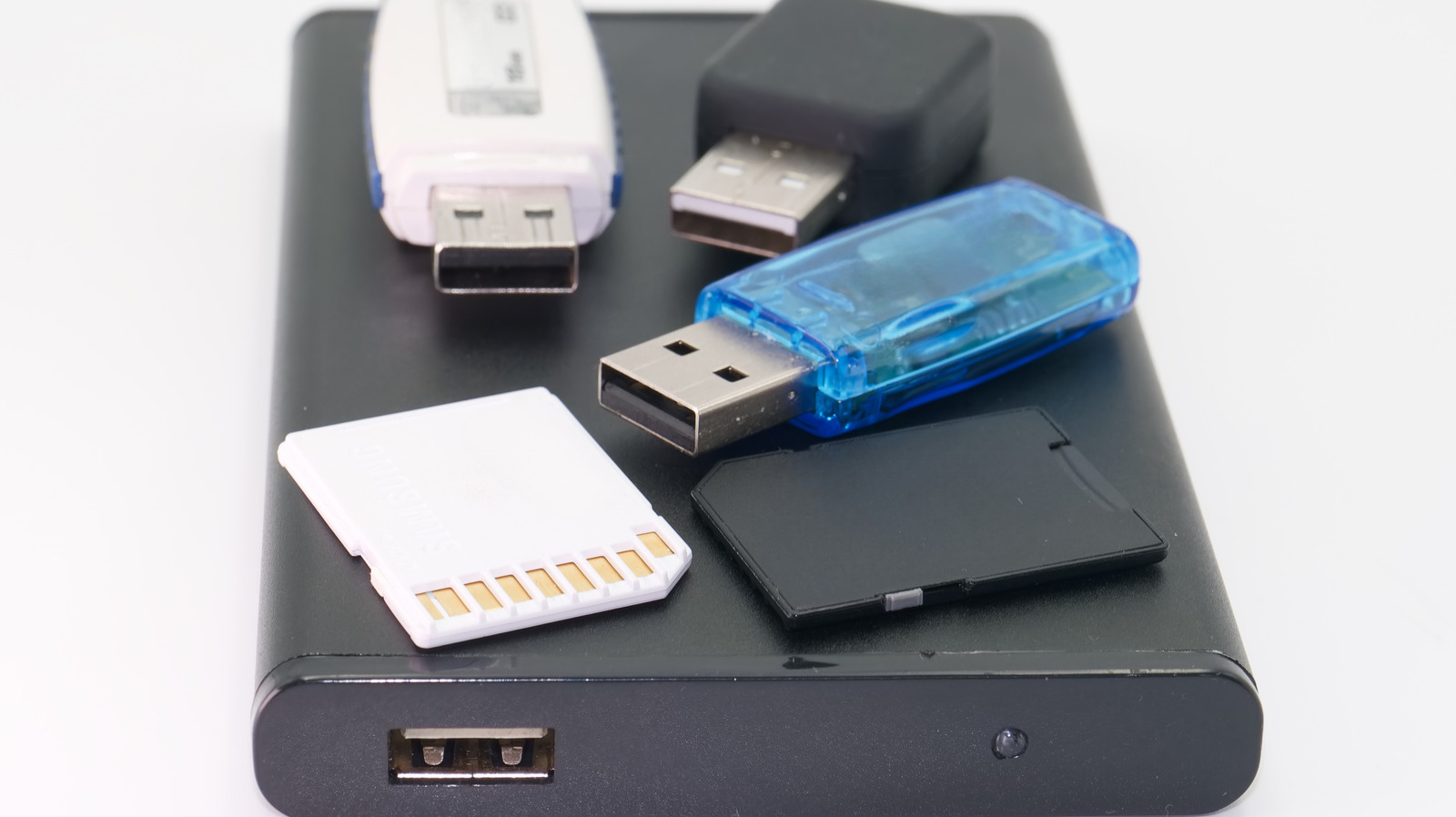
When they became popular in the early 2000s, the USB flash drives were nothing short of miraculous. These tiny “thumb drives” or “sticks” transformed how people exchanged digital information. We used them to transfer photos, music, documents, and work, and we finally got rid of the clunky CDs and DVDs that scratched so easily. The USB drives were, or rather are, compact, fast, and above all, affordable. Entire school projects, office workflows, and shared file swaps depended on them, so they had their dedicated spots in our backpacks, briefcases, and even keychains. But the cultural weight of the USB drives has recently shrunk. 

Once everywhere, these devices are now mostly gathering dust in our drawers. We simply don’t rely on them as we used to. Sure, they still have their use as bootable installers, offline backups, and quick file transfers. But compared to their heyday, they became a much smaller part of our digital lives. This can be seen in the fact that in some countries, figures in USB drive sales show a steady decline from year to year.

There are several very practical reasons behind that change. Traditional USB drives often cap at certain modest capacities, typically at 512GB. Of course, there are high-capacity options. For instance, the biggest USB drive you can buy is 4TB, but its price doesn’t really reflect good value. Also, their transfer speeds and durability massively lag behind modern alternatives. And finally, the traditional USB-A connector is being replaced with the modern USB-C connector across devices. Also, people no longer need a physical item to share their files. With high-speed internet and cloud storage platforms, accessing, syncing, and sharing files became easier than ever. This digital convenience is hard to beat. Over time, USB drives are being replaced by cheaper alternatives.

Portable SSDs

Stas Malyarevsky/Shutterstock

When USB drives started losing their shine, one of the clear winners in portable storage has been the solid-state drive (SSD). External SSDs are affordable storage devices that can fit in everyone’s pocket and outclass traditional USB drives. Devices like the Crucial X9 1TB Portable SSD and the SanDisk Extreme Portable SSD V2 now deliver terabytes of storage at a reasonable price. The biggest SSDs you can buy are normally up to 8TB without jumping into the expensive business-grade category.

SSDs are superior to USB drives because they offer much faster read/write speeds, making it a breeze to transfer large files (4K videos, video editing programs, and frequent backups). A typical USB drive might peak in the low hundreds of MB/s, under the best conditions. External SSDs can easily triple those speeds via USB-C or USB 3.2 interfaces. They’re also far more durable than USB sticks as they come with advanced controllers that balance wear and correct errors. However, they’re typically placed in metal casings for durability, and they can overheat with prolonged use.

Most users praise the versatility of SSDs. They can efficiently serve as external backup drives, a scratch disk for heavy editing projects, or even portable game libraries. All these roles are unimaginable with limited USB sticks. This is why professionals, students, teachers, and creators prefer SSDs or even large HDDs over the humble thumb drive.

SD cards

New Africa/Shutterstock

Believe it or not, SD cards have quietly become one of the cheapest and most practical storage alternatives to USB drives. These tiny memory cards offer surprising capacity and convenience. They’re much smaller than the USB sticks, cheaper to produce, and cheaper to buy for the storage they offer. Options like Kingston Canvas Go Plus microSDXC-Card, or SanDisk microSD Express Card are cheaper per gigabyte than some USB models, yet they can deliver hundreds of gigabytes of storage. There are even 1TB SD cards you can buy from Lexar and other reputable brands. And they come in a form that’s smaller than a postage stamp.

The appeal of the SD cards is their versatility. You can slot them directly into cameras, phones, drones, and laptops. They let you expand storage without bulky adapters or cables. This plug-in offers simplicity and broad compatibility with embedded card readers, making it especially handy for on-the-go workflows. That’s why SD cards are especially convenient for photographers, videographers, or content creators. SD technology has improved enormously since its inception. The high-end cards have a high capacity range and speeds that are getting closer to SSDs.

Although very useful, the SD cards were not designed to replace internal drives or handle constant, intensive file access the way SSDs can. They’re perfect for media storage and expanding the capacity of your portable devices. But using them for frequent file transfers leads to faster wear and tear and even data corruption. That said, if you need cheap, portable storage that works across multiple devices, SD cards are an excellent alternative to USB drives.

Cloud storage

Summit Art Creations/Shutterstock

Cloud storage is one of the biggest reasons why USB drives are slowly being forgotten. The cloud reshapes how we access, share, and protect files. The cloud lives online, which means you can access your files from anywhere in the world as long as you have an internet connection. You can also access them from any device. Your documents, photos, and creative projects stay synced and accessible whether you use your phone, tablet, or PC. This freedom from physical media is a major reason people ditch their USB sticks. That said, physical media isn’t obsolete, as there are some things you should never keep in the cloud.

Another reason why Cloud is not just a simple storage system is the built-in collaboration tools. Multiple people can have access to the same files and work on them at the same time. The changes will be updated in real time for everyone to see. This is something traditional USB sticks can’t even approach without manually copying multiple versions of the projects. That’s why Cloud storage became essential for remote teams, students, and creators who frequently collaborate. That said, Cloud storage is not free. Although some free plans exist, they come with limited capacity. Subscription models are now the norm for access to unlimited online storage.

Security is another area where cloud overshadows the traditional flash drives. Modern cloud storage providers use encryption, multi-factor authentication, and redundant backups across global data centers to protect your data from loss, theft, or device failure. You also don’t have to worry about leaving your storage device behind at a hotel or cafe, or about physically damaging it. All you have to do is make sure you have internet access. The ease of use, powerful collaboration tools, and built-in security outweigh the limited convenience of physical flash drives.

Source

Posted on

SQL Slammer lesson: A Computer Weekly Downtime Upload podcast

On January 25th 2003, the Slammer worm exploited a vulnerability in SQL Server 2000, to execute a buffer overflow attack, affecting customers of Microsoft’s relational database management system.

What is interesting about the so-called SQL Slammer attack, is that the vulnerability in SQL Server had been publicly disclosed at the Black Hat 2022 conference by Next Generation Security Software’s co-founder, David Litchfield, who discussed how SQL Server could be made to crash by sending a single byte of data to the open UDP port 1434. It is something that raised alarm bells at Microsoft in how it should respond to security incidents.

Tom Gallagher is head of the Microsoft Security Response Center (MSRC), which is responsible for issuing all security updates, including Patch Tuesday updates and CVEs (common vulnerability expose). He says: “One of the things that came out of SQL Slammer is rethinking about publishing exploit code.” When is the appropriate time and to what level of detail that should be provided? Today, as Gallagher notes, there is industry-wide adoption of coordinated vulnerability disclosure (CVD). “This allows security researchers to report the security issue privately to the software vendor who then works urgently to fix that issue, and together they disclose the issue to the public.” 

“Transparency has always been a really important thing to me personally, and certainly it’s a big deal to Microsoft and our customers,” he says.

Patching needs to be done in a timely manner to avoid systems being exposed once a vulnerability has been disclosed publically. Any delay offers cybercrimals a easy entry point to target cyberattacks. Gallagher says that Microsoft has focused on driving the right level of urgency to get patches out quickly. “It’s also really important that we provide actionable information to customers,” he says. To help, Microsoft provides a security update guide, which he says, enables Microsoft customers to understand the risks in their environment that the patches resolve. The guide helps organisations to prioritise patching so that they can run compatibility test, where needed, to check if a patch has an adverse effect on production IT systems.

However, Gallagher says: “Our goal is to ship really high-quality patches so that people have trust in the updates that they’re installing. Microsoft spends a lot of energy not just fixing the security issue but making sure that the functional aspects of that update continue to operate as expected so that customers don’t have incompatibility concerns.”

He says Microsoft also collaborates with companies like Adobe, which has aligned its patch update schedules with Microsoft’s Patch Tuesday. According to Gallagher, this alignment helps customers plan and manage updates more effectively. He believes there is an opportunity for other major Windows software providers to coordinate patching in a similar way, “There are some other folks in the industry like Adobe who have aligned to that Patch Tuesday update cadence.” This enables what Gallagher calls “predictable update cadence”. “From a customer standpoint, you can think and plan about installing security updates on that second Tuesday of the month,” he adds.

But, as Gallagher, points out, managing IT security risks is an on-going effort involving collaboration across the IT security industry. “We often publish some mitigating steps that you can take before you install an update. We also provide detection in Microsoft Defender and partner with major IT security companies so that they’re able to detect and prevent some of these exploits even if you have not yet patched your machine,” he adds.

Source

Posted on

Interview: Diana Schildhouse, chief data and analytics officer, Colgate-Palmolive

Diana Schildhouse, chief data and analytics officer at Colgate-Palmolive, describes herself as a data storyteller – but what does that mean in terms of day-to-day delivery?

“To be successful in roles like this, you must have a deep connection with the business and understand what you’re trying to solve, what their questions are, and then devise solutions,” she says.

“Those solutions could use advanced analytics. Sometimes, it’s about creating simpler solutions. But success is always about solving that business need.”

Schildhouse joined Colgate-Palmolive in April 2021 as chief analytics and insights officer. She was previously at Mattel for eight years, latterly as senior vice-president for global strategy, insights and analytics. Schildhouse has also worked for Westfield, Merrill Lynch and Disney.

“Most of my experience has been in consumer-facing companies,” she says.

“In terms of my career, I’ve always been in functions like advanced analytics, insights and strategy. When I saw the opportunity with Colgate-Palmolive, I thought about the breadth and scale of the company. It was an exciting opportunity for me to come in and build from the ground up, while leveraging the scale of the business.”

Schildhouse joined the company in a newly created role to develop an analytics and insights strategy for an organisation that operates in over 200 countries and territories globally. After proving her success in this role, she assumed her current position in June 2025, where the breadth of responsibilities increased to include oversight for data and artificial intelligence (AI).

“I had already been running some of those areas, but it made sense for us to bring everything together,” she says.

“You can’t build and scale all the exciting, advanced analytics solutions and everything with AI unless you have data foundations. Many companies are on this journey. They recognise that gaining value from all this data-enabled technology depends on key elements like data strategy, data governance, and a series of related topics.”

Supporting growth

Schildhouse reports to Colgate-Palmolive’s chief growth officer. Her peers include executives responsible for digital transformation, supply chain, innovation, research and development, global marketing, strategy and sustainability. She says the organisational structure makes it easier to tie data to long-term aims.

“The farther away you are from the business, the harder it is to make connections and drive impact,” she says.

“What appealed to me here was the fact that analytics and insights were part of the business and growth area of the company. I thought that would position me well to drive value through the work that I’m doing.”

“You can’t build and scale all the exciting, advanced analytics solutions and everything with AI unless you have data foundations. Gaining value from all this data-enabled technology depends on key elements like data strategy, data governance, and a series of related topics”

Diana Schildhouse, Colgate-Palmolive

Almost five years into her work with the company, Schildhouse says it’s been an exciting and enjoyable ride.

“We’ve had lots of success in what we’ve done with our analytics and data transformations here,” she says. “It’s fulfilling to see that my amazing team is driving a lot of that success.”

Joining the company in a new role meant she had a blank page for analytics and insight strategy. She began by asking the business about its major challenges and exploring the potential of technology to help solve those concerns. As part of her efforts, she tracked and traced performance to ensure success.

“That’s something I’m obsessed with, because if we can’t show the value and impact we’re getting, then we could be building the most brilliant solutions and passing them over the fence to the business, but if they don’t actually use them, then we didn’t achieve what we were trying to do,” she says.

Whether it’s for pricing analytics, revenue generation, cost optimisation, or intellectual property creation, Schildhouse has developed frameworks that ensure the solutions her team creates can be scaled globally to deliver value. She says the general direction of travel for data-led transformation at Colgate-Palmolive is about giving the people in the business tools to make better decisions quickly.

“We want them to have information at their disposal,” she says. “Some of the things we’ve built internally can compute billions of scenarios. So, it’s not just a matter of changing where teams spend their time. Some of the things we can do now, you couldn’t have completed a few years ago. Our work is about helping business teams use data and analytics in predictive, diagnostic and then prescriptive ways to make faster, more informed decisions.”

Embracing AI

Schildhouse’s team conceptualises, builds, deploys and embeds AI-enabled solutions, including machine learning models and predictive and prescriptive analytics, across Colgate-Palmolive globally. One example includes revenue growth management (RGM) analytics, which covers key concerns such as pricing and trade promotions.

She says RGM was identified as one of the areas where her team could have the biggest impact when she joined the company. They developed an in-house diagnostic and predictive tool that helped staff on the ground understand scenarios and make faster pricing decisions. That tool was scaled globally. The team also tracked usage to ensure the technology was effective.

The team used successes in RGM as a platform for developments in other areas. Schildhouse refers to promotion and calendar optimisation technology, which business users suggested was an area that could benefit from better analytics. They piloted, tested and refined this tool and are now pushing it out globally to boost pricing and promotions analysis.

Schildhouse’s team is also exploring generative AI (GenAI) in product innovation. Guided by a business-first approach, her team assessed potential technological solutions. They mapped out how the company’s marketers create and test new product concepts, and considered how AI could be deployed to make that process faster, easier and more effective.

Along with technology partner Market Logic, the data team created an insights hub. Marketers can use natural language to query data and receive instant insights from the hub.

“That was the first step that helped us understand unmet consumer needs,” she says.

As a second stage, they developed a tool to help support the creation of product concepts that fit these consumer needs. As part of an innovation funnel, Schildhouse says marketers can test their ideas rapidly in a digital twin. Developed in-house, the twin allows professionals to test their concepts cost-effectively for specific demographic groups.

“This multi-stage approach has been one of our most successful applications of GenAI to an important business area,” she says. “It’s about ensuring there’s a human in the loop and helping our innovation teams get to faster insights and to develop many more concept ideas.”

Establishing priorities

Schildhouse says one of her team’s main priorities is to innovate in an area known as omni-demand generation, which she explains is an approach that helps the company meet its consumers with the products they need. This work will incorporate progress in key areas, such as RGM, plus media, marketing and e-commerce analytics.

“We have some exciting things planned there,” she says, referring to her team’s aims. “Then I would just definitely say AI – so, continued experimentation, and moving to scale on many of the things that we’ve already piloted within that area.”

Schildhouse says her team considers AI initiatives via a framework that explores both horizontal and vertical elements. The horizontal elements are the underpinning tools and foundations that allow the company to scale its successful AI initiatives globally and effectively. The vertical elements, meanwhile, are the company’s priority areas for GenAI.

“Our plans for the next couple of years are very closely tied to that framework, but innovation always starts with our strategy – that’s key in helping us know where to focus,” she says.

Over the next 24 months, her internal team will continue to focus on the data strategy and governance foundations that she says are crucial to scaling analytics and AI initiatives.

“We’ll be putting a lot more focus on data transformation, and we’ve already made really great strides in that area, as well as building and launching data products that are reusable and governed. We’ll also be looking at AI and what’s the next generation for us,” she says, including developing data-enabled services for the company’s customers.

“There’s always a portion of what we’re doing that’s focused on exploring those edge cases of what could be the next most impactful area for the company. We want to create products that delight customers, meet their needs and provide the benefits that they’re looking for.”

Learning lessons

Schildhouse feels positive when she considers the future of the data leader role. There’s no doubting, she says, that information and insight continue to be increasingly important for modern companies. However, she reasserts that data leaders must ensure their AI and analytics initiatives are built on strong foundations.

In a world where companies are looking to get actual, tangible value from all their analytics and AI solutions, if your data is not in the right place and it’s not organised, and you don’t have the right datasets, that slows down the whole process Diana Schildhouse, Colgate-Palmolive

“In a world where companies are looking to get actual, tangible value from all their analytics and AI solutions, if your data is not in the right place and it’s not organised, and you don’t have the right datasets, that slows down the whole process,” she says.

“One of the reasons we were able to scale the RGM analytics tool that we built in-house is because, at the same time as we were creating that, we also started working on the data foundations.”

Schildhouse says her team consolidated and harmonised data from 500 sources in a global view for the RGM project. Lessons learned in this initiative have helped inform others. Yet, regardless of the project, she says one thing remains constant – data leaders must be guided by enterprise demands rather than technological features.

“You must have a business lens,” she says. “Data leaders need to bring that focus and understand how the work of their team translates to something meaningful for their organisation and their industry. That awareness is so key in the role, and that’s where you see the more successful data leaders when I look at some of my peers.”

Source

Posted on

5 Discontinued Android Apps That Users Really Miss

KARITING PICAH/Shutterstock

We’re getting close to the twenty-year mark for Android, and over the last two decades, plenty of apps have come and gone. Many have completely disappeared unnoticed thanks to things like GDPR and rapidly changing API requirements, and yet there are certainly more than a handful of discontinued apps that are still missed by users to this day.

Google, in particular, has killed plenty of beloved apps, but thanks to a constantly changing tech landscape filled with buyouts and ever-shifting API changes, there is also no shortage of discontinued third-party Android applications users still pine for.

So strap in and prepare yourself for a trip down memory lane; it’s time to explore some of Android’s most missed apps. From adored RSS readers to cherished app launchers, many would agree that Android is worse for wear, thanks to the wholesale disappearance of many of its best apps and their untimely (and often unwarranted) deaths.

Google Reader

If you were to ask any random Android user which app they miss the most, you’re likely to hear one of two answers. It’ll either be Google Reader or Inbox (more on Inbox below), and Google Reader has been gone since 2013, so it is easily in the lead for most missed just by how long it’s been gone.

In case you are unfamiliar with Google Reader, it was a popular RSS feed aggregator run by Google. It launched in 2005, and the Android app hit the Play Store in 2010 (then called the Android Market). But like many Google products that don’t prove to be an instant hit, it withered on the vine with a lack of updates until the doors were shuttered 5 years later, unceremoniously so, which served to further enrage dedicated users (a classic Google move, something the company is now very well known for with its infamous Graveyard). Thus, Google Reader earned its place in our rose-tinted glasses and hearts as a maligned service that deserved better.

While there are still plenty of RSS feed aggregators out there in Android land, like Feedly and Inoreader, Google Reader had a reputation for offering a clean, easy-to-navigate feed backed by unlimited archiving and a killer search function. So it’s understandable why plenty of Android users still miss it. It worked, and it worked well.

Inbox

BigTunaOnline/Shutterstock

It’s no secret that many users feel Gmail is pretty dated, thanks to a stagnant design that’s both cluttered and challenging to navigate (and we aren’t talking about when it’s not working right). Inversely, Inbox was the exact opposite of Gmail: a breath of fresh air with an intuitive and uncluttered UI, and it featured plenty of handy tools like smart bundles and a snooze function, giving users control to keep their email inbox tidy. It’s easy to see why it had a dedicated user base, which helps explain why it’s still held in high regard despite Google killing the service in 2019.

While many of Inbox’s features eventually found their way to Gmail, such as snooze and bundles (the latter now powered by AI), the magic combo of its modern UI and vast feature set that Google’s experimental team cooked up never fully translated to Gmail, which still suffers from a cumbersome and cluttered interface across its site and apps.

The good news is that Inbox was so popular that a handful of apps took on the challenge to take up the mantle. One such app, Spark, has found a good bit of success by offering “Smart. Focused. Email.” In fact, Spark launched its Android app on the same day Google killed Inbox, a smart move for an email app that was already gaining popularity on iOS as an Inbox alternative. So, at the very least, if you’re still nostalgic for the good old days of Inbox, there’s a solid alternative available that’s still standing.

Boost for Reddit

bangoland/Shutterstock

Over two years ago, Reddit did the unthinkable and pulled up the ladder across its site by adding a charge to its API access, a feature that had previously been free. This locked most developers out. Up to that point, it was easy for third parties to create apps to access Reddit. But Reddit had spent a lot of time building its own app filled with ads, and most likely didn’t want users to avoid those ads by using third-party apps.

Once the API required payment, just about every third-party Reddit app died an untimely death, including Boost for Reddit, one of the more popular clients that was available on the Play Store. The reason Boost for Reddit was so popular was that it was highly customizable, allowing users to dial in their Reddit experience, rather than wait around for incomplete updates. It offered an intuitive design, included several layout options, from cards to galleries, and was easy to theme. It was also an ad-free experience, very fluidly animated, so it felt responsive to use.

While Boost for Reddit is officially dead, the good news is that the developer has created a new app. The catch is that it isn’t a Reddit app but a Lemmy feed reader. Lemmy is an open-source, decentralized Reddit clone with a much smaller user base. The main benefit is that no one entity is in control, but that’s also why there is much less moderation, a major downside. Still, if you’re a Lemmy user who missed Boost for Reddit, do yourself a favor and check out Boost for Lemmy.

Google Play Music

YouTube Music has certainly come a long way since its launch, gradually adding more and more features. But before we had YouTube Music, we had a fully featured app called Google Play Music, and fans of the now-dead app still miss its inviting, intuitive UI, not to mention its superb handling of local and uploaded music within the library. For many, Google Play Music was the GOAT of music apps, thanks to user-focused features like personal play counts, as well as its ability to showcase your local collection of uploaded media alongside the licensed streaming selection. While you can upload your files to YouTube Music these days, they are stored in their own Uploads section, separate from the main library. Google Play Music simply did it better.

So even though YouTube Music has mostly caught up to Google Play Music, the slight differences add up, which ensures that Google Play Music will continue to be missed by fans. From AI recommendations that felt more diverse to the seamless caching that saved songs in advance, Google Play Music offered some incredible features that are still hard to find today with its replacement and competitors.

Of course, now that Google Play Music is gone, your best bet for a similar replacement is actually YouTube Music. Many of the beloved features of Google Play Music have made the transition to YouTube Music. So if you’re still missing Google Play Music, but have yet to try YouTube Music, perhaps it’s time to give its successor a proper spin.

Nova Launcher

Maor_Winetrob/Shutterstock

While Nova Launcher is still available on the Play Store, it is a dead man walking. The launcher was purchased by Branch in 2022, and Branch recently laid off the very last developer of Nova, Kevin Barry, who was also the founder. So even though Nova is still kicking, and even received a recent update, that update was old code left over from before Barry was laid off. At the end of the day, Nova Launcher is still on its last legs and will likely never receive another update. It’s basically in maintenance mode, and the next step is death.

Still, it’s easy to see why Nova Launcher will be missed. Many consider it one of, if not the best, Android app launchers. This is thanks to its almost limitless customizability. In an age where you can’t even remove the search bar from Google’s Pixel Launcher, apps like Nova Launcher have provided the customization that users and themers alike crave. From dialing in your margins, icon grid size, dock, and scroll effects, to its robust app drawer organization and lightweight performance demands, the launcher is both performant and feature-rich.

Sadly, there doesn’t appear to be a path forward for Nova unless Branch decides to support it again, which seems unlikely when there’s new leadership in control of the company. Past commitments like open-sourcing the app upon its abandonment appear to be null and void, with all work on the project halted. Worse, since the founder was unable to complete the open-source process, there’s no code available to the community, making any hope of a revival or fork impossible. Thankfully, there are other launcher options out there, like Lawnchair, which already has a beta available for its Android 15 build.

Source

Posted on

Can An HDMI Splitter Hurt Your TV’s Picture Quality?

Jhonez76/Shutterstock

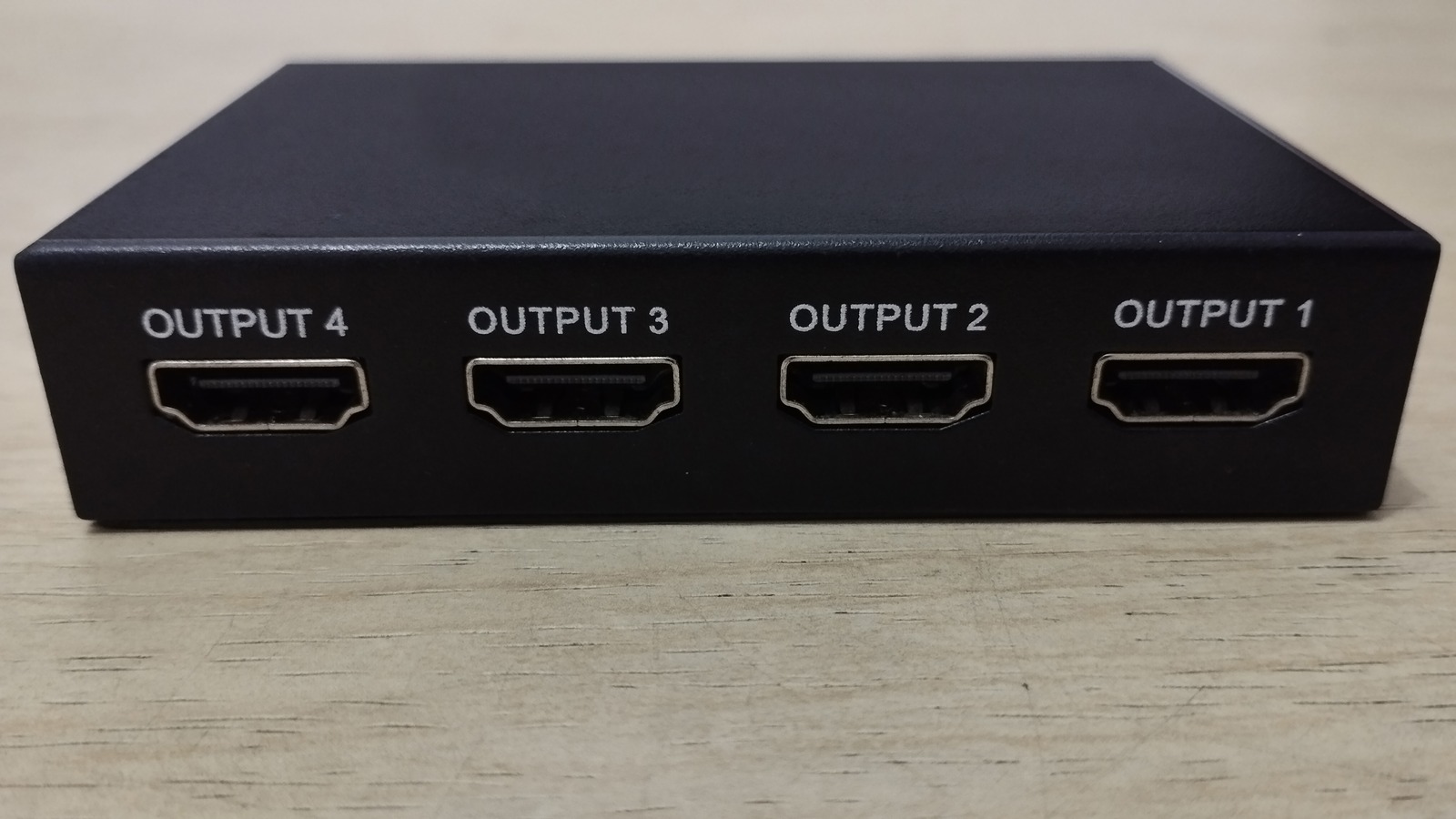
Whether you’re looking to share a Netflix stream to multiple screens or need to get a presentation on every TV in the conference room, an HDMI splitter is one of the best tools for the job. Using one is as simple as connecting your source device — be it a laptop, streaming device, or game console — to the splitter’s input, and then connecting the splitter’s outputs to each display you want to use.

The average splitter is designed to duplicate the image produced by your host component without compromising picture or sound quality. That said, variables like the length of an HDMI cable, as well as the types of displays you’re connecting your splitter to, may cause the occasional handshake issue or other audio-video malady.

Generally speaking, HDMI technology works best when cable lengths are kept at 25 feet or shorter. There isn’t a hard rule that longer wires won’t make the grade, but the AV signal carried by an HDMI cable is far more prone to degradation and interference over longer distances. Fortunately, active HDMI splitters aren’t too difficult to find and provide signal amplification. This helps to maintain signal strength and quality when using longer HDMI cables. 

You’ll also want to be mindful of which HDMI port you’re plugging the splitter’s output cables into. If you’re attempting to split the AV signal from a game console like the PlayStation 5, plugging an HDMI cable into one of a TV’s non-HDMI 2.1 ports may disable features like Variable Refresh Rate and Automatic Low Latency Mode, which could result in laggy gameplay.

Other things to know about HDMI splitters

Jhonez76/Shutterstock

You may encounter picture and sound issues when attempting to use a splitter with older HDMI cables and newer displays. Features like HDR and high refresh rates will only work if the HDMI cables you’re using have enough bandwidth. Fortunately, replacing your outdated HDMI cables with the best ones that meet the latest AV standards isn’t an overly expensive investment, and you’ll future-proof your HDMI setup for years to come.

You might also run into trouble when using an HDMI splitter with older displays. Let’s say you want to connect a 4K Blu-ray player to two TVs: one that supports up to 4K resolution, and one capped at 1080p. An HDMI splitter can’t increase a TV’s pixel count, so your Blu-ray player’s 4K signal will likely be downscaled to 1080p on both TVs. Unless you decide to invest in an HDMI splitter with down-scaling technology, you may not be able to skirt around this resolution cap.

We also advise being picky when selecting an HDMI splitter. Even though most of these products are engineered for plug-and-play connectivity, sticking with a well-regarded brand with solid reviews is better than saving a few bucks and ending up with a lackluster device.

Source

Posted on

The 4 Best Apps For Free Books

shisu_ka/Shutterstock

If you’re looking to get into reading more books but aren’t just yet ready to shell out the big bucks on getting physical or eBooks, you’ll be happy to know that there are legitimate, legal ways to get free books on your phone or tablet. For many, the cost of buying books can be a major barrier when starting a reading habit. Fortunately, the digital age has democratized access to literature quite a bit.

While many of the popular options for free eBooks, such as Project Gutenberg and Standard Ebooks, allow you to download eBooks or read them in a web browser, they lack the convenience of an app with its own catalog that you don’t have to load onto an e-reader, and can just start reading with a few taps on your mobile device. Fortunately, there are a number of solid apps that provide access to free books, and we have picked the best four. While selecting these apps, we focused on those that have a large catalog, along with apps for both Android and iOS.

Libby

PJ McDonnell/Shutterstock

If you have a membership to your local library or are willing to get one, Libby – one of the best free apps for Kindle owners – is an excellent option to read eBooks or listen to audiobooks for free. It’s an app developed by Overdrive that works with public libraries and libraries in different institutions to allow their members seamless access to eBooks, audiobooks, and magazines. However, remember, the selection of eBooks and audiobooks that you can find on Libby will depend on your local library, as they decide what to offer on Libby. Basically, your local library buys a certain number of digital copies of books and then lends them out. So, at any given moment, only the number of eBook copies purchased is given out to the library members.

As a result, the library decides the lending policies, how many books you can borrow at a time, and for what duration. The Libby app is among the best free apps you can download, and you can find the official version on both Android and iOS. You can also read using Libby in a web browser, and the app supports sending eBooks to Kindle, provided you are based in the U.S. Another highlight of the Libby app is support for multiple library cards. If you are a member of multiple participating libraries, you can add cards for all and access each library’s collection through Libby. Additionally, the app is now utilizing AI to deliver reading recommendations based on specific prompts or your borrowing history.

Hoopla

Hoopla is another excellent app that’s powered by your library membership and gives you access to eBooks for free. However, unlike Libby, it doesn’t give you access to your specific library’s digital collection. Instead, the participating libraries contribute to maintaining a common selection, which is then rented out to the members. Plus, instead of a traditional library-like system of Libby, Hoopla follows a streaming service-like model. So, you can borrow any of the available eBooks at any time, but there is typically a limit on how many books you can borrow each month, which is decided by your library — as they have to pay Hoopla money each time you borrow a book.

Although it has a bigger catalog than Libby, you can find a few brand-new bestsellers. Additionally, besides eBooks, audiobooks, and manga, Hoopla features movies, TV shows, and music, making it an excellent free streaming service as well. It also includes features like BingePass that let you utilize one of your “borrows” to get unlimited access to a specific collection on the app for seven days. Hoopla has official apps for Android, iOS, and smart TVs, and can also work with Android Auto. Finally, it has partnerships with libraries in the U.S., Canada, Australia, and New Zealand.

Oodles

Oodles gives you access to thousands of eBooks and audiobooks that are now in the public domain, such as works of Mark Twain, Jane Austen, Arthur Conan Doyle, Charles Dickens, and Oscar Wilde. Unlike Libby and Hoopla, it doesn’t need a library card, and you also don’t need to pay anything. All content on Oodles is completely free, and you simply have to install the app to start reading. The app does show advertisements to support its development, which you can remove with an annual in-app subscription.

Moreover, the app works as a free eReader and allows you to import any eBooks that you may have downloaded in epub, mobi, or txt formats. You can tweak the font size, style, background, line spacing, and more to suit your needs for a better reading experience. Oodles is reasonably easy to use, and you can find eBooks sorted in different categories. There are also top books and top authors collections to give you quick access to popular content. You can download Oodles for Android and iOS.

Inkitt

If you don’t mind reading books from authors who are yet to make a name for themselves, Inkitt is a solid option. It offers free access to thousands of titles published by upcoming writers on the platform. You don’t need to pay anything; however, you can support your favorite authors by getting a subscription, which gets you early access to their content. Even if you don’t opt for a subscription, all early access content becomes free for everyone after a small delay.

There is support for offline access, and while there are ads in Inkitt to support the app, the experience is relatively good as you aren’t constantly bombarded by pop-up or video ads. While certain genres, such as romance, fantasy, and thrillers, are most popular, you can find books across all common categories. The app also has a modern interface, with support for dark mode, auto-scrolling, and adjustable fonts. Finally, you get the Inkitt app on both Android and iOS, or you can read books via the official website.

How we selected these apps

Fernando Rincon/Getty Images

While choosing the best apps for free books, we focused on apps that either have a catalog of free or public domain eBooks or give access to otherwise paid titles using their partnerships with local libraries. We also looked at their feature set and ease of use. Finally, all our recommendations are available as a free download, but in some cases, you may need a membership to a participating library to access content.

Source

Posted on

CES 2026: Toyota enhances SUV range with added infotainment

The newly launched Toyota RAV4 comes equipped with the Snapdragon Digital Chassis from Qualcomm Technologies to deliver a personalised, intuitive and seamlessly connected driving experience.

Having had its beginnings in 1994, when sport utility vehicles (SUVs) were positioned as off-road vehicles, Toyota unveiled details of the outline of the new RAV4 to the world in May 2025, setting out plans to launch the model in Japan before the end of the calendar year.

The manufacturer said that over five generations, the RAV4 has “evolved into a beloved model” around the world, continuing to meet the changing lifestyles of the times. The fifth-generation RAV4 introduced a platform based on the Toyota New Global Architecture (TNGA), Toyota’s structural software within the automobile manufacturing process. This was designed to offer responsive driving performance with manoeuvrability and stability for any road surface.

Under the concept of “Life is an Adventure”, the sixth-generation RAV4 has been advanced with newly developed hybrid software focused on ease of use for the driver. At the heart of the vehicle, advancing drive intelligence, is Toyota’s Arene software development platform, accelerating the company’s plan to develop software-defined vehicles (SDVs). With Arene, Toyota aims to achieve a greater level of safety and enrich the mobility experience, whether in urban living or outdoor driving modes.

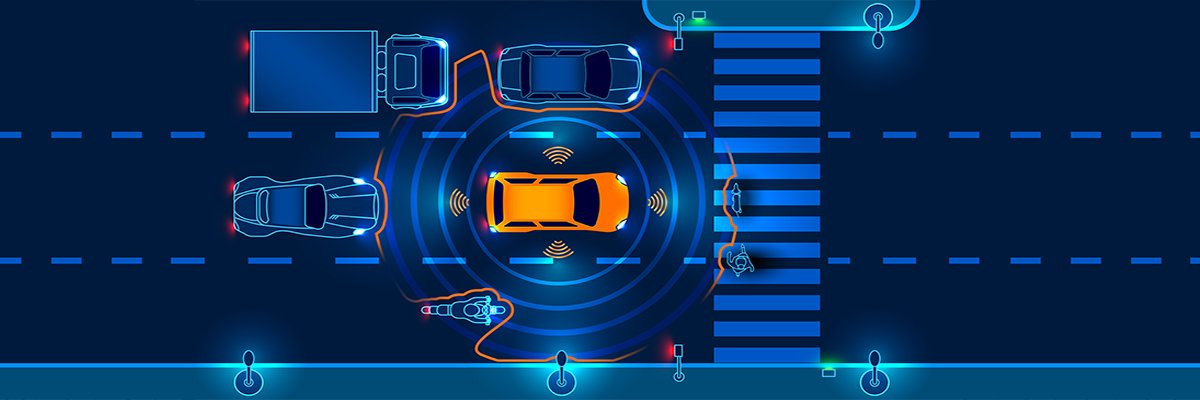
Toyota’s vision of the value that SDVs can provide includes a safe future that offers peace of mind with zero traffic accidents. Arene has also realised two functions to gain more from their mobility. For example, improved functions see the use of an emergency driving stop system (EDSS), whereby in the event of a person becoming incapacitated due to sudden illness or other reasons while driving, the system automatically slows down and stops the vehicle.

By using sensor information to identify a safe place to pull over, the system has been improved to slow down and guide the vehicle to the safe area. Sudden acceleration suppression restrains acceleration when it detects excessive or accidental accelerator pressure, whether or not there are obstacles.

In the future, Toyota plans to not only improve development efficiency with Arene, but also accelerate the development of safety and peace of mind technologies through software updates.

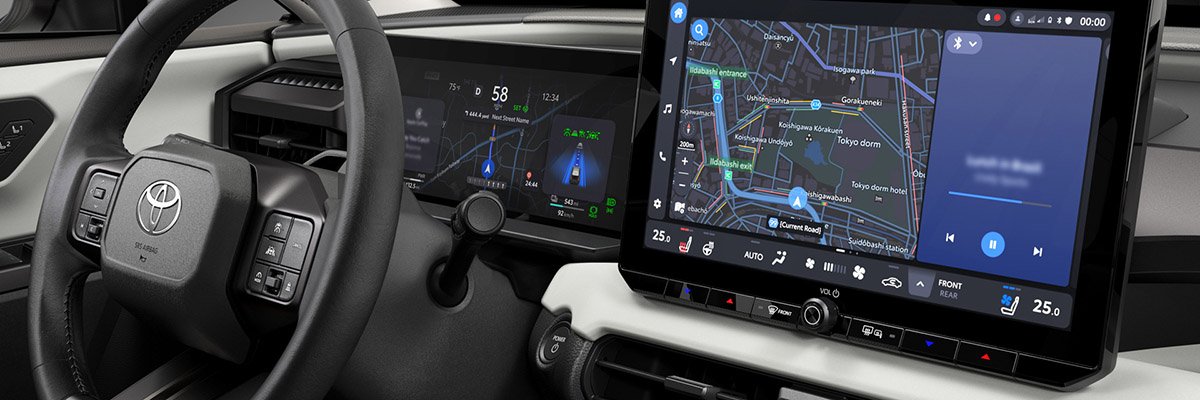
In addition, the car boasts a new-generation multimedia system that comes with a customisable home screen for improved operation tailored to each individual. It also includes faster and more accurate voice recognition for easier interactions.

Through its technology collaboration with Qualcomm Technologies, the new Toyota RAV4 utilises a next-generation SnapdragonCockpit platform – a key component of the Snapdragon Digital Chassis – to deliver what are promised to be premium in-vehicle experiences, providing a personalised, intuitive and “seamlessly connected” driving experience. Based on advanced artificial intelligence (AI) capabilities, the Snapdragon Cockpit platform-activated controls are designed to enhance the overall user experience.

“By leveraging our next-generation Snapdragon Cockpit platform, Toyota is delivering an elevated driving experience that combines personalisation, immersive infotainment and connectivity,” remarked Mark Granger, vice-president of product management at Qualcomm Technologies. “This collaboration brings advanced capabilities and safety innovations designed to make every journey smarter, more intuitive and more secure for RAV4 drivers and passengers.”

Toyota plans to successively roll out the latest RAV4 globally to customers in over 180 countries and regions.

Source

Posted on

CES 2026: NXP looks to unlock potential of AI-powered vehicles

With the aim of unlocking the full potential of AI-powered vehicles, NXP Semiconductors has unveiled the S32N7 super-integration processor series for the intelligent vehicle core, designed to enable vehicle original equipment manufacturers (OEMs) to differentiate their fleets, as well as control and evolve the vehicle platform throughout its lifecycle. Engineering and technology company Bosch is the first to deploy the system in its vehicle integration platform.

Overall, NXP assured that the S32N7 processor series redefines mobility by unlocking innovation beyond infotainment and autonomy, going deep into the core vehicle functions. For OEMs, the key business benefit is said to be simplification and measurable cost savings; for drivers, it could mean an intuitive vehicle experience that anticipates their needs.

Building on the same 5 nm foundation as the previous chip in the company’s range, the S32N7 represents the latest evolution in NXP’s S32 automotive processing platform. It is designed to deliver “advanced super-integration” capabilities to address the complexity of intelligent vehicle architectures, enabling automakers to accelerate their shift to artificial intelligence (AI)-powered vehicles.

NXP said the new series will deliver “safe” modular computing with hardware-enforced function isolation, enabling OEMs to consolidate securely multiple vehicle core functions, including body, motion, chassis control and vehicle dynamics.

S32N7 is claimed to extend these features by adding integrated functions for gateway, data management and advanced driver assistance systems (ADAS) support up to Level 2 autonomy. It further supports agentic AI capabilities, advanced networking and “ultra-low power operation”. All of this will empower carmakers to develop secure, differentiating features at the heart of their vehicles, said the company.

Technologically, the S32N7 consolidates up to eight domains onto a single platform, offering a streamlined architecture designed to cut material and integration costs, delivering up to 20% lower total cost of ownership. It includes a range of compatible System-on-Chips (SoC), allowing OEMs to scale the performance and features of their vehicles. A unified software environment has been built with the intention of allowing code reuse and simplified integration across the S32N family.

Additionally, the new series gives OEMs edge capabilities, enabling advanced data collection, real-time processing and orchestration to drive faster, data-driven decisions. This creates the intelligence foundation for AI and agentic AI solutions at all vehicle states including parked, charging or driving.

“The S32N7 allows carmakers to innovate and monetise data while maintaining full control of the vehicle’s core,” said NXP vice-president of automotive processors, Robert Moran. “The new series remains always on, enabling instant vehicle activation and fast deployment of AI capabilities even when the car is parked. Its super-integration capabilities empower carmakers to rapidly roll out software updates and to differentiate across vehicle, models and markets without rearchitecting the vehicle platform.”

In its deployment, Bosch will install the S32N7 in its vehicle integration platform, accelerating the roll-out and integration of new vehicle functions across each of its domains. NXP and Bosch said that they have co‑developed reference designs, safety frameworks, hardware integration and an expert enablement program, accelerating system deployment and reducing integration effort for early adopters.

“Bosch’s vehicle-integration platform is at the heart of new electrical/electronic architectures enabling truly software-defined vehicles,” added Matthias Breunig, senior vice-president of compute enhanced at Bosch Mobility.

“Our intensive collaboration with NXP on their S32N7 processor series demonstrates how we combine leading semiconductor technology with our deep system expertise and highest standards of safety and security. By having Bosch ECU samples ready with the first NXP S32N7 silicon, we deliver to our customers a significant head start for development, ensuring rapid implementation and robust performance for next-generation vehicle computers.”

Source