Posted on

iOS 26.2 To Kill A Key Feature For Apple Watch

José Adorno/BGR

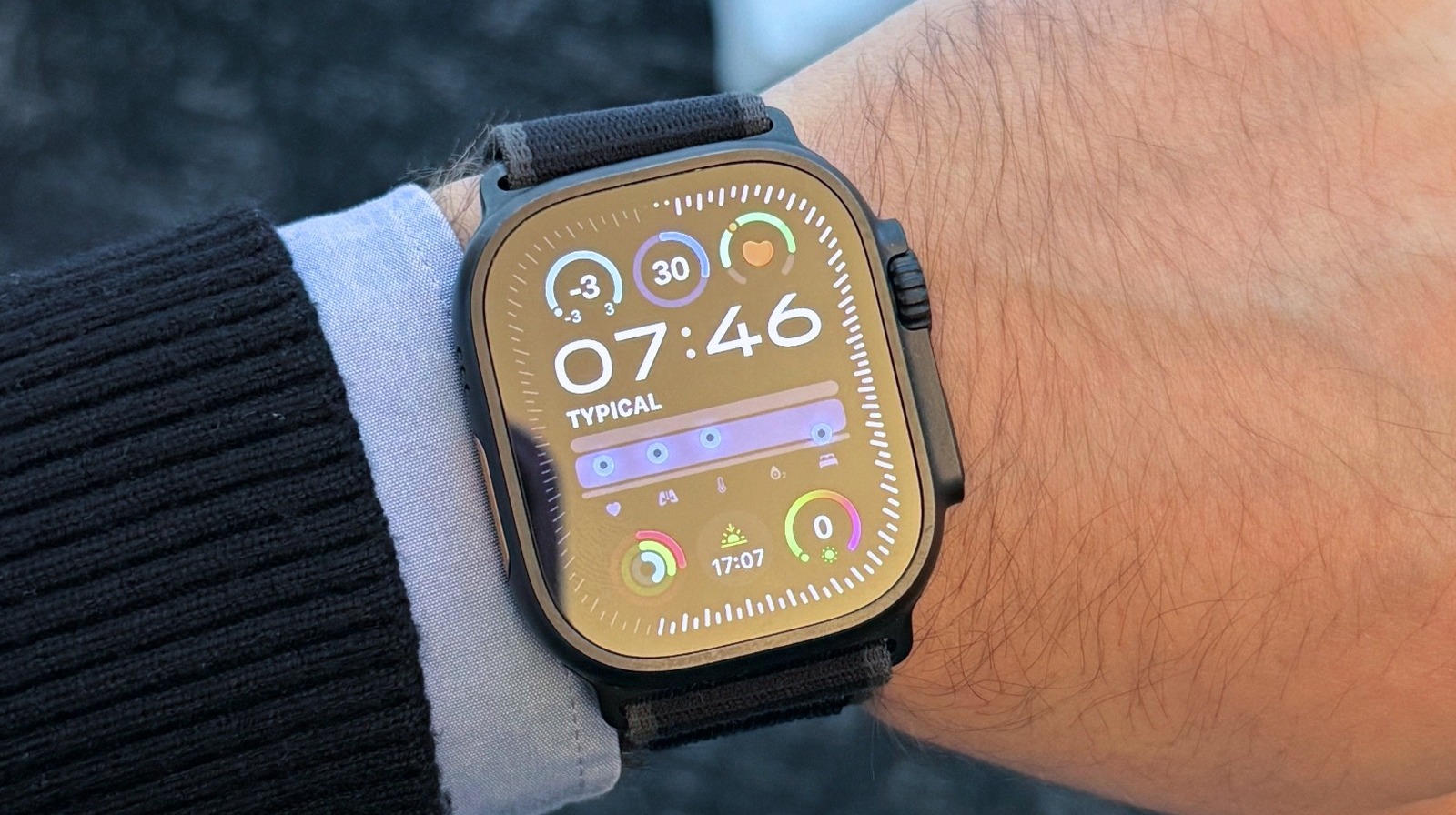
Following Apple’s ongoing dispute against the European Union’s Digital Markets Act legislation, the company confirmed to French publication Numerama that iOS 26.2 will remove automatic Wi-Fi network syncing between iPhone and Apple Watch in the region. According to the report, Apple is responding to the European Commission’s interoperability requirements, which wants the American company to continue to open up its iPhone ecosystem and features to third-party developers.

That said, Apple decided to remove the ability to automatically connect the Apple Watch to the same network the iPhone is connected to in iOS 26.2. While this seemingly won’t affect the networks that the Apple Watch already has stored, it will mean that the user needs to sign in separately on each device going forward. Even though Apple hasn’t addressed this case specifically, the company previously said that it wouldn’t be afraid to remove features in Europe to protect its users’ data against “data hungry companies.”

European Commission still expects Apple to commit to other fundamental changes

José Adorno/BGR

With Apple set to remove this key Apple Watch feature for EU users, the company has been reportedly working on other interoperability features that will be available for European users. For example, iOS 26.1 beta code revealed that the company is working to implement third-party smartwatch notifications from the iPhone, making these devices more compatible with Apple’s iPhones.

Besides that, another report suggests that AirDrop might get a security PIN whenever users start a connection with a user. This could be a way for Apple to avoid opening up the AirDrop technology to other companies, which it says might put user data at risk. Still, the company has other features it might need to implement in iOS 26 and iOS 27 to appease the European Commission.

Last May, Apple filed an appeal against interoperability rules in the EU. However, a final decision hasn’t been reached yet, and the company keeps saying it could continue to limit features in the region to protect itself and its users.

Source

Posted on

Google Finance Enlists Gemini AI For Deep Search Reports

Cheng Xin/Getty Images

In August, Google announced a Gemini-powered tool that can help you make sense of the financial world, the new Google Finance “reimagined with AI at its core.” On Thursday, Google unveiled new features coming to Google Finance, including an AI capability some users will love: Support for Deep Search reports. If the feature sounds familiar, it’s because the Gemini app already offers Deep Research support for topics users want more detailed reports based on thorough web searches. A similar feature is also available in Google Search’s AI Mode, called Deep Search.

Deep Search will work similarly in Google Finance, but it will focus on the world of finance and the financial markets. Deep Search in Google Finance will let users ask complex questions and have Gemini provide the detailed analysis they want about a specific company, market, and events that might impact their financial decisions. Google explained in a blog post that Gemini models will “get to work” on the prompt by performing up to hundreds of simultaneous searches and “reasoning across disparate pieces of information” to produce a detailed report within minutes.

Google

The Deep Search feature in Google Finance will also show users how the report has been created so they can understand how the AI generated the financial reports. After the report is ready, the AI can continue the conversation, allowing the user to ask follow-up questions. Citations will also be available to the user, so they can visit websites Gemini used to create the report.

Kalshi, Polymarket, and earnings data in Google Finance

Google

While Deep Search is the most important new AI feature for Google Finance, Google also added a few other useful tools to the app. Users will be able to access prediction market data from Kalshi and Polymarket directly in Google Finance via natural conversation prompts. You might ask something like “What will GDP growth be for 2025?” and Google Finance will automatically display data from prediction markets showing the current probabilities.

Google also highlighted a feature it announced last week, a new earnings experience for Google Finance that lets you stay on top of earnings reports and earnings calls. The “Upcoming earnings” calendar will show all scheduled earnings events. Clicking a ticker can also provide information about upcoming earnings reports. A new “Earnings” tab will give you information about the next earnings call, and let you tune into a live audio stream when it happens. The AI will transcribe the call in real-time. Also, an “At a glance” feature will deliver AI-powered insights about the company. The information will be updated before, during, and after the call, so users can stay informed throughout the earnings report period.

Deep Search will be available to Google Finance users in the U.S. in the coming weeks, with subscribers to the Google AI Pro and AI Ultra premium services getting higher usage limits. Prediction markets data will be available to users in the coming weeks, starting with Labs users. These features will be available in additional markets in the future. Finally, Google is rolling out Google Finance in India, with support for English and Hindi.

Source

Posted on

Jeff Bridges’ WideluxX Revealed Its First Prototype Camera

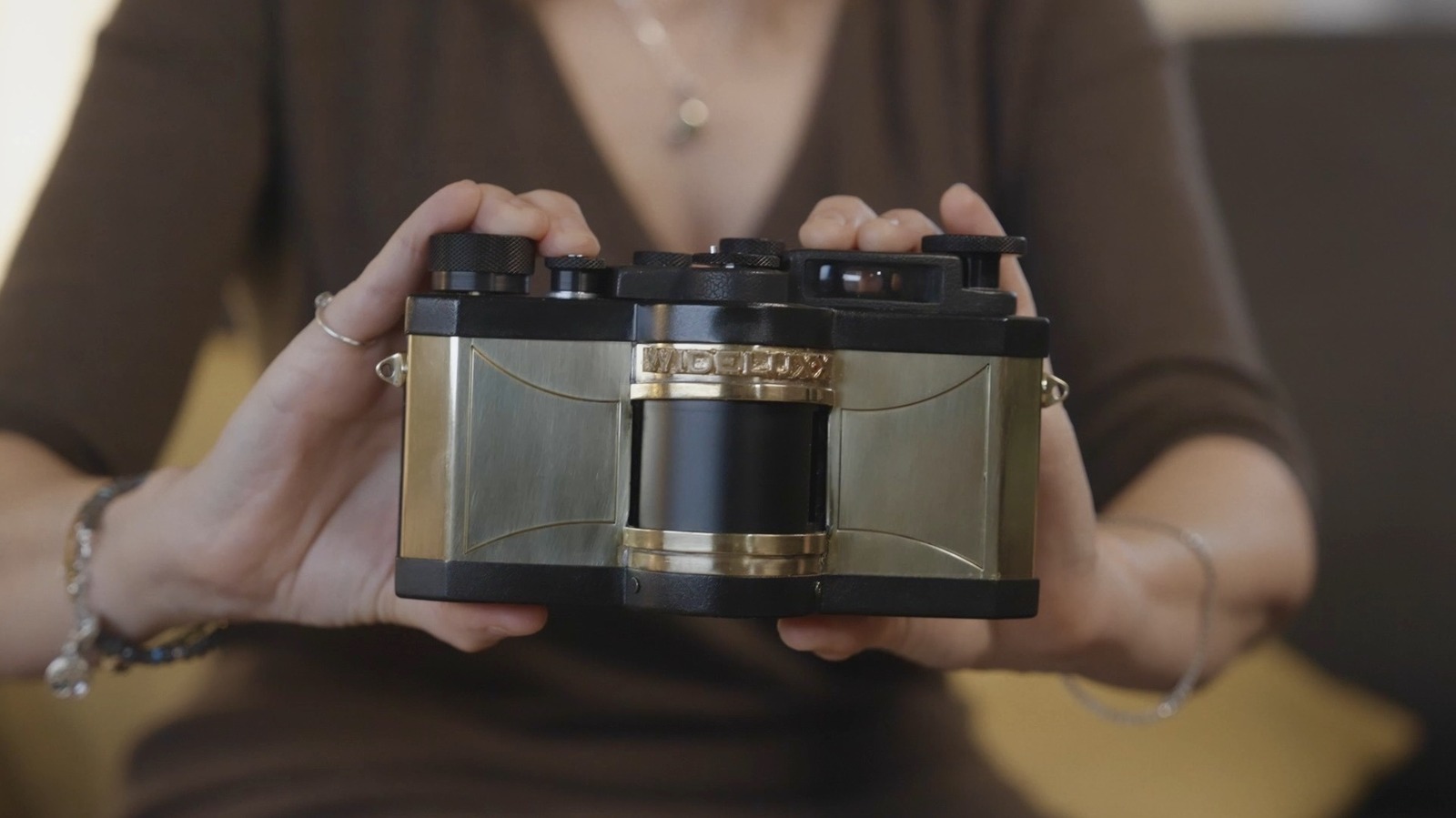
Jeff Bridges-owned WideluxX unveiled a prototype of its analog, retro camera at the annual convention of the International Association of Panoramic Photographers. In a video shown during the conference, the Bridges — Jeff and his wife Susan Bridges — presented the new camera design to the audience. Involved are the Bridges, Charys Schuler, and Marwan El Mozayen, the latter of which are also responsible for publishing the Silvergrain Classics magazine. It’s an inspiring idea, but why bring back the Widelux and what makes it so iconic?

The original Panon Camera Shoko Widelux series of cameras is well-known for its unique designs, spanning several releases from the late 1950s (Widelux FI) to the final model released in 2000, the Widelux F8. Classified as a swing lens panoramic camera, it works differently than traditional shutter models. Instead, the camera has a slit, which exposes the film, at the same time the lens pivots on a horizontal arc. This not only provides a distinct style for the finished photos but also the expansive, panoramic images captured through the rotating lens are credited as being more immersive and “cinematic.” A huge proponent of these cameras is Hollywood actor Jeff Bridges. He began using the Widelux camera in 1984 to capture and document behind the scenes experiences, on sets of big movies like “The Big Lebowski” and “Seabiscuit.” He even published his photos in a book and online, and won the International Center of Photography’s Infinity Award in 2013 for his work. Unfortunately, the Panon factory burned down in 2005 with all blueprints and that put a wrench in further production. It makes perfect sense why Bridges and his colleagues are reviving the classic beauty.

What is the new Widelux prototype?

Kathy Hutchins/Shutterstock

With some of the world’s top camera brands giving up because everyone has a camera in their smartphone now, it is good to see projects that honor unique technologies like the Widelux. Especially when brands like Apple are working to simplify the camera controls, not unlike old-school cameras. Susan Bridges explicitly calls out in the announcement video, “We’re keeping it old-school.” Reverse-engineered and based on the final Widelux F8, the new prototype from WideLuxX is made from scratch. Since the Panon factory burned down in 2005, and all the blueprints with it, the unique, mechanical parts need to be painstakingly crafted. While few details are forthcoming, we know the camera is handmade in Germany. More will be shared on WideLuxX’s official site. The site also describes a faithful recreation that preserves “everything that made the original great” while also incorporating sustainable manufacturing processes.

The new WideLuxX will be “purely mechanical” much like the old one, and “designed to last for generations.” This is nothing like the redesigns of old tech, the Kodak Smile+ and HP Sprocket Panoramic Printer come to mind. It’s a labor of love, and looking back through some of Bridges’ classic photos, you can see the DNA of the camera in the shots. The distinct panoramic style, even with its curved distortion, is almost a character of its own. As for when the new Widelux camera will be released and move beyond the prototype stage, there’s no word as of yet. If you’re interested, it’s best to sign up at WideluxX to get updates if and when they arrive.

Source

Posted on

5 Cheap Gadgets That Belong In Every Avid Reader’s Home

Rido/Shutterstock

We may receive a commission on purchases made from links.

For some people, reading can be as simple as grabbing a book from the shelf — or opening one on Kindle — and then curling up in a quiet corner. For others, though, their reading experience wouldn’t be complete without some technology. Yes, technology has proven to be quite handy in every other part of the home, so it would make sense to use it even in your reading routine. This can come in the form of iOS or Android apps designed for avid readers. It can also be physical gadgets that upgrade your comfort and enjoyment.

A quick browse online and you’ll find a whole range of reading accessories that fit the bill, from lighting solutions to text magnifiers. They’re all easy to use, and the best part is that they’re easy on the wallet too. To give you an idea, here are five cheap but useful gadgets every avid reader should consider getting for their reading sessions.

DATAFY Remote Control Page Turner

While e-readers are generally lightweight, holding one for hours on end can get tiring real quick. It would be much more convenient if you could just prop your e-reader up a few feet away as if you’re watching a TV and then control it remotely. Well, you can actually achieve such a setup with a gadget like the DATAFY Remote Control Page Turner.

This under $20 page turner is quite straightforward. Simply pair the screen sensor clip with the remote control and install the clip right where you typically tap to turn the page. Once the clip is secured, press the remote, and you’re ready to start reading. The page turner works within a maximum range of 33 feet (10 meters) and is compatible with several popular devices that use capacitive screens — a.k.a. the displays that react to the touch of a finger. These devices include Kindle Paperwhite and Oasis, Kobo, iPad, Android tablet, and even Android phone with a Kindle-like display. Just make sure the device is 0.45 inch thick or less. Since the page turner runs on battery power, it will only last for roughly three hours of active use or at least a couple of months on standby. You can then recharge it with any USB-C adapter. 

Besides flipping pages on your e-reader, the DATAFY Remote Control Page Turner doubles as a camera remote control for smartphones too. It can snap a picture or start a video recording of you from a distance. Just clip it to where the camera shutter is.

MagniPros Page Magnifier

Probably one of the biggest draws of e-readers is the option to change the font size to make reading more comfortable. Unfortunately, physical books, newspapers, or magazines don’t offer such flexibility. If you prefer the reading experience on traditional printed materials, though, the MagniPros Page Magnifier can come in handy.

Available for under $25 on Amazon, this page magnifier can enlarge the text by five times to help you read better. It uses an anti-glare lens for magnification and 24 LED lights around the lens for illumination. You can change the lights to one of three modes: cool white (12 LEDs on), warm white (12 LEDs on), and combo (all 24 LEDs on), depending on how bright you want it to be. Each mode supports dimming for added control. Just press the button to switch modes, or long press to dim the lights.

On top of the light features, the MagniPros Page Magnifier is designed with an adjustable stand for hands-free use. The stand itself can be bent from 0 to 90 degrees, while the magnifier can be rotated from 0 to 360 degrees. If this setup is too bulky for you and you just want to hold the magnifier with your hand, you can detach or collapse the stand. Power-wise, the magnifier just requires three AAA batteries, so they should be easy to replace.

Aside from reading, the MagniPros Magnifier can also help you with other hobbies that require detailed work, like sewing, diamond painting, and tiny model building.

Gritin 9 LED Rechargeable Book Light

Reading a physical book after dark isn’t a problem if you sleep alone. But if you share the room with someone else, you’ll usually end up using your phone’s flashlight and getting tired from holding it up all night long. In this case, what you need is a light specifically designed for reading. One affordable option is the Gritin 9 LED Rechargeable Book Light, a highly-rated reading accessory you can get from Amazon.

This Gritin Book Light is a wireless clip-on light with nine LEDs. Weighing only 2.22 oz, it’s lightweight enough to snap onto the top of any book or e-reader up to 1.18 inches thick. It can also stand on its own since the clip has a flat base, handy for when you want to use it as a desk light instead.

The book light is built with several convenient features to fit your needs. For one, it includes a 360-degree flexible gooseneck that lets you aim the light wherever you need it. The light offers some typical customization features like dimming and color modes too. You can adjust the brightness from 10% (15 lumens) to 100% (75 lumens) and pick from three color modes: warm, cool white, and mixed color.

In terms of runtime, the book light lasts a maximum of 80 hours at 10% brightness, thanks to its built-in 1,000mAh battery. However, this big battery means it takes a bit longer to charge, requiring around 2.5 hours to reach 100% via USB-C.

Glocusent Book Light

Clip-on lights as reading lights are generally okay, but they aren’t always the best option for everybody. This is especially true if you have a thick book that’s too big for the clip, or a clip-on light so heavy it wrinkles, or worse rips, the page. Since the light attaches to the book itself, you also have to move it every time you turn a page, which can be more of a hassle than a convenience. A nifty alternative to clip-on lights for reading is a neck light like the Glocusent Book Light.

Sitting comfortably around your neck, this 4.8-oz book light works like any other personal lighting solution. It comes with a narrow 90-degree beam angle, six brightness levels, and three color options — yellow, warm white, and cool white. But unlike other lights with one-button controls, the Glocusent Book Light includes two — one for brightness and another for modes. These buttons are placed on each side of the neck light for quick access.

One feature this neck light shares with clip-on lights is the flexible gooseneck. It bends far enough to allow you to twist it into a compact loop. This way, it takes up less space in your bag when traveling. Similar to the Gritin Book Light, the Glocusent Neck Light is equipped with a 1,000mAh battery that delivers up to 80 hours of runtime and charges via USB-C. It’s relatively more expensive at $29.99 on Amazon, though.

Soundcore by Anker Q20i Hybrid Active Noise Cancelling Headphones

There are people who read books, and there are people who listen to them. If you’re part of the second group, then one gadget you should definitely have at home is a pair of active noise cancelling (ANC) headphones. ANC headphones are a godsend for audiobook listeners as they reduce the distracting background noises, and in turn, make the narration clearer and easier to follow. For budget-conscious audiobook lovers, the Soundcore by Anker Q20i is a solid choice.

Costing $70, the Soundcore Q20i features hybrid ANC technology. This means it uses four mics — a pair inside and a pair outside — to block out up to 90% of ambient noise. The headphones are also built with 40mm dynamic drivers that can produce clean and natural voices for your audiobooks.

Besides delivering high-quality performance, the headphones’ hardware is designed for comfort too. It comes with memory foam cushions and multi-angle rotating ear cups to make the gear more comfortable to wear when listening to hours-long audiobooks. Speaking of hours-long, the Soundcore Q20i has a battery life of up to 40 hours with ANC on. If you’re listening at home where noise is minimal, you can even use the headphones for a maximum of 60 hours without ANC. Charging is convenient, as well. The headphones support fast charging, and just a five-minute topup can last you four more hours.

Like many other headphones, the Soundcore Q20i has a companion app, which is mainly for control. But you can also use it to play some white noise, perfect for when you’re on Kindle or are reading a physical book.

Source

Posted on

Apple Could Fix One Of iPhone Air’s Biggest Flaws With

Ming Yeung/Getty Images

Alongside the iPhone 17 lineup, Apple released an all-new, ultra-thin iPhone Air this year to take the place of the Plus model. While many reviewers praised the iPhone Air for its sleek design, they also pointed out that it didn’t have great battery life compared to the iPhone 17 models. There were also complaints about the lack of a second main camera on a $999 phone.

With rumors suggesting that Apple will release a second-generation iPhone Air in 2026, Weibo leaker Digital Chat Station claims the company might fix one of its biggest flaws by adding a second main camera. According to the leaker, Apple will add a 48MP Fusion Ultra Wide camera to sit alongside the existing 48MP Fusion Main camera. What’s interesting about this rumor is that the company apparently doesn’t plan to add a plateau like the iPhone 17 Pro models, as it would continue to offer the horizontal alignment of the Air version.

What to expect from the 2026 iPhone lineup

Ringo Chiu/Shutterstock

Since reports suggest Apple will continue to focus on having an ultra-thin and lightweight iPhone Air in the lineup, the company would have to reengineer the camera plateau for the second camera and therefore shrink the battery, or leave it the way it is but with an extra camera. While we’ll  have to wait for more reports to corroborate this leak, other online chatter suggests that the 2026 iPhone lineup will be made of the iPhone 17e at the beginning of the year, followed by the iPhone Air 2, iPhone 18 Pro models, and Apple’s first iPhone Fold later in the year (unless it gets delayed).

If that turns out to be accurate, the company would release the iPhone 18 by the beginning of 2027 alongside the iPhone 18e, marking a new strategy for the company’s smartphones. Rumors so far point to general improvements to the specifications, but little is known about the potential design changes expected for these devices.

Source

Posted on

This FDA-Approved Eye Drop Can Help You Regain Near Vision

New Africa/Shutterstock

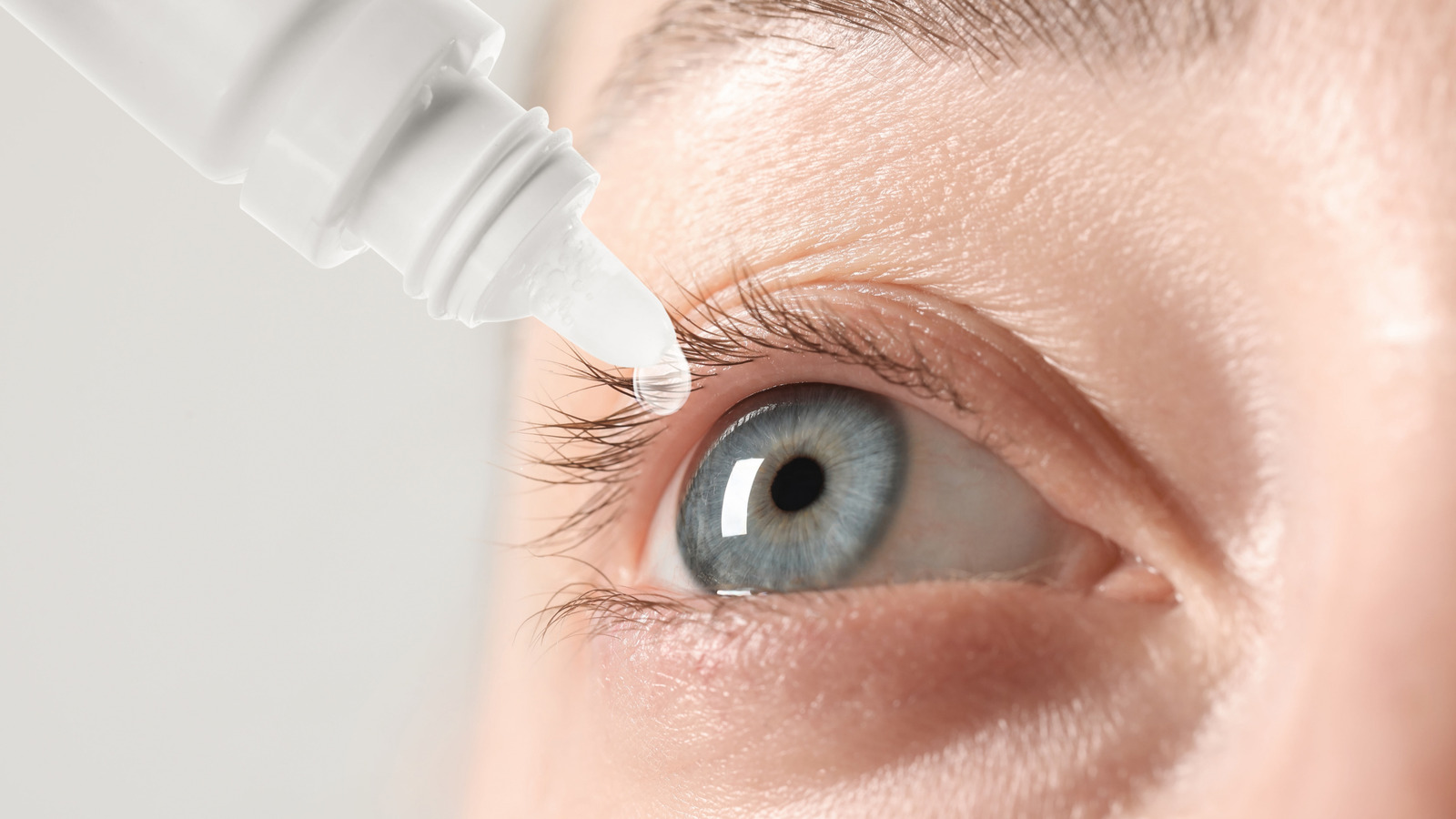
In the United States, around 128 million people live with presbyopia, an age-related condition that causes farsightedness, rendering objects closer to you fuzzy and indistinct. It’s fairly common, and is most frequently managed through the use of reading glasses or contact lenses, though neither option is particularly convenient. Various, treatments like stem cell therapy, bionic eyes, and smart glasses have been tested for fixing eye conditions, but these can be both invasive and expensive. Earlier this year, the U.S. Food and Drug Administration approved a new avenue: Vizz, a prescription eyedrop from LENZ Therapeutics that narrows your pupils to help you focus on close objects without hindering your overall vision.

Vizz has been approved by the FDA and made available in the United States this past month, with wider adoption expected by the start of 2026. It’s been marketed as a presbyopia solution for those who don’t like using glasses or contacts, and has undergone extensive clinical testing to verify its efficacy and safety. It’s not a cure for the condition, as it does require daily reapplication, and it may not be ideal for some individuals with certain conditions or allergies, but it could be an attractive alternative to glasses for those who can use it.

Vizz narrows your pupil to create a pinhole effect

Jtamm/Getty Images

If you’ve ever had difficulty making out an object close to you or far from you, you may have instinctively tried to narrow your eyes to focus on it. This is a phenomenon commonly known as the pinhole effect, wherein limiting the amount of light entering your eye makes it easier to focus on objects. Vizz eyedrops work on this basic principle, albeit from a direct application to your eyes rather than by squinting. When applied to an eye, Vizz causes the pupil to narrow slightly, creating that same pinhole effect.

Clinical trials were conducted in 2024 using a typical vision chart, the same you’d find at your optometrist’s or ophthalmologist’s office for testing your ability to read small, distant text. Thirty minutes after applying Vizz drops, around 70% of participants were able to read at least three more lines on the chart than they were previously. An hour after application, around 95% of participants were able to read at least two more lines on the chart. What’s more, these improvements were made without any loss in far vision.

Amongst test participants, no serious side effects were reported for the trials’ duration, though some minor side effects were reported, such as a momentary darkening of vision and red, irritated eyes, but these all passed on their own. It’s not a perfect, all-encompassing solution for the condition, as it does take time to properly activate and some people may have allergies to the drops’ ingredients, but if you’re sick of maintaining your glasses or contact lenses, it is certainly an option with far less hassle.

Source

Posted on

Apple AirTag Vs. Tile Tracker: Which Bluetooth Tracker Is Better

Hadrian/Shutterstock

We may receive a commission on purchases made from links.

Over the last five years, Bluetooth trackers have emerged as a popular way to track your valuables. While Tile was among the early entrants in this space with the release of its first smart tracker more than a decade ago, the entry of Apple and Samsung in 2021 resurrected the category, and according to Cognitive Market Research, the Bluetooth tracker sales almost doubled from 2021 to 2025 in North America.

A large chunk of these sales comes from Apple and Tile Bluetooth trackers, which are among the most popular in this category. While Apple has only one tracker — AirTag — in its portfolio, Tile offers four distinct options: Mate, Pro, Slim, and Sticker. Each of these smart trackers targets a different set of consumers in terms of features and form factor. So, if you are in the market for a Bluetooth tracker, which among the Apple and Tile trackers makes more sense for you? Let’s find out.

What’s different between AirTag and Tile trackers?

James D. Morgan/Getty Images

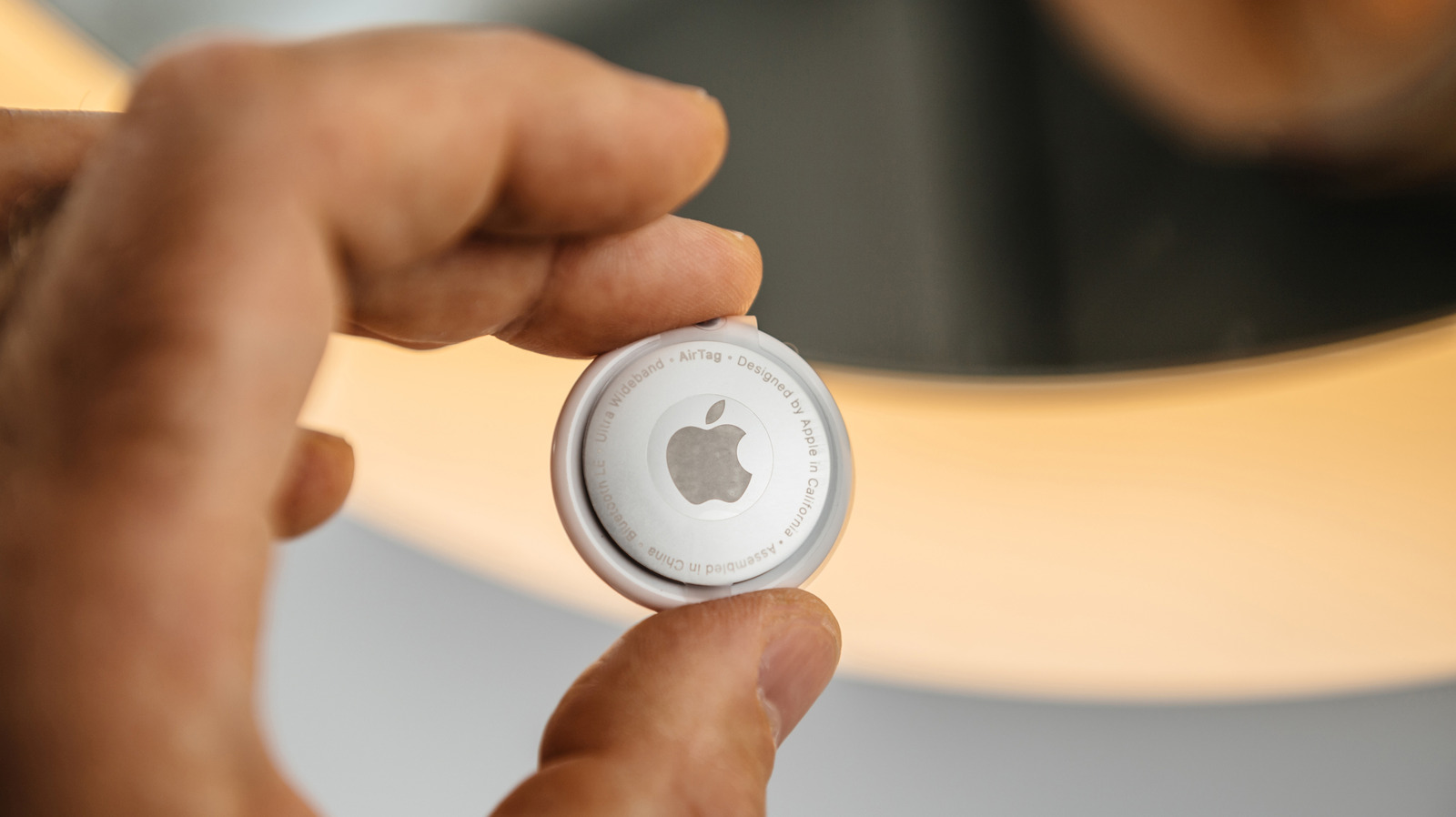
At their core, all smart trackers function similarly. They use Bluetooth for close-range tracking and communication with the paired phone, and become dependent on their tag networks once outside of the Bluetooth range. The tag network is essentially a network of devices that either have the app or the operating system of the tracker’s manufacturer. There are some differentiating factors, though. One big example of this is Ultra Wideband (UWB) technology, which is a communications protocol used by AirTags and your iPhone to offer precision tracking. When you are near your lost tracker, your iPhone can accurately guide you towards it using visual cues instead of solely relying on the beeping sound made by the tracker. This can be super handy while finding a lost tracker and your attached belongings. Unfortunately, none of the Tile trackers have UWB support.

However, as AirTag is a single product, you get only one form factor, which is essentially a circular disc-like design without any cutouts to help it attach to your keyring or other items. In comparison, Tile’s four trackers are almost all suitable for different situations. For example, the Tile Slim is suitable for wallets and other items that have narrow spaces for tracker storage, whereas the Sticker, as the name suggests, is ideal for sticking to different things, such as your TV remote, bike, and more. Finally, Tile Mate and Pro are general-purpose trackers with built-in cutouts that can go on your keyrings, in your purse or luggage, or with numerous other things.

Which should you buy?

The decision to pick between an AirTag and a Tile tracker largely comes down to the phone you own. Although the AirTag is over four years old, and several rumors point to the AirTag 2 releasing in 2025, it remains the best smart tracker for iPhone owners even today. Sure, you’ll need an accessory to attach it to your keyring; however, its biggest strength lies in its seamless connectivity with Apple products and the massive Find My network. As mentioned, the tag network is crucial for finding trackers outside of the Bluetooth range, and with access to hundreds of millions of Apple devices worldwide, Find My is the biggest tag network. The Apple AirTag also features a user-replaceable battery, support for location sharing with up to five people, and a water-resistant rating. Moreover, at $29, it’s priced well and doesn’t have any subscription plans. 

On the other hand, Tile trackers are platform-agnostic and can work with both Android and iOS. But, they don’t deliver the same level of performance because of the smaller tag network. As Google’s competing Find Hub tag network hasn’t reached the level of Apple Find My, Tile trackers are typically the best AirTag alternative for Android users. Tile trackers also have a long Bluetooth range, support for ringing your phone to find it, and multiple color options. That said, you will also have to get a subscription plan to unlock all features, which is a bummer. While the Tile Mate, Tile Slim, and Tile Sticker don’t have a user-replaceable battery, you can replace the battery on the Tile Pro.

Source

Posted on

Spotify Just Added A Wrapped-Like Feature You Can Check Every

Primakov/Shutterstock

If you’re one of the many people that enjoy looking back at your Spotify Wrapped each year, then you might be excited to learn that Spotify has launched a new feature that lets you get a roundup of your activity on the streaming service every week. It’s really easy to use and is available to both Free and Premium users in “more than 60 markets worldwide,” the company notes.

Listening stats, as the feature is being dubbed within the app, lets you easily see your top artists and your top songs from the past week. It also gives you different playlists which have been “inspired by what you love.” Additionally, Spotify says that it will even suggest tracks that you might like based on your listening history.

What’s even more interesting about the new feature, especially for those who always love sharing their Wrapped stats at the end of the year, is that you’ll also be able to easily share any of your listening stats directly with friends on Spotify or through WhatsApp, Instagram, and an assortment of other third-party apps — just like you would with Wrapped.

How to check your listening stats

As we noted above, the listening stats are rolling out to users in over 60 different markets. While Spotify hasn’t shared a definitive list, you can check the app now to see if it’s available on your account. To do so, simply click on your profile image in the Spotify app on Android or iOS, and find the Listening stats option in the list. Tap on it to bring up the stats for your past four weeks of listening, allowing you to see and share your weekly stats, as well as highlights of the stats, such as being one of the first to stream a certain song.

While this isn’t going to drastically change how anyone listens to music on Spotify — not like the arrival of lossless on Spotify did, at least — it will be nice to have even more ways to look at what you’ve been listening to and even create playlists around those stats.

The beauty of streaming apps like Spotify is you have an entire world of music at your fingertips. And Wrapped has become a big feature, too, with other companies even mimicking it to offer a look back at your year in music. However, with a new monthly and weekly Wrapped-like feature, maybe we’ll all be able to find even more music we love on the streaming giant.

Source

Posted on

We May Have Just Gotten Our First Look At Perplexity’s

Koshiro K/Shutterstock

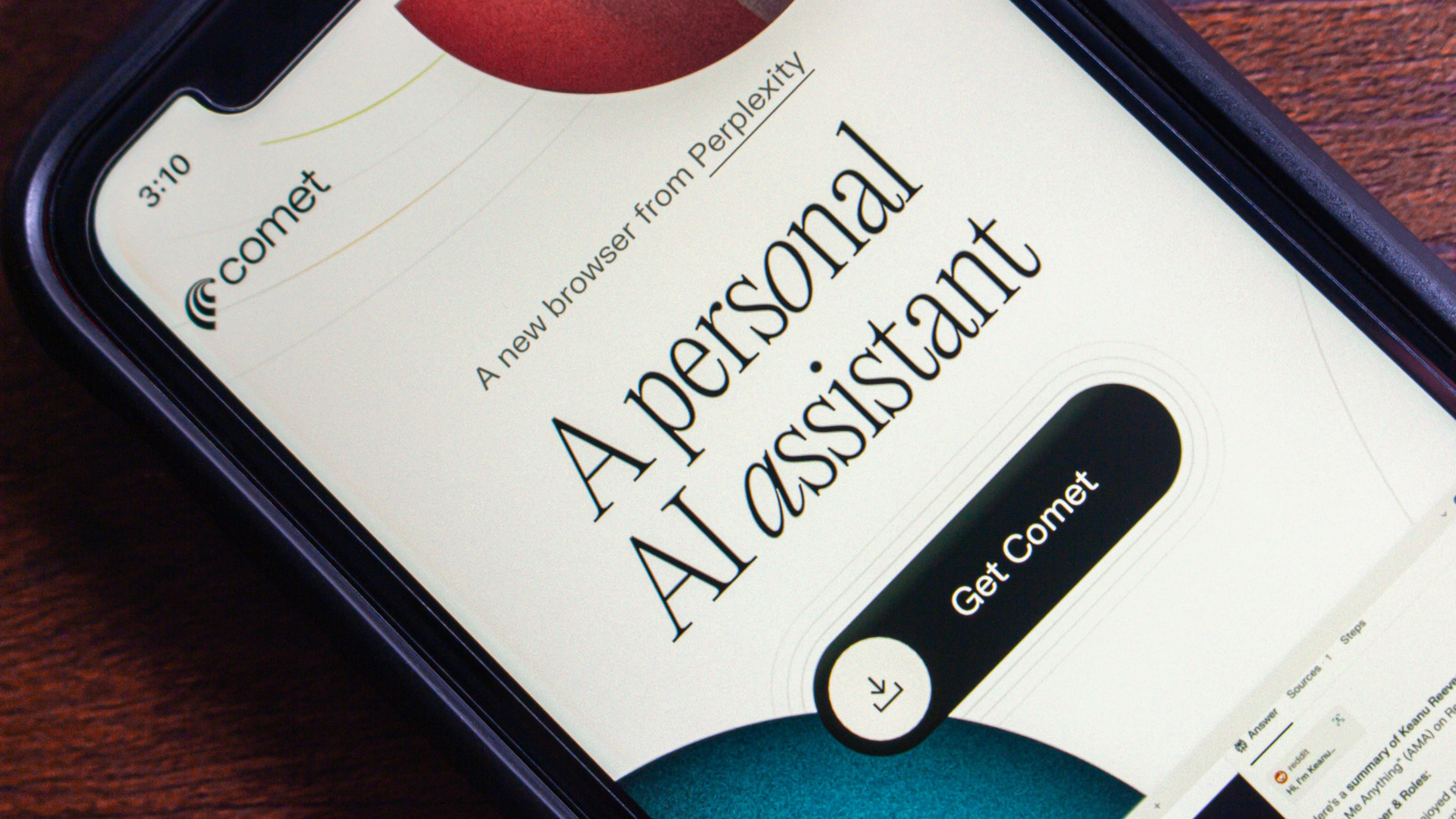
Perplexity first launched its Comet browser earlier this year, with early access via a waitlist. While the AI browser is now available to download for free, users have still been waiting for a mobile version to come out. Now, we might have gotten our first look at what a mobile version of Comet looks like, at least on Android. It’s important to preface this all by saying that Perplexity itself has not revealed any information about when to expect the mobile version of its browser on iOS and Android. However, you can currently pre-register for the Comet browser on the Google Play Store.

That, of course, doesn’t mean that the browser is actually coming soon, and there’s no telling how long Perplexity might leave it in a “beta” state before doing a wider release. The delay may not be a bad thing after all, since there are reasons you might want to stay away from using Comet – or any AI browser, for that matter. But, if you’re not concerned about those possible issues or the fact that Perplexity’s CEO wants Comet to learn everything about you, you may want to sign up for the beta release.

Perplexity starts testing Comet on Android

Mijansk786/Shutterstock

According to a video shared by X user @TheAdwaithVarma (via Android Authority), it looks like Comet’s smartphone app will feature a simplistic interface. The splash screen reads “Welcome to Comet” along with several possible prompts to get you started. There’s a chatbox at the bottom of the screen to quickly query LLMs. It also looks like there is an “Add Widgets” button, so you should be able to add different widgets to ease your workflow — though we don’t have a full look at what exactly is available.

Additionally, another post by the same user shows a welcome screen that says Slide to get started, as well as some various clock widgets and frequently-visited sites — a pretty standard layout for a browser. Perplexity originally launched Comet to its Max subscribers, so it very well could follow a similar pattern with Comet on mobile devices.

Source

Posted on

Coding Video Games With A Prompt? It Might Be Possible

Primakov/Shutterstock

“Everyone is going to be able to vibe code video games by the end of 2025,” Google’s Logan Kilpatrick tweeted on Sunday, October 26, with about two months remaining in the year. “This is going to successfully usher in the next 100M ‘developers’ with ease. So many people get excited by creating games only to be hit with C/C#/C++ and realize it’s not fun,” he continued. Kilpatrick’s tweet went viral, with many people interpreting it as a teaser for Google’s imminent Gemini 3.0 release. Some people thought Kilpatrick’s teaser contained a typo, considering 2025 is already almost over. Then again, that’s where Gemini 3.0 might shine.

Vibe coding is already possible with existing AI products. It’s a widely-used technique to create software allowing anyone to task an AI to build software for them, regardless of their coding abilities. However, Gemini 3.0 is expected to bring a feature other AI tools currently lack, and that’s support for creating user interfaces. That’s the kind of feature people without coding skills would need to make video games, as Kilpatrick teased. Before his tweet, we saw alleged Gemini 3.0 demos online, including a user’s experience with a test version of Gemini 3.0 that allowed them to create functional clones of iOS, macOS, and Windows.

While Gemini 3.0’s coding features are unconfirmed at the time of writing, there’s one more development from the weekend that coincides with the Kilpatrick’s mysterious post above. Google announced over the weekend that Gemini users can use Google AI Studio to vibe code apps — and Kilpatrick just so happens to be the lead product manager for Google AI Studio.

Google AI Studio gets vibe coding

Google said in a blog post on Sunday that it redesigned the Google AI Studio coding experience, which is available for anyone to use. You don’t have to know how to use APIs, SDKs, or AI services to make an app. Instead, a single prompt in Google AI Studio should help you create an app that can include various AI services at the core.

“AI-powered apps let you build incredible things: generate videos from a script with Veo, build powerful image editing tools with a command using Nano Banana, or create the ultimate writing app that can check your sources using Google Search,” Google said, explaining that all these capabilities can be integrated in new apps via the new vibe coding experience in Google AI Studio. The blog post makes no mention of Gemini 3.0 or any of the underlying models, but Google says AI Studio will understand what capabilities you need and will select the AI models automatically. Presumably, the experience will get better once AI Studio can employ Gemini 3.0’s capabilities.

Edit app design in Google AI Studio

The new Google AI Studio experience does offer a feature that lines up with reports that said Gemini 3.0 can clone operating systems, implying the AI will let you create user interfaces via simple text prompts. Google introduced a new Annotation Mode that lets Google AI Studio users select visual elements of the app they’re vibe coding and tell the AI how to change the UI (as seen above). Google offers the following prompt examples as instructions someone might give the AI: “‘Make this button blue,’ or ‘change the style of these cards,’ or ‘animate the image in here from the left.'”

Finally, Google says the new App Gallery has been revamped to offer users inspiration for what’s possible in Google AI Studio. They can look at existing apps vibe coded with Gemini, check out the code, and remix them into their own creations. An official YouTube playlist made by Google provides additional help for getting started with the new Google AI Studio experience.

Source