The end of the exciting college football season paved the way for new frontrunners and dark horses for 2026. For FOX Sports’ RJ Young, his way-too-early top 25 and his top 25 among his preseason Ultimate 138 CFB Rankings present teams to watch this season following their 2025 campaigns.
Both rankings feature a group of newcomers to the rankings and some teams who missed the final cut. Virginia fell off, Florida entered but No. 1 remains the same. Here’s a look at Young’s way-too-early top 25 vs. the top 25 in his 138 preseason rankings.

 RJ Young’s Way-Too-Early Top 25 (January 2026)
25.

Arizona head coach Brent Brennan returns senior quarterback Noah Fifita after the program notched its second nine-win season in three years — and its first under Brennan. Now, the Wildcats aim to make a serious run at the Big 12 championship. – RJ Young
24.


(Photo by Brian Rothmuller/Icon Sportswire via Getty Images)
–>
Entering his sixth year as USC’s head coach, Lincoln Riley returns starting quarterback Jayden Maiava, but the Trojans will be without Biletnikoff Award winner Makai Lemon, who declared for the NFL Draft, and defensive coordinator D’Anton Lynn, who left for Penn State. While a replacement for Lynn has not yet been named, proven defensive play-callers Wink Martindale and Pete Kwiatkowski are among the candidates who could step in to help Riley guide USC to its first College Football Playoff appearance. – RJ Young
23.

The Vols didn’t see their 2025 starting quarterback throw a meaningful pass until August, yet they still went 8-5 and stayed ranked all season. If Josh Heupel can develop redshirt freshman quarterback George MacIntyre or true freshman quarterback Faizon Brandon into a legitimate starter, Tennessee could surprise many in 2026. – RJ Young
22.

Virginia head coach Tony Elliott led the Cavaliers to their best season in more than 30 years in 2025. Adding former Missouri starting quarterback Beau Pribula and former Pitt starting quarterback Eli Holstein gives the Cavs experienced passers who, when healthy, could help Virginia return to the ACC title game, and perhaps even win it. – RJ Young
21.

The Mustangs have shown remarkable consistency, falling just short of an ACC title game appearance in consecutive seasons. Likely entering his final year as SMU’s starting quarterback, Kevin Jennings gives head coach Rhett Lashlee one of college football’s top passers — a valuable asset in a season where proven quarterbacks are in high demand amid heavy transfer portal movement. – RJ Young
20.


(Photo by Kevin C. Cox/Getty Images)
–>
The Tide will enter their first season without a starting quarterback recruited out of high school by Nick Saban. With Austin Mack and Keelon Russell in the mix, head coach Kalen DeBoer has two talented quarterbacks capable of competing in a preseason derby before a starter is named. – RJ Young
19.

After years as Utah’s defensive coordinator — and being considered the program’s head-coach-in-waiting — Morgan Scalley will get his first chance to lead the program. In 2025, Utah’s only two losses came against the teams that advanced to the Big 12 championship game. – RJ Young
18.

After one of the more memorable “will he or won’t he” transfer sagas of the 2026 cycle, Huskies star quarterback Demond Williams Jr. is staying put with coach Jedd Fisch retained — keeping alive Washington’s hopes for its first 10-win season since he took over in 2024. – RJ Young
17.

New Penn State head coach Matt Campbell left a Big 12 program he had built into a budding power to take over one of college football’s most storied programs. Players following Campbell, like former Iowa State players like quarterback Rocco Becht — along with unrealized talent such as former Ohio State running back James Peoples — should make Penn State competitive at the top of the Big Ten from Week 1 onward. – RJ Young
16.


(Photo by Scott W. Grau/Icon Sportswire via Getty Images)
–>
Michigan head coach Kyle Whittingham, one of the most underrated coaches in the sport, will enter 2026 leading the winningest program in college football history with a quarterback talented enough to help the Wolverines contend for the Big Ten championship. – RJ Young
15.

Missouri bolstered its roster by adding former Ole Miss quarterback Austin Simmons via the transfer portal. Simmons beat out Rebels quarterback Trinidad Chambliss for the starting job in 2025 — Chambliss eventually took over when Simmons was injured — and at Missouri, he’ll pair with one of the country’s best tailbacks, Ahmad Hardy, to give the Tigers a potent offensive duo. – RJ Young
14.

Oklahoma head coach Brent Venables kept his core intact with the return of starting quarterback John Mateer, receiver Isaiah Sategna and linebacker Kip Lewis for the 2026 season. After navigating one of the nation’s toughest schedules last year, the Sooners will be poised to contend for the SEC title. – RJ Young
13.

LSU head coach Lane Kiffin landed his quarterback of the future in former Arizona State starter Sam Leavitt, giving the Tigers a key piece for the 2026 season. With Blake Baker coordinating the defense, Kiffin’s Tigers should enter the year with every intention of earning a College Football Playoff invitation. – RJ Young
12.


(Photo by David Madison/Getty Images)
–>
The Fighting Irish are assured a spot in next season’s CFP if they finish ranked among the top-12 teams in the CFP selection committee’s 2026 rankings. The additions of former Ohio State wide receivers Quincy Porter and Mylan Graham should make Notre Dame a more formidable force in the passing game, especially following the loss of running back Jeremiyah Love to the NFL Draft. – RJ Young
11.

In the post–Diego Pavia era, head coach Clark Lea has a chance to show that his program’s success isn’t dependent on one transformational player, but on the culture that propelled Vanderbilt to its first 10-win season. – RJ Young
10.

After narrowly missing the College Football Playoff in 2025 with true freshman Bear Bachmeier at quarterback, the Cougars should feel they are only a few plays away from making their first playoff appearance. – RJ Young
9.


(Photo by CFP/Getty Images)
–>
The return of Marcel Reed for the 2026 season gives Texas A&M a quarterback talented enough to win the Heisman Trophy. – RJ Young
8.

Kirby Smart’s Georgia team learned its postseason limits with a Sugar Bowl loss to Ole Miss quarterback Trinidad Chambliss, whose improvisational play proved decisive. The Bulldogs will miss the production of wide receiver Zachariah Branch. – RJ Young
7.

The Hurricanes are coming off their best season in 24 years with an appearance in a hard-fought national title game. If Miami lands a quarterback capable of navigating through the regular season and providing service to dynamic sophomore wide receiver Malachi Toney, “The U” can win its first ACC championship in school history. – RJ Young
6.


(Photo by Dustin Markland/Getty Images)
–>
With Texas quarterback Arch Manning receiving backfield reinforcements in 2025 All–Big 12 running back Raleek Brown and former NC State running back Hollywood Smothers, the Longhorns will feature one of the fastest backfields in the SEC. – RJ Young
5.

With Trinidad Chambliss leading the offense, the Rebels have a quarterback who has proven he can not only guide the program to the CFP, but also win once there. While Chambliss’ eligibility for 2026 remains a legal question, his ability to perform at an elite level at the sport’s most important position is not. – RJ Young
4.

The addition of Brendan Sorsby gives the Red Raiders one of the most established dual-threat quarterbacks in the sport heading into 2026. After winning its first Big 12 title and making its first CFP appearance, Texas Tech has become a trendy pick to emerge as a regular in the postseason tournament. – RJ Young
3.


(Photo by Joe Robbins/Icon Sportswire via Getty Images)
–>
The Ducks fell one win short of playing for the national championship, but Oregon returns starting quarterback Dante Moore, along with one of the nation’s most talented receiving corps — led by Dakorien Moore and Evan Stewart — as the program continues inching closer to its first national title. – RJ Young
2.

The Buckeyes lost more than three dozen players to the NFL Draft or transfer portal, but Ryan Day’s program returns starting quarterback Julian Sayin and wide receiver Jeremiah Smith. While Day lost offensive coordinator and receivers coach Brian Hartline, now the South Florida coach, he retains defensive coordinator Matt Patricia, who led the nation’s top scoring defense in 2025. – RJ Young
1.


(Photo by CFP/Getty Images)
–>
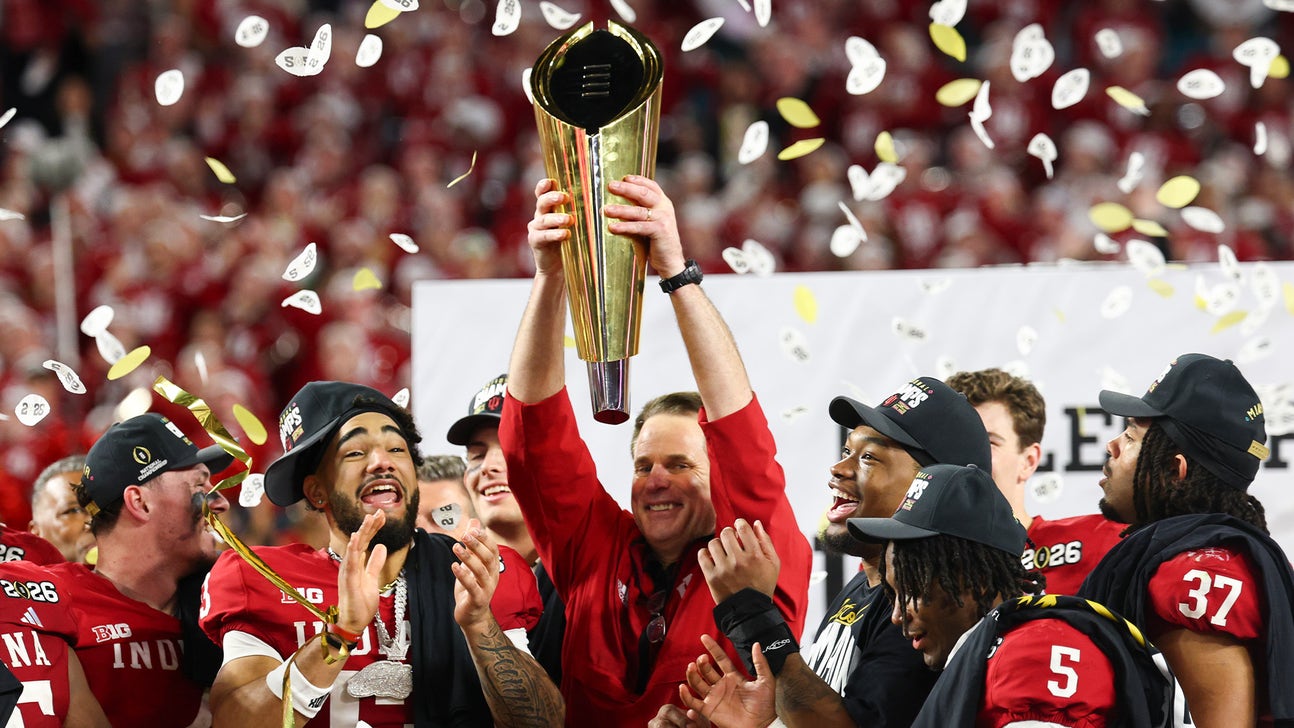
There’s no more Fernando Mendoza. No more Heisman winner. The dream of the 2025 season for Indiana is complete and now in the rearview mirror. Indiana head coach Curt Cignetti’s next task is to field a team that wins at least 11 games and earns a College Football Playoff invitation for a third consecutive season. – RJ Young
RJ Young’s 138 Top 25 (August 2026)
25.
Tennessee head coach Josh Heupel has built a program capable of staying competitive and successful in the tumultuous NIL era. But this season, he has a career backup in George MacIntyre competing with five-star phenom Faizon Brandon for the starting quarterback job. Getting this decision right could be the difference between a College Football Playoff berth and a second straight loss to — gasp — Vanderbilt.
The Vols have a tough schedule, but they also get Alabama, Texas and LSU at home this season.
Keep an eye on running back DeSean Bishop, who I think could be another Dylan Sampson. Bishop rushed for 1,076 yards and 16 touchdowns on 182 carries last season and should be a valuable weapon for whoever wins the starting quarterback job in 2026. – RJ Young
24.

(Photo by Sam Hodde/Getty Images)
–>
Utah was preparing to make Morgan Scalley their head coach in everything but name by 2026 anyway. Kyle Whittingham’s move to Michigan simply forced the timeline up. The team’s defense will once again be fierce. What remains to be seen is how good quarterback Devon Dampier can be without offensive coordinator Jason Beck calling plays and Kevin McGiven helping direct the offense.
Dampier has totaled 33 rushing touchdowns in 33 career games. With Dampier returning and 900-plus-yard tailback Wayshawn Parker next to him, I don’t see why Scalley’s Utah squad can’t challenge for the Big 12 title again in 2026.
Scalley is just the fourth head coach at Utah since 1990 and the second-straight hire made from the previous year’s coaching staff. And that’s for good reason: It ain’t broke, so they don’t fix it. – RJ Young
23.
SMU quarterback Kevin Jennings has his issues, but he’s good enough for the Mustangs to remain in this top 25 all season. Jennings led the ACC in interceptions last season (13) but also put together another season of at least 3,200 passing yards and 23 passing touchdowns.
However, losing 90% of the pass rush from what was a bad defense in 2025 is coach Rhett Lashlee’s real problem to solve in 2026.
The Mustangs have gone 22-2 over the last three years in the ACC, and now, they’ve added former five-star wide receiver Jordyn Adams, who is 26 years old and a former first-round MLB Draft pick. – RJ Young
22.

Quarterback Jaden Craig came to Fort Worth after putting together a 19-5 record as a starter and setting school records for total offense (6,074 yards) and touchdowns (52). The only issue is Craig set those marks at Harvard in the Ivy League. Proving to be as productive in a Power Four league, in the Big 12, will be the toughest challenge he’s faced as a player.
But coach Sonny Dykes has won 36 games over four years, made the Big 12 title game and reached the CFP national title game during that timeframe. I’m willing to bet he figures the 2026 Horned Frogs out. Who knows? Maybe they’ll obliterate Bill Belichick’s Tar Heels again just to make the point clear: Being Texas Christian doesn’t make it sweet. And reading their Bible don’t make it soft — it’s from the stockyards in Texas. Those men came to win.
I know that’s true because the Horned Frogs have posted back-to-back nine-win seasons and feel that both were letdowns. – RJ Young
21.
In 2025, I compared Washington quarterback Demond Williams Jr. to Kyler Murray, and he still looks every bit the dynamo. If the Huskies can develop a wide receiver as productive as Denzel Boston was one year ago, they can win double-digit games in the toughest league in the country. This also is Year 3 of the Jedd Fisch experience in Seattle, and, if his Arizona tenure taught us anything, it’s that this is the year his teams tend to break through.
Linebacker Jacob Manu is the best player on the Huskies’ defense. He has notched 241 tackles in 37 games, which ranks first among Big Ten defenders returning this season. – RJ Young
20.


(Photo by Parker S. Freedman/Getty Images)]
–>
Florida coach Jon Sumrall might have pulled off his best recruiting win by convincing prized running back Jadan Baugh to stay another year. Having a tailback who accounted for 1,380 yards from scrimmage and 10 touchdowns on a 3-9 team is impressive enough.
Sumrall has reached a conference championship game in every season of his head-coaching career. I’m betting on Sumrall’s record as a head coach and Baugh’s ability to carry the offense here. But I’m also betting on former Georgia Tech offensive coordinator Buster Faulkner — who has the most SEC name of any coach in the country — and his ability to make his offense work with transfer quarterback Aaron Philo and budding wideouts Dallas Wilson, Eric Singleton and Vernell Brown III. – RJ Young
19.

Forget Willie Fritz’s 14-11 record through his first two years in Houston. You live long enough and you cover this sport long enough, and you’ll come to realize Fritz is one of the 10 best living coaches in college football. His résumé includes two junior college national titles, two FCS national title game appearances, leading Georgia Southern to a 9-3 record in its first-ever season of FBS play, two American Conference Coach of the Year awards and all the piss-and-vinegar that comes from playing football in “The Jungle” at Pittsburg State. (If you know, you know.)
If Houston offensive coordinator Slade Nagle — football name! — and former five-star quarterback Conner Weigman can take the leap, look for the Cougars to be a force in Fritz’s Year 3 in H-town. He’s also got one of the nation’s most prolific tailbacks in his backfield in Makhi Hughes. Despite redshirting last season at Oregon, Hughes is the second-leading returning career rusher in the sport with 2,849 yards in 32 games. – RJ Young
18.
Eli Drinkwitz’s team returns the best tailback in the sport in Ahmad Hardy and one of the nation’s most intriguing transfer quarterbacks in former Ole Miss signal-caller Austin Simmons. Simmons beat out Trinidad Chambliss during the 2025 camp competition before an early season injury made way for Chambliss to take over. That alone is enough reason to believe Simmons could emerge as one of the nation’s top signal-callers in 2026.
Add in Hardy’s 1,649 rushing yards and 16 touchdowns from last season, and the Tigers have the makings of one of the SEC’s most dangerous offenses. The one concern is Hardy’s availability. He sustained a gunshot wound that could delay the start of his season, leaving Jamal Roberts to shoulder much of the workload early. – RJ Young
17.

(Photo by Justin Casterline/Getty Images)
–>
Matt Campbell brought the best of Iowa State with him to Happy Valley, building his reputation on doing more with less while turning the Cyclones into a Big 12 contender. At Penn State, he’ll get his first opportunity to do more with more. The result should be a drastic turnaround from the Nittany Lions’ disastrous 2025 season. Campbell also has the luxury of avoiding Ohio State, Indiana and Oregon in his first season.
Iowa State transfer quarterback Rocco Becht is the second-leading returning passer in the sport with 9,274 yards in 42 career games, and that experience should help ease Penn State’s transition into Matt Campbell’s first season with the Nittany Lions. – RJ Young
16.
I didn’t expect quarterback Bear Bachmeier to have a breakout season as a true freshman, nor did I expect BYU to lose to just one team — twice — in 2025. But after a 12-2 season and some recent turbulence for reigning Big 12 reigning champion Texas Tech, Kalani Sitake’s Cougars are now a solid bet to win the Big 12 title and earn a trip to the College Football Playoff.
The Cougars face Utah and TCU on the road and host Notre Dame this season. If those games are close in the fourth quarter, BYU should like its chances. The Cougars trailed by double digits in seven games last year and came back to win five of them. I expect this team will know how to finish, too.
The Big 12 conference featured just two 3,000-yard passers last year, and Bachmeier was one of them. – RJ Young
15.
Kyle Whittingham has everything he needs to reach the CFP for the first time in his career at a program that has made it three times in the last five years and won a national title just two years ago. If offensive coordinator Jason Beck can develop quarterback Bryce Underwood into the player his talent suggests, Michigan should remain one of the Big Ten’s elite teams.
That’s the good news. Now the bad.
First, the man who brought the former Utah coach to Ann Arbor, Warde Manuel, is (in)voluntarily stepping down on December 31, leaving behind a scandalous tenure. Looking to the field, Whittingham has already messed up the messaging of just how much the Wolverines’ rivalry with Ohio State means and should mean for its head coach and team.
And then, Michigan’s schedule does it no favors. Not only do the Wolverines face a top-15 Oklahoma team in Week 2, but they also take on five Big Ten teams ranked inside the top 25 — including Indiana, Oregon and Ohio State. – RJ Young
14.
Well, quarterback Brendan Sorsby certainly complicated the math on Texas Tech. Following his admission that he gambled on his own team while at Indiana, the legal wrangling that followed and his decision to forgo a fight for eligibility in 2026, the Red Raiders have been forced to move on. Backup Will Hammond is not expected to be ready for Week 1.
That means Texas Tech could open its Big 12 title defense with its third-choice quarterback — perhaps former Tulsa signal-caller Kirk Francis.
The good news for whoever starts under center is that the supporting cast remains loaded. Cam Dickey and Quinten Joyner give the Red Raiders one of the better backfields in the conference, while the defense should be as devastating this season as it was last season. Linebacker Ben Roberts is like a real Bobby Boucher tackling machine, recording 280 tackles in 40 career games, the most among returning FBS linebackers. – RJ Young
13.
Alabama head coach Kalen DeBoer will start a third different quarterback in as many years, with either Keelon Russell or Austin Mack under center. Whoever wins the job will have to build a quick rapport with wide receiver Ryan Coleman-Williams, who has the tools to be the best wide receiver in the SEC with enough accurate service. And that connection will have to come fast.
The Tide are also trying to avoid losing in Knoxville for a third straight time, while the Vols try to achieve that first since 2000.
It’s easy to forget that Alabama was the home team in the SEC championship game against Georgia, and that the Tide became the first program to win a CFP game on the road. DeBoer’s job in 2026 is to create a memorable season rather than just a few memorable moments. – RJ Young
12.

(Photo by Nick Tre. Smith/Icon Sportswire via Getty Images)
–>
Following Lane Kiffin’s departure, Ole Miss head coach Pete Golding answered questions about just how good he can be with the two biggest wins in school history — beating Tulane and Georgia to make the College Football Playoff semifinals — all while Kiffin raided the Ole Miss roster and staff. Star quarterback Trinidad Chambliss will return for a sixth season after putting together a Heisman-caliber year in 2025.
Golding will have his first chance to prove he’s a better coach than Kiffin on September 19 when LSU shows up to Vaught-Hemingway Stadium in Oxford, Mississippi. It’s not overselling it to call LSU-Ole Miss the most highly anticipated SEC game of the season. – RJ Young
11.
The Sooners barely had a run game last season but still managed to win 10 games and earn a home CFP game. If quarterback John Mateer improves his accuracy, offensive coordinator Ben Arbuckle becomes less predictable in his play-calling and head coach Brent Venables, again, fields one of the stingiest defenses in the sport, Oklahoma has a real path to the playoff.
The Sooners also have a chance to make a statement early on, traveling to Ann Arbor on September 12 to face Michigan for a second straight year. And that’s just the start: Oklahoma plays Georgia, Missouri, Texas and Florida away from home. – RJ Young
10.
Yes, head coach Lincoln Riley is great. Yes, QB Jayden Maiava is good. But Gary Patterson is one of the best defensive play-callers the sport has ever seen, and he’s running the defense at USC in 2026. That alone is enough for me to believe the Trojans can make a real run at a CFP appearance.
The more I think about this team, the more I believe the Trojans have the best offensive strategist (Riley) and defensive coordinator (Patterson) of any team in the country. That includes Indiana and Ohio State.
In order to achieve the lofty expectations I’ve set for the Trojans, they’ll have to go through Ohio State, Oregon and Indiana — or, in other words, two of the last three national champions and two of the last three Big Ten champs. Sheesh.
Fight On, or get moved on. – RJ Young
9.
Texas A&M head coach Mike Elko seems to believe most coaches in his position are one bad season away from getting fired if they don’t reach the CFP. Well, with the Aggies, he might actually have a point. The good news is that the Aggies did just that in 2025 (losing to Miami), but they also crashed out against rival Texas with a chance to make the SEC title game.
Eleven wins doesn’t mean much in College Station without one coming at the expense of the Longhorns.
That reality has to change for Elko to feel secure at the end of the season. Offensive coordinator Holmon Wiggins and quarterback Marcel Reed must take a major leap if Texas A&M is going to chase its first conference title of any kind since 1998. Reed is one of just two returning SEC quarterbacks to throw for 3,000 yards and rush for at least 550. The other is Ole Miss quarterback Trinidad Chambliss.
Ampersand U better come ready. It faces LSU, Alabama and Oklahoma — all on the road. – RJ Young
8.

(Photo by Gus Stark/LSU/University Images via Getty Images)
–>
Hoo boy! If I told you 2026 LSU looks like 2025 Texas Tech with a little seasoning, you’d probably understand what I mean: The Bayou Bengals have decided money ain’t no problem.
LSU made Lane Kiffin one of the highest-paid coaches in the sport and the highest-paid ever without a championship on his résumé. They also gave him the resources to bring in former Arizona State quarterback Sam Leavitt, Colorado offensive tackle Jordan Seaton and Ole Miss defensive end Princewill Umanmielen.
For a program that hasn’t won a national title since 2019, LSU fully looks built to change that. – RJ Young
7.
Quarterback Darian Mensah broke his contract with Duke to join the Hurricanes after leading the ACC in passing yards (3,973) and passing touchdowns (34). And he did all that while guiding the Blue Devils to a wildly improbable ACC championship on the strength of a 7-5 regular season and the most preposterous tiebreaker protocol in college football history.
Now, he must follow Cam Ward’s No. 1 overall selection after a 2024 season in Coral Gables and Carson Beck’s run to the national title game in 2025. Along with Mensah, running back Mark Fletcher and wideout Malachi Toney could give the Canes the best quarterback-running back-wide receiver trio not just in the ACC, but in the entire country. – RJ Young
6.
Notre Dame’s schedule isn’t a joke this year, but that’s only because the punchline in 2024 was Northern Illinois walking out of South Bend with a victory and depositing $1.4 million for the effort.
Coach Marcus Freeman’s Fighting Irish won’t face anything resembling a ranked opponent until October 17 against BYU, and they shouldn’t lose before then — if they lose at all. Miami is the toughest team on the schedule, and I don’t rate the Hurricanes higher than Notre Dame. But don’t let that stop you from believing Notre Dame will lose and then refuse to play in the postseason. – RJ Young
5.
Last season was coach Steve Sarkisian’s first at Texas without a 1,000-yard rusher. So he traded his running backs out. Former Arizona State running back Raleek Brown and former NC State running back Hollywood Smothers enter the fold, as well as former Auburn receiver Cam Coleman. They should help the most bankable player in the sport, Arch Manning, propel the Longhorns to what they hope will be their first national title appearance since 2009.
Just last year, Texas began the regular season ranked No. 1 and lost it after falling to Ohio State in Week 1. The Longhorns later lost to a 4-8 Florida team, which essentially ruined their chances of making the College Football Playoff.
Texas will get its shot at revenge against Ohio State, September 12 in Austin. It certainly will help that the Longhorns return edge rusher Colin Simmons, who has more career sacks (21) than any other player in the FBS. – RJ Young
4.

(Photo by Kevin C. Cox/Getty Images)
–>
The Ducks are dealing with new offensive and defensive coordinators in the same season for the first time since Dan Lanning took over as head coach, as they promoted Drew Mehringer and Chris Hampton from within. Still, Lanning returns quarterback Dante Moore, dynamite wideout Dakorien Moore — who long-jumped 24 feet, 6.5 inches (7.48 meters) at track and field’s Oregon Team Invitational just for giggles — and wide receiver Evan Stewart, who is back from injury.
Provided Oregon runs the ball and plays defense the way it did a year ago — and it should — there’s no reason the Ducks can’t win the first national championship in program history. The schedule, however, is anything but a cakewalk. Oregon must travel to USC, Ohio State and Michigan while also navigating games against a rising Boise State, a refreshed Oklahoma State and a retooled UCLA.
Returning cornerback Brandon Finney Jr. and transfer safety Koi Perich should form the backbone of one of the nation’s best secondaries. The Big Ten is Oregon’s for the taking if the Ducks’ new coordinators can coach like the last two. – RJ Young
3.
The SEC still belongs to Georgia. The Bulldogs have lost just once at home since 2019, but they still haven’t won a CFP game after earning a first-round bye in the 12-team era.
That’s why so much of this season centers on returning quarterback Gunner Stockton. If Georgia fans will be happy with Stockton becoming Stetston Bennett 2.0 — 34 total touchdowns and just five interceptions — then so be it.
Georgia fans can be forgiven if, in the course of shuffling the aisles at Walmart or waiting on an open table at Waffle House, they’ve uttered aloud, “Just, what the hell, Kirby?!” to no one in particular. This is because they’ve seen their program win back-to-back SEC titles while also watching their former starting quarterback lead Miami to the national championship game and Indiana winning the whole thing. The expectation is to become the first program since Florida’s 1993-96 run to win three straight conference championships — and then bring another national title back to Athens.
The defense should help. Safety KJ Bolden and cornerback Ellis Robinson IV look like future All-Americans. The question is whether enough pieces emerge around them in the secondary to give the Bulldogs another national championship-caliber defense. – RJ Young
2.

(Photo by CFP/Getty Images)
–>
Look, I’ve said it for two years, and I don’t mind repeating myself for a third: Ohio State wide receiver Jeremiah Smith is the best player in college football.
He should’ve had a chance to become the first two-time winner of the Biletnikoff Award for the nation’s best receiver last season, but those voters had other ideas. Regardless, the good news for Ohio State is that replacing NFL talent becomes a lot easier when the sport’s most dominant player is lining up on your side.
And if Buckeyes fans really are Viltrumite refugees temporarily stranded on Earth like in Robert Kirkman’s “Invicible,” then 2026 is the year they reclaim the throne. A win over Michigan. A Big Ten championship. A national championship. Ohio State hasn’t completed that triple crown since 2014, but the pieces are in place to make it happen.
That doesn’t mean the road will be easy. The Buckeyes must replace 11 NFL Draft picks, including three first-round selections, while also breaking in a new offensive coordinator. Arthur Smith — who came from the Pittsburgh Steelers to be Ohio State’s newest offensive coordinator — has a track record of designing physical, effective rushing attacks in the NFL, and should be a welcome addition to a ground game that struggled against Power Four competition at times last season. – RJ Young
1.
Lost in the shuffle of quarterbacks — a third new starter in as many years — and the rather exhausting list of talent and veteran leadership that departed Bloomington are a few important facts.
1. Curt Cignetti is still the head coach.
2. The best record in the sport over the last two seasons (27-2) belongs to Indiana.
3. The Hoosiers are the reigning national champions and the first team since 1894 to finish 16-0.
In the college football universe, Indiana has become the Arrakian prophecy from “Dune” personified. As Paul Atreides once said, “I’m pointing the way.” He could have been talking about Cignetti.
TCU transfer quarterback Josh Hoover is a big reason why Indiana remains as formidable in 2026 as it was during last year’s title run. The nation’s leading returning passer has thrown for 9,629 yards in just 36 career games. With Charlie Becker and Nick Marsh catching passes, the Hoosiers have the firepower to make another run at the top of the sport. – RJ Young
MORE CFB

Robert Griffin III explains if he would have stayed at Baylor in today’s CFB landscape Joel Klatt Show
 –>
–>
Source



 –>
–>  NFL Related Stories






 –>
–>
 2026 Heisman Trophy Winner Odds
 MLB Related Stories