Posted on

Russia Is Turning Cheap Attack Drones Into Recon Tools Using

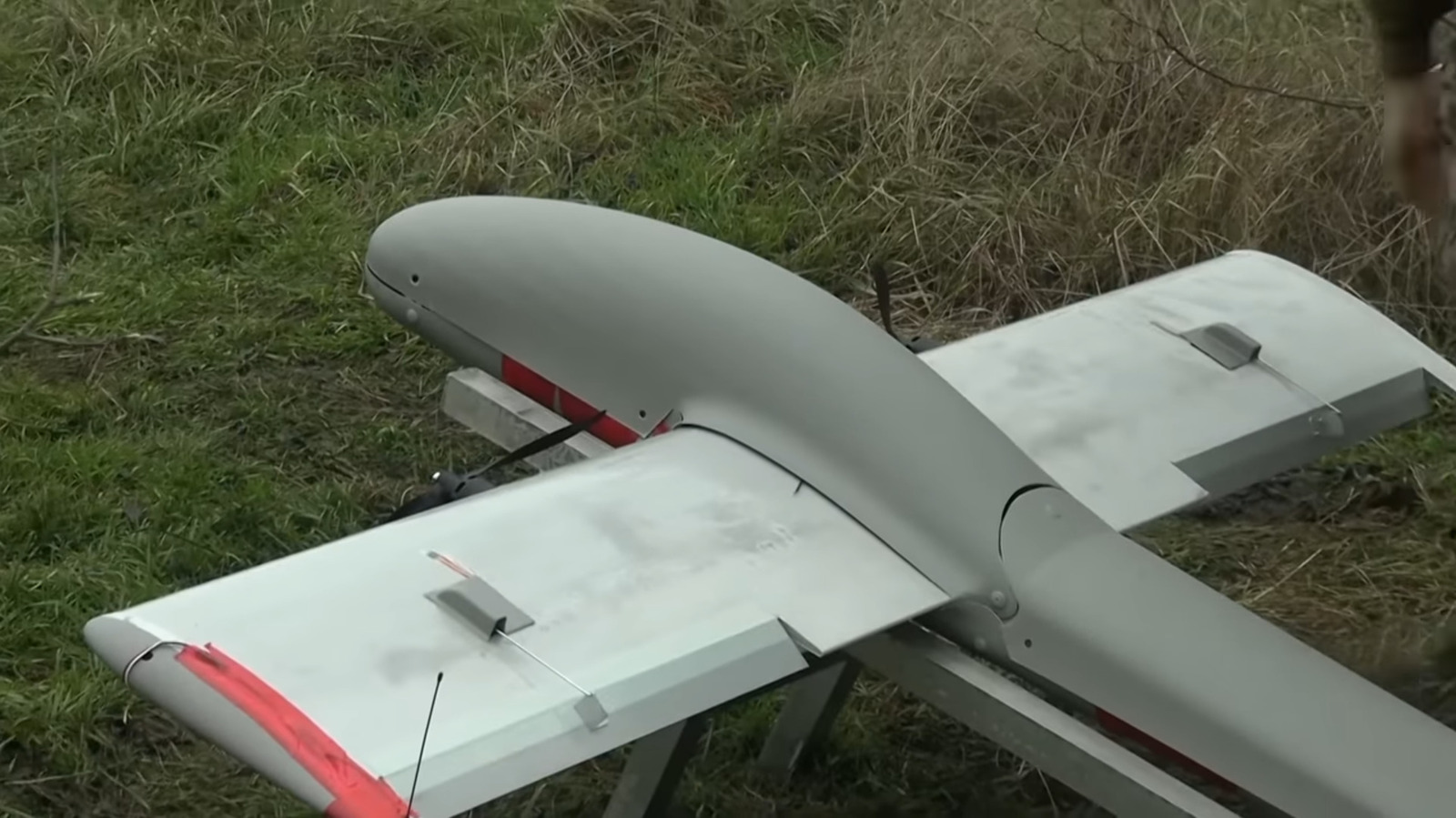
Drone warfare has become a central component of the ongoing war in Ukraine for both sides. After depleting resources via sustained conflict, Russian forces are maximizing their current inventory’s utility by repurposing or revamping drones rather than reserving them as one-off tools.

For example, there’s the Molniya drone, often made out of super lightweight materials like plywood to save battery while flying. As a result, the Molniya is being modified, with engineers removing the warhead to create the weight capacity for bigger batteries and advanced cameras. Since December 2025, these modified versions are called the Molniya-2R and house some surprisingly sophisticated components optimizing their reconnaissance.

According to the worldwide equipment guide provided by OE Data Integration Network (ODIN), these drones are now packing entire mini PCs onboard to control them. More specifically, a Chinese Mini PC F8 running Windows 11 and Raspberry Pi 5 are being connected to the drone, making it one of the weirder Raspberry Pi projects out there. A 10x zoom optical camera with three-axis stabilization replaces the warhead. ODIN also details that these drones are using Starlink, Elon Musk’s satellite internet service, to send video back to base. There’s still a version of the Molniya 2 that uses the warhead, which is aimed at tanks, trenches, and fortified positions.

Russia and Ukraine innovate for war

A soldier shown holding a drone pre-deployment seeasign/Shutterstock

Russia’s evolution of the Molniya drone is a direct response to low-cost drones from both sides, largely defining the long-standing conflict. Ukraine’s air-to-air Sting interceptor, for instance, reportedly took down an entire Russian drone armed with an air-to-air missile. With so many methods preventing Russia from launching effective strikes, Putin’s people have had to increase the volume of drones per strike. Compared with 2025, Russian attacks on Ukrainian port infrastructure have increased more than 10-fold, Oleksiy Kuleba, Ukraine’s Deputy Prime Minister, reports.

Defenses have evolved quickly, and Russia has been testing other types of drones in recent weeks. A report out of Metro TV on YouTube shows a new handheld drone interceptor. Shot like a pistol, the $500 Yolka fires an interceptor drone at rapid speeds, but much of its underlying tech hasn’t been disclosed. 

In comparison, Ukraine is developing unmanned ground robots and a points-based system that rewards drones for confirmed battlefield actions. Verified battlefield strikes with drones or destroying targets will net points that can be spent on additional gear. The Ministry of Defence of Ukraine has reported that in 2025, the points system was associated with over 800,000 Russian targets being hit.

Source

Posted on

3 Everyday Problems A 3D Printer Actually Solves

Man programming 3D printer Stenko Vlad/Shutterstock

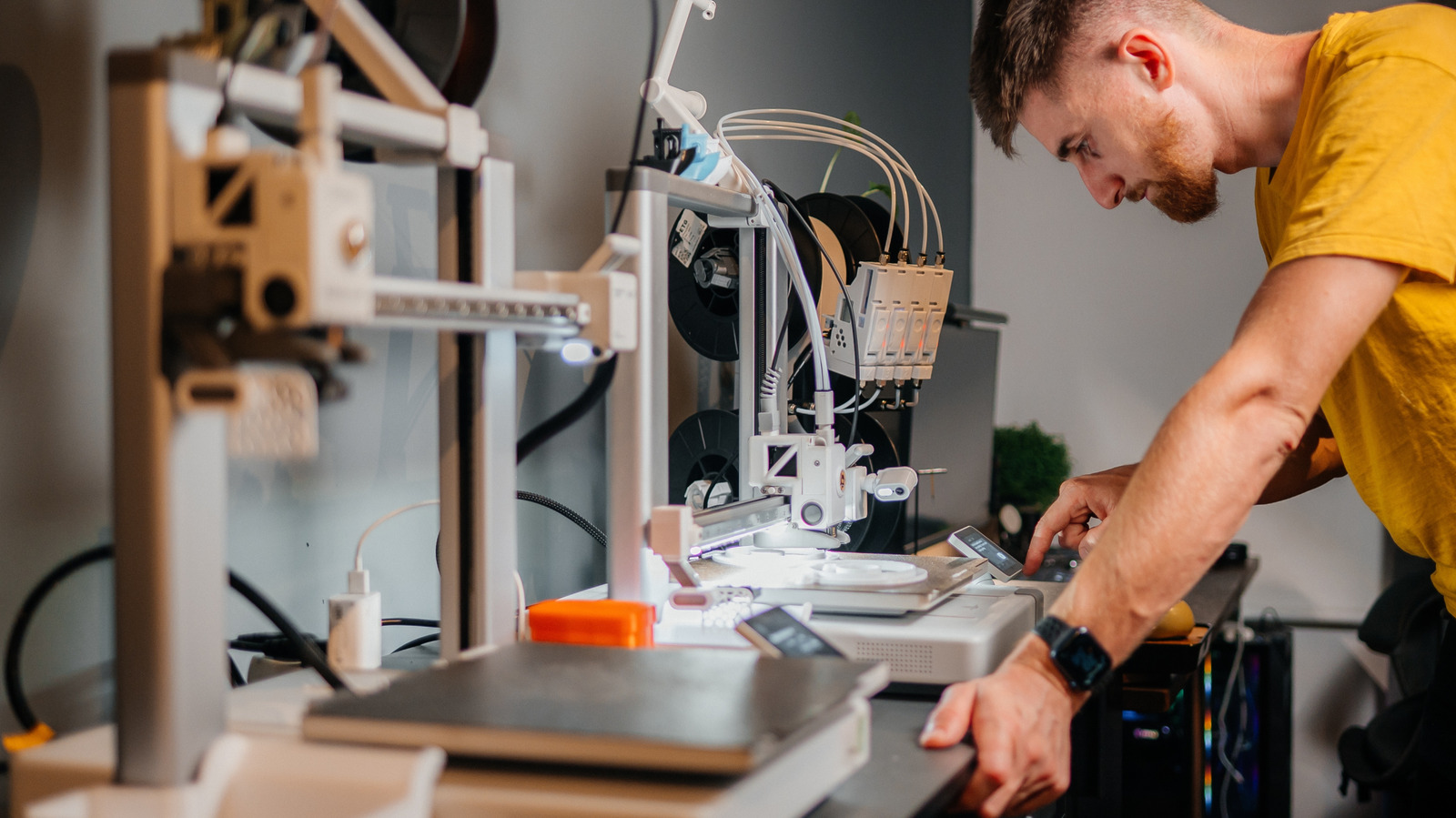
Although 3D printing equipment is widely available to consumers now, you could be forgiven if you assume 3D printing is nevertheless a niche hobby. What you might not realize is that exploring this technology can serve many practical benefits. With a 3D printer, you can generate various items that solve everyday problems.

Yes, the initial cost of a 3D printer may require an investment. However, in the long run, being able to 3D print certain useful items could eventually save you a lot of money. The more you experiment with different types of creations, the more comfortable you’ll feel with the process, perhaps reaching a stage where you feel ready to flex some creative muscle by generating more customized and unique designs. In the meantime, using a 3D printer to create basic household items is a smart way to get started with this technology.

Be aware that you can download designs for these types of items via sites and platforms like Printables. You don’t need any initial design skills or experience to get started. Of course, once you’ve had more practice, coming up with your own designs could level up your 3D printing game.

A 3D printer allows you to create many different types of cable organizers

Close-up of cable management system Wirestock/Getty Images

In our tech-heavy age, odds are good you’ve got more than a few unruly cables and connections running through corners of your home. Finding a way to keep them organized will reduce clutter and make the space more aesthetically appealing. While there are several gadgets you can buy to solve the problem of cable clutter, with a 3D printer, you can also find no shortage of designs for cable organizers that you can 3D print yourself.

These designs come in a range of options. Some consist of basic clips that hold cables together so your cable runs can be more streamlined. Others serve to help you keep USB cords and other small cables compact and portable for easy travel. The various designs available also tend to be geared to cables of specific sizes, so it’s important to explore your options to find which design is right for you. If you’re tired of looking at a mess of cables bundled up around your electronics, a 3D printer can effectively solve the problem.

With a 3D printer, you can save money on spare parts and repair services

3D printer creating generic mechanical part Gleitfrosch/Getty Images

Obviously, there are some types of items you shouldn’t create with a 3D printer unless you’re experienced enough to genuinely know that what you’re creating is safe and reliable. If a car part is failing, you shouldn’t try to save money on repair bills by printing a replacement yourself. That said, there are many types of spare parts for common items that you could reasonably create with a 3D printer. And yes, in plenty of cases, you could avoid spending money on unnecessary repairs thanks to 3D printing solutions.

The types of spare parts and related items you might generate with a 3D printer can depend on your needs. For example, it’s easy to find plenty of downloadable 3D printer designs for screws, bolts, and door hinges, as well as holders for different sizes of drill bits, gears for mechanical tools, and much more. Along with saving you money, these types of 3D printer projects let you generate items efficiently in your own home, instead of requiring you to go to a store or buy them online. This can help you save time as well as money.

You’ll never lose small items with the right 3D printer projects

Keys mounted on key hook New Africa/Shutterstock

There are quite a few household items you might be prone to misplacing due to their size and portability. Perhaps you can never remember where you put your keys. Maybe you struggle to find the remote control from time to time. The same could be said for your eyeglasses, wallet, phone, and any other such items.

A 3D printer can solve this problem too. Again, all you have to do is perform a relevant search on a 3D printer design platform, and you can find designs for key hooks, remote control holders, phone and wallet organizers, and other designs meant to help you stay organized.

Just remember that, if you’re in the market for a 3D printer, not all 3D printing equipment is created equal. You should do your research to make sure you’re buying a 3D printer that’s reliable. It’s also worth noting that, while many projects can offer genuine value, there are some 3D printer projects that are a waste of time. Look into what is and isn’t worth 3D printing to avoid spending time and resources on projects that don’t truly serve your needs.

Remember, 3D printing is both an art and a science. It takes practice to create complex, multi-part projects with this technology. However, as the ideas here indicate, if you’re willing to try some basic projects first, you’ll quickly learn how 3D printing can make your life much easier.

Source

Posted on

Older AMD Graphics Cards Are Getting A Major Upgrade For

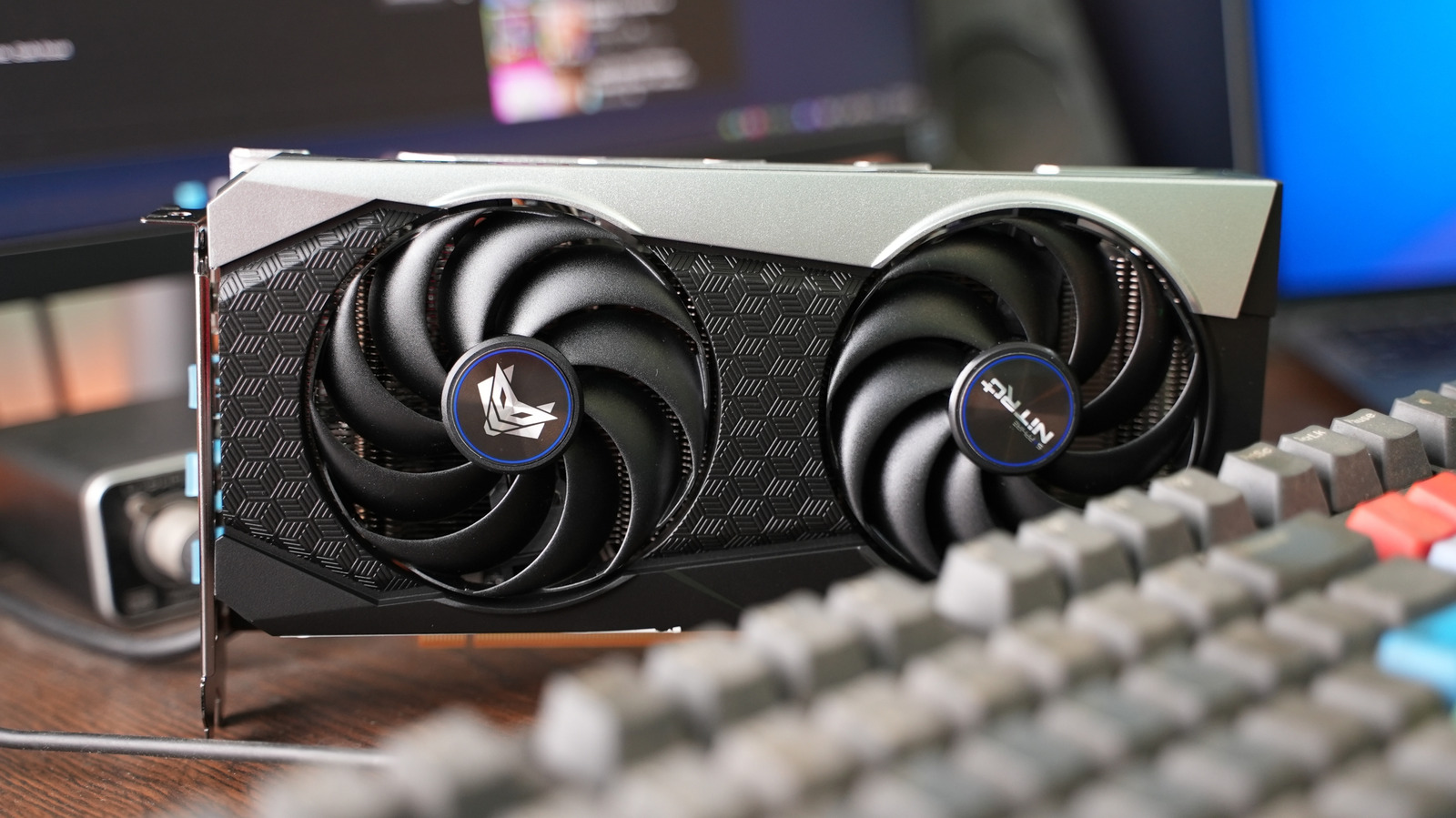
An AMD RX 6000-model graphics card sits on a desk behind a mechanical keyboard Yasin Hasan/Shutterstock

If you’re still rocking an older AMD graphics card, the company is bringing an update that may breathe some new life into it. Considering 2026 is becoming an incredibly expensive year for tech, some users may be holding onto graphics for far longer than they care to admit. However, AMD is bringing AI-backed features to older components that have been available in the company’s most recent GPUs and cards.

Announced in a tweet on X by Senior Vice President and General Manager Jack Huynh, FidelityFX Super Resolution 4 (FSR 4) will be arriving for the RDNA 3 architectures in the summer, and RDNA 2 users can expect the feature to arrive in early 2027. Though a certain leak may have spoiled the surprise, this can still be rather exciting news for those with older tech, as FSR 4 was originally only available on the RDNA 4 architecture. Additionally, FSR also recently received its own performance improvements.

FSR 4 is a machine learning algorithm that upscales images in real time. Essentially, it helps deliver smoother gameplay and more refined visuals. The first update for FSR came back in March 2026, though it was only available for RX 9000 graphics cards at the time. FSR 4.1 improves upon FSR 4 by offering better distance retention, improved particle effects, and clearer, less smeared images. With this update, certain AMD GPUs may no longer be something you need to consider replacing in 2026.

AMD brings AI upscaling to older cards

A closeup of a the AMD logo as it appears on a smartphone, the background has several numbers within a colorful spreadsheet Poetra.RH/Shutterstock

If you’re running an AMD RX 7000-series graphics card, expect an FSR update sometime in July 2026. For those using cards in the RX 6000 series, expect to see FSR sometime in “early 2027.” For Radeon 7000 users, over 300 games will be supported at launch, including titles like “Forza Horizon 6” and “Cyberpunk 2077.” While this is likely good news for many, some may already know it’s been a long time coming from AMD.

Interestingly, this new update may have been accelerated by the gaming community, which gained access to the FSR 4 source code through a leak in August 2025. Users discovered that the company had actually been building code that allowed the AI upscaler to work with older cards. Thanks to the leak, users were able to run FSR 4 on older cards, which may have prompted AMD to act. What likely made bringing FSR 4 to other devices so difficult is that the upscaler relies on tech available specifically within the RDNA 4’s AI accelerators.

This is also great news for Steam Deck owners, as the device will gain FSR 4.1 when the RDNA 2 update is released. While users running cards in the RX 6000 range will have to wait until the summer, it’s still great to see a company go back and update older hardware for players. However, if you’re looking to speed up an aging graphics card, we know just the app for it.

Source

Posted on

High-Tech Thieves Can Steal Your Car Without Keys (Or Breaking

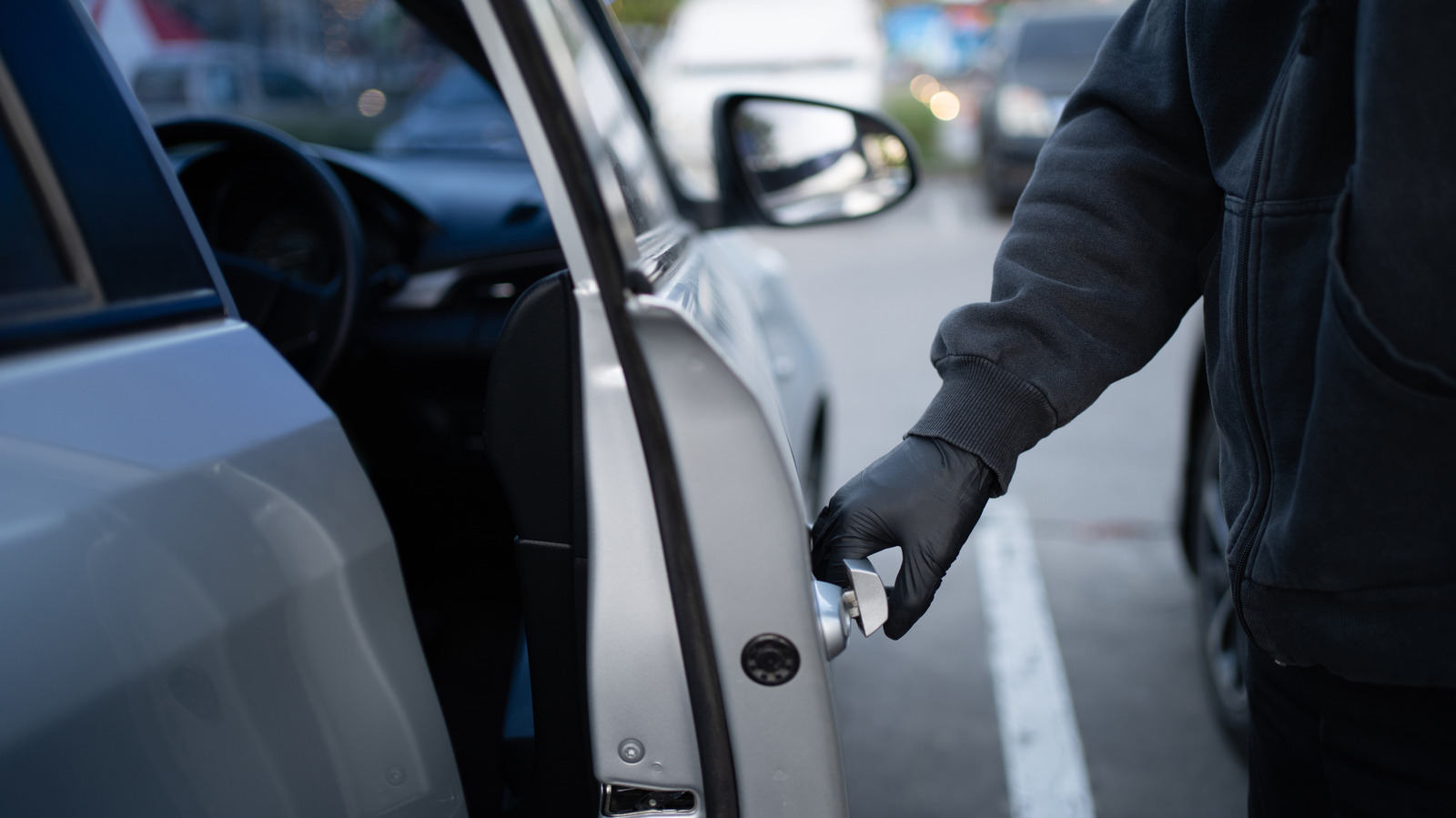
Gloved and hooded thief entering a vehicle by opening the door. Phira Phonruewiangphing/Getty Images

Parts of the plot in “Gone in 60 Seconds” might be nonsensical and about as over-the-top as it gets, but the title is a bit telling. High-tech thieves, operating a car theft operation in several states, actually have a method to steal cars in less than a minute without keys, breaking windows, or hot wiring. Instead, they use an electronic device akin to an OBD-II scanner from Autel, interfacing with the vehicle’s computer to program a blank key fob.

This information was made available when Jeanine Pirro, the U.S. Attorney for the District of Columbia, publicly announced a 15-count federal indictment of the thieves (via KATV). These crews operated in Maryland, Pennsylvania, and Washington D.C., stealing a wide variety of vehicles to sell on international black markets. They targeted high-end sports cars like Corvettes and Camaros, as well as incredibly popular vehicles too, like the Honda Civic.

What’s most interesting about this method is that there aren’t many protections available against such a thing. Wrapping your car keys with aluminum foil might prevent thieves trying to steal your car when you use your regular key fob, through something called relay theft, but the Autel tool method is easily available and allows thieves to create their own access keys. Once the vehicles are successfully stolen, they disable the GPS, Bluetooth, or tracking tech, swap the license plates, and eventually, ship them via transport carriers at compromised ports.

What kind of tool are the thieves using, exactly?

Technician using a tablet car scanning tool to diagnose issues. AimurK/Shutterstock

This “Autel” tool sounds like something out of a James Bond flick, but it’s a car diagnostic scanner, a common tool for vehicle troubleshooting and repairs. They’re super helpful if you’re doing any repairs yourself. They plug into a standard port available in nearly all vehicles called the OBD-II or OBD2 port and come in a wide variety of designs, from handheld devices to tablets with more advanced features.

Generally, you use them to read error and information codes shared by the vehicle’s computer to figure out when a part or major system has malfunctioned. They can also do things like clear those codes, reset or interact with other systems, like checking or testing emissions systems, and much more. Autel’s devices, particularly the MaxilM series, like the MaxiIM IM508S and IM608 II include key programming functions for modern vehicles, which is helpful for locksmiths, mechanics, and dealerships.

The thieves are merely repurposing legitimate tools and technologies to steal vehicles. Despite several news outlets inaccurately referring to the tool simply as an “Autel,” that’s just one brand. There are many other companies that make tools like this, including Innova and Foxwell. The method is undoubtedly smart and sophisticated, and the speed with which the thieves can do it all is frightening. Blink and your car’s gone. But in reality this is not some super high-level hack or specialized device. Autel’s MaxilM series can be purchased at various retailers for up to $1,400.

Some EVs don’t have OBD2 ports

Airtag being slipped into the pocket of a bag and concealed. Backyardproduction/Getty Images

Some EVs don’t have a traditional OBD2 port. They might still have a diagnostic port that’s similar, for use with scanning tools, but the ODB2 standard was originally created to address emissions systems and emissions checks. Since EVs don’t produce emissions, there’s really no need for such a port. That could potentially be why there are several EVs that are the least likely to be stolen in the U.S., alongside their robust security systems. EVs without the standardized port would be immune to these types of attacks until tools are made to interface with them.

If your car does have an OBD2 port, there may not be much in the way of defense, but you can still protect your vehicle with a relatively accessible gadget. Install or place a GPS tracking device separately from what might be offered by the manufacturer or integrated into the vehicle’s systems. Colorado police went as far as to hand out Apple AirTags to combat car thefts in their local area.

Tile trackers also work — and were also given away by police. They allow resourceful users to trace and identify their vehicles in the event they’re stolen. These tracking tools are quite small, so they’re easy to conceal or hide inside the vehicle. You can’t stop the theft, but you can ensure your vehicle stays safe after the fact, and that it’s easily located, provided the thieves don’t find and dispose of the tags.

Source

Posted on

David Harbour’s Stranger Things Follow-Up Series On HBO Max Is

After nearly a decade of playing Jim Hopper in Netflix’s hugely successful “Stranger Things,” and also starting his tenure as Alexei Shostakov, aka Red Guardian, in the Marvel Cinematic Universe (“Black Widow,” “What If…,” “Thunderbolts*,” and “Marvel Zombies”) during the same time, David Harbour has surprised fans this spring with a completely different role in a dark comedy and murder mystery limited series streaming on HBO Max. Harbour plays Floyd Smernitch in Steve Conrad’s seven-episode “DTF St. Louis,” a massive pivot from playing characters who are there to help save the day (especially in “Stranger Things”) or provide some comic relief (in Marvel’s movies and TV shows).

Unlike Hopper and Shostakov, Smernitch isn’t an action character. He’s a middle-aged man, working at a TV station in St. Louis, and living in an unhappy marriage. Harbour’s Floyd dies early in the “DTF St. Louis” show, which is what may be expected from some murder mysteries. This isn’t a spoiler for the popular HBO Max series, as the character’s death is revealed from the start of the official trailer (below). Conrad, who wrote and directed the series, wants the audience to know who the victim is as early as possible, so the guessing game can start.

The synopsis of “DTF St. Louis” offers the same spoiler, adding an extra detail that should spice up the story further. HBO described the show as “a limited series about a love triangle between three adults experiencing middle-age malaise that leads to one of them ending up dead.” In other words, Harbour is just one of the show’s big stars.

A stellar cast

Trying to figure out who killed Harbour’s character is all the more fun considering the love triangle detail, and especially given the rest of the cast of “DTF St. Louis.” Harbour stars opposite Jason Bateman (“Ozark,” “Black Rabbit”), who plays Clark Forrest, a weatherman and friend of Floyd. Linda Cardellini (“Hawkeye,” “No Good Deed”) plays Floyd’s wife, Carol Love-Smernitch. Clark and Carol end up having an affair, so they’ll be the main suspects for the untimely death of Harbour’s character, both for the audience and the cops investigating the murder in the show. Richard Jenkins and Joy Sunday play the investigators who will try to solve this puzzle before you do. Peter Sarsgaard and Chris Perfetti round out the amazing cast of “DTF St. Louis.”

As fans might have guessed, the seven episodes of “DTF St. Louis” aren’t linear, considering Harbour’s character dies in the first episode. Conrad’s story will explore the characters at various points in time throughout the series, as the murder mystery gets closer to revealing who killed Floyd. Cardellini said as much in an interview with Reuters ahead of the show’s premiere, teasing that what’s fascinating about “DTF St. Louis” is “how Steve Conrad has drawn these characters and put them in a timeline that is not very linear.” The actress added that the show is “an exploration of people looking for connection,” not just a murder mystery, echoing Harbour’s comments to Reuters about “DTF St. Louis.” “Underneath it, there’s a deeply human sort of need for connection and friendship,” Harbour said.

One of the best new HBO Max shows to watch

“What the superpower of the show is is that everybody is so sort of human and open that it’s so cringy to watch how sweet and decent these people are trying to incorporate a little bit of a spicier lane into their life,” Jason Bateman said on “Jimmy Kimmel Live” about the show. “It’s something we all kind of think about, but these sweet ding-dongs, they go for it, and it’s not comfortable.” Later in the same interview, Jimmy Kimmel pointed out to Bateman that he was talking about the dark comedy as if the actor wasn’t in “DTF St. Louis” and he was admiring a production he wished he starred in.

It’s not just the stars of “DTF St. Louis” that have praised the show. Critics’ reviews averaged 88% on Rotten Tomatoes, while the IMDb average rating is at 7.2 out of 10. The average IMDb rating for the seven episodes is 7.5 out of 10. The March 1 “DTF St. Louis” premiere drew in 2.5 million viewers between HBO and HBO Max in the first three days, according to Variety. Warner Bros. said in mid-April that the series finale of “DTF St. Louis” registered 3.5 million viewers in the U.S. in the first three days. Episodes averaged 6.5 million viewers, seeing continued growth, as of mid-April 2026.

“DTF St. Louis” was the second most-watched HBO Max TV series following its premiere, topping the charts by March 10, 2026. About a month later, the show was number three globally on HBO Max, dropping to number five globally by late April. The continued interest in “DTF St. Louis,” and the praise from the actors and reviewers should make the limited series a fun murder mystery to binge.

Source

Posted on

5 Things A Garmin Watch Can Do That Apple Watch

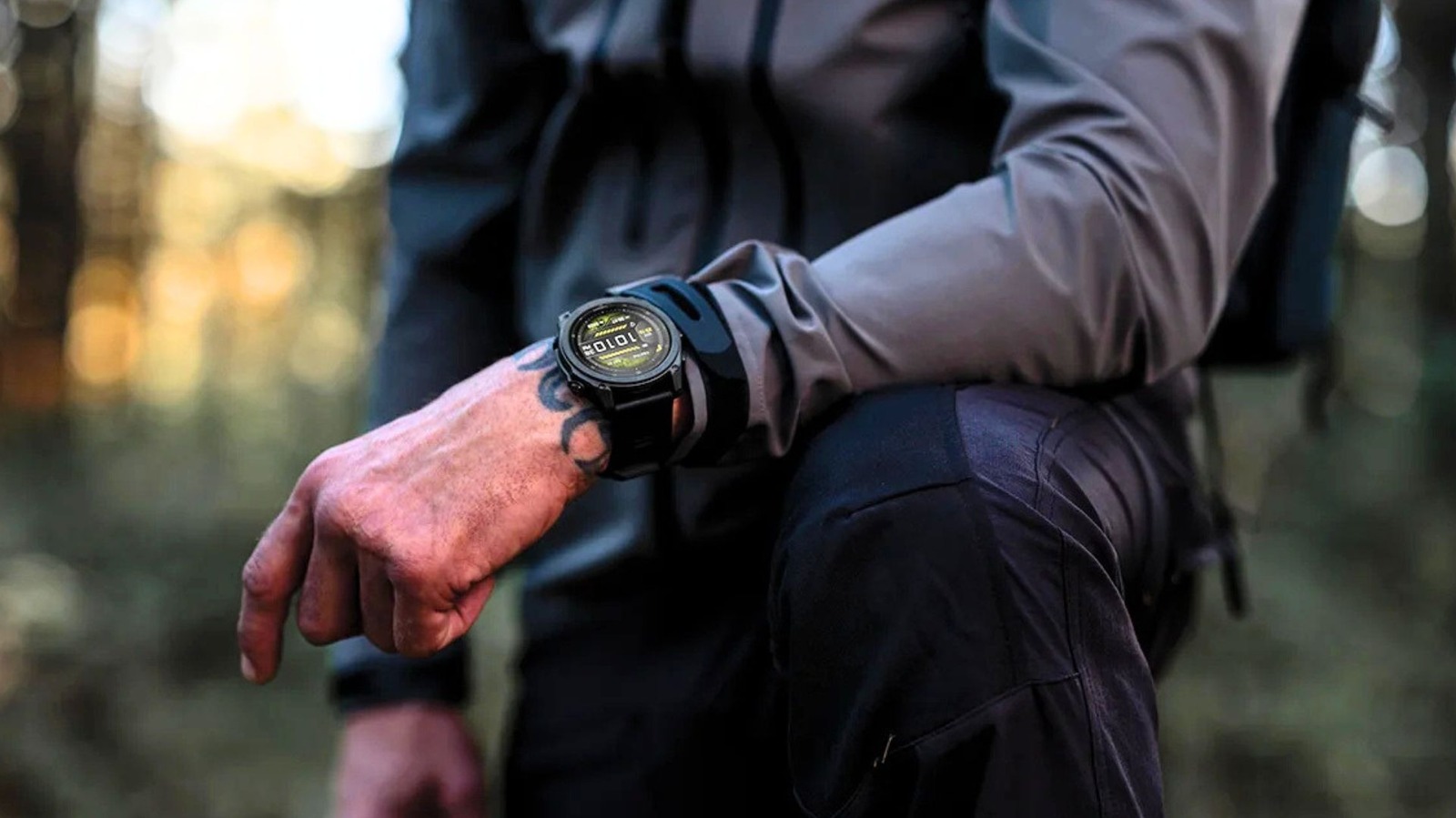
The Apple Watch is the most popular smartwatch around, as reported by Counterpoint. It perfectly integrates with the iPhone and AirPods and has three different lineups that serve different audiences. Still, runners, hikers, and swimmers sometimes prefer to have a Garmin watch. Part of the reason is the things a Garmin watch can do that an Apple Watch can’t, such as offering solar charging, a full button navigation, and even measuring more specific health metrics.

Truth be told, the Garmin experience has been available for more than two decades, while the Apple Watch recently hit its first 10-year anniversary, so the former is more established in the market. The first Garmin smartwatch, the Forerunner 201 was released in 2003. Since then, the company released more than 40 versions of the watch, with some of the latest versions including an OLED display, light titanium bezels, and a battery as durable as the product as a whole.

A Garmin watch can offer athletes much more than an Apple Watch, and it might be one of the reasons why these smartwatches are still so popular among sports enthusiasts. These features are what make some users ignore that Apple has been responsible for making smartwatches a lot more mainstream thanks to the Apple Watch design, different band customizations, and Watch Faces.

Solar charging

Garmin offers 10 watch models with solar charging capabilities, like the Fenix, Forerunner, Instinct, Edge, and Enduro. While the battery in Garmin watches is already known for lasting a long time, you can extend its duration by months with solar charging — or even never have to use its USB charging cable.

These smartwatches have a semitransparent layer of solar cells on the display that converts direct sunlight into electricity to power your watch. With that, you can take more out of outdoor activities like running and cycling while seeing your watch gain charge instead of losing it.

Select Garmin watches feature a solar intensity widget, which shows the amount of sunlight it received. They’re made with panels that are easy to read in direct sunlight without a backlight. The company even claims that leaving a watch with a dead battery in the sun can make it turn back on. Models like the Garmin Edge 840 Solar also show new metrics for cycling called “ride gained,” which show you can get 20 extra minutes of battery life for every hour of riding with solar charging.

Measure specific health metrics

New Garmin Watch Garmin Fenix 8 kovop/Shutterstock

Data nerds have gotten a lot of new health metrics with the Apple Watch in the past few years, especially with the latest watchOS 26 software update. However, Apple Watch users need apps like Gentler Streak to get a balanced, visual understanding of their health data, or use The Outsiders to learn more about their readiness for the day.

Garmin, on the other hand, is an all-in-one solution for athletes with features like Training Readiness, Body Battery, HRV Status, Load Reports, and Structured Workout Modes. For example, Training Readiness brings a single score calculated every morning that synthesizes sleep, recovery time, training load, HRV, and stress to tell if you should go for a Personal Best or just rest and recovery. Body Battery, on the other hand, is a real-time fuel gauge for your body, and it shows the hidden costs of stressful meetings, an evening glass of wine, or a tough workout.

HRV Status compares your overnight Heart Rate Variability against your two-week baseline. For the Apple Watch, users need once again to rely on third-party apps to analyze that information. In contrast, the Load Reports feature measures your last seven days of effort, categorizing activities between base, tempo, and sprints. Apple’s Training Load is more focused on helping you prevent injury, ignoring the type of physiological stress.

Impressive battery life

Garmin Venu smartwatch Nguyenducquang/Getty Images

Apple promises an all-day battery life for Apple Watches. The latest models have improved a lot, with the battery on the Series 11 lasting up to 24 hours and on the Apple Watch Ultra 3 lasting a maximum of 42 hours. In Low Power Mode, that time is extended to 38 hours and 72 hours, respectively. Garmin watches, however, last for several days, with some models lasting weeks or more thanks to solar charging.

For example, lifestyle Garmin models like the Venu 5 or Epix 3 feature AMOLED displays. Garmin says these watches can last from 10 to 16 days, while Always-On Display can make them last for up to a week. With GPS Tracking, however, this time window is limited between 15 and 30 hours. The standard models like the Fenix 8 and Forerunner 975 have more generous batteries thanks to the microLED display; they can last from 14 to 28 days, while solar models can push to over 40 days if you spend a few hours outside every day.

The ultra tier, which includes the Enduro 2 or Instinct 2X Solar, is perfect for ultramarathons or expeditions, as they can last up to 46 days or longer if you get enough sun daily. Some features drain more battery and can decrease that duration significantly, like multi-band GPS, music streaming, or nonstop blood oxygen tracking rather than limiting it to bedtime.

Full button navigation

A man with a Garmin Forerunner 970 KaterynaSypailova/Shutterstock

How Garmin prioritizes physical button navigation compared to Apple’s touch-control focus is another big difference between brands. While some of the latest Garmin watches, like the Fenix 8 or Forerunner 975, feature touchscreen capabilities, they’re made with physical buttons in mind, especially if you practice a sport that might leave your hands wet or covered in chalk, affecting touchscreen responsiveness.

All Garmins feature a five-button layout that allows users to go for a zero-look navigation through muscle memory. Most of them perform one action if you press them and another when you hold the button. For example, the top left button is the backlight or flashlight, while the secondary action, when held, is Controls Menu. The center button on the left is used to scroll up, while holding that button opens Main Settings and Watch Face options.

With that, during a high-intensity run or cycling course, these physical buttons can provide a click confirmation a touchscreen can’t match. For example, if you stop at a red light while cycling, you just have to press a button to pause, while Apple Watch users will have to swipe right and then tap the pause button — don’t ask me how many times I accidentally ended up a workout by doing that.

Built-in LED flashlight

Some Garmin watches come with a flashlight. While its competitor Apple Watch models can light up their display to be used as a flashlight, it’s not as fancy (or dedicated) as Garmin’s LED flashlight, which you can find on models like Descent, Enduro, and Fenix.

Garmin says the built-in flashlight is ideal for outdoor night activities or just lighting up low-light environments at home. Since the flashlight features actual LED lights on the front of the watch, it’s a more straightforward experience than having your Apple Watch lighting up on the side of your wrist.

Some other watches offer red or green light as well to be less disruptive to your eyes at night. The flashlight can also be used in different brightness levels. That said, this is yet another useful feature you never knew you needed until going for a really early run, stumbling on a dark room, or, god forbid, hiking a mountain after sunset.

Source

Posted on

Why Do Rockets Perform A Rolling Motion After Launch?

Rocket launching from Kennedy Space Center launch platform Joe Raedle/Getty Images

Launching rockets into space is no easy task. Engineers and scientists need to ensure the vessels have enough thrust and fuel to escape Earth’s gravity. To achieve this feat, rockets launch at curved trajectories to take advantage of the Earth’s gravitational pull. Rolling is another trick rockets use to stay on course.

A rolling motion, alternatively known as a roll program, stems from the rotational movements all flying vessels, including rockets and airplanes, use to navigate. Every movement involves curving one of three axes, and these movements are known as the roll, yaw, and pitch. In airplane terms, a roll occurs when the lift in one wing is higher than the other and makes the plane, well, roll. The rear horizontal tail rudder controls the pitch and uses it to adjust elevation. Meanwhile, the vertical rudder controls the yaw, turning the plane horizontally. While rockets lack wings and rudders, their roll, yaw, and pitch still determine their trajectories, which is where the rolling motion comes into play.

Rockets perform a slow, controlled roll while in flight because it technically removes the roll from the navigation equation. If and when pilots need to change the horizontal angle of their trajectory relative to north (the azimuth), they only need to worry about the rocket’s pitch after rolling. This also saves on fuel, as having to make any mid-flight corrections would use more.

How do rockets perform a roll maneuver?

As previously stated, pilots can control the roll, yaw, and pitch of an airplane with its wings and rudders. However, rockets don’t have any of these components. So, how do astronauts start a rocket rolling to begin with? How can they control pitch to change azimuth? It all comes down to fins and thrusters.

One way rockets generate and control roll movement is through auxiliary thrusters. These boosters are placed on the sides of the rocket and don’t face the same direction. Because their thrusts aren’t parallel (sometimes they even oppose one another), the net force of the auxiliary engines produces a roll. More advanced rockets secure engines to gimbals, which are pivoted support mechanisms that let attached objects rotate around an axis. You often see gimbals used to stabilize cameras — the DJI RS 4 Mini is one such gimbal. When rocket engines are gimbaled, they can rotate on their own to produce a roll.

Many rockets also have specialized rear fins that are hinged to “deflect” relative to the natural airflow, which produces their own lift. Since this lift is perpendicular to the rocket’s trajectory, it makes the fins, and thus the rocket, roll. To maximize this passive roll movement, all rear rocket fins are deflected in the same direction. While advances in stabilization technology have diminished the importance of these fins, they were a critical part of early rocket designs.

Source

Posted on

Android Auto’s New Update Will Change How You Use Your

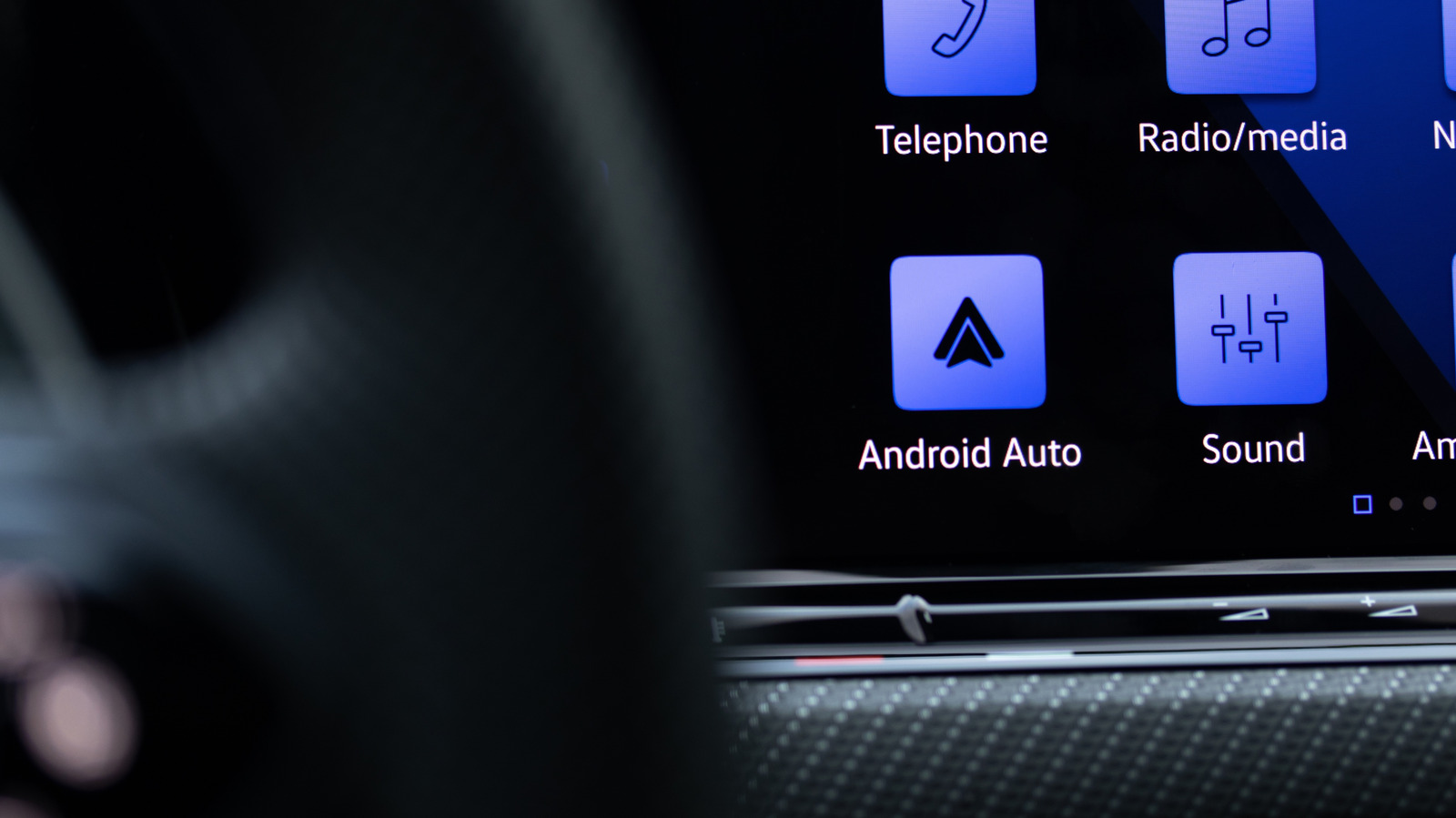
Android Auto icon closeup on the dashboard display of a luxury vehicle. The Bold Bureau/Shutterstock

If you’re a big Android Auto user, you’ll be happy to know Google has announced that the platform is getting a huge update with a host of feature changes and a complete visual overhaul. Google Maps is a part of that refresh, with some more stylish and user-friendly app upgrades — it’s the biggest Maps update in a long time. That’s big news, because Google Maps is easily one of the most essential Android Auto apps.

The change you’ll notice most is Google’s Material 3 Expressive design, which itself is an update to the company’s Material Design 3 or “Material You” design philosophy. The biggest difference with Google’s latest design initiative is an emphasis on animations, which the company says fosters “more usable and engaging products with emotion-driven UX (user experience).” For Android Auto, that means new, visually-appealing fonts, snappier animations with added flair, and updated visual components like wallpapers from the Android phone experience.

Another major visual change comes with how the updated Android Auto adapts to the shape of your vehicle’s screen. The platform has supported landscape, portrait, ultrawide, and even circular screen layouts for years, but the experience wasn’t always perfect. Now, Android Auto uses more of the available display area across irregular screen shapes. 

Home screen widgets have also arrived and work like Android widgets, giving you important information at a glance and quick access to your most used apps. On Auto, that includes your favorite contacts, garage door controls, traffic and weather information, and more. It’s part of a concerted effort to make Android Auto better — several EV car brands saw a hugely helpful Android Auto upgrade before this. While the meatier development of this latest update is tied to the visual improvements and enhanced user experience, it’s not the only major change.

What else does this Android Auto update add?

Beyond the visual overhaul, there are several other enhancements to explore in this update. Google says these new features will roll out in batches, with some of the features coming “soon” and others not being available until “later this year.”

HD video playback through Android Auto will begin rolling out later this year in the YouTube app. When parked, you’ll be able to watch YouTube videos at 60 fps on compatible vehicle displays. If you put your car in drive, videos will automatically swap to audio-only so you can listen safely. Alongside that, Dolby Atmos support is coming soon along with visual updates to the Spotify and YouTube Music apps. Immersive maps for Google Maps will also start showing up, with details like 3D buildings and highlights for lanes, traffic lights, stop signs, and more.

For those who use Gemini, you’ll be happy to hear Google is adding improved Gemini Intelligence to Android Auto with this update, too. Sure, there are already some clever ways to use Gemini on Android Auto, but this update expands its capabilities. It “doesn’t just look and sound great,” but also “has a more helpful Gemini” to get stuff done, according to Google.

If your friends or family send a text that asks a question or requires specific info, Gemini’s new “Magic Cue” feature will be able to find relevant information in other text messages, emails, or calendar events and then offer to send a reply. That way, you keep your focus on the road while taking advantage of a smarter, more contextually aware assistant to do other tasks. Lastly, you’ll even be able to use Gemini to order dinner on the ride home or perform other tasks within select apps thanks to improved agentic capabilities.

Source

Posted on

Kindle Users Will Miss Out On This Cool New Bluetooth

We may receive a commission on purchases made from links.

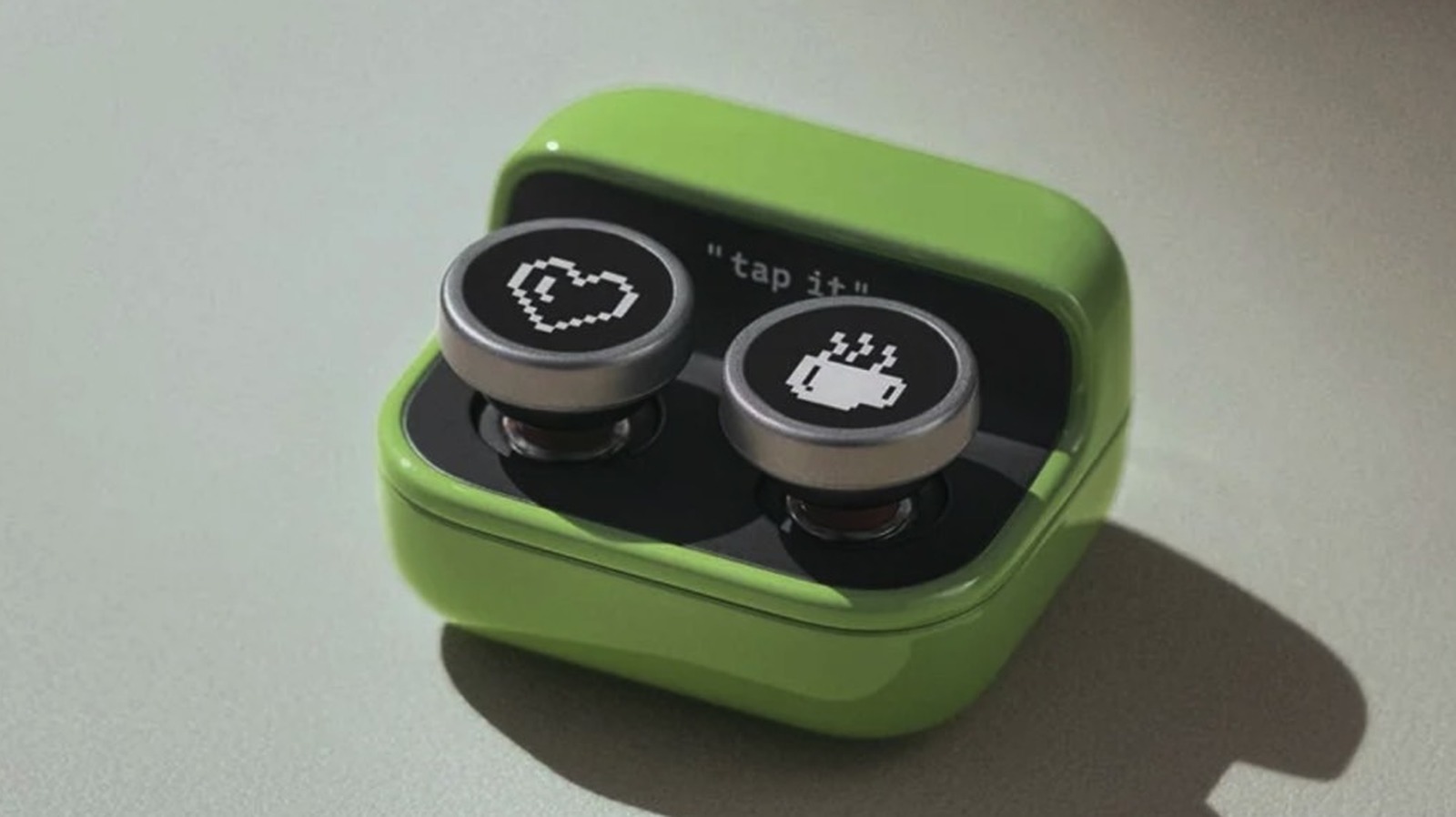
E-reader maker Onyx Boox is at it again with the Boox Tappy, an e-reader remote control that lets users turn pages and scroll content over Bluetooth, rather than interacting with the device’s touchscreen or page-turn buttons. Tappy can work with a variety of devices, including several Boox e-readers, but it won’t support Kindles regardless of how recent the model is. That’s because the Kindles that support Bluetooth connectivity can only use the wireless connection for audio features.

Announced in early May, the Boox Tappy can be purchased for $25.99 from Boox or $29.99 on Amazon. Boox says the page turner works with Note Air5 C, Palma 2 Pro, and other Boox devices running Firmware V4.2 and supporting Bluetooth connectivity. The Tappy also includes a pair of spare buttons, allowing its appearance to be somewhat customized, but it’s unclear whether spare buttons are sold separately.

While Bluetooth page-turn devices like Tappy can’t pair with Kindles, there is one exception that Kindle users can take advantage of. Tappy can connect with smartphones and tablets that support Amazon’s Kindle app for iOS/iPadOS and Android. That’s how users can get the Tappy clicker to work when consuming Kindle content without touching the e-reader. Tappy may work with other non-Boox devices that support Bluetooth remote controls, though consumers should ensure device compatibility before purchase.

How Tappy helps you read books

The Tappy accessory may appeal to e-book readers who don’t hold the e-reader in their hands while consuming content. Maybe they use a stand on a desk or a bedside mount to hold the device in place, so reaching for it to turn pages isn’t convenient. Boox says the Tappy also comes in handy for staying warm under the covers when reading. You won’t have to move your arm to turn the page once Tappy is connected to the reading device. Tappy is easy to use with one hand, weighing about 29 g and measuring 43 by 37 by 25 mm. 

A simple button press will turn pages when the gadget is in Reading Mode. Tappy supports additional modes, and holding both buttons for about five seconds lets the user switch between Reading Mode, Browsing Mode, and Multimedia Mode. In Browsing Mode, the remote lets users scroll up and down through vertical content that may extend over multiple pages, while Multimedia Mode lets users control music and audiobook playback. Boox notes that users will be able to customize controls on Boox devices. For example, double-click or long-press gestures are available and can be assigned to other tasks, such as refreshing the content, taking screenshots, and adjusting the light.

The device features long battery life, offering weeks of use on a single charge, and recharges via USB-C. The gadget also features an indicator light that shows whether the device is paired with the e-reader and whether the battery is running low.

Are there any page-turn devices for Kindles?

Tappy is a similar accessory to the Kobo Remote, a Bluetooth page turner launched in late 2025 for Kobo e-readers and other devices, but it also does not work with Kindle readers. The SK SYUKUYU is an alternative for Kindle users: a Bluetooth remote that comes with an accessory to attach to the Kindle screen to turn pages. The remote doesn’t connect directly to the Kindle, even though the e-reader supports Bluetooth. That product costs $23.99 on Amazon as of this writing. That said, some buyers may prefer the Boox Tappy’s design to these alternatives.

While Amazon added Bluetooth functionality to Kindle devices in 2016, the company limits its use to audio, including accessibility features. Accessories like Tappy can’t connect to any Kindle model that supports Bluetooth unless Amazon releases a software update to enable this functionality. Kindle users who want to use the Tappy gadget can pair the device with an iPhone, iPad, or Android device and run the Kindle app, which supports Bluetooth remotes.

Source

Posted on

Google Just Redesigned Emojis In Android 17 – Here’s What’s

Google hosted The Android Show: I/O Edition 2026 on Tuesday, a livestream on YouTube where the company unveiled some of the new features coming to Android 17 this year ahead of next week’s big Google I/O 2026 event. Google also announced a few major AI features coming to Android 17, including Gemini Intelligence, Gemini in Chrome support for Android, and a Rambler feature for Gboard that uses AI to turn conversational speech into a clear message. Gboard is also the home of emojis, a critical part of modern communication. But Google decided the emojis in Android 17 needed a visual refresh and unveiled an interesting redesign.

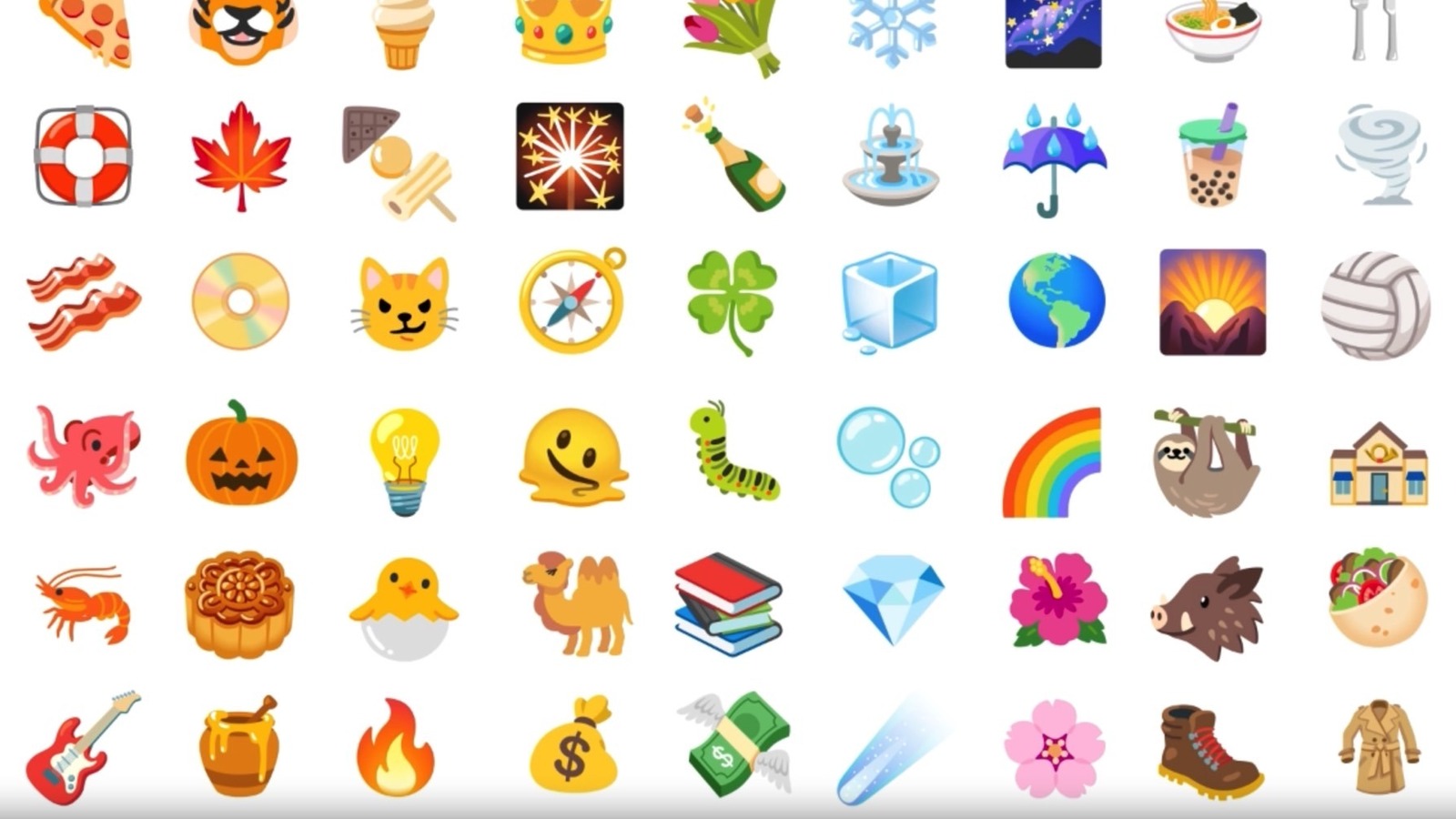
Android 17 will introduce a new emoji design language called Noto 3D. As the name implies, emojis will get a 3D upgrade. The new emojis should look better than the previous Noto versions, based on the examples Google showed during the livestream and online. Google said in a press release the 3D emojis will bring “a touch of physicality” to chats, suggesting it sees the redesign as more expressive. “It’s the difference between a message received and a presence felt,” Google explained.

The images above and below show the same set of emojis, as shared by Google, allowing users to compare the current designs (image above) to the Noto 3D upgrade (image below). You can easily notice more vibrant colors that pop in the following screenshot, as well as the depth effect thanks to the use of light and shadows. 

When will 3D emojis be available?

Google said that it has refined nearly 4,000 emojis by hand “to be richer, more delightful, and more true to how you can actually express yourself.” However, Android users will have to wait use them. Google said during the event the new emojis are coming later this year, starting with Pixel devices. That suggests Google will roll out the new design once the first stable version of Android 17 is released. The software should be available later this summer.

It’s likely the Pixel 11 series, also expected this summer, will support the new emojis, as well as several older Pixel generations that will get the Android 17 update. Other vendors may support the new Google emojis inside specific Google apps. The company did say that the Gboard keyboard app, YouTube, and Gmail will support the Noto 3D emojis. However, some vendors may have their own emoji designs for new and existing smartphones. Also, non-Pixel devices won’t get the Android 17 update as the same time as Pixels. That means some Android users will have to wait longer for the Android 17 upgrade and the Noto 3D emojis.

Finally, when the Noto 3D emoji set rolls out, it may introduce several new emojis. The Emoji 17.0 set, which should roll out in early September, will contain 163 new emojis when accounting for all possible skin tone and gender combinations.

Source