Posted on

A Michael Bay-Directed Commercial Launched One Of The ’90s’ Biggest

Director Michael Bay standing in front of a theater in Austin, Texas. Julia Beverly/Getty Images

As a longtime director, Michael Bay has one of the more impressive resumes you’ll find in Hollywood. From “Bad Boys” and “The Rock” to the entire “Transformers” cinematic franchise, Bay has had a hand in bringing some of the more exciting and action-packed films to the big screen. In fact, there’s even an ongoing debate about how much money the damage depicted in Michael Bay movies would cost in real life, and that figure is probably well into the trillions by now.

What’s less well-known, however, is that Bay had a pivotal role in launching one of the more iconic ad campaigns in history. Before making the jump to movies, Bay cut his teeth as a director of music videos and commercials. And back in 1993, Bay was the man who filmed the very first “Got Milk” TV ad. In doing so, Bay helped launch an award-winning ad campaign that lasted for over two decades.

In an interview with GQ a few years ago, Bay discussed how the iconic “Got Milk” ad came to be. Interestingly enough, Bay wasn’t entirely thrilled about the project when it was first offered to him. Looking back, Bay said that filming a commercial for milk, of all things, simply wasn’t that exciting. Bay, however, agreed to do the project. And impressively, Bay managed to make a commercial for milk engaging, funny, and more importantly, memorable. If you’re old enough to remember the commercial airing, you’ll likely recall it being a huge topic of conversation at the time.

A closer look at the iconic commercial

Still from iconic California Milk Processor Board

The ad is titled “Got Milk: Aaron Burr” and it’s basically a comedic piece. The commercial starts off with a man making a peanut butter sandwich while listening to the radio. Based on the decor in his room, it’s abundantly clear that he is a history buff. As he listens to the radio, we learn that there’s an on-air trivia contest. If a listener can say who shot Alexander Hamilton, they’ll win a $10,000 cash prize. As the camera pans around the room, we learn that the man has a painting of Hamilton getting shot by Aaron Burr. And while that piece of trivia may be well known today thanks to the success of the musical “Hamilton,” it wasn’t exactly common knowledge back in the early ’90s.

Anyhow, the man is eating his peanut butter sandwich when the phone rings. It’s the radio station. He now has the chance to win $10,000 cash. The problem, though, is that he’s mid-bite. His mouth is filled with peanut butter and is impossibly dry. He tries to shout “Aaron Burr,” but it’s all in vain as the radio host can’t make out what he’s saying. He tries to drink a glass of milk to wash down the peanut butter but his glass is essentially empty. He desperately needs more milk but there’s none to be found. Time runs out and he misses out on a chance to win the prize.

Then the screen cuts to the title card “Got Milk?” And from there, the era of the “Got Milk” ad campaign began. The original “Got Milk” ad directed by Bay won the Grand Prix Clio for Commercial of the Year.

Source

Posted on

5 Of The Best Subscription Discounts For Students In 2026

A girl sitting at a desk in a lecture hall with other students in the background behind her Skynesher/Getty Images

We may receive a commission on purchases made from links.

Student life comes with a lot of expenses, so if you’re in college, you’re probably on the lookout for ways to save money. For those who are living on their own for the first time, college is an important time to learn about managing finances and living on a budget. Fortunately, there are plenty of deals offered exclusively to students, including many on subscriptions you may already have.

Some of these discounts only require a student email address (one that ends in “.edu”), while others require additional verification. That’s often done through SheerID, a platform that confirms whether you’re eligible for things like student, military, or senior discounts using sources like university registrar offices and, when necessary, document review.

If you’re looking for more student discounts, there are websites like Unidays, Student Beans, and ID.me that compile deals on things like clothes, travel, and tech. If you’re looking to save on subscriptions, here are five notable deals covering a range of categories from food to software.

Amazon Prime

Close up of hands holding an Amazon box Veja/Shutterstock

With over 200 million members, Amazon Prime is the second biggest subscription service in the world, surpassed only by Netflix. An Amazon Prime membership comes with hidden perks many users aren’t aware of, as well as the obvious benefits like free shipping and Prime Video. However, at $14.99/month ($139/year), it isn’t cheap. That’s why Amazon Prime for Young Adults (formerly called Amazon Prime Student) is such a great deal at $7.49/month (50% off). If you’re an older student, don’t be fooled by the name. While all young adults ages 18 to 24 can access the deal regardless of college enrollment status, it’s also open to students regardless of age who verify their status through Amazon.

An Amazon Prime for Young Adults membership starts with a six-month free trial. After that, you’ll be charged $7.49/month for as long as you’re eligible. For students, that’s until graduation or a maximum of four years (the trial period included); for those who join via age verification, the discount ends once you reach 25. Once your eligibility ends, your membership will transition to a standard one unless you cancel it.

Hulu

A lot of streaming services offer discounts for students, including Max, Spotify, and YouTube Premium, but of them, Hulu has easily the best deal. You can get Hulu (With Ads) for just $1.99/month for as long as you’re a student, which represents a whopping 83% discount. That student price has remained the same despite last year’s Disney+ and Hulu price increase, sweetening an already great deal that gives you access to shows like “The Bear” and “Only Murders in the Building.”

To get the student price, you’ll have to verify your enrollment through SheerID. From there, your status will be automatically re-verified annually, reverting to regular price once you’ve graduated or left school. You also don’t need to make a new account for this, as you can apply the deal to an existing one. The only downside is that you’ll have to watch ads, but that’s a small sacrifice for such a steep discount at a time when streaming services are getting more expensive.

Squarespace

A smartphone laying on a laptop with the Squarespace logo. ChristianLphoto/Shutterstock

As with streaming services, students can get some great discounts on software and online services, too. Microsoft even offers various perks to stop students from buying a MacBook Neo, as well as discounts on Microsoft 365 and hardware. Students can also get Adobe Creative Cloud at a steep discount. However, while these deals are good, there are smart money alternatives to Adobe Creative Cloud and Microsoft Office, and you may be able to get these through your school if they’re required for coursework or communication.

That’s why we’re highlighting Squarespace as the best software deal for students. The website-building platform offers 50% off your first year, which is verified through Student Beans and can be applied to any plan. That probably won’t last the entirety of your college experience, but consider when you’ll actually need it. Squarespace is ideal for recent and soon-to-be graduates who need to put together a website or portfolio to assist in their job search, so even just one year at half off is a solid deal.

DoorDash

Close up of a smartphone on the store page for DoorDash, with the company logo in white on a red background behind it. Charles-McClintock Wilson/Shutterstock

Ordering food is a staple of student life, whether you’re sharing a pizza with new friends or shoveling lo mein into your mouth while you cram for exams. There are more options than ever, but delivery gets expensive fast. If you order out a lot, subscribing to DoorDash can help you save money with free delivery and other discounts. That’s usually $9.99/month ($96/year), but there’s also a Student DashPass Plan at $4.99/month ($48/year), a discount of 50%.

DashPass comes with benefits beyond $0 delivery and other discounts. Members who order through DoorDash but pick it up themselves can earn 5% back in credits, as well as up to four discounted Lyft rides a month. If you’re in the mood for something fancy, DashPass benefits also apply to Caviar, a DoorDash-owned service that positions itself as an upscale alternative to other delivery apps. If you frequently order delivery, DashPass will pay for itself in just a couple of orders a month, especially at that student price.

Headspace

While it isn’t a household name like the other subscriptions listed, Headspace addresses the serious subject of mental health. It’s far too easy to neglect your own wellbeing when juggling the demands of student life, which is why a mindfulness app like this one can be a huge help. Headspace is designed to help users relax, get better sleep, and practice mindfulness with resources like guided meditations, focus music, and expert advice on subjects like managing anxiety and improving personal relationships.

Headspace’s Student Plan is just $9.99/year, an 83% discount from its usual price of $69.99/year. As with other deals, this is verified through SheerID and checked annually. Making this offer even better is that the savings don’t end right after you leave school. If your enrollment can’t be re-verified and you don’t cancel, you’ll be given a special alumni subscription discount of 40% off one year of regular-priced membership.

Methodology

Four college students standing on campus looking at a closed brown book and a closed blue folder Daniel De La Hoz/Getty Images

The subscriptions listed here were selected based on the discount offered and relevance to the average student. For example, there are great deals from retailers like Costco and Sam’s Club, as well as meal kit boxes like HelloFresh, but many students have limited access to transportation and kitchens. Finally, we only considered deals without age restrictions and focused on ones that last for as long as you’re a student rather than free trials or short-term discounts, making an exception for Squarespace as explained in its entry.

Source

Posted on

Your Amazon Fire TV Stick Remote’s Home Button Is Hiding

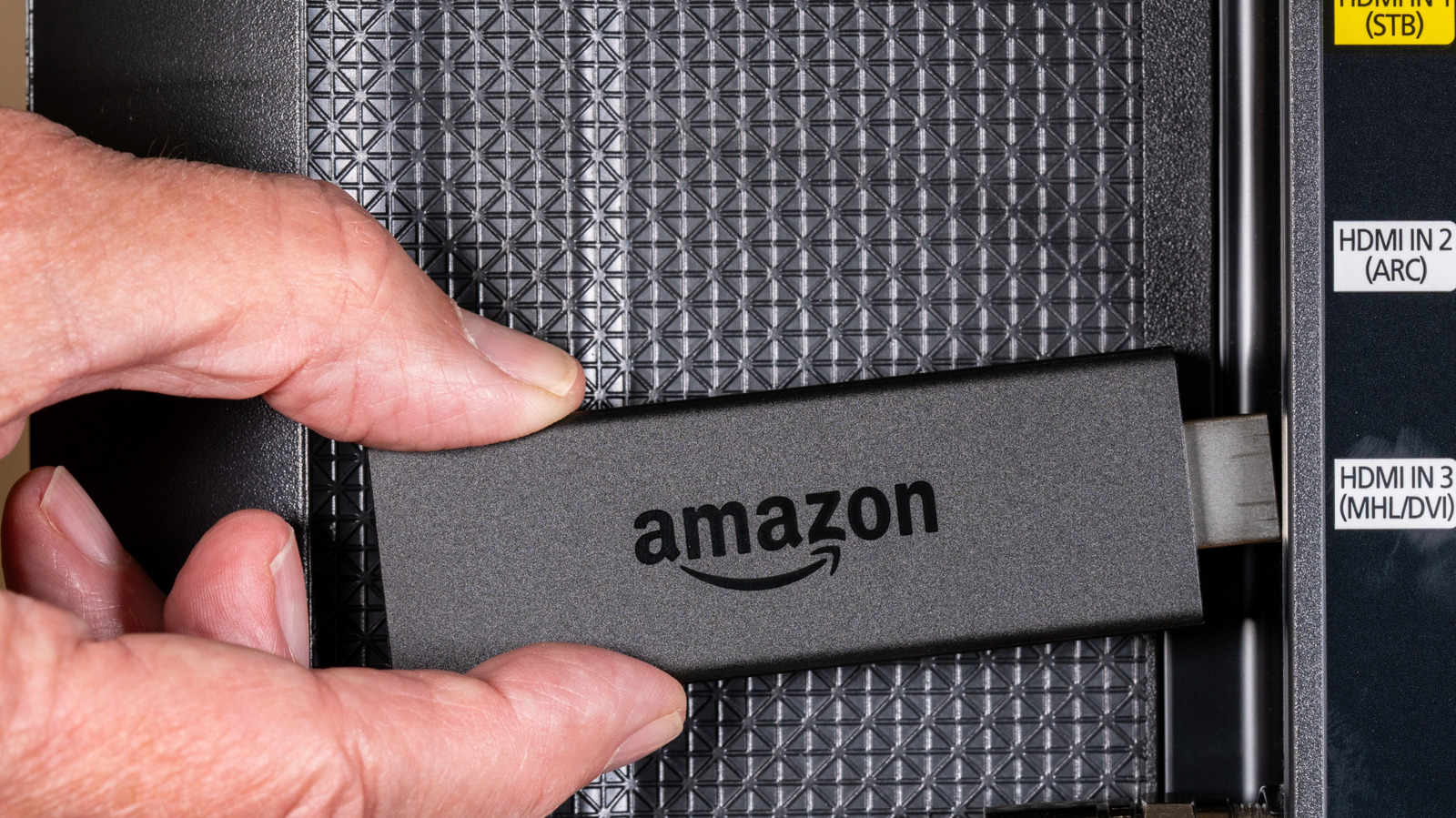
A person connecting an Amazon Fire TV Stick to a TV. Backyardproduction/Getty Images

We live in a consumer tech era that favors cosmetic minimalism (generally speaking), which is part of the reason why remotes continue to feature fewer and fewer actual buttons. Fortunately, brands like Amazon considered this when designing its Fire TV stick, one of the 12 major streaming devices on the market. If you own one of these gadgets, Amazon hid an entire section of its user interface behind a single button — you’ll just need a long press to unearth it.

We’re referring to the Quick Settings menu, which you can pull up by pressing and holding the Home button on your Fire TV remote. After a few seconds, the Quick Settings interface should load on top of your current screen and automatically pause the movie or show you’re currently streaming. Menu options include the ability to move between user profiles, open downloaded apps, dip into device settings, use a sleep timer, and more.

It’s definitely one of the most useful Fire TV Stick remote shortcuts, especially if you’re the kind of person who likes to tweak picture settings to best support the media you’re watching. For those folks, you can press and hold the Up and Rewind buttons simultaneously to manually select a resolution.

Fewer buttons doesn’t necessarily mean fewer settings

The bottom portion of a Fire TV remote. Cristian Storto/Shutterstock

Hidden menus and tucked-away commands are par for the course when it comes to most streaming devices and smart TVs these days. For example, there are a handful of secret menus built into Roku OS (which can be accessed once developer mode is enabled), as well as a bunch of hidden features baked into Apple TV. The latter even has hidden button commands for its Siri remote, such as the ability to quickly toggle apps by pressing the TV/Control Center button twice.

Depending on the device, access to shortcuts may be well documented by the manufacturer or might require a deeper dive, like with Roku’s developer mode. Regardless of who has access and why, these hidden command centers can make adjusting settings simpler and more convenient. That said, if you end up investing in a universal remote, you’ll want to make sure it’s a model you can program unique commands to; otherwise, you may be locked out of Amazon’s Quick Settings interface.

Source

Posted on

5 Mini PCs That Outshine The Mac Mini In Price

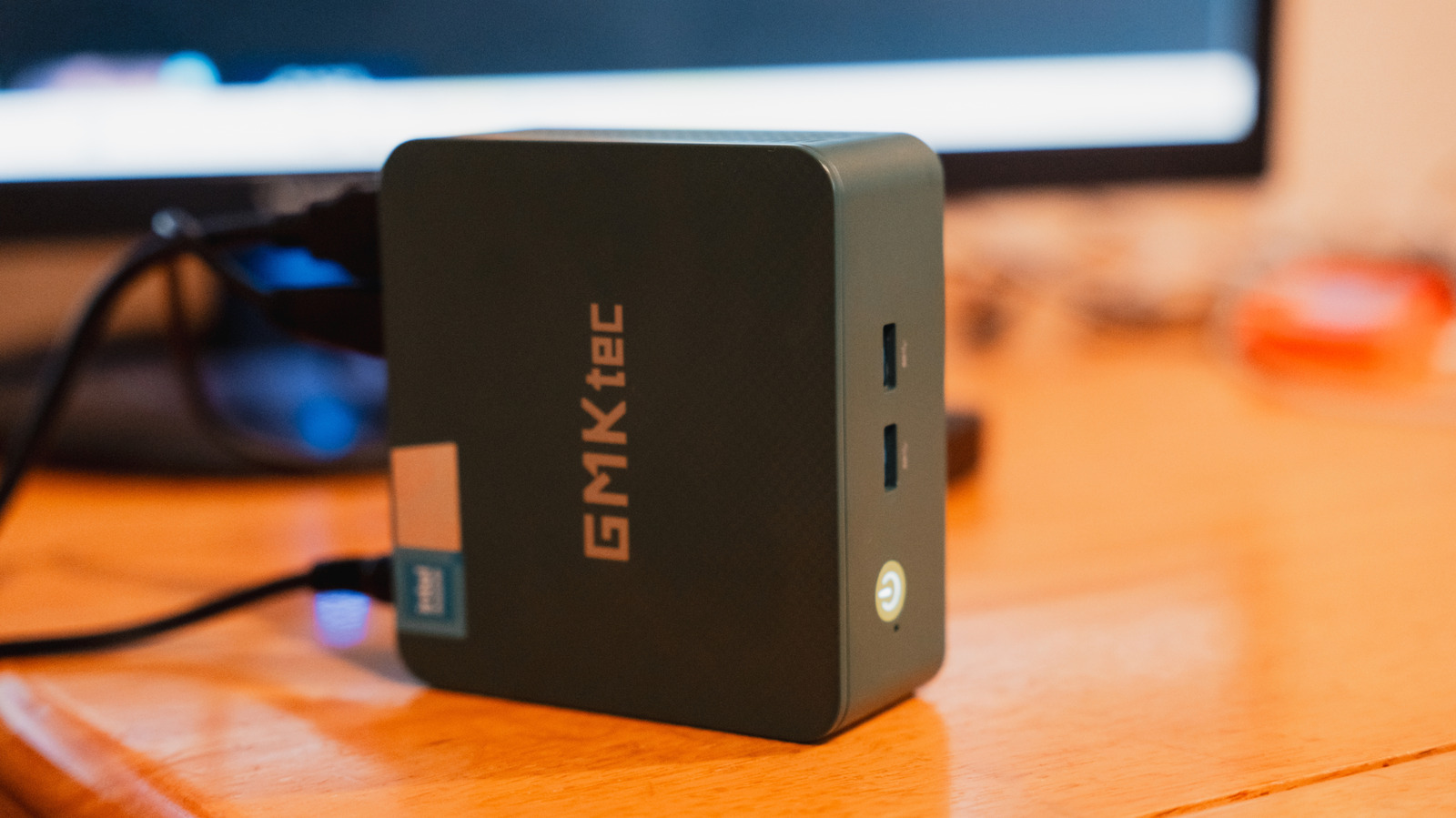
A GMKtec mini PC on a desk ashtheflashphotos/Shutterstock

We may receive a commission on purchases made from links.

For more than 20 years, the Apple Mac mini has been one of the best value Macs in the lineup. While mostly a consumer-minded Mac, it has held up well against its mini PC competition as well. It’s compact, powerful, and gives users access to the Apple software ecosystem without the premium pricing of a MacBook or iMac. Newer iterations have even incorporated Apple Silicon for better performance and efficiency.

But Apple hasn’t been able to keep up with demand, and it recently killed off the base model Mac mini. While it now includes better hardware, the entry-level option has jumped in price from $599 to $799. That’s a hefty price jump for many users, but you don’t need to pay this premium if you are open to other options. Apple isn’t the only brand making compact desktop computers, and many other mini PCs also come with better specs, better pricing, and more hardware configurations to choose from.

If you’ve been thinking of buying a Mac mini, or if you’re simply looking for the right compact desktop computing option for your needs, we’ve handpicked some mini PCs that compare favorably to Apple’s offering in one way or another. Some of them undercut the Mac mini’s new starting price significantly, others provide powerful hardware configurations that can outperform base model options, and some of them even manage to do both.

GMKtec M6 Ultra

GMKtec makes a number of different mini PC models. The GMKtec M6 Ultra is one of its mid-range options, with its cheapest configuration priced at $500. That build includes an AMD Ryzen 5 7640HS processor that clocks at 4.3GHz with a turbo boost up to 5.0GHz. It’s configurable with a number of different processors, with build prices maxing out at $738. The base model also includes a 512GB solid state drive.

Some of the M6 Ultra’s specs outcompete what the entry-level Mac mini offers. For $799, Apple includes 16GB of RAM and a 512GB solid state drive. For comparison, the M6 Ultra offers twice as much RAM at 32GB for a substantially lower price. With the versatility available among its hardware configuration options, the M6 Ultra can be built for a number of different uses that range from everyday productivity to moderate gaming.

The GMKtec M6 Ultra runs on Windows, so those deeply invested in the Apple ecosystem will have trouble integrating this mini PC with their other devices. But that will be the case with every mini PC without the Apple logo on it. Apple users ready to make a switch, or PC users in search of a small desktop PC, should find a lot of value in the M6 Ultra, as its high-end builds are far less expensive than those of the Mac mini.

Acemagician M1

Acemagician is another computer brand that has a full lineup of mini PC options. If you like the aesthetic style of Apple’s Mac mini computer, the Acemagician M1 is the model for you. The base model is priced at $439 and comes with an AMD Ryzen 7 7735HS processor with a base clock speed of 3.2GHz and a turbo boost of up to 4.75GHz. The processor also comes with Radeon 680M integrated graphics that should handle basic tasks well.

The base model Acemagician M1 is significantly less expensive than the base model Mac mini, and it comes with 24GB of RAM, as opposed to the Mac mini’s 16GB. They each come with a 512GB solid state drive, but you don’t have to go up in price very much to start getting some serious hardware upgrades with the Acemagician M1. An upgrade to 1TB of internal storage goes for $489, and if you want to max out an M1 with 1TB of storage and 32GB of RAM, the price only jumps to $599.

Of course, lesser-known brands like these won’t stack up next to Apple when it comes to user base. That may cause some hesitation when it comes to actually purchasing the Acemagician M1, but it has more than 200 customer reviews at Amazon, and more than 80% of them rate the mini PC favorably. Overall, Amazon customers give the M1 a 4.4-out-of-5 star rating.

Asus NUC 13 Pro

One mini PC that can keep up with the Mac mini and also deliver some big-name brand recognition is the Asus NUC 13 Pro. ASUS is one of the most reliable laptop brands, and that reputation can extend to its PCs across the board. The base model NUC 13 Pro costs $600 and comes with an Intel Core i5-13420H processor with a base clock speed of 2.1GHz that reaches 4.6GHz with the turbo boost. The mini PC also includes two HDMI 2.1 and two Thunderbolt ports that allow for multi-monitor setups and connecting external SSDs and hard drives. You also get Bluetooth 5.3 and Wi-Fi 6E for high-speed networking.

With Apple pulling the original base model Mac mini from the market, there’s a gap for mini PC shoppers who just need entry-level specs. The base model NUC 13 Pro comes with 8GB of RAM and 256GB of solid state storage capacity, which matches the former base model Mac mini. For professional users, a number of mid-range configurations are available, and a maxed out version with 64GB of RAM and a 2TB solid state drive goes for $1,400.

The Asus NUC 13 Pro, however, is one of the more expensive mini PC options. While its entry-level specs match the original Mac mini’s, its $600 price point is higher than you’ll find among other mini PCs on the market. Moreover, many of the other options even include more RAM and more SSD capacity. But the NUC 13 Pro offers a number of configurations and price points and comes with the backing of a widely recognized brand.

Kamrui Pinova P2

The Kamrui Pinova P2 is a mini PC that has a somewhat industrial look to it, which may spark thoughts of it being intended for high-end professional use. But it’s one of the more affordable mini PCs on the market, with its entry-level configuration priced at $329. That includes an AMD Ryzen 4300U processor, 16GB of RAM, and a 512GB solid state drive.

The AMD Ryzen 4300U isn’t going to compete with the Apple M4 or M4 Pro chips that the Mac mini comes configured with, but the RAM and internal storage capacity match what you get with the $799 Mac mini. The Pinova P2 also comes in a number of different configurations, with the $660 model utilizing an Intel Core i5 processor with a turbo clock speed of 4.5GHz. 

Kamrui is another name that may not be recognized by the masses, but Amazon reviewers have plenty of positive feedback for the Pinova P2. It’s received 87% favorable reviews and an overall rating of 4.4-out-of-5 stars, and 76% of the reviews are 5-star reviews. Reliability and having a slow Wi-Fi receiver are recurring issues among those reviewing this mini PC unfavorably, though they are few and far between relative to its overall rating.

GMKtec Nucbox G10

We mentioned previously that the GMKtec M6 Ultra offers good performance per dollar, but the GMKtec Nucbox G10 is a mini PC that puts affordability front and center. It’s only available in one configuration, which consists of a 2.1GHz AMD Ryzen 5 3500U processor, 16GB of RAM, and a 512GB solid state drive. This is going to be plenty of hardware for most casual users, and at $320, it’s less than half the price of Apple’s base model Mac mini.

The Nucbox G10 utilizes an integrated AMD Radeon Vega 8 GPU, which can handle the connection of up to three external displays simultaneously. The Nucbox G10 can also manage basic video editing and even casual gaming. While others offer more complex hardware configurations and high-end price points, this mini PC keeps everything simple.

But simplicity can often come with compromises, and the Nucbox G10 may not have the connectivity some users are looking for. It has two USB-C connections, but one of them cannot transfer data. Two USB-A ports are on the front of the machine, which may not be ideal for users who prefer an easy-to-access SD card slot or more USB-C ports.

How we selected these mini PCs

A mini PC against a black background nik_yurginson/Shutterstock

We think the Apple Mac mini is a great overall device, but the mini PC market is competitive. There is a lot of overlap from one model to another, so here we looked for machines that presented a favorable case relative to what the Mac mini has to offer. That could be through lower pricing, more generous base configurations, or a combination of the two that presented solid value to users.

We also wanted to ensure as much reliability as possible in the mini PCs we’ve selected. Because the mini PC market is home to a lot of smaller computer brands, we turned to Amazon customer reviews and the hands-on experience of purchasers to better evaluate each product.

Source

Posted on

Why Slapping Your Apple Watch Is Actually Useful

An Apple Watch Ultra with a green band sits on a display seemingly within an Apple Store, though the background is too blurry to confirm i viewfinder/Shutterstock

No matter how much you may want to, it’s typically a bad idea to get physical with your tech. Though software glitches or companies randomly adding a 4GB AI model to your machine can make you feel like it’s time to grab the boxing gloves, most of the time hitting your devices is likely to just cause more problems. However, there’s one Apple Watch feature that may welcome your palm. Known as Cover to Mute, this feature silences notifications on an Apple Watch by covering the watch with your hand for up to three seconds. In a rush, this might look like someone is slapping their device, but in reality, it’s probably closer to a smothering motion. 

This feature is exclusive to Apple Watch, and it’s a quick and easy way to deal with the variety of notifications, such as calls, alerts, messages, and even activity reminders. Along with being able to quickly silence notifications, there are also Apple Watch safety features that can come in handy during an emergency. So put down the gloves and let us show you not only how to use the Cover to Mute feature but also how to enable and disable it.

How to use the Apple Watch Cover to Mute feature

An individual with dark red nail polish adjusts their Apple Watch while they are on a trail surrounded by foliage Art_Volkusha/Shutterstock

Enabled by default, the Apple Watch’s Cover to Mute feature is a means of quickly silencing certain notifications. It’s good if you don’t want to be bothered while you’re doing something important, and using it is rather easy. All users need to do is cover the Watch’s display for three seconds using the palm of their hand, and notifications from things like an expired timer or messages will go silent. Your watch will give you a little tap to confirm the action.

If you want to enable or disable the feature, follow these steps:

  1. Navigate to Settings on your Apple Watch.

  2. Select Gestures.

  3. Enable or disable Cover to Mute by clicking the toggle.

Additionally, if you have an Apple Watch SE 3, Apple Watch Ultra 2, or an Apple Watch Series 9 or later, you can also use the Wrist Flick feature, which is also enabled by default (but can be found in the Gestures settings). Just flip the wrist with your watch on it over and return it back to its original position to stop a notification.

As a reminder, an Apple Limited Warranty doesn’t cover accidental damage, though AppleCare+ coverage does. Nonetheless, we still wouldn’t recommend slapping your device with too much force. However, there may be some additional under-the-radar Apple Watch features that you’ll want to check out if you’re looking to dive deeper into the capabilities of your smart wearable.

Source

Posted on

How To Clean Your Webcam Lens The Right Way

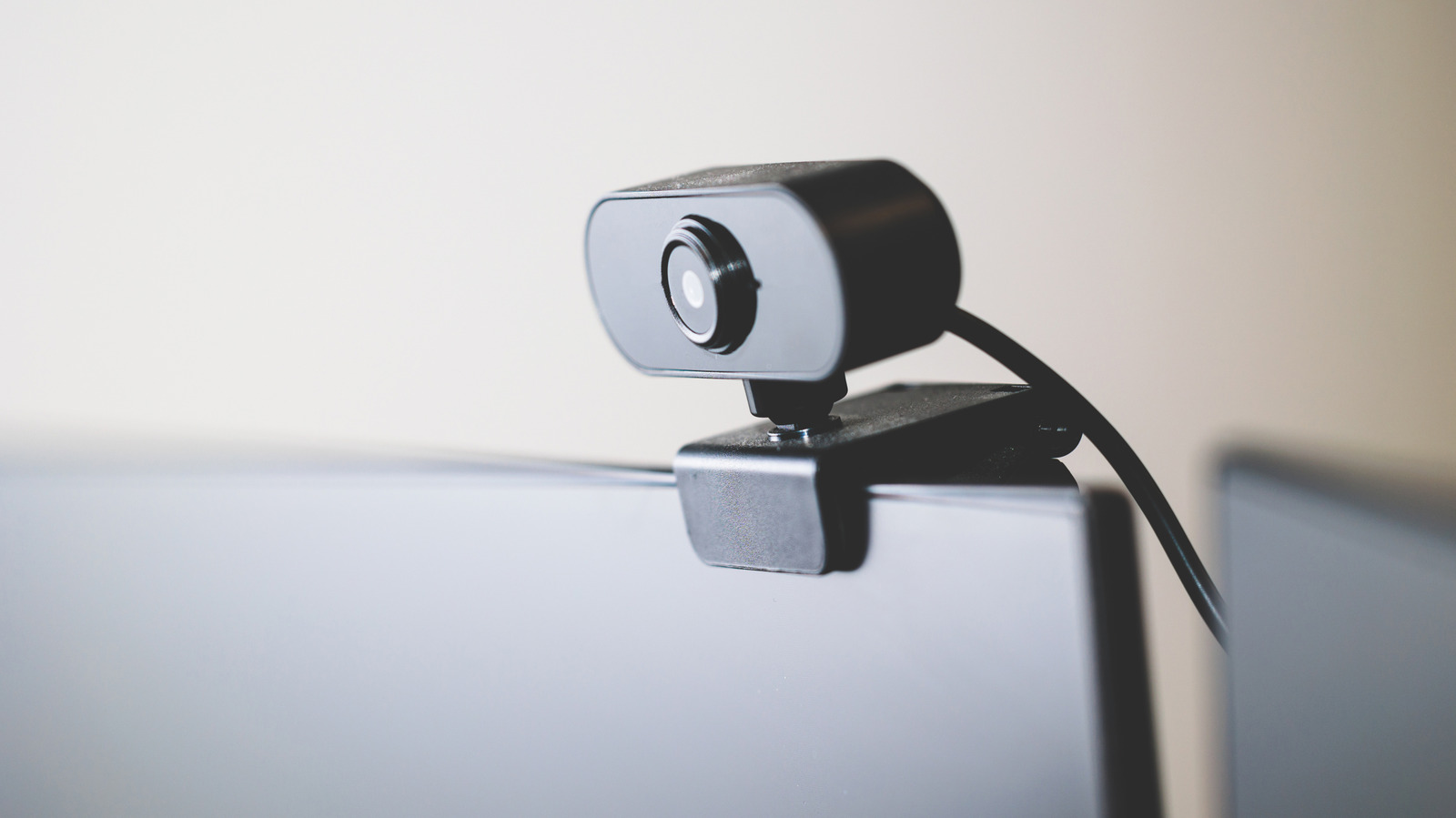
Close-up of a black webcam Photomet/Getty Images

Whether it’s a vestige from the Covid era or just an emerging phenomenon in the age of remote work, workplace meetings now commonly take place over webcams. In this context, how you appear on webcam can influence how people perceive you both personally and professionally. A study at the National Library of Medicine, for instance, demonstrated that the position of a webcam can influence how tall a viewer perceives a subject to be, and that people viewing a subject from below “tended to act against their own interests more often than those that looked down at the other person.”

This means that a smudged web camera can actually become a professional liability. That said, webcams and other delicate electronic cameras are notoriously susceptible to scratches and damage. To clean one without risking making the blurry image worse, you need to deploy a soft cloth and proper cleaning solution, while avoiding harsh chemicals that could damage the glass. There are also some preventative measures you can take to prevent your webcam from getting filthy in the first place, like proper placement and storage.

The best tools for cleaning a webcam

Basket of microfiber cloths and a spray bottle Kseniya Romazanova/Getty Images

Whether you’re using your webcam as an ersatz home security system or looking for ways to make use of an older webcam, your first step in cleaning any delicate lens should be to secure a soft microfiber cloth. With one in hand, try giving your dry webcam a thorough once-over, applying soft pressure with just the tips of your fingers. In many cases, assuming the build-up isn’t too extreme, just a light rubbing with a very soft cloth may be enough to properly de-smudge the lens. Ask any regular glasses wearer: sometimes introducing cleaning liquids adds more issues than it solves.

However, there are certainly cases where a dry cloth won’t suffice, like if there’s significant build-up of oil, dirt, or other gunk on or around the edges of the lens. In this case, grab a cleaning solution specifically designated for camera lenses, ideally a streak-free solution that’s free of ammonia, toxins, or other volatile organic chemicals (VOCs). Lightly spritz the cloth — not the camera itself — and then clean your camera’s lens with a gentle circular motion, again applying pressure only with the tips of your fingers. When you’re satisfied that the surface is clean, wipe it down with a dry corner of your microfiber cloth.

What to avoid when cleaning your webcam lens

A webcam perched on top of a display Mr.Bije/Shutterstock

As mentioned in the previous section, you want to avoid cleaners that are based on ammonia, toxins, or other VOCs. In the same vein, steer clear of any compounds that include bleach or hydrogen peroxide. Many common household, general purpose cleaners include harsh chemicals that can be abrasive when applied to glass, so you’re best off avoiding any products that aren’t specifically designated for lenses. Also avoid stuff like acetone, which can similarly damage the glass or strip away protective coatings.

For much the same reason, you’ll also want to avoid cleaning a lens with paper towels or rough fabrics. It may be tempting, but polishing your webcam with the corner of your shirt may end up leaving permanent scratches on the glass, or wide abraded areas that look like smudges that can’t be washed away. You’ll also want to avoid getting too enthusiastic when you’re scrubbing, as well as excessive moisture (which includes spraying cleaner directly onto the lens).

Finally, while that bottle of canned air on your desk may look tempting, you’ll want to avoid using it on a webcam lens. Blasting the surface with air can actually force dirt and dust further into the webcam’s housing, or may even over-stress sensitive elements of your setup, especially if it’s a webcam with a built-in microphone. Finally, be sure to cap your webcam when not in use to protect it, and avoid storing it in overly dusty or cramped areas.

Source

Posted on

Here’s How Much Battery Your Samsung Phone’s Always On Display

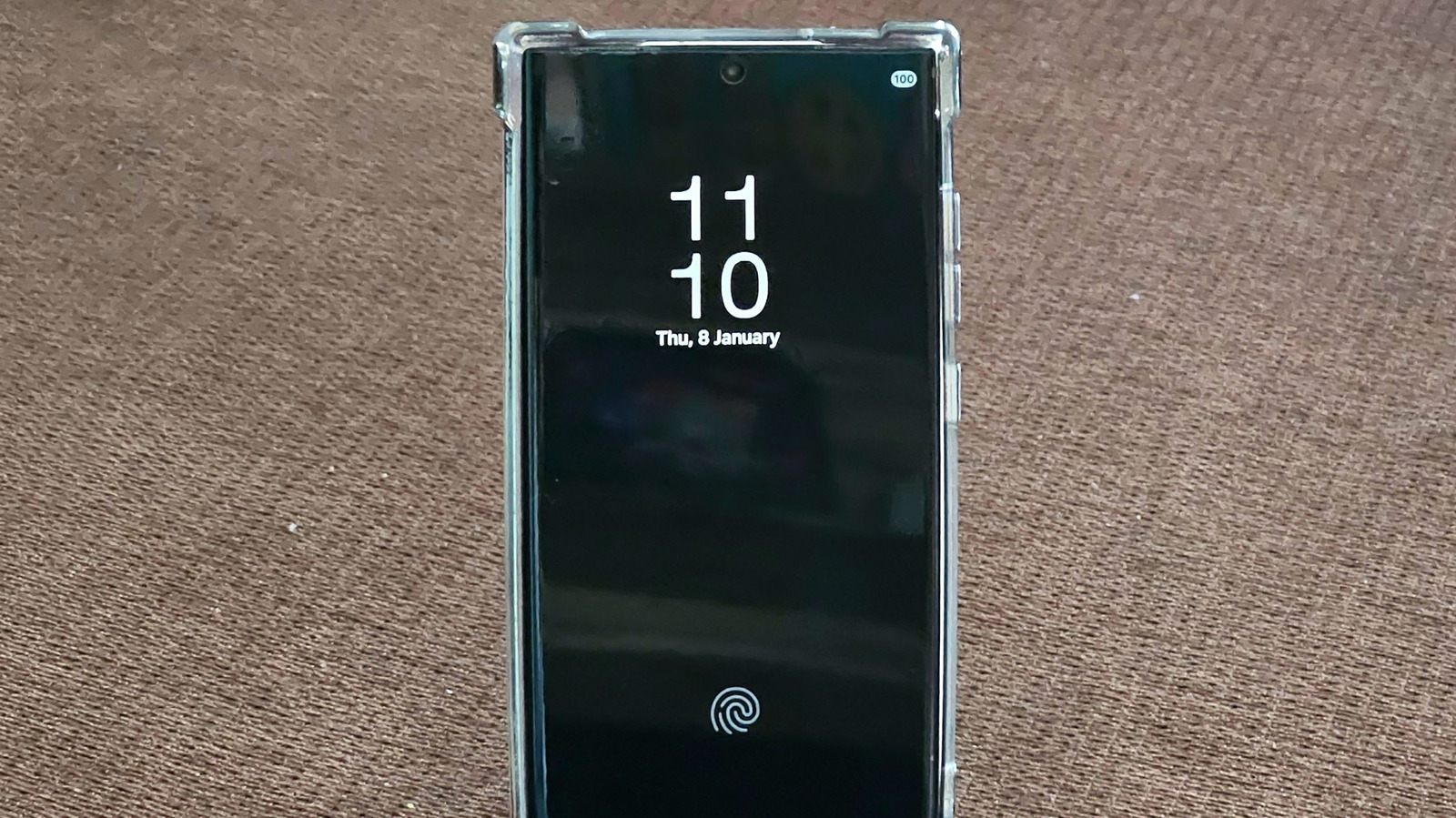
Always On Display enabled on a Galaxy S22 Ultra phone. VIVEK PAYGUDE/Shutterstock

The Always On Display (AOD) feature is available on several Samsung phones, from the Galaxy S26 flagships to the cheaper Galaxy A37 and Galaxy A57, and can be a convenient tool to have on hand. AOD lets users glance at the screen for quick information, including the time, notifications, widget content, and Now bar updates (where available). While the Always On Display functionality doesn’t light up the entire screen, it still uses energy compared with leaving the display fully off while the phone is idle. The energy consumption can vary depending on the type of screen used in a particular Galaxy phone, but it can be notable, reaching up to one percent of your battery charge per hour.

Newer flagship phones feature LTPO (Low-Temperature Polycrystalline Oxide) OLED panels that allow Samsung to offer dynamic refresh rates, ranging from 1 Hz to 120 Hz. The lower the refresh rate, the less energy the screen consumes,  including when it’s just showing static content with AOD enabled. Midrange and entry-level devices may not feature the same type of OLED panels. Refresh rate may only go up to 90 Hz on some of them, without supporting dynamic refresh. Also, the more content (like widgets and richer wallpaper) that is shown while the screen is not in use, the more energy AOD will consume.

Even Samsung points to AOD as a power vampire, with their support documentation notes that it’s one of the features that Power saving mode disables in an attempt to make your charge last longer. Samsung doesn’t provide specific battery consumption figures, but third-party tests have shown that AOD is responsible for faster battery drain.

AOD battery life use on Galaxy S flagships

The Galaxy S26 series on display in a store. Robert Way/Shutterstock

Samsung introduced the AOD functionality in 2016 with the Galaxy S7 series. The company said the feature uses less than 1% per hour of battery energy, indicating that AOD would be turned off when battery life drops to 5%. Techspot tests at the time showed that the AOD feature used between 0.59% and 0.65% battery per hour. This translates to nine percent battery use for a 14-hour period. A Chekyang battery test for the Galaxy S8 Plus showed in 2017 that the battery lost 4-6% of its charge overnight when AOD was enabled, compared to just 2-3% when the feature was turned off.

In 2022, DXOMark tested the battery consumption for Always On Display for four handsets, including the iPhone 14 Pro Max, Pixel 7 Pro, Galaxy S22 Ultra, and Xiaomi 12S Ultra, at a time when Apple had just introduced AOD support. The tests found that a phone battery would drain about 3-4 times faster with AOD enabled. The Galaxy S22 Ultra lasted for 136 hours with AOD and 417 hours without AOD. All phones were placed in a Faraday cage for the test, with controlled parameters, including temperature and ambient light. The battery was set between 20% and 80%, and the phones were put in airplane mode.

The Galaxy S22 Ultra was the first Samsung flagship to support a 1-120 Hz adaptive refresh rate, with earlier models having a static refresh rate or an elevated lower threshold. Non-Ultra models supported 48-120 Hz refresh rates. The Galaxy S24 series was the first to offer users 1-120 Hz refresh rates across the board. AOD battery consumption stayed under one percent per hour for the Galaxy S24 phones, with a Reddit test showing a 5-7% battery drain for a 10-hour period.

What about cheaper Samsung phones?

The Galaxy A57 midrange phone. Framesira/Shutterstock

Samsung brought AOD to cheaper Galaxy A phones in 2017, starting with the Galaxy A3, A5, and A7 models. The feature then trickled down to Galaxy J and Galaxy M lines in the following years. Since 2023, Galaxy A34 through A37 and Galaxy A54 through A57 have offered AOD functionality. The entry-level Galaxy A24 and Galaxy A25 also support Always On Display. The 2021 Galaxy A32 shipped with a 90 Hz screen, while the Galaxy A52 5G model featured a 120 Hz display. The Galaxy A13 5G (2021) came with a 90 Hz panel, while the Galaxy A25, introduced in late 2023, featured a 120 Hz panel. Importantly, midrange and entry-level phones with high-refresh-rate panels generally did not support adaptive refresh rates like the Galaxy S models do. That means the AOD feature won’t be as efficient on these devices.

AOD battery consumption stayed at around one percent per hour for cheaper phones. A PhoneArena test in 2017 showed the Galaxy A5 would consume about 20% over 24 hours for the AOD functionality. Anecdotal reports from users put battery use at 1-3% per hour for a Galaxy A52 with a 90 Hz screen and less than 0.5% per hour for a Galaxy A55 at 120 Hz.

Overall, your mileage may vary depending on the type of Galaxy phone you own. Flagships feature more efficient displays, but they may show more advanced features in AOD. Also, the newer the handset, the better the hardware, including the OLED panel. To improve battery life, users can enable a Tap to Show feature that will reduce the time the screen stays on for quick status checks.

Source

Posted on

10 Micro Center Deals With The Best Discounts In May

We may receive a commission on purchases made from links.

Founded in 1979, Micro Center established itself as a renowned retailer in the world of computers and electronics in the U.S. It is among the go-to platforms for IT professionals, PC enthusiasts, gamers, and businessmen to get their hands on various kinds of PCs and their components, such as SSDs, RAM, CPUs, and more. Consequently, it is one platform for all your PC-related needs.

Plus, the retailer often presents interesting deals and discounts on computer electronics, making it very popular nationwide. So, whether you are looking to upgrade your existing PC setup or replace damaged components, we have some of the best Micro Center deals that are available in May 2026 listed here. The discounts might even leave you shocked. The platform is selling full-fledged pre-built PCs and several individual PC components for phenomenal discounts worth up to a thousand dollars. Hence, there has never been a better time to shop for your PC needs. 

Dell Tower Plus EBT2250 Gaming PC

The Dell Tower Plus EBT2250 Gaming PC is built with a powerful Intel Core Ultra 7 265 processor with AI acceleration, making it a great PC if you want to perform resource-intensive tasks, such as video editing, heavy gaming, and multitasking — it won’t lag under pressure. Moreover, it has a Nvidia GeForce RTX 5060Ti 8GB GDDR7 graphics card, which makes it a top-tier pre-built PC that can give you great refresh rates while allowing you to play games or watch content in a high-resolution of 1,440 pixels.

The integration of 32GB RAM along with a 1TB SSD gives you plenty of leverage to run heavy programs and games, such as Call of Duty and more, without suffering occasional pauses. Coming to the connectivity, it has enough. On the front, you get four USB Type-A ports, a headset jack, and an SD card slot, while on the rear there’s an HDMI, two stereo audio jacks, multiple USB ports, and more.

Overall, this Dell Tower Gaming PC has a minimalist build that sits well in any space. Besides, the PC has a thermal design to improve airflow and prevent overheating of the internal components. It comes with Windows 11 Home pre-loaded, and you can currently buy it at Micro Center with a staggering $1,400 discount, at a price of $1,299.99.

Alienware Aurora ACT1250 Gaming PC

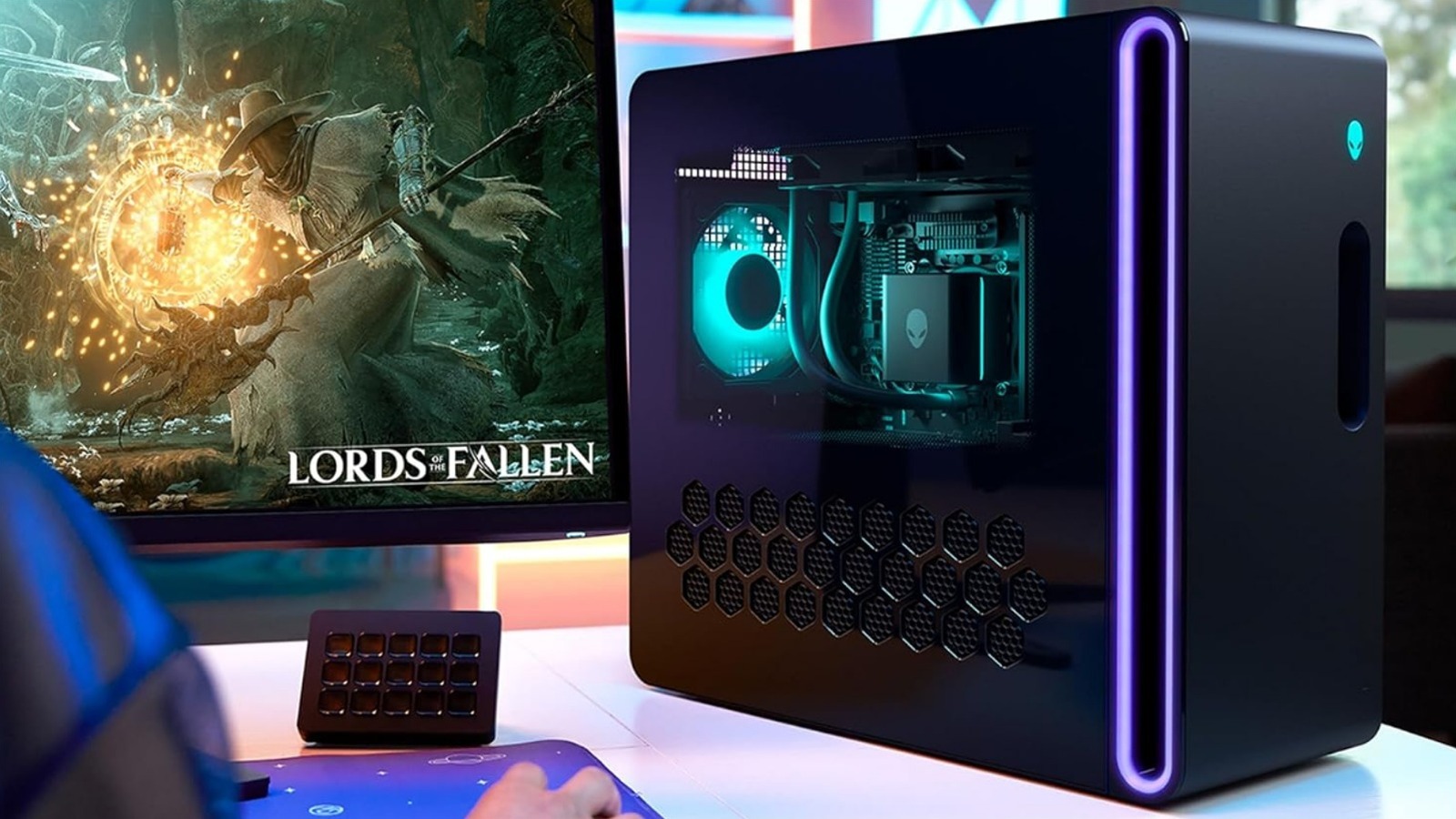
If you are looking for a high-end gaming PC, look no more because Micro Center is selling the Alienware Aurora ACT1250 Gaming PC at a massive $1,800 discount for a price of $1,599.99. It is built with an Intel Core Ultra 7 265KF (3.3 GHz) processor which can generate enough power to tackle resource-consuming tasks. The Nvidia GeForce RTX 5070 graphics card delivers exceptional graphics and a 1,440-pixel 4K gaming experience. 

Also, to keep up with the demands, this PC includes 240mm heat exchanger fans, along with a liquid cooling option for the CPU to maintain a lower temperature at peak output. Not only this, but the design is well-thought-out for efficient airflow.

Moreover, there is 32GB of DDR5-5200 RAM and a 1TB NVMe M.2 SSD to keep lags away during use. The setup utilizes DLSS 4 to offer smooth frame rates during the gameplay, while the Nvidia Reflex 2 technology minimizes latency for quicker game responsiveness. Oh, and one more thing — Micro Center also lets you purchase the PC via a monthly installment lasting for 12 months at $133.33 per month.

HP Omen 16 Slim Gaming Laptop

The HP Omen 16 Slim Gaming Laptop has a 16-inch screen that displays graphics in a 2K resolution with minimal glare, thanks to the integration of IPS anti-glare technology. The thin frame gives it a sleek look and the laptop is equipped with an Nvidia GeForce RTX 5070 graphics card that enables a fluid gameplay with a refresh rate of 165 Hz and a response time of just three milliseconds. 

In addition, this HP device comes with an Intel Core Ultra 7 255H (1.5 GHz) processor and an Intel AI Boost NPU with a capacity to perform 13 trillion operations per second (TOPS), delivering intelligent functioning for tasks such as video editing, rendering, or more. There’s a 1,080-pixel front camera for clear video calls and an RGB backlit keyboard for efficient usage in the dark. It contains a 1TB PCIe Gen4 NVMe M.2 SSD for high-speed data transfer and 32GB of DDR5-5600 RAM for uninterrupted performance.

At Micro Center, you can avail a thousand-dollar reduction on its actual price of $2,399.99 and grab the device for $1,399.99, along with a $116.67 per month plan.

Bambu Lab P1S Combo (With AMS) 3D Printer

With just 15 minutes of setup time, the Bambu Lab P1S Combo (With AMS) 3D Printer can print up to 16 colors, along with multiple different materials. Micro Center is giving you the P1S 3D printer plus the AMS at a slashed price of $549.99, down from $749.99. 

The printer offers a high acceleration of 2,000 mm per second squared for quick printing, using one of many compatible filaments, such as PETG, PLA, ABS, and a whole lot more. The all-enclosed design can sustain printing temperatures as high as 572 degrees Fahrenheit. 

If you are a beginner who’s just starting their way around 3D printing, this could be a great pick for you since Bambu Lab offers automatic bed leveling to achieve that perfect first layer to build a solid foundation for the 3D structure on the dual-sided textured PEI plate bed. Also, there’s a feature to resume your print from the exact spot it was paused at, which is handy in case of unexpected shutdowns and power outages. 

WD Black PCIe Gen 4 x4 NVMe M.2 Internal SSD

The WD Black PCIe Internal SSD is a reliable Gen 4 SSD, as it can deliver read speeds of 7,300 MBps and write speeds of 6,600 MBps for a high data transfer rate. Besides, the drive has a 4K random write speed up to 1,100,000 input/output operations per second (IOPS) so your system can run smoothly despite multitasking, along with a 4K random read speed of up to 1,200,000 IOPS. Consequently, you won’t have to wait for ages before your favorite games and applications load.

Additionally, it is loaded with Game Mode 2.0 that keeps the SSD awake for immediate access, while also enhancing its performance to handle high-demand gaming. The 2TB 112-layer BiCS5 SSD can tackle large applications, operating systems, games, and more with efficiency. This internal SSD card is available on sale for $389.99, saving $216 on the purchase.

HP Victus 15.6-inch Gaming Laptop

Built with an AMD Ryzen AI 7 350 (2.0 GHz) processor, the HP Victus Gaming Laptop can be an impressive pick if you are looking to multitask on the device. It has an FHD 15.6-inch display with a 1,080-pixel resolution and a refresh rate of 144 Hz for seamless gaming. The thin-bezel design gives it a modern look, while the anti-glare properties further increase visibility from different angles.

The laptop has an Nvidia GeForce RTX 5060 graphics card and an AMD Ryzen AI NPU with 50 TOPS to bring AI capabilities to your gaming and content creation. For storage, there’s a 16GB DDR5-5600 RAM, along with a 1TB PCIe Gen4 NVMe M.2 SSD to offer ample storage for all your programs and games without heating up the computer or showing signs of random buffering every now and then.

A backlit keyboard is featured, along with several different ports for your connectivity needs. If you head to Micro Center right now, you can grab this laptop from one of the major PC brands for $999.99, saving $700 on the purchase. Or, you can just get it for a monthly installment of $83.33.

AMD Ryzen 5 5500 Cezanne 3.6GHz 6-Core AM4 Boxed Processor

Listed at a $90 discount, the AMD Ryzen 5 5500 Cezanne AM4 Boxed Processor can be currently bought for $69.99 on Micro Center. There are six cores and 12 threads with a base clock rate of 3.6 GHz and if you decide to go for the boosted clock rate, it can move up to 4.2 GHz. Furthermore, the Level 2 cache has a 3 MB capacity, while the Level 3 cache has a 16 MB storage to keep track of your frequently accessed data in order to reduce latency the next time you access it. 

In addition, it is compatible with AMD X470, B450, X570, B550, and A520 chipsets to offer seamless communication between the CPU and other PC components. This AMD CPU can support a maximum memory of 128 GB across two memory channels. The great part is that Micro Center is offering a Wraith Stealth Cooler in the bundle for the same price. This can help to prevent instances of overheating to offer you uninterrupted performance.

Zotac Nvidia GeForce RTX 5070 Graphics Card

The Zotac Nvidia GeForce RTX 5070 can make for a cost-effective graphics card purchase for your PC setup, at a current cost of $879.99 on Micro Center, reduced from $1,099.99. The inclusion of RGB lights intensifies the visual appeal of the build, but the specs are more interesting. This model by Nvidia offers a maximum resolution of 7680 x 4320, meaning it can support an 8K UHD display for immersive gaming and detailed content creation. It has the ability to offer high frame rates even when playing content in high resolution, enabled by 16 GB of GDDR7 memory that can produce maximum clock speeds of 1,750 MHz. 

Plus, the GPU comes with the option for overclocking for when you want to carry out resource-consuming tasks. Doing so can get you a boosted clock speed of up to 2,482 MHz. It can support four monitors if you have the budget and is created with an IceStorm 2.0 Advanced Cooling feature — a triple-fan design to offer better heat dissipation while also minimizing noise levels.

Dell Tower ECT1250 Desktop Computer

With the inclusion of an Intel Core Ultra 7 265 (1.8GHz) processor, the Dell Tower ECT1250 Desktop Computer has a built-in AI that will level up your content generation and automatically fix the nitty-gritty details during video calls, such as eye contact correction, background blur, and more. You can connect up to four FHD monitors or two 4K monitors via the compatible ports given on the PC. In total, there are eight USB ports — four on the front and the rest on the rear end, along with two DIMM slots in case you want to expand the memory on your setup.

This 20-core CPU has eight performance cores and 12 efficient cores, along with 20 threads — making it a great option for rigorous multi-tasking, complex video editing, 3D rendering, and more. It comes with a 1TB M.2 SSD and 16GB of DDR5-5600 RAM to offer reliable speeds throughout use.

To buy this desktop PC, go to Micro Center, where this model from Dell is available for $699.99 following a $900 discount on the original price. It also gives you the flexibility to buy the PC on a monthly installment plan of $58.33.

G.Skill Flare X5 Series 32GB (2 x 16GB) DDR5-6000 Memory Kit

The G.Skill Flare X5 Series 32 GB (2 x 16 GB) Memory Kit has a stylish appearance with a low-profile design to comfortably fit compact PCs. The kit supports AMD Expo to allow one-click overclocking via the motherboard BIOS, boosting performance on your Ryzen-based processors and AM5 motherboards. It features an aluminum heat spreader for effective cooling and better thermal management. Moreover, it offers a memory speed of 6,000 MHz at maximum, along with a peak data transfer rate of 48,000 MBps to give impressive performance with lower latency.

To grab this, go to Micro Center, where the G.Skill Flare X5 Memory Kit is currently listed for a whopping discount worth $530, bringing its price to just $469.99. With the global RAM prices on the rise due to the increasing demand by tech giants like OpenAI and Microsoft, this Micro Center deal is not to be missed out on if you are looking to upgrade your existing RAM or purchase a new set for your PC.

Source

Posted on

5 Underrated Netflix Shows You Can Binge In One Day

A Gelfling from Dark Crystal: Age of Resistance, Mizu from Blue Eye Samurai and Helen from Black Doves Netflix / Static Media

The big red N of Netflix continues to cast a shadow of streaming service supremacy, and it’s not hard to see why. With some award-winning hits and shows that have become pop culture phenomena like “Stranger Things,” “You,” and “Bridgerton,” we’re almost spoilt for choice. But where does that leave some of the underdogs hiding among the streamer’s recommendations? What about the ones that are hits with niche audiences, or the classics that were canceled too soon? 

Not only have we put together a list of egregiously underrated shows on Netflix, but also ones that you could probably binge in a day and still have time to relax, or whatever it is you do after binging a show. From animated swordmasters to super-secret spies, this collection of shows is all worth your attention, and in some cases, provides a taster for more of what’s to come. So what are you waiting for? Fire up the TV and start adding these to your watch list after you’re done with your usual comfort show. You could be about to add one that you didn’t even know about.

Blue Eye Samurai

Mizu in Blue Eye Samurai stood on a snowy hill Netflix

Netflix has certainly shown a knack for delivering incredible animated shows like “Arcane” and the “Castlevania” series. One show that absolutely deserves the same level of praise is “Blue Eye Samurai,” which should satisfy those looking for an epic, fight-fueled tale of revenge. Created by a couple of married creative geniuses, Amber Noizumi and Michael Green, the show follows the blood-soaked story of Mizu (Maya Erksine), a female half-white, half-Japanese warrior on a mission to kill four white men, one of whom she knows is her own father (Kenneth Branagh). This villain, who shares a bloodline with her, is bent on making his mark on the country he’s infiltrating through modern engineering and firepower, setting Mizu on a path to play a major role in a new era of Japan, which is in the process of closing its borders to outside forces.

With an incredible voice cast that includes “Star Trek’s” George Takei, as well as Brenda Song, Randall Park, Masi Oka, and the late, great Cary-Hiroyuki Tagawa, “Blue Eye Samurai” plays like “Kill Bill” from a different time and moves with the same vibrancy as “Spider-Man: Into the Spider-Verse.” Notable episodes include Mizu outnumbered and fighting for her life in a brothel, and set pieces that have you hanging on for dear life as our hero dispatches numerous foes with stunning expertise. A second season is set to arrive in 2026, so draw your sword and get the practice in before Mizu returns.

Black Doves

Kiera Knightley as Helen Webb stood outside a shop in Black Doves Netflix

If you like your spy dramas led by British agents with stiff upper lips and very mean demeanors, then make some time for the Keira Knightley, Ben Whishaw-starring thriller series, “Black Doves.” Debuting in 2024 and from the “The Lazarus Project” showrunner, Joe Barton, the show stars Knightley in an Emmy-nominated performance as Helen Webb, the wife of the United Kingdom’s Secretary of State for Defense, who is caught in an affair. To make matters worse, it turns out that Helen isn’t just an unfaithful wife but a deep undercover spy who uses her husband’s position to gain intel from the inside. Now, with her cover at risk of being blown, her employers — the Black Doves — send her former mentor and friend, Sam (Whishaw), to keep tabs on her and find out who was responsible for the death of her lover.

With conspiracy thrillers on the rise and seasoned spies with attitude problems becoming favorite small-screen heroes, “Black Doves” features two guns-for-hire firing on all cylinders. While obvious comparisons to “Slow Horses,” there are also elements of “Atomic Blonde” and even “John Wick,” with Knightley getting her hands excessively dirty to bring down bad guys, with a fight in a jewellery shop being a particular highlight. There’s also Sarah Lancashire as her steely-eyed boss, who is okay with dishing out kill orders and barbed one-liners. Watch the first season now before the Black Doves return to Netflix later this year.

Love, Death & Robots

An alien on a woman's back who is screaming in Love, Death & Robots Netflix

If there’s one show you can power through on this list, it’s “Love, Death & Robots,” executive produced by David Fincher and created by “Deadpool” director Tim Miller. Originally appearing on the streaming service in 2019, the animated anthology series tells a variety of stories that have taken viewers across time, space, and even the bottom of a swimming pool, resulting in some mind-blowing mini-movies.

From comedy to space-age horror to thought-provoking stories steeped in science fiction, there really is a tale for anyone and everyone who loves things to get a bit futuristic and breathtakingly animated. A personal favorite in the first season is “Shape-Shifters,” set in a world where werewolves are used as military assets to fight in Afghanistan. There’s also live-action shorts starring the likes of Topher Grace and “Sinners” star Michael B. Jordan. One critically acclaimed short in the series, however, is “Zima Blue,” which follows a world-renowned ethereal artist as he chronicles his origins as a robotic swimming pool cleaner.

The fourth season of the show was released in 2025, but since then, there have been no new reports of a fifth season making its way to screens this year. Thankfully, given the short runtime of all these episodes, there’s enough time to get them all watched when and if it returns. If you’re really left wanting more, you can check out Prime Video’s “Secret Level,” which is produced by Miller’s Blur Studios, who were also behind this as well.

The Dark Crystal: Age of Resistance

Two Gelflings in The Dark Crystal: Age of Resistance Netflix

In 1982, Jim Henson and Frank Oz got their heads together and built a tripped-out universe in a movie where everyone and everything was obsessed with the giant McGuffin known as “The Dark Crystal.” The film became a cult classic in the same hemisphere as “Labyrinth,” and 37 years later, Netflix decided to take a gamble and commission one of the most expensive and demanding prequel television shows to tack on to it. Set decades before the original film, “Age of Resistance” serves as a perfect stepping stone for those who don’t know their Gelflings from their Fizzgigs, while also giving die-hard fans a dose of the world they’ve loved for almost four decades.

Capturing the puppet-fuelled magic that Henson and Oz thrived on back in the day, “Age of Resistance” gets some extra help from the vocal talents of Simon Pegg, Anya Taylor-Joy, Taron Egerton, and Jason Isaacs, to name a few. Unfortunately, the outcry from fans and immense praise from critics wasn’t enough to keep “Age of Resistance” in Netflix’s good books, and the show was canned after one season, reportedly due to budget issues. Nevertheless, as far as fantasy shows go, this is a great one to add to the watchlist and get through in a single day. And don’t forget, you’ve at least got a film to follow things up with once you’re done and dusted with it.

Santa Clarita Diet

Timothy Olyphant and Drew Barrymore stood over a dead body in Santa Clarita Diet Netflix

It’s one of the best zombie television shows ever made; it got a perfect score on Rotten Tomatoes, and we still can’t for the life of us understand why it suffered the Netflix curse of being canceled after three seasons. Nevertheless, if there’s a chance to suggest the grossly underrated “Santa Clarita Diet” to anyone who hasn’t seen it, we’re going to do it, even if it leaves them just as confused as we are about why this show got the axe. The consistently lovable and charismatic Drew Barrymore is cursed with a hunger for human flesh after she accidentally eats an unholy artifact, turning her into a member of the undead who still looks far more fresh-faced. Thankfully, her loving husband (played by Timothy Olyphant) goes above and beyond to keep her secret safe and her stomach full, even if it means burying body parts out in the desert or buying large refrigerators to store her necessary dietary requirements.

While it might’ve been given the boot after three seasons, there’s still something brilliantly entertaining about “Santa Clarita Diet” that tickles the funny bone in the same way as some of the great sitcoms from recent years. Barrymore is on top form, bringing the same warm, welcoming attitude you see on her talk show, only far more carnivorous. While you might be a tad annoyed by the cliffhanger you’re left with in the third and final season, just be glad you had a taste of “Santa Clarita Diet”, which tastes better than most.

Source

Posted on

Consumer Reports Found A Printer With A $5 Annual Ink

We may receive a commission on purchases made from links.

Printers are one of those devices you can live without, until you can’t. The good news is that most consumer-grade printers, even high-quality ones, are fairly inexpensive. But that’s how they get you — how they rope you in. The printer is affordable, but then you realize after setting it up that the ink is not so cheap. While that’s not always the case, and you can still find some cheap printers that don’t make you spend a fortune on ink, the problem is prevalent enough to be a concern. When you’re seeking out a new device, you’ll likely review and reference those ink costs before making a purchase, and if you weren’t already planning to do so, you certainly should.

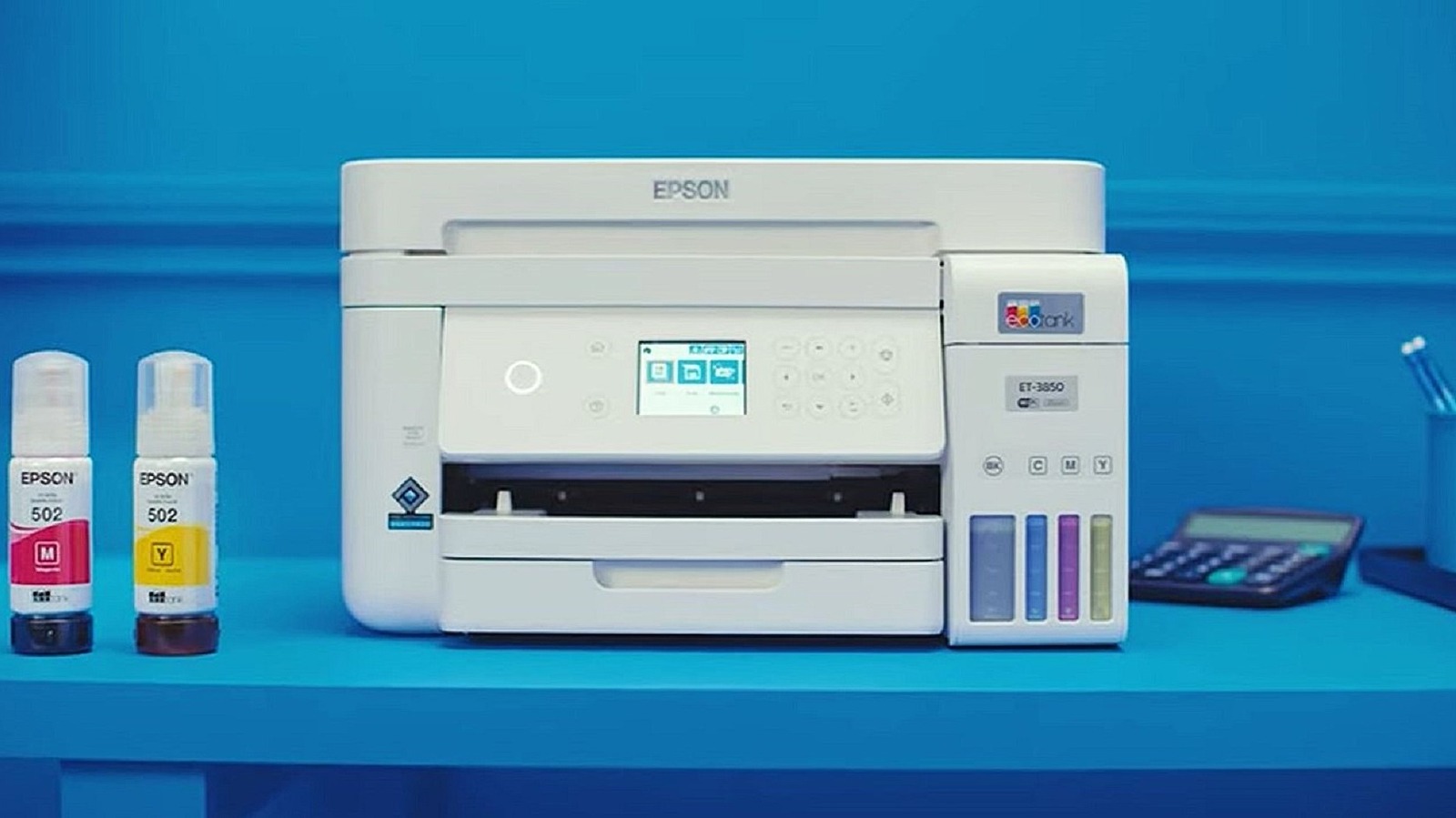
Consumer Reports has named Brother as the most reliable printer brand in the past, but it has also named Canon and Epson as reliable alternatives. You may be wondering why that’s relevant here? Because CR also called out a printer with an incredibly low ink cost compared to other options on the market, and it’s an Epson. The Epson EcoTank ET-3850, to be precise. The ink is refilled in tanks (hence the name) stored across four different compartments. But it doesn’t use traditional cartridges. Instead, you buy the ink refills in bottles and fill up the tanks in the printer individually. Ultimately, that reduces the long-term cost of ink by up to 90% versus cartridge-style refills.

There’s a catch, though: The EcoTank ET-3850 has a high upfront cost for a mid-grade printer. The price tag is nearly $400 on Amazon, and although it bills itself as an all-in-one, it forgoes advanced features like a touchscreen and USB host port. On the plus side, the EcoTank scans, copies, prints in color and black and white, and functions as an automatic document feeder.

Why isn’t the Epson EcoTank EP-3850 all-in-one printer for everyone?

Simply put, the high upfront cost is why this printer is not for everybody. You can find a lot of cheap or budget-friendly printers out there that will save you quite a bit to start. But that’s the rub. Those printers may be cheap, but the ink cartridges work out to be pretty expensive over time, especially when you’re printing a lot. The Epson EP-3850 has a higher upfront cost, but the ink bottles are cheaper, and the tanks hold quite a lot of ink and tend to last longer. You’ll get thousands of pages from each refill bottle, according to Epson. Moreover, the printer comes bundled with everything you need, including a generous supply of ink to get you started.

The four-pack of refills with black ink is $76 from Epson directly, while the three-pack without black ink, just color, is $51. Consumer Reports estimates the two-year ownership cost to be about $409, which factors in the printer, the cost of ink and refills, and average usage. Subtract the cost of the printer, which is currently $394, and divide the remaining $15 by 2, and you get $7.50. That’s a $5 to $7.50 annual cost if you don’t end up needing another ink refill in that timeframe, and since Epson sends a bunch with the printer, that’s likely an accurate estimate (CR pegs it at $5).

If you want an alternative, Consumer Reports named a Canon the best printer for the average home office. That model, the Canon imageClass LBP247dw, has a cost around $380 to $400, and ink is a bit pricier. It makes models with cheaper ink supplies look all the better.

Source