Posted on

Driverless Waymo Taxis Are Bugging Out In Atlanta

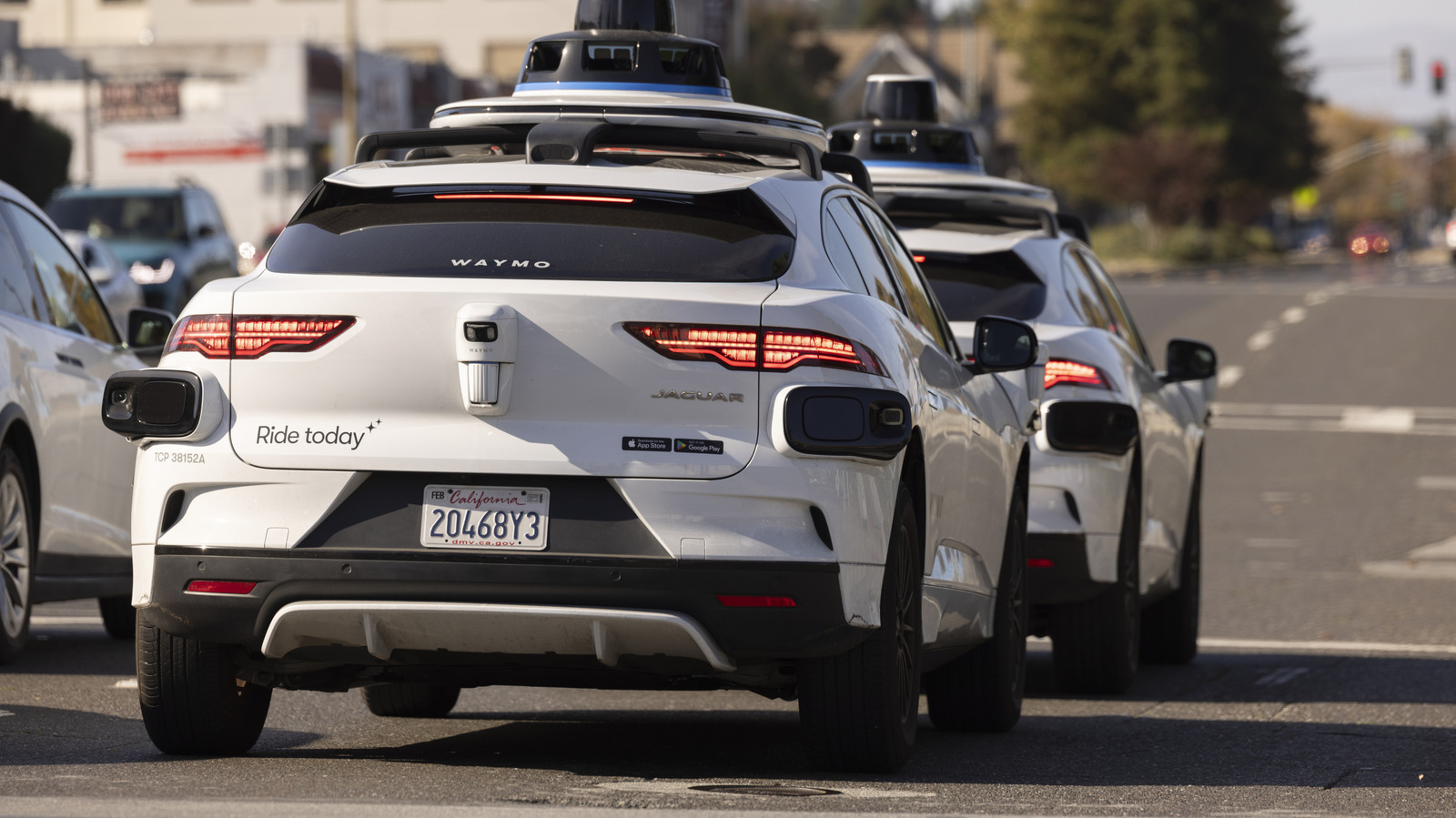
Two Waymo vehicles at a stoplight Mattgush/Getty Images

It’s the subject of so much dystopian fiction, a future where our boldest technological advances are sabotaged by malfunctioning or rogue AI. One of the most common channels for that kind of tech anxiety in fiction is now seeping into reality in the form of glitching autonomous cars, increasingly available in the form of robotaxis in a number of U.S. cities.

Self-driving cars have been a dream for decades, but it’s a dream perpetually paired with a certain level of apprehension. As pleasant as being shepherded around in an autonomous vehicle while you relax, read, or scroll on your phone sounds, many drivers are reluctant to cede control to a fully automated system.

Fears of rogue, self-driving vehicles causing major pileups or striking pedestrians have existed as long as the concept of autonomous cars itself, and recent developments in a northwest Atlanta neighborhood, where Waymos have been bugging out, piling up and blocking traffic, have done nothing to allay those fears. Though Waymo still believes it can make streets safer despite a number of recent incidents, the optics on situations like the one occurring in Atlanta make it an uphill battle for the autonomous car vendor.

A series of public incidents

A Waymo corporate building bluestork/Shutterstock

As documented by CBS News, residents around a cul-de-sac in Atlanta have repeatedly borne witness to Waymo vehicles acting erratically. One resident captured cell phone video of the autonomous cars exceeding local speed limits and circling aimlessly through the cul-de-sac, and noted that they had “almost lost pets” to the driverless vehicles. At one point, when residents installed a traffic calming standee, a dozen or more Waymo cars all piled up in the cul-de-sac in confusion.

The Atlanta incident is one of many blips on Waymo’s recent record. The most serious, reported on by Dallas’ Fox 4 News, shows a Waymo car blocking an ambulance attempting to respond to a deadly shooting in Austin, Texas. The ambulance was attempting to reach the scene of a shooting on Austin’s 6th Street that left three dead, including the gunman, and injured 14 others. In a video captured by bystanders, a Waymo straddles a road, blocking an ambulance with its emergency lights on. The driverless car creeps forward before stopping again, still obstructing the emergency vehicle, until finally maneuvering out of the road and entering an adjacent parking structure.

Glitches, outages, and recalls

A fleet of Waymo autonomous cars Jasondoiy/Getty Images

Highly visible missteps have plagued Waymo practically since the company’s inception. A power outage in San Francisco in 2025 led to a number of the vehicles shutting down and blocking traffic. There have also been a number of reports of Waymo cars driving dangerously or aggressively, including making U-turns and other illegal maneuvers.

Earlier this month, the company was forced to issue a recall for nearly 3,800 vehicles after a software issue caused them to attempt to navigate through flooded roads. During one such incident, an unoccupied Waymo attempting to cross a flooded road was swept into a creek. This follows on the heels of a separate Waymo recall back in 2025, triggered by more than five instances in Texas of the driverless taxis ignoring the stop signs on school buses and passing them while stopped. During one of those incidents, according to a letter from a school district released by the National Highway Traffic Safety Administration (NHTSA), a Waymo passed a stopped bus moments after a student had crossed in front of it and while the student was still in the roadway.
Source

Posted on

Amazon’s Memorial Day 2026 TV Deals Are Way Better Than

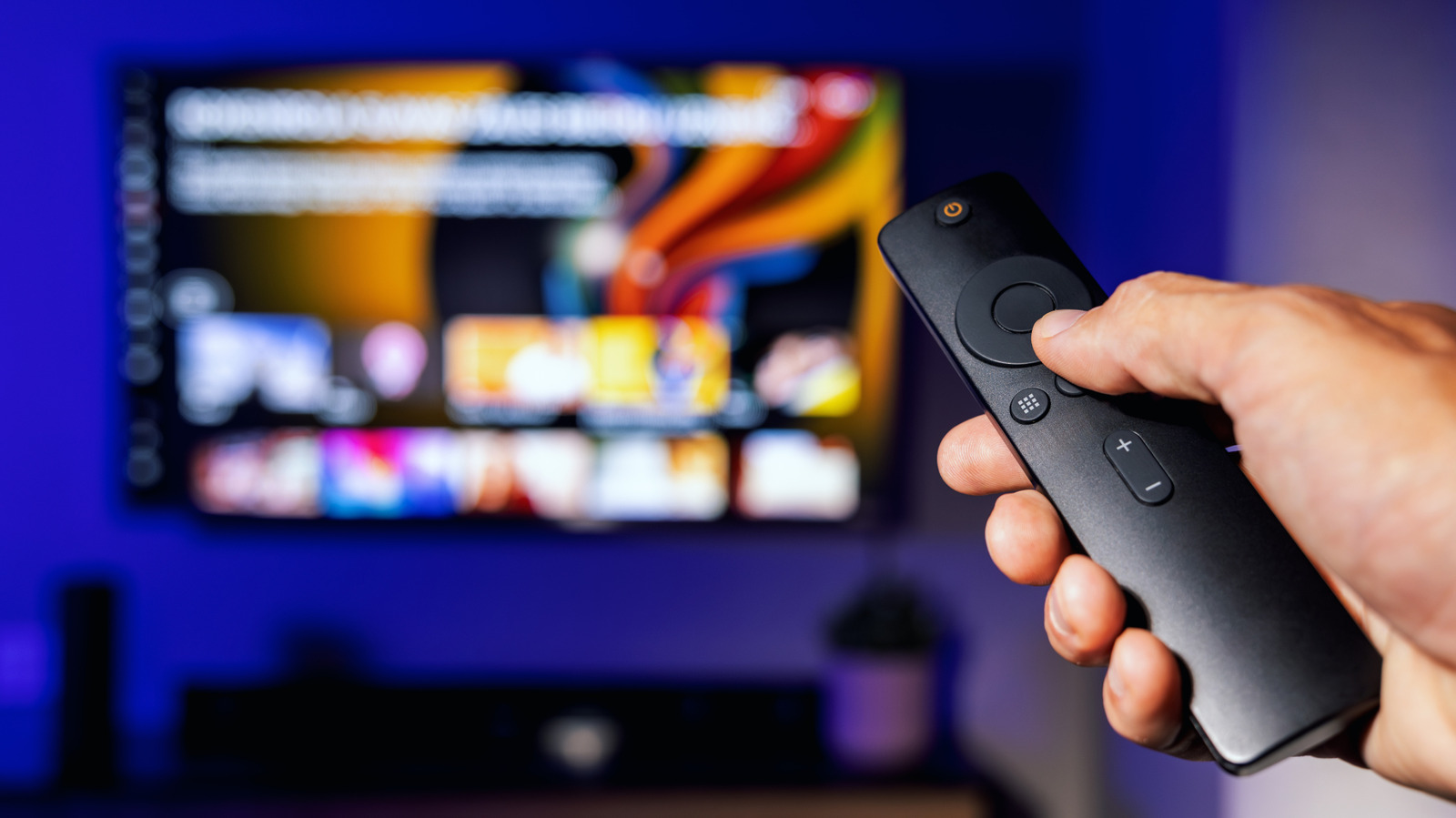
Someone using a TV remote with a smart TV on in the background. Ronstik/Getty Images

Smart TVs have grown more affordable over the years, which is why your smart TV is full of ads now. , Even with those lower price points, the best time to shop is still during a decent sale. Whether you’re talking about various sales scattered throughout the year or the holiday shopping season, those sweet, sweet discounts allow you to stretch your dollar and perhaps get a larger, more capable TV than you would have on your average day. Amazon’s 2026 Memorial Day Sale is certainly setting that rule in stone with some incredible discounts and, if I’m being honest, the deals are much better than I would have expected.

Product prices have been known to rise a little before a sale to make them look more heavily discounted than they are, or the sales may be fake altogether. Occasionally, there are lackluster sales events where the deals are real but not very good. It would appear that’s not the case here, so if you’re in the market for a new TV, whether to upgrade your living room set or to outfit a TV in a separate room, now’s as good a time as any to take a look. Here are some highlights from the deals I’ve come across while browsing. All these TV deals have been cross-checked on CamelCamelCamel, which is a great resource to keep in mind when you’re shopping on your own.

Toshiba 65-inch Class C350 Series LED 4K smart Fire TV — $265

One such sale item will be the Toshiba 65-inch Class C350 Series LED, which is at it’s lowest available price ever, according to CamelCamelCamel. Usually $530, it’s down to $265 right now, which is 50% off. If 65 inches is not your preferred size, again, there are other sizes on sale. The 43-inch is $160, the 50-inch is $200, and the 55-inch is $250. If you want to go bigger, the 75-inch is $430. It’s a smart Fire TV (Amazon’s smart TV ecosystem) with Alexa and comes bundled with a voice-enabled remote. The panel itself is an LED, supporting 4K resolution at 60Hz with 120Hz motion rate options, HDR10 functionality, and what looks to be a great overall experience.

As of writing, it has over 3,500 reviews on Amazon with a 4.3 out of 5-star rating. At the smaller sizes, especially, and these prices, it would be an excellent option for extra rooms like a bedroom, playroom, or office.

Sony Bravia II 65-inch 4K UHD LED smart Google TV with PlayStation 5 features — $668

The Sony Bravia II 65-inch 4K UHD KED smart Google TV is one of the only ones on the list that’s not at an all-time low. However, it is hovering around its average price point, down to $668 right now, from its usual $700. It’s also a really, really solid TV for the price from a premium brand with exclusive PlayStation 5 features if you’re using it with a console. Those include Bravia-specific functions like auto HDR tone mapping and auto genre picture mode to optimize image quality while gaming and streaming, without much extra tinkering on your part.

As a TV, it’s a 65-inch 4K UHD LED panel with Google TV as the smart platform, one of the top-rated major smart TV OSes ranked from worst to best. You also get intelligent motion handling through Sony’s Motionflow XR technology, with a 60Hz refresh rate as the baseline. The purchase also includes credits to use with the Sony Pictures Core app, though it doesn’t specify how many credits (Pictures Core itself is a rotating selection of Sony films you can choose from). With over 350 reviews, this Sony set has a 4.3-star rating out of 5. If you want something a little bigger, the 55-inch and 75-inch models are also on sale at comparable prices.

Samsung 98-inch Class 4K Crystal UHD DU9000 smart TV — $1,498

Go big or go home, right? The Samsung 98-inch Class 4K UHD DU9000 series smart TV, with Alexa built in, is currently at one of the lowest prices ever, according to CamelCamelCamel. The current sale price is $1,498, $1,000 off the normal $2,498 price. The previous low was $3,998 back in June of 2024. I probably don’t need to tell you that 98 inches is a massive TV, and this one is equipped with a supersize picture enhancer to help everything look better on the increased screen real estate.

It is a 2024 model, running Samsung’s Tizen OS. It supports motion accelerator at 120Hz, 4K upscaling, HDR, and is compatible with Samsung’s Q-Symphony platform, pairing seamlessly with Q-Series home theater equipment and soundbars. It doesn’t have as many reviews on Amazon, nearly 130 total as of the time of writing, but it does have a 4.2 out of 5-star rating. On Samsung’s official site, it has over 230 reviews, with a similar score of 4.4 out of 5 stars. If you grab this and you’re planning to mount it, you’re definitely going to need a capable wall mount that can hold a TV this size, so keep that in mind.

TCL 75-inch Class QM8K Series Mini LED QLED 4K smart Google TV — $1,498

Looking at CamelCamelCamel, this 2025 model TCL is near its lowest price — in November of last year, it was $100 cheaper. Considering that time of year sees the steepest discounts for the holidays, the current price would be reasonably low. Normally $2,000, Amazon is offering it for $1,498, which is 25% off. It’s a QLED Mini-LED with support for 120Hz to 144Hz, at 4K UHD resolution, with HDR and Dolby Atmos. It’s powered by the Google TV operating system and comes with a voice-enabled Alexa remote. The wide-angle, anti-reflective design makes it a solid option for large rooms like living rooms or media rooms, where there are a lot of people sitting around, looking on from numerous viewpoints.

It doesn’t have a ton of reviews on Amazon, just over 300, but it is well-received with 4.4 out of 5 stars. When comparing the major smart TV brands ranked worst to best, TCL shows up in the middle of the list, offering great value for the money, and that certainly seems to be the case here.

Hisense 75-inch Hi-QLED 4K UHD CanvasTV smart Google TV — $1,500

The art-house and lifestyle TVs are typically expensive, including Samsung’s The Frame series, one of the most popular. Hisense’s CanvasTV series offers the same experience, the same high quality and the same smart features presumably for less, and that’s at the regular price. Right now, Amazon is offering the 75-inch model for $1,500, normally $2,500, which is the lowest price ever offered. If you want a different size, those are also on sale, notably the 85-inch model for $2,000 and the 50-inch model for $800.

As far as TVs go, you get some great features. It supports 4K UHD at 144Hz for smooth motion and includes both a dedicated art mode and a separate game mode for fluid, high-intensity action. It comes with a unique frame-like bezel and a wall mount so you can mount it flush. The premiere feature is that you can display exquisite fine art with realistic details, such as brushstrokes and elevated oil layers. That’s actually one of the underrated smart TV features most people need to start using, but unfortunately don’t.

On Amazon alone, this Hisense CanvasTV has nearly 900 reviews, averaging 4.5 out of 5 stars, so people really dig it.

Source

Posted on

Walmart’s New Android Tablets Put An Emphasis On Value

An Onn Walmart tablet being inserted into a bag refrina/Shutterstock

We may receive a commission on purchases made from links.

Walmart has long been making ingress into cheap electronics, so it should come as no surprise that the company has decided to tackle the tablet space with its new Onn Android models. These aren’t just budget tablets — in fact, they’re priced at a level that looks, at first glance, almost too good to be true. In a world where budget Android tablets from Lenovo or Samsung are creeping toward $150 or more, Walmart is clearly making a bid to undercut its competition. There are currently new (though older-model) Onn tablets available for around the $50 mark, and in an effort to depress pricing even more, the retail giant also offers open-box Onn tablets for as little as $32.

This is definitely not a new strategy for the retailer, following Walmart’s play in the budget TV space — but it does feel like a very thoughtful and deliberate move at a time when consumers are particularly price sensitive and less likely to be picky about brand prestige for secondary electronics like tablets. A play in the budget space for tablets specifically also makes sense, as these devices typically fill a niche dominated by light browsing or other, less demanding tasks where blistering performance isn’t a priority.

Practicality (and price) trump power

A Walmart tablet on a desk with notebook and geodes IgorGolovniov/Shutterstock

Walmart’s Onn tablets aren’t racing to outperform flagships from other companies, and that’s exactly the point. Instead of chasing benchmarks or cutting-edge hardware, Walmart is looking to deliver snappy productivity performance at a price intended to move units at volume. That said, the company has also wisely diversified its latest offerings so that “prosumers” looking for a tablet that does offer higher-end specs can still find them priced more affordably than competitive models from other manufacturers.

The 2026 lineup, for instance, includes a “flagship” Onn 13 Pro tablet at 13 inches with a 2.6 GHz CPU, a pair of cameras (8 MP front and 13 MP rear), and a 2400 × 1600 IPS LCD display, priced at $288. At the opposite end of the price spectrum lies the 2026 Onn 7 Core Tablet for $97, a more modestly specced 7-inch option for those looking for a highly portable tablet that’ll slip easily into a bag or purse. Walmart also has some vibrantly colored kids tablets in its Onn line, all of which feature kickstands and thick protective cases to hold up to kids’ rambunctious lifestyles.

Walmart’s value strategy (and why it works)

A Walmart electronics section refrina/Shutterstock

What makes Walmart’s play in the budget tablet space so smart is how it aligns with broader trends in consumer electronics. Smartphones are increasingly becoming premium, high-performance machines, more portable equivalents of our desktop and laptop PCs. This means tablets are getting boxed into a complementary role rather than serving as a primary computing device for most users. That trend means there’s a growing market for highly affordable tablets that don’t need to do everything, but just need to handle a handful of tasks extremely well.

Of course, a big part of this move’s success hinges on the retailer’s massive footprint, which it has leveraged to sell Walmart-exclusive electronics before. Walmart has the luxury of positioning its tablets prominently in its brick-and-mortar stores and featuring them online, ensuring that they’re the first tablet options that most shoppers’ eyes alight on before the company’s competitors are surfaced. Of course, the eye-popping pricing comes with sacrifices: build quality, long-term software support, and performance longevity tend to lag behind premium-priced alternatives. That said, for a specific audience (families, casual users, or anyone looking for an affordable second screen), those compromises are likely worth the much lighter impact on their wallets.

Source

Posted on

Why Some iPhone Cases Have A Vertical Line Under The

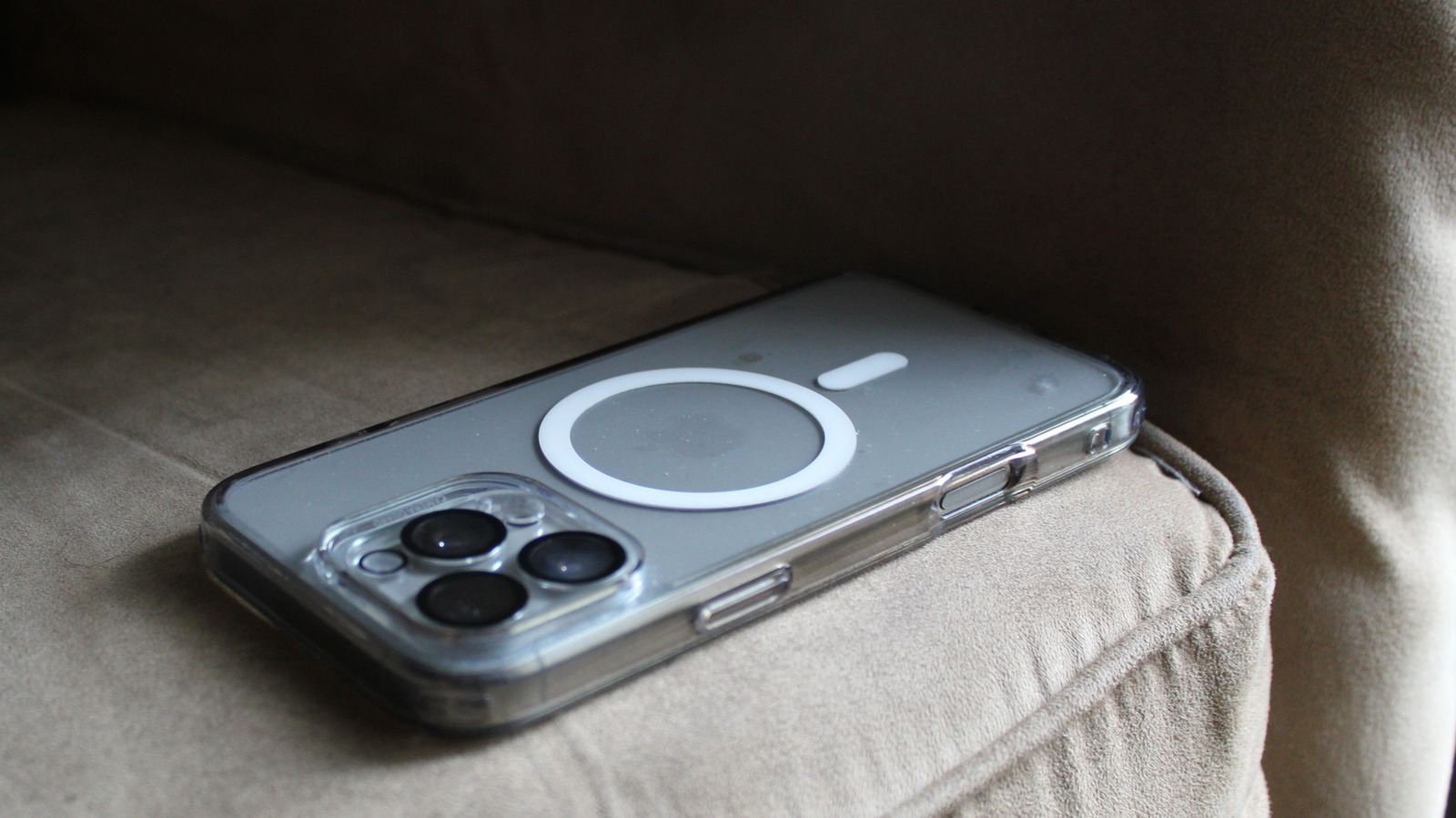
A MagSafe-compatible iPhone case sitting on a cushioned chair. Azeez Photography/Shutterstock

Apple’s handy MagSafe system landed in 2020 with the launch of the iPhone 12. The magnetic technology, with its iconic MagSafe circle, launched primarily as a convenient way to charge your Apple handset and also carry compatible accessories like wallets that attach securely to the circular magnet inside the back of the phone. MagSafe has since evolved into a full accessory ecosystem that now includes items such as battery packs, car mounts, stands, grips, and a slew of other third-party offerings from a large number of manufacturers.

MagSafe-compatible iPhone cases have become popular, too. You may have one yourself. In fact, if you have a clear iPhone case with MagSafe, you’ll see the all-important circle containing the magnets that make the feature possible. On such cases, you’ll also notice a small vertical line just below the circle. The line is more important than you may realize, as it affects the positioning of your attached accessories.

An essential second magnet

A man's hand holding a transparent MagSafe iPhone case. Hadrian/Shutterstock

If you pick up a MagSafe-compatible iPhone case with a clear design, you’ll notice the MagSafe circle containing the all-important magnets. While it’s true that the iPhone’s built-in MagSafe magnets have enough pull to attach items through many non-MagSafe iPhone cases, incorporating them into a case increases the strength of the attachment — important if you’re carrying something valuable like a wallet, and convenient if you don’t want to be picking up some of the best MagSafe compatible battery packs or other accessory from the floor every time they slide off.

But what about that small vertical line that you can see just below the MagSafe circle on an iPhone case, which is also in the same location inside MagSafe-compatible iPhones? It is, in fact, a standalone magnet and not part of the charging technology, which is contained purely within the circular part. Apple included this smaller magnet in its MagSafe design for a specific reason.

For example, the vertical magnet supports positioning and orientation so that the MagSafe accessory properly aligns with the circle when you attach it. Perfect alignment ensures a full connection for battery charging, increasing efficiency. It also anchors something like a wallet into the upright position, preventing it from sliding about.

Picking the right MagSafe accessory for your iPhone

As with any popular product, especially ones for Apple devices, third-party companies are keen to offer their own MagSafe products to the tech giant’s huge customer base. That also means there’ll be lower-quality MagSafe iPhone cases that you’ll want to avoid. Helpfully, Apple has a Made for iPhone (MFi) badge that it includes on the packaging of approved third-party accessories, giving customers peace of mind regarding safety and performance when buying such items.

Apple-certified makers offering MagSafe accessories include the likes of Belkin, OtterBox, Spigen, and ESR. For non-MFi brands, the best advice is to check online reviews that conduct thorough tests to uncover any major design flaws. A common issue with poorly made MagSafe iPhone cases is weak magnet strength, so if possible, it’s best to try the case out in person, unless you’ve read a trusted review that gives it the green light. You’ll want to be sure that the case holds your accessory steady and maintains a secure connection even when you’re moving around.

To ensure that the case includes the vertical magnet, attach something like a wallet and see if it holds steady or comes loose. Many iPhone owners have found MagSafe to be a useful addition to the iPhone lineup, but with so many third-party MagSafe options hitting the market, the key is choosing well-made accessories that deliver dependable magnet strength and reliable compatibility.

Source

Posted on

Apple’s AirPods 4 Are Less Than $100 For These Memorial

We may receive a commission on purchases made from links.

Memorial Day is fast approaching, and along with it comes a variety of retail sales. Even though 2026 continues to be an expensive year for tech, there’s still plenty of opportunities to save if you know where to look, and these offers can even extend to popular name-brand items. Fortunately, finding deals is one of our specialties, and right now, two different retailers are offering a popular Apple product for an appealing price.

The Apple AirPods 4 are currently on sale at Walmart and Amazon for less than $100, though customers should be aware that the model on sale does not include Active Noise Cancellation (ANC). Be that as it may, these AirPods do come with a variety of features, including Apple’s Spatial Audio and a chipset dedicated to audio processing. There are also the fact that they’re extremely portable due to the charging case’s small size, and there’s some properties about these earbuds that can even make them good for the gym or other activities.

While there is at least one thing to know before buying the AirPods 4, it’s worth noting that the AirPods 4 do work with Apple’s Find My, meaning you can potentially locate them through the Find My app should they become lost. Considering the price, these can definitely be worth checking out if you’re looking for a low point of entry into Apple’s audio hardware. Of course, enticing as this offer may be, remember that it may not last long.

Save 23% on the AirPods 4 through Walmart or Amazon

When we reviewed the AirPods 4 in September 2024, we gave the earbuds high marks for their comfortable fit, reasonable price, and solid audio quality. Now, both Amazon and Walmart are selling them for about $30 less than their typical listing price. Additionally, both retailers are also offering an AppleCare+ protection plan with this item, which is about the same amount as the discount, for what it’s worth.

On their own, AirPods have a five-hour battery life, which can be extended to 30 hours when using the included charging case. Built with Apple’s H2 chip, the earbuds feature voice isolation that Apple promises improves phone call quality in loud environments while also isolating your voice when speaking to people. Capable of working with Apple’s voice assistant Siri, these AirPods also include personalized Spatial Audio that Apple claims creates a “theater-like” experience for your audio and media. Along with USB-C and wireless charging support for the case, AirPods also feature dust, water, and sweat resistance.

On Amazon, the AirPods hold a 4.6-star rating with over 29,390 reviews, whereas they hold a 4.3-star rating on Walmart’s website with over 71,800 reviews. Customers give the AirPods 4 compliments for their high sound quality, affordable price, and solid battery life. However, some users do note that the earbuds can be uncomfortable (AirPods 4 do use a one-size-fits-all design). Nonetheless, this can be a solid deal for those wanting Apple hardware, and they can even make a solid graduation gift for students.

Source

Posted on

Why There’s Simply No Need For A Desktop PC Anymore

In the early days of publicly available computers, desktops were the only devices you needed … or could afford. These were less crucial parts of people’s lives and more like status symbols. However, as the years passed and technology improved, computers became more powerful and, more importantly, smaller. Gone are the days when computers needed hard drives the size of washing machines, and one could argue that so are the days you need desktops. If I’m being blunt, the average person doesn’t need a desktop since most laptops have enough horsepower to perform tasks such as web browsing, streaming videos, and word processing.

Heck, I’m currently writing this article on a Lenovo Legion Pro 7. I could have bought a cheaper laptop without sacrificing the ability to perform my job, but I wanted a compromise between price and playing the latest computer games on the go. Granted, a laptop will never be as powerful as a desktop, but the average user doesn’t need that much power to begin with. Plus, they can use a laptop dock to add extra monitors and peripherals for improved productivity and ergonomics. Laptops also have another indispensable advantage in the form of portability.

These computers are designed to fold up and slip into carrying cases, so you can take your work anywhere. Got an important presentation for your job? You could create the PowerPoint on a desktop, save it to a flash drive, and take the drive to your office. But if you have a laptop, you can tweak and improve your presentation during your commute. Assuming your laptop has a beefy battery, of course. And don’t forget that since laptops take up less room than desktops, you have more room to decorate your workspace.

You need even less power than you think

Happy man using smartphone at home Realpeoplegroup/Getty Images

We know we just spent an entire slide on how laptops can do everything desktops do, but that was a bit of an exaggeration; technology has improved to the point where you don’t even need a laptop. Sort of. Many computer manufacturers offer a special breed of laptop known as a notebook. These devices are even weaker than laptops, so while notebooks might struggle with many tasks, their batteries last longer since their comparatively anemic components require little electricity. Plus, while notebooks generally have fewer USB ports than standard laptops, you can always buy a laptop docking station for additional connection slots.

Admittedly, notebooks aren’t suited to anything more strenuous than word processing, but that lack of power helps save you money (despite the RAM shortage driving up prices on laptops and desktops). For everything else, there’s cloud computing. You can even stream games on a notebook if you have the right subscription service … and don’t mind input lag.

Technically speaking, you don’t even need a notebook. Many tasks that once required a desktop (and later a laptop or notebook) you can now perform on a smartphone. You can’t exactly code programs on Androids or iPhones, but that’s more an interface problem than a processing one. Smartphones have more than enough power to stream videos, browse the internet, and even play games. Although don’t expect graphical fidelity to remotely approach the capabilities of even the weakest gaming laptops.

Desktops still win when it comes to pure power

Throughout this article, we have discussed how the difference in power between desktops and laptops has shrunk considerably. However, this gulf still remains, and it will likely never disappear completely. While you can use a laptop to perform basic tasks such as word processing (or use a phone to browse the internet), desktops still have a huge advantage in resource-heavy tasks. Just look at video games.

While plenty of laptops provide solid gaming experiences, desktops generally deliver better graphics and higher framerates, especially when they have the proper GPU, CPU, and RAM. The same is true for any job that requires a ton of processing power. If you are a game developer or create CGI for movies or shows, you probably use (or should use) a desktop for those assignments. Desktops also have one final and inescapable advantage: You can upgrade them more readily.

Granted, you can replace some outdated components in laptops, but the most important ones, the CPU and GPU, are often soldered to the motherboard. And that’s assuming you can even open the case. Desktop components, meanwhile, are basically designed to be removed and replaced, which lets desktop computers last longer. In a piecemeal, Ship of Theseus sort of way, at least. Just make sure you transfer your files to new HDDs and/or SSDs when replacing them.

Source

Posted on

4 Retro Apple Gadgets You Can Buy On Amazon

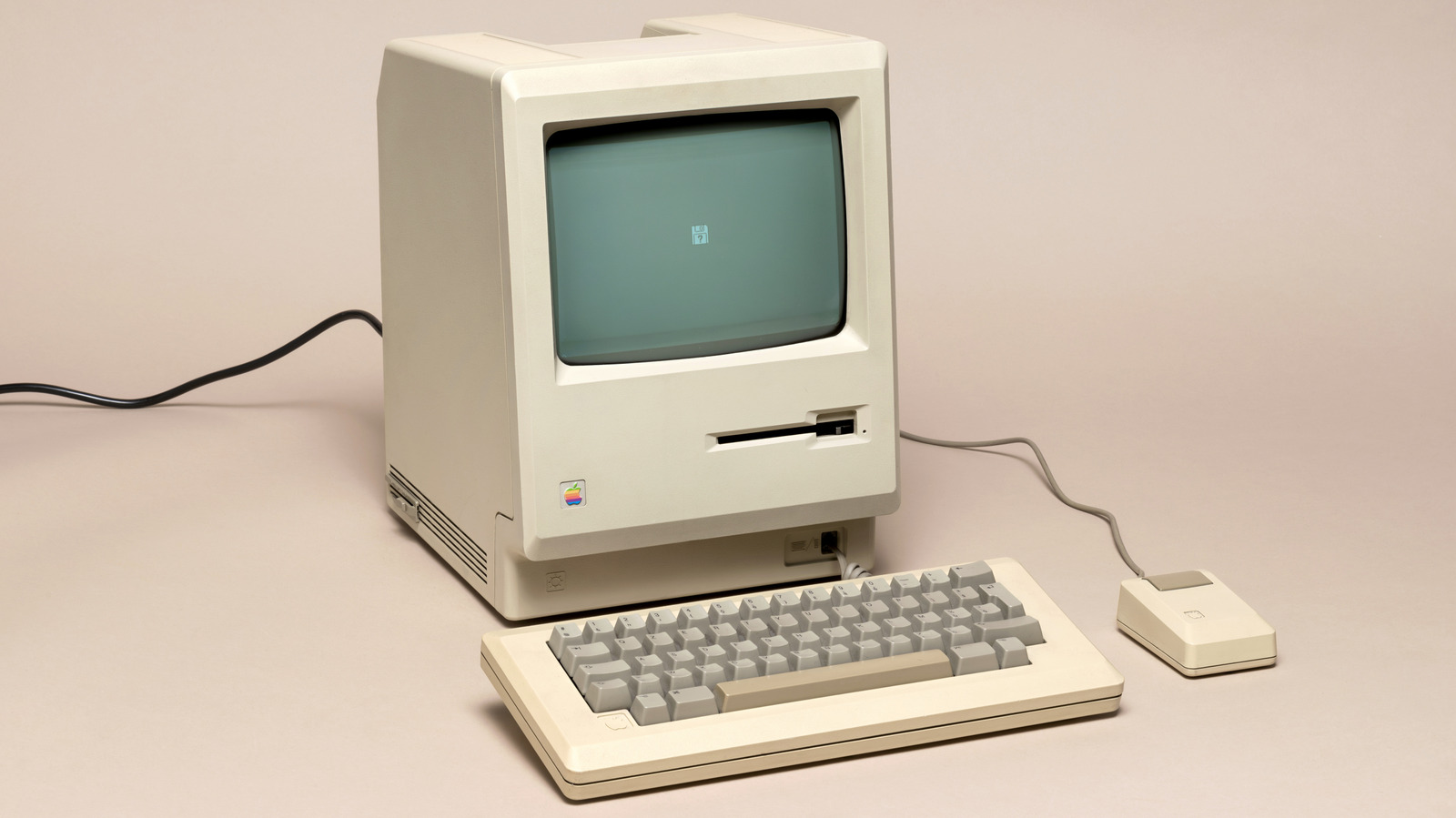
A 1984 Apple Macintosh computer Photology1971/Getty Images

While Apple’s general brand image these days emphasizes sleek, smooth curves, that wasn’t always the case. Back in the company’s fledgling years of the 1980s, its equipment was just as boxy and beige as everyone else, with a smoother, more colorful image gradually surfacing in subsequent decades. While you can’t go back in time to buy actual computers and accessories from that age today, there are fun gadgets you can purchase on Amazon to give your modern devices a little retro Apple style, such as clocks, speakers, and chargers.

These gadgets won’t have genuine Apple branding on them, as that would surely incur the company’s wrath. But they do utilize the iconic shapes and designs of computers like the Macintosh and iMac, as well as those computers’ peripherals, like the Macintosh’s boxy mouse. Whether you were around back then and miss your favorite old Apple tech, or are a younger user interested in retro hardware, these gadgets are an easy way to inject yesteryear vibes into your modern-day life.

Uneede Maclock Retro Desk Clock

The original Apple Macintosh computer hit the market in 1984. It proved to be a landmark in personal computing and is an 80s inventions that you’re still using today. Its boxy, slightly rectangular design has made it an iconic piece of that era and computer history, though using one these days wouldn’t exactly be efficient. You might struggle to get one anyway, as an original Macintosh from the 80s is quite valuable today. Instead, for a little Macintosh style on your desk, there’s the Uneede Maclock Retro Desk Clock, available on Amazon for $29.99. 

This digital clock deliberately invokes the appearance of the original Macintosh computer, including a distinctive, yet copyright-safe rainbow logo on the front. When active, the screen displays the current time, date, day of the week, and ambient room temperature. It’s powered on by inserting a decorative floppy disc into the disc drive on the front, greeting you with a pixelated smiley face reminiscent of the Finder logo from the original Macintosh operating system. The buttons on the side let you program the alarm, while the dial on the front helps you fine-tune the backlighting so it isn’t disruptive on your nightstand.

Spigen AirPods Pro 3 Case

Another element of the original Macintosh that cemented its stylistic profile was the mouse, which was as boxy and rectangular as the monitor. Remember, visual interfaces were a brand-new thing back in the 1980s, evolving from text-only inputs, meaning the first mouse wasn’t exactly designed with ergonomics in mind. So while you may not want that distinctive look for use as an actual mouse today, it works nicely as design-forward case for AirPods. 

Specifically, the Spigen AirPods Pro 3 case, available on Amazon for $29.99. This case is meant to serve as a protective second layer for the MagSafe charging case that comes with the AirPods Pro 3. The MagSafe unit sits within the Spigen case, and a small opening on the side allows you to insert a charging cable as normal, while keeping the case closed. It flips open for access and features a built-in locking mechanism. 

Simply close the lid, click the mouse button, and the lid will lock. This retro-inspired gadget also works with a wireless charging pad, and for extra style points, the side of Spigen’s mouse case has a faux ribbed cord ending in a tie point for a lanyard, reminiscent of the connector on the original Macintosh mouse.

Divoom MiniToo Smart Pixel Speaker

The first Apple computer to feature a built-in color display was the Mac Color Classic, released in 1993. Where previous Mac computers used monochrome displays, this model was equipped with 512 x 384 pixel color, allowing users to see all kinds of chunky, pixelated pastels. It might be tough to get a Mac Color Classic today, but if you want this look on something resembling a classic computer, there’s the Divoom MiniToo Smart Pixel Speaker. Rather than reminding of a single, specific retro Apple device, this gadget manages to echo the entirety of the late 80s and early 90s home computing scene, including a boxy monitor and tiny integrated keyboard. 

Using a companion smartphone app, you can display a variety of pixel art and digital clock faces, including some that resemble the UI of classic Apple computers. You can also draw custom pixel art to show off, or mirror photos from your device. Running $55.99 on Amazon, this Divoom gadget doubles as a smart speaker, playing music with a 5W full-range driver through Bluetooth, USB, or TF cards. It can also be used as an alarm clock and white noise machine, all of which can be controlled by the built-in keyboard and joystick.

Spigen Apple Watch Charger Stand

The Apple iMac G3 was a legendary gadget born in the 90s. It was one of the first major departures from the company’s established designs in terms of both visual style and computing ability. Not only did it feature the latest version of MacOS, the iMac G3 boasted a smooth, rounded casing that came in a variety of pastel colors, a notable change from the beige boxes that had previously dominated the industry. For a gadget that channels this particular piece of Apple history, there’s the Spigen Apple Watch Charger Stand. 

Available on Amazon for $29.99, this retro-styled accessory serves as a stylish stand for your existing Apple Watch charging pad. Insert the charger cable into the hole in the front, snake it out the back, and push the charging pad into the recessed section. Your cable is out of sight, while your Apple Watch can be mounted to the front for charging, with its band looping around the back. This gadget is made of non-slip silicone to help keep your Apple Watch firmly mounted in place, and comes in four colors reminiscent of the iMac G3: Bondi Blue, Ruby, Graphite, and Tangerine.

Source

Posted on

Who Actually Owns TikTok?

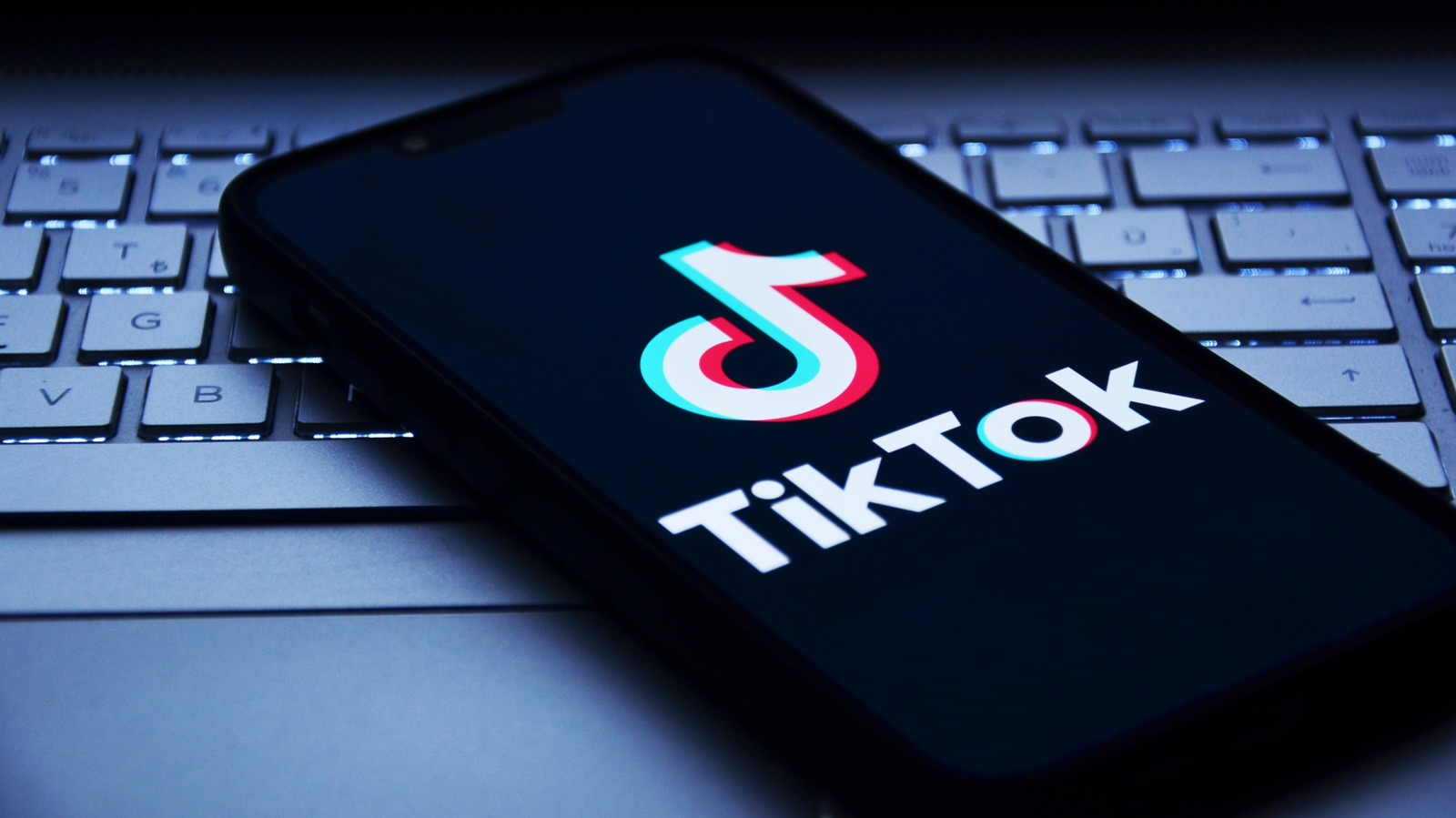
A phone lying on a keyboard with the TikTok logo on its screen miss.cabul/Shutterstock

TikTok, the social video app, has two different owners. There’s the main company, ByteDance, which owns TikTok and its Chinese equivalent, Douyin. In 2025, a third arm was created, with U.S. control handed over to a joint venture, TikTok USDS JV.

Who actually owns TikTok is an interesting rabbit hole to go down. If you’ve only seen it at the surface, the reasoning behind the company’s current situation is fascinating. Mostly, the corporate-level mess stems from the U.S. government, but also from other companies trying to muscle their way into the most popular social media app of all time. 

In 2021, TikTok surpassed Google as the most visited website, and despite some major optical issues from what’s come out of the app, it remains extremely strong. However, the video app also has a history, which explains why three U.S. administrations have tried to curtail its reach, pushing it to the brink of a total U.S. ban. With it now split into three different entities, TikTok is quite the tangled cable to unjumble.

Bans, purchases, and censorship

A U.S. flag waving Dm3d/Getty Images

In 2025, after a near-unanimous agreement by Congress in 2024 that TikTok posed a risk to the U.S. and should be banned, the app was briefly blocked. The U.S. government, backed by the second Trump administration, blocked the app from being downloaded on Apple’s iOS and Google’s Android before it was made available again. Those who had the app could still access it, but it was unclear if or when the app would go down completely. 

When service to TikTok was restored in the U.S., a plan was put in place to sell the U.S. branch of the company off to U.S.-based stakeholders. That company became the TikTok USDS JV, and it controls the algorithm, data, and business operations in the United States. The warnings that came from particular users in the U.S. about what would happen have also come to pass in some areas. Users frequently report not seeing news or information about world events, or even U.S.-centric events like protests and the ongoing war in Iran.

Part of this is thanks to the new owners of TikTok USDS JV. They are Bytedance (19.9%), Oracle (15%), MGX Fund Management Limited (15%), and Silver Lake (15%), with a central focus on Oracle’s involvement. Larry Ellison, Chairman and CTO of Oracle, has been hell-bent on buying up as much U.S. data and media as possible. Outside of getting involved in the TikTok purchase, Ellison has spent billions to acquire Warner Bros., with some reports indicating he’s also targeting news outlet CNN to gain control of its output.

Breaking down the primary owners of TikTok US

Larry Ellison of Oracle smiling for a photo Jay Hirano/Shutterstock

While there’s plenty of information about ByteDance, the other three aren’t as familiar to people. First, MGX Fund Management Limited is an Abu Dhabi government fund focused on investments in artificial intelligence (AI). It’s run by Tahnoon Bin Zayed Al Nahyan, Khaldoon Khalifa Al Mubarak, and Ahmed Yahia Al Idrissi, backed by the Abu Dhabi government.

Silver Lake is another private equity firm, but it is based in the U.S. It controls massive investments in multiple tech companies, including Unity, Dell, and payment service Klarna. Most recently, it was one of the firms involved with the purchase of Electronic Arts (EA). Alongside Trump’s son-in-law Jared Kushner’s firm, Affinity Partners, and the Saudi Arabian sovereign wealth fund, it’s planning to be part of the takeover if it gets approved by the U.S. government.

Lastly, Oracle, which mainly provides sales-as-a-service (SaaS) software, has been incredibly busy in the last few years. Once one of those companies no one really knew about, it has risen to infamy over its recent Warner Bros. buyout and claims that CTO Larry Ellison wants to dominate the media space for his own purposes. It recently laid off 30,000 members of staff via email. Oracle is also heavily invested in AI, and has owned the programming language Java since 2010.

Source

Posted on

Your Ring Camera Has An AI Description Feature (And It’s

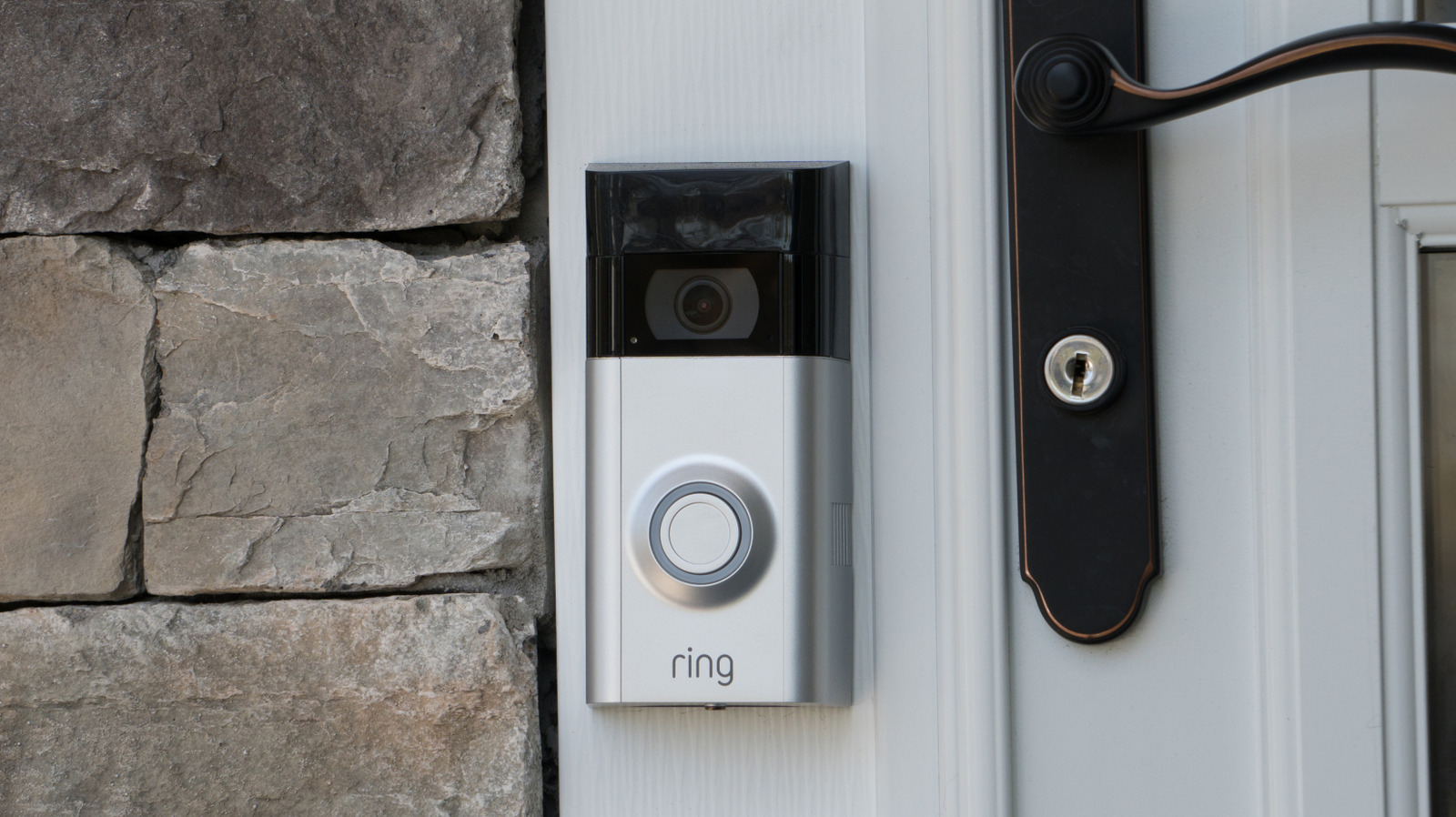
A closeup of a Ring camera attached to the frame of a door BrandonKleinPhoto/Shutterstock

Launched in 2014, Ring cameras can help individuals protect their property by giving them access to live video feeds wherever a device is installed. Acquired by Amazon in 2018, Ring now has 50 different devices available with an assortment of features and specs. There are some uncomfortable truths about using Ring cameras, but there’s one feature in particular that may give you the creeps.

Backed by generative artificial intelligence (AI), Ring’s Video Descriptions are meant to be a way for users to distinguish between normal activity and emergencies when observing camera footage. Available with a subscription, Video Descriptions provide details about what’s going on when motion is detected on a camera. While it can be useful, it can also be disturbing knowing that AI is combing through your video footage. Fortunately, you have options.

Video Descriptions are a part of a suite of AI features from Ring, which also includes Single Event Alert, which reduces notifications by combining alerts, and Active Warnings, which notifies visitors about recording devices being used. While there are plenty of things you didn’t know your Ring camera could do, for now, let’s take a closer look at what Video Descriptions are and how you can control this AI feature.

What Video Descriptions are and how to disable them

An individual holding a Ring camera Hadrian/Shutterstock

With Ring Video Descriptions, when the device recognizes motion, you’ll receive a notification containing a text description of the event as well as an animated preview. For example, if your pet is getting up to no good, you might receive a text-based alert to the effect of, “A dog is tearing up paper towels on the rug” along with a brief preview.

Video Descriptions is only available for those who have a Ring Pro subscription and there are some stipulations. English needs to be the primary language on your smartphone and the feature does not work with the Ring Edge, Ring Alarm, Ring Car Cam, or Ring Alarm Pro. Any new devices will need Video Descriptions enabled, and disabling the feature removes all descriptions.

Here are the steps for enabling or disabling Video Descriptions:

  1. Open the Ring app and ensure you’re on the main dashboard.

  2. Select more (three dots) for the device you’re accessing.

  3. Choose Alert Settings.

  4. Under Filters, select Video Descriptions and enable/disable it.

You can also access Ring’s other Intelligent Features by selecting menu from the dashboard and tapping Pro Features. You’ll see an option for turning them on or off, and selecting which features to enable. Choosing Manage Devices allows you to select which devices have access to the various features. And on the topic of creepy tech features, you may also want to know if the blue light on a Ring camera means someone is watching.

Source

Posted on

Linux Vs. Windows: Which Is Better For Your PC?

A Windows logo and Linux logo on an orange background with Microsoft/Linux Foundation/BGR

The Windows vs Linux argument can be easily boiled down quite quickly. If you’re after a secure, semi-stable system that doesn’t require you to be a power user, stick with Windows. Just make sure you get the right version of Windows 11, Home or Pro. For those fed up of the subscriptions or artificial intelligence direction of Microsoft, or need a free alternative to Windows for older PCs unable to install Windows 11, Linux is probably your best bet. 

Despite the summary above, the conversation of which operating system (OS) is better for your computer, Windows or Linux, isn’t simple. In recent months, Windows has become more unstable in subsequent updates, to the point where Microsoft now allows users to stop updates from coming through. This, along with the company’s push into artificial intelligence, has caused an estimated half a million users to switch from Windows. Linux comes with the need to at least have basic computer literacy — something that’s been on a downward swing for quite some time. 

Microsoft Windows has been around since 1985, starting out as a graphical user interface for MS-DOS systems. Before Windows 95 overhauled how an OS functioned, Windows really was just a glorified layer atop an existing OS. During this time, a Finnish man named Linus Torvalds was disappointed with the limitations of the educational OS, Minix. Eventually, once he began programming ways for it to interface with UNIX and POSIX systems, he created Linux. The new open-source operating system has taken on a life of its own, with thousands of contributors every year for the last 35 years.

Windows is still best for most people

A laptop with Windows on a metal surface outside Nguyenducquang/Getty Images

Despite the massive issues it’s been facing, Windows is still the best for the vast majority of people. Its software and hardware support is unparalleled, even against macOS and the rising tide of adaptations over on Linux. If you’re working, editing, or gaming on a Windows PC, it’s more than likely that the only real thing preventing these tasks from getting done is hardware.

The biggest benefit is that it’s actually quite hard to completely break Windows. Microsoft might be getting good at it with some rogue updates, but as long as you’re not downloading and running malicious software, it’s pretty resilient. The built-in anti-virus, Windows Defender, will also keep even the daftest of users relatively safe. There’s a reason that, regardless of everything, it’s still the dominant operating system in the world.

At its core, though, it’s the compatibility that can put Windows over the edge for many people. It’s taken months, for instance, for Linux computers with NVIDIA hardware to reach a completely stable state. In some versions of Linux, updates might not arrive for months due to development timelines and the need to ensure the system remains stable. But you can almost guarantee that Microsoft will be on top of whatever issue is impacting Windows — even if the updates haven’t been the most reliable since Satya Nadella claimed 30% of Microsoft code was being written with AI.

Linux isn’t as complicated as you think

A computer with Tux, the Linux mascot, on screen Claudio Borquez Arias/Shutterstock

Meanwhile, Linux is seeing an increase in users as Microsoft continues to bungle Windows. No subscriptions or advertisements are baked into the system. The fear of using the terminal is no longer a factor, as most Linux distributions (distros) have come far enough to smooth out those elements. A major factor is that popular desktop environments (DEs), like KDE or GNOME, are designed with the idea of wrangling the OS into something anyone can use.

Yes, the terminal might still need to be accessed, but there are now plenty of distros that cater to newer users or those looking for a semi-Windows experience. CachyOS and Bazzite have become massively popular, both built atop two Linux distributions (Arch and Fedora, respectively) and focused on the gaming community. Others, like Mint, offer a great starting base, with a familiar ground using the Cinnamon DE. Of course, for those who are already PC familiar and want something a little more complex, distros like Gentoo exist, and DEs like Hyprland leave all familiar territory behind, opting for a tiling system.

Linux can be difficult to get to grips with in certain aspects, especially with application support. Windows translation layers like Wine and Proton have come on leaps and bounds, with a sizeable number of applications now able to run as if they were on Windows, but on Linux. However, there are still compromises to be made; some essential Windows apps still aren’t fully functional on Linux, outside of a few edge cases that are being actively worked on.

Source