Posted on

We just learned a key detail about Apple’s foldable iPhone

A Display Supply Chain Consultants (DSCC) report a few days ago claimed that Apple will enter the foldable smartphone market in 2026. The move is expected to turbocharge the foldables market, which will face stagnation next year. Dominated by Samsung and Huawei, the current foldable phone landscape has grown all it can without Apple. According to the report, the foldable iPhone is the holy grail event the market needs.

The claims make some sense, especially as rumors about foldable iPhones and iPads are heating up. Add to that the approaching 20th anniversary of Apple’s first-generation iPhone, and a foldable iPhone might be just the kind of design change Apple needs.

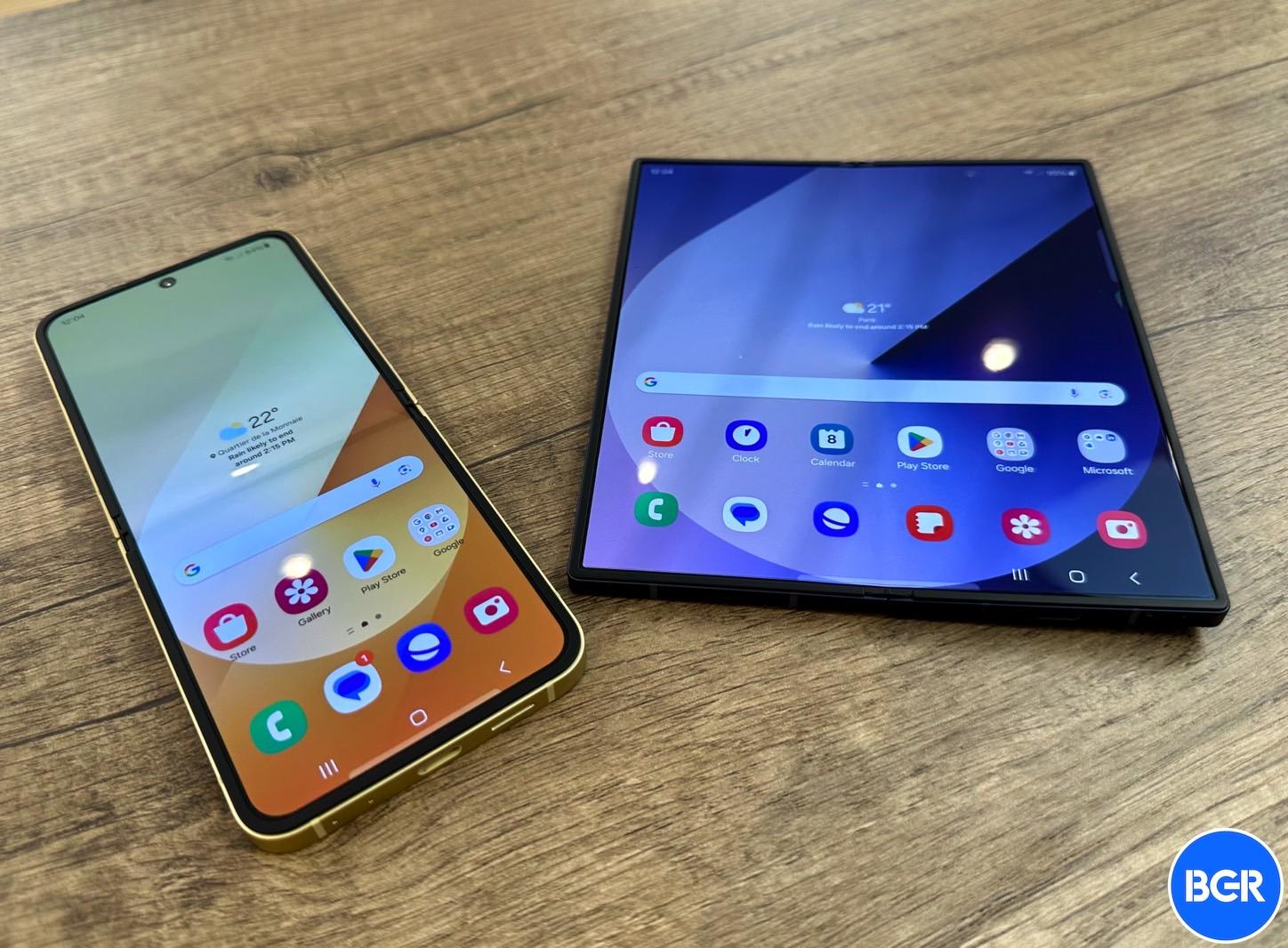
However, the DSCC report didn’t mention what type of design Apple chose. The only viable choices right now are the fold and flip form factors — either a smartphone that becomes a tablet, like the Galaxy Z Fold 6, or a clamshell foldable, like the Galaxy Z Flip 6. Apple could very well embrace both designs, just like Samsung did. Yes, we have double-fold foldables in the wild, but Apple would probably not consider them in the near future, especially if it wants to launch a foldable Mac/iPad in 2028.

Ross Young, the CEO of DSCC and a steady source of iPhone leaks, has answered questions about the type of foldable iPhone design Apple will choose, claiming that Apple is going with an iPhone Fold rather than an iPhone Flip.

Tech. Entertainment. Science. Your inbox.

Sign up for the most interesting tech & entertainment news out there.

By signing up, I agree to the Terms of Use and have reviewed the Privacy Notice.

The comments are buried in an X thread that followed the DSCC report last week. When a user asked whether Apple’s foldable iPhone would be a Flip, Fold, or both, Young answered with one word, “Fold.”

The display analyst then expanded on the comment, saying that Apple is going for a Fold-style “at the moment.”

The same user X user mentioned that most people expect Apple to make a Flip-type of foldable iPhone, asking Ross whether he was sure about Apple’s choice.

That’s when Young said that Apple reportedly canceled the Flip-type design. The foldable iPhone is a “7.x-inch Fold,” he said, adding that he doesn’t want to go into too many details about screen sizes on X.

Samsung also entered the foldable market with a Fold-type device, the ill-fated Galaxy Fold whose original design came with a few critical failures that Samsung had to push back the launch by several months. Samsung perfected the Fold design in subsequent iterations. The first-gen Galaxy Z Flip arrived on the scene a year later.

While I favored the Fold design over the Flip, I changed my mind in recent years. I don’t think I need a tablet in my pocket. It’s clamshell phones like the Motorola Razr and the Galaxy Z Flip that made me dream of a foldable iPhone Flip device.

Take the 6.7-inch iPhone 16 Plus, which I struggled to carry in my pocket for nearly two months. Flip that phone, and it’s a different ball game.

On the other hand, given Apple’s rumored roadmap, an iPhone Fold makes sense. I explained why an iPhone 17 Air design is a key piece of the foldable iPhone puzzle. Also, I told you that Apple’s rumored 6-inch smart display device will pave the way for software interfaces and displays that could very well benefit a foldable iPhone in the future.

If Apple has settled on the Fold design for the first-gen foldable iPhone, we should see more leaks confirming Ross’s claims in the coming year.
Source

Posted on

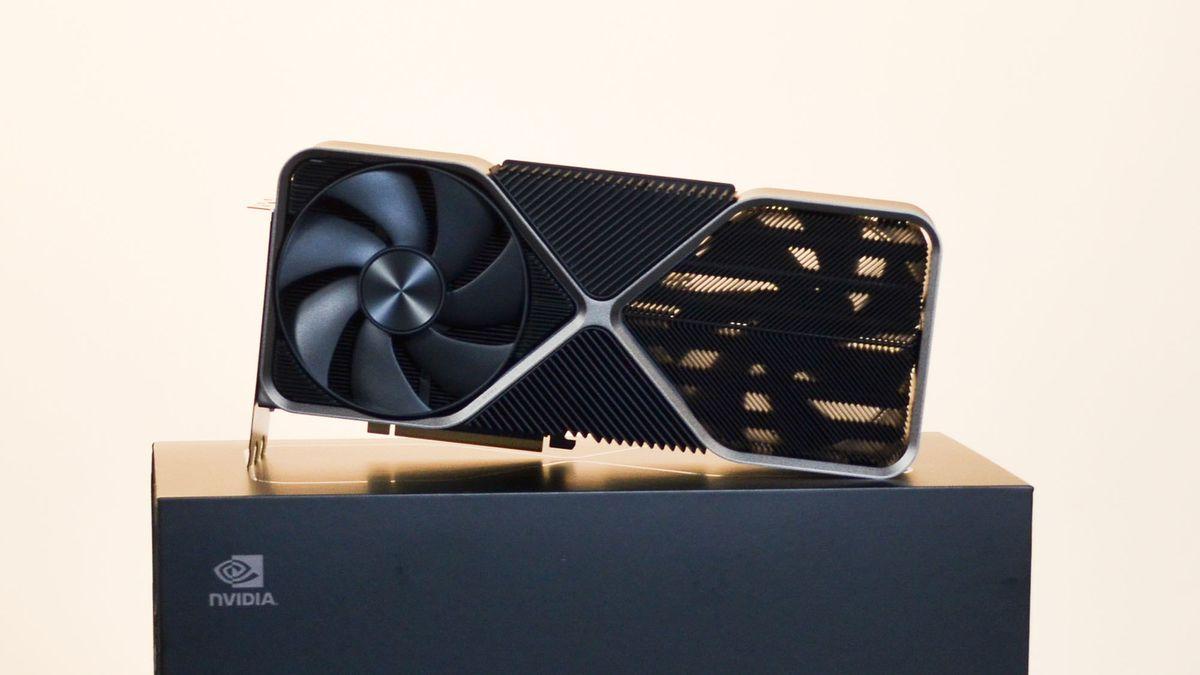
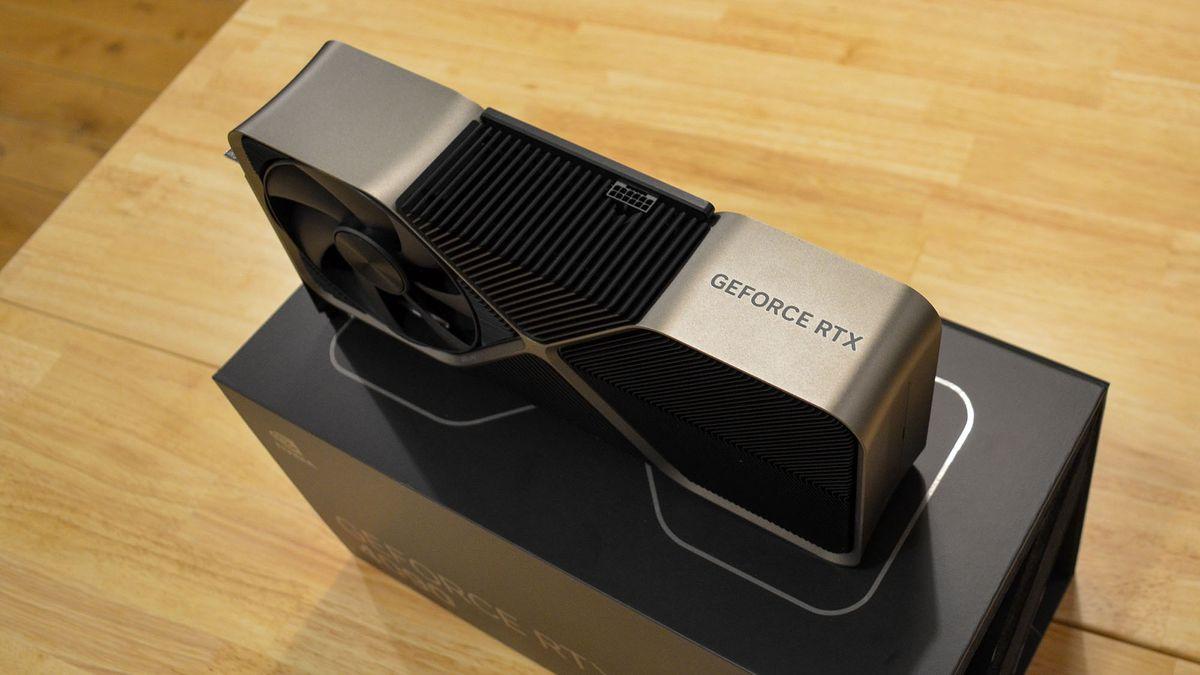
Nvidia RTX 5090 rumor suggests flagship GPU might not guzzle as much power as previously claimed – but don’t get too excited

  • Nvidia RTX 5090 has been rumored to guzzle 600W in the past
  • A leaker on X has suggested it might use ‘slightly’ less power
  • This comes alongside assurances that RTX 5070 Ti won’t be a power hog

Nvidia’s RTX 5090 might not be quite as much of a power hog as some PC gamers fear based on the latest nugget from the GPU grapevine.

As you may recall, the rumor mill has previously insisted that the Blackwell flagship graphics card might tip the scales at a weighty 600W of power use.

According to some fresh info from regular leaker on X, Kopite7kimi, we can at least be somewhat hopeful that the RTX 5090 may not make quite so heavy a demand on your PC’s power supply.

This info popped up in a thread on X which was discussing the purported RTX 5070 Ti – a GPU that could be launched third by Nvidia, after the RTX 5090 and 5080 – and specifically that graphics card’s power requirements of 350W.

Kopite7kimi noted that while 350W is a possible configuration Nvidia is exploring, the latest the leaker has heard is that it’ll be 285W, so considerably less – which prompted an X user to question whether the RTX 5090 might’ve had its power use revised downwards (from 600W), too.

The leaker replied to indicate that yes, this “may” be the case, although it might only be a “slight decrease” in the power chugged by the next-gen flagship.

A mockup of the Gigabyte RTX 4090 Windforce graphics card

(Image credit: Gigabyte)

Analysis: You’ll still need a mighty power supply

Clearly, take all this with plenty of seasoning, but doubtless PC enthusiasts looking at this mighty next-gen flagship will take anything that sounds like remotely good news for the power consumption of the RTX 5090.

{ window.reliablePageLoad.then(() => { var componentContainer = document.querySelector(“#slice-container-newsletterForm-articleInbodyContent-oAyPhb5eLbiHrSmmzZzkWB”); if (componentContainer) { var data = {“layout”:”inbodyContent”,”header”:”Get daily insight, inspiration and deals in your inbox”,”tagline”:”Sign up for breaking news, reviews, opinion, top tech deals, and more.”,”formFooterText”:”By submitting your information you agree to the Terms & Conditions and Privacy Policy and are aged 16 or over.”,”successMessage”:{“body”:”Thank you for signing up. You will receive a confirmation email shortly.”},”failureMessage”:”There was a problem. Please refresh the page and try again.”,”method”:”POST”,”inputs”:[{“type”:”hidden”,”name”:”NAME”},{“type”:”email”,”name”:”MAIL”,”placeholder”:”Your Email Address”,”required”:true},{“type”:”hidden”,”name”:”NEWSLETTER_CODE”,”value”:”XTR-D”},{“type”:”hidden”,”name”:”LANG”,”value”:”EN”},{“type”:”hidden”,”name”:”SOURCE”,”value”:”60″},{“type”:”hidden”,”name”:”COUNTRY”},{“type”:”checkbox”,”name”:”CONTACT_OTHER_BRANDS”,”label”:{“text”:”Contact me with news and offers from other Future brands”}},{“type”:”checkbox”,”name”:”CONTACT_PARTNERS”,”label”:{“text”:”Receive email from us on behalf of our trusted partners or sponsors”}},{“type”:”submit”,”value”:”Sign me up”,”required”:true}],”endpoint”:”https://newsletter-subscribe.futureplc.com/v2/submission/submit”,”analytics”:[{“analyticsType”:”widgetViewed”}],”ariaLabels”:{}}; var triggerHydrate = function() { window.sliceComponents.newsletterForm.hydrate(data, componentContainer); } if (window.lazyObserveElement) { window.lazyObserveElement(componentContainer, triggerHydrate); } else { triggerHydrate(); } } }).catch(err => console.error(‘%c FTE ‘,’background: #9306F9; color: #ffffff’,’Hydration Script has failed for newsletterForm-articleInbodyContent-oAyPhb5eLbiHrSmmzZzkWB Slice’, err)); }).catch(err => console.error(‘%c FTE ‘,’background: #9306F9; color: #ffffff’,’Externals script failed to load’, err)); ]]>

Sign up for breaking news, reviews, opinion, top tech deals, and more.

The catch is that the leaker sounds uncertain, and if there’s some downward movement, it’s not likely to be a great deal. So, are we looking at 570W or 580W maybe? Or something more towards 550W if we’re lucky, perhaps? Obviously it’s guesswork at this point, and Nvidia may not have finalized the exact spec itself (or more likely has just done so, maybe – and the rumor mill is yet to catch up).

With the RTX 5090 about to launch, in theory, inside a few weeks at CES 2025, everything about the board is likely nailed down right about now, and we could hear some more definitive sounding leaks in the next week or so. While the flagship is expected to be a seriously powerful graphics card, aside from the power usage worries, the other main concern is pricing – and how far Nvidia might push that.

We can believe a 550W power usage a lot more readily than Nvidia sticking with the same MSRP as the RTX 4090, and not hiking it at all, put it this way.

You might also like

Source

Posted on

How to take an AirPods Pro 2 hearing test

With iOS 18.2 now available, Apple expanded the AirPods Pro 2 hearing test feature to more countries and regions, including Cyprus, Czechia, France, Italy, Luxembourg, Romania, Spain, the United Arab Emirates, and the United Kingdom.

With this feature, you can identify if you have hearing loss by testing your hearing at different frequencies of sound, which are measured in decibels hearing level (dBHL). In addition, some regions already have the ability to use AirPods Pro 2 as a hearing aid device. I recently did Apple’s AirPods Pro 2 hearing test, and I wasn’t happy with what I discovered.

Here’s everything you need to know about Apple’s AirPods Pro 2 hearing test feature and how to take the most out of it.

What do you need to take the AirPods Pro 2 hearing test?

There are a few requirements to take the hearing test:

Tech. Entertainment. Science. Your inbox.

Sign up for the most interesting tech & entertainment news out there.

By signing up, I agree to the Terms of Use and have reviewed the Privacy Notice.

  • AirPods Pro 2
  • Update them to the latest firmware
  • Have an iPhone or iPad running iOS 18.1/iPadOS 18.1 or later

Preparing for the test

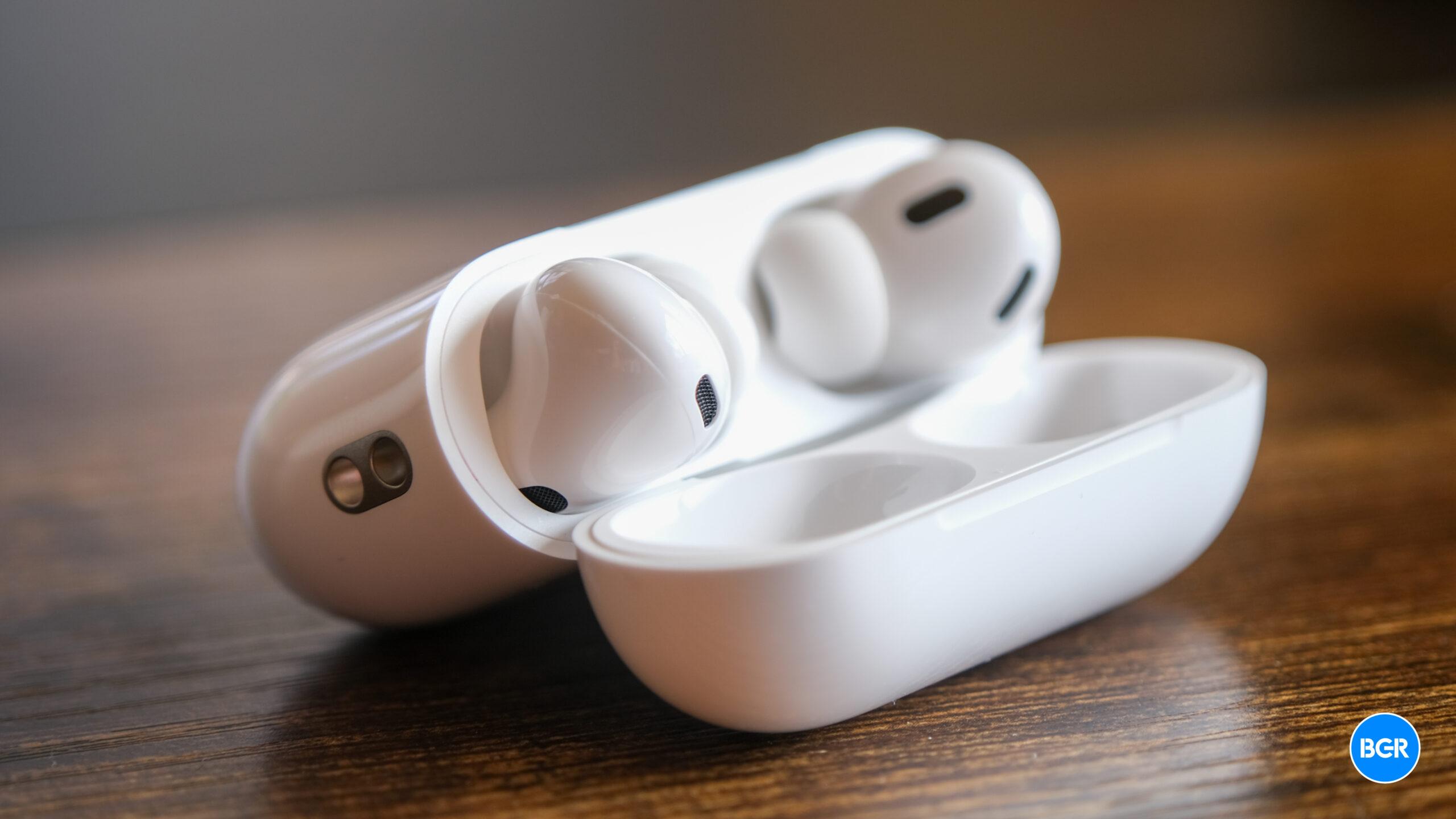
AirPods Pro 2 Adaptative Audio on iPhone 14 Pro Max running iOS 17AirPods Pro 2 next to an iPhone 14 Pro Max. Image source: José Adorno for BGR
If you match the requirements above, you need to prepare for your test. To make sure your AirPods have the proper fit, you can take the Ear Tip Fit Test (iPhone or iPad only). The Hearing Test also tests the fit of your AirPods.

Your test results might be affected if any of these apply to you:

  • If you’ve had a cold, a sinus infection, or an ear infection within the last 24 hours.
  • If you’re currently suffering from allergies.
  • If you’ve been in a loud environment, like a concert, within the last 24 hours.

Once you found a quiet place to take the hearing test, here’s what you need to do

It’s time to take the hearing test

The hearing test feature is intended for people 18 years and older and takes approximately five minutes.

  1. Make sure that your AirPods are sufficiently charged and that you are in a quiet room.
  2. With your AirPods in your ears and connected to your paired iPhone or iPad, go to Settings > your AirPods. You can also start the Hearing Test from the Health app.
  3. Tap Take a Hearing Test, then follow the instructions:
    • If the app asks to run a check, put your AirPods back in their case, close the lid, then tap OK. Tap Take Hearing Test when the check is finished.
    • If prompted to find a quieter space, turn off air conditioning or fans that might be creating noise in your environment, or wait until night when there’s less ambient noise, like traffic noise. The test monitors ambient noise and will let you know when it’s quiet enough for the test.
    • If the test recommends that you adjust the fit of your AirPods, try a different size of ear tips.
    • If the test recommends that your AirPods Pro needs cleaning, follow AirPods Pro cleaning instructions.
  4. When the Hearing Test starts, tap the screen when you hear a tone. During the test, tones are pulsed three times to give you time to respond to the tone played. You only need to tap one time when you hear a tone. It’s OK if you miss a tone.
  5. If you remove or adjust your AirPods (or if the environmental noise around you becomes loud), the Hearing Test may pause. The test resumes when you put the AirPods back in your ear or when the environmental noise is quiet again.

How to see your results

When the test is complete, you can see the results on your device. The results show your overall hearing loss in decibels of hearing level (dBHL), your hearing loss classification, and recommended next steps.

To see a detailed audiogram, tap Show Details. Your audiogram is securely stored in the Health app on your device, so you can access the data at any time. Here’s what you need to know about the results:

  • Up to 25 dBHL indicates little to no hearing loss.
  • 26-40 dBHL indicates mild hearing loss, where you can hear words spoken in a normal voice from three feet away.
  • 41-60 dBHL indicates moderate hearing loss, where you can hear words spoken in a raised voice from three feet away.
  • 61-80 dBHL indicates severe hearing loss, where you can hear some words when they’re shouted into your ear.

Source

Posted on

How to take an AirPods Pro 2 hearing test

With iOS 18.2 now available, Apple expanded the AirPods Pro 2 hearing test feature to more countries and regions, including Cyprus, Czechia, France, Italy, Luxembourg, Romania, Spain, the United Arab Emirates, and the United Kingdom.

With this feature, you can identify if you have hearing loss by testing your hearing at different frequencies of sound, which are measured in decibels hearing level (dBHL). In addition, some regions already have the ability to use AirPods Pro 2 as a hearing aid device. I recently did Apple’s AirPods Pro 2 hearing test, and I wasn’t happy with what I discovered.

Here’s everything you need to know about Apple’s AirPods Pro 2 hearing test feature and how to take the most out of it.

What do you need to take the AirPods Pro 2 hearing test?

There are a few requirements to take the hearing test:

Tech. Entertainment. Science. Your inbox.

Sign up for the most interesting tech & entertainment news out there.

By signing up, I agree to the Terms of Use and have reviewed the Privacy Notice.

  • AirPods Pro 2
  • Update them to the latest firmware
  • Have an iPhone or iPad running iOS 18.1/iPadOS 18.1 or later

Preparing for the test

AirPods Pro 2 Adaptative Audio on iPhone 14 Pro Max running iOS 17AirPods Pro 2 next to an iPhone 14 Pro Max. Image source: José Adorno for BGR

If you match the requirements above, you need to prepare for your test. To make sure your AirPods have the proper fit, you can take the Ear Tip Fit Test (iPhone or iPad only). The Hearing Test also tests the fit of your AirPods.

Your test results might be affected if any of these apply to you:

  • If you’ve had a cold, a sinus infection, or an ear infection within the last 24 hours.
  • If you’re currently suffering from allergies.
  • If you’ve been in a loud environment, like a concert, within the last 24 hours.

Once you found a quiet place to take the hearing test, here’s what you need to do

It’s time to take the hearing test

The hearing test feature is intended for people 18 years and older and takes approximately five minutes.

  1. Make sure that your AirPods are sufficiently charged and that you are in a quiet room.
  2. With your AirPods in your ears and connected to your paired iPhone or iPad, go to Settings > your AirPods. You can also start the Hearing Test from the Health app.
  3. Tap Take a Hearing Test, then follow the instructions:
    • If the app asks to run a check, put your AirPods back in their case, close the lid, then tap OK. Tap Take Hearing Test when the check is finished.
    • If prompted to find a quieter space, turn off air conditioning or fans that might be creating noise in your environment, or wait until night when there’s less ambient noise, like traffic noise. The test monitors ambient noise and will let you know when it’s quiet enough for the test.
    • If the test recommends that you adjust the fit of your AirPods, try a different size of ear tips.
    • If the test recommends that your AirPods Pro needs cleaning, follow AirPods Pro cleaning instructions.
  4. When the Hearing Test starts, tap the screen when you hear a tone. During the test, tones are pulsed three times to give you time to respond to the tone played. You only need to tap one time when you hear a tone. It’s OK if you miss a tone.
  5. If you remove or adjust your AirPods (or if the environmental noise around you becomes loud), the Hearing Test may pause. The test resumes when you put the AirPods back in your ear or when the environmental noise is quiet again.

How to see your results

When the test is complete, you can see the results on your device. The results show your overall hearing loss in decibels of hearing level (dBHL), your hearing loss classification, and recommended next steps.

To see a detailed audiogram, tap Show Details. Your audiogram is securely stored in the Health app on your device, so you can access the data at any time. Here’s what you need to know about the results:

  • Up to 25 dBHL indicates little to no hearing loss.
  • 26-40 dBHL indicates mild hearing loss, where you can hear words spoken in a normal voice from three feet away.
  • 41-60 dBHL indicates moderate hearing loss, where you can hear words spoken in a raised voice from three feet away.
  • 61-80 dBHL indicates severe hearing loss, where you can hear some words when they’re shouted into your ear.

Source

Posted on

iPhone 17 Air is real, and Foxconn is already making it

The iPhone 17 Air is another step toward becoming a reality. This time, DigiTimes (via MacRumors) says Foxconn entered the new product introduction phase. Supply chain sources tell the publication that the NPI phase is responsible for bringing this iPhone’s concept to life with design validation and prototype testing.

With that, this device is on schedule to be released in late 2025 alongside the other iPhone 17 lineup, as Foxconn doesn’t seem to be having issues making this product.

A few months ago, the same publication said the Taiwanese company Novatek planned to begin mass production of a new OLED display technology for the iPhone 17 Air. At the time, the claim seemed a bit speculative as Novatek wanted to create a thinner screen tech. However, it seems everything is aligning for this device’s release in the second half of 2025.

Latest iPhone 17 Air rumors

The iPhone 17 Air is expected to be released after years of Apple failing to conquer a more significant market with a variation of the regular iPhone. The company has seen low sales of the iPhone 12 mini, iPhone 13 mini, iPhone 14 Plus, and iPhone 15 Plus. While we need to know how the iPhone 16 Plus will perform, Cupertino seems to be planning a different approach for the iPhone 17.

Tech. Entertainment. Science. Your inbox.

Sign up for the most interesting tech & entertainment news out there.

By signing up, I agree to the Terms of Use and have reviewed the Privacy Notice.

Besides that, rumors so far have hinted at a premium version of the non-Pro iPhone 17. While all models are expected to maintain the same price point, this iPhone 17 Air would cost around $1,299—the most expensive iPhone to date. Despite its ultra-thin form factor, it would have the A19 chip, 8 GB of RAM, and two main cameras.

It is still unknown how Apple will maintain a good battery life with an ultra-thin form factor. However, the company might learn from Huawei’s latest triple-fold phone. It’s important to say that Samsung will likely make competition hard for this rumored Apple phone.

Interestingly, the iPhone 17 Pro models could have 12GB of RAM, the A19 Pro chip with TSMC’s new N3P manufacturing process, and three 48MP primary cameras.

Below, you can learn more about the future iPhone 17.

Source

Posted on

RTX 5060 rumor suggests it’ll have 8GB VRAM and I’m starting to wonder if Nvidia has lost the plot with next-gen GPUs

Nvidia’s next-gen desktop graphics cards have been the subject of a flood of leaks lately, but this time we’re hearing about the RTX 5060 models that’ll sit at the bottom of the Blackwell GeForce stack (assuming there’s no RTX 5050, as there wasn’t a desktop 4050 of course).

Wccftech has word from the usual anonymous sources – be cautious around this rumor, naturally, as with anything from the grapevine – providing some specs of the RTX 5060 Ti and RTX 5060.

The most interesting contention is that regarding the on-board video memory, Nvidia’s RTX 5060 Ti is going to run with 16GB of VRAM, the same as the higher-end flavor of the 4060 Ti – but the bad news is the RTX 5060 is also going to stick on 8GB.

Apparently both graphics cards will use the same board (PG152) and the GB206 Blackwell chip (as previously rumored), with a 128-bit memory bus. With GDDR7 video RAM running at 28Gbps, both of these graphics cards are looking at a memory bandwidth of 448GB/s in theory.

We’re told to expect these GPUs to launch in late February to March of 2025, which backs up another recent rumor on the release timeframe.

An Nvidia GeForce RTX 4060 on a table with its retail packaging

(Image credit: Future / John Loeffler)

Analysis: Video RAM confusion

The idea that the RTX 5060 could stay on an 8GB loadout for VRAM has not gone down well with the followers of GPU rumors, as you might imagine. The RTX 4060 having this memory configuration was controversial, so for a new generation of Nvidia graphics cards to stick at this level will be fuel to the flames (quite literally – Team Green better don its finest fire-retardant suit). If this turns out to be true, of course.

Capacity isn’t the only element of the memory equation here, though, and that GDDR7 VRAM is a big upgrade in itself. That rumored memory bandwidth of 448GB/s for the RTX 5060 and its Ti sibling will be a considerable step up from the RTX 4060 flavors. In fact, it’s 55% faster and 65% faster than the RTX 4060 and 4060 Ti respectively, as Wccftech points out.

{ window.reliablePageLoad.then(() => { var componentContainer = document.querySelector(“#slice-container-newsletterForm-articleInbodyContent-wa2wkuoWTG8G2qkcAgFVwK”); if (componentContainer) { var data = {“layout”:”inbodyContent”,”header”:”Get daily insight, inspiration and deals in your inbox”,”tagline”:”Sign up for breaking news, reviews, opinion, top tech deals, and more.”,”formFooterText”:”By submitting your information you agree to the Terms & Conditions and Privacy Policy and are aged 16 or over.”,”successMessage”:{“body”:”Thank you for signing up. You will receive a confirmation email shortly.”},”failureMessage”:”There was a problem. Please refresh the page and try again.”,”method”:”POST”,”inputs”:[{“type”:”hidden”,”name”:”NAME”},{“type”:”email”,”name”:”MAIL”,”placeholder”:”Your Email Address”,”required”:true},{“type”:”hidden”,”name”:”NEWSLETTER_CODE”,”value”:”XTR-D”},{“type”:”hidden”,”name”:”LANG”,”value”:”EN”},{“type”:”hidden”,”name”:”SOURCE”,”value”:”60″},{“type”:”hidden”,”name”:”COUNTRY”},{“type”:”checkbox”,”name”:”CONTACT_OTHER_BRANDS”,”label”:{“text”:”Contact me with news and offers from other Future brands”}},{“type”:”checkbox”,”name”:”CONTACT_PARTNERS”,”label”:{“text”:”Receive email from us on behalf of our trusted partners or sponsors”}},{“type”:”submit”,”value”:”Sign me up”,”required”:true}],”endpoint”:”https://newsletter-subscribe.futureplc.com/v2/submission/submit”,”analytics”:[{“analyticsType”:”widgetViewed”}],”ariaLabels”:{}}; var triggerHydrate = function() { window.sliceComponents.newsletterForm.hydrate(data, componentContainer); } if (window.lazyObserveElement) { window.lazyObserveElement(componentContainer, triggerHydrate); } else { triggerHydrate(); } } }).catch(err => console.error(‘%c FTE ‘,’background: #9306F9; color: #ffffff’,’Hydration Script has failed for newsletterForm-articleInbodyContent-wa2wkuoWTG8G2qkcAgFVwK Slice’, err)); }).catch(err => console.error(‘%c FTE ‘,’background: #9306F9; color: #ffffff’,’Externals script failed to load’, err)); ]]>

Sign up for breaking news, reviews, opinion, top tech deals, and more.

The worry is that 8GB could really hamstring the RTX 5060 for future-proofing, and consign the card more to 1080p duties, as going forward, 1440p might prove to be more of a struggle for a thin allocation of video memory such as this – even now that’s true to an extent.

More positively, the RTX 5060 Ti could have a healthy 16GB of VRAM, although that doesn’t make a whole lot of sense when you consider the RTX 5070 has been rumored to have 12GB. Now, Nvidia has been known to equip a lower-tier GPU with more VRAM than a higher-up model in the past, but that can sometimes be a case of a beefier model launching down the line – and it doesn’t feel likely Nvidia would push out an RTX 5070 12GB and very quickly follow that with an RTX 5060 Ti 16GB. Particularly when the RTX 5080 theoretically runs with 16GB, too.

In short, we’d regard this leaked info with more skepticism than normal – although it could also be read as a sign that the RTX 5070 12GB info is off the mark (here’s hoping on that score).

Meanwhile, Intel has just brought out its affordable new Battlemage GPU, the B580, and that has 12GB of VRAM, a relatively robust helping for the price bracket this graphics card sits in. Can Nvidia fly in the face of its rivals’ video memory strategies? Well, of course it can, but it remains to be seen if Team Green actually will.

You might also like

Source

Posted on

Mysterious ChatGPT hardware must be smart glasses, given what OpenAI just unveiled

After months of speculation, Jony Ive confirmed in mid-September that he and a team of former Apple designers are working on hardware that will have ChatGPT at the core. While Ive said his LoveFrom design company will be involved in creating the product (or products?), he didn’t reveal what form factor(s) we should expect.

I labeled the product an iPhone competitor because the iPhone is an AI device, just like the Pixel and any other smartphone that can run native or third-party AI apps. The ChatGPT hardware will compete against the iPhone no matter what it looks like. The only thing we know about the gadget is that it “uses AI to create a computing experience that is less socially disruptive than the iPhone.”

Nearly three months later, I believe the ChatGPT device has to feature a key component, a pair of smart glasses that will truly let the user make the most of OpenAI’s AI models. It’s all thanks to what we witnessed on December 12th, a few short hours apart.

First, Samsung and Google unveiled the Android XR experience and teased the first devices with AI at the center. Project Moohan is Samsung’s obvious Vision Pro alternative, and yes, it looks too much like the latter. Project Moohan will be a spatial computer that supports VR, AR, and AI.

Tech. Entertainment. Science. Your inbox.

Sign up for the most interesting tech & entertainment news out there.

By signing up, I agree to the Terms of Use and have reviewed the Privacy Notice.

All the acronyms are there, with AI giving Samsung a theoretical advantage over the Vision Pro. That will be Galaxy AI and Gemini AI, in case you were wondering.

Samsung's Project Moohan Android XR headset.Samsung’s Project Moohan Android XR headset. Image source: Samsung

More interesting than Moohan is Google’s unannounced pair of smart glasses. Samsung is probably working on its own smart glasses, but the company didn’t feel compelled to announce them on Thursday. 

Google demoed the smart glasses during its Gemini 2.0 announcement, showing how Project Astra can work on them. The wearable device is paired with a Pixel phone, which will handle the processing, including Gemini. The glasses give the AI eyes and ears so it can see everything around you and communicate information as you seek help while on the go.

Add the Android XR platform, and you get augmented reality features. Think AI notification summaries, Google Maps navigation, and real-time translation. According to Google’s demo, these are all part of Android XR.

All of that further reinforces my belief that standalone AR glasses are the future of mobile computing. They’ll complement the iPhone first and then replace it.

Google Maps AR navigation on smart glasses.Google Maps AR navigation on smart glasses. Image source: Google

Seeing Samsung and Google’s announcements was enough to make me realize OpenAI will need similar abilities from ChatGPT. And the only way to deliver them is by making smart glasses of its own.

Little did I know that OpenAI’s “12 Days” live stream, which followed Samsung and Google’s surprise announcement, would further drive that point home.

OpenAI on Thursday announced that ChatGPT Advanced Voice Mode is finally getting support for real-time video streaming and screen sharing. We saw these features demoed for GPT-4o back in May, but OpenAI needed time to bring them to all users.

The ChatGPT mobile app will let you use the camera of your iPhone or Android device to see the world and hold a conversation about it with the user.

The demos OpenAI offered showed that the AI can recognize people and remember details about them. Also, the AI can recognize objects and provide tips and tutorials related to them if asked.

When I first tried Advanced Voice Mode, I wanted to use ChatGPT as a museum voice guide. However, the experience lacked a key feature: the live video stream support that OpenAI just made available to ChatGPT users. Instead, I had to upload photos whenever I had questions about something.

Back to Thursday’s OpenAI updates, the ChatGPT demos showed that you can share your phone screen with the AI and ask questions about the content. It’s another way of giving the AI the ability to see what you’re doing.

This settled it for me. Any multimodal AI is a great tool to enhance your productivity, but it can get miles better if the AI gets eyes. Smart glasses are the best way to wear the AI’s eyes. The glasses don’t even have to support augmented reality features. AR would be just the cherry on top. 

It turns out Meta was right all along with the Ray-Ban AI project. As such, I think OpenAI and LoveFrom have to bundle a pair of smart glasses with whatever ChatGPT hardware product they end up making. I don’t think they can make standalone smart glasses. The technology isn’t ready for that.

Solos AirGo Vision ChatGPT smart glasses: Front look.Solos AirGo Vision ChatGPT smart glasses: Front look. Image source: Solos

They could always create only ChatGPT smart glasses that could then connect to the iPhone, Mac, or any smart device. But in such a case, they won’t control the underlying platform. On that note, I did show you a pair of smart glasses earlier this week (above) which put ChatGPT front and center. They might not be a first-party device, but they’re available for preorder.

This is all speculation from this ChatGPT enthusiast. I have no way of knowing what Ive & Co. are actually designing. But smart glasses seem like a key piece of the puzzle. And no, placing a camera on clothing will not work. Humane tried that and failed miserably. Eyewear is a whole different ball game.

Source

Posted on

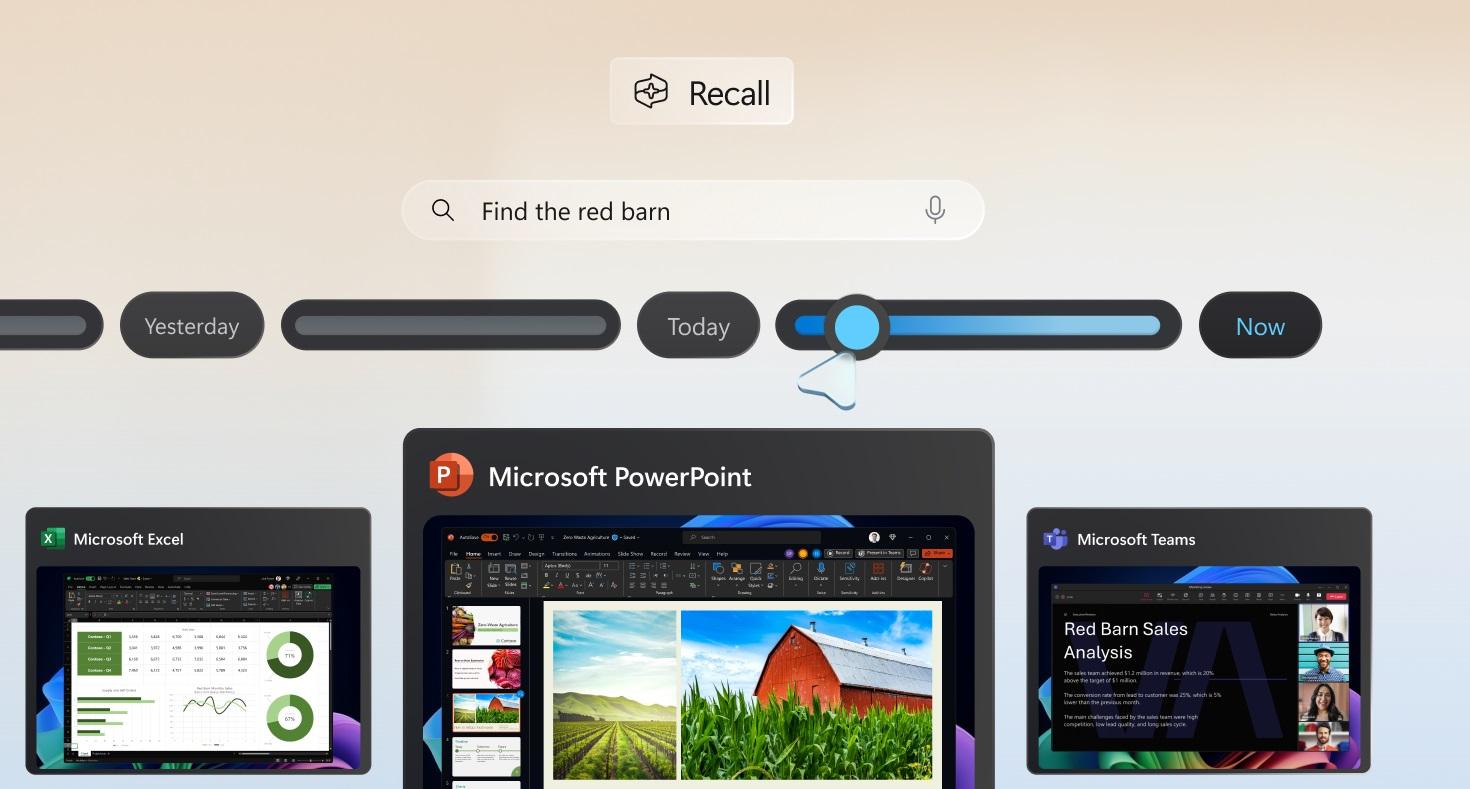
Microsoft Recall still captures SSNs, passwords, and more

Microsoft had to recall the Recall AI feature on Copilot+ Windows PCs earlier this year. In theory, Recall was supposed to be a great AI trick to quickly resurface information from your past activities on a computer. In practice, it turned out to be a privacy and security nightmare.

Researchers proved that Recall data could be easily accessed by a malicious actor who gains access to a computer. Also, the saved screenshots could contain sensitive information, and Recall was enabled by default on those Windows builds.

Microsoft heard the complaints and pulled the feature to rework its security. As testers have found, Recall now encrypts the screenshots, making it impossible to extract information from the database. However, Recall will still take screenshots of sensitive data, including social security numbers, logins (including passwords), and credit card data.

Even with protections in place, Recall mostly failed to recognize that sensitive data was entered on the screen in Tom’s Hardware’s tests.

Tech. Entertainment. Science. Your inbox.

Sign up for the most interesting tech & entertainment news out there.

By signing up, I agree to the Terms of Use and have reviewed the Privacy Notice.

The feature has a “filter sensitive information” setting that everyone should enable right if you use Recall. The good news is that Recall is an opt-in service now, meaning it won’t be automatically enabled once you get the latest Windows update.

The test showed various scenarios that many computer users will reconize where Recall shouldn’t take screenshots of the content shown on the display. But Recall captured the information anyway.

For example, Recall recorded a Windows Notepad window where the user entered a credit card number and a random username and password combination, even though the user typed “Capital One Visa” next to the number to trigger the protections. Recall also captured fake social security numbers, names, and date of birth details entered into a PDF loan application. The feature had no idea those were all fake; it just screenshotted the information. It also captured the page when a genuine credit card number was introduced.

The tester then created a web form with fields that said, “Enter your credit card number below.” The form asked for the credit card type, number, CVC, and expiration date. Again, Recall failed to trigger the protections and recorded images containing the data.

The only time Recall worked correctly was when the user entered payment information into the forms of two online stores.

That’s certainly not good enough and a big reason to worry. I’m a longtime Mac user, so I won’t deal with Recall anytime soon. Or if I do, I’ll only do it for testing purposes. But I can’t see why one should leave it enabled.

The report notes that Recall’s databases are indeed encrypted. Also, you need to authenticate with Microsoft Hello (fingerprint, face, or PIN) to access your screenshots. But a malicious actor with remote access to your computer could get into the history the AI uses once they obtain that PIN. You might think it won’t happen to you, but I wouldn’t take that risk, no matter how amazing this Copilot feature might be.

Because yes, I won’t lie, having the AI remember what websites you visited can be an amazing tool if done right. The feature would have to have strong security and privacy features, and Microsoft is not getting it right.

When asked about Recall’s feature that’s supposed to identify sensitive data, the company offered Tom’s Hardware a quote from its Recall blog post that tackles privacy matters:

We’ve updated Recall to detect sensitive information like credit card details, passwords, and personal identification numbers. When detected, Recall won’t save or store those snapshots. We’ll continue to improve this functionality, and if you find sensitive information that should be filtered out for your context, language, or geography, please let us know through Feedback Hub. We’ve also provided an option in Settings that we encourage you to enable that will anonymously share the apps and sites you prefer to be excluded from Recall to help us improve the product. And you can also choose to exclude specific apps and websites through the Recall settings page which we talk about below.

That means Recall will get better over time, but you’ll have to wait. Until that happens, it might capture sensitive data while you use your computer, as these tests have shown. You’ll have to decide for yourself whether the risk is worth it.

You can try Recall by installing the newest Windows Insider Build. Read more about it in Microsoft’s blog at this link.

Source

Posted on

Government review of denied datacentre builds sees Iver project get green light

A government review of a local council’s decision to block a US-based company from building a hyperscale datacentre in Iver, Buckinghamshire, has concluded the project should proceed.

Buckinghamshire Council refused permission in November 2022 for US investment company Affinius Capital to proceed with its plans to redevelop an industrial estate in Court Lane, Iver, Buckinghamshire and build a 65,000m2 datacentre on the site instead.

The reason given by the council for the refusal is that the project would be an inappropriate use of Green Belt Land, which are protected pieces of land that are intended to prevent the onset of urban sprawl.

Shortly after coming to power in July 2024, the Labour government pledged to review the council’s decision to block the project in support of its strategy to stimulate the UK’s economic growth by accelerating the delivery of large-scale infrastructure projects.

The developer had raised an appeal against the council’s decision, and a month before the government’s intervention a public local inquiry was held over four days in June 2024.

Following a review of the council’s decision and the local inquiry, the government has now granted Affinius Capital permission to proceed with the project, with a letter dated 6 December 2024, outlining the reasons why.

The letter states that the decision to overturn Buckinghamshire Council’s decision to block the build was made by the minister of state for Housing and Planning Matthew Pennycook, on behalf of the secretary of state Angela Rayner.

“Weighing in favour of the proposal are the need for new datacentres, reduction in HGV movements, heritage benefits, reuse of previously developed land, and investment and job creation, which each carry significant weight,” the letter stated.

“Weighing against the proposal are harm to Green Belt, which carries substantial weight; harm to [a nearby] listed building, which carries great weight; and landscape harm and visual harm, which carries moderate weight.”

The letter also goes on to state that, in Rayner’s view, there are “very special circumstances to justify this development in the Green Belt”, adding: “The secretary of state therefore concludes that the appeal should be allowed and planning permission granted.”

The letter also states that the secretary of state’s decision on this matter can be challenged in the High Court, provided an application to do so is received within six weeks from the date of the letter.

Computer Weekly contacted Affinius Capital for comment on this story, but no response was received by the time of publication.

The Affinius Capital project was one of two datacentre developments the government placed under review in July 2024.  

The other is being overseen by Oxford-based developer Greystoke Land, after its bid to build a £1bn datacentre in Abbots Langley, Hertfordshire, was denied in January 2024. That decision is being appealed.

At the time of writing, Computer Weekly understands a decision at government level on whether that build will go ahead remains pending.

Source

Posted on

Uh oh… Zotac just leaked Nvidia’s next-gen launch line-up, including RTX 5090 GPU with 32GB of VRAM

  • Nvidia RTX 5090 has 32GB based on leaked info from Zotac’s website
  • Next-gen launch GPUs are supposedly the RTX 5090, 5080, 5070 Ti and 5070
  • There is, however, no sign of the RTX 5060 in this spillage

Zotac just leaked details of what might be the initial line-up of next-gen desktop graphics cards from Nvidia.

VideoCardz did the sleuthing here, turning up details Zotac accidentally aired on its own website, showing us the Blackwell GPUs that the graphics card maker will initially debut (in theory, anyway). Furthermore, Zotac also dropped a tasty nugget of info on the VRAM configuration for what’s surely the next-gen flagship.

The models listed by Zotac – and all the spilled details have now been removed, we should clarify – were as follows:

  • Nvidia GeForce RTX 5090
  • Nvidia GeForce RTX 5090D
  • Nvidia GeForce RTX 5080
  • Nvidia GeForce RTX 5070 Ti
  • Nvidia GeForce RTX 5070

The Nvidia RTX 5090D is the variant of the flagship for China, following in the footsteps of the RTX 4090D, as you’re likely aware.

As for the VRAM info, Zotac has filters for its GPUs to allow sorting by memory type and capacity, and mistakenly put a GDDR7 option in the former, as well as an allocation of 32GB in the latter.

This shows us that RTX 5000 graphics cards will carry GDDR7 VRAM as (heavily) rumored – all models will use this cutting-edge memory, supposedly – and that there’ll be a 32GB allocation of video RAM in the line-up, as there isn’t with the current-gen (which tops out at 24GB).

The GPU paired with 32GB must, of course, be the RTX 5090, and this is what’s already been rumored for the next-gen flagship.

{ window.reliablePageLoad.then(() => { var componentContainer = document.querySelector(“#slice-container-newsletterForm-articleInbodyContent-cjjioXmoF6tM27hYVun9X3”); if (componentContainer) { var data = {“layout”:”inbodyContent”,”header”:”Get daily insight, inspiration and deals in your inbox”,”tagline”:”Sign up for breaking news, reviews, opinion, top tech deals, and more.”,”formFooterText”:”By submitting your information you agree to the Terms & Conditions and Privacy Policy and are aged 16 or over.”,”successMessage”:{“body”:”Thank you for signing up. You will receive a confirmation email shortly.”},”failureMessage”:”There was a problem. Please refresh the page and try again.”,”method”:”POST”,”inputs”:[{“type”:”hidden”,”name”:”NAME”},{“type”:”email”,”name”:”MAIL”,”placeholder”:”Your Email Address”,”required”:true},{“type”:”hidden”,”name”:”NEWSLETTER_CODE”,”value”:”XTR-D”},{“type”:”hidden”,”name”:”LANG”,”value”:”EN”},{“type”:”hidden”,”name”:”SOURCE”,”value”:”60″},{“type”:”hidden”,”name”:”COUNTRY”},{“type”:”checkbox”,”name”:”CONTACT_OTHER_BRANDS”,”label”:{“text”:”Contact me with news and offers from other Future brands”}},{“type”:”checkbox”,”name”:”CONTACT_PARTNERS”,”label”:{“text”:”Receive email from us on behalf of our trusted partners or sponsors”}},{“type”:”submit”,”value”:”Sign me up”,”required”:true}],”endpoint”:”https://newsletter-subscribe.futureplc.com/v2/submission/submit”,”analytics”:[{“analyticsType”:”widgetViewed”}],”ariaLabels”:{}}; var triggerHydrate = function() { window.sliceComponents.newsletterForm.hydrate(data, componentContainer); } if (window.lazyObserveElement) { window.lazyObserveElement(componentContainer, triggerHydrate); } else { triggerHydrate(); } } }).catch(err => console.error(‘%c FTE ‘,’background: #9306F9; color: #ffffff’,’Hydration Script has failed for newsletterForm-articleInbodyContent-cjjioXmoF6tM27hYVun9X3 Slice’, err)); }).catch(err => console.error(‘%c FTE ‘,’background: #9306F9; color: #ffffff’,’Externals script failed to load’, err)); ]]>

Sign up for breaking news, reviews, opinion, top tech deals, and more.

An Nvidia GeForce RTX 4060 on a table with its retail packaging

(Image credit: Future / John Loeffler)

Analysis: What about the RTX 5060, though?

With this kind of work going on with manufacturer websites, in the background – well, it should have been on the quiet, in the background, but was accidentally sent live by a Zotac employee, clearly – shows we are about to get new RTX 5000 GPUs at CES 2025. Although Nvidia has all but said that, anyway, at this point.

The really interesting bit here is the underlining of the RTX 5090 being a mighty GPU sporting 32GB of video RAM, and the range of models available initially, which are as expected, pretty much. Well, the RTX 5090 and 5080 are, anyway, the rumor mill just isn’t quite sure if we’ll also get the RTX 5070 or the 5070 Ti – and maybe this is a suggestion that Nvidia will push out both. Alternatively, perhaps one of those RTX 5070 variants may come slightly later.

Notably, there’s no mention of the RTX 5060, which has recently floated up on the rumor winds as a possible GPU launch for later in the first quarter of 2025. Zotac may not be prepping that because it’s a couple of months down the line from these initial launches – or perhaps this is a hint that this lower-tier Blackwell graphics card won’t turn up until later in 2025.

You might also like

Source