Google has partnered with retail giant Schwarz Group to deliver what the pair claim is truly secure and sovereign cloud-based collaboration for German and European regulated industries.
Through the partnership, Schwarz Group’s StackIT, the cloud provider for the retailer, which operates as an independent company offering sovereign cloud capabilities, will provide client-side encryption of customers’ Google Workspace data.
StackIT said customers’ data will remain resident within the European Union (EU), with full redundancy offered by backups hosted solely in its European datacentres to meet customer demands around data protection, data residency and data resiliency.
“Germany and the EU have until now lacked enterprise-grade cloud collaboration solutions that fully address the sovereignty requirements of regulated industries, including ensuring all data is secured and backed up on local soil with absolutely no opportunity for access by foreign nations or platform providers,” said Rolf Schumann, co-CEO of Schwarz Digits, the IT and digital division of the Schwarz Group.
“Our partnership and new offering with Google Cloud will fill this gap with an entirely new business model.”
Client-side encryption means Google has no access to customers’ data. According to Schwarz and Google, this safeguards the sovereignty of not only Schwarz Group, but also all customers who value the independence of their operations, giving them full confidence that their data is always in their control.
“This new partnership will enable the companies of Schwarz Group to combine its leadership in digital transformation with Google Cloud’s strengths in productivity, collaboration and security, enabled by our cutting-edge AI,” said Sundar Pichai, CEO of Google and Alphabet. “Together, we are opening up a world of new, sovereign opportunities for European organisations to innovate and build on our joint solutions, accelerating a new era of innovation.”
Through the partnership, Google Cloud’s security will be integrated with those of XM Cyber, Schwarz Digits’ hybrid cloud security company. This integrated offering will then be distributed to customers via the Google Cloud Marketplace.
According to Google and Schwarz, this integrated security will help German and European organisations, particularly those in highly regulated industries, raise the bar on their enterprise and multi-cloud security. In addition, XM Cyber’s Continuous Exposure Management will be embedded into the sovereign Google Workspace office productivity suite offered to European enterprises.
“This partnership changes the game for regulated industry players in Europe by removing the sovereignty and security concerns that often hold back more ambitious adoption of the cloud for productivity and collaboration,” said Thomas Kurian, CEO of Google Cloud. “Our alliance with companies of Schwarz Group will enable entire industries in Europe to deliver digital innovation with security and compliance at its core.”
Schwarz Group is Europe’s largest retailer, and the fourth-largest in the world. The company plans to transition its global office workforce to Google Workspace. The partnership with Google, according to Schwarz Group, enables critical workplace data to be protected against third-party access including foreign government institutions, and also transferred to alternate service providers if needed.
“Switching to Google Workspace is an important step for us out of legacy and into innovative, efficient and future-proof cloud-based collaboration,” said Christian Müller, Co-CEO of Schwarz Digits. “Google Workspace is the most secure and reliable productivity platform in the industry today, and we expect our organisation-wide migration to have significant flow-on benefits to all areas of operations from simplifying IT management to rendering our point-of-sale workflows significantly more efficient.”
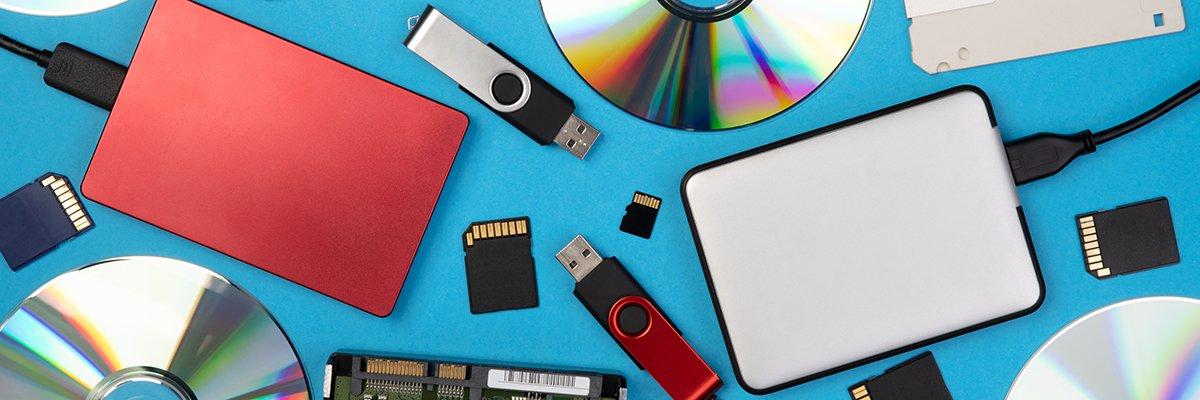
The past 12 months saw flash storage nudge into areas from which it had hitherto been absent. In particular, this was because of the availability of denser – and therefore cheaper per-gigabyte (GB) – quad-level cell (QLC) flash storage into array markets and use cases that were once considered nearline.
Alongside this, we saw the price-per-GB of flash drop towards the level of spinning disk hard disk drives (HDDs) then rebound rapidly as memory manufacturers chased profitability. Meanwhile, the keenest of flash storage advocates predicted the demise of the hard drive and the imminent victory of the all-flash datacentre.
In this article, we define enterprise flash storage, look into its QLC and triple-level cell (TLC) variants, the benefits of non-volatile memory express (NVMe) flash, and examine the pros and cons of flash versus HDD in terms of cost, performance, flash in the cloud, and the likelihood (or otherwise) of the all-flash datacentre.
What is enterprise flash storage?
Enterprise flash storage refers to systems that comprise multiple flash drives housed in datacentre rack-mounted array form factor products.
In enterprise flash storage arrays, the capacity of many drives is aggregated, with access to storage media governed by controller hardware.
The controller is compute that powers the intelligence needed to handle input/output (I/O) from hosts to the storage, decision-making over allocation of data to media, but also in flash arrays to carry out maintenance tasks such as wear levelling, garbage collection, and so on.
Enterprise flash storage array capacities run from tens of terabytes (TB) to many petabytes (PB). As with HDD-based arrays, access to storage can be block (for performance-hungry database use cases, for example), file (for general use and unstructured data) or object (for unstructured data also).
What is QLC flash storage?
QLC is the latest generation of flash storage media. QLC stands for quad-level cell. That means that every cell in the flash chip can store four bits of data using 16 states.
That means it can store more data in the same space than TLC flash, which is also widely available. Previously widely available were single-level cell (SLC) flash and multi-level cell (MLC, meaning two states), but these have been largely superseded now.
At the start of 2024, most enterprise storage arrays are built with TLC drives for general-purpose and mission-critical use cases. But QLC has edged into the mainstream and gained traction for unstructured data workloads, in particular with key enterprise storage array makers adding QLC-based products in the past year or so.
As manufacturers increase the number of possible states per cell, storage density increases and the cost of storage per GB decreases. But, as storage density increases in terms of cell capacity, issues can arise that can limit the endurance of flash media.
But NVMe is at the forefront now for flash drive performance. NVMe’s key innovation was to optimise queues and buffers for use with flash, which improved performance many times over.
As a follow-on, suppliers then developed ways of allowing NVMe connectivity across physically more distant connections across the datacentre. Such NVMe-over-fabrics technologies include the ability to carry NVMe via Ethernet, Infiniband, TCP, RDMA (ie, memory-to-memory connectivity) and more.
What is HDD?
Hard disk drives (HDDs) that rely on magnetic read/write heads and mechanically spinning disks have been around for decades, with flash a competitor that has emerged in the past 10 years or so.
As with flash, HDDs can be aggregated into datacentre rack-mounted array products and the capacity of multiple drives pooled for enterprise users. In fact, HDD-based arrays long preceded enterprise flash arrays and are still widely used.
What’s the difference in performance between flash and HDD?
When we look at flash versus disk, the key thing that stands out is that flash is fast – many times faster than spinning disk HDD.
Flash drives offer lower latency, with access times down to low milliseconds, or even microseconds, compared with the multiple milliseconds of spinning disk, particularly for reads. That means enterprise flash can also offer vastly more input/output operations per second (IOPS) when aggregated into a storage array.
In throughput terms, flash offers gigabit-per-second (Gbps) rates four or five times quicker than HDD.
Such rapidity has been the key draw for enterprise flash storage and is a result of the lack of moving parts. With spinning platters, HDD is limited by physics in ways that solid-state storage is not.
In terms of capacities, HDD is available in up to around 22TB units. And while some flash drives have been marketed that run to 60-plus terabytes, they generally come in smaller sizes, but part of that is because of cost.
What’s the cost difference between flash and HDD?
In terms of per-GB cost at drive level, flash costs more than spinning disk.
Flash prices spiked significantly in late 2023 and the early months of 2024 as manufacturers throttled back production in an effort to raise prices and achieve profitability.
Solid-state drive (SSD) prices per gigabyte reached an average of $0.095/GB by April 2024, which was a rise of 26.67% since autumn 2023.
But, flash drive prices then fell steadily over the first three quarters of 2024 to an average of $0.085 per gigabyte (GB) in September 2024.
In October 2023, flash had averaged $0.075/GB while HDD averaged $0.05/GB for SAS and $0.035/GB for SATA drives.
Average spinning disk (SAS and SATA) hard drive prices held steady during the six months to September 2024 at $0.039 per gigabyte. That figure was $0.041/GB in early April.
For a customer that planned to deploy 20TB of flash, based on those prices, it would have cost $1,500 in October 2023, $1,900 in April 2024, and $1,700 in September 2024. That compares to the equivalent for spinning disk of $850 in October 2023 and $780 in September 2024.
Will flash kill HDD? How much longer for HDD?
In particular, Pure Storage has declared HDDs will be dead by 2028, with its flash products the chief agent in the cull, and all owing to its ability to aggregate much more flash capacity on its proprietary modules than occurs on commodity flash drives.
With flash module sizes of up to 300TB by 2026 promised by Pure, it contends that spinning disk will be commercially unviable.
Meanwhile, companies such as Panasas, which specialises in storage for unstructured data, point to hyperscaler datacentres’ overwhelming use of spinning disk in ratios up to 90/10 against flash. Panasas argues that there’s still a five-times differential between the lowest-cost flash and HDD, and that for most, something like the hyperscaler solution is optimal.
When can you use flash and HDD in the cloud?
Enterprise users can also specify flash storage and spinning disk in the cloud. It is more likely in most cases that cloud storage will be specified by performance and cost criteria, in which case the customer may never know what media underlies it.
But it is possible also to specify flash storage in the cloud and the three largest hyperscalers – Amazon Web Services (AWS), Microsoft Azure and Google Cloud Platform (GCP) – have solid-state storage options that mix cost, capacity and performance.
The hyperscalers all offer flash storage to support compute with service levels based on capacity and IOPS per volume that range from general-purpose to premium levels aimed at specific workloads (eg, SQL, Oracle, SAP Hana) and environments (eg, Windows, Lustre, MacOS).
There are also options aimed at flash for file storage and flash storage from named suppliers, such as Azure’s NetApp Files.
What is the all-flash datacentre?
For about a decade, the idea of the all-flash datacentre has been discussed. The all-flash datacentre replaces HDD and other media such as tape with flash storage.
Driving it is the continued decrease in the cost of flash storage – as with QLC flash – but also the advantages of flash in terms of rapid access. The latter becomes more relevant as customers want to run analytics on bigger subsets of their data.
So, for example, where backups may previously have been held on nearline media such as slower HDDs, advocates of flash for such use cases point to the ability to run artificial intelligence (AI) on large customer datasets and to gain value therefrom.
Also, with backups as an example, the idea of being able to recover quickly from flash media in case of a ransomware attack is another use case touted by all-flash datacentre boosters.
When will the all-flash datacentre arrive?
While enthusiastic suppliers of flash storage such as Pure talk down the obstacles to the all-flash datacentre, analysts point to the spread of (especially QLC) flash into secondary workloads but not necessarily all use cases, with spinning disk likely to retain its usefulness for some time for some datasets.
Meanwhile, HDD suppliers such as Toshiba say around 85% of all data is still on spinning disk. That fact, it says, is not likely to change rapidly, not least because the flash capacity to replace it doesn’t exist.
With over 2 billion Apple devices in use worldwide, it’s likely that hundreds of millions of people receive scary emails telling them they need to act fast as their Apple ID is in some sort of danger. Maybe the Apple ID was suspended, or perhaps you need to refresh your Apple Pay information because it’s supposedly not up to date.
These emails look similar to what Apple might send. They try to convince you to click a button to help you rectify the problem. That button will lead to a website that looks like Apple’s, but it’s not.
Whatever you do, don’t click the link, and do not fill in your information. Why? Well, your Apple ID was not suspended, and your Apple Pay cards still work. It’s not Apple contacting you; it’s hackers trying to steal access to your Apple Account.
I get these emails occasionally, and you probably do as well. They’ll even send scary Apple ID emails to email accounts that aren’t actually associated with my Apple Account. They have no way of knowing that, and that’s the first red flag you’re dealing with phishing attacks.
Tech. Entertainment. Science. Your inbox.
Sign up for the most interesting tech & entertainment news out there.
By the way, Apple ID is no longer called that. It’s an Apple Account, and that’s another hint that you’ve received a phishing email trying to get access to your login credentials.
How do hackers target you?
With so many data breaches occurring in the past years, hackers have obtained a treasure trove of information about hundreds of millions of people. All they need is a valid email address to start sending phishing attacks in bulk.
That explains why you’ll receive “Apple ID suspended” emails from email accounts not associated with your Apple Account.
The hackers hope a percentage of the unsuspecting victims will click the links in the emails where they’d fill in passwords and/or credit card numbers.
What do the hackers want?
Any phishing attack is looking for access first and foremost. You’ll be told to click a link that looks like something you’d get from Apple. From there, you might be prompted to log into your Apple ID on a website that looks like Apple’s, but it’s fraudulent. Just look at the URL you’re being directed to. It’ll have a strange address rather than something simple associated with Apple.com or iCloud.com.
The attackers might even try to obtain two-factor authentication (2FA) codes from you once you fill in your login details to bypass Apple’s security protections. Never accept that, either.
Once they obtain your login data and 2FA data, they might try to purchase products and gift cards or just snoop around. Maybe you hold passwords in your iCloud Notes, which would become accessible to them once they get in.
Or they might be after Apple Pay data so that they can use credit cards to buy things online, which they’ll then sell on the black market.
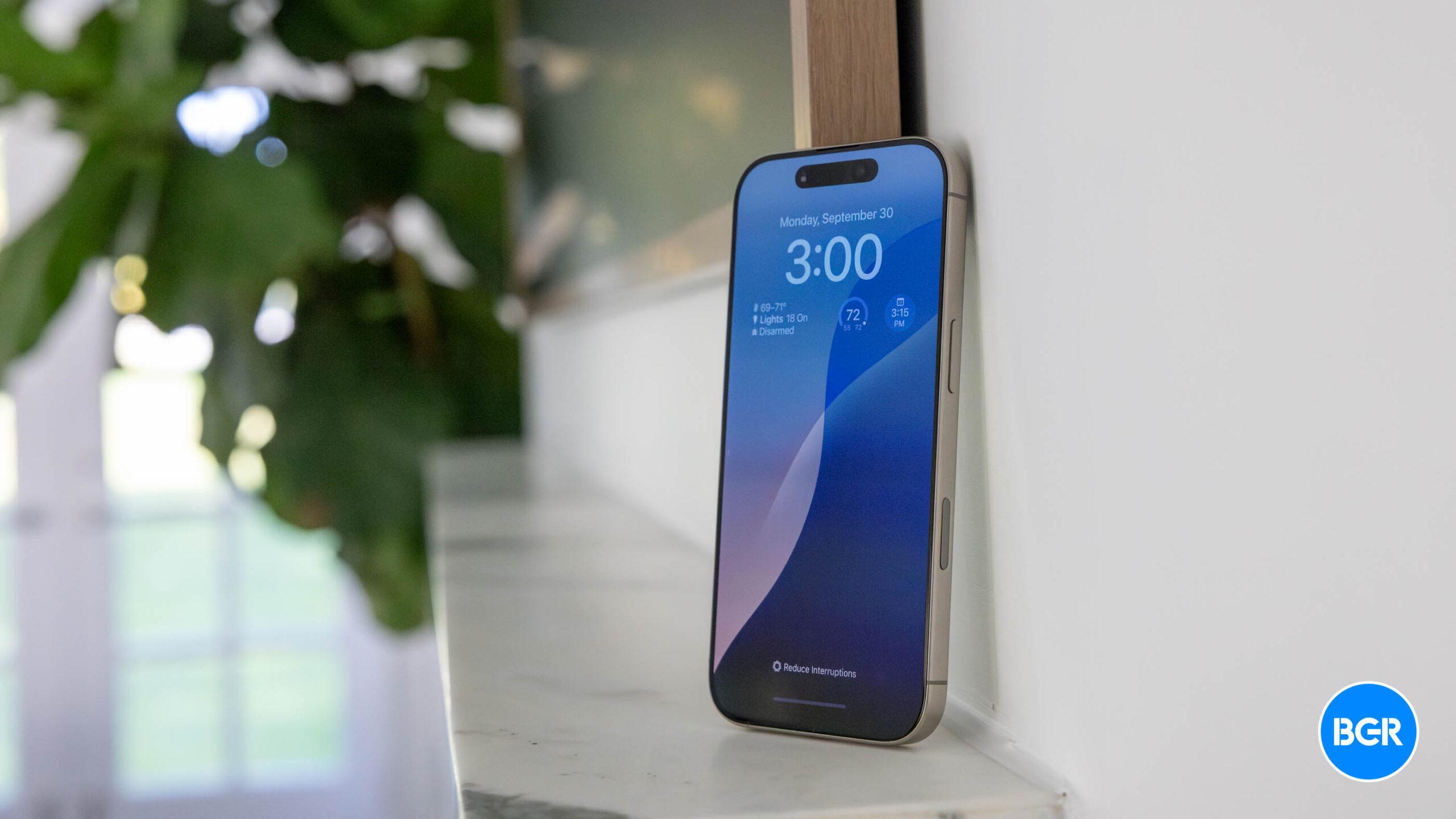
Logging into my Apple ID on iCloud.com. Image source: Chris Smith, BGR
What you should do
First of all, do not panic. Rather than acting in a rush, just inspect the email carefully. Email services usually catch some of these, sending them directly to the spam folder. But others make it to your inbox.
The first thing you should do is look at the sender’s email address and compare it to emails you receive regularly from Apple. If your Apple ID is associated with the same email account, you can easily compare them.
Hackers might spoof their emails to make them look like they’re coming from Apple. Just hover over the “From” field to see what it says without clicking. Do the same for links and buttons in the phishing email. They might say, “Go to Apple ID” or “Update Account,” but these are not official.
Next, look at the text in the email. It often includes inconsistencies. Hackers might try to make it look like the real thing, using Apple logos and similar colors. The email might also include your name if the hackers obtained it from the data breach your email address came from and purported case IDs.
However, the text will often contain grammar and punctuation mistakes. It’ll be easy to spot them.
After all of that, just go about your day. Send that scary email to the spam folder, and forget about it.
What if…
I know what you’re thinking: maybe the email is from Apple after all.
In that case, continue to do nothing the sender tells you to do. Instead, inspect your Apple ID on your iPhone, Mac, or iPad and ensure it’s working properly. Go outside and use Apple Pay to make sure you can make payments.
You’ll notice that your Apple ID has not been suspended, and Apple Pay still works.
The email you’ve just received will often contain a deadline to pressure you into action. You have 24 or 48 hours to save your account. Wait it out. The hackers might reach out again or not. Your Apple ID will continue to work properly.
You should also contact Apple directly and ask for guidance. Apple actually has a detailed support document that explains some of the scams associated with Apple products, including Apple Accounts.
Finally, if these emails are increasingly frequent, you should change your Apple ID email address to a freshly minted email address. Then, use that email address only for your Apple account and nothing else.
While we’re at it, change your Apple ID passwords from time to time. Use password managers to create unique, strong passwords for each online service you might use.
Mind you, some hackers might also call you pretending to be Apple support staff. They’re looking to extract the same information. Whatever you do, don’t provide it. Hang up, and call Apple yourself. If you’re lucky, some scammers will talk to a Grandma AI instead of you, which will keep them on the line so they can’t target real people.
Apple will never ask you to provide critical account information over the phone or email. Here’s what Apple says in the support document above:
Apple will never ask you to log in to any website, or to tap Accept in the two-factor authentication dialog, or to provide your password, device passcode, or two-factor authentication code or to enter it into any website.
Rinse and repeat every time you receive a scary email telling you your Apple ID has been suspended.
Mind you, the same scam can apply to all sorts of online accounts. But hackers will target Apple users first. Treat those emails with the same circumspection and do nothing to fix the problem they instruct you to fix.
After your first shock when receiving such an email, you’ll soon get used to recognizing phishing attacks that warn you that your internet account has just been suspended because you’ll continue to get these emails time and again.
The AMD-powered El Capitan supercomputer, housed at the Lawrence Livermore National Laboratory (LLNL), is now ranked as the world’s fastest supercomputer.
Built by HPE, the supercomputer uses AMD Instinct MI300A accelerated processing units (APUs). It achieved a High-Performance Linpack (HPL) score of 1.742 exaflops based on the latest Top500 list.
The LLNL is using the supercomputer for nuclear security. El Capitan is the first exascale-class machine for the National Nuclear Security Administration (NNSA) and will be used to advance scientific discovery and national security, providing what AMD says is “the computational power necessary to ensure the safety, security and reliability of the nation’s nuclear deterrent without testing”.
It is being used for modelling and simulation capabilities to support NNSA’s Stockpile Stewardship Programme, which certifies the ageing nuclear stockpile and other critical nuclear security missions, such as non-proliferation and counter terrorism.
“El Capitan is crucial to the National Nuclear Security Administration’s core mission and significantly bolsters our ability to perform large ensembles of high-fidelity 3D simulations that address the intricate scientific challenges facing the mission,” said Rob Neely, director of LLNL’s advanced simulation and computing programme.
LLNL and the other NNSA at Los Alamos and Sandia National Laboratories are also using El Capitan and its companion system, Tuolumne, to drive artificial intelligence (AI) and machine learning-assisted data analysis. El Capitan will apply AI to high energy density problems such as inertial confinement fusion research, while Tuolumne will be used for unclassified open science applications including climate modelling, biosecurity/drug discovery and earthquake modelling.
Bronis R de Supinski, LLNL’s chief technology officer for Livermore Computing, said: “With AI becoming increasingly prevalent in our field, El Capitan allows us to integrate AI with our traditional simulation and modelling workloads, opening new avenues for discovery across various scientific disciplines.”
AMD said its Instinct MI300X and MI325X accelerators provide AI performance and memory capabilities, while the AMD Instinct MI300A APU puts central processing unit (CPU) and graphics processing unit (GPU) cores and stacked memory together into a single package, enabling “new levels of efficiency and performance” for high-performance computing (HPC) and AI workloads.
Its EPYC processors and Instinct accelerators are also being used to power many new supercomputing and AI projects and deployments, including Italian energy company Eni, whose HPC 6 supercomputer is powered by AMD EPYC processors and AMD Instinct GPUs. The University of Paderborn is also set to take delivery of a new supercomputer powered by the latest fifth-generation AMD Epyc technology.
Separately, IBM and AMD have announced a collaboration to deploy AMD Instinct MI300X accelerators as a service on IBM Cloud. The new service, available in the first half of 2025, will target performance and power efficiency for generative AI models. Through the collaboration, support for AMD Instinct MI300X accelerators is being made available within IBM’s Watsonx AI and data platform, as well as through the Red Hat Enterprise Linux AI inferencing platform.
Raymond Boyle, vice-president of data and analytics at Hyatt Hotels, is an experienced executive who helps his business make the most of its information. He is responsible for Hyatt’s data strategy, governance, engineering, science and analytics capabilities. His team’s data-led insights boost customer and colleague experiences.
“I took the opportunity because I love the role,” says Boyle, who joined Hyatt at the start of 2020, having previously been vice-president for data and analytics at Walmart Labs.
“I was very excited about Hyatt as a company and its culture. It gives me everything I enjoyed doing within the data role, including leading the strategic insights and the governance areas.”
At Hyatt, Boyle reports to Amy Weinberg, senior vice-president for loyalty, brand marketing and consumer insights. He has spent his five years at the firm laying the foundations for a business strategy that puts data at the heart of organisational and operational processes.
“I love working in the travel industry,” he says. “It’s a complex business. As a data leader, you get all the stuff you would ever want in terms of delivering a customer and colleague experience and creating effective digital engagement.”
Boyle’s current role is the latest stop on a 30-year professional journey during which he has used data and analytics to fuel innovation and growth. He recognises the role of data chief has changed significantly during his time in the profession. The impact of emerging technologies, such as artificial intelligence (AI), brings even greater challenges.
“It has been a fascinating area for many years,” he says. “The field of data and AI is changing extremely quickly, including the types of things that we take on, the way technology is implemented, the way people engage with it and the cultures we build around it.”
Building data products
Boyle says much of his day-to-day leadership role at Hyatt involves ensuring people around the business are fluent in data and can engage with information assets. He says the work revolves around “the productisation of data” and developing self-service environments that make things easier for employees and customers.
“We think of data as a product, including all aspects around managing information, designing strategies and creating solutions,” he says. “That work covers the data engineering worlds that care for different parts of the business, the platform organisations that manage our foundations, and the data science and machine learning functions.”
Boyle says Hyatt’s data strategy centres on advancing care through insight-driven decisions and automation. The focal point of this strategy is cultivating the best people and evolving the organisation’s data culture.
“We’re working through how people lead in the organisation and thinking about data fluency and the stewardship of information within the business,” he says. “We focus a lot on customer personalisation and trust. We want to build the ability for the organisation to be perfect with every guest during every step of their journey and continue to personalise how we engage with our customers in a high-security, high-trust framework.”
Boyle is excited about some of the achievements so far. His team ensures the business has the right data capabilities and performance indicators. At the same time, they make sure people across Hyatt have a common understanding of data-led performance.
“That’s taken a lot of great work to automate and simplify the business from an operational perspective, and then a lot more work to ensure we’re growing with intent – that as we do new mergers and acquisitions as an enterprise, that we can connect data and the products into that system smoothly,” he says.
Innovating at pace
A key underlying technology for this approach is the Snowflake AI Data Cloud for Travel and Hospitality, a unified data platform that helps companies exploit their information. Boyle says Hyatt uses Snowflake technology to consolidate enterprise data into a single location.
The switch to Snowflake took two years to complete and was finished by the second quarter of 2024. Boyle says the move to the AI Data Cloud was an important transition. An ever-increasing number of people at Hyatt wanted to use information. However, the company’s legacy environment had capacity constraints.
“We needed to add a ton of compute to the system, and we had some hard decisions to make as we went through that work,” he says. “We had a massive growth in the amount of data people wanted to consume within the business.”
“We think of data as a product, including all aspects around managing information, designing strategies and creating solutions”
Raymond Boyle, Hyatt Hotels
Boyle’s data team approached the Snowflake implementation carefully and pushed components live incrementally. The switch to Snowflake involved some hard graft. Pipelines were refactored, and the security infrastructure was redesigned. He recognises the migration process was a significant technological and cultural challenge.
“You can’t stop running the business while you execute the migration,” he says. “We had to manage the delivery of many new products and capabilities during the migration. There were times when we had to manage duplicate pipelines. A lot of folks had to be engaged in the migration process.”
The data team decommissioned Hyatt’s legacy environments in August. Snowflake is now the company’s scalable data platform. He says the technology allows people across the business to access data for their projects. The AI Data Cloud also cuts the time his team spends on information management.
“Snowflake allows us to innovate faster and drive those outcomes cleanly over time,” he says. “We’re launching more services, so we have more data applications coming into the system fairly quickly, and we’re also benefiting from Snowflake’s work to ensure that other software organisations are building natively on the platform.”
Supporting business growth
Boyle leads a 100-strong data team at Hyatt, including full-time staff and contractors. He says insight and analytics are at the core of the company’s decision-making processes.
“Data is at the heart of how the company functions,” he says. “Our CEO is engaged in data and has led the strategic work around how we think about AI. Data is now a big part of every domain and a core element of how people plan, build and execute.”
Boyle says one of the company’s data priorities right now is personalisation. “We’re focused on following the customer journey and making sure that AI and data drive the properties that we recommend and the search experience and the content people see,” he says. “We want to ensure our customers have a deeper relationship with Hyatt.”
In addition to its work on personalisation, Boyle says the company is rolling out modern pricing-optimisation capabilities globally. His team is also exploring the potential for generative AI capabilities within analytics. He says there’s no straightforward answer as to whether it’s better to build or buy AI technologies and models.
“It’s likely to be a mix, and the result will depend on what we’re trying to achieve at any given time,” he says. “We’ll look at the outcomes, the initiatives, the strategic investments that the company wants to make, and we’ll make decisions based on the speed and the impact that we want to have, and the architectural standards that we want to see within the organisation.”
Boyle says the data organisation he’d like to lead two years from now will use digital innovation to boost customer experiences and business operations. From self-service behind the scenes to fresh services at the front end, he wants Hyatt to continue transforming with data.
“I want our guests to experience Hyatt in a personalised manner and for us to take full advantage of the relationship we have with our customers. I want to push innovations that ensure our relationship with guests is deeper, more meaningful and more trusted across all the different interaction points we have with them,” he says.
“I’d also want our operations to be more efficient and automated. I want to help our organisation grow with intent. I want to ensure that the types of development we want to do as a business, and the growth the organisation wants to see globally, are better, faster and more efficient due to the data we provide.”
Defining the data chief’s role
Boyle has built his career leading data initiatives at major organisations. He understands successful data chiefs will play a key role in helping businesses to thrive in the digital age. However, they shouldn’t fulfil this role in isolation. Boyle says successful data stewardship is a team game that starts at the top of the enterprise.
“The CEO or the executive team should dictate the direction of travel for AI within the organisation,” he says. “When I think about the operating model, it’s about making sure we have clarity around our purpose and the areas the executives believe are the most important things to invest in. The business leaders for the domains must be aligned to that strategy and work to drive value creation in their functions.”
Boyle says the role of digital leaders, whether CDOs, CTOs or CIOs, is to ensure the hardware and software stack helps business leaders achieve their transformational objectives. Internal and external partners must ensure data is published and consumed effectively and safely.
“The tech stack is critical to your success,” he says. “Enterprise architecture plays a huge role, as does cyber security and the privacy and data governance specialists. If you get those things right, you’ll build out your AI services and the back-end data infrastructure to drive your business outcomes. You’ll be able to scale your initiatives at a faster pace.”
Boyle’s best-practice advice for other data leaders is to think of digital change as a team game. “You need to have fluent, transformational thinkers at all levels. You must have technology partners who are a big part of what you’re trying to do and creating high-quality data tooling,” he says.
“You need to get your product management, engineering, architecture, machine learning and science community functioning together, knowing their roles and delivering joined-up processes quickly and cleanly.”
Some iPhone owners recently discovered that their Notes were missing from the handset. Savvy users figured out that accepting the new iCloud terms of service on the iPhone triggers the bug, and the Notes disappear. It happens after the iOS 18 update, but the iPhone doesn’t delete the Notes documents.
That data is still safe in iCloud, but the Notes app won’t sync with it properly after agreeing to the updated terms of service.
We showed you how to fix the disappearing Notes bug a few days ago. People figured out that syncing their Notes from iCloud would do the trick. Judging from the emails I received, the solution actually works, and the affected users have already regained access to their Notes.
Meanwhile, Apple has issued a support document that addresses the issue. The company doesn’t explain what’s causing the problem, but it offers a solution that matches the unofficial fix from a few days ago.
Tech. Entertainment. Science. Your inbox.
Sign up for the most interesting tech & entertainment news out there.
I’ve been using the Notes app religiously since Apple introduced it several years ago. It’s my go-to note-taking app on Mac and iPhone, and I don’t want to imagine losing access to local or iCloud notes.
I haven’t experienced the disappearing Notes bug at any point since running iOS 18. I have installed the first beta as soon as it came out this summer, and I’m currently on the latest iOS 18.2 beta.
In the process, I have agreed to all terms of service updates, without really reading any of it. I have no idea if I already agreed to the new iCloud tems of service, but I suspect I did.
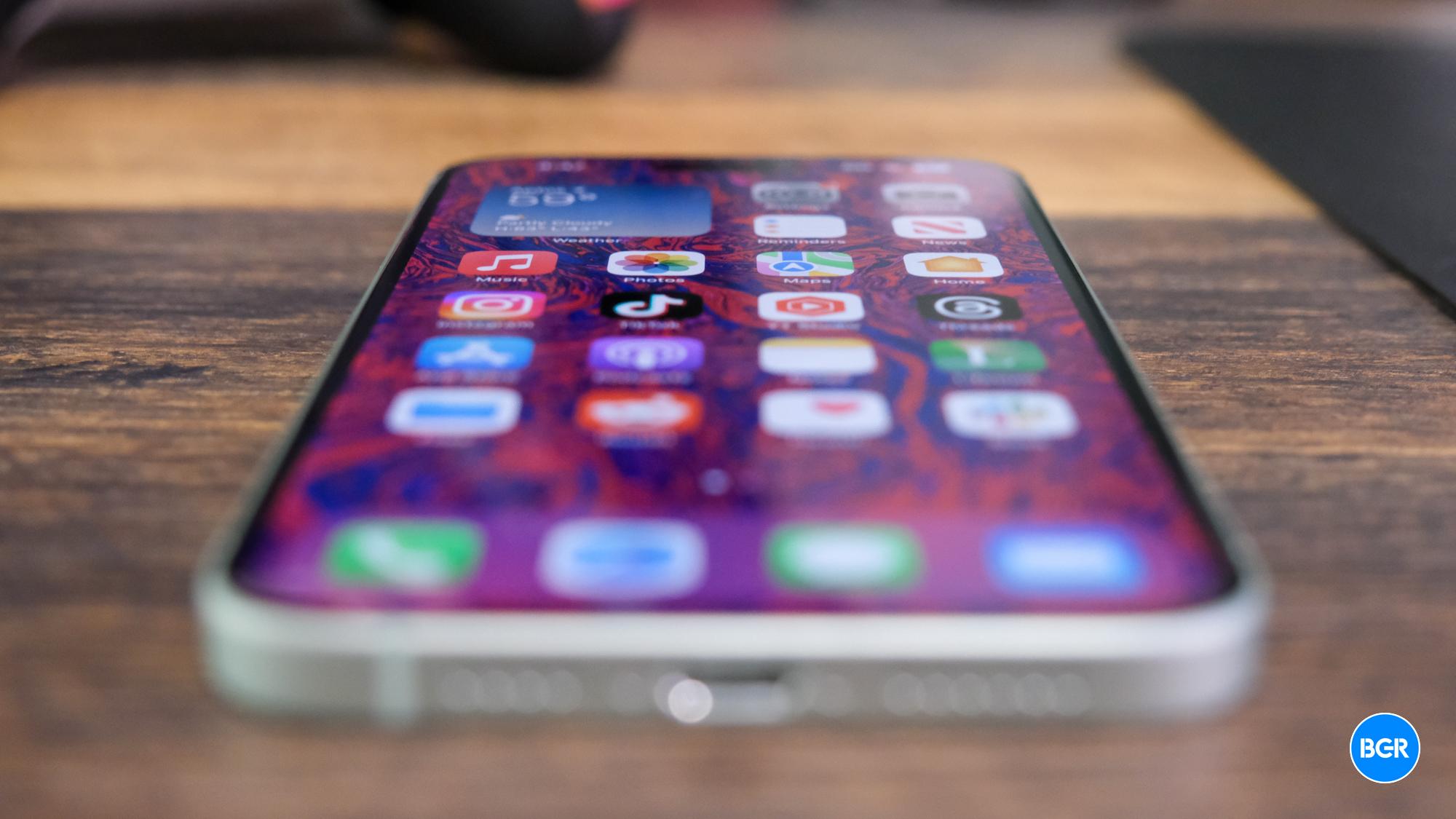
This is the Notes toggle you are looking for. Image source: Chris Smith, BGR
Plenty of iPhone users would be affected if Apple decided to put out a support page to address the problem. Here’s the entirety of Apple’s support document:
Here’s how to check your iCloud sync settings and restart if needed.
If your iCloud notes aren’t appearing on your iPhone, iPad, or Apple Vision Pro, follow these steps.
Open the Settings app and tap your name.
Tap iCloud, then tap Notes.
Make sure Sync this [device] is on, then check the Notes app.
If you still don’t see your notes, restart your iPhone, iPad, or Apple Vision Pro. After restarting, check your settings again.
After these steps, your iCloud notes should appear and start syncing again on devices signed in to the same Apple Account. When syncing completes, content previously synced to iCloud should appear.
That’s all you need to do to recover your Notes. Again, they were not deleted, you have not lost anything. A synchronization issue is to blame here, as the iCloud notes did not sync with your Notes app.
Apple’s solution matches the unofficial fix we covered a few days ago. It’s unclear whether Apple will prevent it from happening with subsequent iOS 18 updates. If you still haven’t fixed your Notes problem, or you’re running into it for the first time, you should follow the steps above.
You should also make a mental note of the fix and return to iCloud every time you encounter any sort of iCloud sync issues, whether it’s Notes or a different app. The fix is as easy as turning a toggle off and back on again.
To do that, you can select between three options (Focus, Create, and Escape), and the app will help you set the tone with dozens of landscapes that can help you focus on a task, feel more creative, or just relax for a moment.
By taking over your wallpaper with cinematic and vivid landscapes, Portal for Mac uses spatial audio to immerse you in breathtaking views while working, studying, and relaxing. These views range from Old Packhorse Bridge in Dartmond, UK, to the beauties of a Night Cloud Forest in Costa Rica.
In the past few weeks, they have updated Portal to take full advantage of macOS Sequoia. In addition, they recently released a new version of the app with new landscapes, widget support, multi-display panning, and more. These are the highlights:
Tech. Entertainment. Science. Your inbox.
Sign up for the most interesting tech & entertainment news out there.
Portal for Mac now offers widget support. Image source: José Adorno for BGR
Desktop widgets: Portal for Mac adds widget support with two options, now Playing and Open Portal;
Reorderable Favorites: Organize your favorite portals exactly how you like. Drag and drop them in whatever order you prefer;
Offline Playback: Users can download their favorite portals and enjoy them wherever they are;
Start Playback on launch: Combine the “Launch at the login” option, and Portal will be there every time you start your Mac;
Multi-display Spanning: Portal for Mac lets you span 8K motion visuals across multiple displays;
Intelligent framing: Whether you work in landscape, portrait, or ultra-wide, Portal’s visuals always look their best with Intelligent Framing;
New Costa Rica collection: A new Costa Rica collection takes you right into the heart of Costa Rica’s pristine rainforests. The developers say these images were captured to ” evoke feelings of escape, exploration, and soft fascination; it draws on the latest research on the restorative power of nature on our minds.”
A little more about Portal for Mac
Image source: José Adorno for BGR
According to the developers, Portal for Mac has a unique approach for users willing to focus and relax. “While most productivity apps look inwards at how our habits and behaviors can make us more productive, we focus on looking outwards and at the impact that our surroundings have on how we think, feel & act.”
The idea behind Portal for Mac is to instantly transform any space into a “beautiful haven for productive work.” The developers say that more than just finding ways to focus on several tasks, studies show that improving the environment we live and work in can help improve that in the long term.
Portal for Mac is available via the Mac App Store with a free 7-day trial for all customers. It costs $69.99 (annual) or $12.99 (Monthly). You can also buy a lifetime pass for a one-off cost of $299.99. In addition, all subscriptions include full access to both Portal for Mac and iOS.


 Logging into my Apple ID on iCloud.com. Image source: Chris Smith, BGR


 This is the Notes toggle you are looking for. Image source: Chris Smith, BGR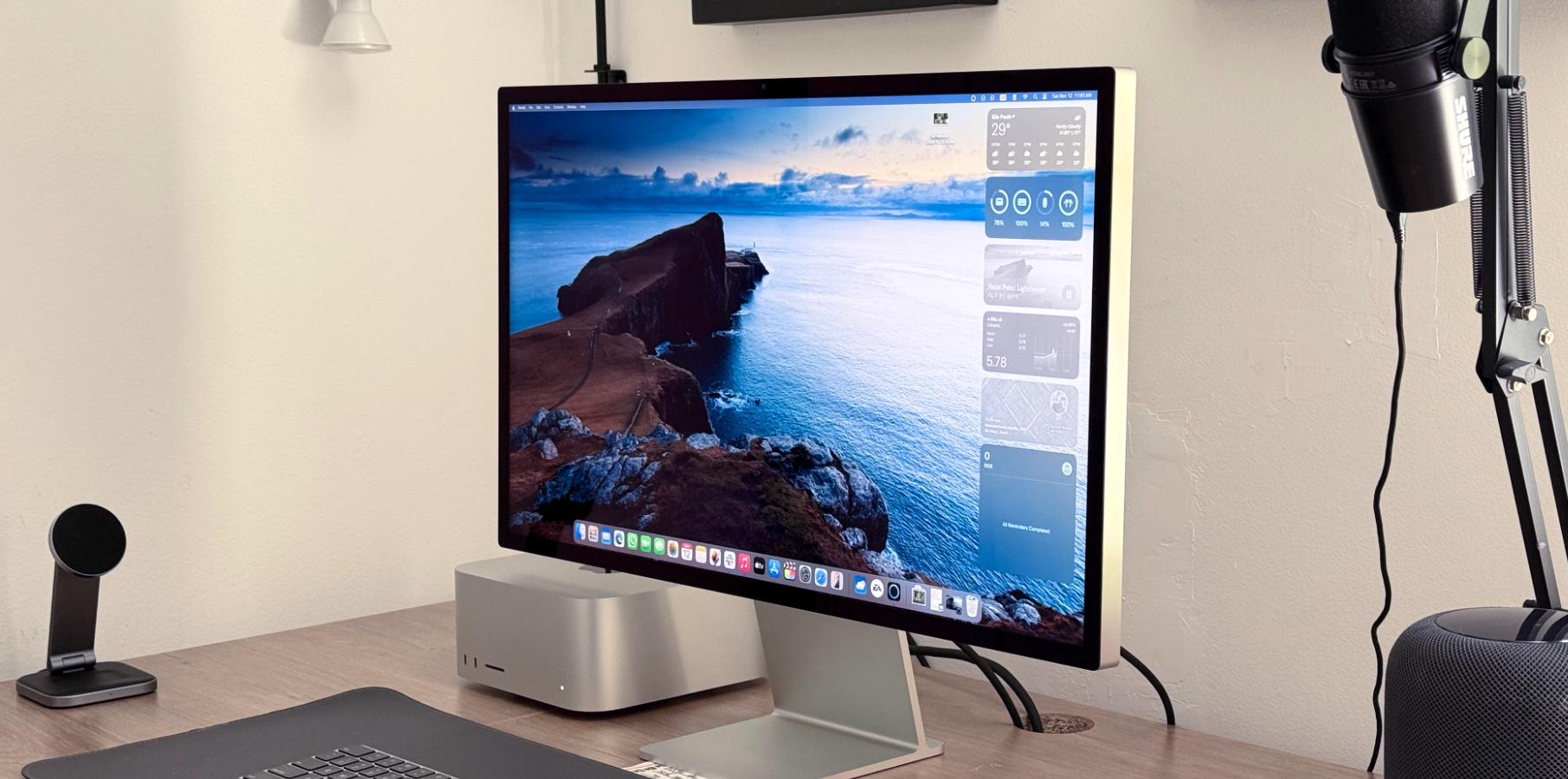
 Portal for Mac now offers widget support. Image source: José Adorno for BGR
 Image source: José Adorno for BGR





