Posted on

iOS 19 will reportedly work on every iPhone that supports iOS 18

Reports in the past few weeks claimed that Apple’s main focus remains Apple Intelligence. The company was working on the now-released iOS 18.2, which brings ChatGPT integration to the iPhone and iPad, and iOS 18.4, which will deliver a smarter Siri.

Those reports said work on iOS 19 had been delayed. Therefore, some iOS 19 Apple Intelligence features might see delays similar to what happened this year.

As for the non-AI features in iOS 19, I said at the time that I expect Apple to ship novelties in next year’s operating system. After all, Apple Intelligence will only work on the iPhone 17, iPhone 16, and the iPhone 15 Pros.

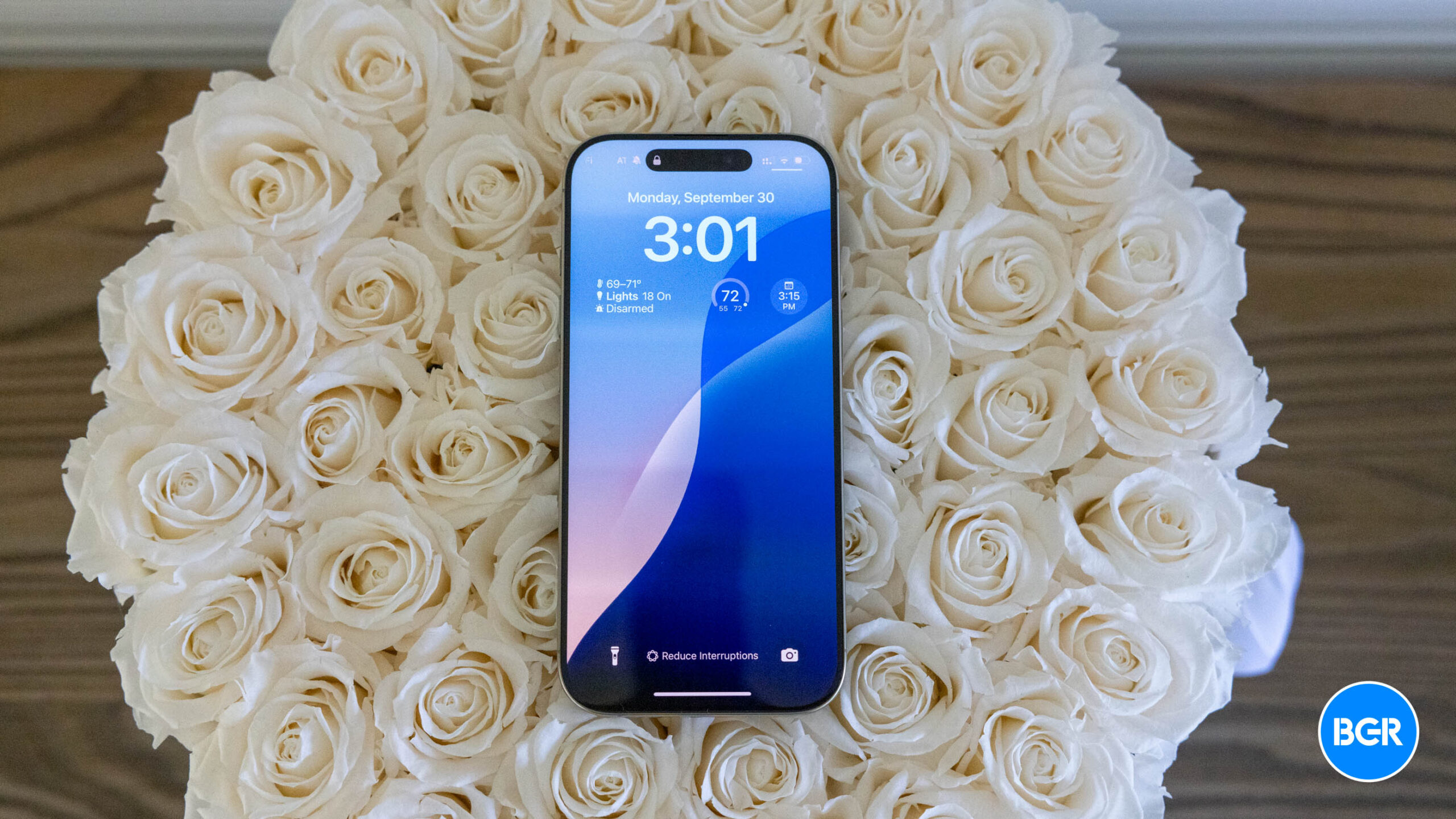
While we’re yet to find out the big non-AI features of iOS 19, there is good news for iPhone owners that use older models. A leak says that all the models that can run iOS 18 will also run iOS 19 next year. The only compatibility change will impact the iPad, as certain models will lose support for iOS 19.

Tech. Entertainment. Science. Your inbox.

Sign up for the most interesting tech & entertainment news out there.

By signing up, I agree to the Terms of Use and have reviewed the Privacy Notice.

French blog iPhoneSoft learned from a purported source inside Apple that development work on iOS 19 had not started for this particular person. That’s a first for the leaker compared to previous years. Instead, they’re supposedly working on iOS 18.x updates and visionOS.

This person reportedly learned the iPhone models that will run iOS 19 next year, telling the blog that all the iPhones compatible with iOS 18 will also support the next OS upgrade. iPhoneSoft listed all the iPhones that will support iOS 19 next year, including the unreleased iPhone 17 and iPhone SE 4 models:

  • iPhone 17, 17 Air, 17 Pro, 17 Pro Max (2025)
  • iPhone 16, 16 Plus, 16 Pro, 16 Pro Max (2024)
  • iPhone 15, 15 Plus, 15 Pro, 15 Pro Max (2023)
  • iPhone 14, 14 Plus, 14 Pro, 14 Pro Max (2022)
  • iPhone 13, 13 Mini, 13 Pro, 13 Pro Max (2021)
  • iPhone 12, 12 Mini, 12 Pro, 12 Pro Max (2020)
  • iPhone 11, 11 Pro, 11 Pro Max (2019)
  • iPhone XS / XS Max (2018)
  • iPhone XR (2018)
  • iPhone SE (4th generation) (2025)
  • iPhone SE (3rd generation) (2022)
  • iPhone SE (2nd generation) (2020)

Regarding iPadOS 19, Apple will stop models for some older iPads that can still run iPadOS 18. You’ll need an iPad with an A12 chip or later to run iPadOS 19 next year. Here’s the list of supported iPads: 

  • iPad mini (5th generation or later)
  • iPad (8th generation or later)
  • iPad Air (3rd generation or later)
  • iPad Pro (2018 or later)

While these early iOS 19 and iPadOS 19 compatibility claims make sense, there’s no way to confirm any of them. Apple will hold its WWDC 2025 event next June. We’ll see plenty of iOS rumors by then, which will shed further light on the features Apple might be working with and the devices that will support them.
Source

Posted on

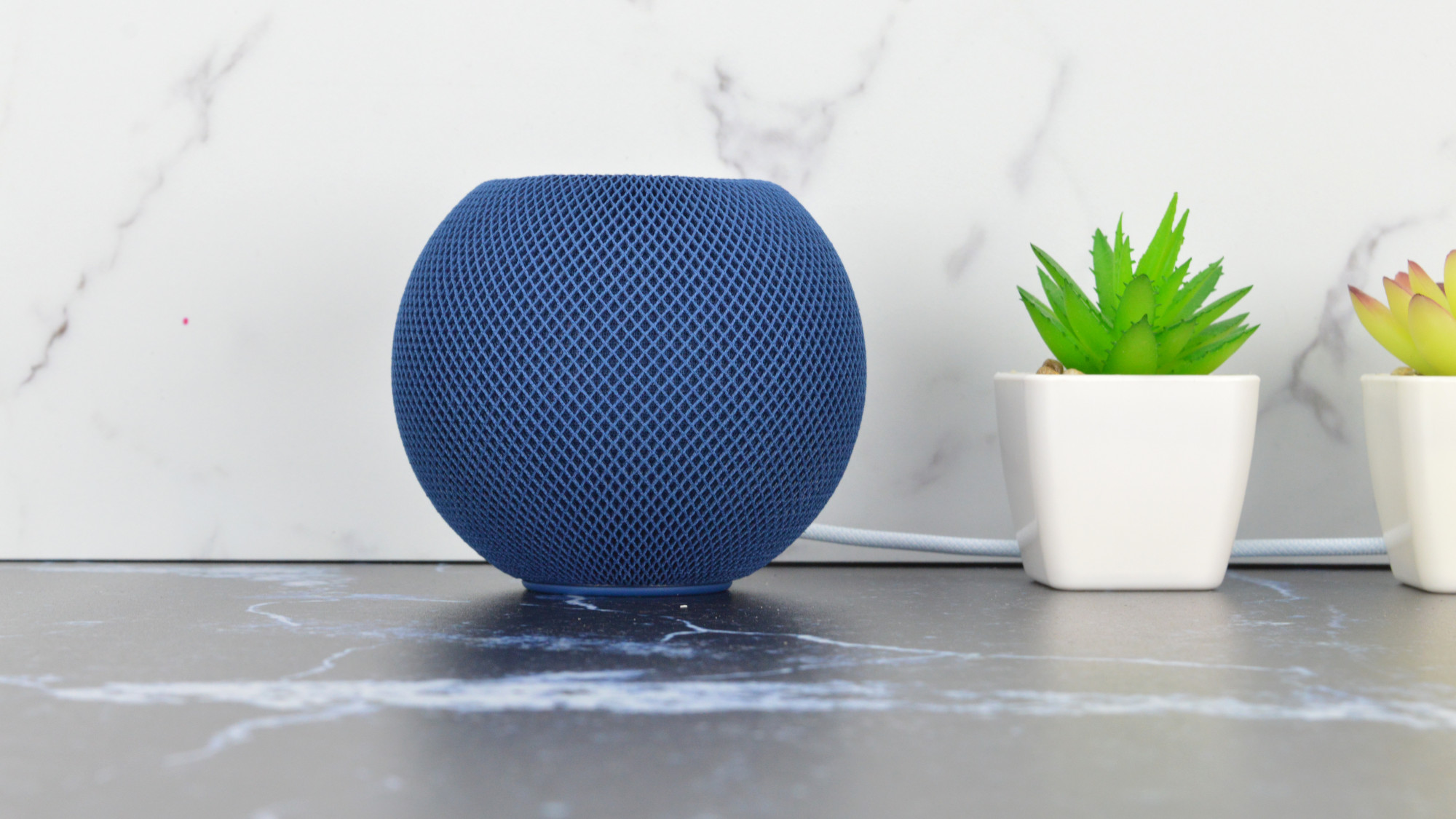
Next-gen HomePod and Apple TV could become AirPort update we’ve been waiting for

A couple of weeks ago, Bloomberg‘s Mark Gurman reported that upcoming Apple TV and HomePod mini devices are coming in 2025 with a bigger new feature: Apple’s custom-designed Wi-Fi and Bluetooth chip. According to the report, the codenamed Proxima chip will be available with the new Apple TV, HomePod mini, and iPhone 17 models, and a new iteration of this processor will be available on iPad and Mac devices in 2026. He says the custom-designed chip will support Wi-Fi 6E and help “synchronize data more quickly.”

This change could benefit Apple’s creation of thinner devices and new wearable technology, as ultimately, the company wants to integrate the Wi-Fi and Bluetooth chip with a cellular modem and the core processor on its devices.

However, this custom Wi-Fi chip could provide even greater news for those waiting for a new AirPort iteration – which is not in the works.

In his latest Power On newsletter, Bloomberg‘s Mark Gurman gives another tidbit about this future Proxima Wi-Fi chip, which is “so sophisticated that it could theoretically turn a home device like an Apple TV box or HomePod with a wireless access point.”

Tech. Entertainment. Science. Your inbox.

Sign up for the most interesting tech & entertainment news out there.

By signing up, I agree to the Terms of Use and have reviewed the Privacy Notice.

While the journalist doesn’t believe this will be a “main selling point of the devices,” they could add this feature. Users could improve the range of their Wi-Fi through these wireless access points.

However, it’s important to note that while Apple’s custom Wi-Fi chip could theoretically turn a home device with a WAP, it’s possible that Cupertino never turns this feature on. With the HomePod mini, the company took a long time to add smoke detection and in-house weather, even though the capabilities were inside the device since day one.

The future Apple TV is expected to feature Apple’s A18 chip and this new Wi-Fi chip. It’s unclear what improvements Cupertino is working on in the future HomePod mini, even though a more powerful sound with more noticeable bass would be a great addition.

BGR will let you know once we learn more about these devices.

Source

Posted on

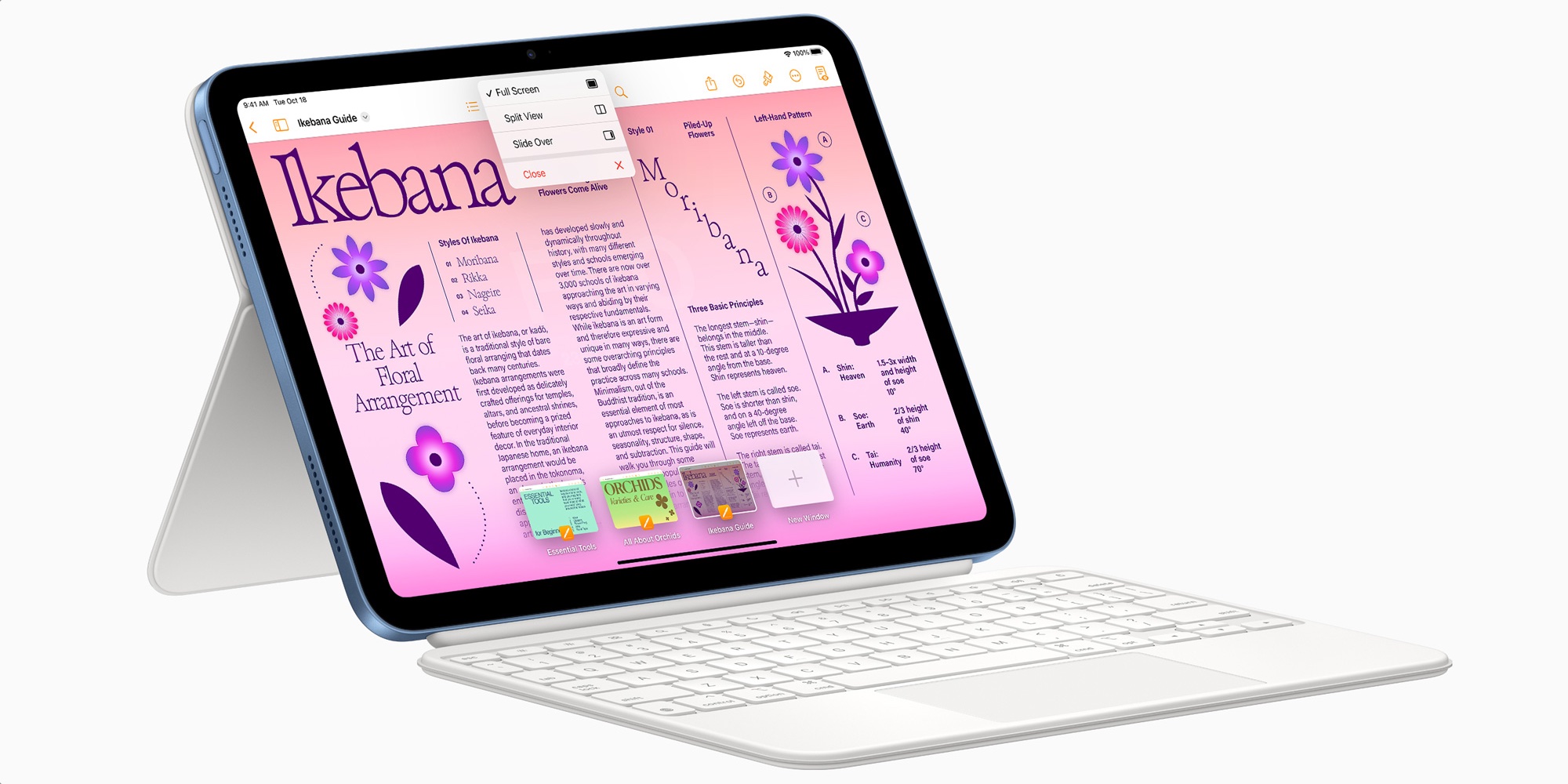
iPad 11 leak may reveal release timing for Apple’s new entry-level tablet

Apple’s upcoming iPad 11 can’t come soon enough. The latest leak says that Cupertino’s entry-level tablet will be released with iPadOS 18.3. While we don’t think this device will be announced alongside iPadOS 18.3, the news suggests that an iPad 11 release is coming before iPadOS 18.4 rolls out in April.

The information comes from a prominent X leaker who prefers not to be named. The device will have two options: Wi-Fi and Wi-Fi + Cellular. So far, leaks on the iPad 11 reveal Apple will bump its specifications to bring Apple Intelligence to the company’s entry-level tablet.

That being said, the iPad 11 will feature 8GB of RAM and, most likely, Apple’s A18 chip. More interestingly, today’s leak reveals that this tablet could have Apple’s upcoming custom 5G modem, which is also expected to be available with the new iPhone SE 4.

Even if Apple keeps the same design, display, and ports, this $349 tablet would be an instant hit. People in school would have a powerful tablet with several capabilities without having to spend a ton of money. In addition, when this tablet is released, Apple Intelligence will be a more reliable platform with even more features.

Tech. Entertainment. Science. Your inbox.

Sign up for the most interesting tech & entertainment news out there.

By signing up, I agree to the Terms of Use and have reviewed the Privacy Notice.

Bloomberg’s Mark Gurman says Apple is also working on a revamped keyboard for the entry-level iPad 11 and the iPad Air, which could be released in mid-2025. This tablet will support the USB-C Apple Pencil.

iPad 11 will likely debut at a spring event

With today’s iPad 11 leak, it makes sense for Apple to release this tablet at a spring event. So far, iPadOS 18.3 is expected to launch in late January. If Cupertino follows the trend, we could see a keynote in March highlighting this entry-level tablet, the new iPhone SE 4, Apple’s 13-inch and 15-inch MacBook Air with the M4 chip, and AirTag 2.

Fortunately, it won’t take long until the company unveils this tablet, which is a top seller for education and those looking for a more reliable device than an entry-level Windows notebook.

Source

Posted on

Face ID could give Apple the best video doorbell on the planet

When Apple launched the first Face ID device, the iPhone X, I said it was the start of a world where seamless, perpetual, passive authentication would change the way we use Apple computers and software.

Then, Apple brought Face ID to the iPad but not to the Mac, where I always thought it could be very useful. Seven years later, the Mac still lacks Face ID, but that’s only because Apple can’t fit its components inside the laptop’s lid, which is much skinnier than iPhones or iPads.

However, Apple might be working on a Face ID product that could be even cooler than a Mac with 3D face authentication support, and one I should have totally seen coming. According to Bloomberg’s Mark Gurman, Apple is developing a Face ID doorbell that will integrate with other Apple devices, including upcoming smart home products.

While it’s unclear when or even if Apple will actually launch the doorbell, a Face ID doorbell would change the way home security works. It would be even cooler than smart locks that let you unlock the door with an iPhone or a wearable. The door would recognize your face and let you in as easily as unlocking your iPhone with Face ID.

Tech. Entertainment. Science. Your inbox.

Sign up for the most interesting tech & entertainment news out there.

By signing up, I agree to the Terms of Use and have reviewed the Privacy Notice.

Recent rumors, including previous coverage from the Bloomberg reporter, mentioned other smart home devices in Apple’s product roadmap. Next year, Apple will launch a smart home display that looks like a smaller iPad and acts like a smart home hub. Apple is also reportedly working on security cameras for the home that would work with the smart display.

A video doorbell with Face ID support seems like the kind of product that Apple would have to develop in this context. It would leverage some of Apple’s best features, including the secure 3D authentication algorithm and the strong privacy and security of Apple’s ecosystem. Gurman says the doorbell would protect consumer data using Apple’s upcoming Proxima chipset and its secure enclave feature.

The work on the Face ID doorbell is said to be in the early stages. If Apple decides to proceed with it, it might launch the product before the end of next year.

Apple is reportedly assessing some risks associated with this type of product. Face ID is very secure, with Apple saying that the system has less than a 1-in-1-million chance of a security breach. But if a breach does happen with a doorbell, an intruder could gain entry to the user’s home.

Gurman also cites another danger that Apple must account for. Since the doorbell would work with third-party smart locks via the HomeKit ecosystem, Apple would also have to deal with the home invasion risks associated with those devices.

Finally, Gurman says Apple may decide against selling the product under its own brand and partner with Logitech or Belkin. The reporter still notes that Apple is very interested in turning the smart home market into a moneymaker, regardless of whether the Face ID doorbell project is greenlit or canceled.

Source

Posted on

M4 MacBook Air to launch before iPhone SE 4 and iPad 11

Apple upgraded several Macs to the M4 chip a few weeks ago, including the MacBook Pro, iMac, and Mac mini. The former is easily the most exciting of the three, as Apple gave fans a much-needed upgrade. The M4 MacBook Pro comes with 16GB of RAM instead of 8GB, effectively reducing the laptop’s price for those who would spend extra money for more memory.

It’s all in the name of Apple Intelligence, a suite of genAI features still in its early days. Apple is ensuring that all its devices will have the resources to handle AI and one’s non-AI computing needs.

I said at the time that Apple had no choice but to give the M4 MacBook Air the same 16GB memory upgrade. Apple practically confirmed this during the M4 Mac launch week when it said that existing M2 and M3 MacBook Airs will also come with 16GB of RAM as the new default.

Apple didn’t reveal the M4 MacBook Air release date at the time, but leaks said the 13-inch and 15-inch laptops would drop at some point in the first quarter of 2025. A new update from an insider teases an even faster launch than expected, as Apple might not want to wait until the iPhone SE 4 and iPad 11 are also ready to launch.

Tech. Entertainment. Science. Your inbox.

Sign up for the most interesting tech & entertainment news out there.

By signing up, I agree to the Terms of Use and have reviewed the Privacy Notice.

After the iPhone 16 launch event, we thought we’d get a Mac-centric keynote for the M4 Macs. Apple chose to announce the laptops via press releases, though it also posted extended presentations on YouTube for each of the three Macs that got the M4 treatment.

Before Apple’s announcements in the first quarter of 2025, reports said that the iPhone SE 4 would drop in March. That’s also going to be a rather exciting iPhone for certain buyers.

Considering the mid-ranged iPhone’s rollout expectations and what Apple did with the M4 Macs, it’s easy to assume the company would repeat the play: Pick a week in March and announce a new product each day. We’d get the M4 MacBook Air, the iPhone SE 4, and the iPad 11, in whatever order Apple chooses to do it.

However, Mark Gurman said on X that the M4 MacBook Air launch is coming sooner than expected. He didn’t divulge an actual release date for the M4 MacBook Air models, but he said that the laptops will precede the iPhone SE 4 and iPad 11:

As I wrote in October, new entry level iPads (J481 and J482) are coming in the spring. iPhone SE, new iPad Air are on the same general timeline. The M4 MacBook Air will be earlier.

The Bloomberg reporter also penned a newsletter over the weekend, where he also addressed Apple’s tentative roadmap for the M4 Macs. He said the M4 MacBook Airs will arrive early next year, without mentioning the iPhone SE 4 and iPad 11:

But the real meat of the Mac lineup will get refreshed in the first three quarters of 2025. Things will kick off pretty early next year with M4 versions of the 13-inch and 15-inch MacBook Air (these models are already deep into the manufacturing phase). As the year progresses, there will be a new Mac Studio with a high-end M4 chip. The M4 transition will get completed later in the year with a version of the Mac Pro. This will mark the first time since Apple began using in-house chips that its entire computer portfolio moved to a new M-series generation.

The tweet above gives us a better estimate of when to expect the new MacBook Airs. That said, we have no release dates, so it’s unclear how soon the M4 MacBook Airs will arrive.

Finally, I’ll remind you that Apple has confirmed the M4 MacBook Air in a recent software update. Given Gurman’s claims, Apple’s accidental reveal makes sense if the launch is imminent.

Source

Posted on

We just learned a key detail about Apple’s foldable iPhone

A Display Supply Chain Consultants (DSCC) report a few days ago claimed that Apple will enter the foldable smartphone market in 2026. The move is expected to turbocharge the foldables market, which will face stagnation next year. Dominated by Samsung and Huawei, the current foldable phone landscape has grown all it can without Apple. According to the report, the foldable iPhone is the holy grail event the market needs.

The claims make some sense, especially as rumors about foldable iPhones and iPads are heating up. Add to that the approaching 20th anniversary of Apple’s first-generation iPhone, and a foldable iPhone might be just the kind of design change Apple needs.

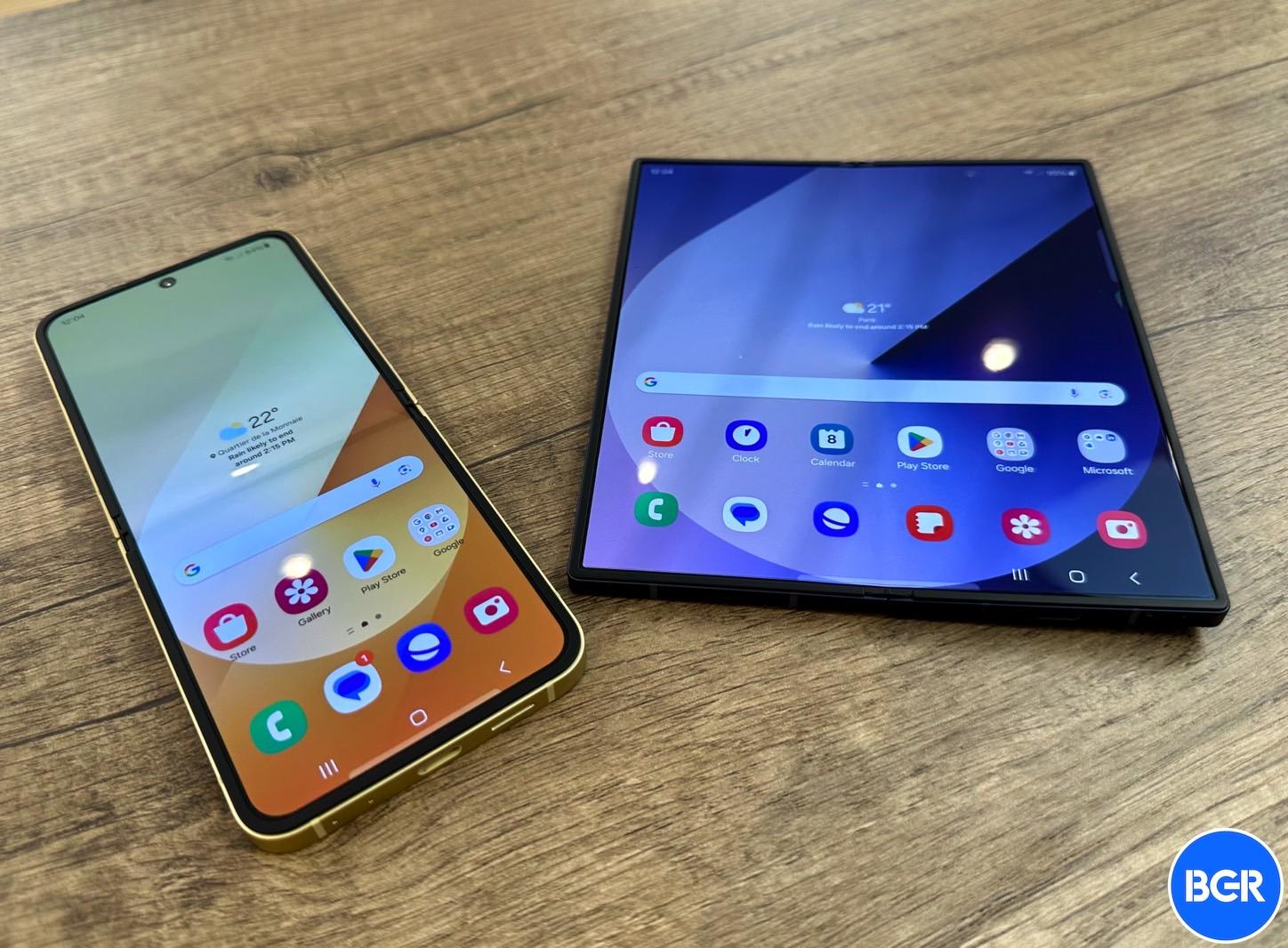
However, the DSCC report didn’t mention what type of design Apple chose. The only viable choices right now are the fold and flip form factors — either a smartphone that becomes a tablet, like the Galaxy Z Fold 6, or a clamshell foldable, like the Galaxy Z Flip 6. Apple could very well embrace both designs, just like Samsung did. Yes, we have double-fold foldables in the wild, but Apple would probably not consider them in the near future, especially if it wants to launch a foldable Mac/iPad in 2028.

Ross Young, the CEO of DSCC and a steady source of iPhone leaks, has answered questions about the type of foldable iPhone design Apple will choose, claiming that Apple is going with an iPhone Fold rather than an iPhone Flip.

Tech. Entertainment. Science. Your inbox.

Sign up for the most interesting tech & entertainment news out there.

By signing up, I agree to the Terms of Use and have reviewed the Privacy Notice.

The comments are buried in an X thread that followed the DSCC report last week. When a user asked whether Apple’s foldable iPhone would be a Flip, Fold, or both, Young answered with one word, “Fold.”

The display analyst then expanded on the comment, saying that Apple is going for a Fold-style “at the moment.”

The same user X user mentioned that most people expect Apple to make a Flip-type of foldable iPhone, asking Ross whether he was sure about Apple’s choice.

That’s when Young said that Apple reportedly canceled the Flip-type design. The foldable iPhone is a “7.x-inch Fold,” he said, adding that he doesn’t want to go into too many details about screen sizes on X.

Samsung also entered the foldable market with a Fold-type device, the ill-fated Galaxy Fold whose original design came with a few critical failures that Samsung had to push back the launch by several months. Samsung perfected the Fold design in subsequent iterations. The first-gen Galaxy Z Flip arrived on the scene a year later.

While I favored the Fold design over the Flip, I changed my mind in recent years. I don’t think I need a tablet in my pocket. It’s clamshell phones like the Motorola Razr and the Galaxy Z Flip that made me dream of a foldable iPhone Flip device.

Take the 6.7-inch iPhone 16 Plus, which I struggled to carry in my pocket for nearly two months. Flip that phone, and it’s a different ball game.

On the other hand, given Apple’s rumored roadmap, an iPhone Fold makes sense. I explained why an iPhone 17 Air design is a key piece of the foldable iPhone puzzle. Also, I told you that Apple’s rumored 6-inch smart display device will pave the way for software interfaces and displays that could very well benefit a foldable iPhone in the future.

If Apple has settled on the Fold design for the first-gen foldable iPhone, we should see more leaks confirming Ross’s claims in the coming year.

Source

Posted on

How to take an AirPods Pro 2 hearing test

With iOS 18.2 now available, Apple expanded the AirPods Pro 2 hearing test feature to more countries and regions, including Cyprus, Czechia, France, Italy, Luxembourg, Romania, Spain, the United Arab Emirates, and the United Kingdom.

With this feature, you can identify if you have hearing loss by testing your hearing at different frequencies of sound, which are measured in decibels hearing level (dBHL). In addition, some regions already have the ability to use AirPods Pro 2 as a hearing aid device. I recently did Apple’s AirPods Pro 2 hearing test, and I wasn’t happy with what I discovered.

Here’s everything you need to know about Apple’s AirPods Pro 2 hearing test feature and how to take the most out of it.

What do you need to take the AirPods Pro 2 hearing test?

There are a few requirements to take the hearing test:

Tech. Entertainment. Science. Your inbox.

Sign up for the most interesting tech & entertainment news out there.

By signing up, I agree to the Terms of Use and have reviewed the Privacy Notice.

  • AirPods Pro 2
  • Update them to the latest firmware
  • Have an iPhone or iPad running iOS 18.1/iPadOS 18.1 or later

Preparing for the test

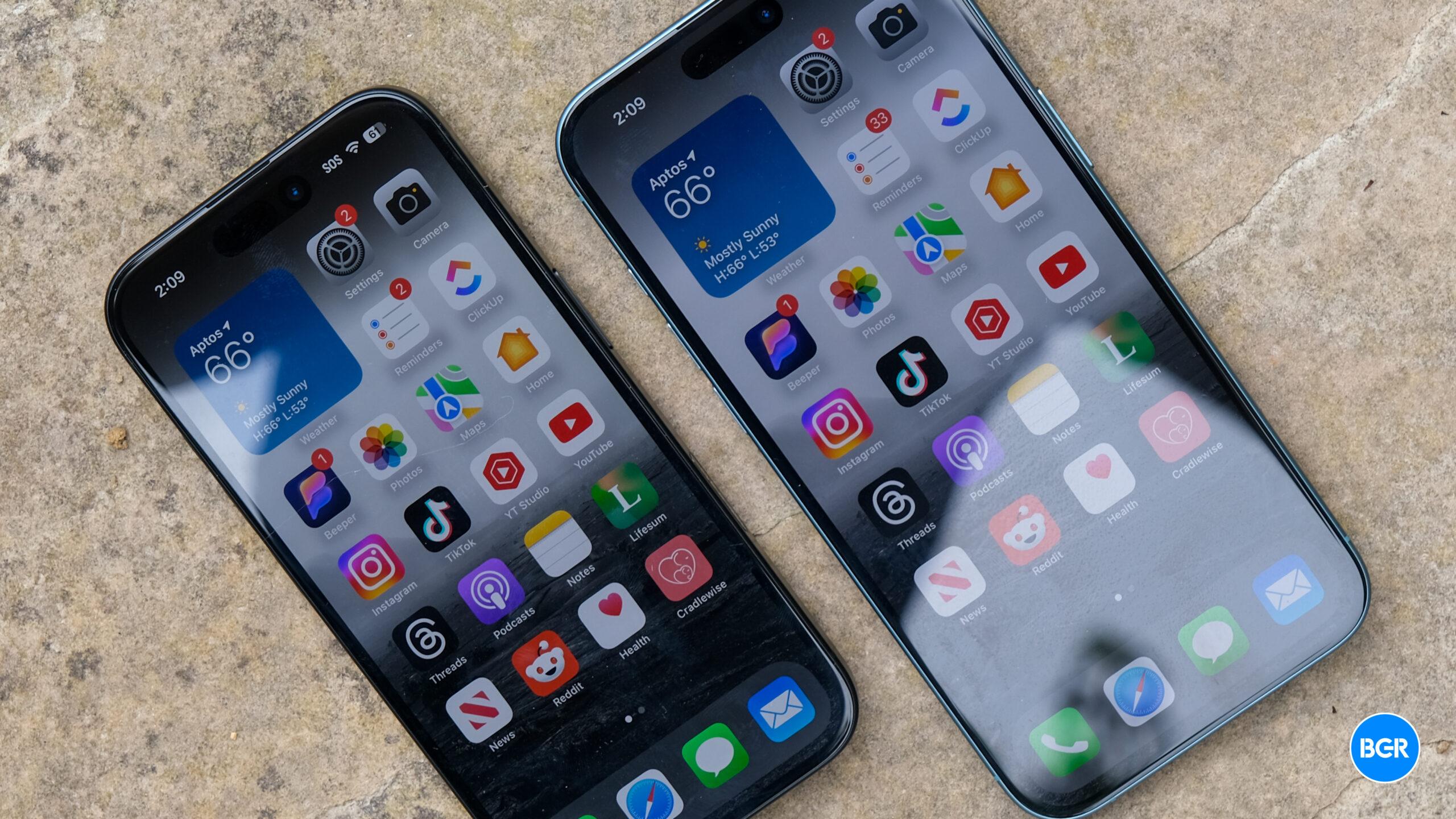
AirPods Pro 2 Adaptative Audio on iPhone 14 Pro Max running iOS 17AirPods Pro 2 next to an iPhone 14 Pro Max. Image source: José Adorno for BGR
If you match the requirements above, you need to prepare for your test. To make sure your AirPods have the proper fit, you can take the Ear Tip Fit Test (iPhone or iPad only). The Hearing Test also tests the fit of your AirPods.

Your test results might be affected if any of these apply to you:

  • If you’ve had a cold, a sinus infection, or an ear infection within the last 24 hours.
  • If you’re currently suffering from allergies.
  • If you’ve been in a loud environment, like a concert, within the last 24 hours.

Once you found a quiet place to take the hearing test, here’s what you need to do

It’s time to take the hearing test

The hearing test feature is intended for people 18 years and older and takes approximately five minutes.

  1. Make sure that your AirPods are sufficiently charged and that you are in a quiet room.
  2. With your AirPods in your ears and connected to your paired iPhone or iPad, go to Settings > your AirPods. You can also start the Hearing Test from the Health app.
  3. Tap Take a Hearing Test, then follow the instructions:
    • If the app asks to run a check, put your AirPods back in their case, close the lid, then tap OK. Tap Take Hearing Test when the check is finished.
    • If prompted to find a quieter space, turn off air conditioning or fans that might be creating noise in your environment, or wait until night when there’s less ambient noise, like traffic noise. The test monitors ambient noise and will let you know when it’s quiet enough for the test.
    • If the test recommends that you adjust the fit of your AirPods, try a different size of ear tips.
    • If the test recommends that your AirPods Pro needs cleaning, follow AirPods Pro cleaning instructions.
  4. When the Hearing Test starts, tap the screen when you hear a tone. During the test, tones are pulsed three times to give you time to respond to the tone played. You only need to tap one time when you hear a tone. It’s OK if you miss a tone.
  5. If you remove or adjust your AirPods (or if the environmental noise around you becomes loud), the Hearing Test may pause. The test resumes when you put the AirPods back in your ear or when the environmental noise is quiet again.

How to see your results

When the test is complete, you can see the results on your device. The results show your overall hearing loss in decibels of hearing level (dBHL), your hearing loss classification, and recommended next steps.

To see a detailed audiogram, tap Show Details. Your audiogram is securely stored in the Health app on your device, so you can access the data at any time. Here’s what you need to know about the results:

  • Up to 25 dBHL indicates little to no hearing loss.
  • 26-40 dBHL indicates mild hearing loss, where you can hear words spoken in a normal voice from three feet away.
  • 41-60 dBHL indicates moderate hearing loss, where you can hear words spoken in a raised voice from three feet away.
  • 61-80 dBHL indicates severe hearing loss, where you can hear some words when they’re shouted into your ear.

Source

Posted on

How to take an AirPods Pro 2 hearing test

With iOS 18.2 now available, Apple expanded the AirPods Pro 2 hearing test feature to more countries and regions, including Cyprus, Czechia, France, Italy, Luxembourg, Romania, Spain, the United Arab Emirates, and the United Kingdom.

With this feature, you can identify if you have hearing loss by testing your hearing at different frequencies of sound, which are measured in decibels hearing level (dBHL). In addition, some regions already have the ability to use AirPods Pro 2 as a hearing aid device. I recently did Apple’s AirPods Pro 2 hearing test, and I wasn’t happy with what I discovered.

Here’s everything you need to know about Apple’s AirPods Pro 2 hearing test feature and how to take the most out of it.

What do you need to take the AirPods Pro 2 hearing test?

There are a few requirements to take the hearing test:

Tech. Entertainment. Science. Your inbox.

Sign up for the most interesting tech & entertainment news out there.

By signing up, I agree to the Terms of Use and have reviewed the Privacy Notice.

  • AirPods Pro 2
  • Update them to the latest firmware
  • Have an iPhone or iPad running iOS 18.1/iPadOS 18.1 or later

Preparing for the test

AirPods Pro 2 Adaptative Audio on iPhone 14 Pro Max running iOS 17AirPods Pro 2 next to an iPhone 14 Pro Max. Image source: José Adorno for BGR

If you match the requirements above, you need to prepare for your test. To make sure your AirPods have the proper fit, you can take the Ear Tip Fit Test (iPhone or iPad only). The Hearing Test also tests the fit of your AirPods.

Your test results might be affected if any of these apply to you:

  • If you’ve had a cold, a sinus infection, or an ear infection within the last 24 hours.
  • If you’re currently suffering from allergies.
  • If you’ve been in a loud environment, like a concert, within the last 24 hours.

Once you found a quiet place to take the hearing test, here’s what you need to do

It’s time to take the hearing test

The hearing test feature is intended for people 18 years and older and takes approximately five minutes.

  1. Make sure that your AirPods are sufficiently charged and that you are in a quiet room.
  2. With your AirPods in your ears and connected to your paired iPhone or iPad, go to Settings > your AirPods. You can also start the Hearing Test from the Health app.
  3. Tap Take a Hearing Test, then follow the instructions:
    • If the app asks to run a check, put your AirPods back in their case, close the lid, then tap OK. Tap Take Hearing Test when the check is finished.
    • If prompted to find a quieter space, turn off air conditioning or fans that might be creating noise in your environment, or wait until night when there’s less ambient noise, like traffic noise. The test monitors ambient noise and will let you know when it’s quiet enough for the test.
    • If the test recommends that you adjust the fit of your AirPods, try a different size of ear tips.
    • If the test recommends that your AirPods Pro needs cleaning, follow AirPods Pro cleaning instructions.
  4. When the Hearing Test starts, tap the screen when you hear a tone. During the test, tones are pulsed three times to give you time to respond to the tone played. You only need to tap one time when you hear a tone. It’s OK if you miss a tone.
  5. If you remove or adjust your AirPods (or if the environmental noise around you becomes loud), the Hearing Test may pause. The test resumes when you put the AirPods back in your ear or when the environmental noise is quiet again.

How to see your results

When the test is complete, you can see the results on your device. The results show your overall hearing loss in decibels of hearing level (dBHL), your hearing loss classification, and recommended next steps.

To see a detailed audiogram, tap Show Details. Your audiogram is securely stored in the Health app on your device, so you can access the data at any time. Here’s what you need to know about the results:

  • Up to 25 dBHL indicates little to no hearing loss.
  • 26-40 dBHL indicates mild hearing loss, where you can hear words spoken in a normal voice from three feet away.
  • 41-60 dBHL indicates moderate hearing loss, where you can hear words spoken in a raised voice from three feet away.
  • 61-80 dBHL indicates severe hearing loss, where you can hear some words when they’re shouted into your ear.

Source

Posted on

iPhone 17 Air will feature ProMotion, but I’d buy it either way

I’m ready to buy the iPhone 17 Air, even if that means dealing with several compromises Apple will have to make to create a thinner iPhone than ever before. By that, I mean I’m ready for a single-lens camera, potentially worse battery life than what you’d expect from a typical 6.6-inch iPhone, and a single speaker on the bottom.

I’d even be ready to use a 60Hz display rather than one that supports ProMotion. After all, I did that for two years with the iPhone 14 Pro. That actually might have helped me get used to the iPhone 16 Plus’s 60Hz screen. I had no problem transitioning to a non-ProMotion screen during my two-month stint with the iPhone 16 Plus.

However, it looks like the iPhone 16 will be the last generation in which the non-Pro iPhones lack 120Hz refresh rate support. We have already seen a series of reports saying that Apple will bring LTPO tech to all iPhone 17 models, including the iPhone 17 Air, and there’s another story out that seemingly confirms this development.

LTPO is a key display tech that allows Apple to offer dynamic refresh rates on ProMotion devices with OLED panels. The refresh rate adapts to what’s showing on the screen, dropping as low as 1Hz in some instances rather than staying at 120Hz, regardless of what you might be doing. The benefit of dynamic refresh rate screens is that they conserve battery life.

Tech. Entertainment. Science. Your inbox.

Sign up for the most interesting tech & entertainment news out there.

By signing up, I agree to the Terms of Use and have reviewed the Privacy Notice.

On that note, that’s probably one way I improved battery life on the iPhone 14 Pro, as my refresh rate moves between 1Hz and 60Hz rather than the full 120Hz.

My display preferences aside, plenty of iPhone users have rightly called out Apple for restricting the ProMotion displays to the Pro models. Meanwhile, many Android vendors ship mid-range phones that support 120Hz refresh rates.

Thankfully, all iPhone models will get ProMotion screens, starting with the iPhone 17 series. Korean website DT penned the latest report that says Apple suppliers are preparing to meet Apple’s OLED panel needs for the iPhone 17.

The report says that all four iPhone 17 models will use LTPO OLED panels, which implies that the iPhone 17 Air will support 120Hz refresh rates. The story doesn’t single out the ultra-thin iPhone or the other three models, instead focusing on the suppliers.

If the information is accurate, LG Display will be the big winner of Apple’s iPhone 17 screen orders. The Korean company had a 10% share of orders last year, which grew to 30% this year. LG’s share will continue to rise next year when it will account for 40% of Apple’s OLED panel needs.

Chinese company BOE is apparently the big loser, as it is unable to manufacture the LTPO panels Apple wants for the iPhone 17.

Samsung will continue to get the lion’s share of OLED panels for the iPhone, likely accounting for 60% of orders.

M4 iPad Pro Home Screen running iPadOS 18M4 iPad Pro OLED display. Image source: José Adorno for BGR

The inability of OLED panel vendors to meet Apple’s production needs might explain why Apple has kept using LTPS 60Hz OLED panels in non-Pro handsets so far, but that’s just speculation from this iPhone user. Apple sells over 200 million iPhones every year, so its display needs dwarf those of rivals.

The DT story implies that supply is an issue, as it explains that LG will not build new manufacturing lines to accommodate a larger influx of orders from Apple. Instead, LG will retool its iPad Pro OLED screen production line to manufacture iPhone displays.

Apple’s M4 iPad Pro hasn’t been selling as well as expected, so LG’s move makes sense. While the Korean company won’t confirm such changes, it did say during the Q3 earnings report that it plans to adapt its production infrastructure to market conditions.

LG adapting to Apple’s needs will have an unwanted side effect. The report says LG’s investments in a next-gen supply facility of OLED panels for tablets and laptops will be slightly delayed. Interestingly, Apple is expected to use OLED panels in more products, including the iPad mini, MacBook Air, and a foldable Mac/iPad set to launch sometime in the next four years.

Back to the iPhone 17, the report doesn’t mention screen sizes for the four phones. I’d expect Apple to stick with the 6.1-inch, 6.3-inch, and 6.9-inch screen sizes for the iPhone 17, 17 Pro, and 17 Pro Max, respectively. Rumors say the iPhone 17 Air should feature a 6.6-inch display.

Source

Posted on

How to share lost AirTag location with an airline

iOS 18.2 has just been released, and it’s full of Apple Intelligence features. However, there’s one feature available to everyone that might greatly improve their next trip.

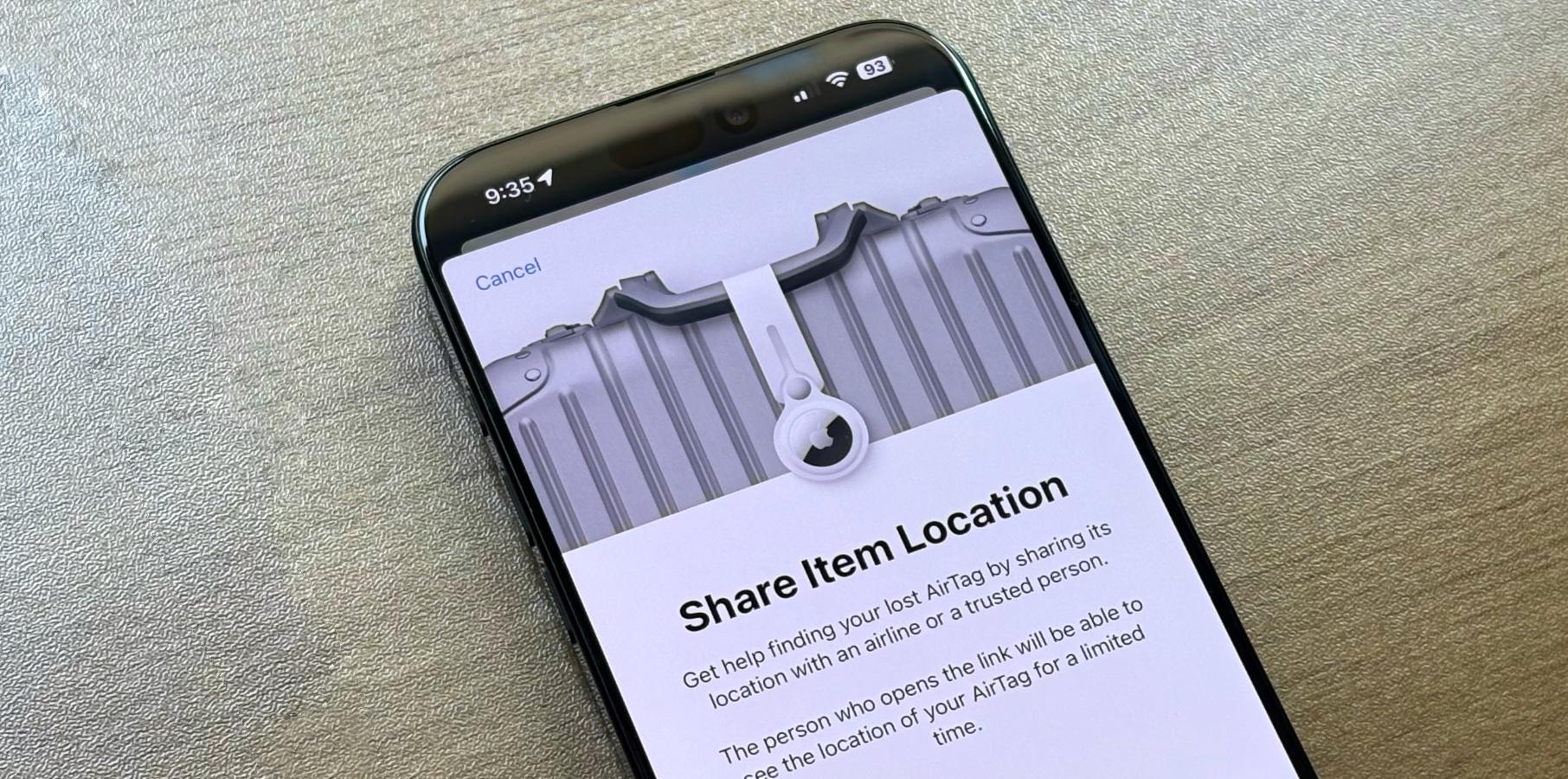
The new Share Item Location feature lets iPhone and iPad users share their AirTag or third-party item tracker location with another person or an airline. It was first available as part of the iOS 18.2 beta and is now rolling out to everyone.

According to Apple, over 15 airlines are planning support for this Find My feature: Aer Lingus, Air Canada, Air New Zealand, Austrian Airlines, British Airways, Brussels Airlines, Delta Air Lines, Eurowings, Iberia, KLM Royal Dutch Airlines, Lufthansa, Qantas, Singapore Airlines, Swiss International Air Lines, Turkish Airlines, United, Virgin Atlantic, and Vueling.

Suppose you lose your keychain in a restaurant. You can send the manager a link using Share Item Location, and they can track your AirTag using their iPhone 11 or newer with Precision Find.

Tech. Entertainment. Science. Your inbox.

Sign up for the most interesting tech & entertainment news out there.

By signing up, I agree to the Terms of Use and have reviewed the Privacy Notice.

Additionally, you can already share your AirTag location with friends and family members using the Find My network.

How to share a Lost AirTag using Find My

If you have an AirTag and your iPhone is updated to iOS 18.2, follow the steps below:

  • Open the Find My app and open the “Items” tab.
  • Select the lost AirTag and scroll down the menu.
  • Tap “Show Contact Info” so people can contact you when they find your item.
  • Lastly, tap “Share Item Location” so you can create a link that people can click to see your AirTag location for a limited time.

Apple says the “Show Contact Info” feature lets others hold your AirTag close to the top of their phone to open a website with more information, including your phone number or email address, so they can contact you to let you know they found your device.

Below, you can learn more about the latest iOS 18.2 features.

Source