Posted on

M4 MacBook Air to launch before iPhone SE 4 and iPad 11

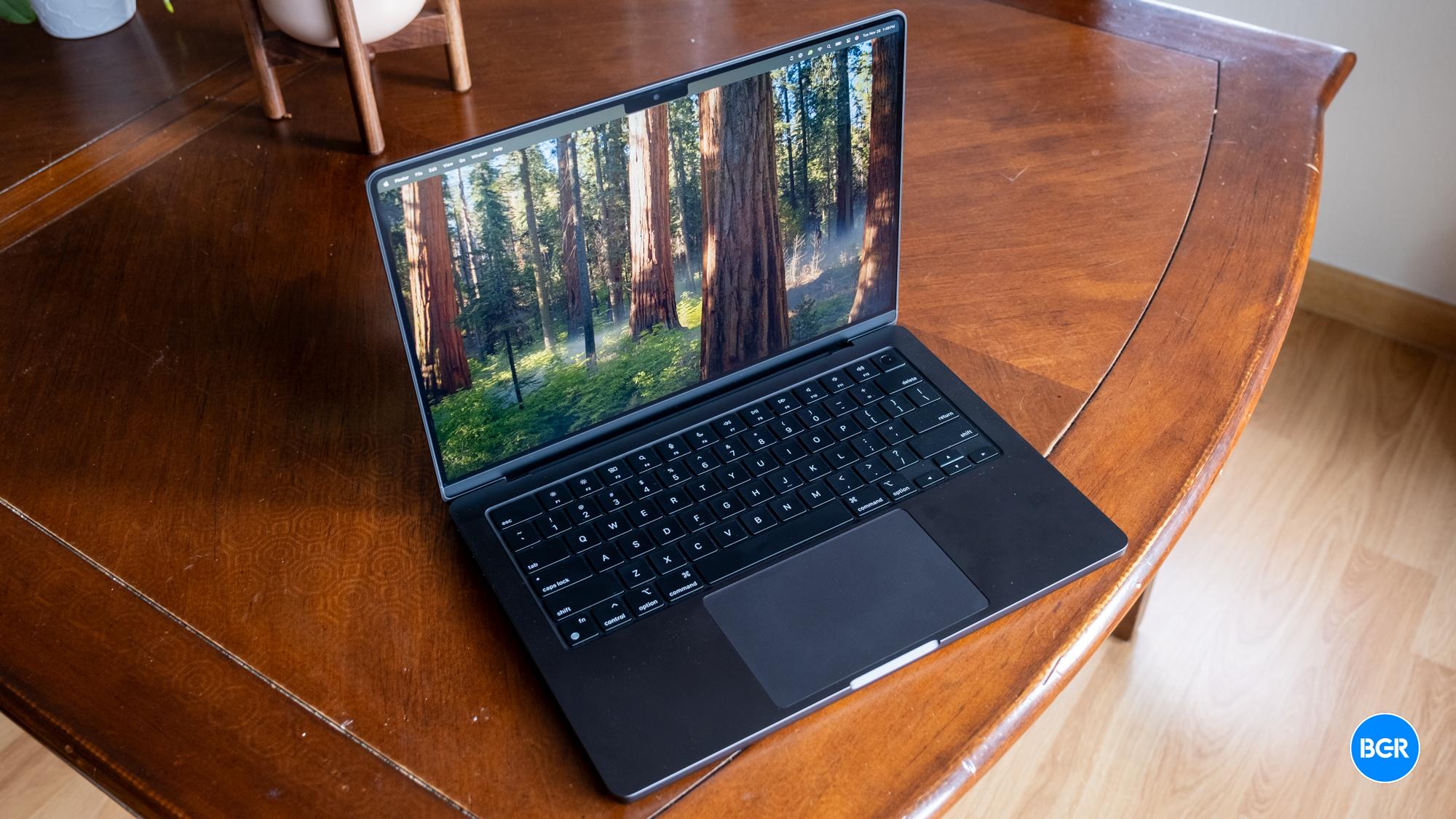
Apple upgraded several Macs to the M4 chip a few weeks ago, including the MacBook Pro, iMac, and Mac mini. The former is easily the most exciting of the three, as Apple gave fans a much-needed upgrade. The M4 MacBook Pro comes with 16GB of RAM instead of 8GB, effectively reducing the laptop’s price for those who would spend extra money for more memory.

It’s all in the name of Apple Intelligence, a suite of genAI features still in its early days. Apple is ensuring that all its devices will have the resources to handle AI and one’s non-AI computing needs.

I said at the time that Apple had no choice but to give the M4 MacBook Air the same 16GB memory upgrade. Apple practically confirmed this during the M4 Mac launch week when it said that existing M2 and M3 MacBook Airs will also come with 16GB of RAM as the new default.

Apple didn’t reveal the M4 MacBook Air release date at the time, but leaks said the 13-inch and 15-inch laptops would drop at some point in the first quarter of 2025. A new update from an insider teases an even faster launch than expected, as Apple might not want to wait until the iPhone SE 4 and iPad 11 are also ready to launch.

Tech. Entertainment. Science. Your inbox.

Sign up for the most interesting tech & entertainment news out there.

By signing up, I agree to the Terms of Use and have reviewed the Privacy Notice.

After the iPhone 16 launch event, we thought we’d get a Mac-centric keynote for the M4 Macs. Apple chose to announce the laptops via press releases, though it also posted extended presentations on YouTube for each of the three Macs that got the M4 treatment.

Before Apple’s announcements in the first quarter of 2025, reports said that the iPhone SE 4 would drop in March. That’s also going to be a rather exciting iPhone for certain buyers.

Considering the mid-ranged iPhone’s rollout expectations and what Apple did with the M4 Macs, it’s easy to assume the company would repeat the play: Pick a week in March and announce a new product each day. We’d get the M4 MacBook Air, the iPhone SE 4, and the iPad 11, in whatever order Apple chooses to do it.

However, Mark Gurman said on X that the M4 MacBook Air launch is coming sooner than expected. He didn’t divulge an actual release date for the M4 MacBook Air models, but he said that the laptops will precede the iPhone SE 4 and iPad 11:

As I wrote in October, new entry level iPads (J481 and J482) are coming in the spring. iPhone SE, new iPad Air are on the same general timeline. The M4 MacBook Air will be earlier.

The Bloomberg reporter also penned a newsletter over the weekend, where he also addressed Apple’s tentative roadmap for the M4 Macs. He said the M4 MacBook Airs will arrive early next year, without mentioning the iPhone SE 4 and iPad 11:

But the real meat of the Mac lineup will get refreshed in the first three quarters of 2025. Things will kick off pretty early next year with M4 versions of the 13-inch and 15-inch MacBook Air (these models are already deep into the manufacturing phase). As the year progresses, there will be a new Mac Studio with a high-end M4 chip. The M4 transition will get completed later in the year with a version of the Mac Pro. This will mark the first time since Apple began using in-house chips that its entire computer portfolio moved to a new M-series generation.

The tweet above gives us a better estimate of when to expect the new MacBook Airs. That said, we have no release dates, so it’s unclear how soon the M4 MacBook Airs will arrive.

Finally, I’ll remind you that Apple has confirmed the M4 MacBook Air in a recent software update. Given Gurman’s claims, Apple’s accidental reveal makes sense if the launch is imminent.
Source

Posted on

The Nintendo Switch 2 launch event might be just a few weeks away

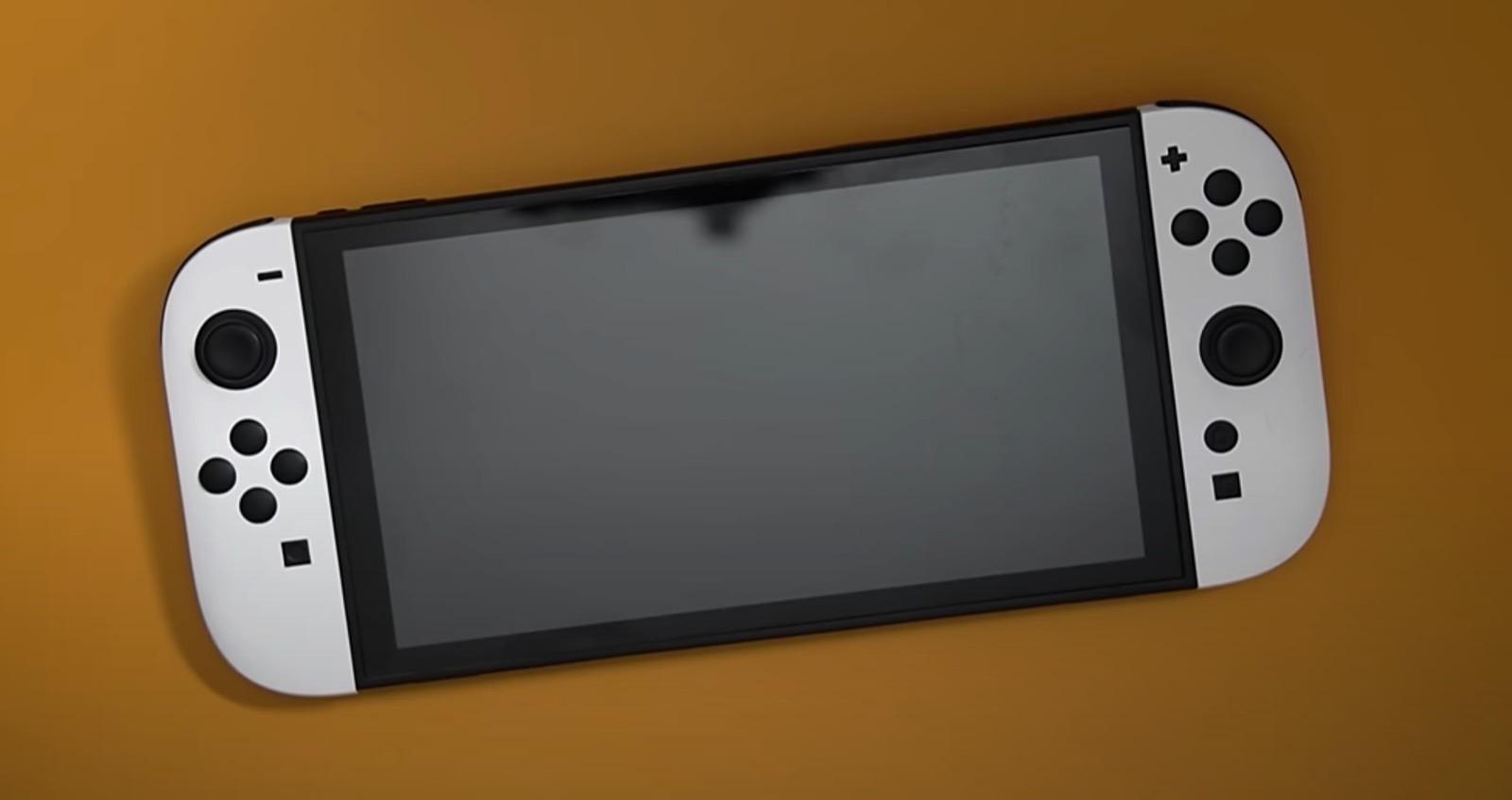
With 2024 winding down, there’s no question that the Nintendo Switch 2 console is one of the most talked about gadgets set to debut next year. We’ve witnessed an increasing number of leaks in recent weeks, including a dummy Switch 2 unit that gave us a good look at the console’s purported design.

We know Nintendo won’t launch the console this year. The company has been rather tight-lipped about the Switch 2 in the past, but it has at least confirmed that the next-gen device will be unveiled by March 2025. The company didn’t give us a better estimate than that, leaving fans guessing.

However, things took an unusual turn in recent weeks, as more purported Switch 2 accessories were leaked. It all culminated in an entire Switch 2 dummy unit appearing in a detailed hands-on video (photo above). I said at the time that the dummy device seemed convincing based on what typically happens in the tech universe. Usually, when accessory makers share dummy devices, it means they have accurate design information.

It turns out the leaks might have had an effect on Nintendo, at least according to one insider. Apparently, Nintendo wants to reschedule the launch event and host it sooner than planned to prevent further leaks from revealing the Switch 2 secrets. A different person also hinted at an earlier-than-expected launch date. If either source is correct, the Switch 2 launch event might happen very soon.

Tech. Entertainment. Science. Your inbox.

Sign up for the most interesting tech & entertainment news out there.

By signing up, I agree to the Terms of Use and have reviewed the Privacy Notice.

First, Redditors spotted this post on X from Nintendo leaker Samus Hunter a few days ago.

The insider says Nintendo might unveil the Switch 2 before “DK,” which can only be the next Donkey Kong game for the Switch, Donkey Kong Country Returns HD. The Redditors point out the game might be released on January 16th, 2025. Therefore, the Switch 2 could be announced on or before that date.

More recently, the same Redditors on the Switch 2 subreddit pointed out the Weibo posts of a person who apparently leaked the entire June 2024 Nintendo Direct event. The Redditors say this person “has been counting down using Fibonacci sequence numbers since December 21st.” That countdown expires on January 8th. The same leaker apparently said in the past that the Switch 2 could be unveiled in January.

I know it all sounds crazy, but it fits with Samus Hunter’s claim above. The Nintendo Switch 2 launch event could happen at some point in the first two weeks of January, if this information is accurate. Or we could simply be looking at speculation and wishful thinking.

Whatever the case, the fact remains that Switch 2 accessories will continue to leak the closer we get to the launch event. Plenty of companies are looking to make the most of the Switch 2 launch, so they’re developing plenty of products for the console.

Finally, I’ll point out that a different Switch 2 leaker, who revealed plenty of details about the console teased a full design reveal for Christmas Day. If that happens, it might further convince Nintendo to get it over it, and unveil the console in all its glory sooner than planned. The same leaker also teased a January launch for the next-gen Switch.

Source

Posted on

We just learned a key detail about Apple’s foldable iPhone

A Display Supply Chain Consultants (DSCC) report a few days ago claimed that Apple will enter the foldable smartphone market in 2026. The move is expected to turbocharge the foldables market, which will face stagnation next year. Dominated by Samsung and Huawei, the current foldable phone landscape has grown all it can without Apple. According to the report, the foldable iPhone is the holy grail event the market needs.

The claims make some sense, especially as rumors about foldable iPhones and iPads are heating up. Add to that the approaching 20th anniversary of Apple’s first-generation iPhone, and a foldable iPhone might be just the kind of design change Apple needs.

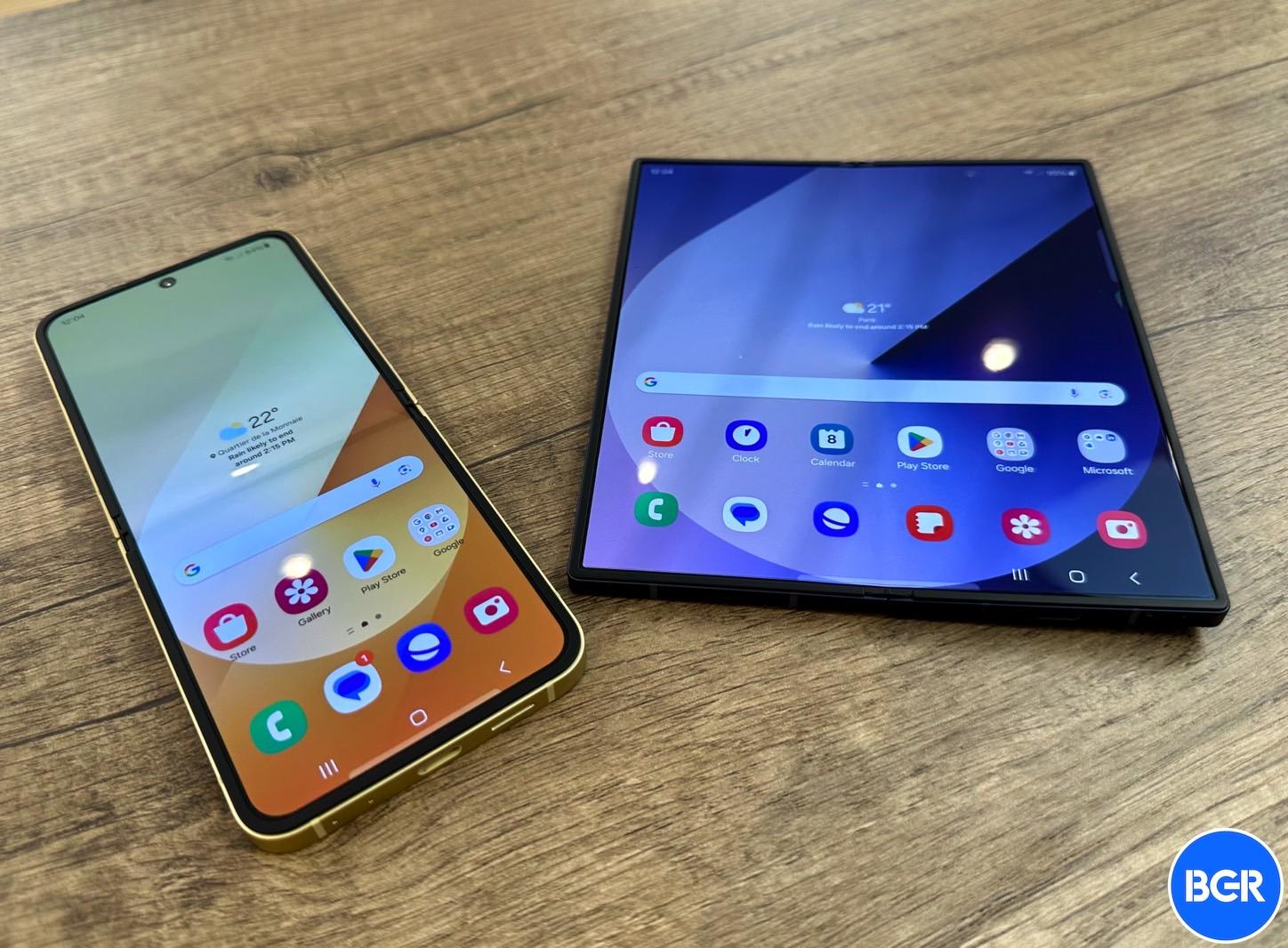
However, the DSCC report didn’t mention what type of design Apple chose. The only viable choices right now are the fold and flip form factors — either a smartphone that becomes a tablet, like the Galaxy Z Fold 6, or a clamshell foldable, like the Galaxy Z Flip 6. Apple could very well embrace both designs, just like Samsung did. Yes, we have double-fold foldables in the wild, but Apple would probably not consider them in the near future, especially if it wants to launch a foldable Mac/iPad in 2028.

Ross Young, the CEO of DSCC and a steady source of iPhone leaks, has answered questions about the type of foldable iPhone design Apple will choose, claiming that Apple is going with an iPhone Fold rather than an iPhone Flip.

Tech. Entertainment. Science. Your inbox.

Sign up for the most interesting tech & entertainment news out there.

By signing up, I agree to the Terms of Use and have reviewed the Privacy Notice.

The comments are buried in an X thread that followed the DSCC report last week. When a user asked whether Apple’s foldable iPhone would be a Flip, Fold, or both, Young answered with one word, “Fold.”

The display analyst then expanded on the comment, saying that Apple is going for a Fold-style “at the moment.”

The same user X user mentioned that most people expect Apple to make a Flip-type of foldable iPhone, asking Ross whether he was sure about Apple’s choice.

That’s when Young said that Apple reportedly canceled the Flip-type design. The foldable iPhone is a “7.x-inch Fold,” he said, adding that he doesn’t want to go into too many details about screen sizes on X.

Samsung also entered the foldable market with a Fold-type device, the ill-fated Galaxy Fold whose original design came with a few critical failures that Samsung had to push back the launch by several months. Samsung perfected the Fold design in subsequent iterations. The first-gen Galaxy Z Flip arrived on the scene a year later.

While I favored the Fold design over the Flip, I changed my mind in recent years. I don’t think I need a tablet in my pocket. It’s clamshell phones like the Motorola Razr and the Galaxy Z Flip that made me dream of a foldable iPhone Flip device.

Take the 6.7-inch iPhone 16 Plus, which I struggled to carry in my pocket for nearly two months. Flip that phone, and it’s a different ball game.

On the other hand, given Apple’s rumored roadmap, an iPhone Fold makes sense. I explained why an iPhone 17 Air design is a key piece of the foldable iPhone puzzle. Also, I told you that Apple’s rumored 6-inch smart display device will pave the way for software interfaces and displays that could very well benefit a foldable iPhone in the future.

If Apple has settled on the Fold design for the first-gen foldable iPhone, we should see more leaks confirming Ross’s claims in the coming year.

Source

Posted on

How to take an AirPods Pro 2 hearing test

With iOS 18.2 now available, Apple expanded the AirPods Pro 2 hearing test feature to more countries and regions, including Cyprus, Czechia, France, Italy, Luxembourg, Romania, Spain, the United Arab Emirates, and the United Kingdom.

With this feature, you can identify if you have hearing loss by testing your hearing at different frequencies of sound, which are measured in decibels hearing level (dBHL). In addition, some regions already have the ability to use AirPods Pro 2 as a hearing aid device. I recently did Apple’s AirPods Pro 2 hearing test, and I wasn’t happy with what I discovered.

Here’s everything you need to know about Apple’s AirPods Pro 2 hearing test feature and how to take the most out of it.

What do you need to take the AirPods Pro 2 hearing test?

There are a few requirements to take the hearing test:

Tech. Entertainment. Science. Your inbox.

Sign up for the most interesting tech & entertainment news out there.

By signing up, I agree to the Terms of Use and have reviewed the Privacy Notice.

  • AirPods Pro 2
  • Update them to the latest firmware
  • Have an iPhone or iPad running iOS 18.1/iPadOS 18.1 or later

Preparing for the test

AirPods Pro 2 Adaptative Audio on iPhone 14 Pro Max running iOS 17AirPods Pro 2 next to an iPhone 14 Pro Max. Image source: José Adorno for BGR

If you match the requirements above, you need to prepare for your test. To make sure your AirPods have the proper fit, you can take the Ear Tip Fit Test (iPhone or iPad only). The Hearing Test also tests the fit of your AirPods.

Your test results might be affected if any of these apply to you:

  • If you’ve had a cold, a sinus infection, or an ear infection within the last 24 hours.
  • If you’re currently suffering from allergies.
  • If you’ve been in a loud environment, like a concert, within the last 24 hours.

Once you found a quiet place to take the hearing test, here’s what you need to do

It’s time to take the hearing test

The hearing test feature is intended for people 18 years and older and takes approximately five minutes.

  1. Make sure that your AirPods are sufficiently charged and that you are in a quiet room.
  2. With your AirPods in your ears and connected to your paired iPhone or iPad, go to Settings > your AirPods. You can also start the Hearing Test from the Health app.
  3. Tap Take a Hearing Test, then follow the instructions:
    • If the app asks to run a check, put your AirPods back in their case, close the lid, then tap OK. Tap Take Hearing Test when the check is finished.
    • If prompted to find a quieter space, turn off air conditioning or fans that might be creating noise in your environment, or wait until night when there’s less ambient noise, like traffic noise. The test monitors ambient noise and will let you know when it’s quiet enough for the test.
    • If the test recommends that you adjust the fit of your AirPods, try a different size of ear tips.
    • If the test recommends that your AirPods Pro needs cleaning, follow AirPods Pro cleaning instructions.
  4. When the Hearing Test starts, tap the screen when you hear a tone. During the test, tones are pulsed three times to give you time to respond to the tone played. You only need to tap one time when you hear a tone. It’s OK if you miss a tone.
  5. If you remove or adjust your AirPods (or if the environmental noise around you becomes loud), the Hearing Test may pause. The test resumes when you put the AirPods back in your ear or when the environmental noise is quiet again.

How to see your results

When the test is complete, you can see the results on your device. The results show your overall hearing loss in decibels of hearing level (dBHL), your hearing loss classification, and recommended next steps.

To see a detailed audiogram, tap Show Details. Your audiogram is securely stored in the Health app on your device, so you can access the data at any time. Here’s what you need to know about the results:

  • Up to 25 dBHL indicates little to no hearing loss.
  • 26-40 dBHL indicates mild hearing loss, where you can hear words spoken in a normal voice from three feet away.
  • 41-60 dBHL indicates moderate hearing loss, where you can hear words spoken in a raised voice from three feet away.
  • 61-80 dBHL indicates severe hearing loss, where you can hear some words when they’re shouted into your ear.

Source

Posted on

How to take an AirPods Pro 2 hearing test

With iOS 18.2 now available, Apple expanded the AirPods Pro 2 hearing test feature to more countries and regions, including Cyprus, Czechia, France, Italy, Luxembourg, Romania, Spain, the United Arab Emirates, and the United Kingdom.

With this feature, you can identify if you have hearing loss by testing your hearing at different frequencies of sound, which are measured in decibels hearing level (dBHL). In addition, some regions already have the ability to use AirPods Pro 2 as a hearing aid device. I recently did Apple’s AirPods Pro 2 hearing test, and I wasn’t happy with what I discovered.

Here’s everything you need to know about Apple’s AirPods Pro 2 hearing test feature and how to take the most out of it.

What do you need to take the AirPods Pro 2 hearing test?

There are a few requirements to take the hearing test:

Tech. Entertainment. Science. Your inbox.

Sign up for the most interesting tech & entertainment news out there.

By signing up, I agree to the Terms of Use and have reviewed the Privacy Notice.

  • AirPods Pro 2
  • Update them to the latest firmware
  • Have an iPhone or iPad running iOS 18.1/iPadOS 18.1 or later

Preparing for the test

AirPods Pro 2 Adaptative Audio on iPhone 14 Pro Max running iOS 17AirPods Pro 2 next to an iPhone 14 Pro Max. Image source: José Adorno for BGR

If you match the requirements above, you need to prepare for your test. To make sure your AirPods have the proper fit, you can take the Ear Tip Fit Test (iPhone or iPad only). The Hearing Test also tests the fit of your AirPods.

Your test results might be affected if any of these apply to you:

  • If you’ve had a cold, a sinus infection, or an ear infection within the last 24 hours.
  • If you’re currently suffering from allergies.
  • If you’ve been in a loud environment, like a concert, within the last 24 hours.

Once you found a quiet place to take the hearing test, here’s what you need to do

It’s time to take the hearing test

The hearing test feature is intended for people 18 years and older and takes approximately five minutes.

  1. Make sure that your AirPods are sufficiently charged and that you are in a quiet room.
  2. With your AirPods in your ears and connected to your paired iPhone or iPad, go to Settings > your AirPods. You can also start the Hearing Test from the Health app.
  3. Tap Take a Hearing Test, then follow the instructions:
    • If the app asks to run a check, put your AirPods back in their case, close the lid, then tap OK. Tap Take Hearing Test when the check is finished.
    • If prompted to find a quieter space, turn off air conditioning or fans that might be creating noise in your environment, or wait until night when there’s less ambient noise, like traffic noise. The test monitors ambient noise and will let you know when it’s quiet enough for the test.
    • If the test recommends that you adjust the fit of your AirPods, try a different size of ear tips.
    • If the test recommends that your AirPods Pro needs cleaning, follow AirPods Pro cleaning instructions.
  4. When the Hearing Test starts, tap the screen when you hear a tone. During the test, tones are pulsed three times to give you time to respond to the tone played. You only need to tap one time when you hear a tone. It’s OK if you miss a tone.
  5. If you remove or adjust your AirPods (or if the environmental noise around you becomes loud), the Hearing Test may pause. The test resumes when you put the AirPods back in your ear or when the environmental noise is quiet again.

How to see your results

When the test is complete, you can see the results on your device. The results show your overall hearing loss in decibels of hearing level (dBHL), your hearing loss classification, and recommended next steps.

To see a detailed audiogram, tap Show Details. Your audiogram is securely stored in the Health app on your device, so you can access the data at any time. Here’s what you need to know about the results:

  • Up to 25 dBHL indicates little to no hearing loss.
  • 26-40 dBHL indicates mild hearing loss, where you can hear words spoken in a normal voice from three feet away.
  • 41-60 dBHL indicates moderate hearing loss, where you can hear words spoken in a raised voice from three feet away.
  • 61-80 dBHL indicates severe hearing loss, where you can hear some words when they’re shouted into your ear.

Source

Posted on

iPhone 17 Air is real, and Foxconn is already making it

The iPhone 17 Air is another step toward becoming a reality. This time, DigiTimes (via MacRumors) says Foxconn entered the new product introduction phase. Supply chain sources tell the publication that the NPI phase is responsible for bringing this iPhone’s concept to life with design validation and prototype testing.

With that, this device is on schedule to be released in late 2025 alongside the other iPhone 17 lineup, as Foxconn doesn’t seem to be having issues making this product.

A few months ago, the same publication said the Taiwanese company Novatek planned to begin mass production of a new OLED display technology for the iPhone 17 Air. At the time, the claim seemed a bit speculative as Novatek wanted to create a thinner screen tech. However, it seems everything is aligning for this device’s release in the second half of 2025.

Latest iPhone 17 Air rumors

The iPhone 17 Air is expected to be released after years of Apple failing to conquer a more significant market with a variation of the regular iPhone. The company has seen low sales of the iPhone 12 mini, iPhone 13 mini, iPhone 14 Plus, and iPhone 15 Plus. While we need to know how the iPhone 16 Plus will perform, Cupertino seems to be planning a different approach for the iPhone 17.

Tech. Entertainment. Science. Your inbox.

Sign up for the most interesting tech & entertainment news out there.

By signing up, I agree to the Terms of Use and have reviewed the Privacy Notice.

Besides that, rumors so far have hinted at a premium version of the non-Pro iPhone 17. While all models are expected to maintain the same price point, this iPhone 17 Air would cost around $1,299—the most expensive iPhone to date. Despite its ultra-thin form factor, it would have the A19 chip, 8 GB of RAM, and two main cameras.

It is still unknown how Apple will maintain a good battery life with an ultra-thin form factor. However, the company might learn from Huawei’s latest triple-fold phone. It’s important to say that Samsung will likely make competition hard for this rumored Apple phone.

Interestingly, the iPhone 17 Pro models could have 12GB of RAM, the A19 Pro chip with TSMC’s new N3P manufacturing process, and three 48MP primary cameras.

Below, you can learn more about the future iPhone 17.

Source

Posted on

Mysterious ChatGPT hardware must be smart glasses, given what OpenAI just unveiled

After months of speculation, Jony Ive confirmed in mid-September that he and a team of former Apple designers are working on hardware that will have ChatGPT at the core. While Ive said his LoveFrom design company will be involved in creating the product (or products?), he didn’t reveal what form factor(s) we should expect.

I labeled the product an iPhone competitor because the iPhone is an AI device, just like the Pixel and any other smartphone that can run native or third-party AI apps. The ChatGPT hardware will compete against the iPhone no matter what it looks like. The only thing we know about the gadget is that it “uses AI to create a computing experience that is less socially disruptive than the iPhone.”

Nearly three months later, I believe the ChatGPT device has to feature a key component, a pair of smart glasses that will truly let the user make the most of OpenAI’s AI models. It’s all thanks to what we witnessed on December 12th, a few short hours apart.

First, Samsung and Google unveiled the Android XR experience and teased the first devices with AI at the center. Project Moohan is Samsung’s obvious Vision Pro alternative, and yes, it looks too much like the latter. Project Moohan will be a spatial computer that supports VR, AR, and AI.

Tech. Entertainment. Science. Your inbox.

Sign up for the most interesting tech & entertainment news out there.

By signing up, I agree to the Terms of Use and have reviewed the Privacy Notice.

All the acronyms are there, with AI giving Samsung a theoretical advantage over the Vision Pro. That will be Galaxy AI and Gemini AI, in case you were wondering.

Samsung's Project Moohan Android XR headset.Samsung’s Project Moohan Android XR headset. Image source: Samsung

More interesting than Moohan is Google’s unannounced pair of smart glasses. Samsung is probably working on its own smart glasses, but the company didn’t feel compelled to announce them on Thursday. 

Google demoed the smart glasses during its Gemini 2.0 announcement, showing how Project Astra can work on them. The wearable device is paired with a Pixel phone, which will handle the processing, including Gemini. The glasses give the AI eyes and ears so it can see everything around you and communicate information as you seek help while on the go.

Add the Android XR platform, and you get augmented reality features. Think AI notification summaries, Google Maps navigation, and real-time translation. According to Google’s demo, these are all part of Android XR.

All of that further reinforces my belief that standalone AR glasses are the future of mobile computing. They’ll complement the iPhone first and then replace it.

Google Maps AR navigation on smart glasses.Google Maps AR navigation on smart glasses. Image source: Google

Seeing Samsung and Google’s announcements was enough to make me realize OpenAI will need similar abilities from ChatGPT. And the only way to deliver them is by making smart glasses of its own.

Little did I know that OpenAI’s “12 Days” live stream, which followed Samsung and Google’s surprise announcement, would further drive that point home.

OpenAI on Thursday announced that ChatGPT Advanced Voice Mode is finally getting support for real-time video streaming and screen sharing. We saw these features demoed for GPT-4o back in May, but OpenAI needed time to bring them to all users.

The ChatGPT mobile app will let you use the camera of your iPhone or Android device to see the world and hold a conversation about it with the user.

The demos OpenAI offered showed that the AI can recognize people and remember details about them. Also, the AI can recognize objects and provide tips and tutorials related to them if asked.

When I first tried Advanced Voice Mode, I wanted to use ChatGPT as a museum voice guide. However, the experience lacked a key feature: the live video stream support that OpenAI just made available to ChatGPT users. Instead, I had to upload photos whenever I had questions about something.

Back to Thursday’s OpenAI updates, the ChatGPT demos showed that you can share your phone screen with the AI and ask questions about the content. It’s another way of giving the AI the ability to see what you’re doing.

This settled it for me. Any multimodal AI is a great tool to enhance your productivity, but it can get miles better if the AI gets eyes. Smart glasses are the best way to wear the AI’s eyes. The glasses don’t even have to support augmented reality features. AR would be just the cherry on top. 

It turns out Meta was right all along with the Ray-Ban AI project. As such, I think OpenAI and LoveFrom have to bundle a pair of smart glasses with whatever ChatGPT hardware product they end up making. I don’t think they can make standalone smart glasses. The technology isn’t ready for that.

Solos AirGo Vision ChatGPT smart glasses: Front look.Solos AirGo Vision ChatGPT smart glasses: Front look. Image source: Solos

They could always create only ChatGPT smart glasses that could then connect to the iPhone, Mac, or any smart device. But in such a case, they won’t control the underlying platform. On that note, I did show you a pair of smart glasses earlier this week (above) which put ChatGPT front and center. They might not be a first-party device, but they’re available for preorder.

This is all speculation from this ChatGPT enthusiast. I have no way of knowing what Ive & Co. are actually designing. But smart glasses seem like a key piece of the puzzle. And no, placing a camera on clothing will not work. Humane tried that and failed miserably. Eyewear is a whole different ball game.

Source

Posted on

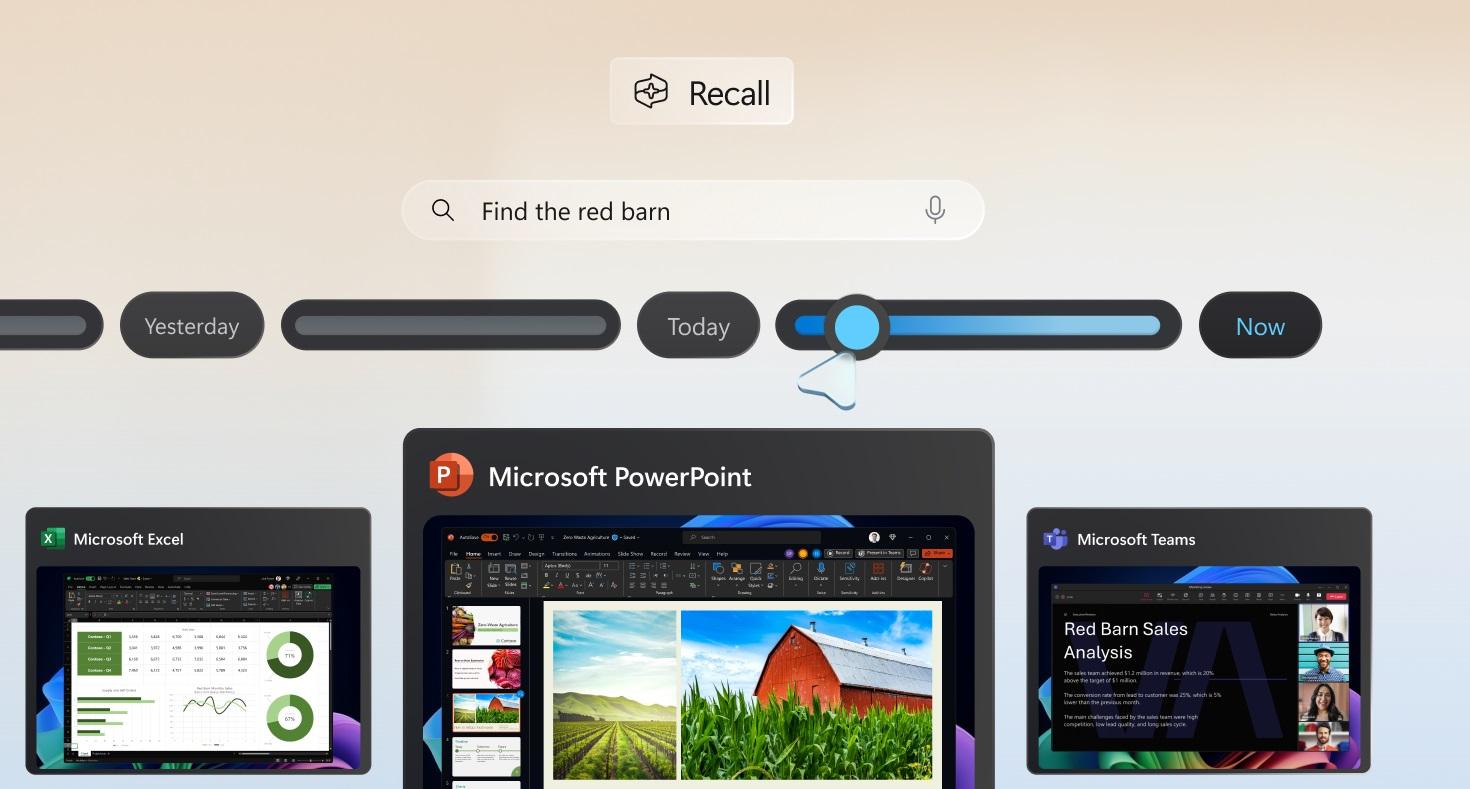
Microsoft Recall still captures SSNs, passwords, and more

Microsoft had to recall the Recall AI feature on Copilot+ Windows PCs earlier this year. In theory, Recall was supposed to be a great AI trick to quickly resurface information from your past activities on a computer. In practice, it turned out to be a privacy and security nightmare.

Researchers proved that Recall data could be easily accessed by a malicious actor who gains access to a computer. Also, the saved screenshots could contain sensitive information, and Recall was enabled by default on those Windows builds.

Microsoft heard the complaints and pulled the feature to rework its security. As testers have found, Recall now encrypts the screenshots, making it impossible to extract information from the database. However, Recall will still take screenshots of sensitive data, including social security numbers, logins (including passwords), and credit card data.

Even with protections in place, Recall mostly failed to recognize that sensitive data was entered on the screen in Tom’s Hardware’s tests.

Tech. Entertainment. Science. Your inbox.

Sign up for the most interesting tech & entertainment news out there.

By signing up, I agree to the Terms of Use and have reviewed the Privacy Notice.

The feature has a “filter sensitive information” setting that everyone should enable right if you use Recall. The good news is that Recall is an opt-in service now, meaning it won’t be automatically enabled once you get the latest Windows update.

The test showed various scenarios that many computer users will reconize where Recall shouldn’t take screenshots of the content shown on the display. But Recall captured the information anyway.

For example, Recall recorded a Windows Notepad window where the user entered a credit card number and a random username and password combination, even though the user typed “Capital One Visa” next to the number to trigger the protections. Recall also captured fake social security numbers, names, and date of birth details entered into a PDF loan application. The feature had no idea those were all fake; it just screenshotted the information. It also captured the page when a genuine credit card number was introduced.

The tester then created a web form with fields that said, “Enter your credit card number below.” The form asked for the credit card type, number, CVC, and expiration date. Again, Recall failed to trigger the protections and recorded images containing the data.

The only time Recall worked correctly was when the user entered payment information into the forms of two online stores.

That’s certainly not good enough and a big reason to worry. I’m a longtime Mac user, so I won’t deal with Recall anytime soon. Or if I do, I’ll only do it for testing purposes. But I can’t see why one should leave it enabled.

The report notes that Recall’s databases are indeed encrypted. Also, you need to authenticate with Microsoft Hello (fingerprint, face, or PIN) to access your screenshots. But a malicious actor with remote access to your computer could get into the history the AI uses once they obtain that PIN. You might think it won’t happen to you, but I wouldn’t take that risk, no matter how amazing this Copilot feature might be.

Because yes, I won’t lie, having the AI remember what websites you visited can be an amazing tool if done right. The feature would have to have strong security and privacy features, and Microsoft is not getting it right.

When asked about Recall’s feature that’s supposed to identify sensitive data, the company offered Tom’s Hardware a quote from its Recall blog post that tackles privacy matters:

We’ve updated Recall to detect sensitive information like credit card details, passwords, and personal identification numbers. When detected, Recall won’t save or store those snapshots. We’ll continue to improve this functionality, and if you find sensitive information that should be filtered out for your context, language, or geography, please let us know through Feedback Hub. We’ve also provided an option in Settings that we encourage you to enable that will anonymously share the apps and sites you prefer to be excluded from Recall to help us improve the product. And you can also choose to exclude specific apps and websites through the Recall settings page which we talk about below.

That means Recall will get better over time, but you’ll have to wait. Until that happens, it might capture sensitive data while you use your computer, as these tests have shown. You’ll have to decide for yourself whether the risk is worth it.

You can try Recall by installing the newest Windows Insider Build. Read more about it in Microsoft’s blog at this link.

Source

Posted on

Google smart glasses with Gemini AI hands-on: Google Glass done right

When it demoed Project Astra at I/O 2024 in May, Google teased smart glasses for the first time. The company did the same thing during Wednesday’s big Gemini 2.0 announcement, where the wearable was part of a longer Project Astra demo. Google also suggested Gemini AI smart glasses might be coming soon.

At the time, I thought Google was simply showing off a prototype of a pair of Samsung XR glasses that would be unveiled next month during the Galaxy S25 Unpacked press event. Little did I know that Samsung and Google had bigger things in mind.

A day later, the two companies unveiled Project Moohan, a Vision Pro spatial computer rival. Google also announced the Android XR platform that will power it. Both Samsung and Google mentioned smart glasses in their announcements. But Google’s was more impressive, as the company showed off AR features for smart glasses powered by Gemini AI.

Google didn’t offer a name for the smart glasses or a release date. But the company did give a select few people a hands-on experience with Project Moohan and the unnamed smart glasses. It turns out the Gemini AI wearable is quite interesting, seemingly delivering the Google Glass experience that Google failed to offer more than a decade ago.

Tech. Entertainment. Science. Your inbox.

Sign up for the most interesting tech & entertainment news out there.

By signing up, I agree to the Terms of Use and have reviewed the Privacy Notice.

We all remember the Google Glass project, which was, in retrospect, ahead of its time. That smart glasses concept sparked privacy worries at a time when Google wasn’t exactly known for great privacy. Also, there was no generative AI at the time to truly make Google Glass useful.

Fast-forward to late 2024, and Google seems confident enough to demo a product that could become a must-have accessory for people who want AI assistance all the time. Wired tested Google’s Gemini AI glasses and Project Moohan, finding the former the more compelling product.

The glasses seem to take inspiration from the North Focals, smart glasses from a company that Google purchased a few years ago. But they’re slimmer and more comfortable than the Focals.

Even so, smart glasses have thick arms and thicker rims around the eyes, which is what you’d expect from glasses that incorporate AR abilities. They feature clear or sunglasses lenses and will support prescription lenses like Moohan.

North Focals glasses.North Focals glasses. Image source: North

When it comes to AR capabilities, the glasses come in three versions. The no-AR model is presumably the cheapest, as it lacks a display. Then there’s a pair that projects images on one of the lenses, the monocular display.

The best experience, and probably the most expensive, comes from the binocular display version that will center AR images, as seen in the photos above and below.

The processing is passed on to a nearby smartphone, presumably a Pixel phone that connects wirelessly to the glasses. That’s where Gemini resides, and the AI is ready to help with a tap on the arm of the glasses. A tap on the side also brings up the display in those models that support AR.

Google Pixel 9 Pro Fold GeminiGoogle Pixel 9 Pro Fold: Gemini support. Image source: Christian de Looper for BGR

The camera is also built into the frame, and an LED turns on when it is active. Built-in microphones pick up your commands for Gemini, and a speaker in the frames lets you hear the AI talk back.

The glasses are meant to last a full day on a charge, though battery life will probably depend on how much you use them. The hands-on experience with the Gemini AI smart glasses doesn’t offer actual battery characteristics, and it’s too early for that.

The report explains the various scenarios where AI smart glasses will be useful. For example, the glasses support Google Maps navigation, a feature Google showed in the Android XR platform announcement (image below).

Google Maps AR navigation on smart glasses.Google Maps AR navigation on smart glasses. Image source: Google

You also get AI summaries of notifications displayed in front of your eyes. The same goes for real-time translation of text. Impressively, the glasses can translate spoken foreign languages in real-time. Gemini will also caption conversations, a great feature for people with hearing issues. And Gemini can answer in multiple languages, a feature ChatGPT’s Advanced Voice Mode also supports.

The AR capabilities do not stop there. The glasses will show you previews of photos you take, and you’ll be able to play video when needed. The display experience isn’t the greatest, which is understandable. But it still sounds like the hands-on demo was a success.

Gemini powers all the smart AI features, like real-time translation and captioning. The AI can also summarize content seen while on the go, like the page of a book. Gemini has a short-term memory, too, so it can recall some of the things you’ve just done and seen a few minutes ago.

Interestingly, Gemini can also identify products and offer instructions on how to use them. In this hands-on, the Wired reporter asked how to use a Nespresso machine.

As impressive as the demo might sound, Google wasn’t ready to provide a release date and pricing information. The Gemini AI smart glasses it unveiled are clearly superior to the Meta Ray-Ban smart glasses, which only offer AI support, with the AR component missing. I’d expect Google’s glasses to be more expensive, assuming Google wants to sell them.

Since Project Astra is still in the early days, I’d expect Google to launch the glasses once the Gemini assistant abilities it’s working on for Project Astra are ready to launch. No point in having smart glasses in store if the Gemini software isn’t ready.

Meanwhile, you should check out Wired’s full hands-on experience for more details.

Source

Posted on

Apple may be forced discontinue these 3 iPhone models in Europe

In September, Apple released the new iPhone 16 lineup. With that, the company finally stopped selling the 2021 iPhone 13 and only offered customers the following options through its store:

  • iPhone SE 3 (2022)
  • iPhone 14 (2022)
  • iPhone 14 Plus (2022)
  • iPhone 15 (2023)
  • iPhone 15 Plus (2023)
  • iPhone 16 series

However, the French Apple blog iGeneration reports that Apple will discontinue all Lightning iPhone models in Europe at the start of 2025.

Since European legislation requires all smartphones to have a universal USB-C port, the iPhone 14, iPhone 14 Plus, and iPhone SE 3 won’t follow the rule, as they have a Lightning port.

There’s always the possibility that Apple could tweak those smartphones with a USB-C port, as the company has done with the AirPods Max. However, it doesn’t seem Cupertino will follow that path.

Tech. Entertainment. Science. Your inbox.

Sign up for the most interesting tech & entertainment news out there.

By signing up, I agree to the Terms of Use and have reviewed the Privacy Notice.

Of course, a fourth-generation iPhone SE is expected to launch early next year, which means the current generation will soon be discontinued anyway. Besides that, when Apple introduces the iPhone 17 line, it will also stop selling the iPhone 14 and iPhone 14 Plus.

In other words, Apple is set to discontinue all three of these old iPhone models anyway in 2025. Still, if you’re not in Europe, you don’t need to worry about any of this, as Apple will continue to sell them until new models are introduced over the course of the year.

The new iPhone SE 4 is expected to feature a design like the iPhone 14 with a single camera, the A18 processor, and Apple’s new 5G modem. By the second half of 2025, Cupertino is rumored to launch the iPhone 17 lineup, including an all-new iPhone 17 Air, which will be the thinnest iPhone to date with some high-end features but hardware that’s not as good as an iPhone Pro.

BGR reached out to Apple but did not hear back at the time this story was published. We’ll update it if we hear from the company.

Source