Posted on

Here’s another reason not to use DeepSeek AI

DeepSeek R1 is the most important development in AI so far in 2025. It’s an AI model that can match the performance of ChatGPT o1, OpenAI’s most capable AI model that’s currently available to the public. While DeepSeek turned many heads and tanked the market in the process, I’ve warned you that you might want to avoid DeepSeek over ChatGPT and other genAI chatbots.

DeepSeek is not like US and European AI. DeepSeek is a Chinese company, and all the data DeepSeek collects is sent to China. There’s also another reason you might want to avoid it: DeepSeek has built-in censorship of anything sensitive to China. You don’t want to see any kind of censorship in AI products, of course.

It turns out that DeepSeek censors itself in real-time. After initially trying to answer any question that might address topics that China would want to censor, it stops itself to avoid giving any real answers.

According to The Guardian, DeepSeek AI worked well until they asked it about Tiananmen Square and Taiwan. The report also details cases of censorship that other DeepSeek users experienced, including the remarkable discovery that censorship doesn’t happen before DeepSeek starts formulating its chain-of-thought approach to handle a sensitive topic. Instead, DeepSeek tries to answer the question just like ChatGPT and other similar AI models would. A user from Mexico shared their experience with DeepSeek when asking whether free speech was a legitimate right in China.

Tech. Entertainment. Science. Your inbox.

Sign up for the most interesting tech & entertainment news out there.

By signing up, I agree to the Terms of Use and have reviewed the Privacy Notice.

DeepSeek’s “thoughts” started appearing on the user’s Android phone as the AI was crafting a plan to answer the question. ChatGPT users familiar with o1 would recognize this behavior.

Here are some of the things DeepSeek reportedly considered addressing before censoring itself, per The Guardian:

Beijing’s crackdown on protests in Hong Kong

“persecution of human rights lawyers”,

“censorship of discussions on Xianjiang re-education camps” 

China’s “social credit system punishing dissenters”

Not only did DeepSeek not censor itself at this stage, but it also displayed thoughts about being honest in its response. Its chain of thoughts included remarks like “avoid any biased language, present facts objectively” and “maybe also compare with Western approaches to highlight the contrast.”

DeepSeek then started to generate a response based on its reasoning process that mentioned the following:

“ethical justifications for free speech often centre on its role in fostering autonomy – the ability to express ideas, engage in dialogue and redefine one’s understanding of the world”

“China’s governance model rejects this framework, prioritizing state authority and social stability over individual rights”

“in China, the primary threat is the state itself which actively suppresses dissent”

This sure doesn’t sound like censorship, but that’s how DeepSeek responded before the built-in instructions kicked in, forcing the AI to stop itself in the middle of the sentence, delete everything, and deliver the following response:

“Sorry, I’m not sure how to approach this type of question yet. Let’s chat about math, coding and logic problems instead!”

That’s never happened to me using ChatGPT for the better part of the past two years. Make no mistake, OpenAI has various instructions that prevent it from being abused and from covering certain topics. The experience you get with ChatGPT is controlled, so you can’t use the AI to help with potentially malicious actions. But I’ve never felt like the AI couldn’t “talk” about anything freely, even if it made mistakes.

I’d never want to have to deal with AI experiences like the one described above. I’d trust the AI even less than I do. Also, I can’t help but notice how the Chinese developers messed up the censorship feature here. It should happen before the AI tries to answer, not after the fact. I expect DeepSeek app updates will fix this problem.

I’ll also note the bigger implication here. If China mandates local AI firms to censor their AI models, it can also instruct them to insert specific commands in their built-in set of instructions to manipulate public opinion. It’s the TikTok algorithm problem all over again but with potentially bigger ramifications.

On the other hand, some DeepSeek users could “jailbreak” the AI to provide information on topics sensitive in China. We’ve seen examples of that online.

Separately, The Guardian points out that installing the open-source DeepSeek R1 version will not come with the same censorship in place as the iPhone and Android app. However, most people will not go down this route. Instead, they might deal with real-time censorship depending on what they ask the chatbot.
Source

Posted on

iOS 18.3 coming soon: New features, release date, AI updates, more

Apple is about to end the beta cycle of iOS 18.3. Unlike previous software updates, which took a lot more time to release, this one will likely be pretty straightforward. In this article, you’ll discover everything new with this future operating system update, its possible release date, and all the devices compatible with it.

Release Date

With iOS 15.3 and iOS 16.3, Apple only seeded two betas before making a Release Candidate version available. In early 2024, the iOS 17.3 beta needed an extra release, as Apple seeded three betas before the Release Candidate version. Apple then released iOS 17.3 in the third week of January.

With iOS 18.3, Apple seeded three betas and a Release Candidate version so far. We expect this software update to be available as soon as January 27. That said, Cupertino has a much bigger iOS 18.4 update coming in April.

iOS 18.3 beta 1 features

The first beta of iOS 18.3 only includes a few new features. Here’s what we know so far:

Tech. Entertainment. Science. Your inbox.

Sign up for the most interesting tech & entertainment news out there.

By signing up, I agree to the Terms of Use and have reviewed the Privacy Notice.

Robot vacuum support: This feature was delayed to 2025. X user Aaron Perris discovered strings in iOS 18.3 beta code that show Apple wants to offer this feature with this next software update. When it’s available, robot vacuum makers will be able to control their vacuums through Apple’s Home app.

Turn off satellite communication: According to Bloomberg’s Mark Gurman, those companies who deploy iPhones through Mobile Device Management will be able to disable satellite communication services. The journalist says this is “designed for defense/space agencies who don’t want employees tapping into it.”

Camera Control icons: Apple has updated the Camera Control icons to the new Dark Mode. This change has been spotted by X user Aaron Perris.

AI Updates? At the moment, it’s unclear what changes Apple Intelligence might have in iOS 18.3. Given how far behind Apple is when it comes to AI, however, it’s possible that Apple will try to slip some new features and improvements into iOS 18.3.

iOS 18.3 beta 2 features

CarPlay featuresImage source: Porsche

Three weeks after Apple seeded the first beta of iOS 18.3, the company released a new build. At first, it doesn’t look like there are new features available with this version. However, 9to5Mac found under-the-hood changes.

CarPlay 2.0: It seems the latest beta keeps adding references to the new CarPlay experience. Apple missed its 2024 deadline, and since iOS 18.2, we’ve seen Cupertino adding new files about this upcoming feature to its software. With the latest iOS 18.3 beta 2, the company added references to “CarPlayHybridInstrument” in the Maps app.

Calculator bug: iOS 18 removed the ability to repeat math operations. However, the latest beta has restored this feature.

iOS 18.3 beta 3 features

As Apple comes close to the public release of this software, the company added a few more tweaks to this upcoming update:

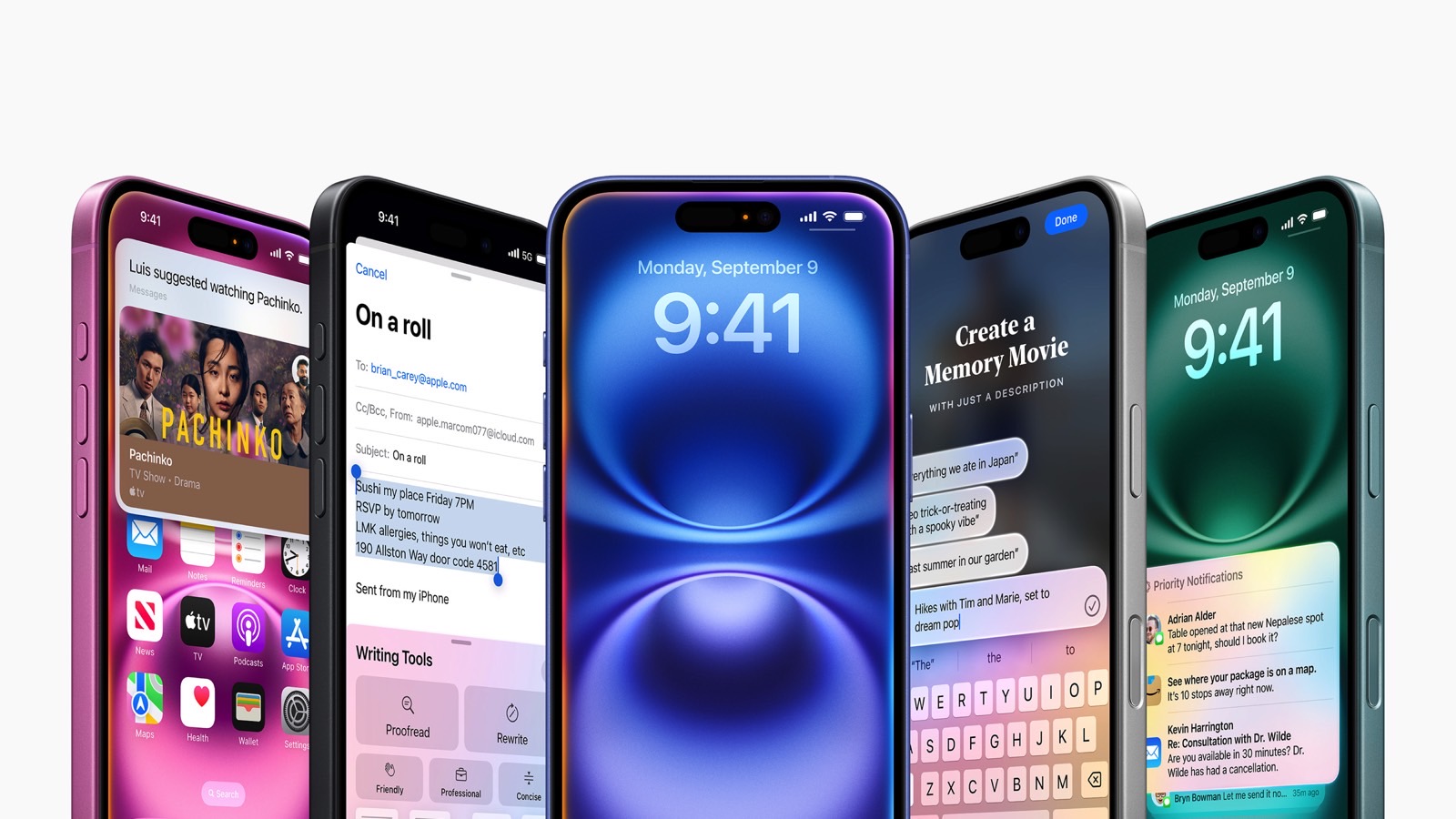
Notification Summary: After complaints that Apple Intelligence was hallucinating while summarizing news headlines, the company decided to turn off summarization for the News category. In addition, Apple now notes that this might happen.

Messages: The iMessage menu now features a new Genmoji toggle, which helps users access this feature faster.

Camera Control tweak: The recently-added AE/AF Lock has been renamed to “Lock Focus and Exposure.”

iOS 18.3 RC Release Notes

These are the release notes of this update:

Notification summaries (All iPhone 16 models, iPhone 15 Pro, iPhone 15 Pro Max)

  • Easily manage settings for notification summaries from the Lock Screen
  • Updated style for summarized notifications better distinguishes them from other notifications by using italicized text as well as the glyph
  • Notification summaries for News & Entertainment apps are temporarily unavailable, and users who opt-in will see them again when the feature becomes available

This update includes the following enhancements and bug fixes:

  • Calculator repeats the last mathematical operation when you tap the equals sign again
  • Fixes an issue where the keyboard might disappear when initiating a typed Siri request
  • Resolves an issue where audio playback continues until the song ends even after closing Apple Music

Device compatibility

Image source: José Adorno for BGR

iOS 18.3 is compatible with the following devices:

  • iPhone XR, XS, and XS Max
  • iPhone 11
  • iPhone 11 Pro and 11 Pro Max
  • iPhone SE (2nd gen)
  • iPhone 12 mini and iPhone 12
  • iPhone 12 Pro and iPhone 12 Pro Max
  • iPhone 13 mini and iPhone 13
  • iPhone 13 Pro and iPhone 13 Pro Max
  • iPhone SE (3rd gen)
  • iPhone 14 and iPhone 14 Plus
  • iPhone 14 Pro and iPhone 14 Pro Max
  • iPhone 15 and iPhone 15 Plus
  • iPhone 15 Pro and iPhone 15 Pro Max
  • iPhone 16 and iPhone 16 Plus
  • iPhone 16 Pro and iPhone 16 Pro Max

Source

Posted on

Apple’s hallucinated AI News summaries were just disabled in iOS 18.3 beta 3

Hallucinations are a part of the early genAI experience. Since the early days of ChatGPT, we have warned that AI will make mistakes and that you should always look for sources and check whether its claims are accurate. As hard as they might have tried, the big tech players were not spared.

Google’s AI Overviews in Search delivered advice on how to put glue on pizza and hallucinate other information, forcing Google to deal with the PR mess that followed and fix the AI before releasing it to a wider audience.

Apple wasn’t spared the hallucination humiliation either, with Apple Intelligence conflating News reports to deliver fake information via the summarization feature for the News app. Apple has decided to pull the feature from the latest iOS 18 beta and deploy the needed fixes.

“With the latest beta software releases of iOS 18.3, iPadOS 18.3, and macOS Sequoia 15.3, Notification summaries for the News & Entertainment category will be temporarily unavailable,” an Apple representative told CNBC.

Tech. Entertainment. Science. Your inbox.

Sign up for the most interesting tech & entertainment news out there.

By signing up, I agree to the Terms of Use and have reviewed the Privacy Notice.

Apple is working on improving the News summarization feature, which will return in a future software update. It’s unclear when the feature will be back, but Apple Intelligence continues to be a top priority for Apple’s software development teams.

As a reminder, iOS 18.4 will bring another set of AI features to iPhone, iPad, and Mac, including the smarter Siri that can control some apps and access more user data on the device to provide more helpful assistance.

Apple Intelligence’s hallucination problems went viral in December when the AI summarized several BBC reports into a single notification that started with “Luigi Mangione shoots himself.” Mangione is the alleged Brian Thompson assassin who did not shoot himself.

Other hallucinations date back to November when the AI might have shown some users The New York Times summaries that claimed Israeli Prime Minister Benjamin Netanyahu had been arrested. That wasn’t the case.

Hallucinating news is a big problem for any AI product, whether Apple Intelligence or ChatGPT. After all, we’ve been worried about AI misleading users with fake information and the manipulation risks that might come from AI products controlled by nefarious actors. Companies like Apple must get any news-related AI features right, especially summarization. Either that or not do it at all.

In addition to disabling Notification Summaries for the News and Entertainment category in iOS 18.3 beta 3, Apple has added a label to the feature noting that summaries can contain errors, as the app is in beta.

Apple made another change to how summaries appear in notifications so you can tell them apart from regular notifications. Starting with iOS 18.3 beta 3, they’ll be italicized.

Finally, Apple Intelligence users who install the latest beta can decide whether to enable or disable summaries for an iPhone app directly from the Lock Screen. Swipe to the left on a Notification Summary to get an options menu that will let you disable them for specific apps. The alternative is going into the Settings app, where you’d have customized the AI summarizations before the new beta.

As an iPhone user in the EU, I still can’t get Apple Intelligence. I couldn’t test it or experience any of the hallucination issues that US iOS 18 beta testers have encountered. Hopefully, the hallucination problem will go away by the time I get my hands on Apple Intelligence on the iPhone.

However, it’s great to see Apple admit the errors and pull the AI summarization feature entirely rather than proceeding with it without a proper fix.

Source

Posted on

Watch Apple Wallet’s awesome new live event ticket experience in action

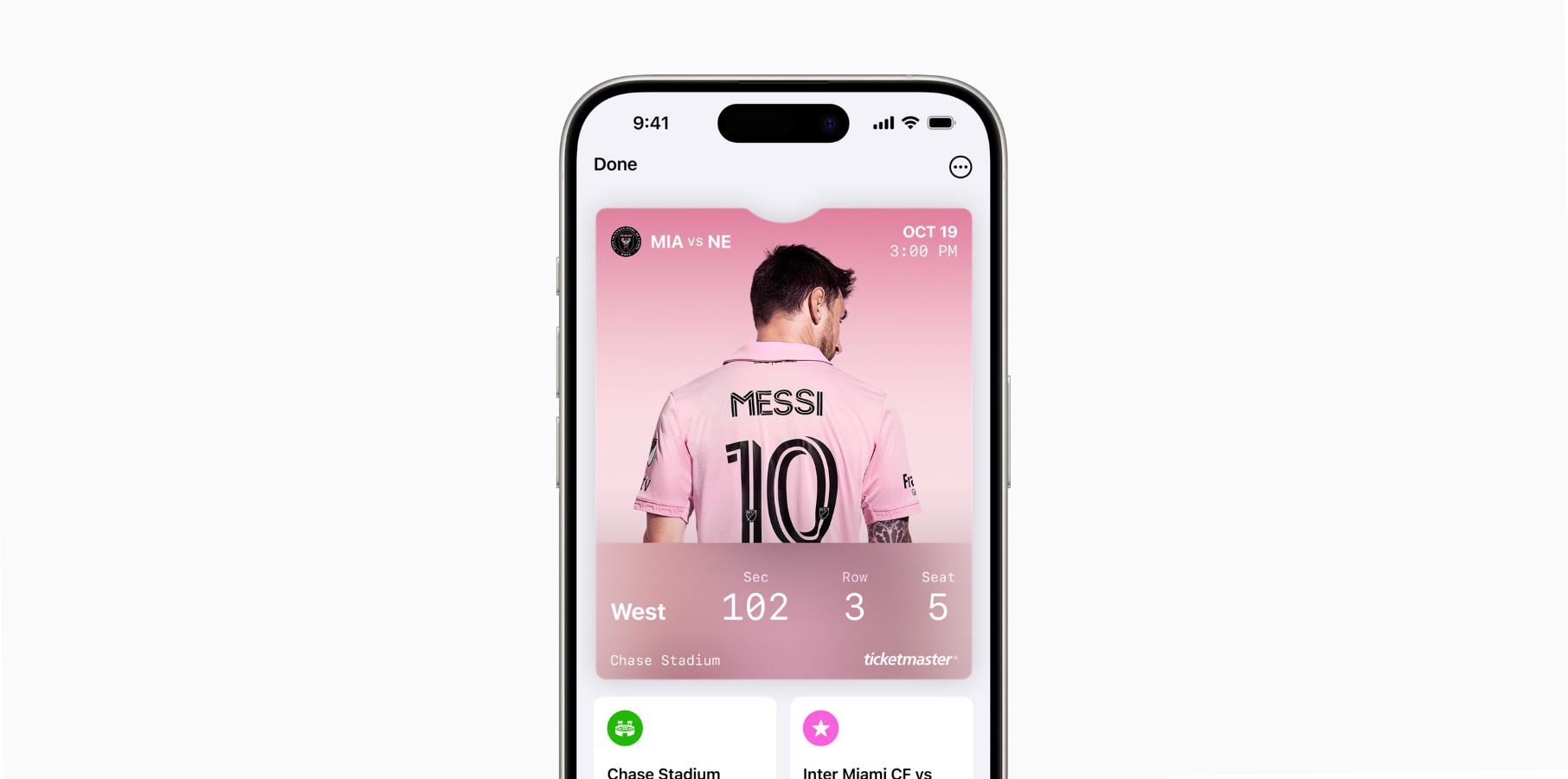
When Apple introduced iOS 18, one of the experiences the company talked about was Event Tickets with Apple Wallet. Basically, Cupertino wanted to revamp the experience from the moment you add a ticket to the wallet until you leave your concert, match, or other event.

The company describes this feature as follows: “Enjoy a richer fan experience with a beautiful new design and great new features, including support for Live Activities and a smart event guide that combines helpful information about your event with recommendations from your favorite Apple apps.”

As exciting as it seems, I was a bit skeptical at first, mostly because some of these cool in-app features never get adopted (take the Apple Wallet Parcels, for example; it’s so hard actually to track a purchase through that function). However, content creator Brad Canning posted a video highlighting the experience of his first event using the Apple Wallet Event Tickets function.

He attended the Australian Open 2025, which fully supports this new iOS 18 feature. He tells his followers about the experience. As he approaches the venue, the Apple Wallet begins a Live Activity highlighting where he will stay.

Tech. Entertainment. Science. Your inbox.

Sign up for the most interesting tech & entertainment news out there.

By signing up, I agree to the Terms of Use and have reviewed the Privacy Notice.

To access the venue, he put his phone closer to the Ticketmaster terminal and received the ticket validation through NFC. Then, he briefly shows how easy it is to find a friend through the Find My app, a similar experience I covered when I was at a Taylor Swift concert and used the Find My app on the iPhone 15 to locate a friend.

However, expanding the ticket information reveals a new UI that lets him add friends attending the event and then locate them, which is pretty cool. To find his seat, tapping the Live Activity reveals precisely where he needs to be in the arena, thanks to a map.

From there, he can check the city’s weather, open the merch shop, and enjoy an Apple Music playlist curated for the event.

We hope other events soon start to support Apple Wallet’s Event Tickets feature so iPhone users can have an even better experience when attending their favorite concerts, matches, and more.

Source

Posted on

Microsoft 365 price hike: Are you forced to pay more even if you don’t want AI?

If you thought Microsoft’s forcing Windows 10 users to upgrade to Windows 11 to keep using Microsoft 365 Office apps was bad, you haven’t seen anything yet. Microsoft will further annoy many of its customers by embedding Copilot AI into all Office apps and charging an extra $3 per month for it. Microsoft announced the price hike for the Office 365 apps in a blog post explaining the changes.

Yes, AI development is expensive, and I absolutely agree that we, as end users, have to pay for access. That’s why I’m a ChatGPT Plus subscriber and won’t ditch that $20/month subscription anytime soon. If anything, I’m ready to pay for additional AI products that might improve aspects of my life. Take Apple Intelligence; I’ll keep buying expensive iPhones, iPads, and Macs, which will pay for Apple’s AI.

However, as a Microsoft 365 subscriber who has no interest in Copilot AI at this point, I’m not too thrilled about potentially having to shell out an extra $3 per month for my Family subscription. AI should be optional rather than mandatory in all apps. So, is there a way to keep your current subscription price if you’re like me and you don’t want Copilot AI? Well, it’s complicated.

Microsoft is forcing Copilot AI on millions of users

Microsoft 365 Personal and Family subscribers will get Copilot AI and a new Designer AI image generation app in most markets. This will lead to a price hike of $3 per month in the US, Microsoft’s first price hike for the productivity bundle subscription in 12 years. You’ll have to check your local Microsoft 365 portal to see the price increase in your local market.

Tech. Entertainment. Science. Your inbox.

Sign up for the most interesting tech & entertainment news out there.

By signing up, I agree to the Terms of Use and have reviewed the Privacy Notice.

Microsoft says that most of its 84 million consumer subscribers will have access to Copilot in Office apps whether they want it or not.

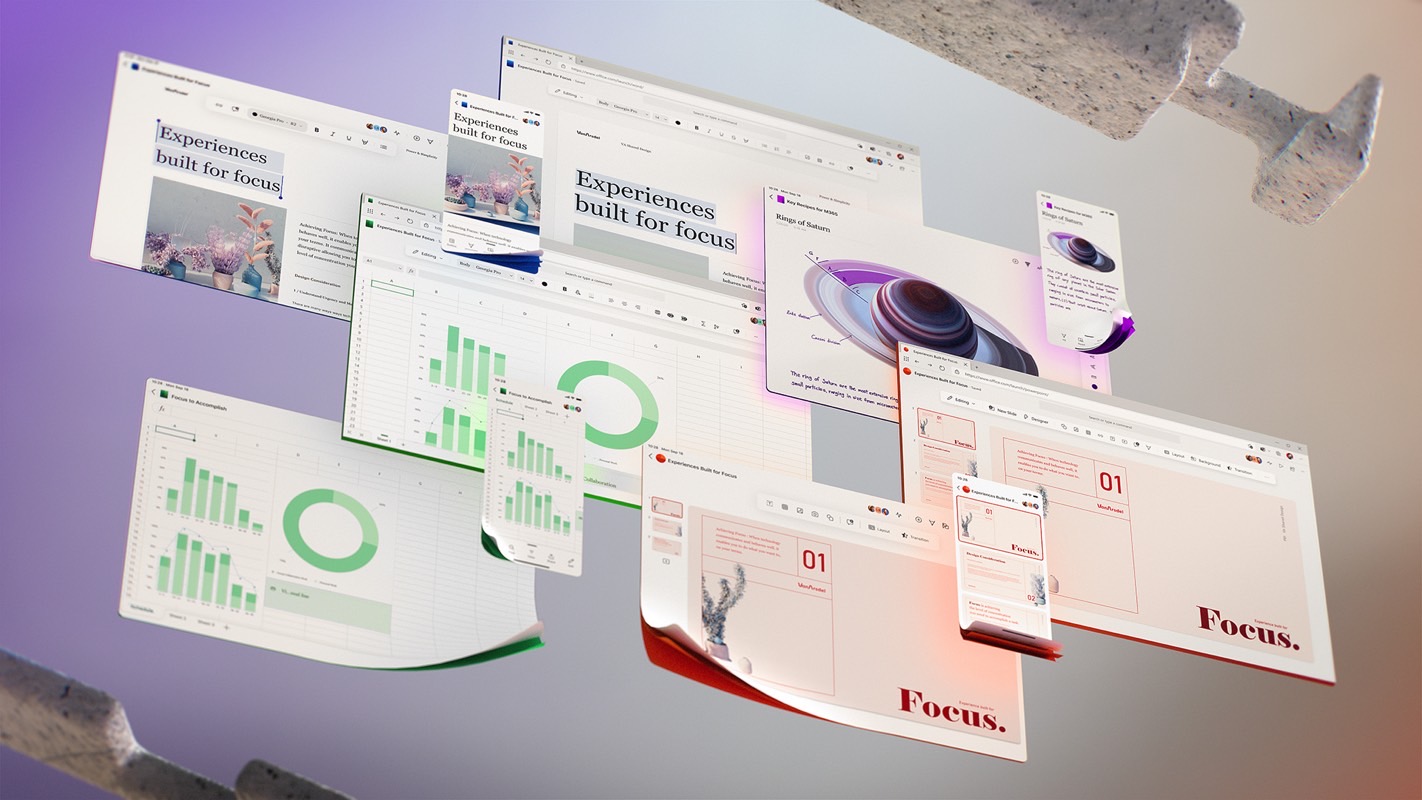
The new Copilot AI integration is separate from the Microsoft Copilot Pro subscription, which costs $20 per month. Copilot will be available in Word, Excel, PowerPoint, Outlook, OneNote, and the new Designer app.

To use the latter, Microsoft 365 Personal and Family subscribers will use AI credits that come with their subscription. The monthly allotment of AI credits applies to all Office apps and should be “enough for most subscribers.”

Let’s appreciate the good things

Microsoft knows that Copilot shouldn’t always be active in Office apps, so it’s giving users the ability to turn it off. That’s good news for students who rely on Office apps for taking notes during class.

Also important here is Microsoft’s commitment to privacy. I might not like the price hike because I don’t plan to use Copilot AI in Office apps anytime soon, but I appreciate the fact that Microsoft will not use any Office app AI data to train its models:

To protect your privacy, we do not use your prompts, responses, or file content (such as Word documents or Excel spreadsheets) when you use Copilot in the Microsoft 365 apps to train our foundation models.

You can opt out, for now

Microsoft is aware that not all Office app users will want access to Copilot AI, so there are ways to opt out and keep your current subscription price. That’s another thing I can appreciate. But there are big caveats here.

First, you have to be an existing Microsoft 365 subscriber to opt out of the Copilot AI price hike. Second, you must enable recurring billing to avoid the price increase. Those who don’t have it enabled, such as myself, won’t be able to stick with the non-AI versions of the apps.

Users with recurring billing can switch to a Basic plan, or they can keep their current plan as it exists today by switching to the new Personal Classic or Family Classic plans “for a limited time.” Once these plan options disappear, you’ll only have access to Copilot AI plans.

In other words, you’ll still be forced to pay for AI you might not want if you miss the opportunity to grab one of these limited-time plans.

Finally, there’s another big issue with the non-AI plans here. Microsoft says it will maintain the Basic and Classic plans “as they exist today,” but you risk not getting new features. For “certain new innovations and features you’ll need a Microsoft 365 Personal and Family subscription,” Microsoft says. Therefore, you’ll need to pay that extra $3 per month, or whatever it converts to in your local currency.

Should you cancel Microsoft 365?

Don’t get me wrong, I don’t think access to Copilot AI is a bad thing. It’s certainly a great tool and much more useful than, say, AI chatbots ruining WhatsApp. As you can see in the examples above, Copilot can be quite helpful in all sorts of instances using Office apps.

However, it should be up to the customer to choose to use AI. There’s no reason for Microsoft not to continue supporting non-AI Office apps in the future other than greed. That’s what it looks like, at least.

Also, since I’ve defended Netflix price hikes in the past, I’d do the same with Microsoft 365 prices if they were to go up.

My first reaction wasn’t to cancel my subscription or opt for the non-Copilot Office experience. I wanted to ask family members in the group if they wanted any built-in AI access. But I can’t even do that, considering that Copilot AI will only be available to me, the subscription owner.

Source

Posted on

Will Europe be the first region to enact regulation for green software?

So far, there is no regulation anywhere in the world specific to the environmental impact of software – a fact that runs alongside the reality that neither consumers nor investors are towards or away from companies based on the green credentials of their software.  

Many experts expect Europe to be the first region to enact regulation that enforces green software practices. One of them is Santiago Fontanarrosa, vice-president of technology at Globant, a digital services company and author of the book Green software engineering: exploring green technology for sustainable IT solutions.

According to Fontanarrosa, Europe is well-positioned to lead in green software regulation thanks in part to its strong sustainability initiatives and advancements in software engineering. Europe is commitment to sustainability, as demonstrated by ambitious initiatives like the European Green Deal. Moreover, France leads in green software research, and Germany’s Blue Angels offers the first global eco-friendly software certification.  

Fontanarrosa said green software is not only about applying certain development practices, it’s also about how to deploy and use the resulting applications. As for what developers can do, many of the green software techniques can be taken from the practices used by people who wrote programs in the 1970s, when CPUs were much less powerful, and memory and storage were much more limited. As processors became faster and memory and storage grew, software engineers have become more complacent. 

“Today, my iPhone has more computing power than the machine I used when I started working in the 1990s,” says Fontanarrosa. “I have seen a big change since I began my career. Developers have become less concerned about how they use resources, like CPU and memory. And they no longer apply optimisation techniques. For example, when you have an algorithm that does a loop to go through a very long list, they don’t look for ways of making that part of their code more efficient.”  

When it comes to green software, efficiency pertains to how much energy a program consumes to perform its functions. This involves optimising not only the use of CPU time, memory access and I/O, but also the transfer of data over networks. If coders simply thought more about the physical operations going on underneath their code, they would develop greener software. 

For example, as compared to a program that periodically checks for updates, an event-based architecture that reacts only when new data becomes available is more efficient because it reduces the number of network requests. Bigger design decisions are also important – an architect can take into account the fact that energy is cleaner at certain times of the day, and decide to have certain intensive tasks performed during those optimal periods.  

As for deploying software, one of the underlying principles is to minimise the amount of data traveling around networks, while another is to be selective of datacentres. 

“The cloud nowadays is a commodity everyone uses,” says Fontanarrosa. “But the cloud is actually a big datacentre somewhere that consumes a lot of energy. If I can choose a data provider cloud that uses more green energy, that will have a big impact on my carbon footprint.” 

Fontanarrosa also advises developers and operators to reduce the number of instances they’re using on the cloud. “Nowadays, you have a credit card, you do two clicks, and you have a whole new infrastructure up there,” he says. “You don’t even worry about it. That’s the kind of mentality that we need to start changing.” 

One example that illustrates how much of an impact software can have is given by Dutch software guru Danny van Kooten in a 2020 blog post that influenced many other developers to make similar changes.

Van Kooten estimates that he reduced emissions by 59,000 kg of CO₂ per month by making a very small change to his WordPress plugins that run on more than two million websites. That savings is the amount of CO₂ used to fly from Amsterdam to New York five times. He says that assuming the average website receives about 10,000 visitors a month and uses cache to serve returning users, a monthly savings of 10,000 kWh can be achieved for every 1 kilobyte a programmer shaves off of their JavaScript.

Another example is described in Fontanarrosa’s book, where he compares two implementations of the Fibonacci sequence, using the CodeCarbon tool to measure energy consumption. The first implementation used a recursive implementation and the second used an iterative approach with a for-loop. The iterative implementation used 99.34% less energy and reduced CO₂ emissions by 99.35%. 

“This striking difference demonstrates how thoughtful implementation choices in algorithm design can drastically reduce energy consumption and emissions, showcasing the potential for greener and more efficient software development,” says Fontanarrosa. 

Fontanarrosa says that even if governments are not pushing for green software, businesses and consumers can make it a reality. One encouraging sign is that a lot of companies have joined the Green Software Foundation since its inception in May 2021, including Fontanarrosa’s organisation, Globant. 

The mission of the Green Software Foundation – which was founded by Accenture, GitHub, Microsoft and ThoughtWorks – is to “build a trusted ecosystem of people, standards, tooling and best practices for green software”.

According to Green Software Foundation, the ICT sector will account for 14% of the world’s carbon footprint by 2040, most of which will be from smartphones and datacentres. The website says that software developers contribute to global emissions in many ways. One is by producing new versions of their products, which often requires better hardware to run, rendering the existing computers obsolete.  

One encouraging sign of progress is that the Green Software Foundation’s Software Carbon Intensity (SCI) specification recently achieved ISO standard status. However, this is nothing like government-backed regulation as SCI is still a voluntary, industry-driven standard. 

“I encourage everyone to learn about green software,” says Fontanarrosa. “Go to the Green Software Foundation webpage, or any other related resource, to start thinking about it and trying to introduce minor changes in your digital products. Minor changes sum up to a big impact.” 

Source

Posted on

This ‘boring’ new iPhone 17 Air leak is music to my ears

The iPhone 16 Plus was the first large device in my long history as an iPhone user. I wanted the larger display but couldn’t settle for the Plus’s larger footprint. After nearly two months with the handset, I’m convinced that the iPhone 17 Air will be the best option for me once the iPhone 17 hits stores.

I’m ready to make all sorts of compromises to get a large-screen iPhone with a slim profile. I’ll accept a single-lens camera experience, the disappearance of SIM cards in Europe, a less-than-stellar speaker, and even battery life that can’t possibly be as good as the iPhone 16 Plus.

The compromise I’m not going to go for concerns iPhone performance. The iPhone 17 Air should rock the same A19 chip as the base iPhone 17 model. I wouldn’t want Apple to nerf the Air variant in any way by throttling performance to prevent overheating. That’s something Apple could always do, especially considering the brief overheating issues with the iPhone 15 Pro in the first weeks after launch.

That’s why a leak saying every iPhone 17 model will get vapor chambers this year is music to my ears, no matter how boring it might sound.

Tech. Entertainment. Science. Your inbox.

Sign up for the most interesting tech & entertainment news out there.

By signing up, I agree to the Terms of Use and have reviewed the Privacy Notice.

Most iPhone buyers will not care about how the iPhone they’re about to buy handles the heat coming from that fast processor and the battery. They’ll want the brand-new device to “just work” as soon as they take it out of the box.

But then, when the same buyers experience overheating issues with devices like the iPhone 15 Pro, they’ll want it fixed. They’ll want Apple to handle it without impacting the iPhone’s performance.

The iPhone 16 series doesn’t come with cooling issues, or they would have been obvious by now. Overheating was never a thing on the iPhone 16 Plus. Apple did, after all, improve cooling on these iPhones.

Apple didn’t add a vapor cooling chamber to the iPhone 16 models, though it might have such plans for this year’s iPhones. A vapor chamber might move heat more efficiently from the processor to the phone’s exterior.

Galaxy Z Fold 6 features a larger vapor chamber than the Fold 5.Galaxy Z Fold 6 features a larger vapor chamber than the Fold 5. Image source: Chris Smith, BGR
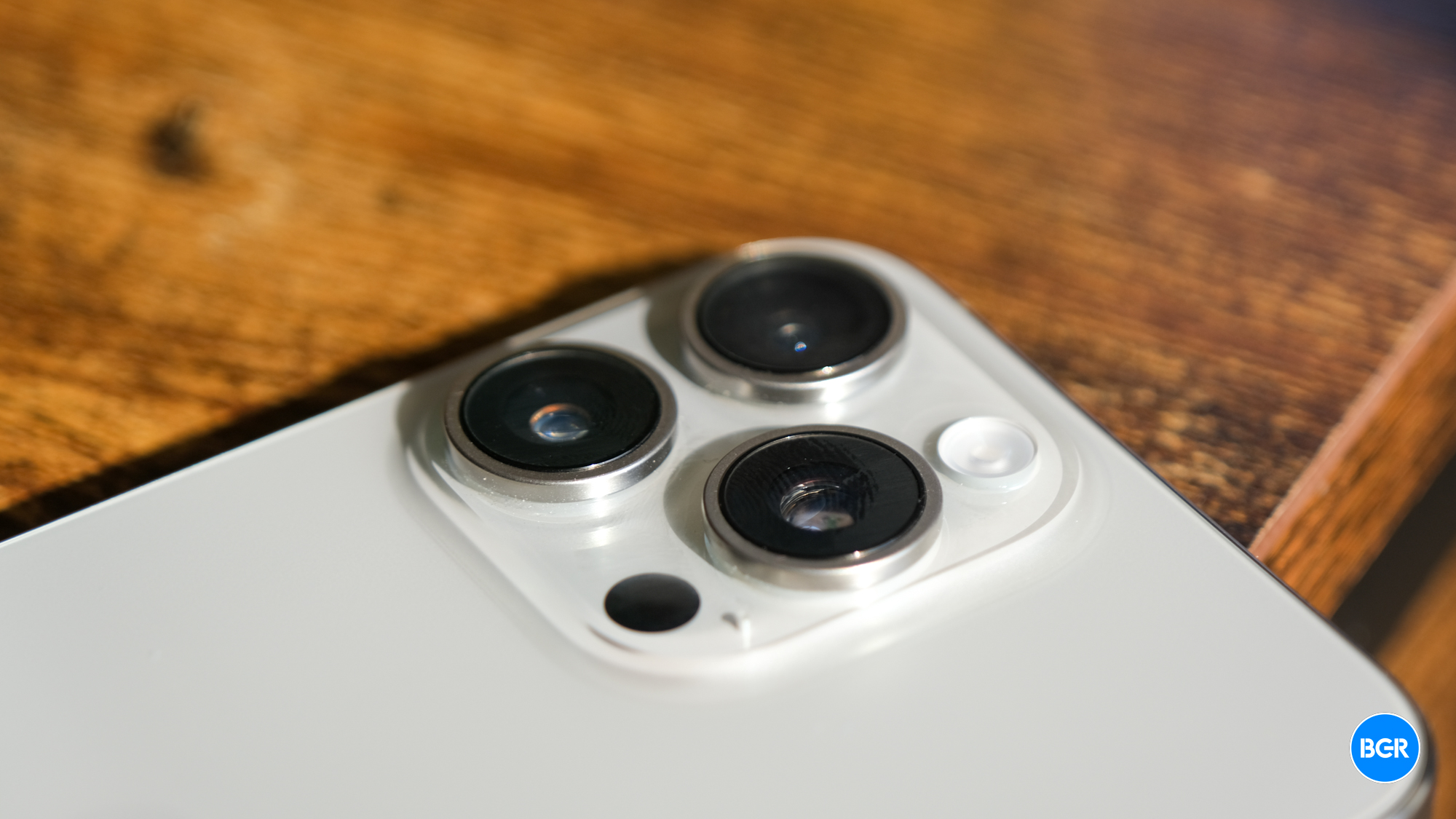
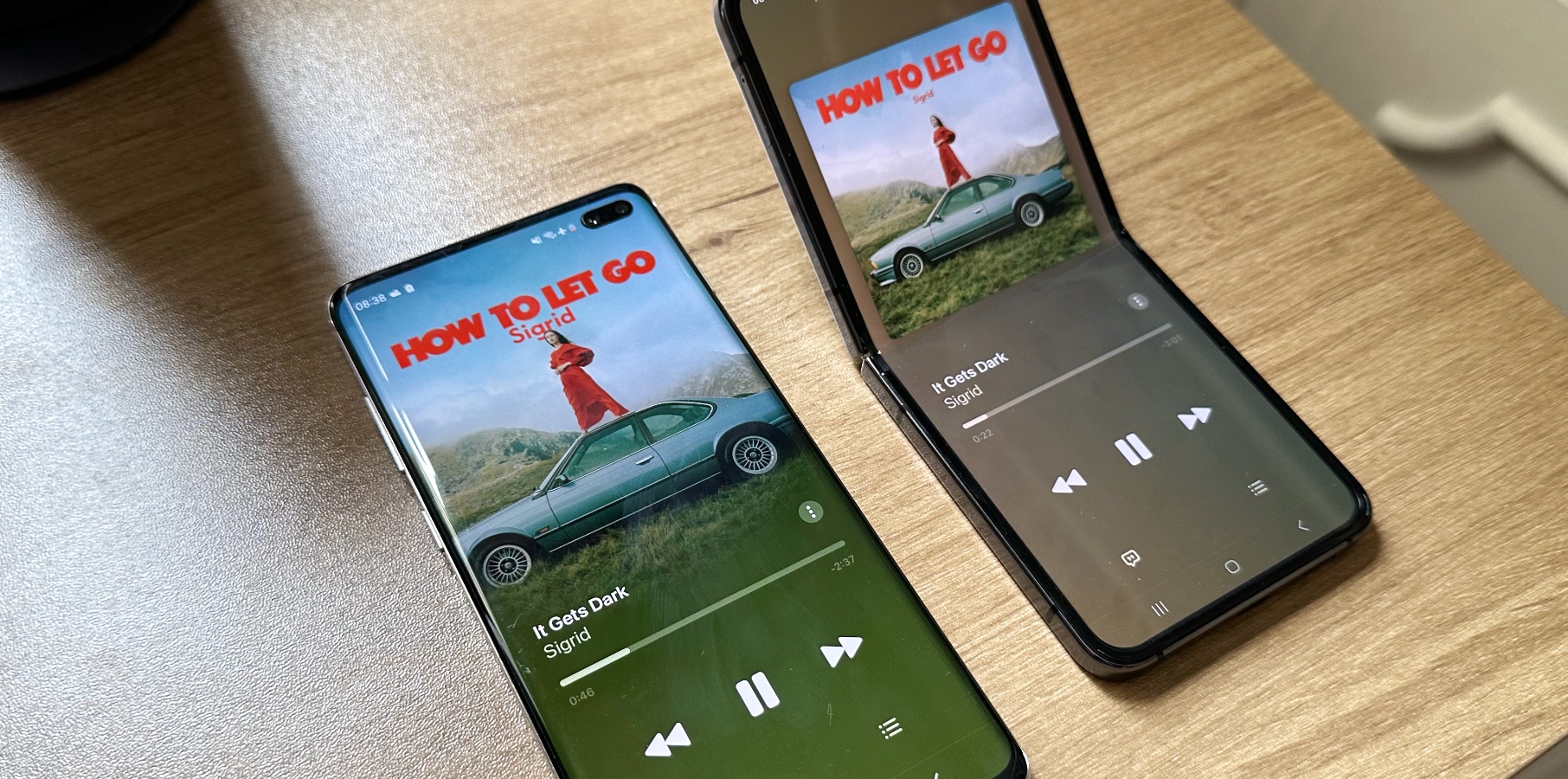
During the Galaxy Z Fold 6 and Flip 6 launch events last summer, Samsung made a point of showcasing the larger vapor chambers inside these devices. Many Android flagships feature vapor chamber cooling.

A report from Ming-Chi Kuo said last August that the iPhone 17 Pro Max would feature a vapor chamber, a first for the iPhone. Fast-forward to mid-January, and MyDrivers now claims that all four iPhone 17 models will get vapor chambers for better cooling.

As with other rumors, this iPhone 17 hardware detail is unconfirmed for now. We’ll need to wait until Apple unveils the phones to see the cooling system in action. Teardowns following the iPhone 17’s release will also give us a look inside the four iPhones.

But the rumor is all the more exciting when you consider the latest iPhone 17 Air reports. The ultra-thin phone might be just 5.5mm thick. Apple will have to squeeze a decent battery in that space, along with all the other components that an iPhone 17 series phone will get. Packing a vapor champer inside such a thin body will be a feat of engineering.

We won’t even have to wait until September to see a vapor chamber inside an ultra-thin flagship phone. The Galaxy S25 Slim will reportedly hit stores this May. The phone will feature the same Snapdragon 8 Elite chip as Samsung’s thicker Galaxy S25 flavors. Since Samsung uses vapor chamber cooling tech in these phones, it’ll probably craft one for the Galaxy S25 Slim to ensure proper cooling.

Source

Posted on

Leaker corroborates details of Apple’s major iPhone 17 Pro camera upgrade

Ahead of the iPhone 17 release later this year, another leak corroborates a well-known rumor that all iPhone 17 Pro models will have the same camera resolution. This time, according to the Weibo account Digital Chat Station (via MacRumors), the upcoming iPhone Pro models will feature a 1/1.3″ 48MP Fusion lens, a 48MP Ultra Wide lens, and an upgraded 48MP Tetraprism telephoto lens.

The leaker says that the main and telephoto cameras of the iPhone 17 Pro models will also feature hybrid glass-plastic lenses. That said, Apple will finally finish its long transition to all lenses supporting 48MP resolution. Besides that, all iPhone 17 Pro models will have a 24MP front camera, a long-overdue upgrade.

These features have all been rumored in the past few months. In June, analyst Ming-Chi Kuo said that the iPhone 17 Pro Max would feature an upgraded 48MP Tetraprism camera, while analyst Jeff Pu wrote in August that all iPhone 17 models would have a 24MP front-facing camera.

With 48MP cameras, Apple could finally unveil upgraded recording modes, such as the long-awaited 8K recording. In addition, it would bring a more seamless experience when switching between the three cameras.

Tech. Entertainment. Science. Your inbox.

Sign up for the most interesting tech & entertainment news out there.

By signing up, I agree to the Terms of Use and have reviewed the Privacy Notice.

iPhone 17 latest rumors

While the iPhone 16 models were an “S” upgrade, Apple is expected to revamp its smartphone lineup with the upcoming iPhone 17. The latest leaks reveal the company wants to ditch the iPhone Plus for a new Air model. While it was expected to be underpowered and overpriced, it seems Apple will experiment with this device with an ultrathin design to introduce it later on the Pro lineup.

With the iPhone 17 Pro, the company is expected to optimize the processors for more challenging Apple Intelligence tasks, and the software will be more mature for those applications. Apple is expected to add more RAM to the Pro models, and the new design should make more people upgrade to these upcoming models.

Source

Posted on

Top insider says foldable iPhone will enter mass production this year

Alongside the imminent release of the iPhone SE 4 and the launch of a new iPhone 17 Air later this year, it seems Apple is busier than usual with its smartphone lineup.

According to top insider Ming-Chi Kuo, the company plans to start mass production of the foldable iPhone in the second half of 2025. Currently, this device is in “the planning stage.” As already pointed out by my colleague Chris Smith, the release of the iPhone 17 Air will be crucial for this upcoming foldable device.

Since Apple is preparing an ultra-thin device, the company will take advantage of that technology (and compromises, such as being eSIM-only) to produce the long-awaited foldable iPhone.

Apple could be readying the iPhone Fold for 2026 or 2027

The Information believes Apple started this project around 2020, and it won’t take long until the company reveals it. The Korean outlet The Elec learned that Apple is considering a 2026 or 2027 release date for a foldable device about the same size as the iPad mini.

Tech. Entertainment. Science. Your inbox.

Sign up for the most interesting tech & entertainment news out there.

By signing up, I agree to the Terms of Use and have reviewed the Privacy Notice.

The report doesn’t call it a phone. Previous rumors said that Apple’s first foldable device might be a tablet rather than an iPhone

While The Information believes a 2026 release makes more senseThe Elec points out that 2027 would mark the 20th anniversary of the iPhone and the 10th anniversary of the first iPhone with an OLED panel. The latter isn’t really a cause for celebration. The 2017 iPhone X had to be different because Apple celebrated the handset’s 10th anniversary. And the OLED screen allowed Apple to make an all-screen display in addition to the TrueDepth system.

Other analysts also claim this device will likely launch between 2026 and 2027. That said, we’ll still have to wait a little longer, as Apple’s focus is now on the future iPhone 17 models, which you can learn more about below.

Source

Posted on

Samsung’s Galaxy S25 Slim specs leaked from an early benchmark test

Samsung will unveil the Galaxy S25 in less than two weeks at its first Unpacked press event of the year. Rumors say the keynote will deliver at least one surprise in the form of an ultra-thin Galaxy S25 Slim phone. The handset will be introduced at Unpacked, but it might not ship for several months. Development of the phone might be running behind compared to the regular Galaxy S25 variants.

Samsung reportedly decided to make the Galaxy S25 Slim after it became clear that Apple plans to launch an ultra-slim iPhone 17 Air handset this fall. Coming out with the Galaxy S25 Slim before Apple unveils the thinner iPhone 17 variant could be in Samsung’s favor, at least from a marketing perspective.

A new discovery seems to back up rumors that the Galaxy S25 Slim was added to the Galaxy S25 lineup later than usual. The first purported Geekbench 6 benchmark leaked for the handset, confirming some of its specs in the process.

Found by leaker Jukanlosreve, the Geekbench 6 test for the Galaxy S25 Slim is available at this link.

Tech. Entertainment. Science. Your inbox.

Sign up for the most interesting tech & entertainment news out there.

By signing up, I agree to the Terms of Use and have reviewed the Privacy Notice.

At the time of this writing, two such tests were available on Geekbench for the same phone. It’s a Samsung phone with model number SM-S937U. The Galaxy S25 Slim name doesn’t appear anywhere in the identifiers, of course. But we’ve seen that codename in previous Galaxy S25 Slim rumors.

Leaked Galaxy S25 Slim Geekbech 6 benchmark test.Leaked Galaxy S25 Slim Geekbech 6 benchmark test. Image source: Geekbench

Regarding performance, we’re looking at single-core scores of around 3,000 and multi-core scores of almost 7,000 points. While the single-core test nearly matches the Galaxy S25 Ultra’s early tests that leaked in early November, the multi-score performance lags by about 3,000 points.

This indicates we’re looking at an early test or that Samsung will have to throttle performance on the thinner phone to prevent overheating. While I’m speculating, ultra-thin handsets will come with compromises.

Despite the performance differences there’s good news here. The Galaxy S25 Slim will share some of the most important specs with the Galaxy S25 Ultra. The phone in the benchmark test above runs on the same Qualcomm chip as the one in the Galaxy S25 Ultra tests. They’re identical, down to the clock speeds. It means the Galaxy S25 Slim will pack the Snapdragon 8 Elite chip.

That’s great news for buyers looking for an ultra-thin flagship phone. I say that as an iPhone user looking forward to the iPhone 17 Air. I know the handset should be as powerful as the base iPhone 17 because that’s how Apple does things.

The benchmark test above indicates that Samsung will take a similar approach. The Galaxy S25 Slim will not feature a less powerful chip than the rest of the Galaxy S25 line. That is, Samsung won’t try to cut costs. It also implies the Galaxy S25 Slim won’t be more affordable, as the Elite processor is an expensive component.

The test also reveals another detail about the Galaxy S25 Slim’s specs. The phone will feature 12GB of RAM, while the Ultra will pack 16GB of RAM. However, I don’t expect memory to be a problem on a phone like the Galaxy S25 Slim.

Source